



Komiko AI Video Generator
Komiko is an AI creative suite built for anime enthusiasts, offering tools that span character design, comic panel layout, and short-form animation. While it excels at generating niche, stylized clips, Komiko falls back in constructing cohesive, long-form narratives for characters. Pollo AI delivers a comprehensive solution that takes any idea from concept to finished video without editing required. Try Pollo AI For Free Now!
Key Features of Komiko
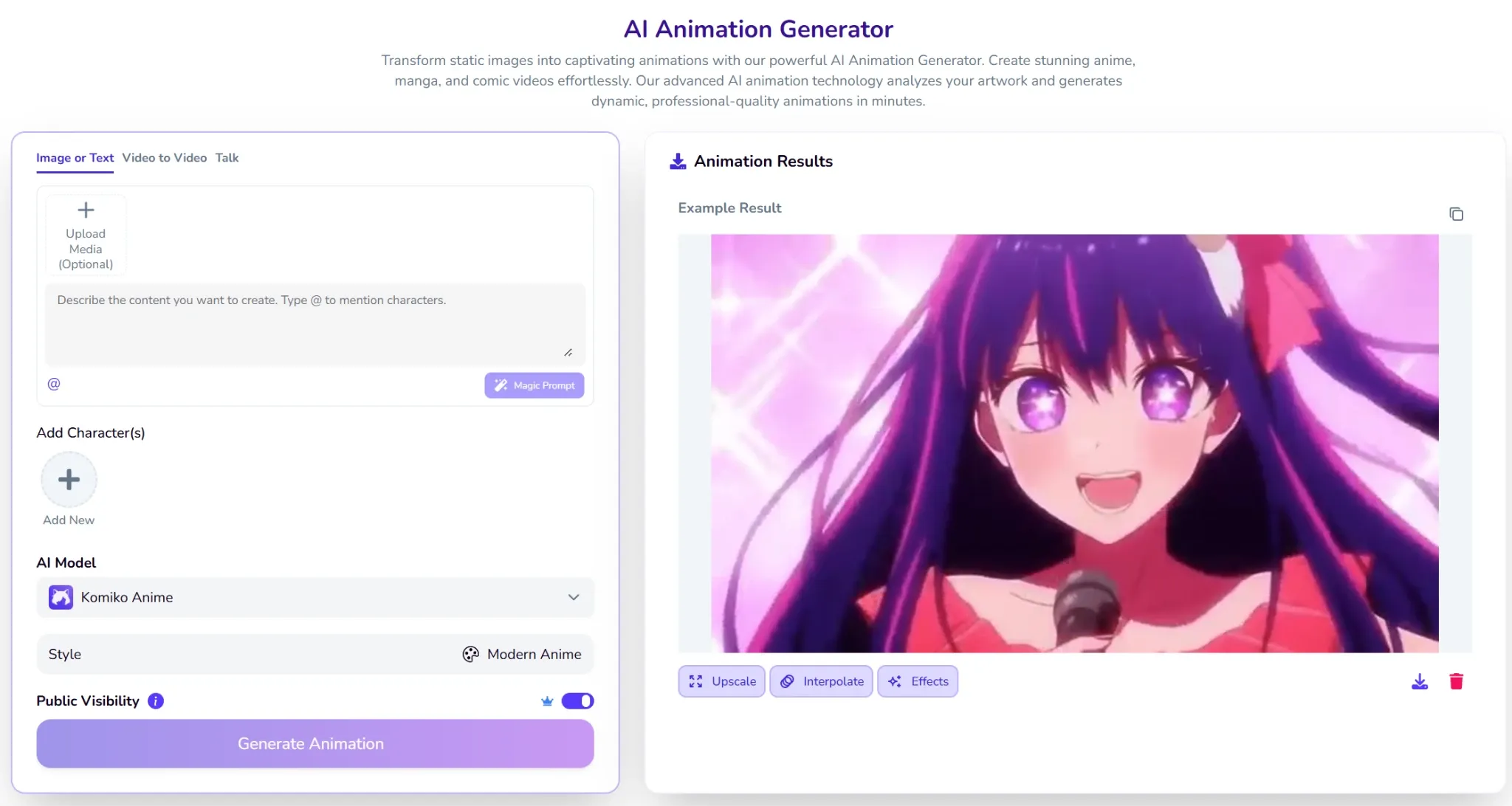
- AI Animation Generator: Transforms static images or text prompts into short animated video clips using models like Kling, Veo, and Komiko Anime.
OC Maker : Creates an original character's visual identity across multiple panels, scenes, and expressions.Video-to-Video Transfer : Converts existing footage into anime, Ghibli, sketch, or other stylized formats using AI style transfer.AI In-Betweening : Generates smooth intermediate frames between 2–5 keyframes to create fluid animation sequences.Comic Studio (Comics Canvas) : Provides an infinite canvas with panel layout tools, speech bubble editors, and AI-generated art to create full comics.AI Talking Head : Animates still character images into lip-synced, talking-head video clips.
AI Animation Generator
Komiko’s flagship tool animates static images using text prompts. Supporting models like Veo and Kling, Komiko allows creators without animation backgrounds to produce dynamic video clips effortlessly.
The AI anime generator features image-to-animation and "Talk" modes for stylized content. While quality varies, anime-specific models like AniSora provide the visual coherence necessary for high-quality, stylized results.
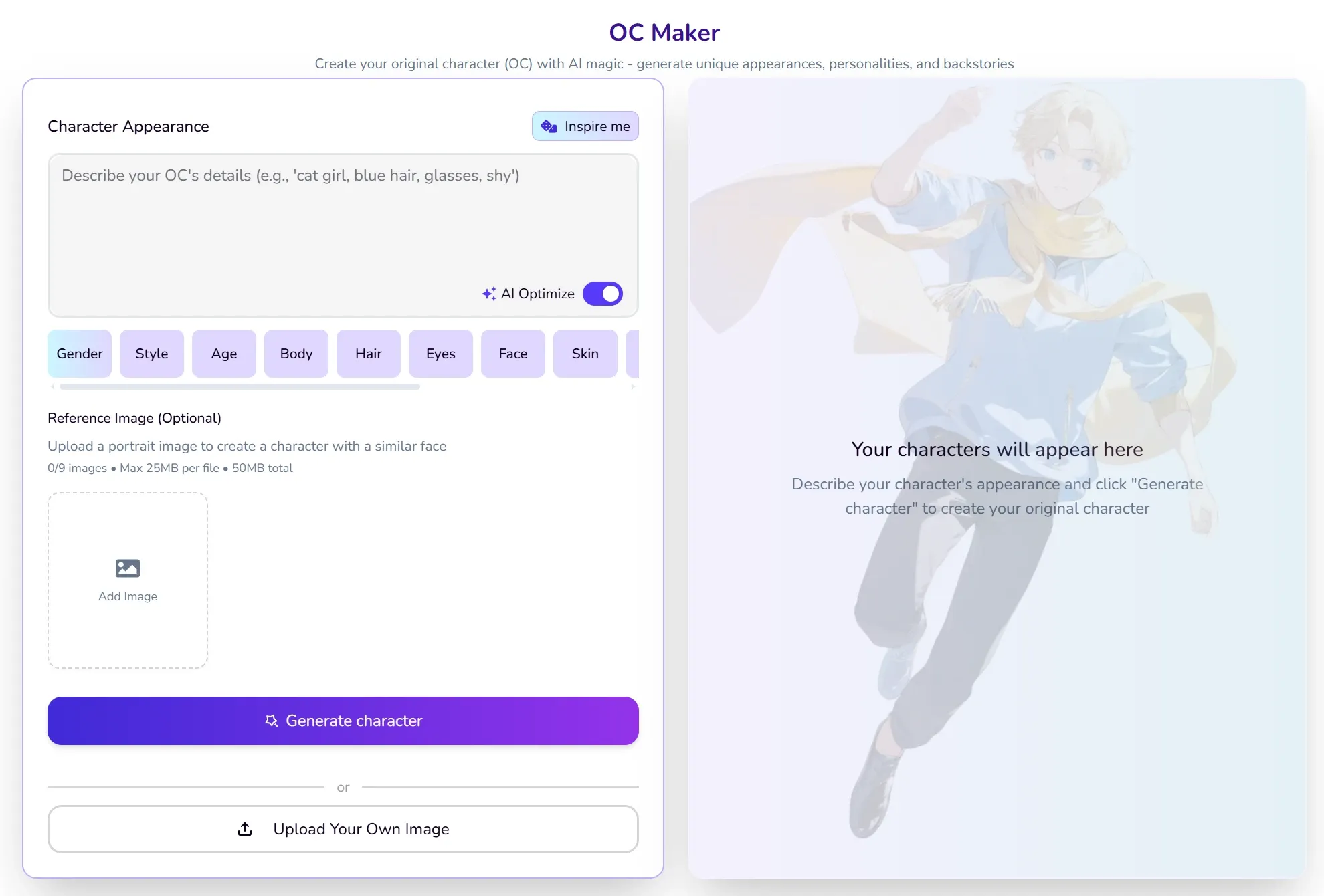
Character Consistency (OC Maker)
The OC Maker is Komiko’s standout feature, allowing users to design their original character with specific visual traits and then reuse that character across multiple generated images, comic panels, and animation clips.
Users can build an entire cast of characters, connect them into narrative arcs, and generate scenes featuring multiple characters simultaneously. This makes Komiko particularly well-suited for indie webtoon creators.
Video to Video Style Transfer
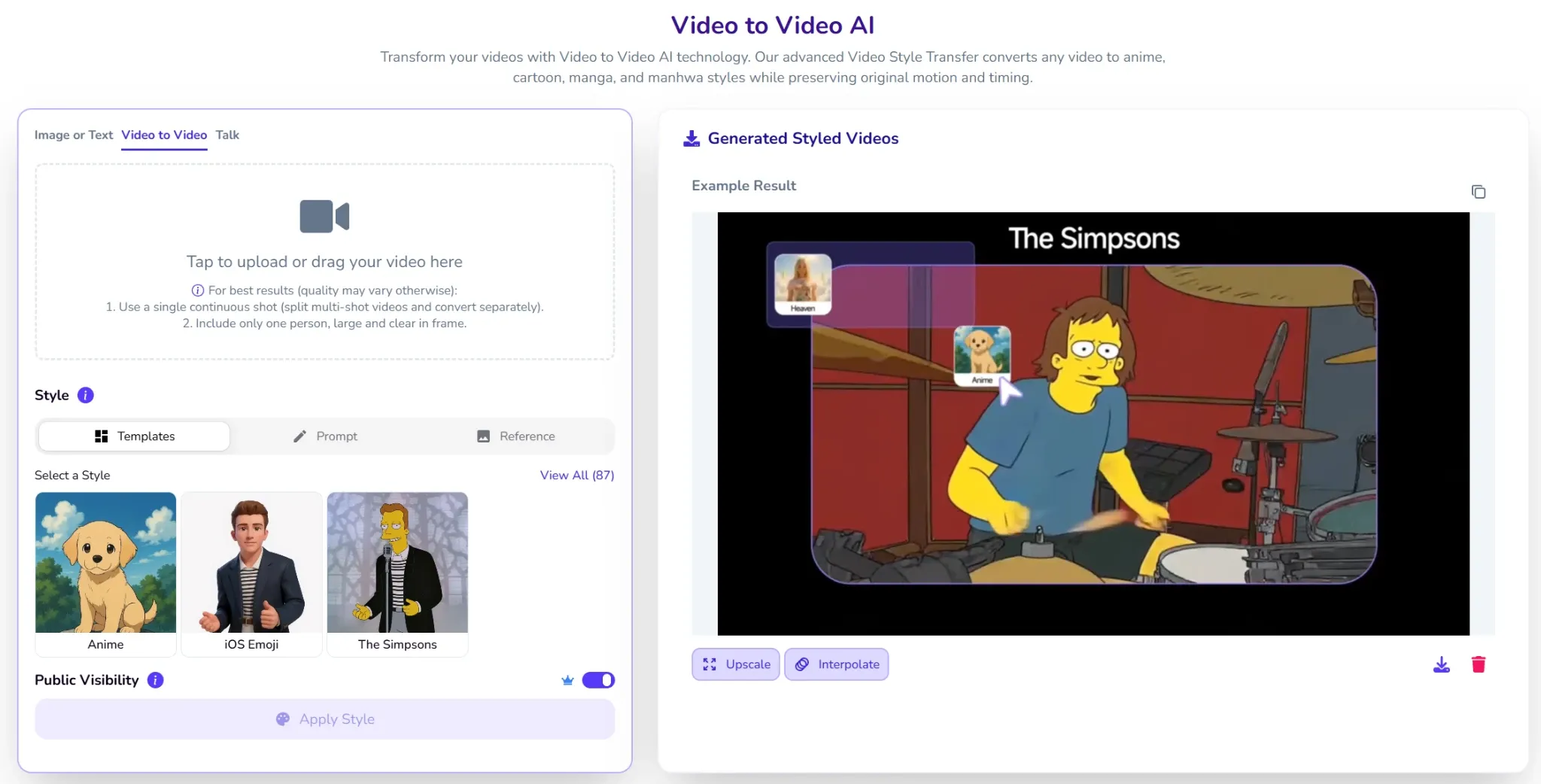
The video to video tool applies artistic styles like Ghibli watercolor or claymation to existing footage. Utilizing models like DomoAI and Wan, Komiko offers creators immense flexibility in their aesthetic direction.
The platform lists dozens of style variants, including video to anime, AI video restyle, and Ghibli-style video converter, making it one of the more comprehensive style-transfer suites in the anime niche.
Compared to Komiko, Pollo AI goes further with its video restyling and extending capabilities. While Koniko can only deliver short restyled clips that still require manual editing and stitching, the Pollo AI's reference to video feature takes the restyled footage and assembles it into a complete, publication-ready video with structured scenes, pacing, and transitions — all with zero manual editing required.
| Comparison Dimension | Komiko AI | Pollo AI |
| Character Consistency | Across comic panels and short clips | Across full-length multi-scene videos |
| Video Output Length | Short clips (typically 3–10 seconds) | Full-length, publish-ready videos |
| Editing Required | Manual stitching and editing needed | Zero editing required (Pollo Agent) |
| Model Variety | 30+ anime/art-focused models | 70+ models incl. Sora 2, Veo 3.1, Kling 3.0 |
AI In-Betweening
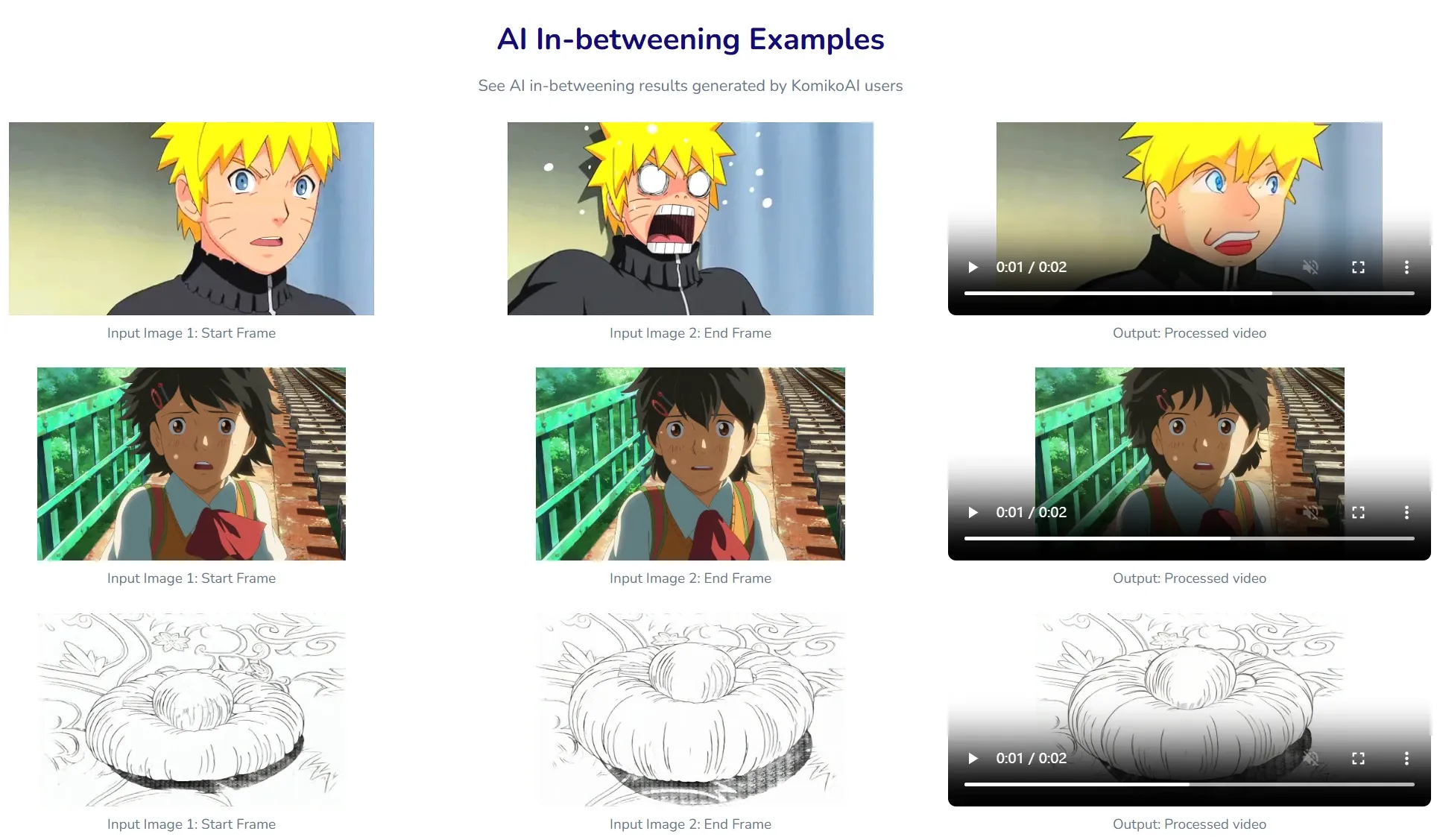
Komiko's AI In-Betweening tool accepts 2 to 5 keyframes uploaded by the user and generates the intermediate animation frames, producing a smoother motion sequence. By providing "anchor" images, the system calculates the motion between them. This is a technically useful feature for animators who want to add polish to short loops in webcomics and social clips.
While the feature is effective for short, contained animation tasks, the exact Zap (credit) cost per job and any hard caps on output resolution or length are not publicly documented, which can make budgeting difficult for production workflows.
Comics Canvas
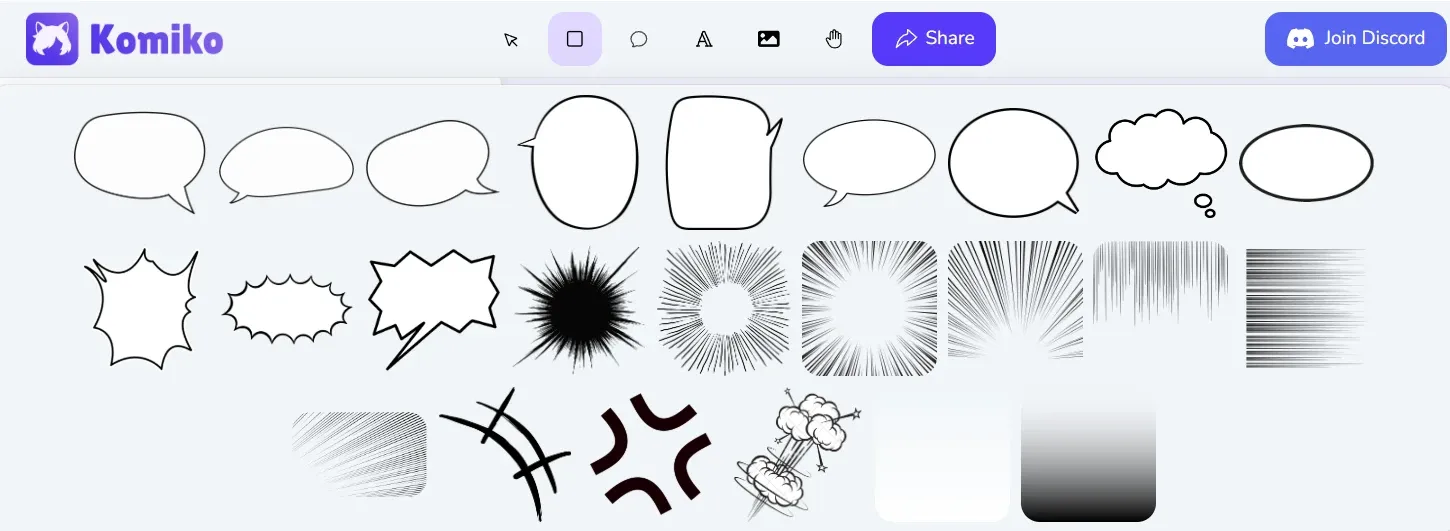
Komiko’s Comics Canvas provides a canvas environment where users can arrange AI-generated images into comic panel layouts, add speech bubbles, and edit dialogue text. This eliminates the need to export images into a separate layout tool, significantly reducing friction in the comic creation workflow.
AI Talking Head
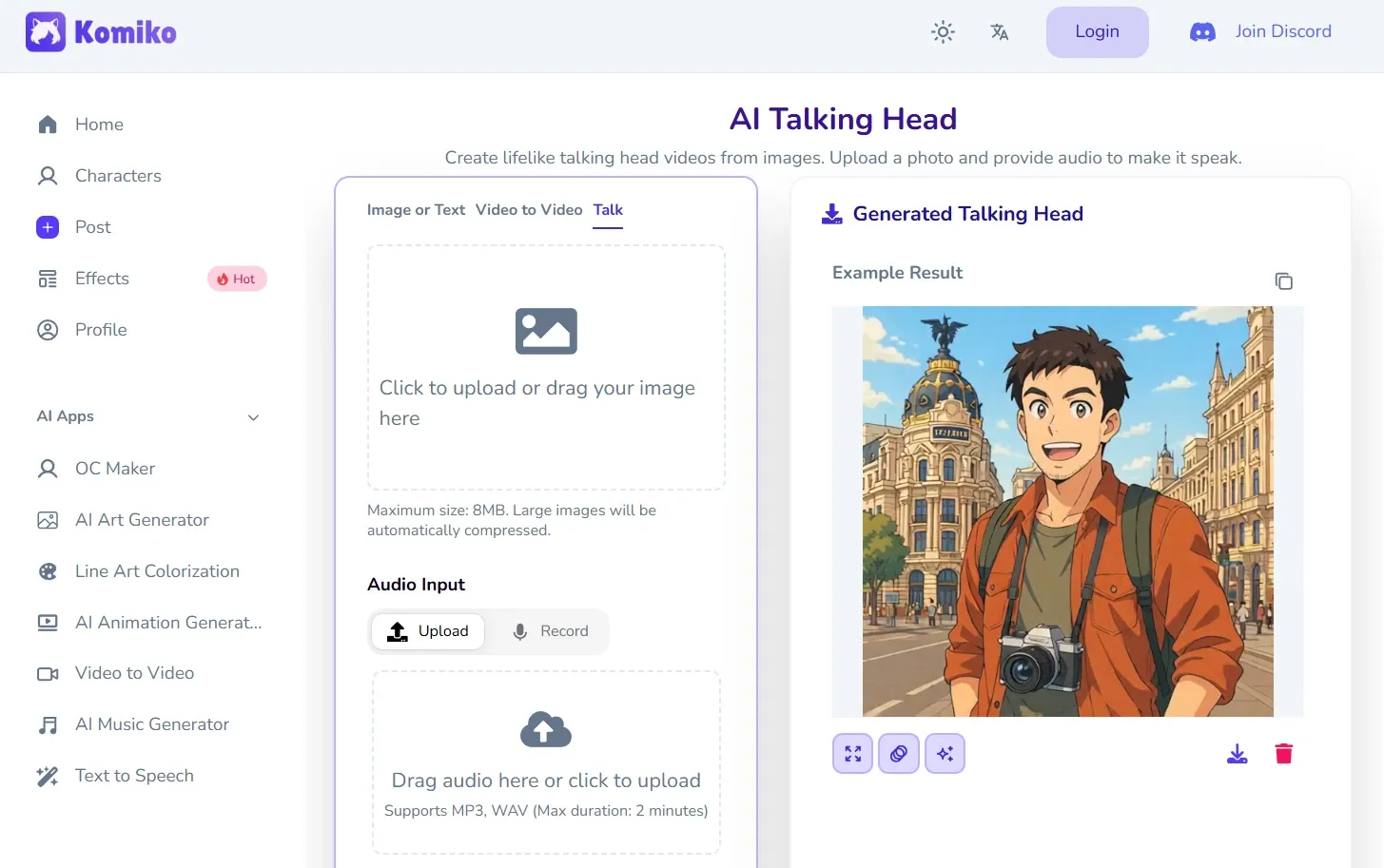
Komiko’s AI Talking Head feature animates a still character image into a lip-synced, talking-head video clip. Users can upload a character portrait and pair it with an audio file or text-to-speech input to produce a short video of the character speaking. This is useful for creating character introductions, promotional content, or interactive storytelling segments.
What is Komiko?
Komiko is an AI creative platform specifically built for the anime and manga industry, operated by Story Engine Inc. In September 2024, Story Engine secured $750,000 in pre-seed funding from Andreessen Horowitz (A16Z). Shortly after, the alpha version of Komiko.app launched, rapidly building a community around AI-driven anime and webtoon creation.
Komiko targets a highly specific market: indie comic artists, fandom communities, roleplayers, and VTuber builders who want a character-first, anime-native creative environment. Its differentiation strategy is built on niche depth over breadth. Rather than competing directly with general-purpose video platforms, Komiko focuses on the specific workflows that anime and manga creators need most.
Komiko’s Target Audience
Indie Webtoon and Manga Creators
Komiko's most natural audience is independent comic creators who want to produce their works without professional drawing skills. Komiko allows creators to visualize and publish complete stories at a fraction of the traditional production cost.
Fandom Communities and Roleplayers
Anime fans use Komiko to generate original characters for their favorite franchises, create fan art, and participate in AI-powered roleplay scenarios. The platform's extensive fandom tags — covering titles from Jujutsu Kaisen to Genshin Impact and One Piece — make it a natural hub for community-driven content creation.
Social Media Creators and VTubers
Short-form content creators leverage Komiko's animation and video-to-video tools to produce eye-catching anime-style clips for TikTok, Instagram, and YouTube Shorts. VTuber builders use the OC Maker and AI Talking Head features to design and animate their virtual personas.
What Do Users Say About Komiko?
On Reddit's r/generativeAI, users highlight Komiko's character consistency as a standout capability, describing it as "fantastic because it helps with 'character consistency,' which is AI-speak for 'making sure your character looks the same from panel to panel.
However, independent reviews flag several recurring pain points. The Skywork AI review notes that Komiko's Zap-per-action pricing schedule is not publicly documented, making it difficult to predict production workflow costs. It also highlights that maximum export resolutions and watermark policies for video content are not fully specified on public pages.
Another significant pain point for long-term creators is the recent change to the credit (Zap) mechanics. One user on X expressed concern about the inability to save points for higher-quality projects, stating:
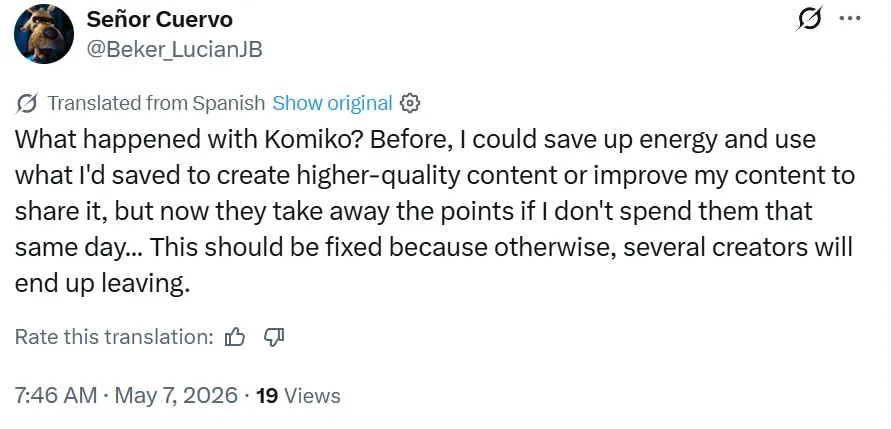
This "use it or lose it" policy forces users into a rushed creative cycle, preventing them from stockpiling energy for complex, high-resolution generations or larger-scale animations.
Komiko’s Pros & Cons
Pros:
- Strong character consistency across comic panels and short clips
- Intuitive comic canvas with integrated speech bubble tools
- High-quality anime and manga art generation with 30+ models
Cons:
- Opaque Zap credit consumption rates with no public per-action schedule
- Video generation limited to short clips
- Motion artifacts can appear in complex poses or multi-character animations
- Watermark and export resolution policies for video are not fully transparent
- Learning curve for navigating the full suite of tools
Komiko vs Pollo AI vs Runway Gen-3: Features Comparison
| Feature | Komiko AI | Pollo AI | Runway Gen-3 |
| Primary Logic | Anime/comic-focused creative suite | Full-funnel AI video production system | Advanced generative video platform |
| Output Type | Comic panels, short animation clips | Full-length, publish-ready videos(incl. animation) | High-fidelity video clips |
| AI Agent Capability | None | Pollo Agent (autonomous video creation) | None |
| Technical Edge | OC Maker, AI Frame in-betweening | Multi-model hub + Pollo Agent | Advanced motion control (Gen-3) |
| Effort Required | Moderate (manual layout and editing) | Zero(no editing required) | High (requires external editing) |
| Model Variety | 30+ anime/art models | 70+ models incl. Sora 2, Veo 3, and Kling 3.0 | Proprietary Gen-3 model only |
| Video Length | Short clips (3–10 seconds) | Full-length multi-scene videos | Short to medium clips |
| Pricing Transparency | Opaque Zap-per-action costs | Clear model-based pricing | Published credit tiers |
Why Is Pollo AI Considered the Better Alternative To Komiko?
Komiko is a specialized tool for anime enthusiasts. However, for creators who need to move beyond anime short clips and into full-length video content, Komiko's limitations quickly become apparent. Its opaque credit system, the absence of an autonomous video agent, and the inability to produce publish-ready multi-scene videos are real bottlenecks for anyone working at a production pace.
Pollo AI directly addresses the core limitations seen in Komiko. Its Pollo Agent helps you create anime videos! Integrating Sora 2, Veo 3, and Kling 3.0, Pollo Agent delivers full-length, publication-ready videos with zero editing needed, eliminating the frustration of fragmented, unusable clips.
Why Most Creators are Switching to Pollo AI
70+ Elite AI Models in One Platform
Beyond generation, Pollo AI offers professional tools like remove object from video to refine details and improve final output quality.
100+ Specialized Workflow Apps
From creating your own OC and making your original animation, Pollo AI's scenario-based apps deliver production-ready content for specific creative goals.










 5000+ reviewsTrustscore 4.4
Trusted by 10M+ Creators and Marketers Worldwide
Thousands of satisfied users have shared their Pollo AI experiences on Trustpilot, rating us as "Excellent." See what they love about our platform.
Liz Cassidy Dec 15, 2025Richard QuickOct 15, 2025armourdudeNov 19, 2025
 DuduJan 14, 2026
 Ray WarnesDec 30, 2025
 lawless clanNov 22, 2025
Discover More AI Video Generators on Pollo AI
FAQs
What is Komiko AI used for?
Komiko AI is used primarily for generating anime-style art, designing original characters (OCs), creating comic panels and webtoon episodes, and producing short animated video clips. It is built for fandom creators, indie comic artists, and roleplayers.
Is Komiko AI free?
Komiko offers a limited free tier with a daily "Zap" check-in bonus. Watermark-free exports and higher generation volumes require a paid subscription, starting at $9.99 per month for the Starter plan.
Can Komiko generate full-length videos?
No. Komiko focuses on short animation clips (typically 3–10 seconds) and video-to-video style transfers. It does not support generating full-length, structured narrative videos.
What is the "Zap" system in Komiko?
Zaps are Komiko's internal credit currency used to generate images, run animations, and access other AI tools. The exact Zap cost per action is not publicly documented, making it difficult to predict monthly usage costs.

Go Full Production with Pollo AI OC Maker
Stop wasting time stitching individual clips and start building full-length narratives for your anime character with Pollo AI!