



Runway Inpainting
RunwayML.com Inpainting is an advanced AI-powered tool developed by Runway that allows users to seamlessly remove unwanted objects, people, or imperfections from videos. And now you can try out different Runway models in Pollo AI video generator!
Kling 4.0
Up to 10 keyframes. Impressive performance.
Key Features of RunwayML.com Inpainting
Clean and Natural Object Removal: Remove elements accurately and maintain a natural appearance.Free Object Selection and Instant Preview: Have precise control over what to remove, quick preview of the results.
Clean and Natural Object Removal
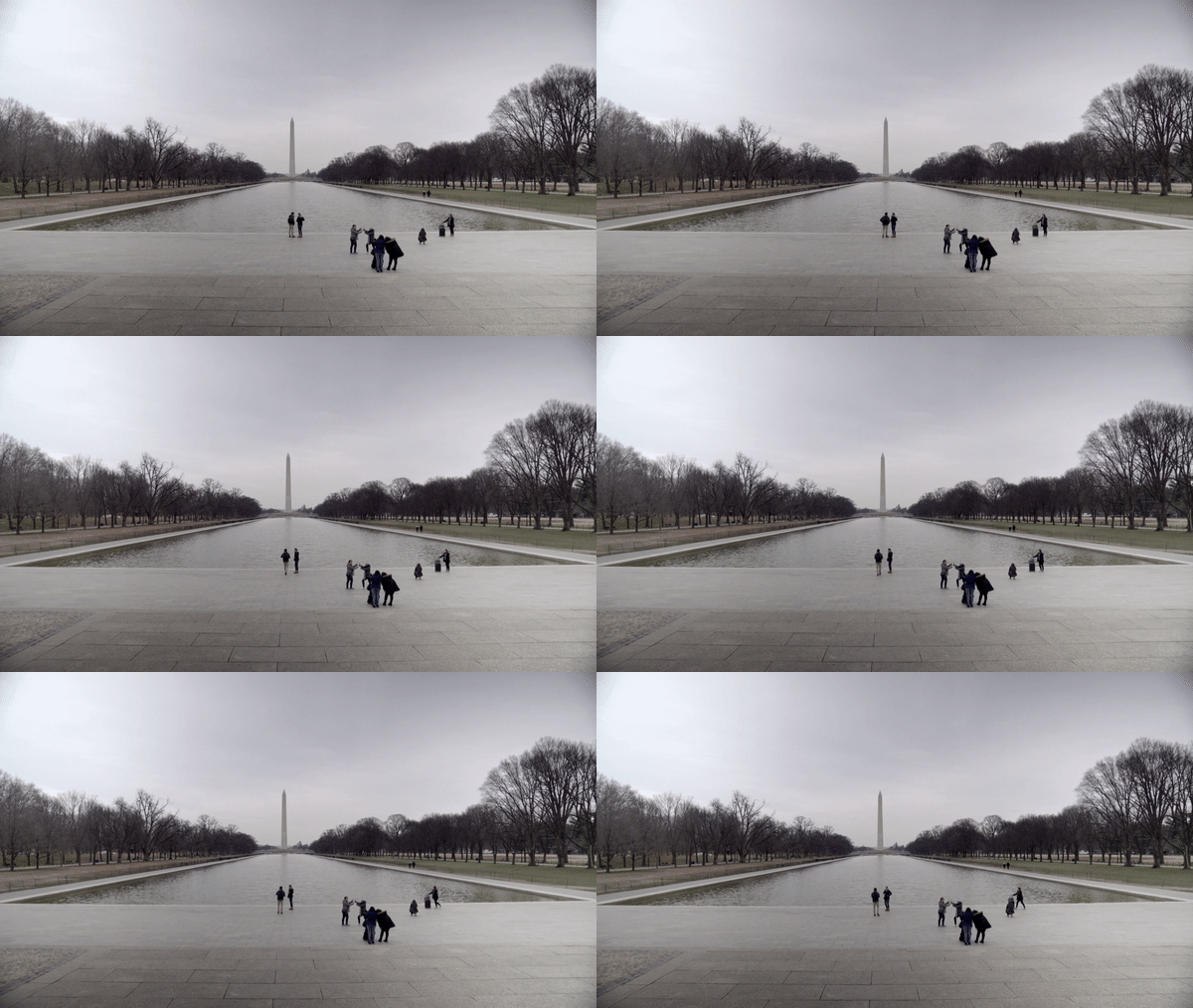
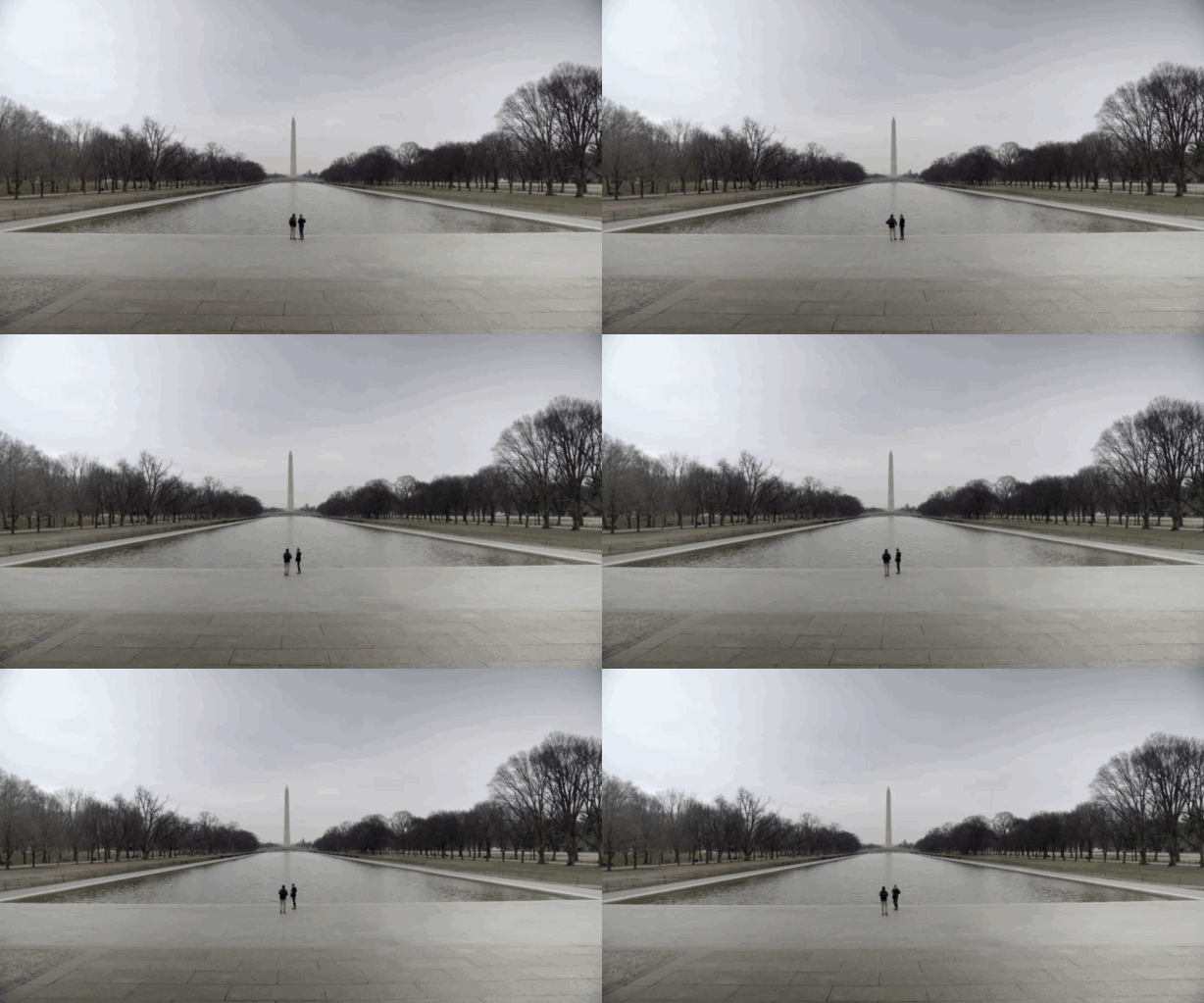
Runway Inpainting can erase unwanted elements like passersby or objects obstructing a shot, leaving a clean video or image. It uses advanced AI to analyze video frames and fill in gaps left by removed objects, so the output videos will be natural.
| Sample input video | Sample output video |
 |
 |
Free Object Selection and Instant Preview
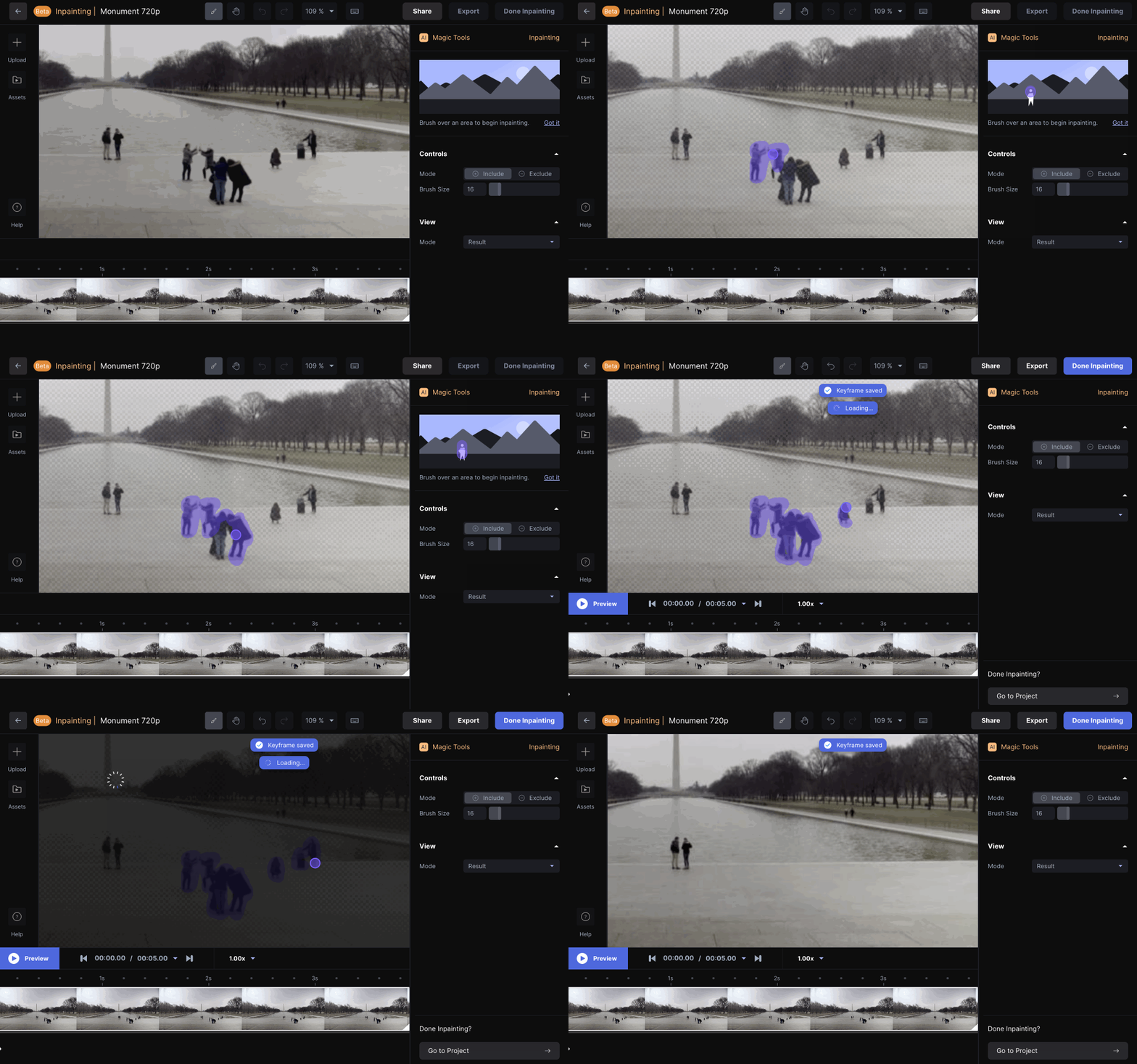
RunwayML.com Inpainting offers a brush tool that allows precise control over what to remove, enabling the addition or exclusion of specific regions for better accuracy. The tool also supports real-time preview, enabling users to see instant preview results after they select the object to remove.
Best Practices for Runway Inpainting
- Detailed Masking: When selecting the object for removal, be precise with the brush tool to create a detailed mask around the subject. Try to paint as close as possible to the subject's outline for the most accurate selection.
- Refine the Mask: After the initial selection, switch from "Result" mode to "Mask" mode to refine the selection.
- Keyframes for Accuracy: For video, skip ahead in the timeline and refine the mask selection as needed. Create more keyframes as necessary.
Check out our detailed guide on how to remove objects with Runway.
YouTube Videos About RunwayML.com Inpainting
What People Are Talking About Runway Inpainting on Reddit
What People Are Talking About Runway Inpainting on X
Last week we came across this new AI Video Inpainting tool called DiffuEraser, and it is the best one we have seen yet. We compared it against Runway’s Video Inpainting tool and it blew Runway’s out of the water.
— Curious Refuge (@CuriousRefuge) January 28, 2025
Check out the thread below to see the quality! Here is the… pic.twitter.com/OQlijcVIgq
Jumping into a thread about video inpainting @runwayml 🦘👇 1/7 pic.twitter.com/TxOFD54H85
— Patrick Esser (@pess_r) February 7, 2022

10M+Users
Using Pollo AI to Create and Inspire


Loved by 10M+ Creators and Marketers Globally
- Liz CassidyDec 15, 2025Easy to use, great results for short videosI’ve been using Pollo AI mainly for short videos and quick image-to-video tests. The interface is straightforward and it works well even with simple prompts, which is a big plus compared to tools that need long, complicated instructions. The results can be really impressive, and it’s honestly been fun to experiment with. I’d love a bit more consistency on faces when there’s movement, but overall it’s been a solid experience for what I needed.
- Richard QuickOct 15, 2025Awesome websiteAwesome website. loads of options and a great way to learn how to work with 'AI' my reasoning for 5 stars is based upon price, versatility and ease of use. Also I would like to add, Pollo AI runs a lot of promos on different AI products as well. I rate their customer service at 5 stars, when I purchased my first subscription my computer crashed the following weekend and I lost all my data and info passwords you name it I lost it, contacted pollo by email they responded quickly and found my info/username and account, and I was able to restore my account.
- armourdudeNov 19, 2025I have been using Pollo AI for short…I have been using Pollo AI for short videos. It is easy to use and works well with simple prompts. Other generators seem to need long drawn out complicated explanations to get even close to what I want.
- DuduJan 14, 2026I'm just amazed by the level of quality…I'm just amazed by the level of quality output that Pollo AI can produce from a simple image. The motion, the realism, It's too good!!
- Ray WarnesDec 30, 2025A fabulous journeyI find Pollo easy to use, it gives me great results and I'd recommend it to anyone. It has been a wonderful experience for me.
- lawless clanNov 22, 2025i tried 220 online img to vid in 2…i tried 220 online img to vid in 2 months, and this is the best online video.I will subscribe for a year; there are many reasons. But freedom is the most important.


Detailed Articles About Runway
FAQs
What does inpainting do?
Inpainting allows you to remove unwanted objects from videos or erase elements from your images seamlessly. An AI-powered inpainting tool can intelligently fill in the gaps left by the removed objects, creating a natural and clean result.
How does Runway Inpainting work?
It works by analyzing the surrounding content of the object you want to remove. You create a mask around the object, and the AI then fills in that area based on the patterns, textures, and colors of the surrounding pixels to make the removal appear natural.
Is RunwayML.com Inpainting free to use?
Runway offers a free tier for the Inpainting tool but with limited usage. This may include watermarks, lower resolution exports, or limited processing time.
Can RunwayML.com Inpainting be used to remove watermarks?
Yes, it can help you remove a wide variety of objects, including watermarks on your videos.
How to remove objects in video with Runway?
Just upload your videos to Runway, start its Inpainting tool, use the brush to select the objects to remove.
What other features does Runway offer?
There are lots of powerful video generation features in Runway, including image-to-video conversion. Since Pollo AI has integrated Runway, you can now generate AI videos from images using Pollo AI image to video AI with the same advanced Runway model!

Try Runway on Pollo AI Now!
Pollo AI has integrated a wide range of AI video models including Runway. And you can try their features for free!