



How to Delete Runway Account?
Runway makes it simple to permanently delete your account—as long as you follow the right steps. If you are unsure about how to do this exactly, don’t worry. We are explaining the exact process in this detailed guide. Let's get started.
What to Do Before Deleting Your Runway Account
Here's what you need to do before deleting your account:
- Backup Your Data: According to the Runway’s privacy policy, once your account is deleted, all your projects will be gone forever. If you have important work stored in Runway, make sure to save your files elsewhere.
- Cancel Your Subscription: If you have paid for an advanced plan in Runway, cancel it manually before deleting your account. This prevents any future charges and ensures that you don't accidentally get billed after your Runway account is gone.
How to Delete Your Runway Account
Follow these detailed steps to complete the process safely:
Step 1: Log Into Your Runway Account
Go to Runway’s official website and log into the account that you want to delete.
Step 2: Go to Your Account Settings
Once you're logged in, you need to navigate to your Account Settings:
- Look for your user icon in the top-right corner of the screen. Click on it.
- A dropdown menu will appear.
- From the list of options, select “My Account”.
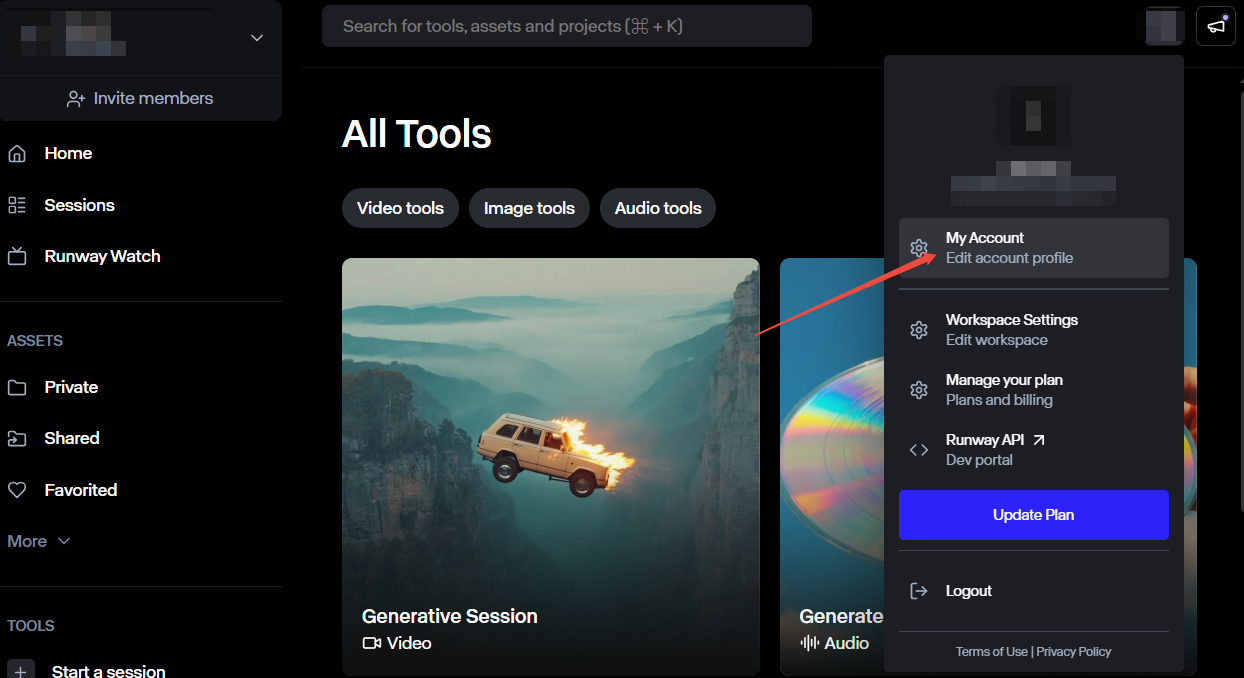
Step 3: Find the Delete Account Option
Scroll down to the bottom of the page. Look for the Delete Account button. Just hit on it.
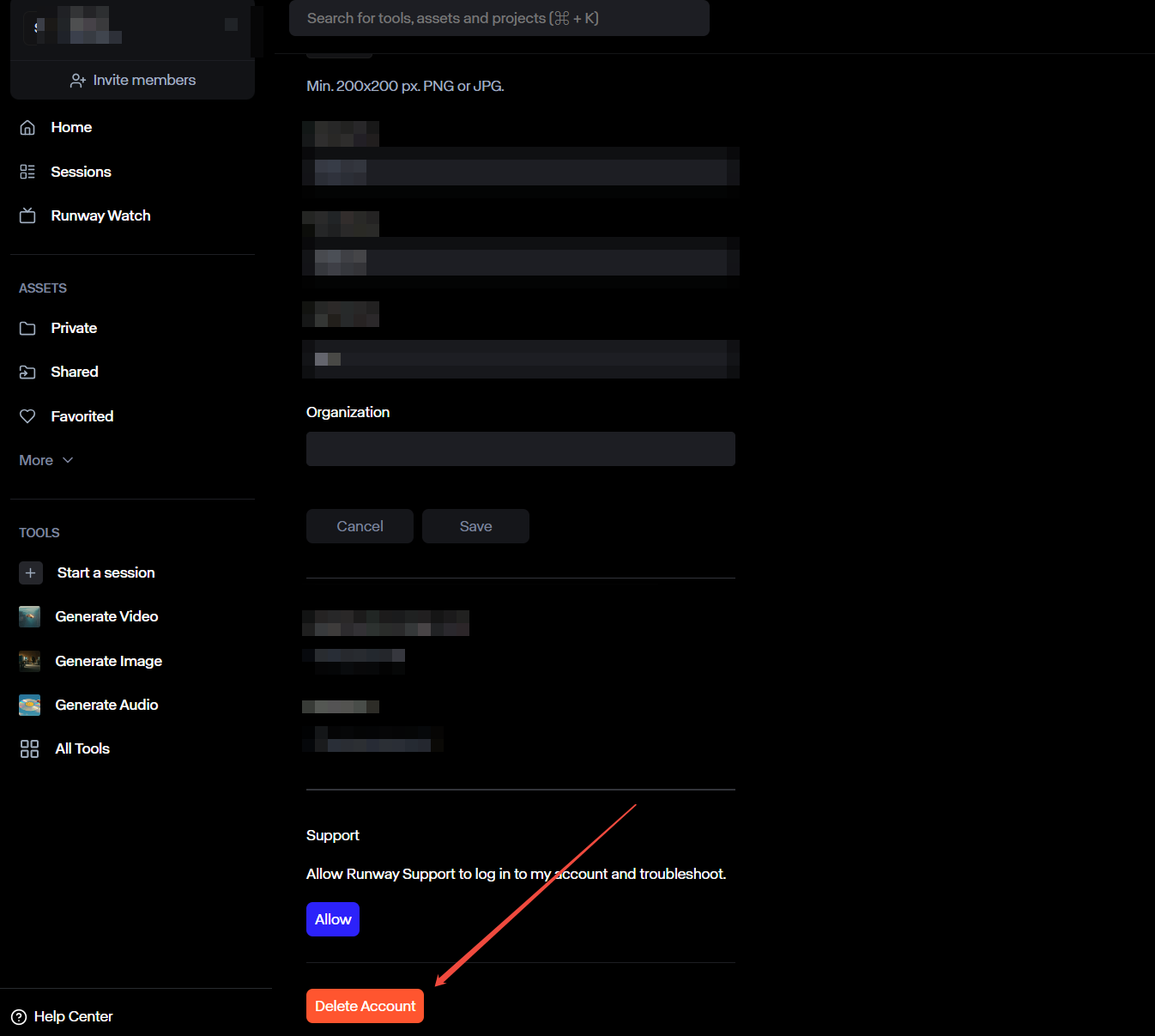
Step 4: Confirm Your Password
A message will pop up to make sure it’s really you who wants to do this. If you’re sure to delete your Runway account, just enter your password to confirm. By clicking the delete account button here, your account will be gone for good.
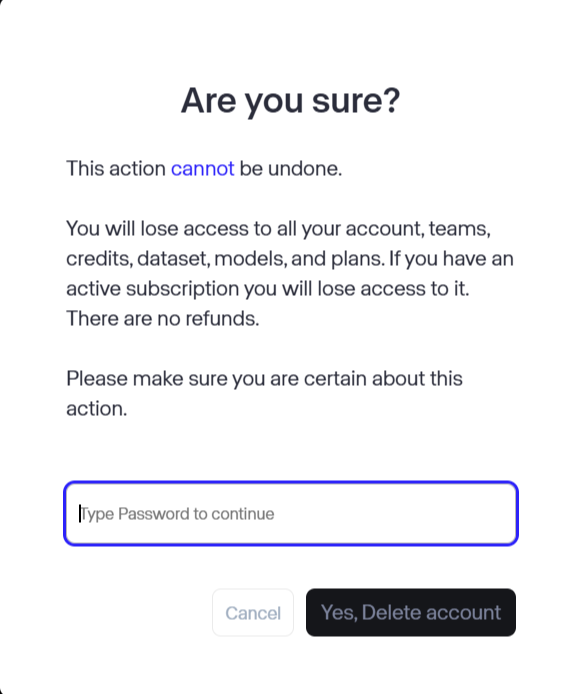
What Will Happen After You Delete Your Runway Account?
Once you delete your Runway account, the changes take effect immediately. Here's exactly what will happen:
1. Loss of All Projects and Data
The moment you confirm the deletion, everything you've created on Runway is erased forever. This includes all your videos, images, assets, saved files, and project settings. Runway does not keep backups, so there's no way to restore or retrieve anything after deleting your account.
2. Subscription Cancellation
If you were on a Runway subscription, it will be automatically canceled once your account is deleted. You won't be able to access any of the paid features anymore, and you won't be charged again.
Explore Pollo AI for a Better Generation Experience
If Runway delivers a poor video creation experience, it is a right option to delete your Runway account.
But you can try Pollo AI for a better video generation experience. It is an all-in-one video generator, which means you can get access to most of the top models on the market, such as Kling AI, Hailuo AI, PixVerse AI, Vidu AI and much more to fulfill your creative needs.

Moreover, you can get access to all of its video effects to create interesting videos within minutes. There are still more great generation functions such as video to video, consistent character video for you to try out. This video generator is definitely a good choice for those who are serious about video creation.
Conclusion
Deleting your Runway account is simple. Just log in, find your account settings, scroll down, and click on the "Delete Account" option. But before you do it, it's recommended to back up your data so you don't lose any important projects that were generated in Runway.