



Elevate Your Vibe with Pollo AI Floating Layers Effect
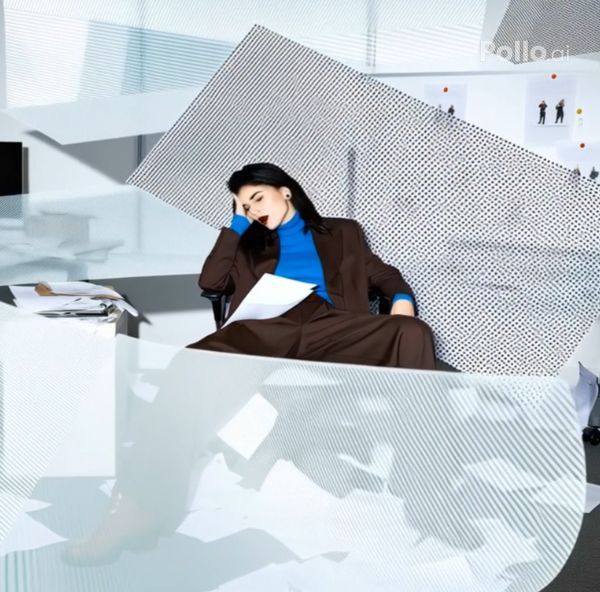
Upload your original photo, and Pollo AI video generator spins it into a stunning AI video where 3D layers of stripes, dots, and geometric patterns swirl elegantly around you—like drifting paper pieces in a dynamic, rhythmic collage.
Effortless Layered Elegance
You upload a snap, and Pollo AI instantly surrounds your photo subject with slow-dancing 3D floating layers—stripes, dots, geometrics—for a hypnotic collage that will wow your feeds in just seconds!
Sharp Floating Layers Magic
Polish your floating layers masterpiece with our denoise video tool—erase any blur for ultra-sharp, vibrant layers that make your dynamic video pop with flawless, professional clarity!
How to Use the Pollo AI Floating Layers Video Effect
With only three steps, you can easily create videos from images with Pollo AI.
Step 1
Upload a clear photo of your target subject showing their head and body.
Step 2
Let Pollo AI apply the floating layers effect to your original image.
Step 3
Download or share your video clips instantly.
Try Other Popular Video Effects From Pollo AI
FAQs
How quickly can I create my floating layers video with Pollo AI?
In just seconds! Upload your photo and let Pollo AI video generator weave your elegant 3D collage instantly!
What patterns will surround me in the AI video?
Dive into stripes, dots, and geometric wonders—Pollo AI randomly crafts endless, rhythmic layers around you!
Can I use this effect for free on Pollo AI?
Totally! With the free user plan offered by Pollo AI, you can try this floating layers video effect at no cost with limited credits.
Is my floating layers video ready for social media sharing?
Yes! Download stunning HD-quality AI video instantly and mesmerize your followers with effortless, viral art!
