Sports Video Editors
Smoother Action Clips
Apply AI video interpolation to a low-frame-rate move so viewers can follow the impact or gesture. Carry the improved moment into a highlight video for the team.
AI Video
Transform text and images into cinematic videos with lifelike avatars and studio-quality SFX.

AI Image
Turn ideas and images into stunning visuals, or perfect any photo with a complete suite of AI tools.

Agent
Create production-ready videos with SFX, consistent characters, and polished scenes. No Editing.

Marketing Studio
Built for marketers and sellers to create winning ads, UGC videos and product visuals faster.


Add in-between frames to recorded footage so fast moves and slow motion play with fewer jumps.
Seedream 5.5
Consistent Editing Across 100 Rounds.
Seedance 2.5 Flash
40% OFF. Close to Seedance 2.5 quality. 2× the speed.
Kling 4.0
Up to 10 keyframes. Impressive performance.
Have the right moment on video, but the action looks jumpy? Upload the clip and let Pollo AI fill the missing movement between its frames. The same scene becomes easier to follow at normal speed or in slow motion, giving you a usable version without filming the moment again.
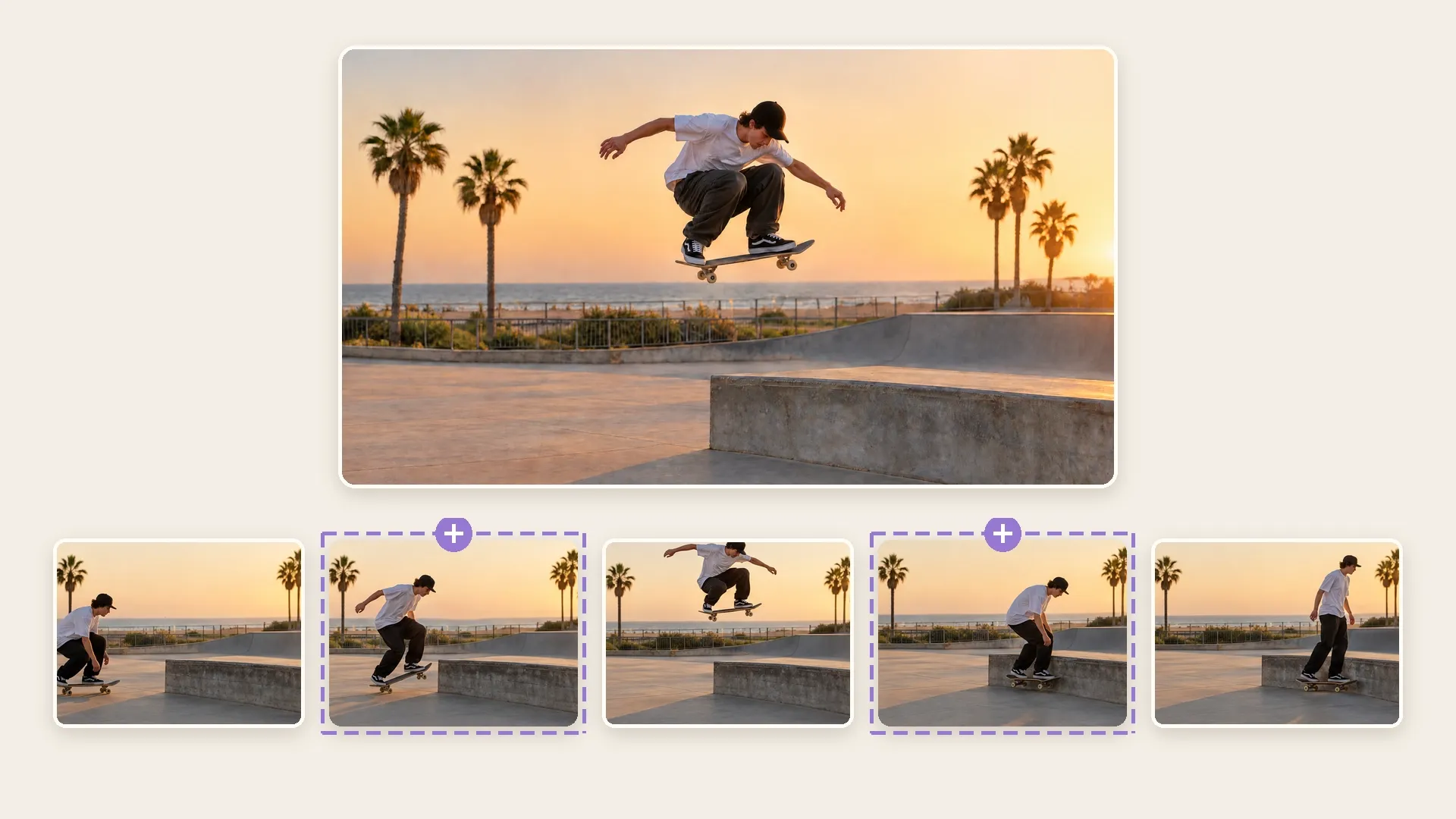
Show the movement between key moments instead of skipping past the action.
Give an important gesture more screen time without obvious frame jumps.
Bring the moment you captured into your edit despite uneven playback.
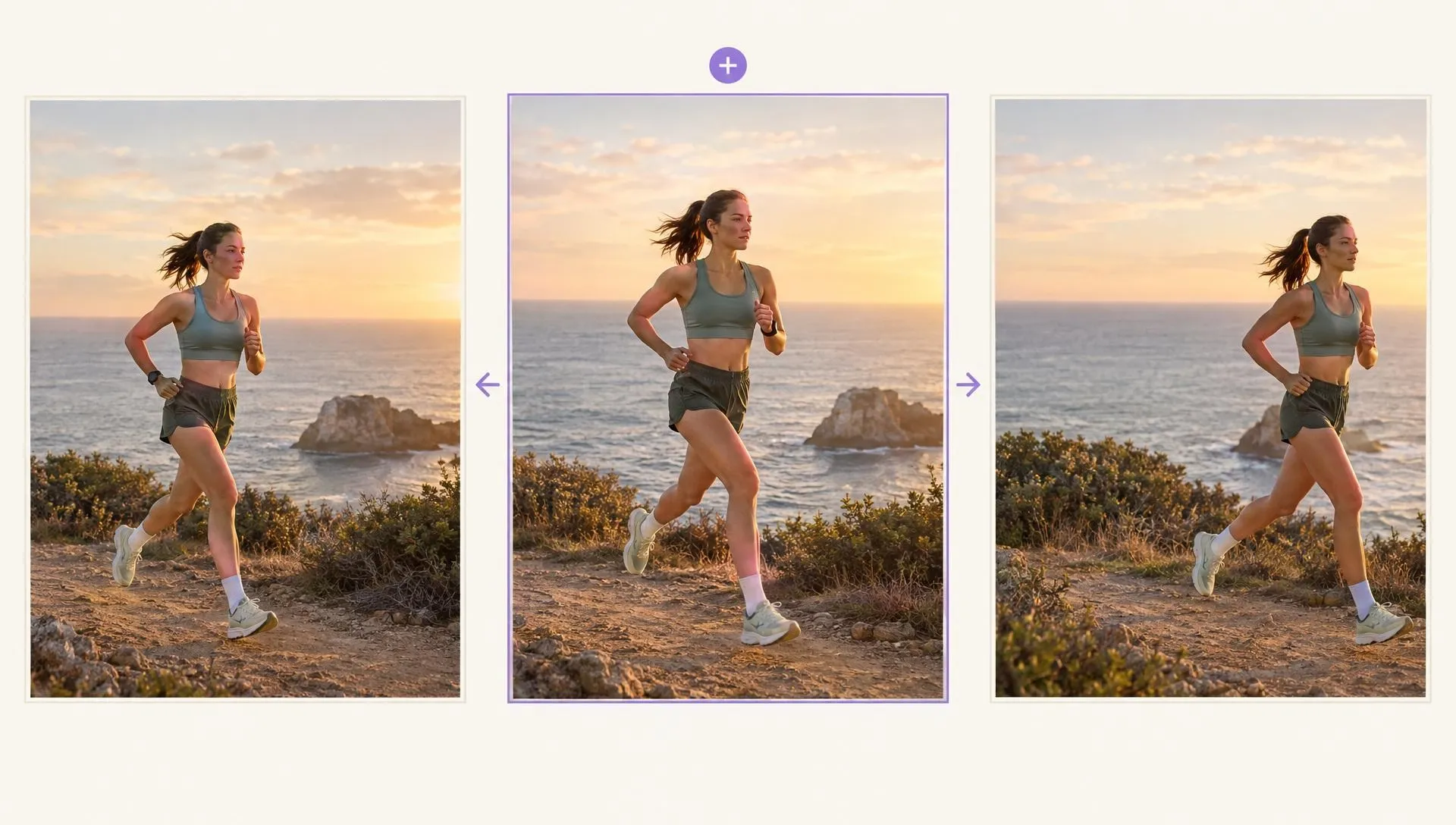
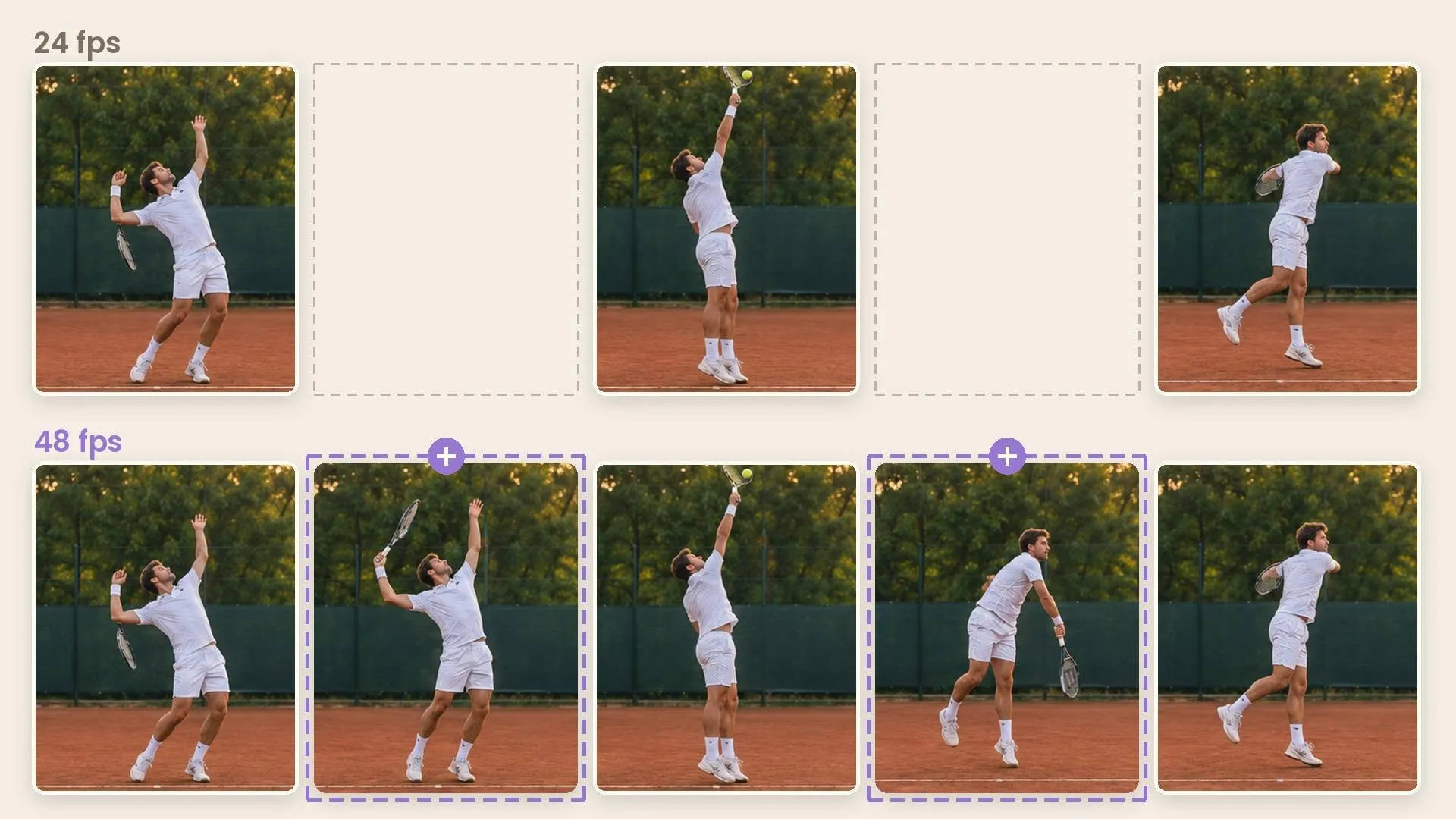
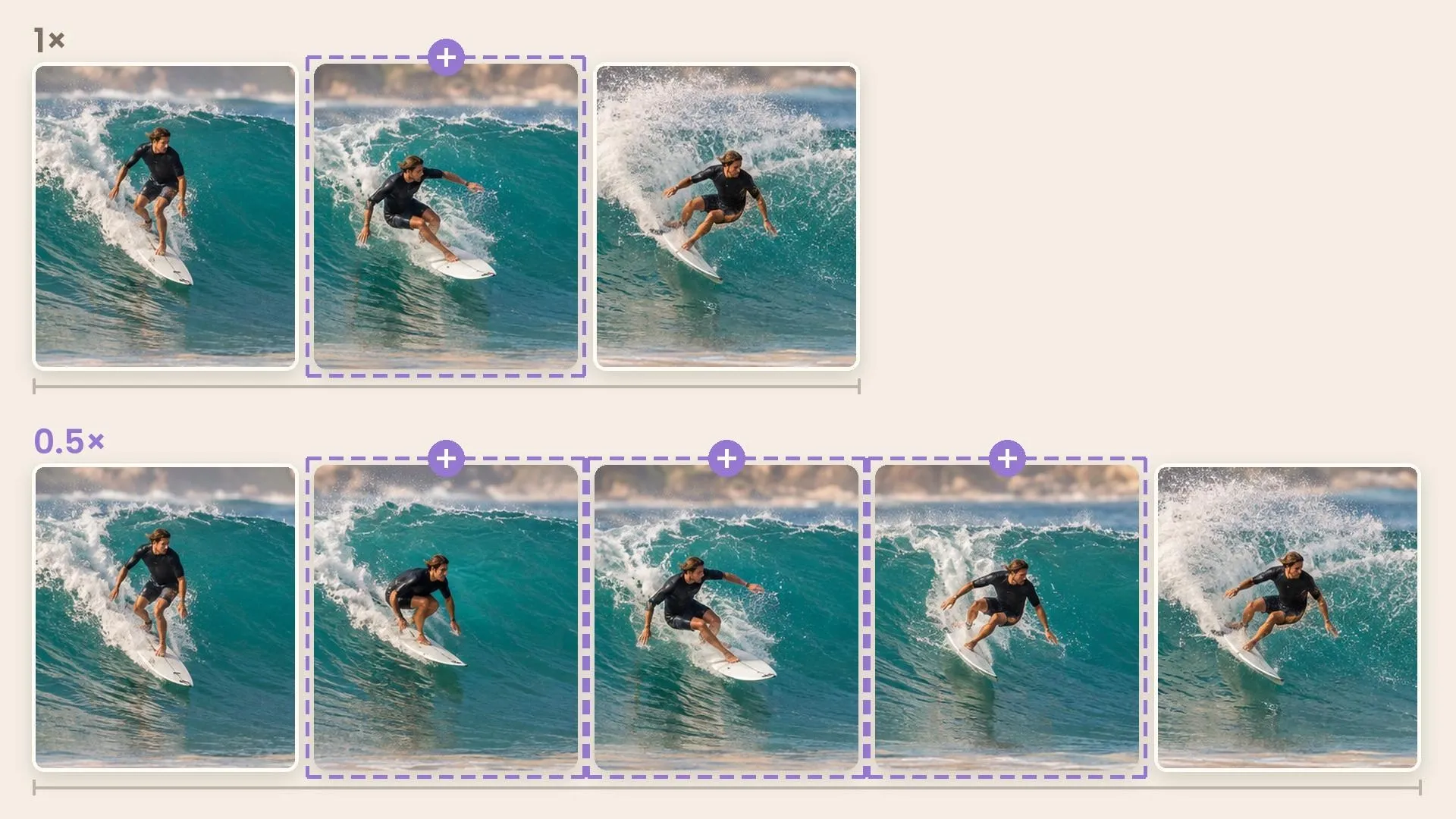
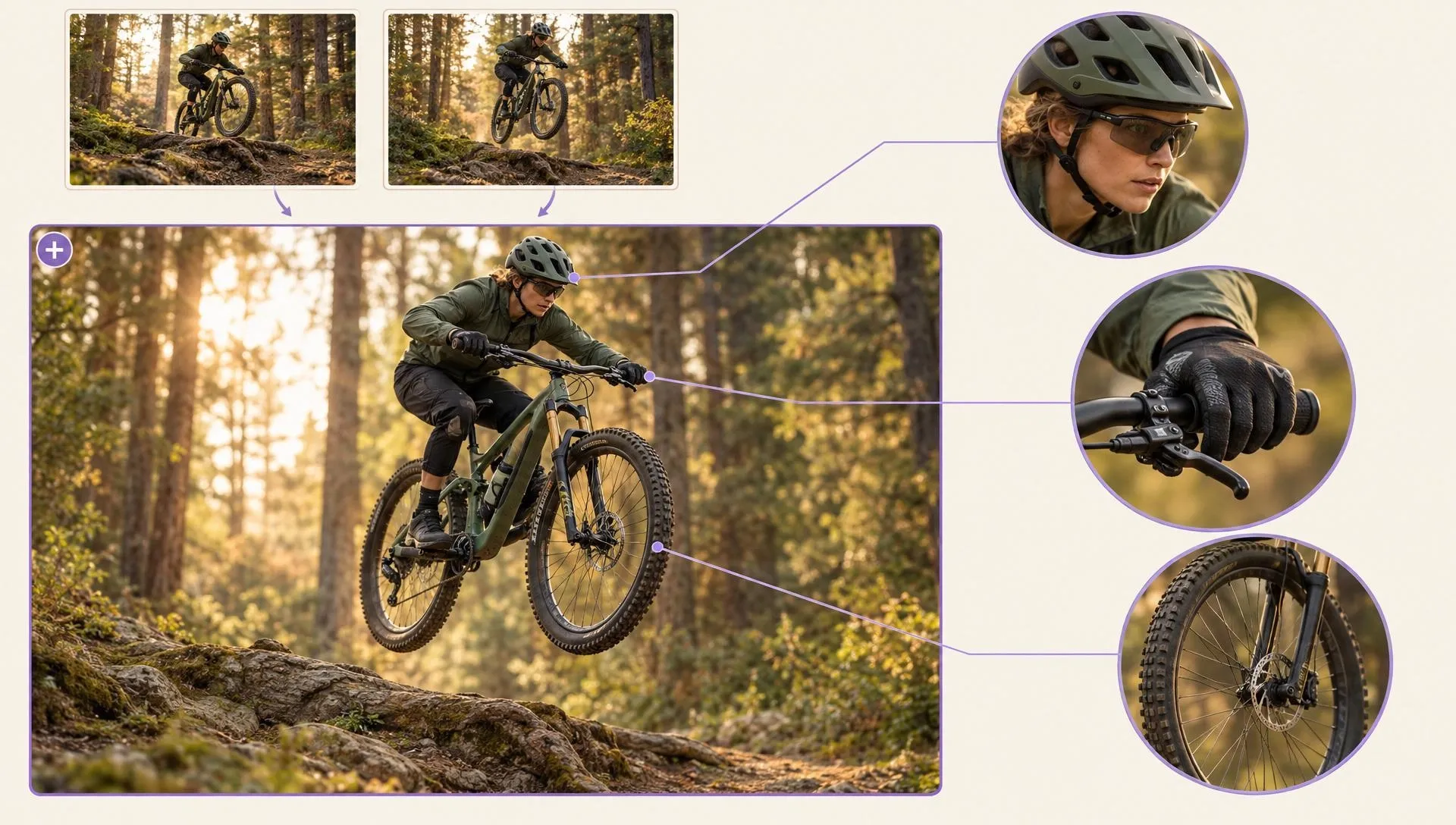
Apply AI video interpolation to a low-frame-rate move so viewers can follow the impact or gesture. Carry the improved moment into a highlight video for the team.

Add frames to the moment you plan to slow down, keeping its action readable. A video extender can create new action beyond the recorded beat.

Smooth a rapid camera move in your recording with AI video frame interpolation, keeping the player's action readable. That shot fits into a longer gaming video edit.
Give an older clip more continuous motion while retaining the scene and its original timing. A video enhancer can improve soft picture detail before you share the archive version.
Add the recorded clip whose motion needs more continuity.
Set the target frame rate or slow-motion option for the clip.
Inspect fast edges, then download the smoother video.
Go from basic scripts to high-converting content. Seamlessly transition between automated AI agents, presenter-led avatars, sound design, and tailored video apps.
Bring your still images to life with cinematic motion and depth. Create captivating short video stories from your photos for a new level of visual storytelling.
Turn simple text prompts into stunning cinematic sequences. Generate highly detailed, smooth-motion video clips ready for any professional timeline.
The ultimate multi-modal video generator. Combine text, images, or audio to produce complete, production-ready video content in minutes.
Elevate your visuals with studio-quality audio. Generate natural-sounding speech and custom sound effects to perfectly match your video's mood.
Create engaging presenter-led videos instantly. Generate hyper-realistic AI spokespersons with natural voices, fluid gestures, and precise lip-sync for your brand.
Explore a library of purpose-built video apps. Instantly generate YouTube intros, invitation videos, and formatted promo videos with ready-to-use apps.








Using Pollo AI to Create and Inspire
Frame interpolation creates new frames between images already present in a video. It smooths movement in the same filmed scene for normal playback or slow motion. It does not generate a transition between unrelated still images.
Pollo AI's frame interpolation tool is the best frame interpolation tool because it adds in-between frames to existing video, helping fast action and slow-motion playback feel smoother while keeping the captured scene recognizable.
Yes. Use the free credits in your Pollo AI account to test frame interpolation on a recorded clip. More processing or higher usage limits depend on your current plan.
For frame interpolation online, start with footage whose moving subjects have clear edges. Review hands, faces, and objects that cross each other. Ghosting can show up there even when the rest of the clip looks smooth.
No. Frame interpolation fills gaps between frames in an existing shot. It does not restyle the picture. For a new look after smoothing the motion, try video to video restyling.
No. Adding motion frames improves temporal continuity but cannot restore small details missing from a low-resolution source. Try video upscaling when the smoother clip needs a larger screen.

Make the action you filmed play smoothly enough to use in the edit you already planned.