Social Media Influencers
Scale Viral Meme Content With Iconic Pixar Visuals
Transform your photos into magical Disney animations to dominate TikTok and Instagram feeds.
AI Video
Transform text and images into cinematic videos with lifelike avatars and studio-quality SFX.
AI Image
Turn ideas and images into stunning visuals, or perfect any photo with a complete suite of AI tools.
Agent
Create production-ready videos with SFX, consistent characters, and polished scenes. No Editing.
Marketing Studio
Built for marketers and sellers to create winning ads, UGC videos and product visuals faster.
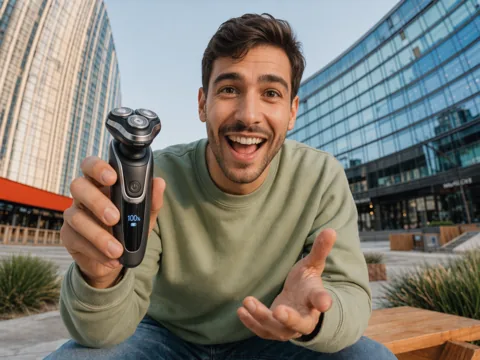
Animate your favorite photos in the iconic Pixar art style. Start creating Pixar videos that showcase your imaginative storytelling now!
Kling 4.0
Up to 10 keyframes. Impressive performance.
Using our Pixar AI video generator, you can convert images into personalized Pixar-style videos, complete with background music and expressive visuals. All it takes is a few clicks to create your own magical universe with lifelike character performances!
Faithfully recreate the beloved 3D Disney style with stunning lighting and rich cinematic textures.
Create "Disney-fied" versions of yourself or pets to dominate TikTok, Reels, and YouTube Shorts.
Boost engagement and views with high-fidelity animations that stop the scroll on social media.


Transform your photos into magical Disney animations to dominate TikTok and Instagram feeds.

Create iconic Pixar-style characters with cinematic motions to build a loyal community.

Generate stunning Disney-style promotional clips to capture attention and lower acquisition costs.

Turn simple concepts into polished Pixar animations for rapid sharing across all platforms.
Upload the reference image you want converted into a Pixar animation.
Describe the desired scene in the prompt box and configure the video output.
Click ‘Create’ and our tool will generate your Disney Pixar video for download.
Go from a single concept to a finished video. Combine generation, avatars, sound, and editing into one seamless production process.
Bring your static images to life with cinematic motion. Add lifelike camera pans and fluid transitions to maximize viewer engagement and visual impact.
Turn simple text prompts into compelling visual narratives. Generate highly accurate, continuous motion sequences that seamlessly bring your scripts to life.
Build professional video assets without a camera. Generate incredibly realistic scenes and smooth footage to elevate your brand's visual storytelling.
Put your entire creative workflow on autopilot. Go from a text prompt to a production-ready video with zero editing, delivering studio-grade results fast.
Cast professional digital actors without a studio shoot. Sync your scripts to hyper-realistic avatars with flawless lip-sync and human gestures.
Access a comprehensive suite of video tools. Easily apply video filters, clean up messy audio, and reframe videos for any platform.








Using Pollo AI to Create and Inspire
A Pixar AI video generator is an AI-powered tool that can convert static images into animated Pixar-style videos within minutes. Simply upload a photo of yourself or someone else, and it will create a full visual scene in the iconic Disney aesthetic that encapsulates characters, backgrounds, outfits, etc.
Our tool abides by Disney’s beautiful Pixar animation aesthetic, ensuring any images you convert into videos will be rendered as faithful visual recreations that look undeniably original. The final output is a stunning cinematic scene that viewers will often resonate with.
Yes. With Pollo AI’s free trial plan, you can start generating Disney Pixar videos at no cost whatsoever. Just sign up for an account to get free limited credits. If you want to keep using our tool, then you’ll eventually need to subscribe to a paid plan.
You can produce a wide range of Disney Pixar videos by simply describing what you want to see happen in the scene via the prompt box. This lets you create all kinds of short story-driven narratives, UGC-style promotional videos, funny social media clips, etc.
Yes. Our tool uses advanced algorithms to bring subject images to life with smooth and lifelike movements that match cinematic-level Pixar-style films. In other words, the animated characters will always follow realistic motion physics with no awkward, unstable, or stiff performances.
Our tool offers several options to configure your output. For instance, the BGM can be auto-generated, a trending track, or an uploaded audio. Also, feel free to adjust how many different shots you want in the scene, the duration for each one, and even the video dimensions.