



50 Best AI Image Prompts for AI Image Generators: 2026 Tested & Copy-Paste
Prompting for AI images can be tough because trying to compact all that visual information into a coherent prompt can often produce a hit or miss result. Luckily, I’ve spent countless weeks rendering portraits, landscapes, products, logos, illustrations, interiors, etc. I’ve cracked the AI image prompt code using Pollo AI, so let me share a few examples that you can refer to.
Best AI Image Prompts for AI Image Generators: TL;DR
I always say the key to a solid AI image prompt is clarity, direction, visual specificity. First, make sure to include the details that matter most like subject, location, product, or main action. Then, organize them in a logical order, in terms of composition, lighting, color, style, important constraints, exclusions, and aspect ratio. Try using this to create images with Pollo AI's AI image generator now!
Exploring the 50 Best AI Image Prompts: Your Pollo AI Guide
Whenever I’m crafting an AI image prompt, I like to focus on three things. First; what must be present. Second; how the scene should be arranged. Third; the visual decisions that need to guide the result. Once I have this locked in my mind, I move on to my checklist:
- Subject: What or who is in the image?
- Setting: Where does it take place?
- Action: What is happening?
- Composition: How should the image be arranged?
- Mood: What lighting, colors, and atmosphere should it have?
- Details: What materials, textures, or features matter?
- Style: Should it be realistic, photographic, illustrated, cinematic, vintage, or graphic?
- Accuracy: What identity, branding, anatomy, or proportions must stay consistent?
- Text: What exact words should appear, and where?
- Exclusions: What should not appear?
- Output: What aspect ratio, format, or finishing details are needed?
Put Your Image Prompt Checklist to Work
Bring your subject, composition, lighting, and style together in Pollo AI to turn a clear brief into an image.
Try AI Image Generator for Free
Now, not every prompt will require all this information but it’s the baseline that I use to make sure that I’m compacting all the right information that’s needed. For me, there’s nothing more frustrating than having to render an image multiple times because I left out one key detail.
Having said that, I’ve generated dozens of image compositions. Feel free to explore them below and you’ll see exactly how I managed to nail a stellar result across different niches. Let’s begin!
#1. People, Characters, and Personalities
General Prompt Template:
Create a [portrait type] of a [person or character description] with [distinctive features], wearing [wardrobe and accessories]. Show them [pose, action, or expression] in [setting]. Use [camera viewpoint, crop, and lens], [lighting direction and quality], and a [color palette] mood. Render it as [photographic or illustrative style] with [skin, fabric, or surface detail]. Preserve [identity or reference-image requirements], leave [negative space or layout requirement], and use [aspect ratio].
Tip: If you already have a reference photo of a character and want to keep their face or features locked down across multiple generations, trying an advanced image to image AI workflow works wonders here.
1. Editorial Studio Portrait
| Prompt | Output Image |
|---|---|
| Create a vertical studio portrait of a young Black male model shown in a centered waist-up composition with a relaxed, confident expression. He wears a black baseball cap with a gold emblem, silver earrings, a crisp white shirt, red-and-blue striped tie, and leopard-print cardigan with beige trim. Use soft directional light from the upper left, a smooth gray background, realistic deep-brown skin and knitwear texture, shallow depth of field, muted luxury color grading, premium 85mm menswear photography, and a 3:4 aspect ratio. Add small white text at bottom left: 02 / LEOPARD CARDIGAN. | 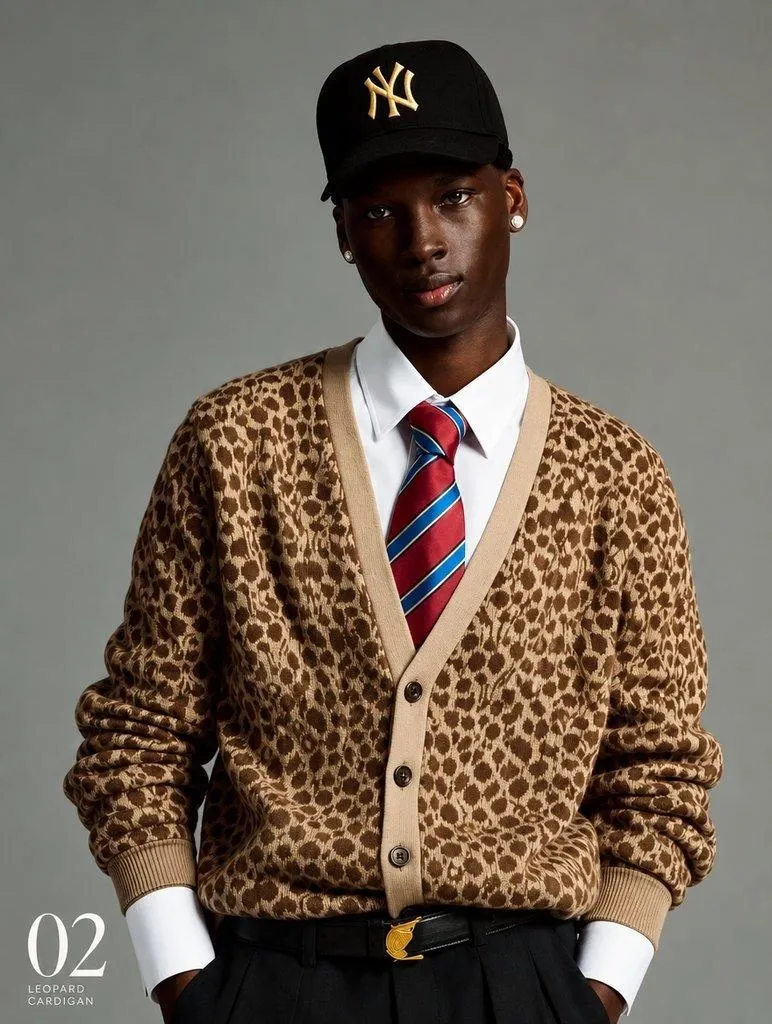 |
Tip: For studio portraits, I usually start with the subject’s identity, pose, expression, wardrobe, and framing. Once the main composition is clear, I go on to add the lighting direction, lens choice, background, skin texture, and color treatment, which sets the photographic mood.
2. Outdoor Character Photo
| Prompt | Output Image |
|---|---|
| Create a square editorial lifestyle photograph of a young brown-skinned man viewed from behind in a relaxed three-quarter pose, turning his head slightly toward the camera. He wears a white baseball cap, navy long-sleeve shirt, olive-green sleeveless sweater, white shorts, and a cream canvas tote bag with navy straps and a dark navy base. Place him on a sunlit Mediterranean villa walkway with cream architecture, tall cypress trees, clipped hedges, and soft shadows. Use warm afternoon light, shallow depth of field, natural movement, realistic fabric texture, and premium resort-fashion photography, 1:1 aspect ratio. | 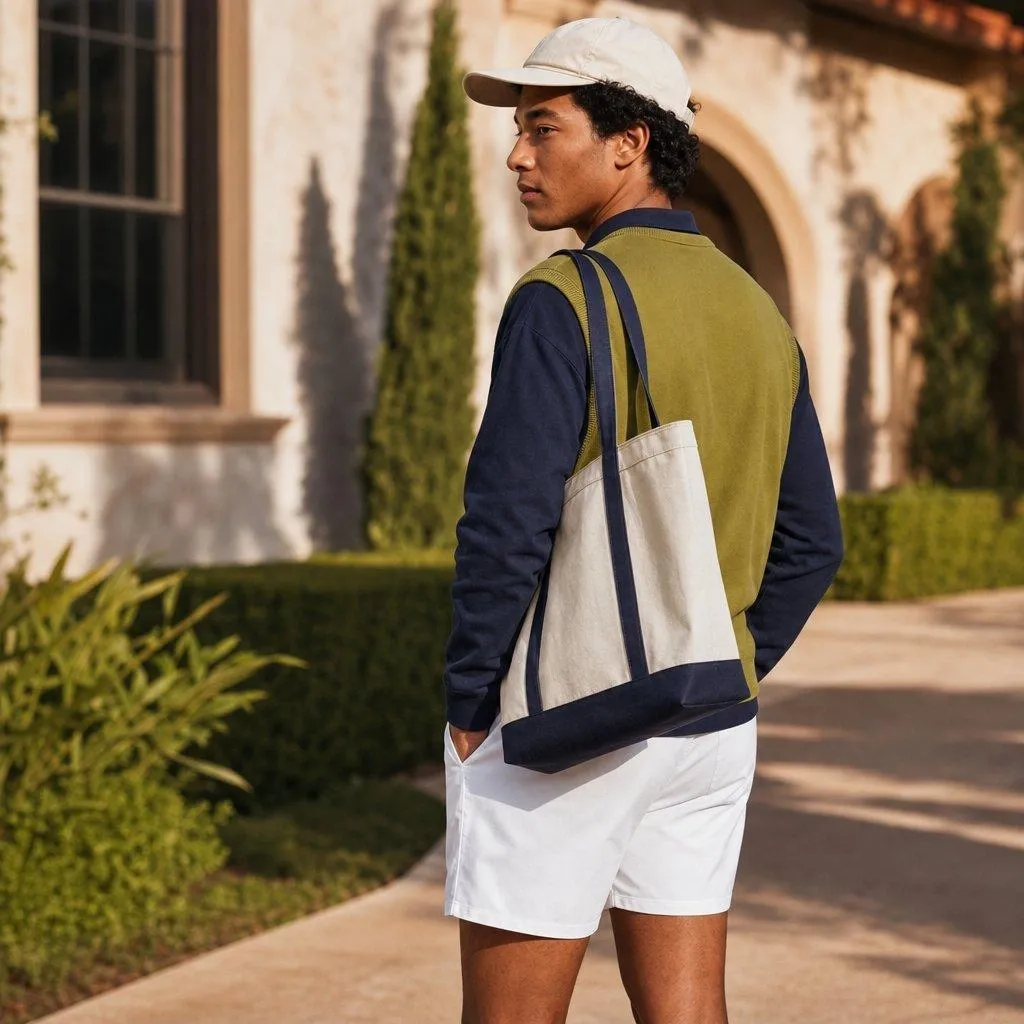 |
Tip: For outdoor lifestyle portraits, I would usually specify the subject’s pose, camera viewpoint, wardrobe, and accessories first. It’s best to keep the background visually supportive, so do it after establishing the subject if you want to ensure the model keeps the focus primarily on them.
3. Candid/Documentary Portrait
| Prompt | Output Image |
|---|---|
| Create a vertical candid lifestyle portrait inside a traditional Japanese tea shop. Show an older Japanese tea artisan with silver hair and beard, wearing a dark indigo work jacket, naturally preparing tea behind a wooden counter. Do not make him pose directly for the camera. In the foreground, place a rustic clay teapot, handmade ceramic cups, loose green tea leaves, and a folded navy cloth. Include shoji screens, warm wood, shelves, soft window light, gentle steam, and a quiet intimate atmosphere. Use documentary photography, natural movement, warm shadows, realistic hands and textures, shallow depth of field, and a 2:3 portrait composition. | 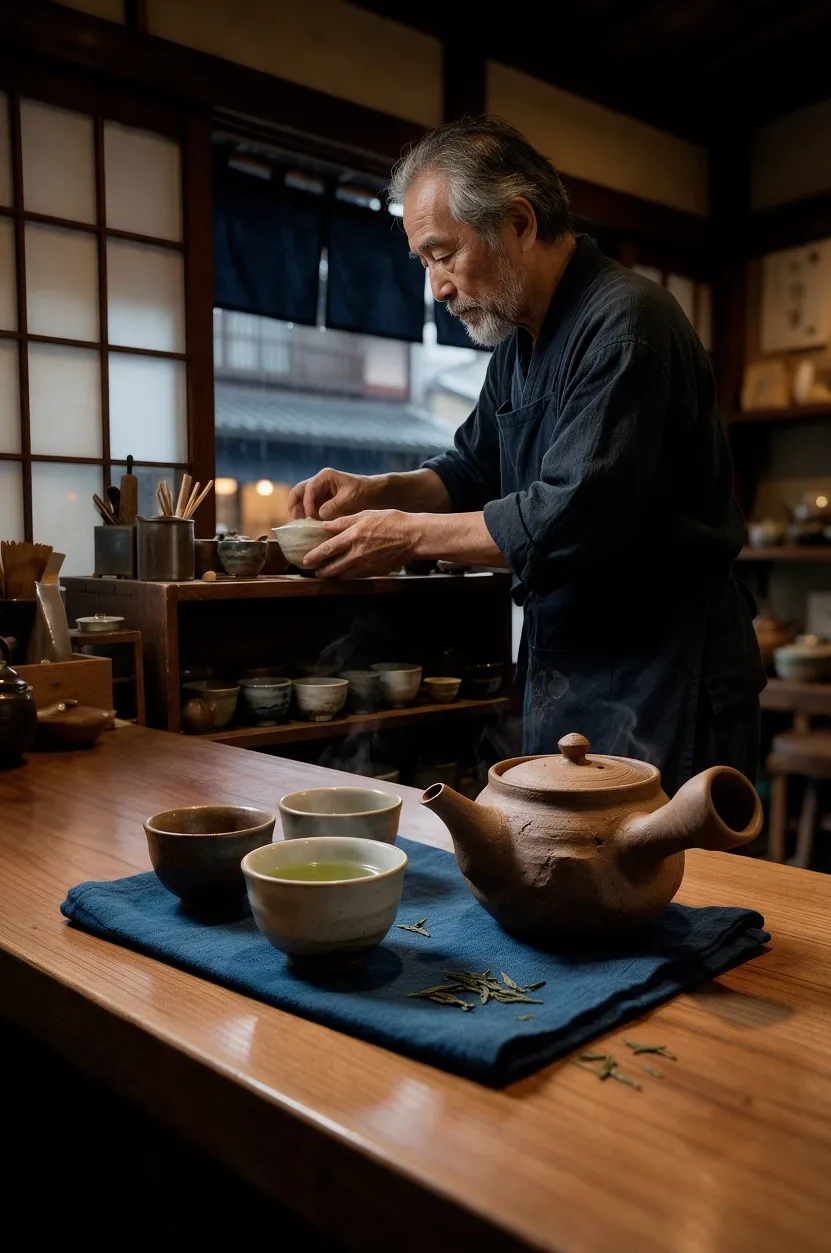 |
Tip: For candid lifestyle portraits, I always focus on describing an activity and the authentic surroundings. By using meaningful environmental details, I can make the image feel observed and casual. Just remember to mention that the subject isn’t posing directly for the camera.
4. Headshot
| Prompt | Output Image |
|---|---|
| Create a professional studio headshot of a Portuguese woman in her early twenties with brunette hair, natural features, and a confident yet approachable expression. Frame her from the shoulders up against a warm neutral background, wearing a black top cropped mostly out of frame so only thin black bra straps are visible across her shoulders. Use soft diffused lighting, realistic skin texture, sharp eyes, refined editorial portrait photography, subtle negative space, and a 4:5 portrait aspect ratio. | 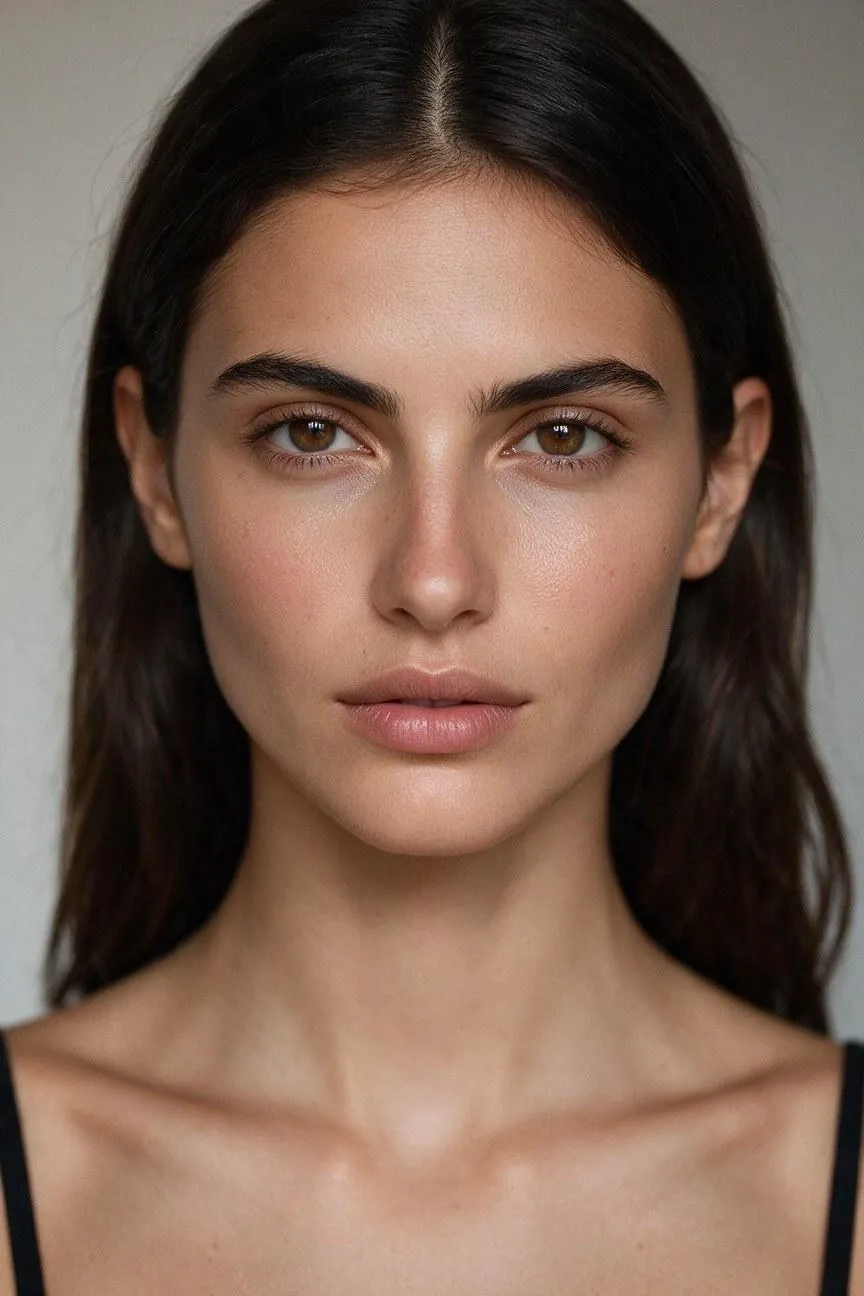 |
Tip: For professional headshots, the key focus is their facial features. So, I would start by clearly defining the subject’s age range, appearance, expression, clothing, and background to establish identity. After that, you can mention light, natural skin texture, lens style, and aspect ratio.
5. Group Photo
| Prompt | Output Image |
|---|---|
| Create a warm editorial group portrait of exactly six Mexican family members posing for the camera on a sunny beach. Place the father, an early-thirties man with short dark wavy hair, on the left holding his curly-haired two-year-old daughter on his arm. Place the grandmother, a late-sixties woman with dark hair tied-back, in the center. Stand the mother, an early-thirties woman with shoulder-length dark hair, on the right, with two sons aged seven and eight positioned on either side of the grandmother. Use a clear balanced arrangement, natural spacing, relaxed smiles, affectionate gestures, and visible faces. Use consistent late-afternoon light, eye-level framing, realistic proportions, a calm ocean background, and a 4:5 portrait aspect ratio. | 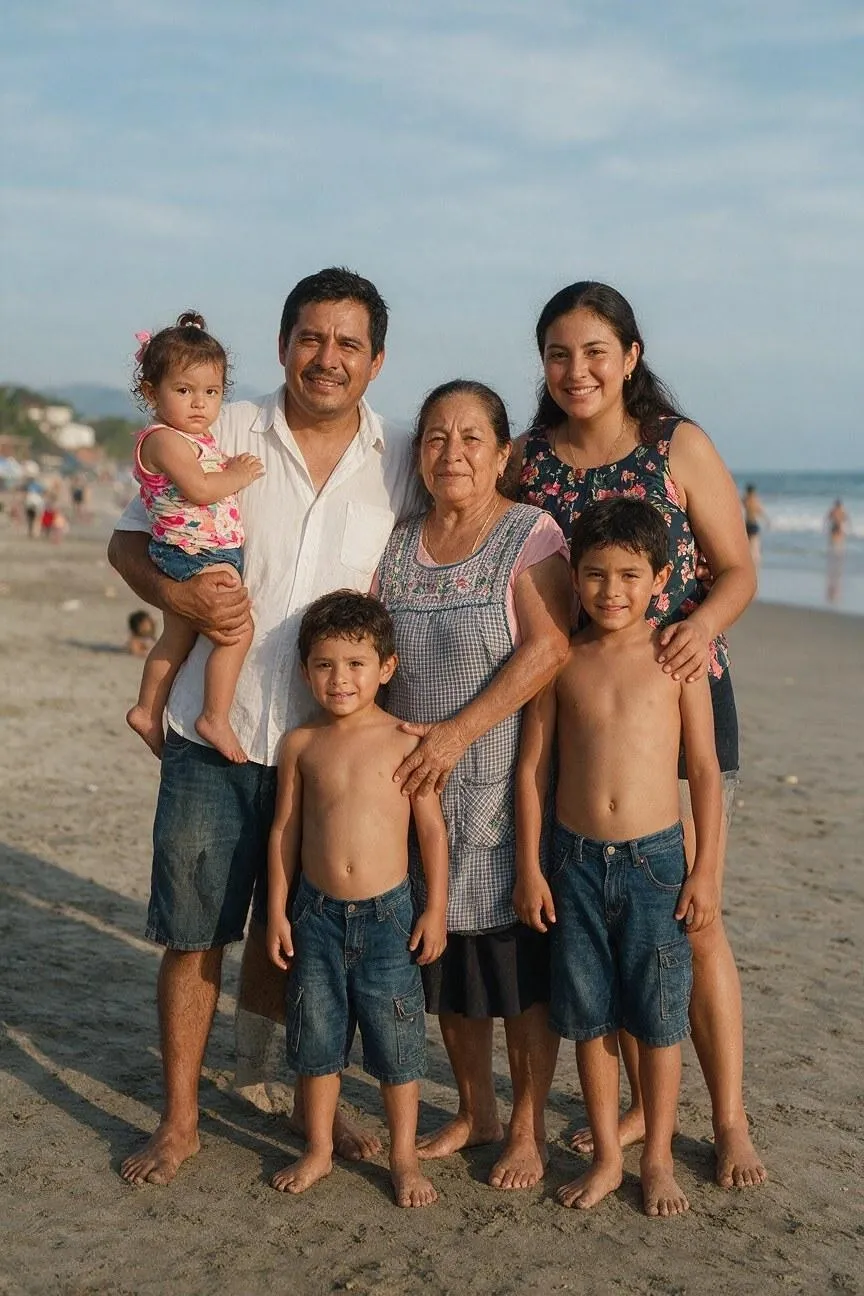 |
Tip: For group portraits, I usually start by defining the number of people, their relationships, positions, clothing, and interactions before describing the setting. In fact, I‘d urge you to describe a few of their distinct features, which helps ensure the characters look fairly different.
#2. Landscapes and Natural Outdoors
General Prompt Template:
Create a [landscape, nature, or wildlife image] showing [main subject or natural feature] in [location and season]. Arrange [foreground element], [middle-ground element], and [background element] from a [camera viewpoint]. Use [weather and time of day], [light direction], and a palette of [colors]. Emphasize [textures, atmosphere, or environmental details] in a [photographic or painterly style]. Exclude [unwanted human-made elements] and use [aspect ratio].
1. Beach Vacation
| Prompt | Output Image |
|---|---|
| Create a cinematic landscape photograph of a secluded tropical beach in the early morning, with smooth white sand, turquoise water, and a curved line of palm trees along the shore. Place seashells and wet sand in the foreground, gentle waves in the middle ground, and distant volcanic islands beneath a pale pink horizon. Use a low eye-level viewpoint, soft sunrise light, warm peach and cool aqua tones, realistic reflections, subtle sea mist, and natural atmospheric depth. Exclude people, buildings, boats, signs, and text. Use a 16:9 landscape aspect ratio. | 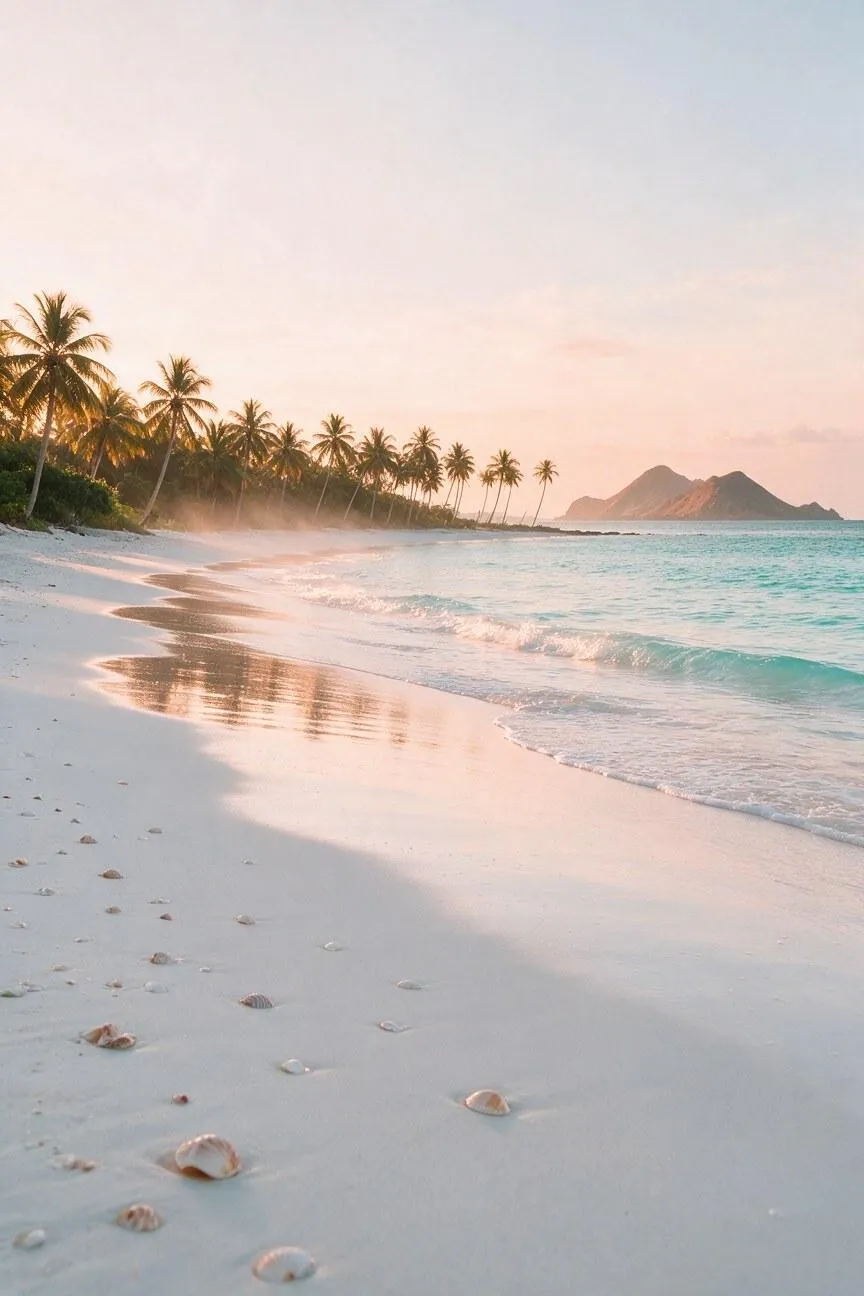 |
Tip: Don’t forget to mention the time of day, light quality, weather, and atmosphere of the scenery you have in mind. Whenever I forgot to specify aspects like sunrise, storm clouds, mist, fog, etc., it dramatically impacted the image’s mood and not for the better.
2. Misty Temperate Forest
| Prompt | Output Image |
|---|---|
| Create a realistic nature photograph of an ancient temperate forest in autumn, with towering moss-covered trees, ferns, fallen leaves, and a narrow stream winding through the landscape. Use wet stones and orange leaves in the foreground, the stream and tree trunks in the middle ground, and dense fog fading between the distant trees. Photograph from a low path-level viewpoint in soft overcast morning light, using deep green, rust, amber, and gray tones. Emphasize bark, moss, water, and mist textures. Exclude people, buildings, roads, and signs. Use a 4:5 portrait aspect ratio. | 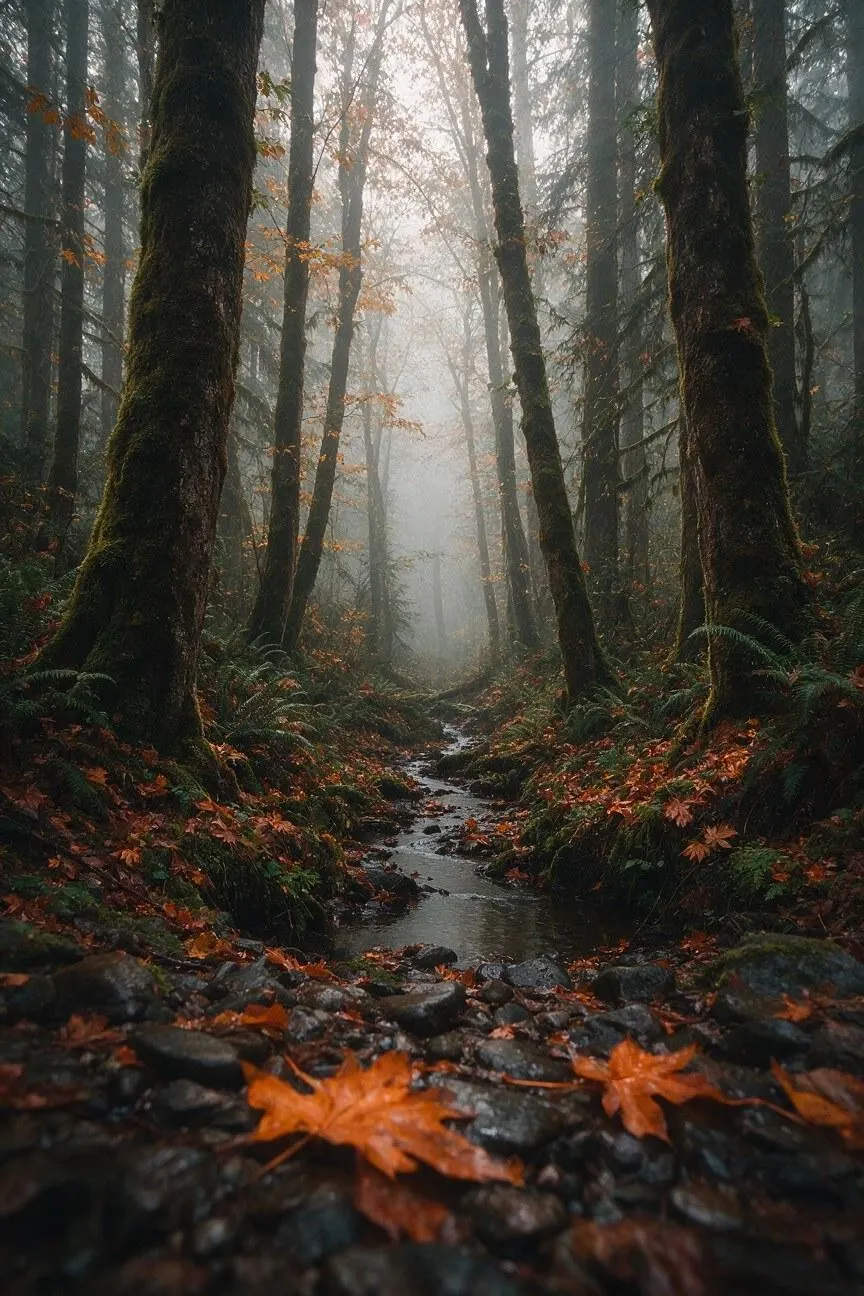 |
Tip: For landscape imagery, I usually like to describe the foreground, middle ground, and background separately. I often find that it helps to create spatial depth and make the landscape feel expansive rather than flat.
3. Desert Dunes at Sunset
| Prompt | Output Image |
|---|---|
| Create a wide cinematic landscape of a vast desert during sunset, with sculpted golden dunes stretching toward the horizon. Place delicate wind patterns and small desert grasses in the foreground, a lone weathered rock in the middle ground, and layered dunes fading into a violet-orange sky behind it. Use a low viewpoint facing the sun, long shadows, warm directional light, soft airborne dust, and rich gold, terracotta, lavender, and deep blue tones. Emphasize the smooth texture of the sand and the scale of the landscape. Exclude people, vehicles, buildings, and text. Use a 21:9 panoramic aspect ratio. | 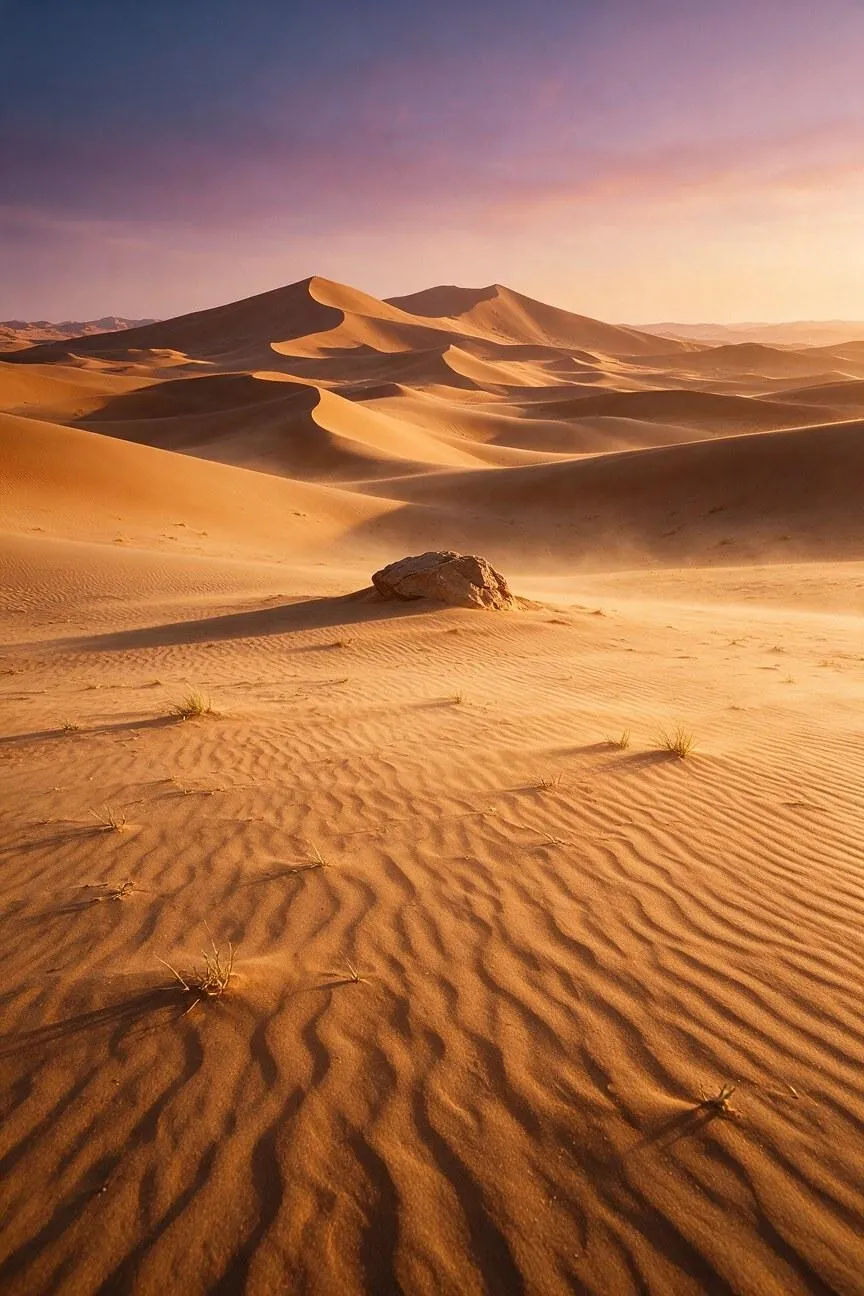 |
Tip: When describing an expansive landscape, I prefer to start with a single focal point first, like a mountain peak, waterfall, tree, dunes, rock formation, etc. I do this all the time because I realized it’s the best way to give the model visual direction.
4. Alpine Lake in Summer
| Prompt | Output Image |
|---|---|
| Create a photorealistic landscape of a clear alpine lake surrounded by snow-capped mountains in midsummer. Place wildflowers, smooth rocks, and short grasses along the foreground shoreline, glassy water in the middle ground, and dramatic mountain peaks reflected beneath a bright blue sky. Use an eye-level viewpoint from the lakeshore, crisp early-morning light, cool blue, white, green, and yellow tones, realistic reflections, distant atmospheric haze, and detailed natural textures. Keep the composition peaceful and spacious. Exclude people, boats, buildings, power lines, and text. Use a 3:2 landscape aspect ratio. | 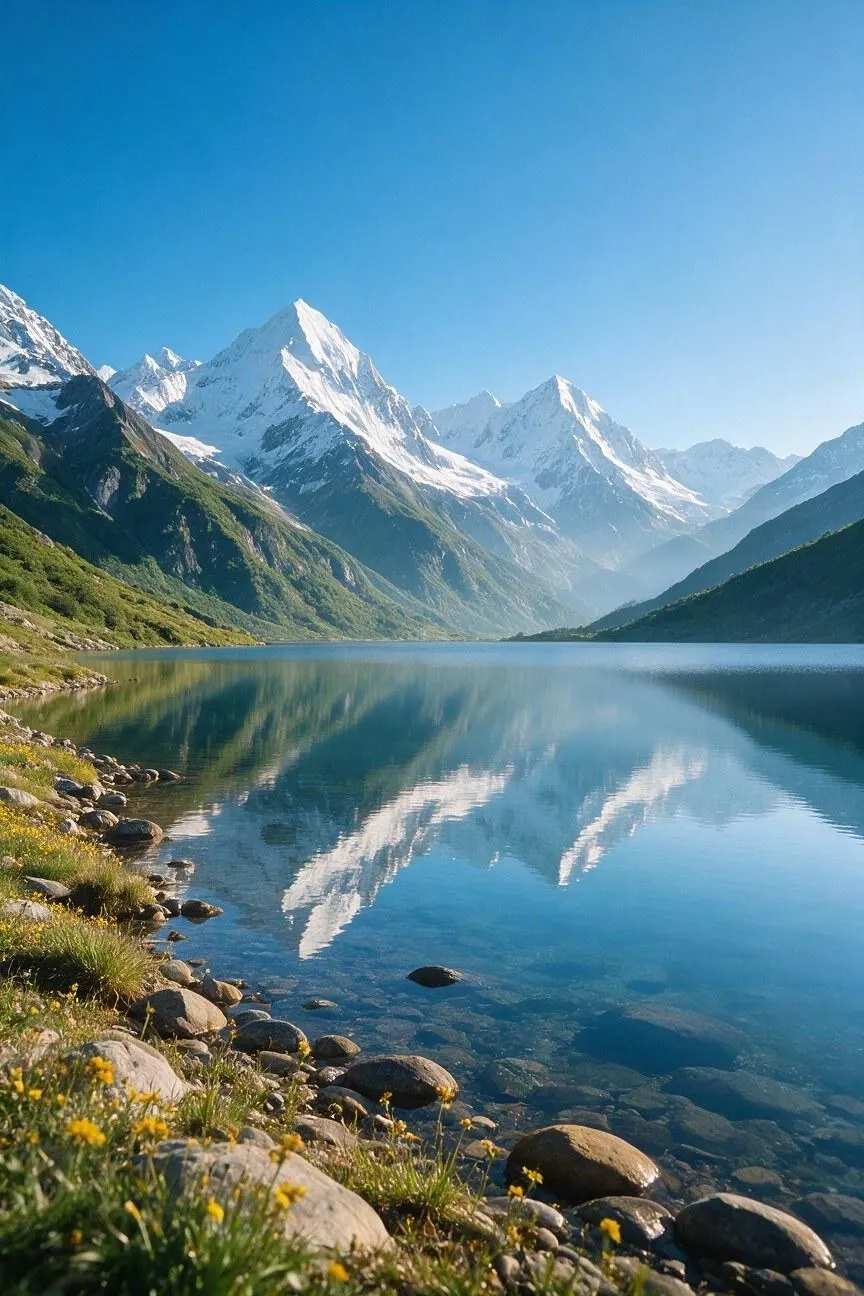 |
Tip: Always consider perspective in your shots, especially when it comes to landscape imagery. Whether it’s from a low angle, elevated viewpoint, shoreline, trail, or eye level, I always try to consider where I want the scene to be viewed from.
5. Mangrove Wetlands After Rain
| Prompt | Output Image |
|---|---|
| Create a detailed nature photograph of a tropical mangrove wetland immediately after rainfall, with twisted roots emerging from calm shallow water and broad green leaves framing the scene. Place floating leaves and ripples in the foreground, tangled mangrove trunks in the middle ground, and a hazy waterway disappearing into dense vegetation in the background. Use a low water-level viewpoint, soft diffused afternoon light, humid mist, emerald, brown, and muted gold tones, realistic reflections, and rich wet-surface textures. Exclude people, boats, buildings, and artificial objects. Use a 4:5 portrait aspect ratio. | 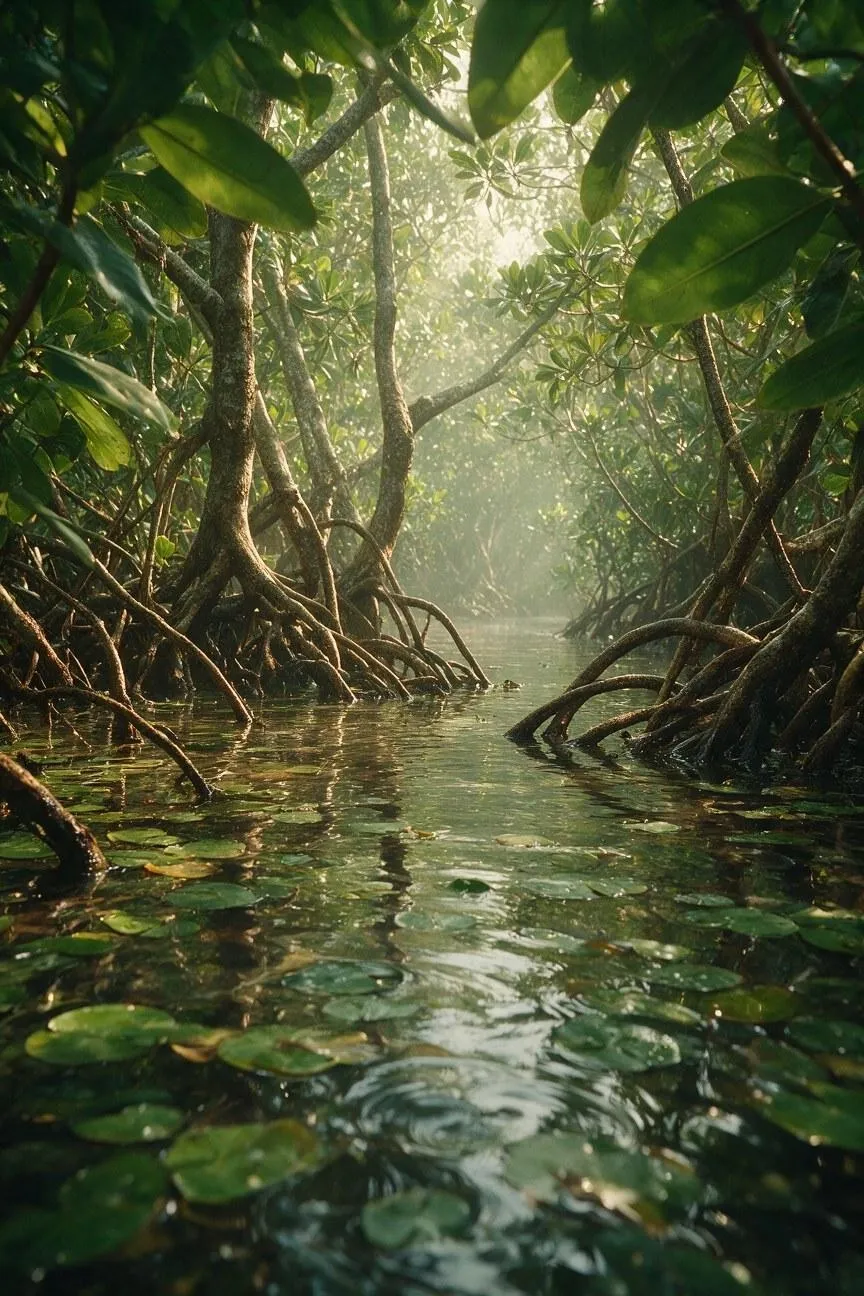 |
Tip: I always think it’s a good idea to include textures like wet stones, sand ripples, tree bark, reflections, grasses, clouds, or drifting mist in the prompt. It’s often these little details that can make an AI-generated landscape feel natural and immersive.
#3. Objects and Products
General Prompt Template:
Create a [product photograph or commercial image] featuring [product name and type], using the supplied reference as the exact guide for [shape, color, label, material, or proportions]. Place it [position and orientation] in [set or environment] with [supporting props]. Use [lighting setup], [camera angle], [surface and material detail], and a [brand mood] finish. Keep the product fully visible, leave [copy space], include only [approved text], exclude [unwanted elements], and use [aspect ratio].
1. Futuristic Sunglasses
| Prompt | Output Image |
|---|---|
| Create a premium commercial product photograph of futuristic Pollo sport sunglasses, made with a sculptural wraparound frame, polished dark metallic finish, distinctive curved temples, angular orange-tinted lenses, and balanced aerodynamic proportions. Position the sunglasses diagonally across a large glossy tropical green leaf, surrounded by overlapping dark foliage. Use directional natural sunlight filtering through leaves, creating dramatic highlights and organic shadows, a close-up three-quarter camera angle, highly detailed reflective surfaces and leaf textures, and a sophisticated luxury sports-fashion editorial finish. Keep the sunglasses fully visible and sharply focused, leave subtle copy space, include no additional text or logos unless present in the reference, exclude people and other products, and use a 4:5 aspect ratio. | 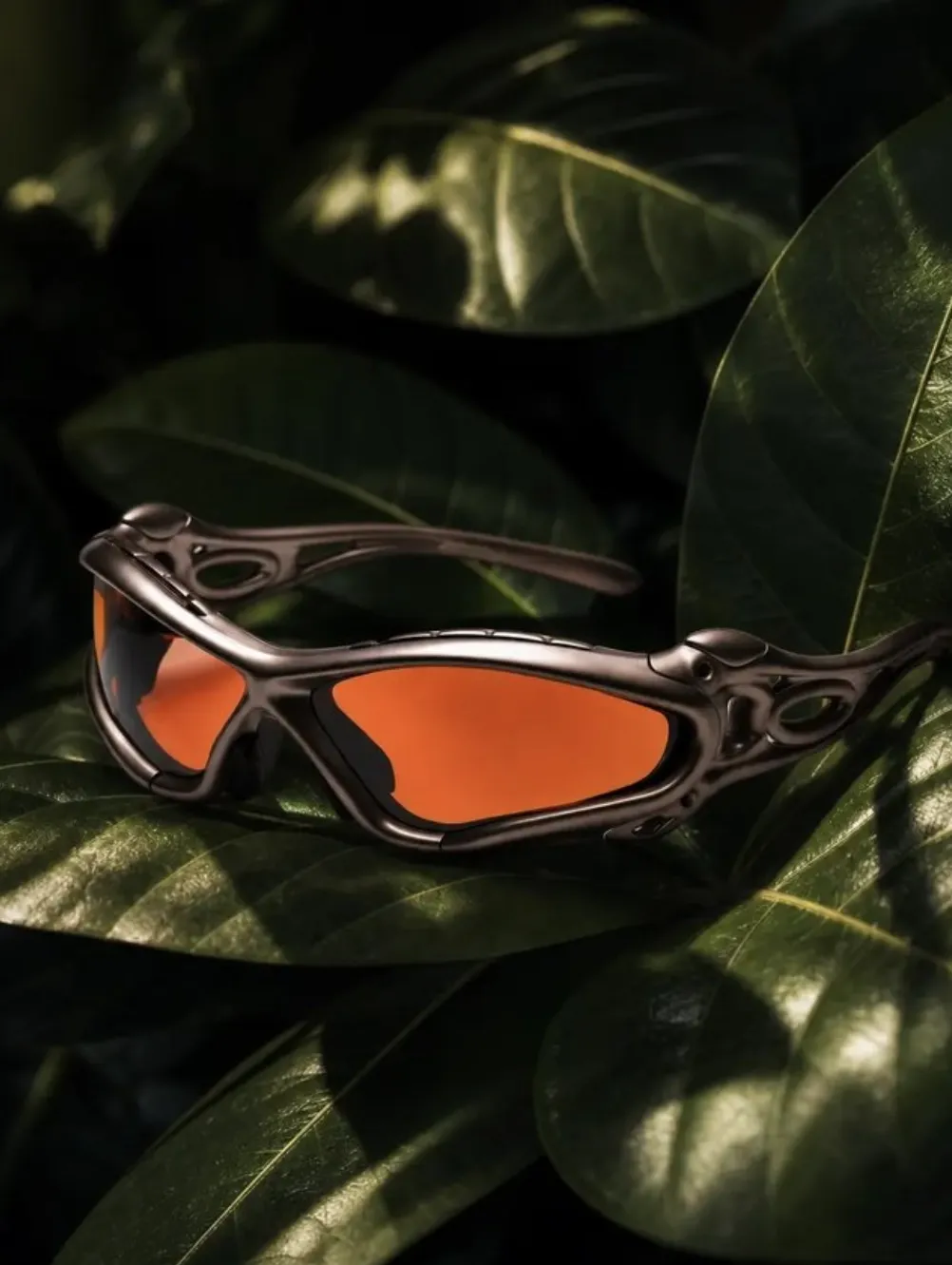 |
Tip: When drafting a product image prompt, my priority is always to describe or reference its exact shape, color, materials, proportions, label, etc., before adding styling or decoration. This must always come first and in detail to ensure the model renders the ideal result.
2. Handheld Camera
| Prompt | Output Image |
|---|---|
| Create a luxury commercial product photograph of a Pollo M6 vintage-inspired digital camera with a compact rangefinder silhouette, gold metallic top plate, deep navy textured leather body, gold control dials, prominent lens, and Pollo branding. Position the camera centrally, facing forward, surrounded by rich blue hyacinth flowers, dark green foliage, and flowing navy fabric. Use dramatic low-key studio lighting with subtle cool highlights on the gold surfaces, a straight-on close-up camera angle, realistic metallic reflections, intricate leather textures, and an editorial high-fashion finish. Keep the camera fully visible, leave subtle copy space, include only the existing camera branding and lens markings, exclude people, additional products, and unnecessary text, and use a 4:5 aspect ratio. | 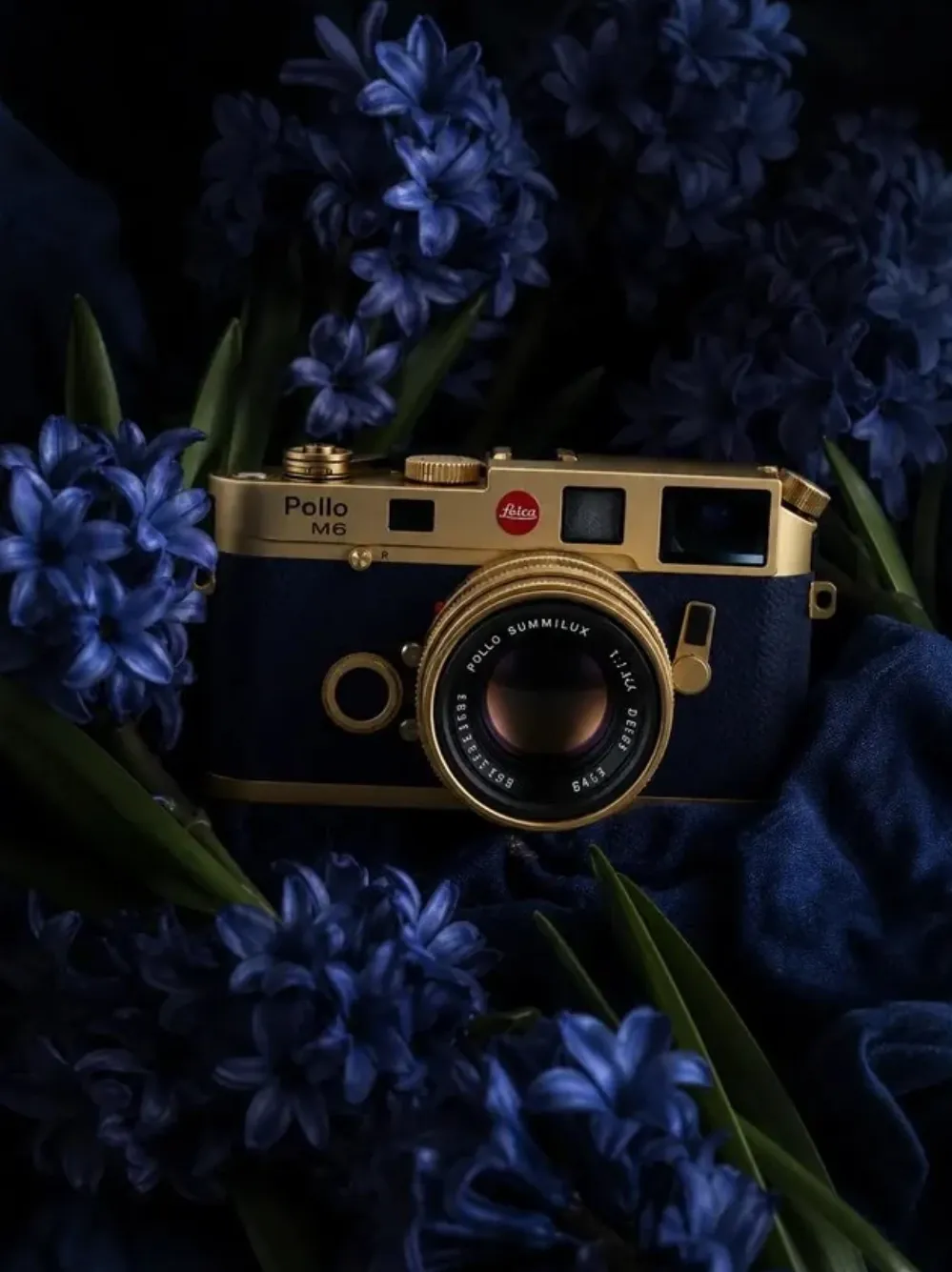 |
Tip: With product shots, I always say it’s important to make the product the sharpest and most prominent element. In fact, one strategy that I like using is to add a distinctive but complementary background that heavily emphasizes the product’s color, material, texture, etc.
3. Speaker Box
| Prompt | Output Image |
|---|---|
| Create a premium lifestyle product photograph of a Pollo vintage-style Bluetooth speaker placed inside a handcrafted wooden speaker stand made in a geometric cube shape, with oversized circular cutouts on each side, and a warm reddish-brown wood finish. Place the stand centrally on terracotta floor tiles in a warm Mediterranean-inspired interior, with the speaker displayed inside the front opening and subtle plants, wooden furniture, and textured walls in the background. Use soft golden-hour sunlight, natural shadows, a slightly low three-quarter camera angle, rich wood grain detail, and a sophisticated organic-luxury finish. Keep the entire product visible, leave minimal copy space, include only the Pollo logo, exclude people, clutter, and additional text, and use a 4:5 aspect ratio. | 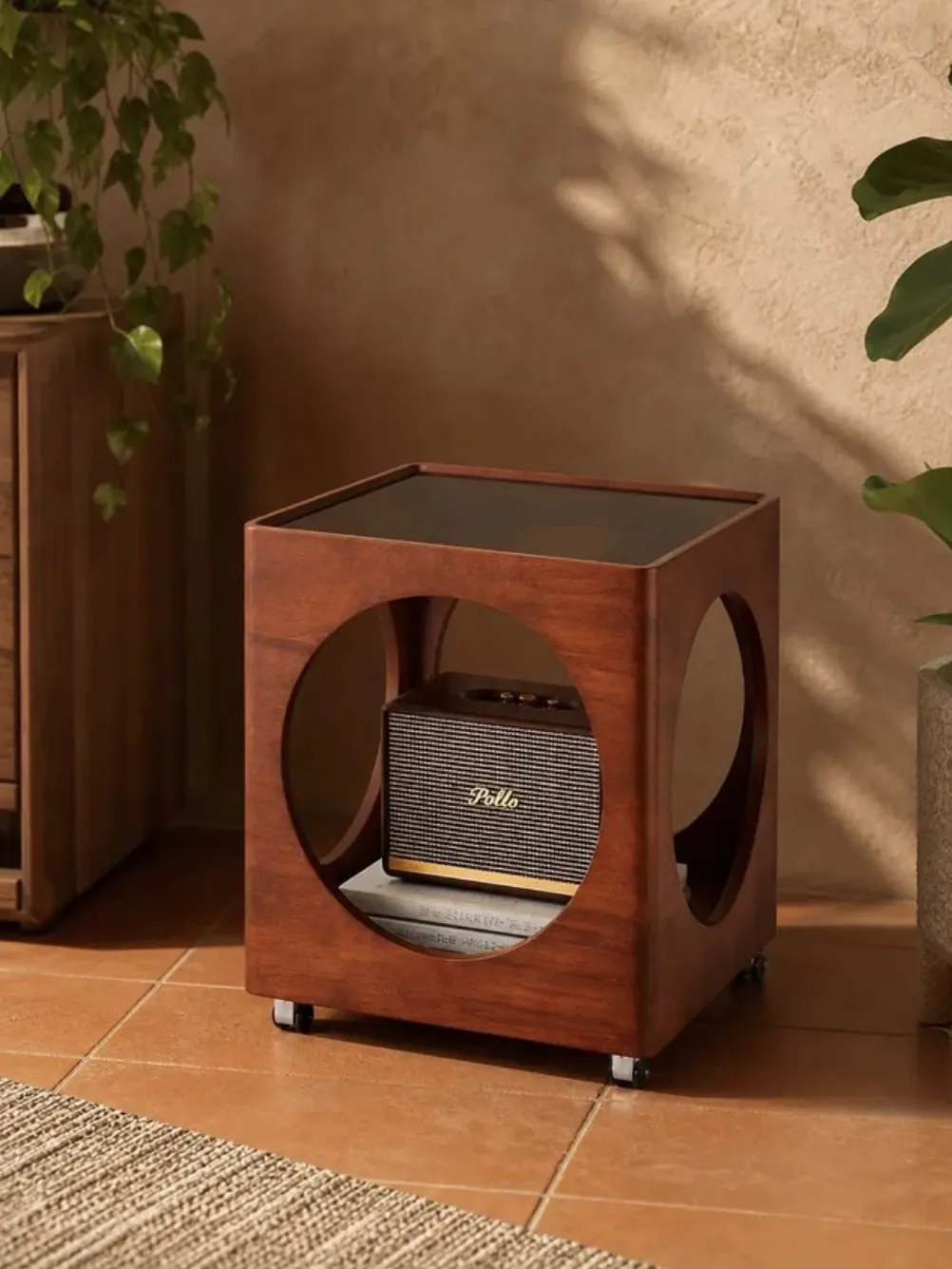 |
Tip: For product images, I always say it’s important to highlight elements you want excluded in the prompts, such as extra objects, text, packaging, duplicate products, or distracting props. You’ll see fewer errors in the outputs, which means spending less time on refinement.
4. Watches/Jewellery
| Prompt | Output Image |
|---|---|
| Create a premium product image of a floating luxury stainless-steel watch with a deep blue dial, polished metal case, silver hour markers, and a matching steel bracelet. Engrave the word “Pollo” clearly and correctly inside the watch, using clean refined lettering. Suspend the watch in a seamless blue-to-white gradient space with no pedestal, surface, stand, or visible support. Use a three-quarter angle, controlled studio lighting, crisp reflections, realistic metal texture, sharp dial details, subtle blurring around the floating watch, minimalist luxury advertising style, and a 4:5 portrait aspect ratio. | 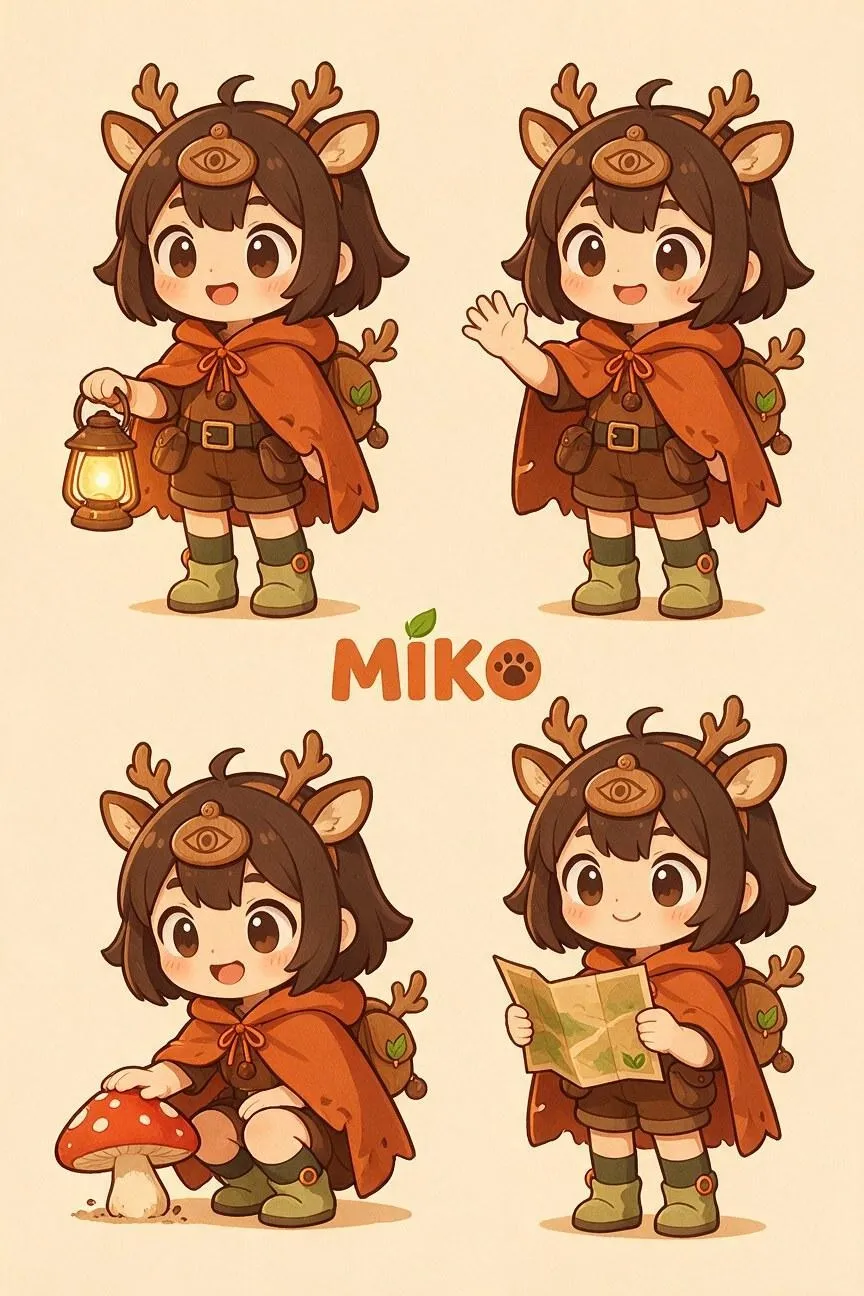 |
Tip: If you want to make the product look more realistic, I’d consider finding ways to match the lighting to the material. For example, I like to add soft, diffused light for glass or fabrics, directional light for textured surfaces, and controlled highlights for metal.
5. Drinks Can
| Prompt | Output Image |
|---|---|
| Create a premium product photograph of a 330ml lime-flavored sparkling water can from Pollo, with a silver and lime color accent design, small text branding, and label details. Place the can upright on two large natural stones above a calm pond, surrounded by broad green leaves and soft aquatic vegetation. Use a low three-quarter camera angle, fresh morning light, subtle water reflections, realistic condensation, crisp aluminum texture, and a clean natural advertising style. Keep the can as the sharpest focal point, with the pond and leaves softly blurred behind it. Exclude extra cans, invented text, people, and visible supports; use a 4:5 portrait aspect ratio. | 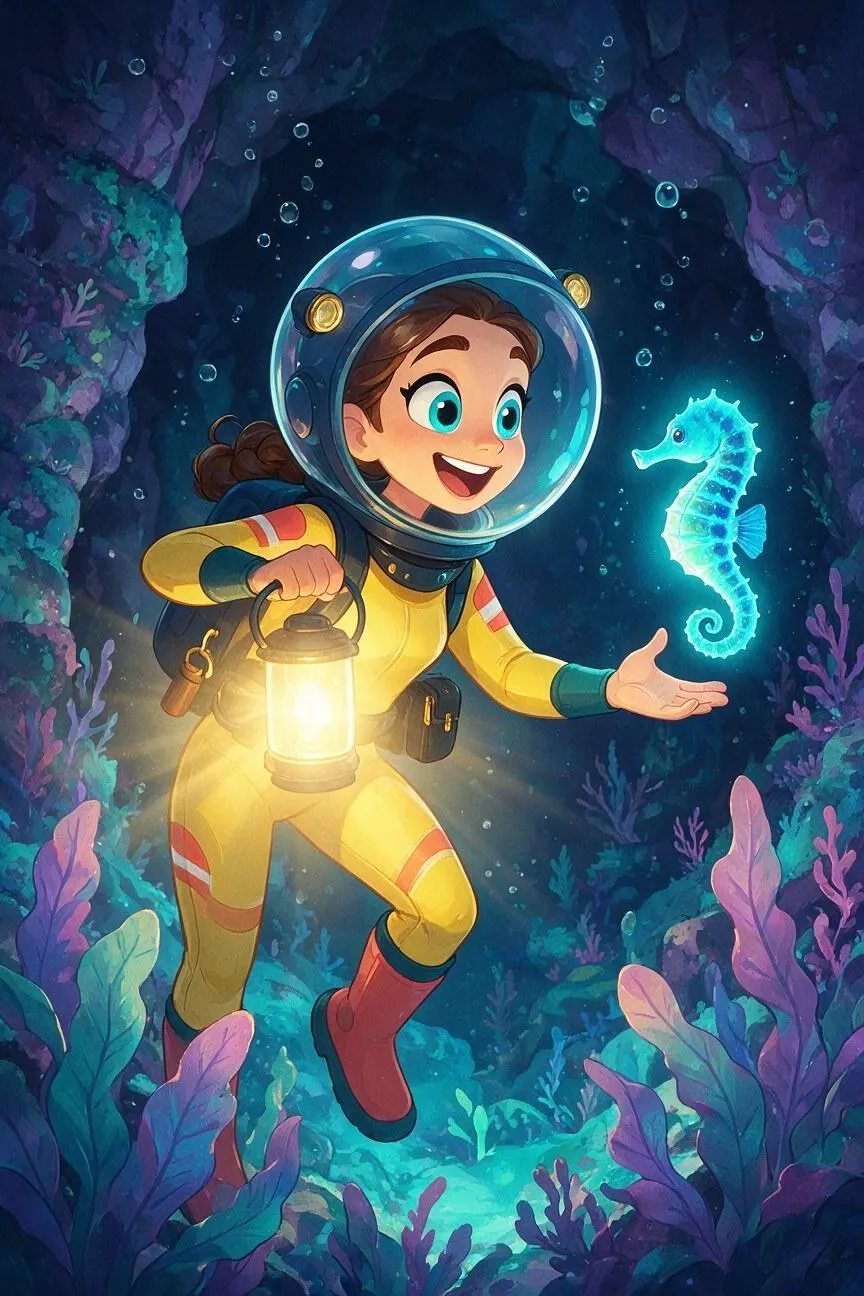 |
Tip: If you don’t want the model to just place the product randomly, then I advise you to always specify the product’s orientation, camera angle and position within the frame. I often do this to ensure the product always comes out looking sharp and fully visible.
#4. Logos and Brand Visuals
General Prompt Template:
Create a [poster, social post, identity board, or campaign visual] for [brand or project name] using [supplied logo, product, or established assets]. Preserve [logo proportions, colors, lettering, and visual details]. Use [background, palette, typography, graphic shapes, and texture]. Place [headline] at [location], [secondary copy] at [location], and [hero image or illustration] at [location]. Establish a clear hierarchy with [primary focal point] and [negative space]. Include only the specified text and use [aspect ratio].
1. Promotional Fashion Brand Poster
| Prompt | Output Image |
|---|---|
| Create a vertical 4:5 promotional campaign poster for a street-fashion brand called AVENIR. Design a bold black-and-neon-green geometric logo and matching black shopping bags with lime-green accents. Use a vivid yellow background with a large black headline reading PROMO SPECIAL! across the top. Feature a young Asian fashion model with a short magenta-and-orange bob haircut, blue sweater, lime-green scarf, and beige trousers, seated center-right. Add black flower icons, sparkles, hand-drawn accents, a lime badge reading DISCOUNT 50% OFF, and an orange footer with SHOP NOW, WWW.AVENIRWEAR.COM, MORE INFORMATION, and [email protected]. Maintain a playful street-fashion collage style, strong visual hierarchy, outlined stickers, high contrast, and clear negative space. Include only the specified text and use a 4:5 portrait layout. | 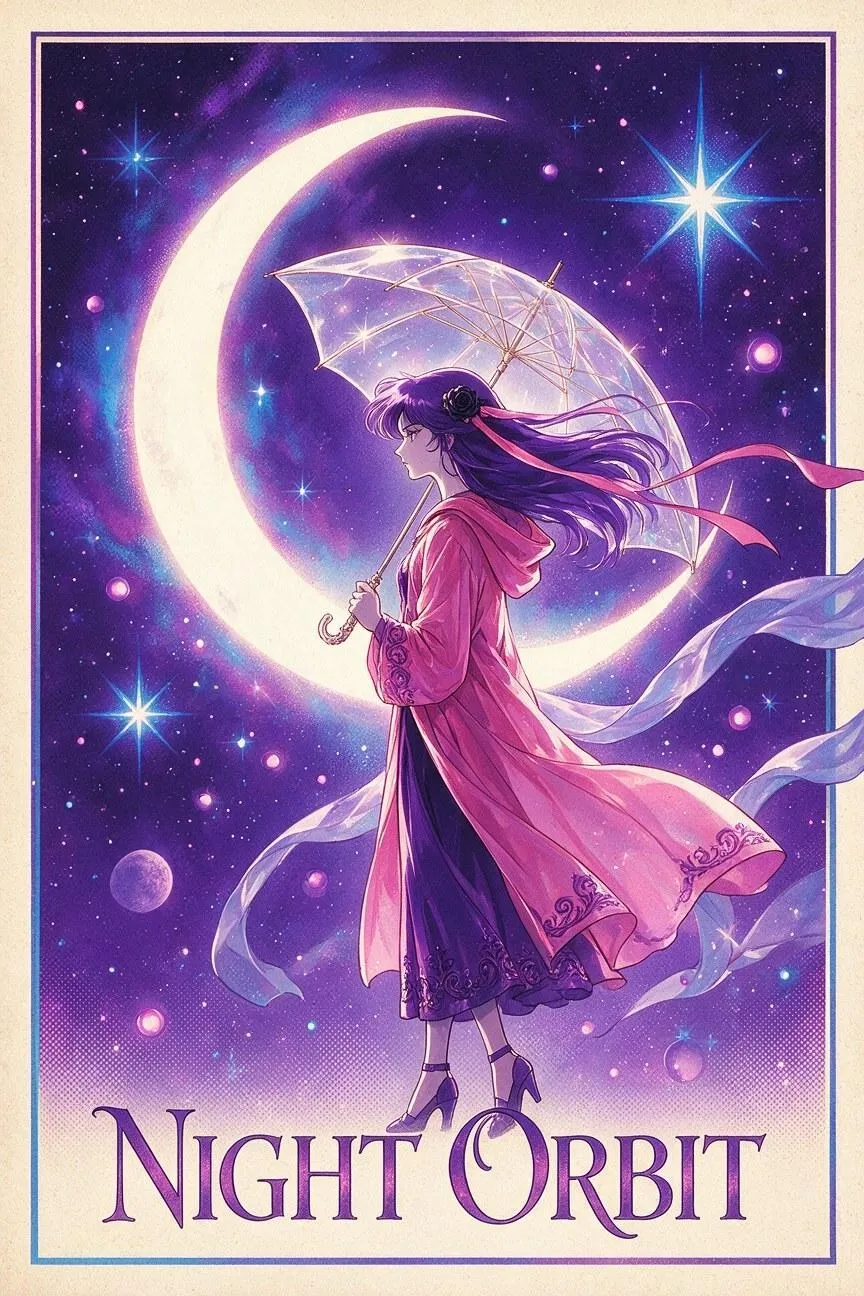 |
Tip: For brand posters, I will usually recommend limiting the palette, type styles, graphic shapes, and textures you use. As tempting as it can be to use many different colors, I often find it to be less confusing for audiences when you pick a theme and keep the visuals consistent.
2. Brand Opening Campaign Flyer
| Prompt | Output Image |
|---|---|
| Create a vertical 2:3 opening-event campaign flyer for a fictional clothing brand. Establish a restrained visual identity using pale gray-white vintage paper, black distressed typography, subtle grain, and one bright blue delphinium as the hero graphic. Across the top, place AUTUMN COLLECTION on the left, NEW CLOTHING STORE / GRAND OPENING in the middle, and @NEWSTYLESHOP on the right. Set New / Opening as the main handwritten headline, with the flower lightly overlapping it. Add NOVEMBER 08, 6PM, 123 MAIN STREET, ANY CITY, ST 12345. Then add VISIT OUR WEBSITE FOR OPENING OFFERS AND MORE INFORMATION in smaller lettering at the bottom. Keep the hierarchy clear, mostly desaturated, artistic, and street-inspired. Include only the specified text. | 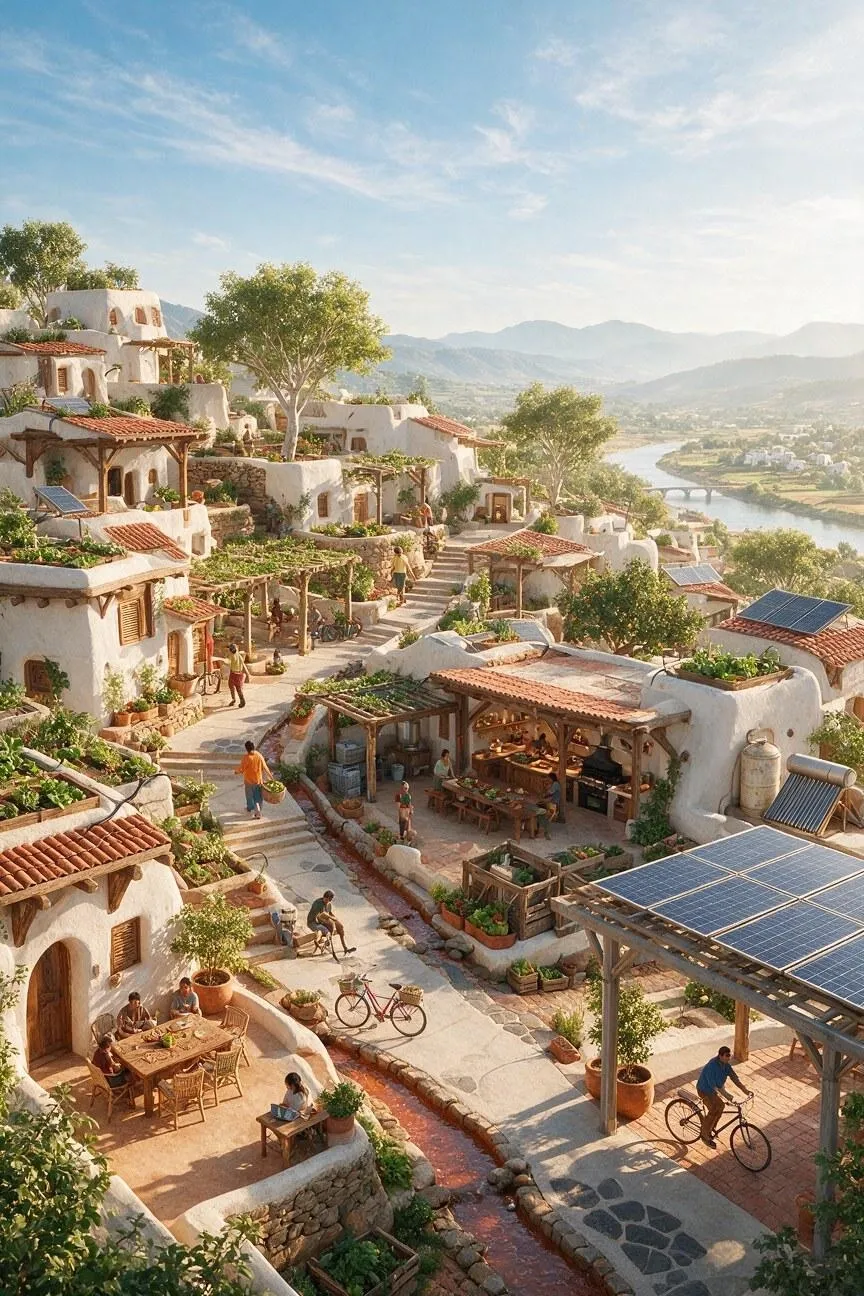 |
Tip: If you want audiences to understand what you’re announcing, identify the primary message, hero image, secondary information, and call to action first. After I’ve done that, I use scale, spacing, and placement to establish a clear visual hierarchy that guides the viewer through it.
3. Ice Cream Promo Day
| Prompt | Output Image |
|---|---|
| Create a vertical 4:5 campaign poster for a fictional ice-cream brand called MINT LOOP. Use a warm cream paper background with subtle grain, muted sage-green brushstroke blocks, olive starburst shapes, and a vintage playful print texture. Place a small green leaf logo and MINT LOOP at the upper left. Set the bold distressed headline MINT CHIP DAY across the upper half in oversized dark-brown condensed lettering. Center a realistic double-scoop mint-chocolate-chip ice-cream cone as the hero image, surrounded by floating mint leaves, chocolate pieces, and cookie crumbs. Add ONE SCOOP, ALL DAY inside a rounded outlined capsule at the bottom. Keep the hierarchy clear, palette limited to cream, sage, mint, brown, and green, and include only the specified text. | 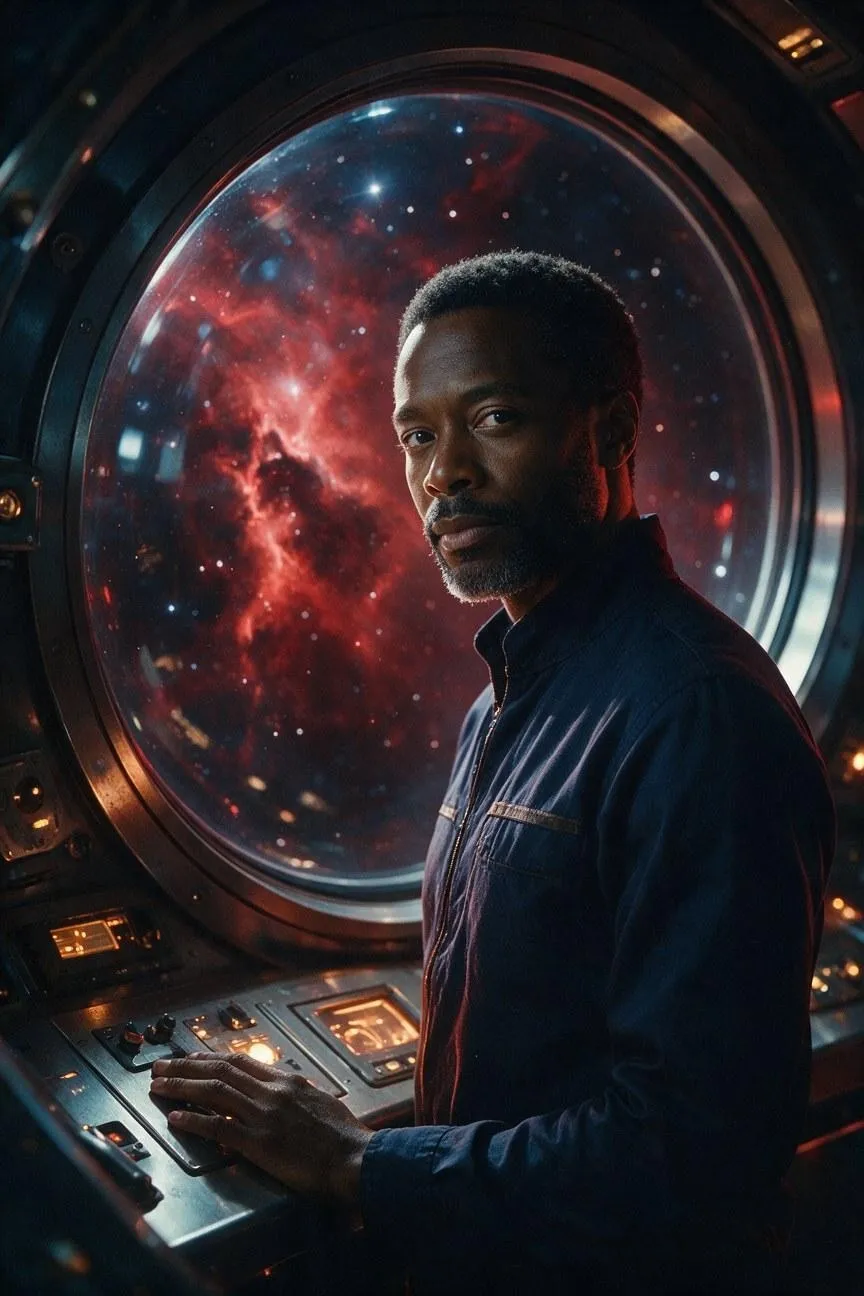 |
Tip: Always make sure that you state the exact wording, spelling, logo proportions, and approved brand elements. Even when I’m not sure of the exact wording I want to use, I still add sample typography to set the base proportions that I can easily replace later.
4. Motorcycle Repair Business Logo
| Prompt | Output Image |
|---|---|
| Create a vintage motorcycle repair shop logo for a company called Revburn. Design a bold circular black emblem containing a detailed classic motorcycle engine with visible cylinders, pistons, bolts, and metallic gray shading. Add a stylized orange-and-gold flame emerging from the engine’s right side. Place Revburn across the lower center in heavy italic charcoal lettering with a light gray outline, subtle dimensional shadow, and distressed print texture. Use a cream background, black, silver, charcoal, orange, and gold palette, strong contrast, balanced symmetry, and a rugged retro-garage identity. Include only the word Revburn. | 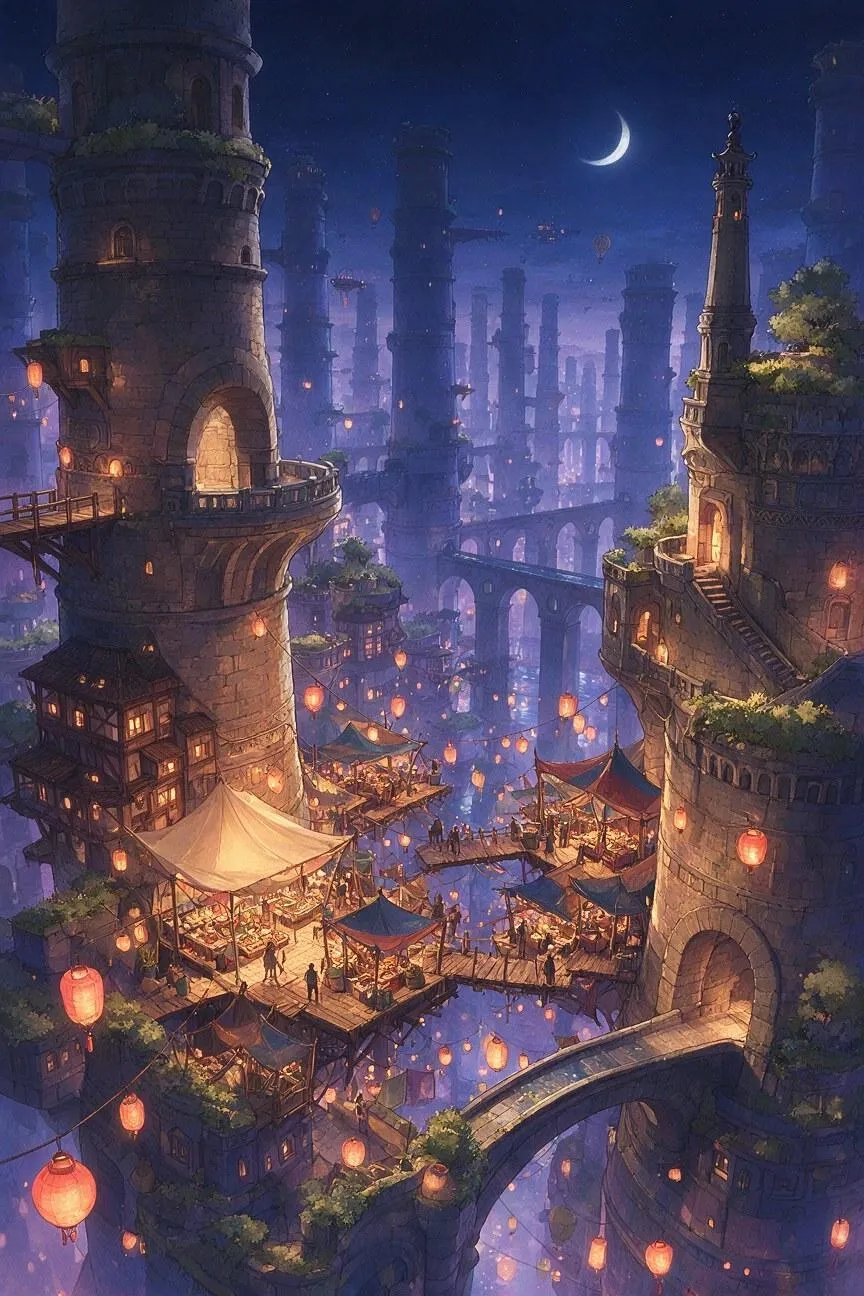 |
Tip: For logos, I usually try to focus on combining one clear symbol, one distinctive visual feature, and a readable wordmark, especially for the first render. I’ve seen many times how too many details can make the logo difficult to identify or reproduce at smaller sizes.
5. Archery Training Logo
| Prompt | Output Image |
|---|---|
| Create a vintage emblem logo for an archery training brand called MOCKINGBIRD. Use a tall oval badge with a dark navy outer border on a warm cream background. Feature a stylized navy mockingbird with wings spread, drawing a bow and aiming an arrow at a circular target on the right. Use bold simplified shapes, crisp screen-print edges, subtle paper grain, and a limited navy-and-cream palette. Place MOCKINGBIRD in large condensed serif lettering across the lower middle. Add a small decorative curved line beneath it and set ARCHERY TRAINING in small curved uppercase sans-serif type below. Keep the composition symmetrical, vintage, athletic, and highly legible. Include only the specified text. | 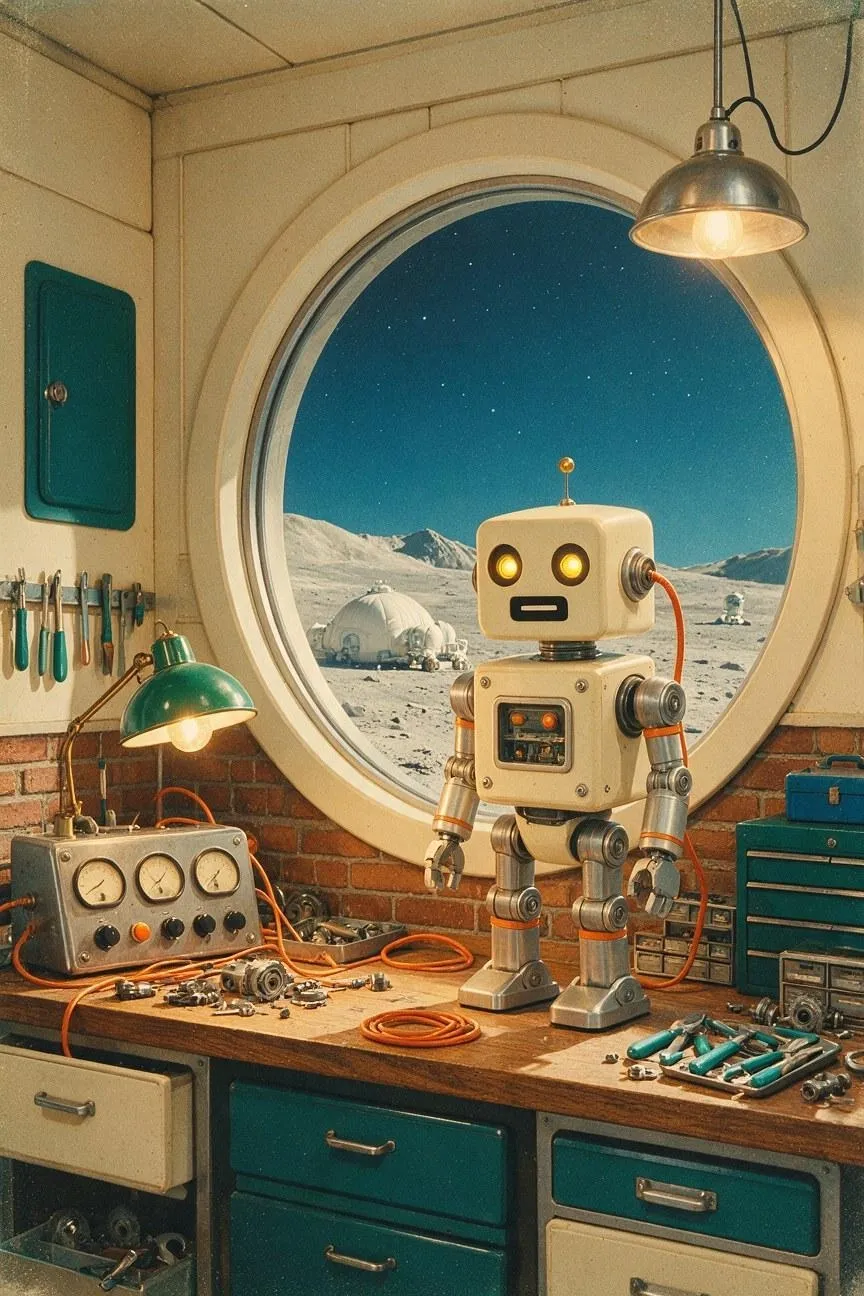 |
Tip: With logos, I suggest specifying the brand name, lettering style, icon placement, color palette, shape, background, and intended mood. From my experience, leaving out just one of these elements can dramatically change the result, so try to be very detailed.
#5. Stylized Character Art
General Prompt Template:
Create a [manga panel, anime scene, character sheet, or stylized poster] featuring [character or subject] in [setting] while [action or expression]. Use [line quality], [color treatment], [shading method], and [background detail]. Compose it as [viewpoint, panel layout, pose, or character arrangement], with emphasis on [silhouette, motion, or emotional focus]. Keep [character identifiers] consistent, reserve [speech or title area] if needed, exclude [unwanted text or objects], and use [aspect ratio].
1. Slice-of-Life Anime Frame
| Prompt | Output Image |
|---|---|
| Create a quiet slice-of-life anime frame featuring a teenage girl with black shoulder-length hair in a mustard cardigan reading beside a rainy apartment window while a sleepy orange cat rests on the radiator. Show her in a relaxed seated pose with a thoughtful expression, surrounded by a small desk, warm lamp, books, and a steaming cup of tea. Use delicate linework, hand-painted backgrounds, soft cel shading, muted ochre, teal, cream, and gray tones, and gentle rain streaks on the glass. Compose the scene from a slightly elevated three-quarter viewpoint with warm interior light contrasting against the cool rainy city outside. Keep the characters’ silhouettes clear, exclude speech bubbles, captions, logos, and extra people, and use a 16:9 aspect ratio. | 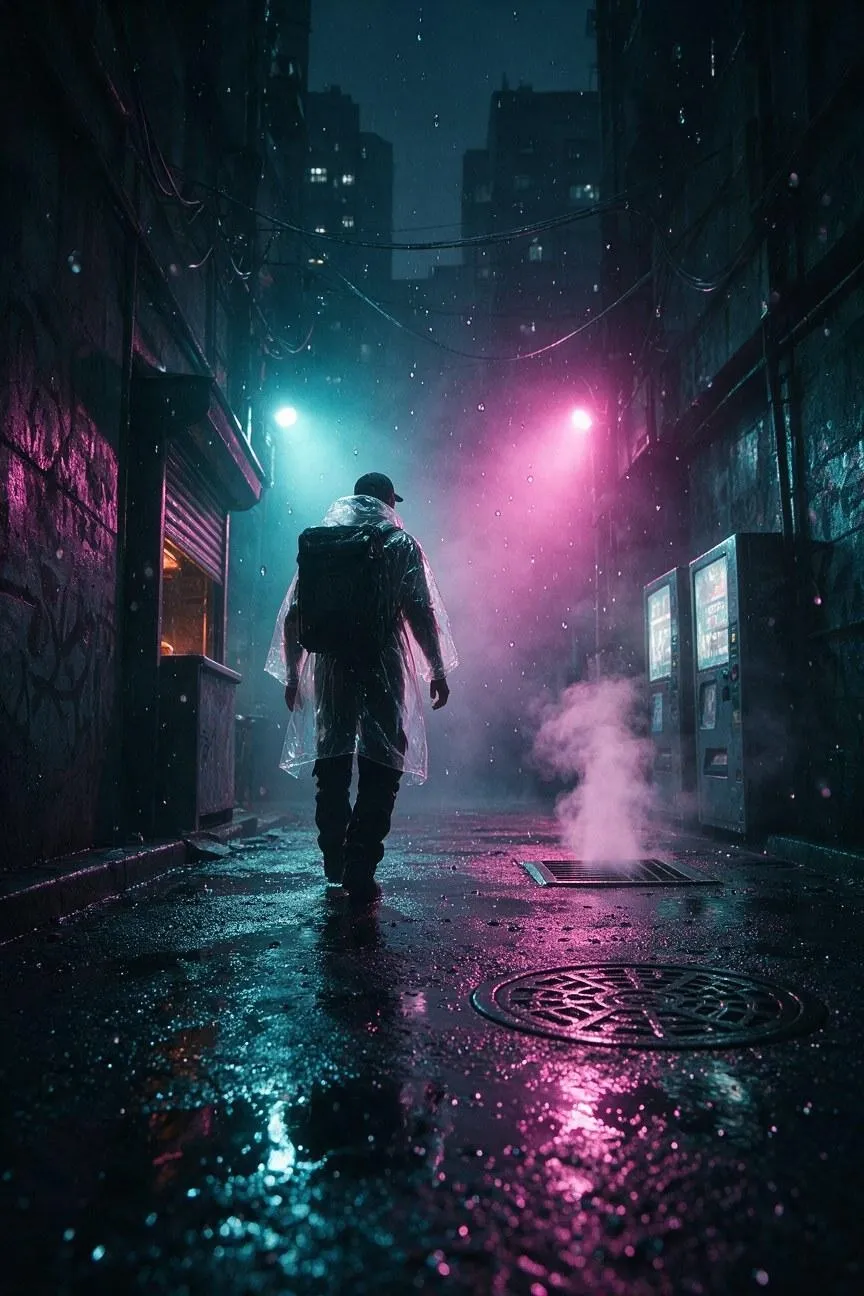 |
Tip: When rendering a character art scene, I encourage you to intimately describe their pose, body shape, hairstyle, clothing outline, and key accessories. This is what gives the model a clear silhouette to work with, ensuring the character remains recognizable.
2. Manga Action Panel
| Prompt | Output Image |
|---|---|
| Create a dynamic black-and-white manga action panel showing a young swordswoman leaping across a collapsing stone bridge above a flooded ravine. Use a low diagonal composition, dramatic foreshortening, a determined expression, flowing hair and clothing, shattered masonry in the foreground, and speed lines following her movement. Render the scene with crisp ink contours, varied brush weight, dense crosshatching, bold shadows, and a bright impact burst. Leave clean space in the upper-right corner for dialogue, but include no speech, sound effects, logos, or extra text. Use a 2:3 vertical aspect ratio. | 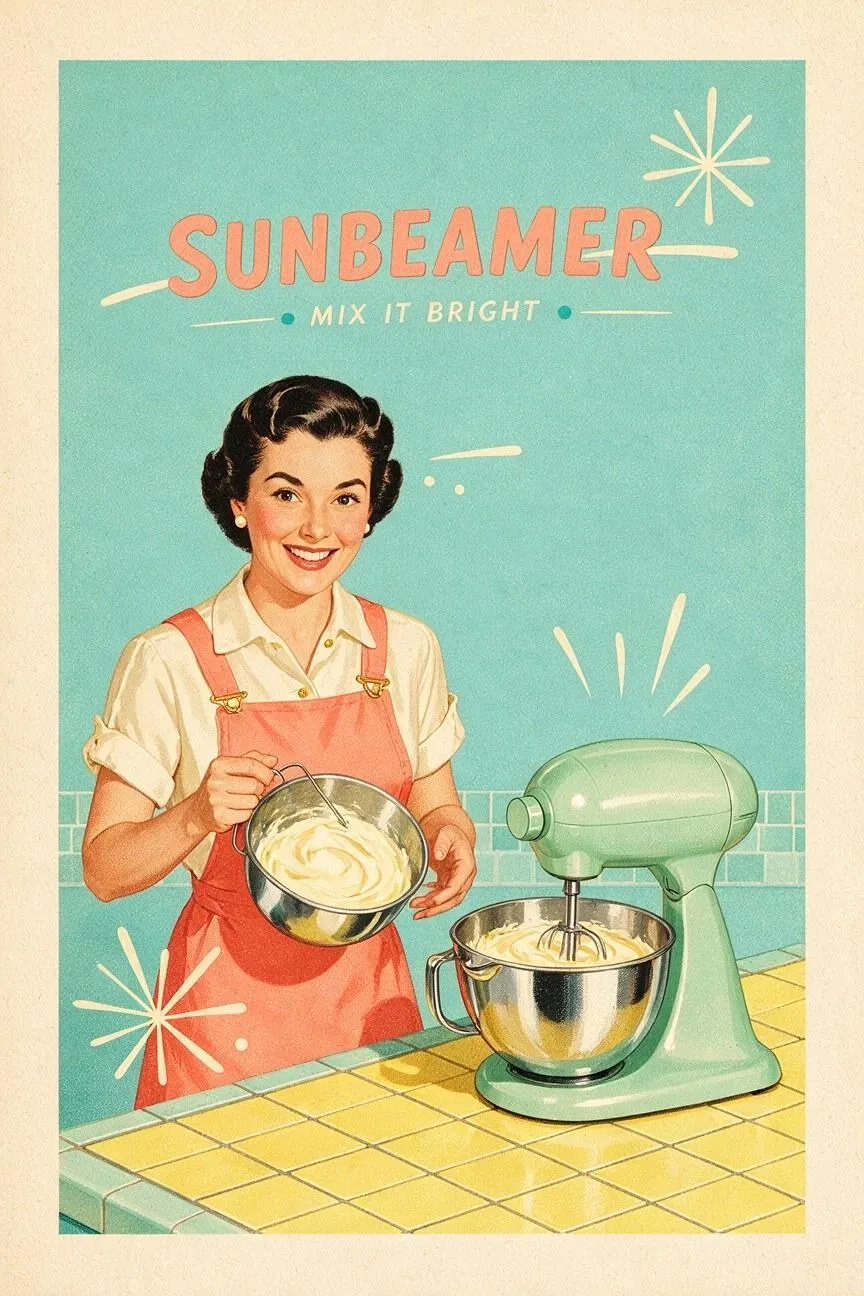 |
Tip: For comic or manga panels, I suggest stating the viewpoint, crop, pose, focal point, background relationship, and negative space clearly. I’ve often seen character being placed randomly in the frame without these details, so always keep that in mind.
3. Chibi Character Sheet
| Prompt | Output Image |
|---|---|
| Create a clean chibi character sheet featuring a friendly forest ranger named Miko in four full-body poses: standing with a lantern, waving, crouching beside a mushroom, and holding a folded map. Keep her round face, short dark hair, rust-orange cloak, green boots, and tiny antler-shaped backpack consistent in every pose. Use bold clean outlines, soft cel shading, expressive eyes, simple proportions, and a warm cream background. Arrange the poses evenly with consistent scale and lighting. Include only the label MIKO, no additional text, logos, or background scenery. Use a 4:5 portrait aspect ratio. | 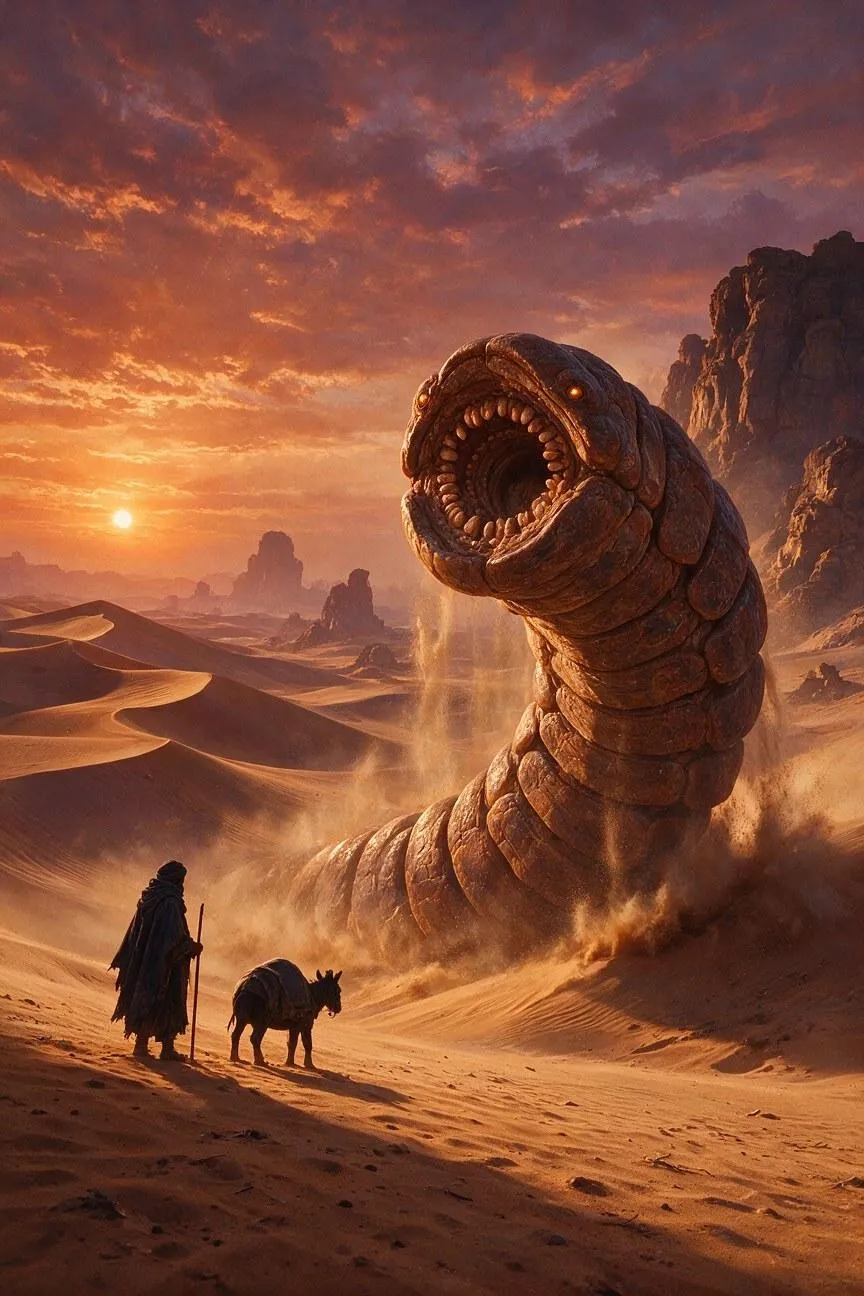 |
Tip: For 3D character sheets, I’d usually make sure to use a simple background, consistent lighting, matching scale, and evenly spaced views. Based on my past renders, I consider this to be the best way of ensuring the character remains recognizable and easy to compare.
4. 2D-Animated Character Art
| Prompt | Output Image |
|---|---|
| Create a vibrant colorful 2D animated character illustration featuring a young marine biologist exploring a glowing underwater cavern. Show her wearing a yellow diving suit, oversized transparent helmet, coral-red boots, and a small utility backpack while holding a lantern and reaching toward a curious bioluminescent seahorse. Use expressive eyes, a joyful adventurous expression, clean rounded linework, soft cel shading, bright turquoise and violet colors, and detailed underwater plants in the background. Compose the character in a dynamic three-quarter pose with clear silhouette and strong focal lighting from the lantern. Keep the anatomy, costume, colors, and accessories consistent. Exclude text, logos, extra characters, and visual clutter. Use a 4:5 portrait aspect ratio. | 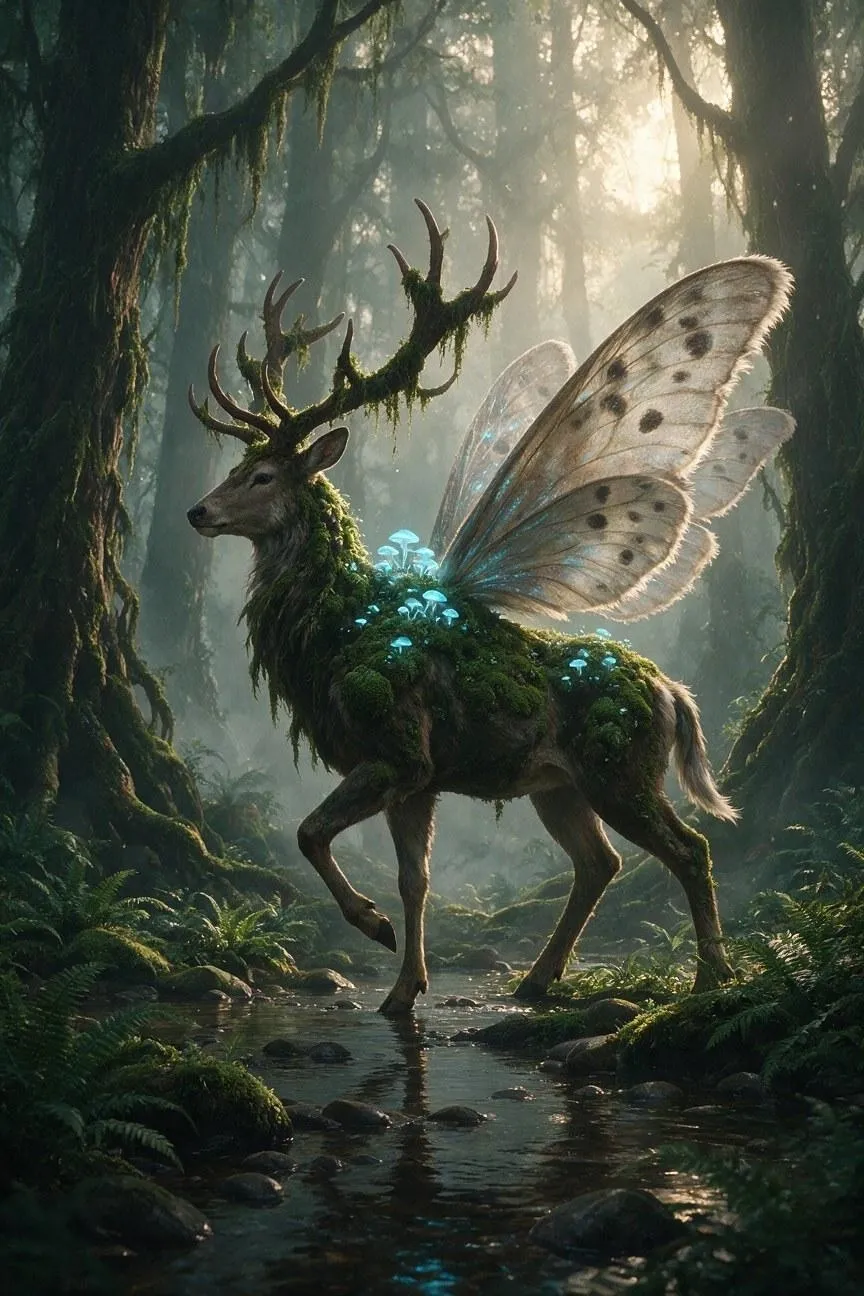 |
Tip: When it comes to stylized art, I must remind you to highlight the expression, body language, action, and emotional tone. If you want the animated character to feel expressive and not static, then I’d go so far as to say this is the most important thing to consider.
5. Retro Magic Art Poster
| Prompt | Output Image |
|---|---|
| Create a vertical retro magical-art film poster featuring a mysterious young woman in a rose-pink coat holding a transparent umbrella beneath a violet, star-filled sky. Place a large glowing crescent moon behind her silhouette, surrounded by geometric stars, soft magical light, and wind-blown fabric. Use 1990s anime-inspired illustration, bold cel colors, airbrushed glow, halftone texture, a cream border, and a palette of violet, rose, cream, and electric blue. Add the title NIGHT ORBIT in elegant vintage lettering at the bottom. Keep the character silhouette clear and include no additional text, logos, or credits. Use a 2:3 portrait aspect ratio. | 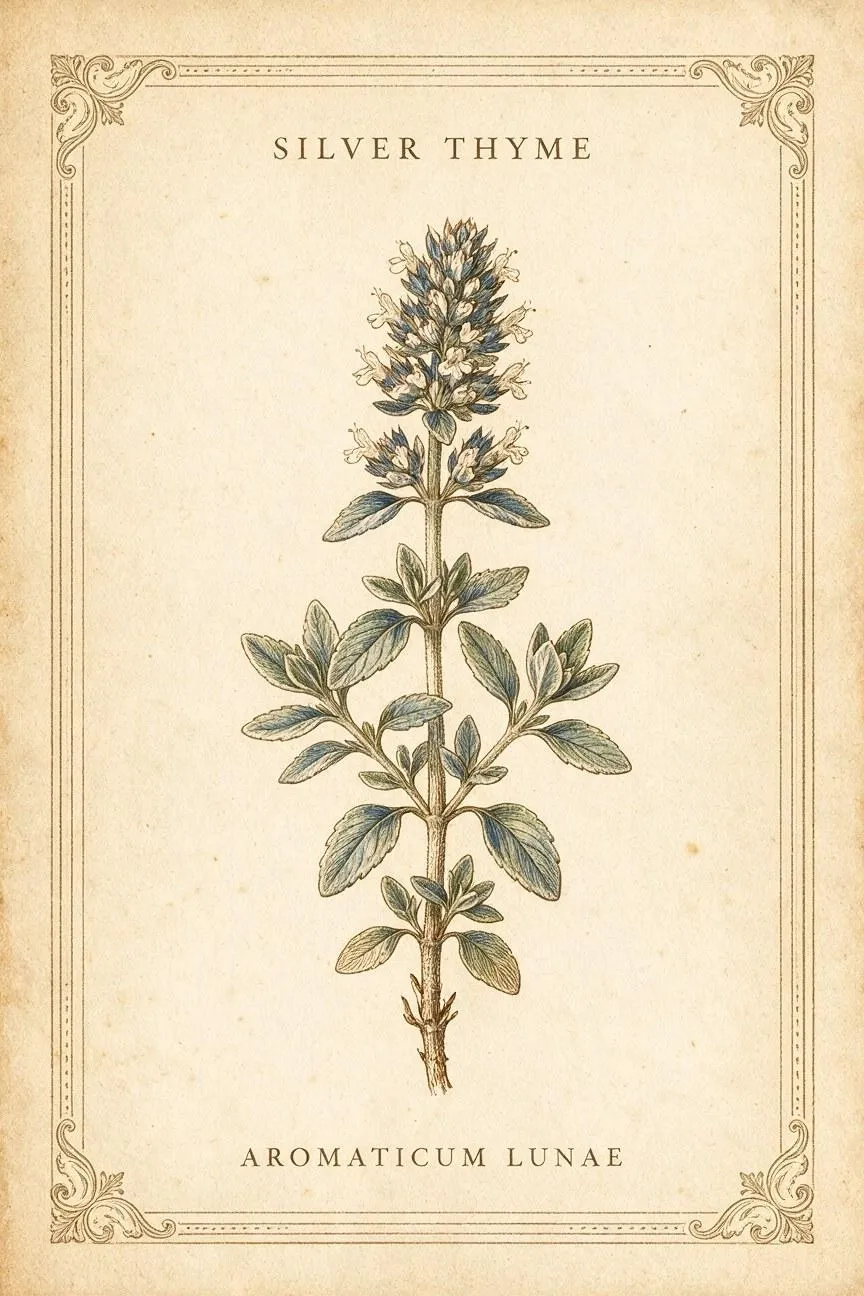 |
Tip: I think it’s always vital to specify key aspects like medium, line quality, color treatment, shading method, texture, and level of detail. I’ve noticed that using broad labels like anime or cartoon will just produce results that fall short of expectations or drift from the intended vision.
#6. Fantasy & Worldbuilding
Generate Prompt Template:
Create [concept art or fantasy scene] set in [world premise or location], featuring [main character, creature, structure, or object]. Show [action or narrative moment] with [scale relationship]. Design the environment using [materials, architecture, technology, magic, vegetation, or cultural details]. Use [lighting], [atmosphere], [color palette], and [visual medium] to establish the mood. Keep anatomy, construction, and world rules coherent; exclude [unwanted modern or genre elements] and use [aspect ratio].
1. Magical Cityscape
| Prompt | Output Image |
|---|---|
| Create a wide anime-inspired fantasy concept-art scene set in a floating night market suspended between enormous stone towers above a magical city. Show narrow bridges connecting the towers, rooftop gardens, glowing paper lanterns, small vendors and pedestrians, and airborne water channels reflecting distant crescent moonlight. Build the city with weathered stone, dark timber, moss-covered surfaces, carved balconies, and suspended walkways. Use a high panoramic viewpoint, layered atmospheric perspective, indigo sky, coral lantern glow, moss-green vegetation, detailed hand-painted architecture, and cinematic depth. Keep the structures, bridges, water channels, and floating market internally consistent in scale and construction. Exclude modern vehicles, readable signs, random text, unrelated objects, and visual clutter. Use a 21:9 aspect ratio | 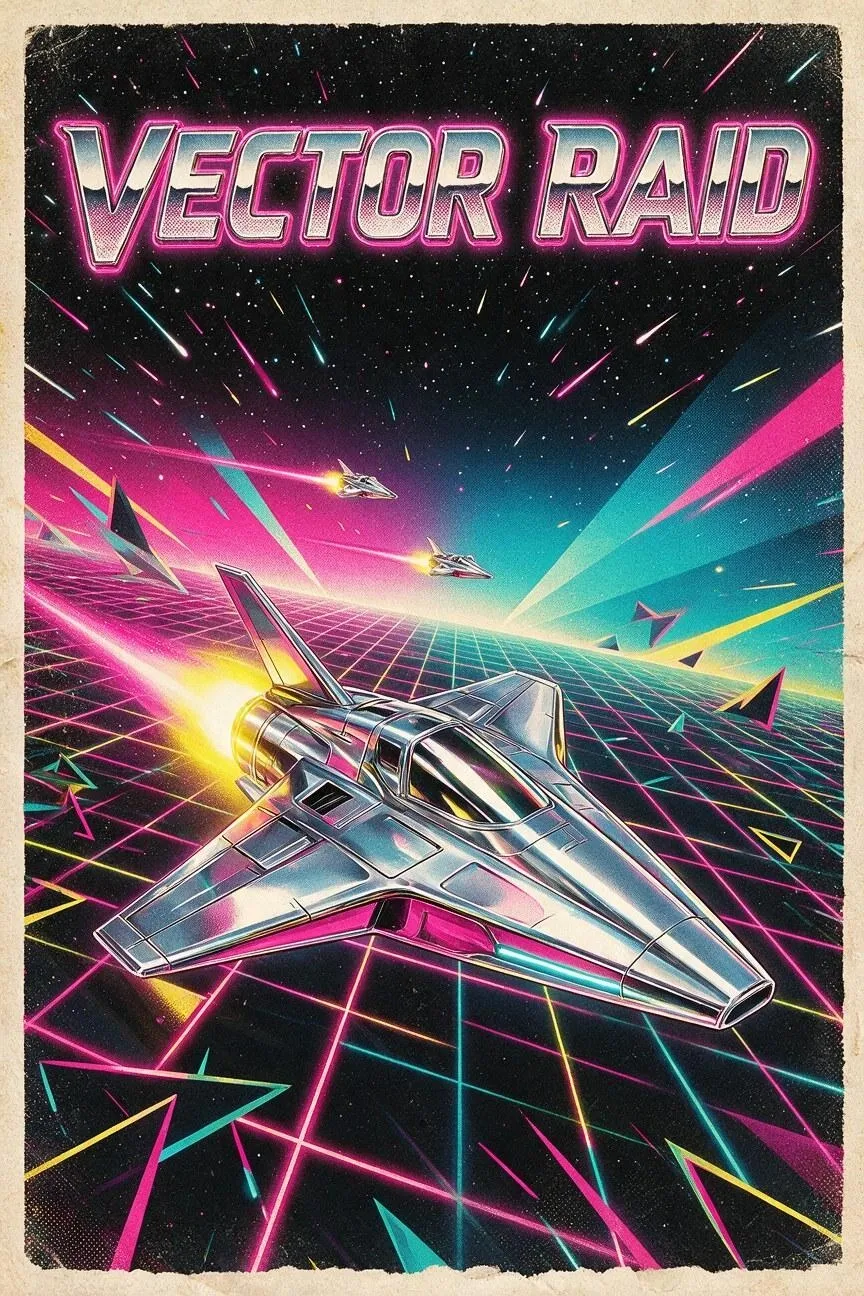 |
Tip: With most fantasy settings, I make it a habit to combine imaginative ideas with realistic elements like markets or gardens. I consider it to be a great way of making sure the scene feels more grounded, which makes it seem more believable.
2. Giant Desert Worm
| Prompt | Output Image |
|---|---|
| Create cinematic fantasy concept art of a colossal desert worm emerging from a vast ochre dune sea at sunset. Show its segmented armored body rising from the sand, with layered stone-like plates, glowing amber eyes, a circular jaw lined with blunt mineral teeth, and fine dust streaming from its movement. Place a lone desert traveler and a small pack animal in the foreground to establish scale, with distant rock formations and wind-carved dunes behind them. Use warm copper sunlight, deep violet shadows, airborne sand, atmospheric haze, painterly worldbuilding detail, and a dramatic low-angle viewpoint. Keep the creature’s anatomy, scale, and movement coherent. Exclude modern vehicles, buildings, text, and unrelated fantasy creatures. Use a 16:9 aspect ratio. | 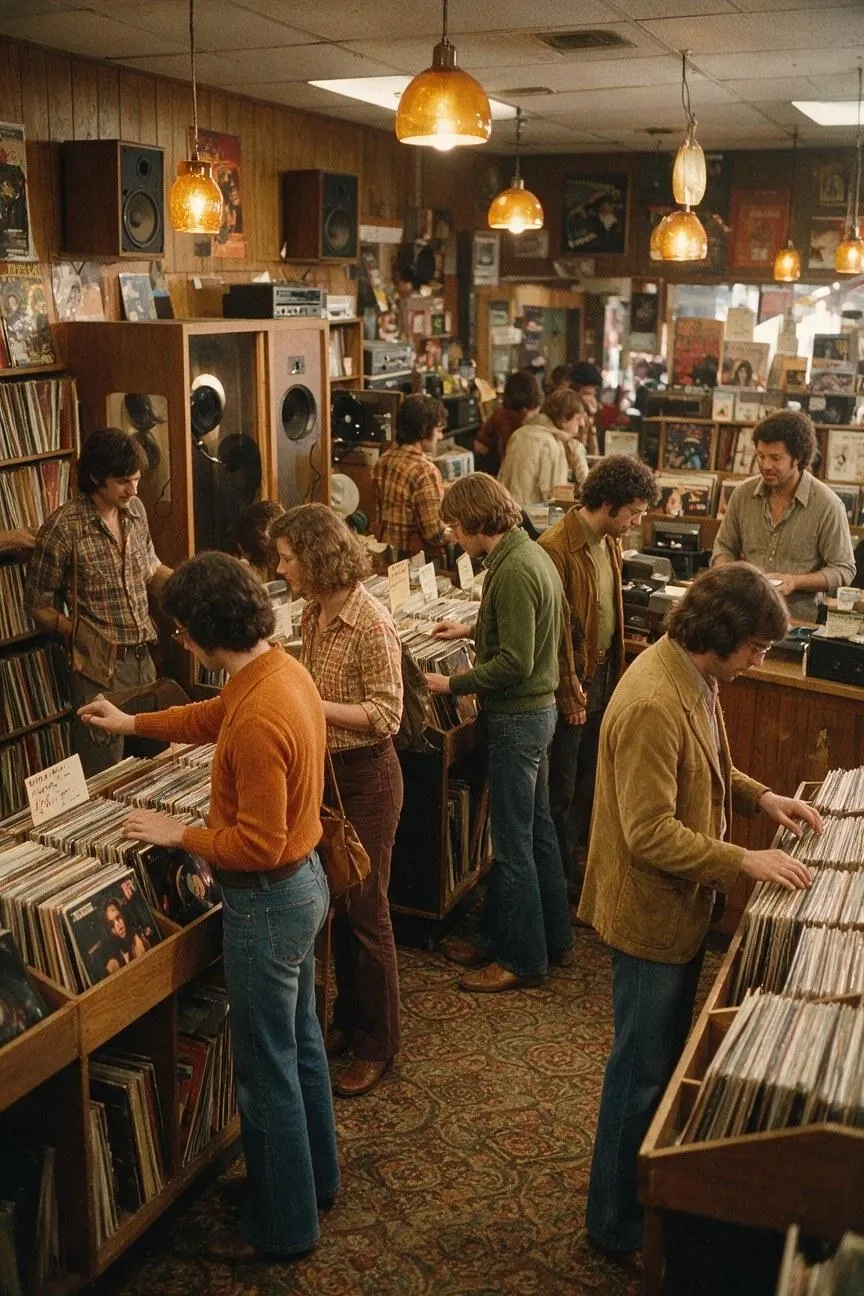 |
Tip: When world-building, I advocate for making sure the architecture, creatures, materials, lighting, magic, etc., all fit together visually. I’ll admit it’s tempting to be experimental, but the characters and settings need to complement each other for an impactful composition.
3. Forest Guardian Creature
| Prompt | Output Image |
|---|---|
| Create painterly fantasy concept art of a gentle forest guardian with the body of a massive moss-covered deer, translucent moth wings, branching antlers, and glowing blue fungi growing along its shoulders. Place it in an ancient old-growth forest beside a shallow stream, standing in profile with one front hoof lifted. Surround it with enormous trees, ferns, hanging moss, wet bark, drifting mist, and scattered shafts of dawn light. Use a palette of deep emerald, muted brown, soft gray, and bioluminescent blue. Keep the creature’s anatomy, wing placement, scale, and movement coherent. Exclude armor, weapons, modern objects, text, and unrelated creatures. Use a 3:2 aspect ratio. | 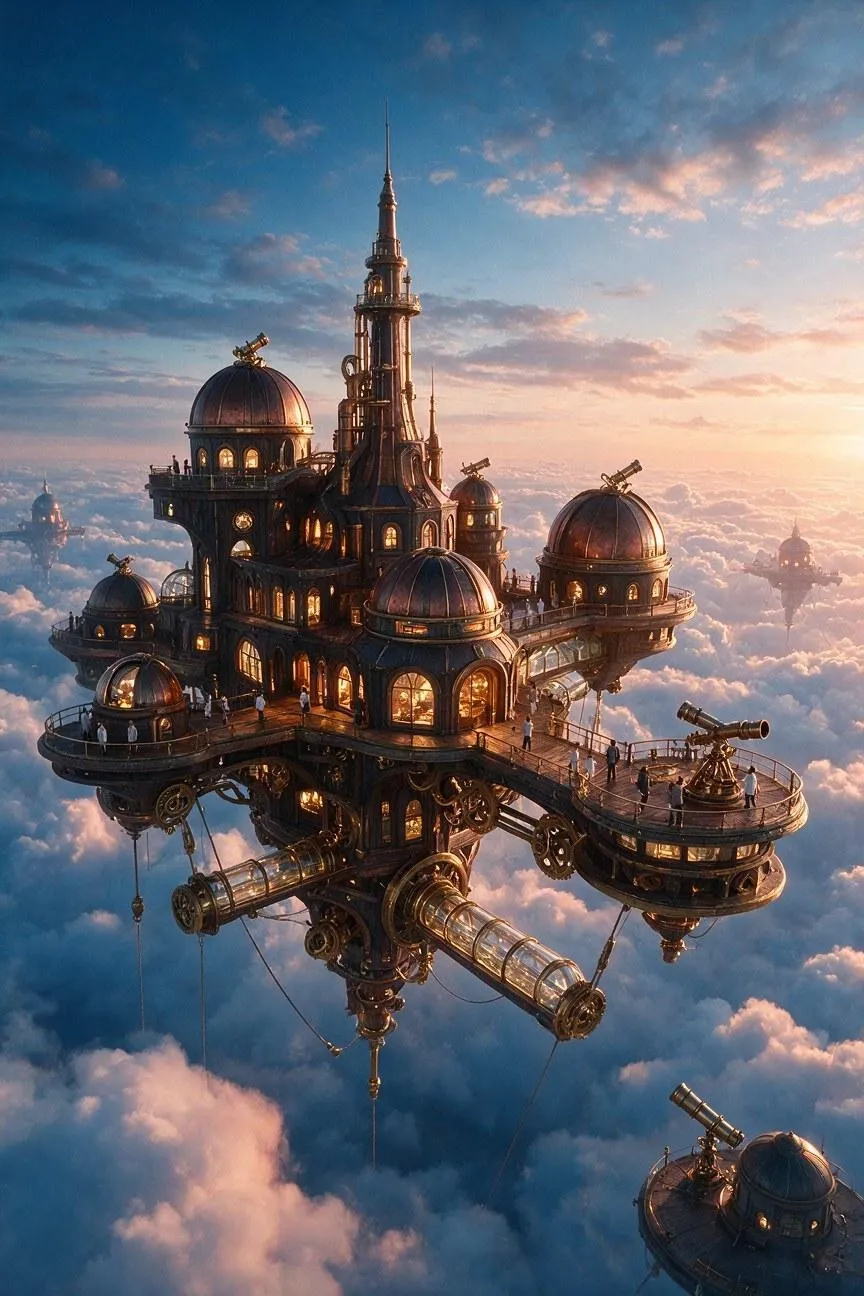 |
Tip: When building a fantasy composition, I usually think the best place to start is to decide what makes the world unusual. It can be a strange creature, a floating city, ancient buildings, etc. I always choose to establish that first, then build the rest of the image around that idea.
4. Floating Observatory
| Prompt | Output Image |
|---|---|
| Create detailed science-fantasy concept art of a floating observatory suspended above a vast sea of clouds. Build it from dark timber, copper ribs, telescope domes, suspended glass walkways, brass mechanisms, and glowing windows. Show the structure from a distant three-quarter aerial viewpoint at sunrise, with tiny researchers visible on the platforms to establish scale. Use peach-colored horizon light, deep cobalt shadows, layered clouds, soft atmospheric haze, believable cables and supports, and intricate but readable architecture. Keep the observatory’s construction physically coherent and balanced in the sky. Exclude spaceships, modern skyscrapers, random symbols, text, and unrelated objects. Use a 21:9 aspect ratio. | 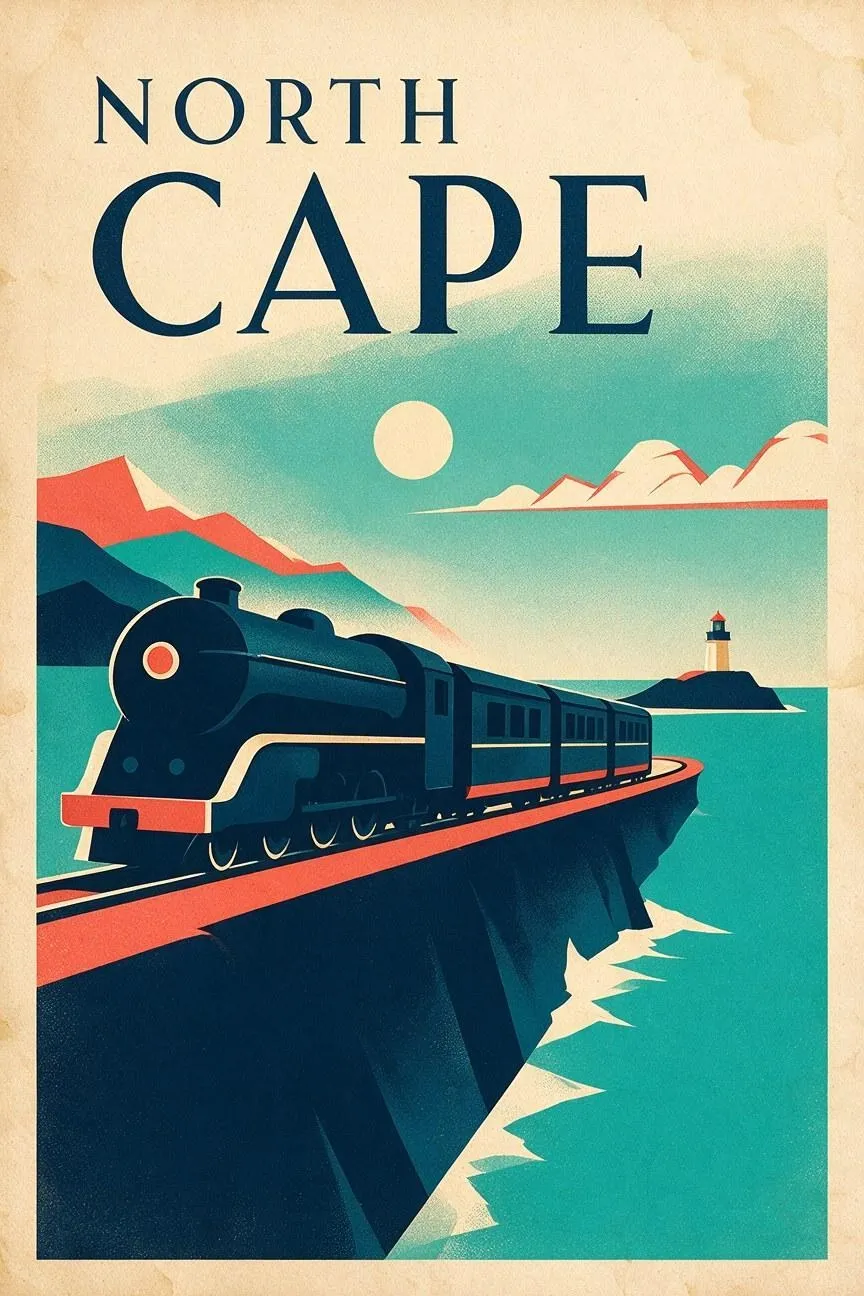 |
Tip: Don’t skip over mentioning aspects like lighting, weather, color palette, viewpoint, or artistic medium. Over time, I’ve discovered that this is what helps establish an emotional and immersive tone in a scene, particularly when there aren’t any visible characters.
5. Underwater Temple
| Prompt | Output Image |
|---|---|
| Create cinematic fantasy concept art of a submerged marble temple resting on the ocean floor, with broken columns, carved statues, drifting sea grass, schools of silver fish, and a lone diver carrying a warm lantern through the central doorway. Show the temple from a frontal symmetrical viewpoint, with the diver positioned small in the lower center to establish scale. Use turquoise water, descending sunbeams, suspended particles, weathered stone, soft currents, and a contrasting amber lantern glow. Keep the architecture, water depth, lighting, and figure proportions coherent. Exclude sea monsters, modern machinery, readable text, and unrelated objects. Use a 4:5 aspect ratio. | 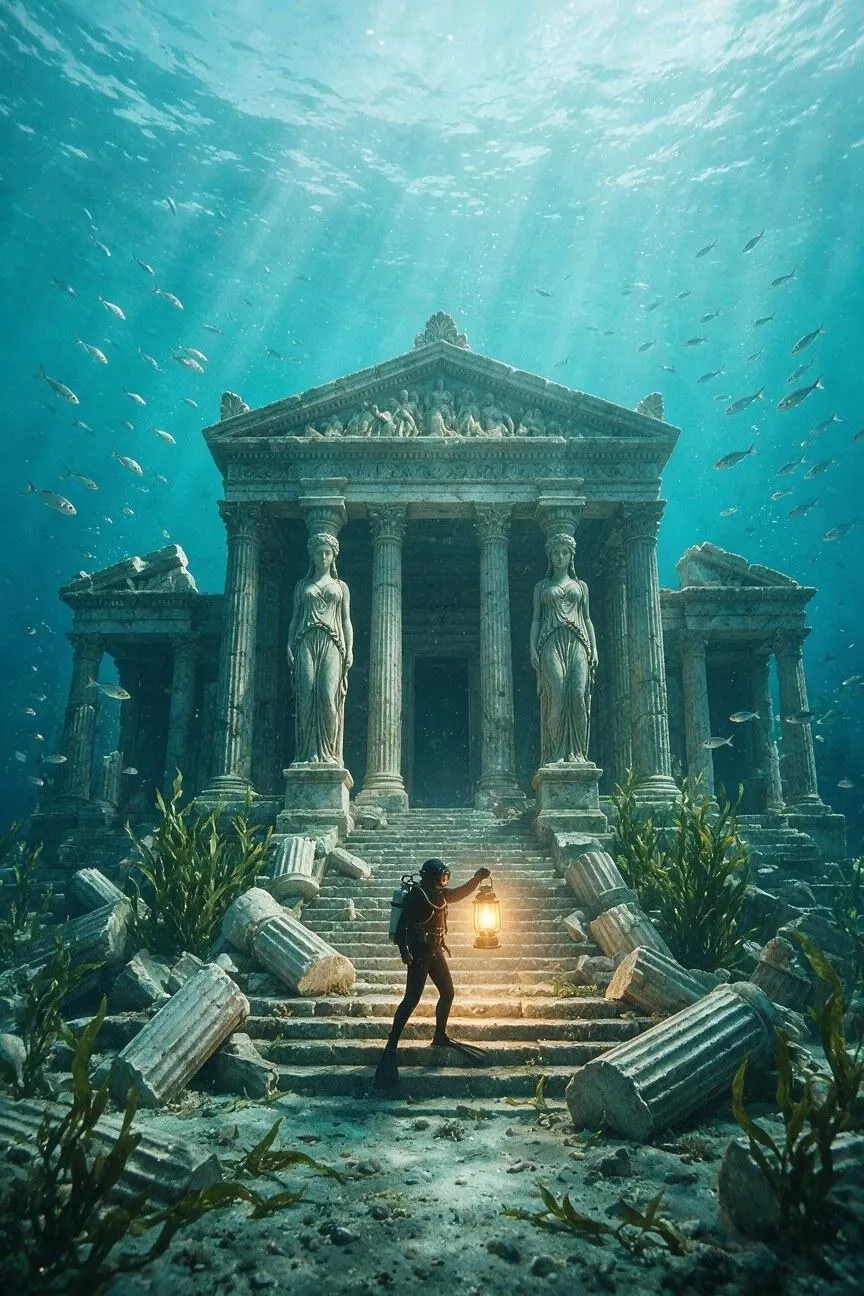 |
Tip: With fantastical concepts, I often like to include people, objects, or familiar structures to communicate and emphasize scale. Just make sure to give those characters, creatures, or buildings a clear role in the scene; I don’t recommend adding them for the sake of it.
#7. Food and Lifestyle
General Prompt Template:
Create a [food photograph or lifestyle scene] showing [person, dish, product, or activity] in [setting and time of day]. Include [key ingredients, objects, props, or clothing] arranged [composition or interaction]. Use [camera angle], [lighting], [surface and food textures], and a [mood or color palette]. Keep [main subject] as the visual focus, add natural gestures or imperfections, reserve [negative space] if needed, exclude [unwanted text or branding], and use [aspect ratio].
1. Overhead Breakfast Table
| Prompt | Output Image |
|---|---|
| Create an overhead lifestyle photograph of a relaxed weekend breakfast for two on a pale linen tablecloth. Include ricotta toast with honey, sliced figs, soft-boiled eggs, a small coffee pot, butter, a folded newspaper with no readable text, and a blue ceramic plate. Arrange the objects naturally with gentle asymmetry and clear negative space in the upper-left corner. Use soft morning window light, warm cream, fig purple, honey gold, and muted blue tones, realistic crumbs and steam, tactile food textures, and contemporary editorial photography. Exclude logos, readable text, and unnecessary objects. Use a 4:5 aspect ratio. | 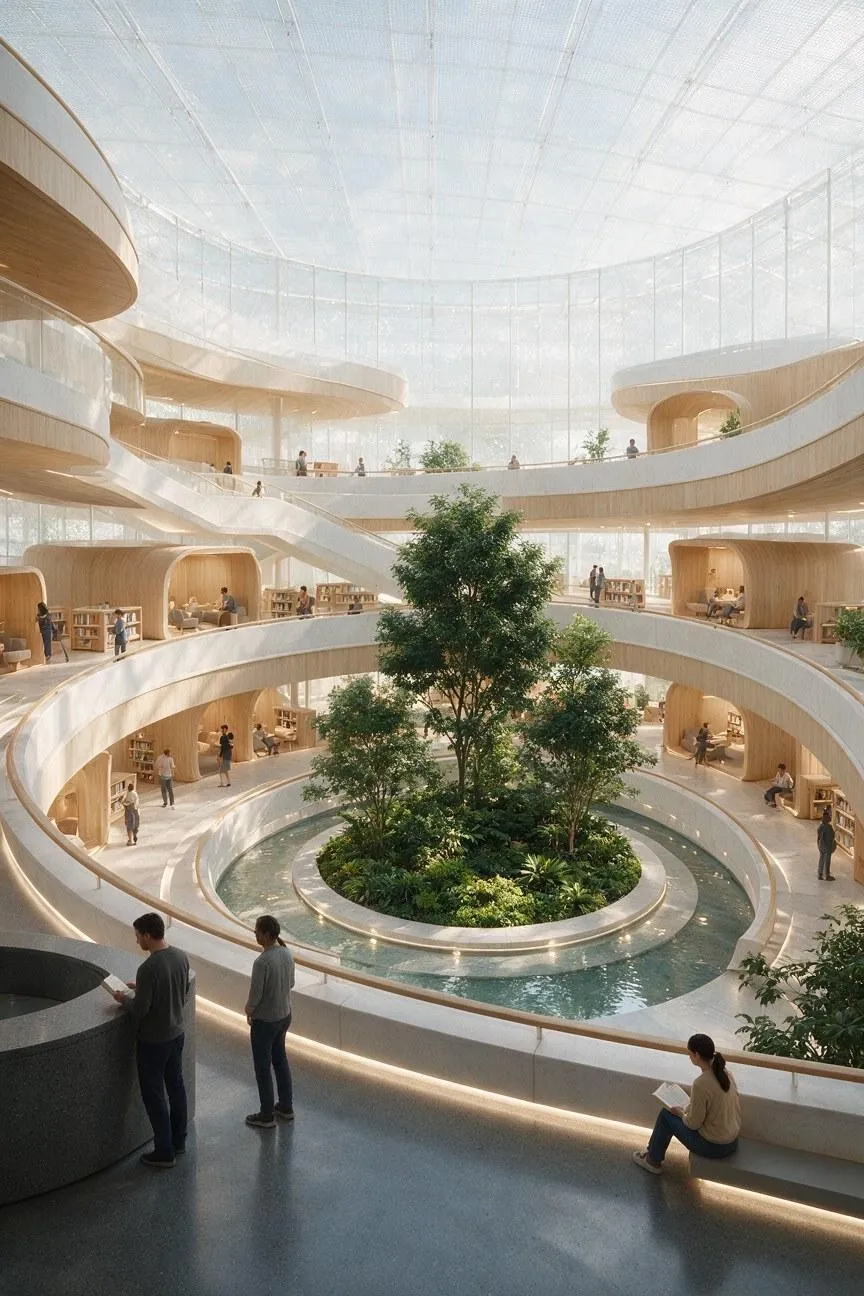 |
Tip: Whenever my focus is on the dish itself, I sometimes like to add a small number of props to help communicate the meal, lifestyle, or setting. Just make sure that you don’t overcrowd the frame or let the props compete with the main subject.
2. Restaurant Dessert Macro
| Prompt | Output Image |
|---|---|
| Create a refined macro food photograph of a plated pistachio and raspberry dessert on a matte charcoal plate in a modern restaurant. Include pistachio mousse, glossy raspberry gel, a thin chocolate shard, crushed nuts, and one delicate edible flower. Use a low three-quarter camera angle with sharp focus on the front edge of the dessert and a softly blurred dining room behind it. Add a narrow warm spotlight, realistic gloss, crumb textures, deep green, crimson, cream, and charcoal tones, and premium culinary editorial styling. Exclude extra dishes, logos, and text. Use a 3:2 aspect ratio. | 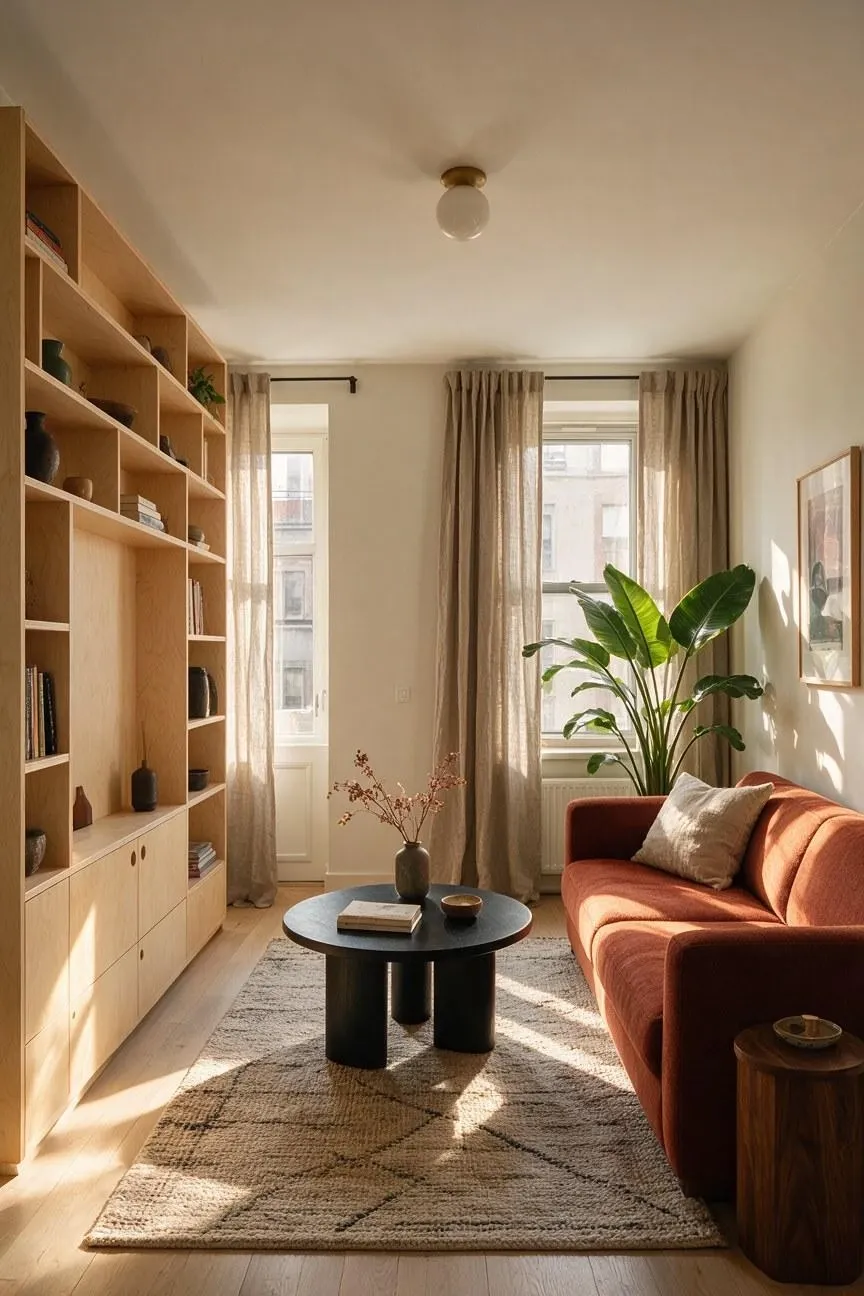 |
Tip: For food imagery, I would say always mention textures like gloss, steam, crumbs, crisp edges, moisture, melted surfaces, or flaky layers. I can guarantee that this will help generate a savory image that does well to create appetite and realism.
3. Farmers Market Lifestyle Scene
| Prompt | Output Image |
|---|---|
| Create a candid lifestyle photograph at a lively Saturday farmers market, showing an adult South Asian woman in a mustard jacket choosing heirloom tomatoes from a wooden stall while a vendor places them into a paper bag. Include striped awnings, seasonal greens, baskets, handwritten price cards kept intentionally unreadable, and softly blurred shoppers in the background. Use eye-level 50mm documentary photography, bright overcast daylight, natural gestures, tomato red, leafy green, mustard, and warm wood tones. Keep the interaction authentic and the people’s hands realistic. Exclude logos, readable signs, and staged poses. Use a 3:2 aspect ratio. | 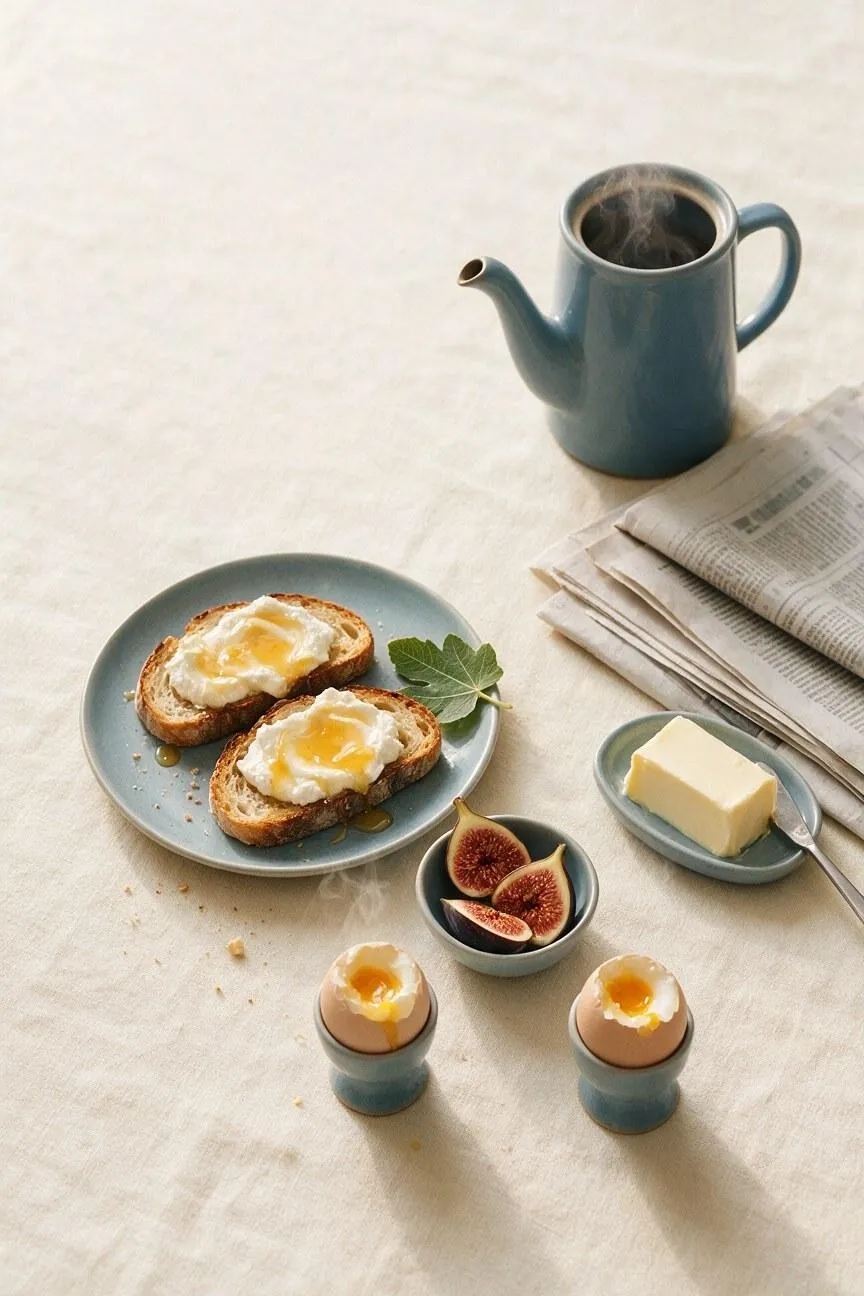 |
Tip: For an authentic lifestyle scene, I’d suggest giving characters a clear activity like sharing food, choosing ingredients, preparing a meal, etc. When I see an image with natural gestures and eye lines, it typically makes the composition feel more candid and believable.
4. Home Baker Portrait
| Prompt | Output Image |
|---|---|
| Create an intimate lifestyle portrait of an older man with silver hair and rolled-up sleeves glazing a lemon cake in a small home kitchen. Show flour on the counter, a cooling rack, lemon peel curls, baking tools, and a checked tea towel over one shoulder. Frame him from the side in a medium candid composition, keeping his hands and the cake clearly visible. Use warm late-afternoon window light, pale yellow, cream, walnut, and denim tones, realistic food textures, slight motion in the pastry brush, and natural editorial photography. Exclude commercial logos and readable packaging. Use a 4:5 aspect ratio. | 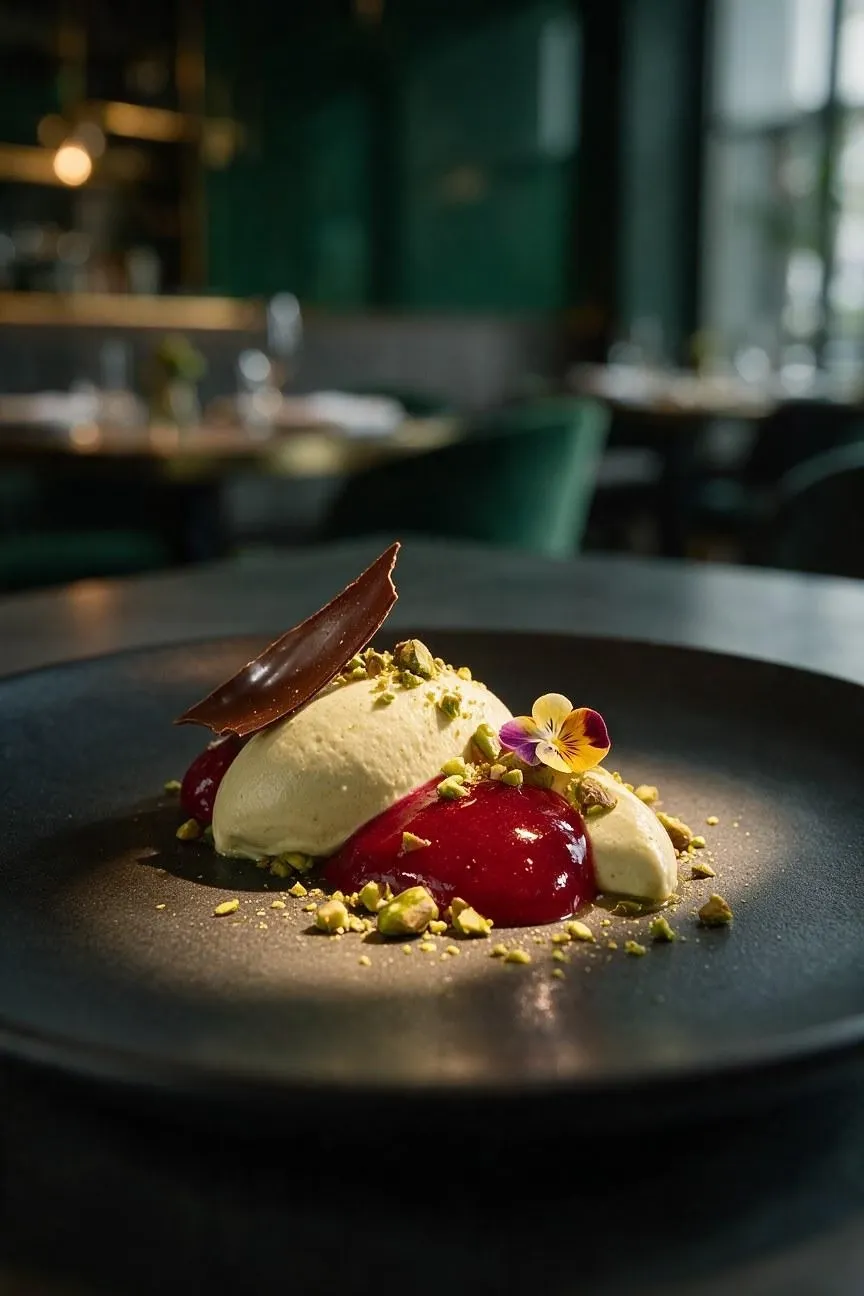 |
Tip: If there’s an in-scene character, I will emphasize the importance of specifying whether the image is overhead, close-up, eye-level, or candid. To nail this shot, I find that it’s all about arranging the main dish, person, and supporting props for a clear visual hierarchy.
5. Picnic Product Lifestyle
| Prompt | Output Image |
|---|---|
| Create a sunny lifestyle product photograph of a compact insulated lunch bag resting on a checked picnic blanket in a city park. Use the supplied lunch bag as the exact reference for its shape, zipper, fabric, and color. Surround it with a glass bottle of sparkling water, sliced peaches, a linen napkin, and a paperback book with its cover turned away. Use a low three-quarter camera angle, bright natural daylight, softly blurred trees and distant cyclists, fresh peach, cream, green, and navy tones, realistic woven fabric, and relaxed outdoor advertising photography. Keep the bag sharpest and fully visible. Exclude extra bags, logos, and readable text. Use a 4:5 aspect ratio. | 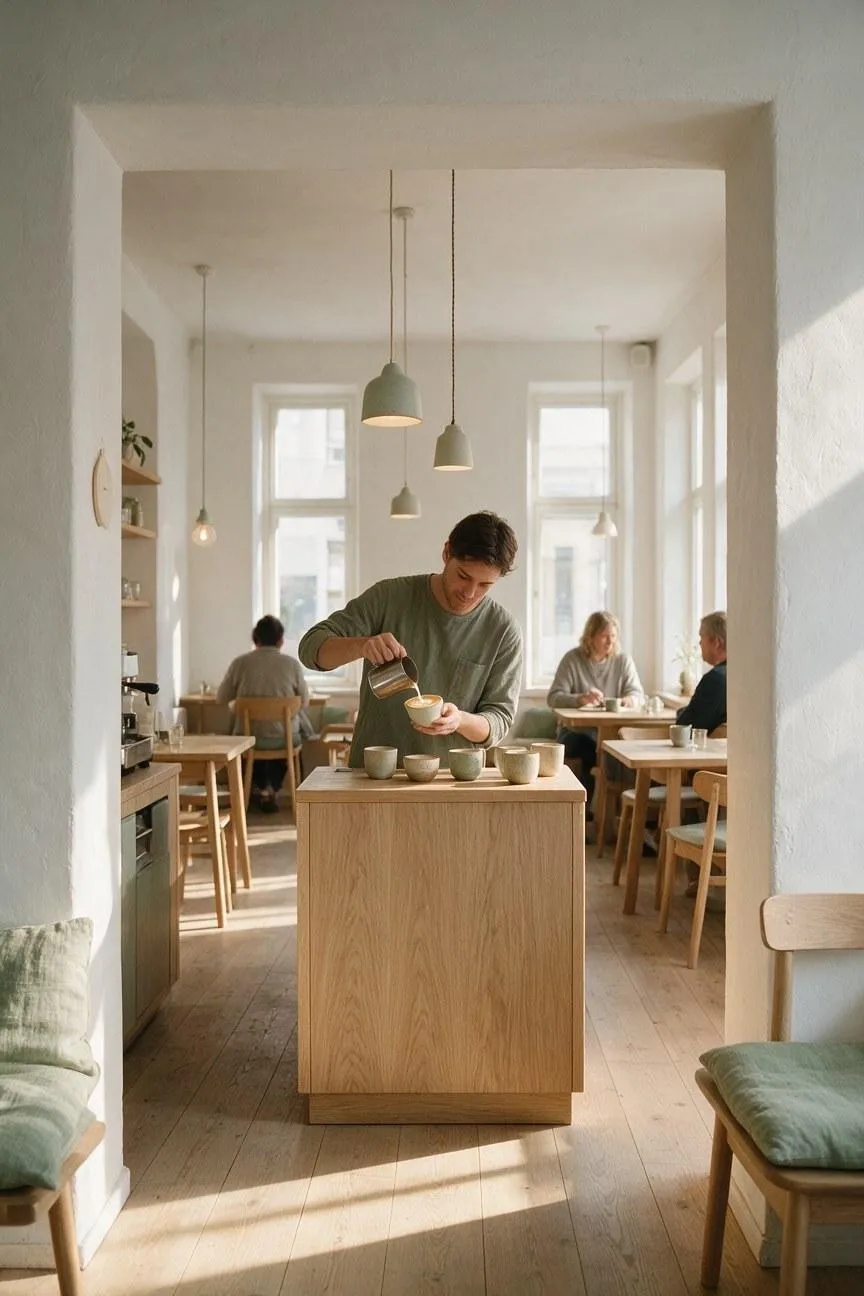 |
Tip: For any outdoor scene to feel authentic, I’d recommend describing details about the atmosphere like light source, time of day, color palette, and mood. It’s a great way to make sure the subject or object doesn’t feel disconnected from my chosen setting.
#8. Architecture & Real Estate
General Prompt Template:
Create a [building exterior, interior, or architectural visualization] of a [building type] designed in the [architectural style]. Show [key spaces, materials, furniture, and structural features] from a [camera viewpoint] using a [lens or composition]. Use [time of day], [light source], [color palette], and [surface textures] to establish the atmosphere. Include [people or activity] for scale if needed, preserve realistic proportions and circulation, exclude [unwanted clutter or objects], and use [aspect ratio].
1. Scandinavian Coffee Shop
| Prompt | Output Image |
|---|---|
| Create an editorial interior photograph of a small Scandinavian coffee shop designed with pale oak, white plaster, soft sage accents, and simple functional furniture. Show a barista pouring latte art behind a compact counter, with handmade ceramic cups, pendant lights, tall windows, and a few customers seated at oak tables. Use an eye-level 35mm viewpoint from the entrance, warm morning sunlight, long floor shadows, natural wood grain, linen textures, and a calm welcoming atmosphere. Keep the room uncluttered and realistically proportioned, with no visible logos or readable text. Use a 4:5 aspect ratio. | 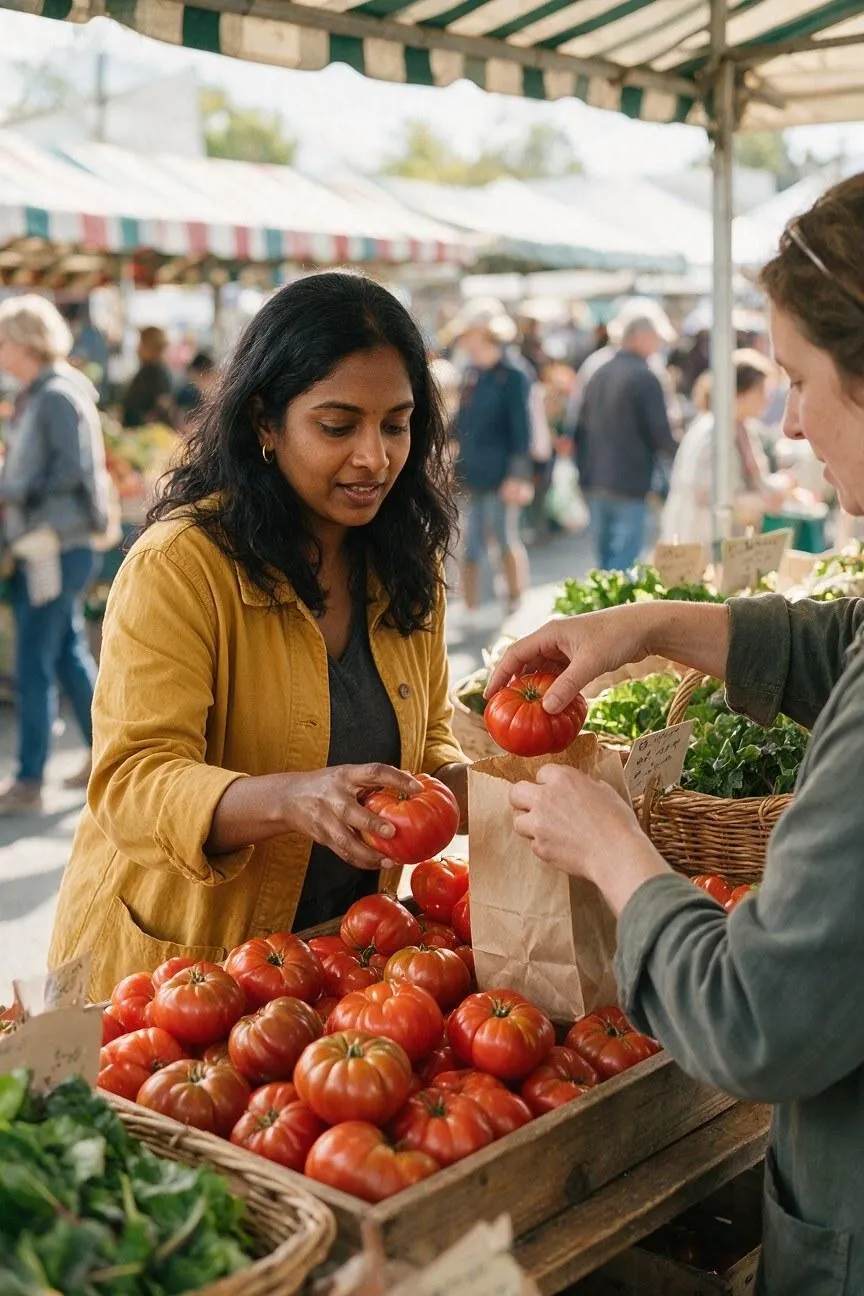 |
Tip: When rendering interior shots, I find it vital to specify where the camera is positioned, the height, lens, and direction of view. And this is because I discovered that while wide angles reveal spatial relationships, eye-level views usually make interiors feel more lived-in.
2. Brutalist Gallery
| Prompt | Output Image |
|---|---|
| Create a photorealistic interior of a monumental brutalist art gallery with raw concrete walls, a polished dark floor, geometric staircases, and a long skylight running through the ceiling. Display three large abstract paintings along the far wall and include one visitor in a rust-colored coat for scale. Use a centered symmetrical composition from a low eye-level viewpoint, cool diffused daylight, gray, black, white, and rust tones, subtle concrete pores, and realistic floor reflections. Preserve the architectural structure and spacious circulation. Exclude extra artwork, signage, distorted geometry, and readable text. Use a 16:9 aspect ratio. | 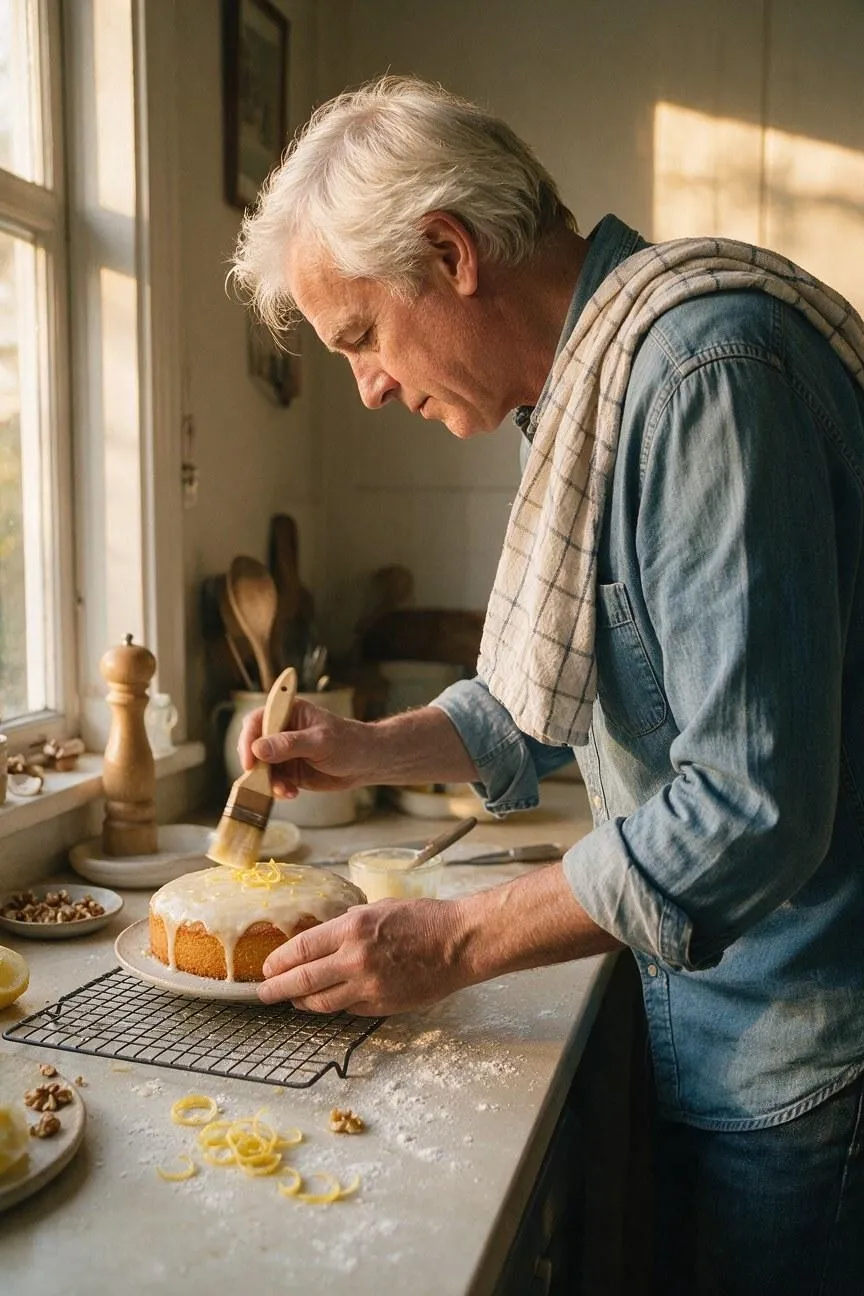 |
Tip: I make an effort to include details about the walls, floors, ceilings, furniture, windows, paths, and other key architectural features in my prompts. Speaking from personal experience, I think such details work well to help maintain realistic proportions in architectural imagery.
3. Compact Apartment Makeover
| Prompt | Output Image |
|---|---|
| Create a warm editorial photograph of a compact city apartment living room after a thoughtful renovation. Include a rust-colored sofa, pale birch built-in shelving, a round black coffee table, a large leafy plant, linen curtains, a textured rug, and framed art with no readable text. Photograph from the doorway using a wide 24mm lens at standing eye level, with balanced asymmetry and afternoon sunlight across the room. Use terracotta, cream, charcoal, walnut, and green tones, realistic proportions, tactile materials, and contemporary design-magazine styling. Keep the space welcoming and uncluttered with no people. Use a 3:2 aspect ratio. | 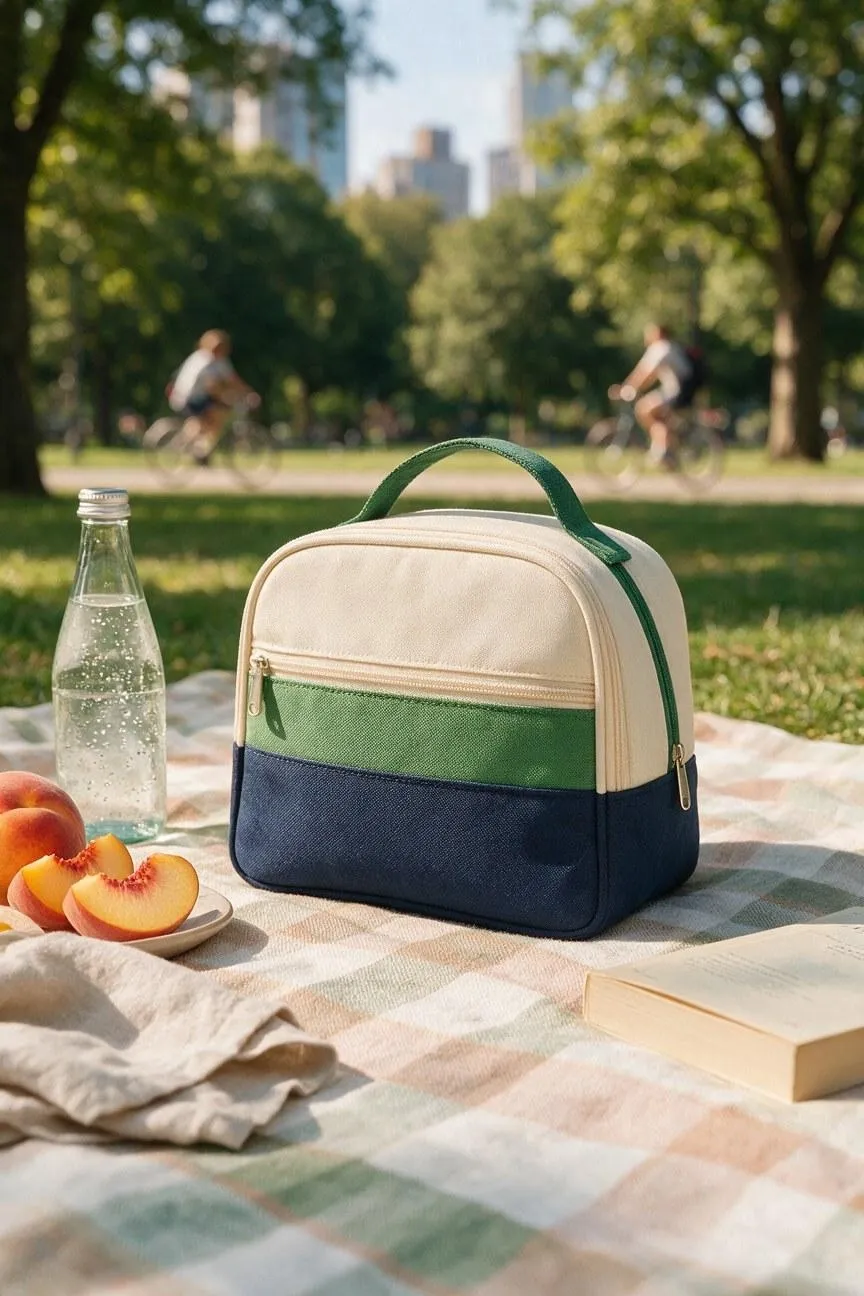 |
Tip: If you want interiors to carry more emotional weight, I’d include natural light, skylights, fireplaces, or artificial fixtures. I also think you should mention the time of day, shadow quality, color palette, and mood because such aspects can dramatically change the space.
4. Tiny Coastal Cabin
| Prompt | Output Image |
|---|---|
| Create an intimate interior photograph of a tiny coastal cabin during a rainy afternoon. Show a built-in daybed, navy wool blanket, compact wood stove, shelves of books, a round porthole window, weathered pine walls, and damp boots beside the door. Compose the room from a corner at seated eye level so the window, stove, and bed form a readable visual triangle. Use cool gray daylight through the window, a small amber fire glow, navy, cream, copper, and wood tones, realistic fabric texture, and a cozy architectural-photography style. Exclude extra rooms, people, logos, and readable text. Use a 4:5 aspect ratio. | 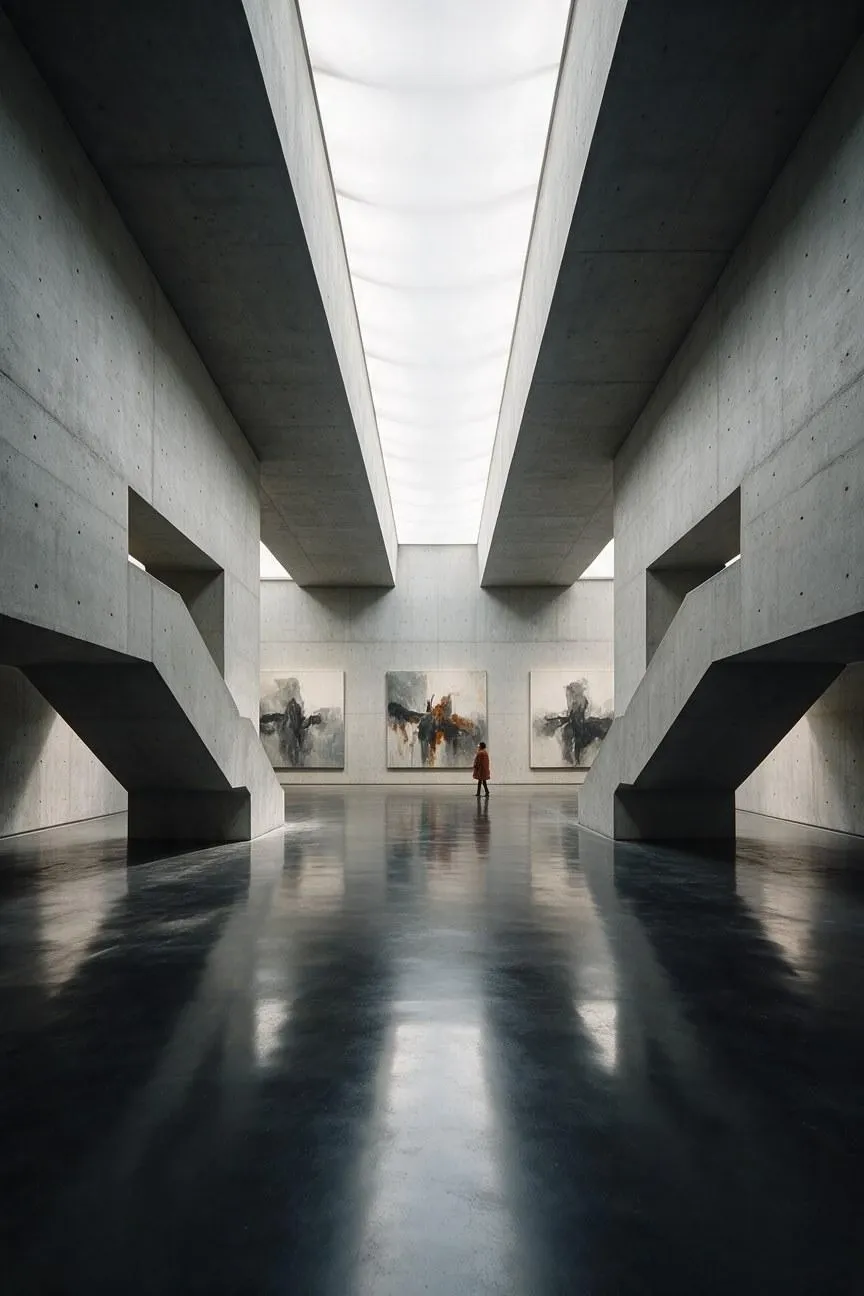 |
Tip: To prevent distorted architecture and impossible layouts, I usually try and describe the relationship between rooms, furniture, doors, windows, ceilings, and walkways. Whenever I’ve faced such problematic compositions, this often proves to be an effective solution.
5. Future Public Library
| Prompt | Output Image |
|---|---|
| Create a photorealistic interior of a future public library organized around a circular indoor garden. Include pale timber balconies, quiet reading pods, translucent solar-glass panels, accessible ramps, and a shallow reflecting pool at the center. Show the space from a high mezzanine viewpoint with diverse readers distributed naturally across several levels for scale. Use soft daylight filtered through the glass roof, warm wood, white stone, deep green plants, subtle water reflections, and calm civic architecture. Keep the design functional, humane, and realistically proportioned. Exclude holograms, flying objects, dystopian darkness, logos, and readable signs. Use a 16:9 aspect ratio. | 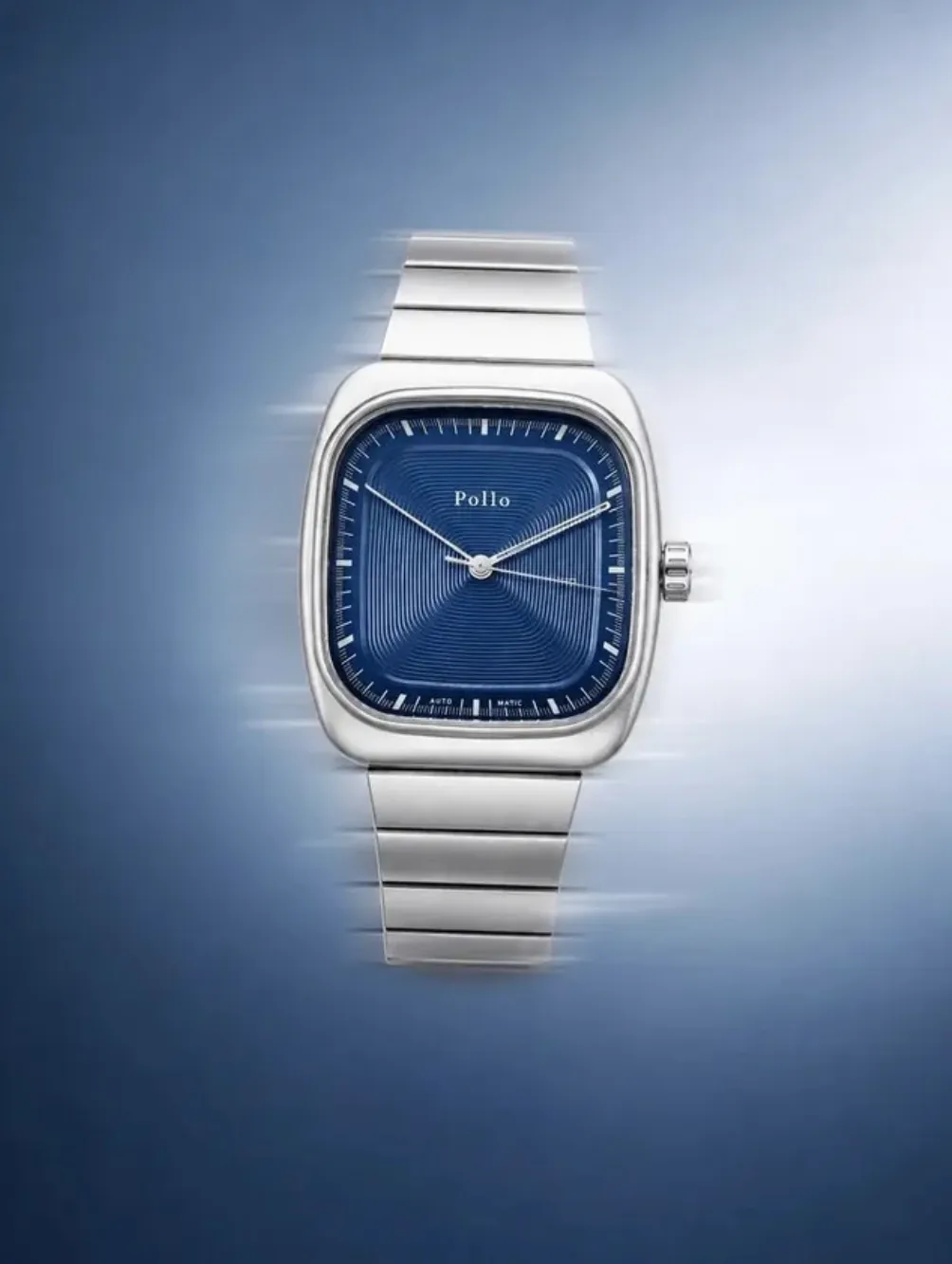 |
Tip: For unique spaces, I typically focus on highlighting the main focal area, limiting clutter, and using a few supporting objects or people for scale. Be sure to exclude any distracting signage, distorted geometry, or unrelated props or furniture for a cleaner composition.
#9. Retro Art & Vintage Photos
General Prompt Template:
Create a [poster, advertisement, record sleeve, label, photograph, or illustration] inspired by [time period or design movement]. Show [subject or central graphic] using [period palette], [typography], [materials], and [printing or photographic process]. Arrange it as [composition and hierarchy], with [exact title or copy] placed at [location]. Add [paper grain, halftone, fading, film texture, or other controlled imperfections]. Keep the style period-appropriate, exclude modern objects and extra text, and use [aspect ratio].
1. 1930s Travel Poster
| Prompt | Output Image |
|---|---|
| Create a vintage 1930s travel poster for the fictional coastal destination NORTH CAPE. Show a streamlined blue passenger train curving along a sunlit cliff above a bright turquoise sea, with a small lighthouse on the distant headland. Use bold flat geometric shapes, strong diagonal perspective, elegant period typography, and a limited palette of navy, cream, coral, and turquoise. Add subtle paper wear and screen-printed texture. Include only the title NORTH CAPE; exclude modern vehicles, extra text, logos, and realistic photographic details. Use a 2:3 portrait aspect ratio. | 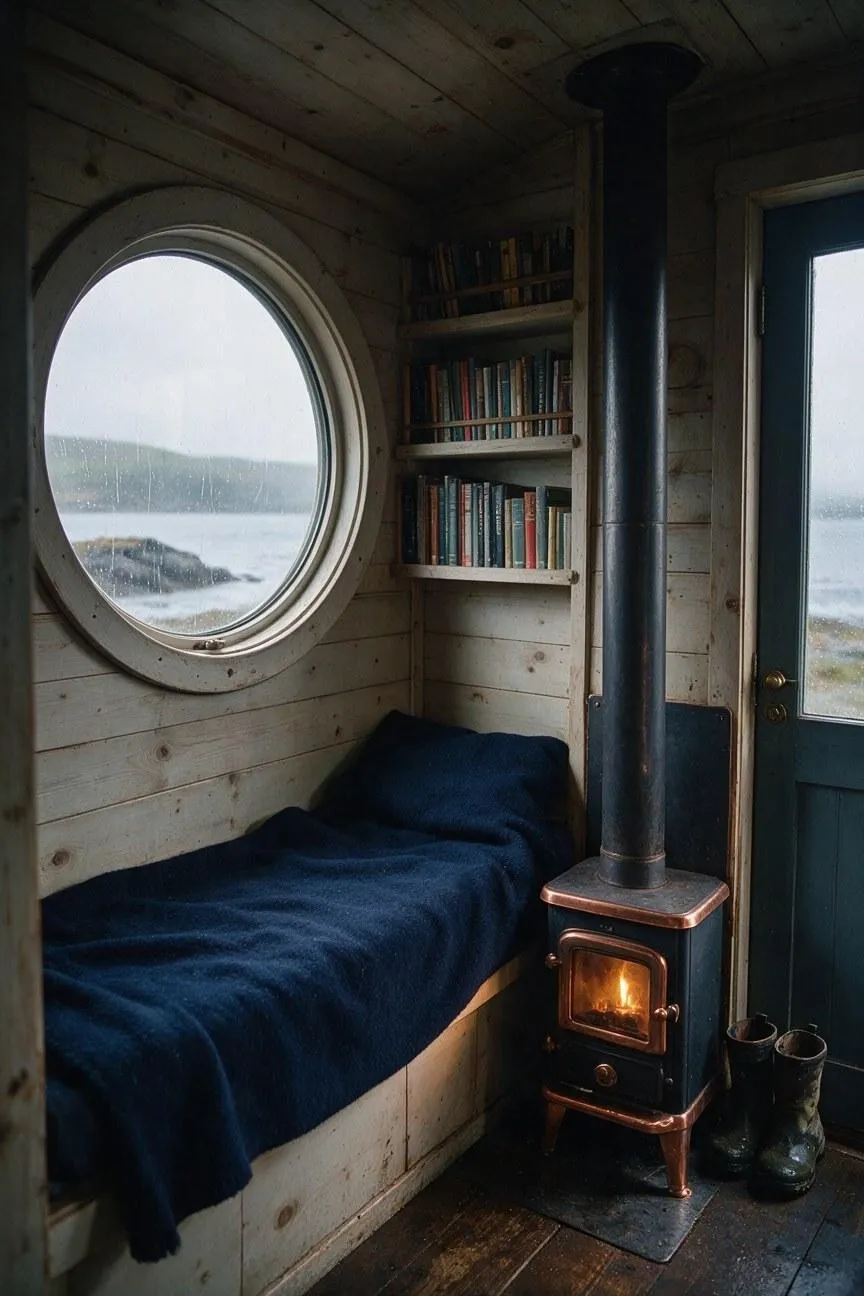 |
Tip: Don’t make the mistake of being vague with the time period. I always mention the decade, country or region, fashion, objects, architecture, and cultural details because this ensures the output reflects the specific era I want rather than just any vintage style.
2. 1970s Record Shop
| Prompt | Output Image |
|---|---|
| Create a warm 1970s documentary-style interior photograph of a busy independent record shop, with diverse customers browsing vinyl racks, a cashier behind a wooden counter, listening booths, vintage speakers, music posters, and handwritten price cards with no readable text. Use wood paneling, patterned carpet, amber pendant lights, analog equipment, and rich brown, orange, mustard, olive, and cream tones. Render it with soft film grain, slight color fading, natural candid gestures, and authentic period clothing. Exclude modern technology, contemporary fashion, visible brand logos, and readable signage. Use a 3:2 aspect ratio. | 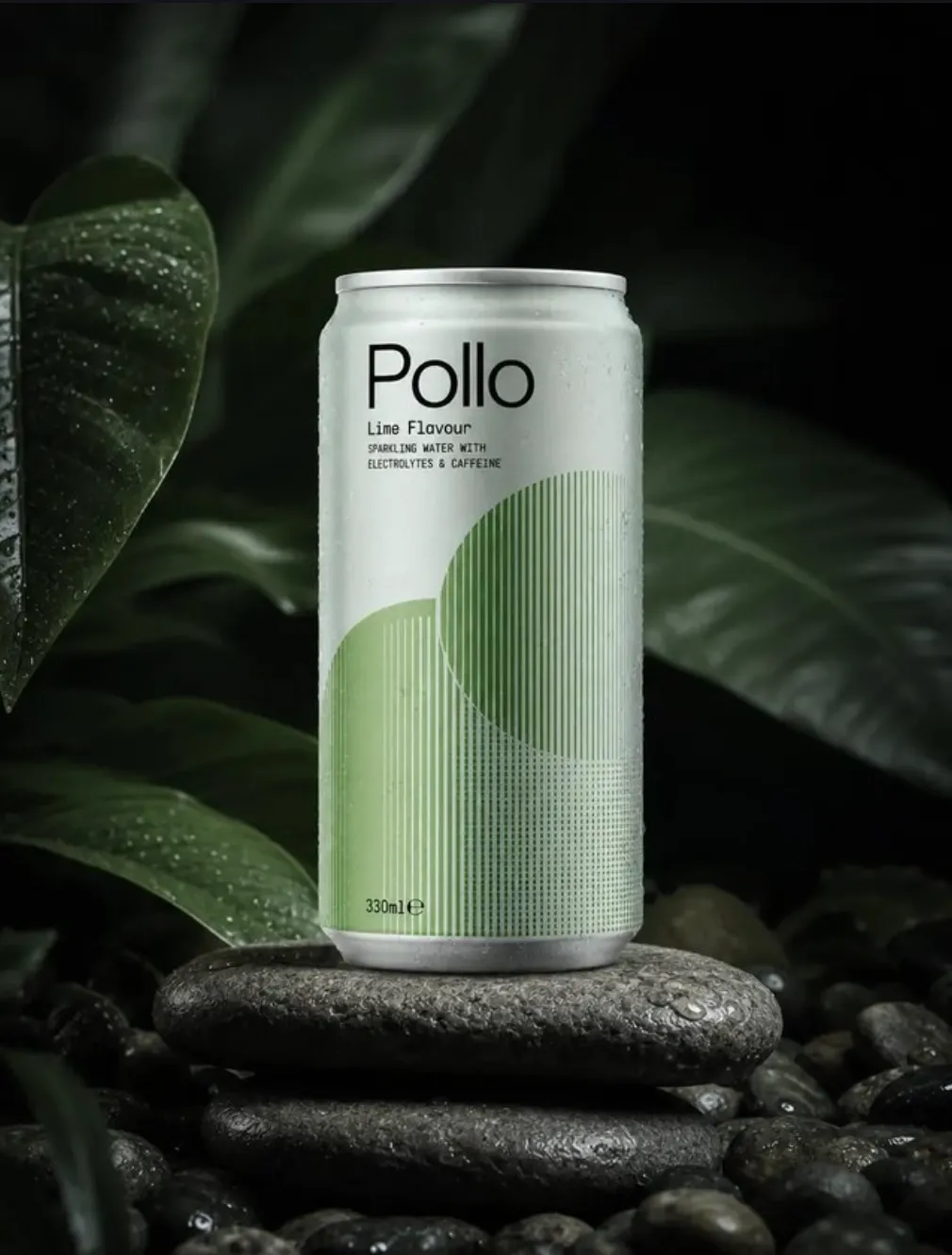 |
Tip: When it comes to vintage photos, I must remind you to always mention the exclusion of contemporary clothing, phones, cars, and technology in your prompt. Without that reminder, the model can render an element that doesn’t fit and ruin the period illusion.
3. 1980s Arcade Flyer
| Prompt | Output Image |
|---|---|
| Create a bold 1980s arcade flyer for a fictional video game titled VECTOR RAID. Show a chrome spacecraft racing through a black star field toward a glowing neon grid horizon, surrounded by electric magenta, cyan, yellow, and white accents. Use dramatic diagonal perspective, airbrushed highlights, chrome reflections, halftone dots, sharp geometric shapes, and distressed printed-paper texture. Place VECTOR RAID in large retro arcade lettering at the top. Include no other text, logos, scores, dates, or manufacturer details. Use a 4:5 portrait aspect ratio. | 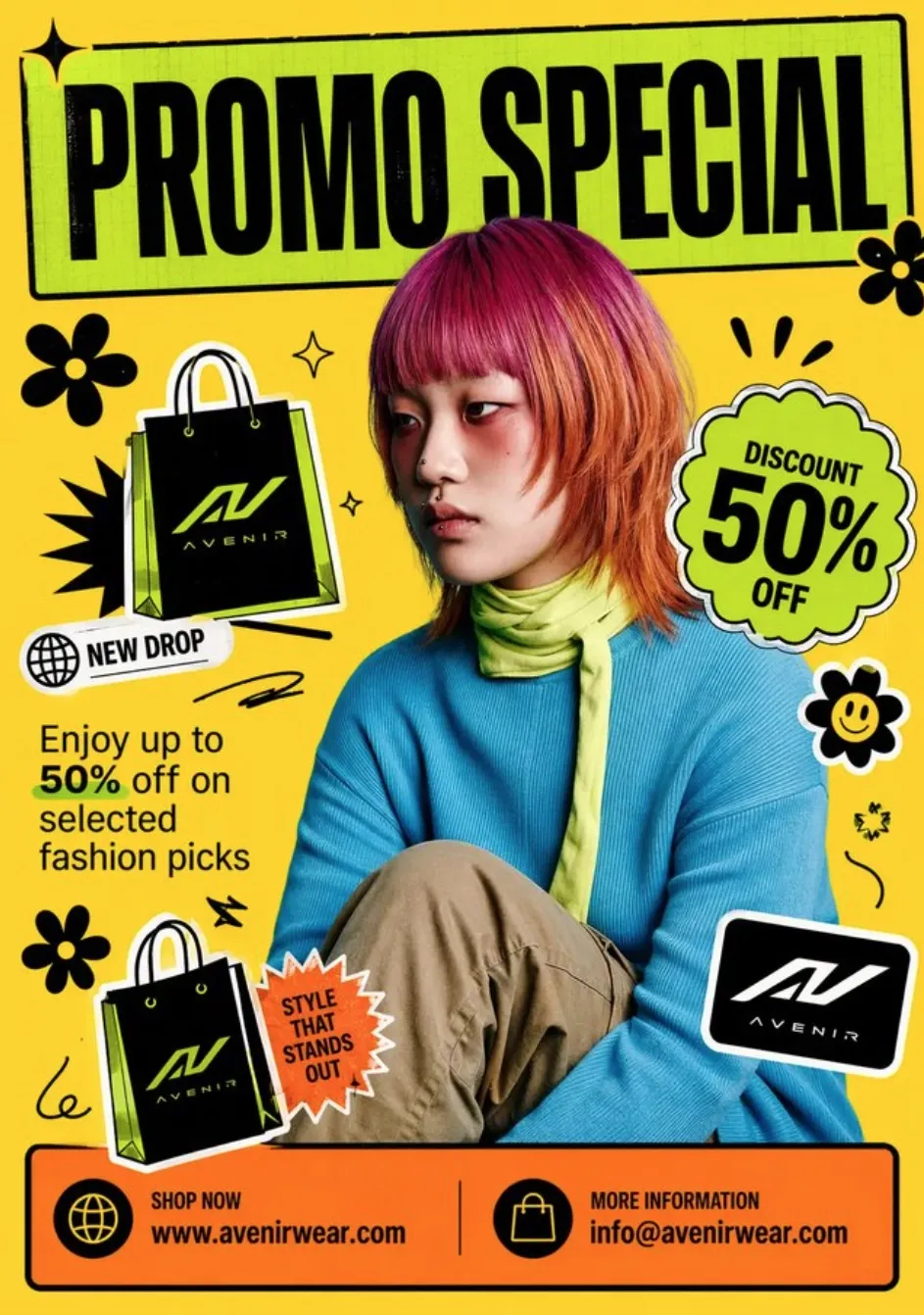 |
Tip: Whenever I’m looking to generate a vintage image, I always get frustrated when the output simply looks modern with an aged filter. For true authenticity, I recommend using layouts, framing, poses, borders, and visual motifs associated with the specific era.
4. Vintage Botanical Label
| Prompt | Output Image |
|---|---|
| Create a nineteenth-century botanical label for a fictional herb called SILVER THYME. Show one delicate flowering stem centered on aged cream paper, surrounded by a fine engraved border and detailed crosshatched botanical illustration. Use muted sage, faded indigo, sepia ink, and subtle paper discoloration. Place SILVER THYME at the top and AROMATICUM LUNAE at the bottom in small classical serif lettering. Use precise natural-history detail and restrained historical composition. Exclude extra specimens, modern icons, decorative clutter, and additional words. Use a 3:4 portrait aspect ratio. | 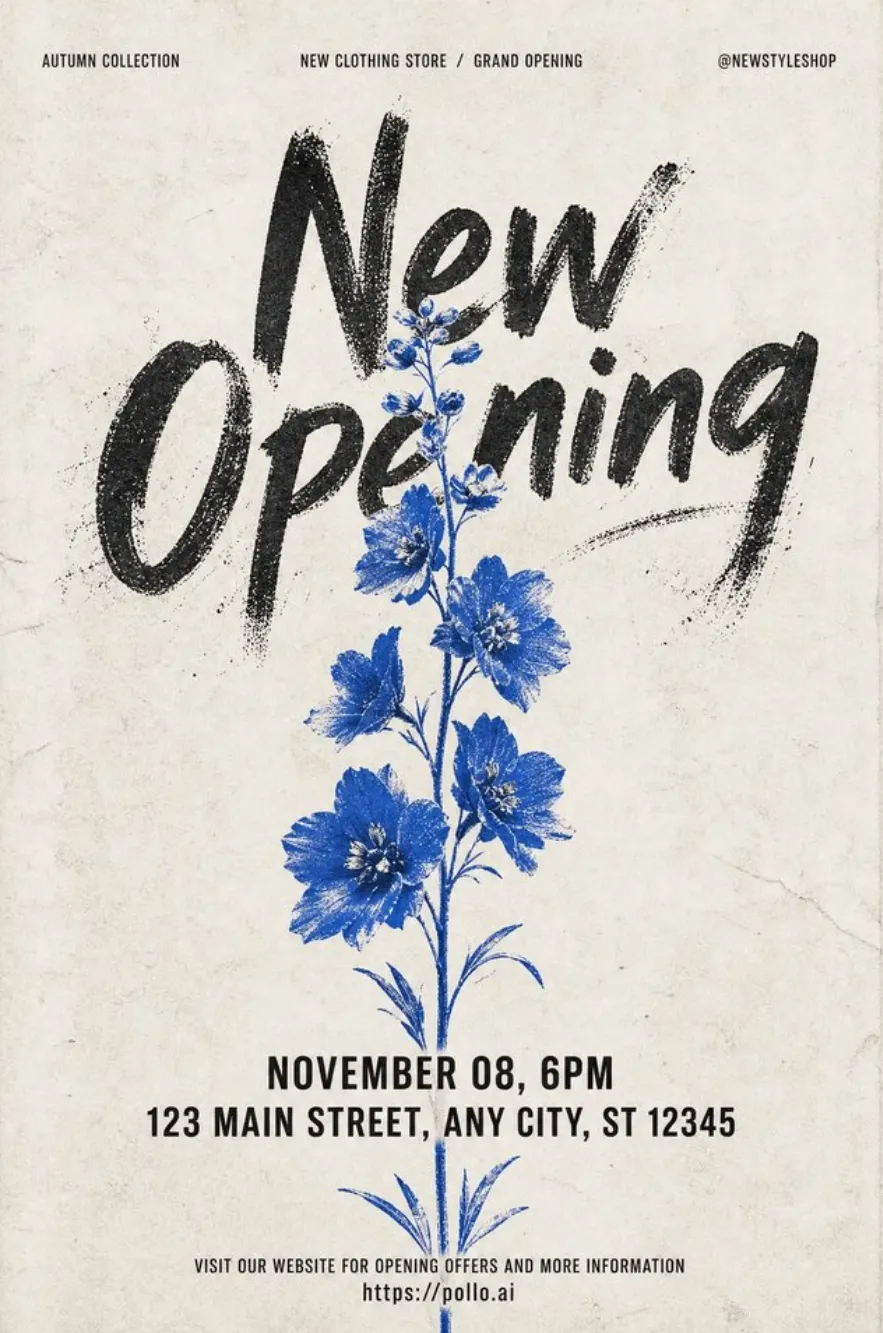 |
Tip: Always make sure that you state the exact wording, lettering style, size, and placement in your graphics. On the times I’ve failed to do that, I typically ended up with styles and typography that don’t complement or fit the composition well.
5. Mid-Century Kitchen Advertisement
| Prompt | Output Image |
|---|---|
| Create a cheerful 1950s-inspired kitchen advertisement for a fictional countertop mixer called SUNBEAMER. Show an adult woman in a coral apron lifting a bowl of cake batter beside the rounded mint-green mixer, chrome bowl, and bright yellow tiled counter. Use a turquoise wall, starburst accents, cream border, flat commercial illustration, halftone texture, crisp period shapes, and optimistic expression. Include SUNBEAMER and MIX IT BRIGHT only, with no extra claims, logos, or product variations. Use a 4:5 portrait aspect ratio. | 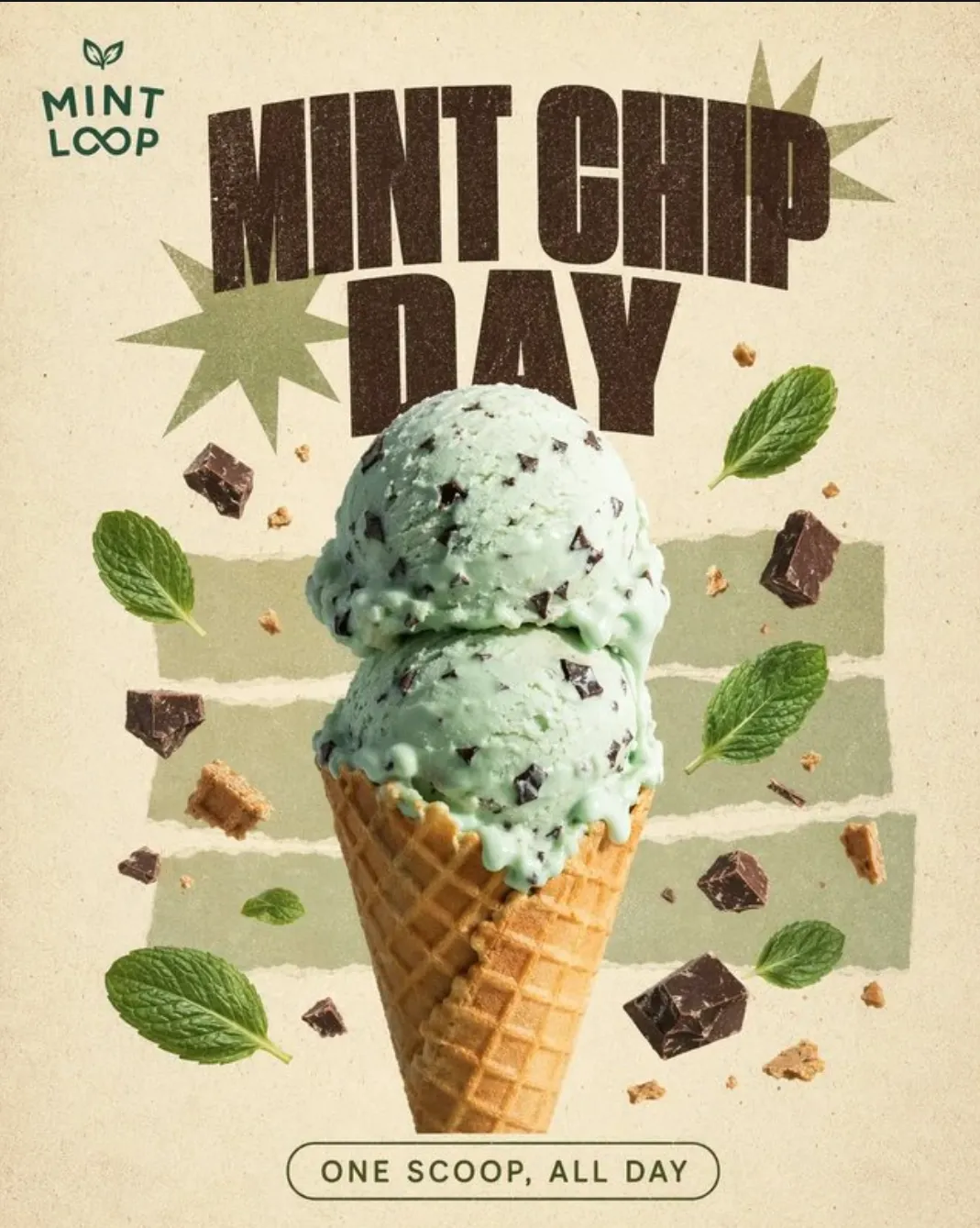 |
Tip: For vintage images, I strongly recommend using period-appropriate color and textures like, paper grain, halftone dots, faded ink, film dust, screen-print texture, etc. If you want to create a convincing vintage finish, then I’m confident this is the best way to do it.
#10. Sci-Fi & Futuristic Worlds
General Prompt Template:
Create a [science-fiction, cyberpunk, or futuristic image] set in [location or world premise], featuring [main subject] doing [action]. Include [technology, infrastructure, architecture, transport, or environmental details] that explain how the world functions. Use [camera viewpoint], [lighting], [luminous color palette], [materials], and [atmospheric effects] such as rain, haze, reflections, or dust. Keep [primary focal point] clear, limit visual clutter, exclude [unwanted genre elements], and use [aspect ratio].
1. Rainy Neon Alley
| Prompt | Output Image |
|---|---|
| Create a cinematic cyberpunk street scene in a dense elevated city at night, featuring a lone courier in a transparent raincoat walking through a narrow alley after heavy rain. Include wet pavement, tangled cables, glowing vending machines with abstract non-readable symbols, steam rising from a street vent, and distant apartment towers. Use a low 35mm viewpoint from behind the courier, strong magenta and cyan backlighting, volumetric haze, realistic raindrops, reflective surfaces, and futuristic noir styling. Keep the courier as the primary focal point and limit background clutter. Exclude recognizable brands, readable text, extra vehicles, and flying cars. Use a 16:9 aspect ratio. | 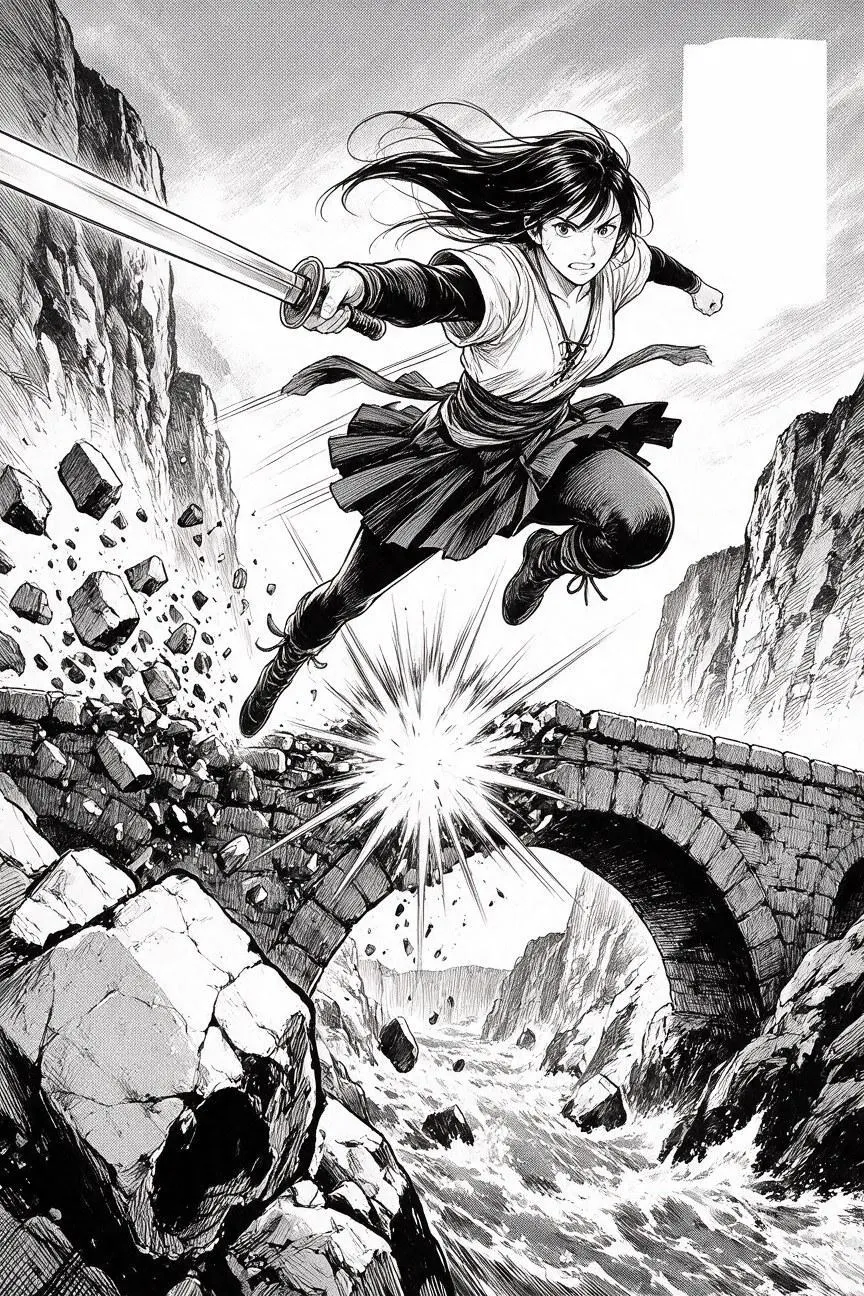 |
Tip: Whenever I’m building a cyberpunk world, I try to include a limited combination of luminous colors, like cyan and magenta. I’ll even aim to use reflections, haze, rain, and glow selectively because it often works well to create depth without visual noise.
2. Orbital Greenhouse
| Prompt | Output Image |
|---|---|
| Create a detailed science-fiction interior of a rotating orbital greenhouse with curved transparent walls, rows of dwarf citrus trees, suspended irrigation tubes, hydroponic beds, and Earth visible as a blue crescent below. Place one botanist in a white utility suit kneeling beside a flowering tree to establish scale. Use a wide interior viewpoint, soft artificial sunrise lighting, pale metal, lush green leaves, amber flowers, subtle condensation, and physically plausible gravity cues. Show practical life-support systems and organized walkways while keeping the greenhouse as the main focus. Exclude weapons, clutter, logos, and readable text. Use a 21:9 aspect ratio. | 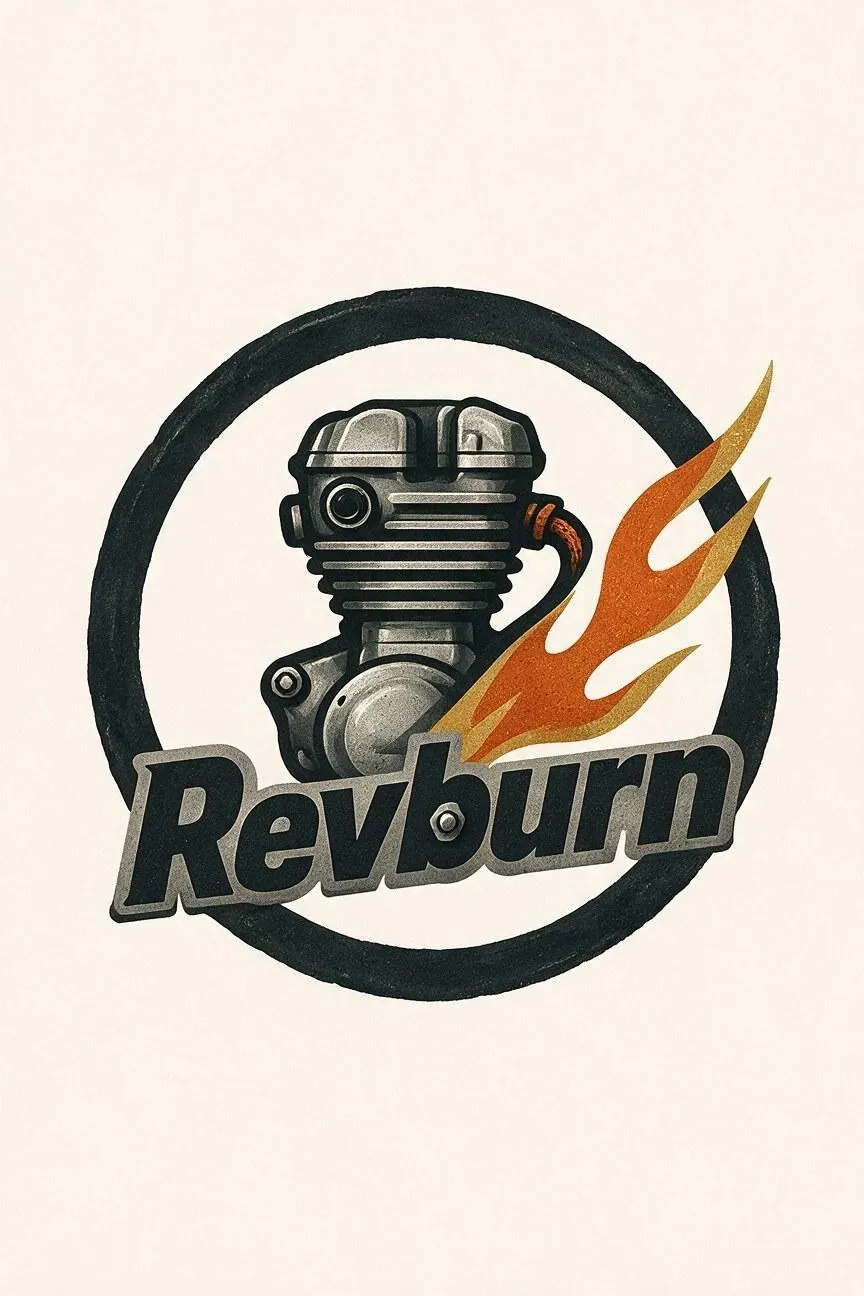 |
Tip: When building futuristic environments, always try to include relatable aspects like practical clothing, lived-in spaces, or everyday activities. I’ve often noticed that the more human elements you add, the more you’ll make the composition look and feel believable.
3. Retro-Futurist Robot Workshop
| Prompt | Output Image |
|---|---|
| Create a retro-futurist robot repair workshop inspired by an optimistic 1960s vision of the future. Feature a friendly waist-high service robot standing on a wooden workbench beside analog gauges, ceramic tools, orange cables, spare mechanical parts, and a large circular window overlooking a desert moon. Use a three-quarter medium-wide viewpoint, warm tungsten lamps against cool blue exterior light, cream, teal, orange, and brushed-aluminum surfaces, screen-printed poster texture, and practical mechanical details. Keep the robot’s face symmetrical and approachable. Exclude modern computer screens, brand marks, random symbols, and readable text. Use a 4:3 aspect ratio. | 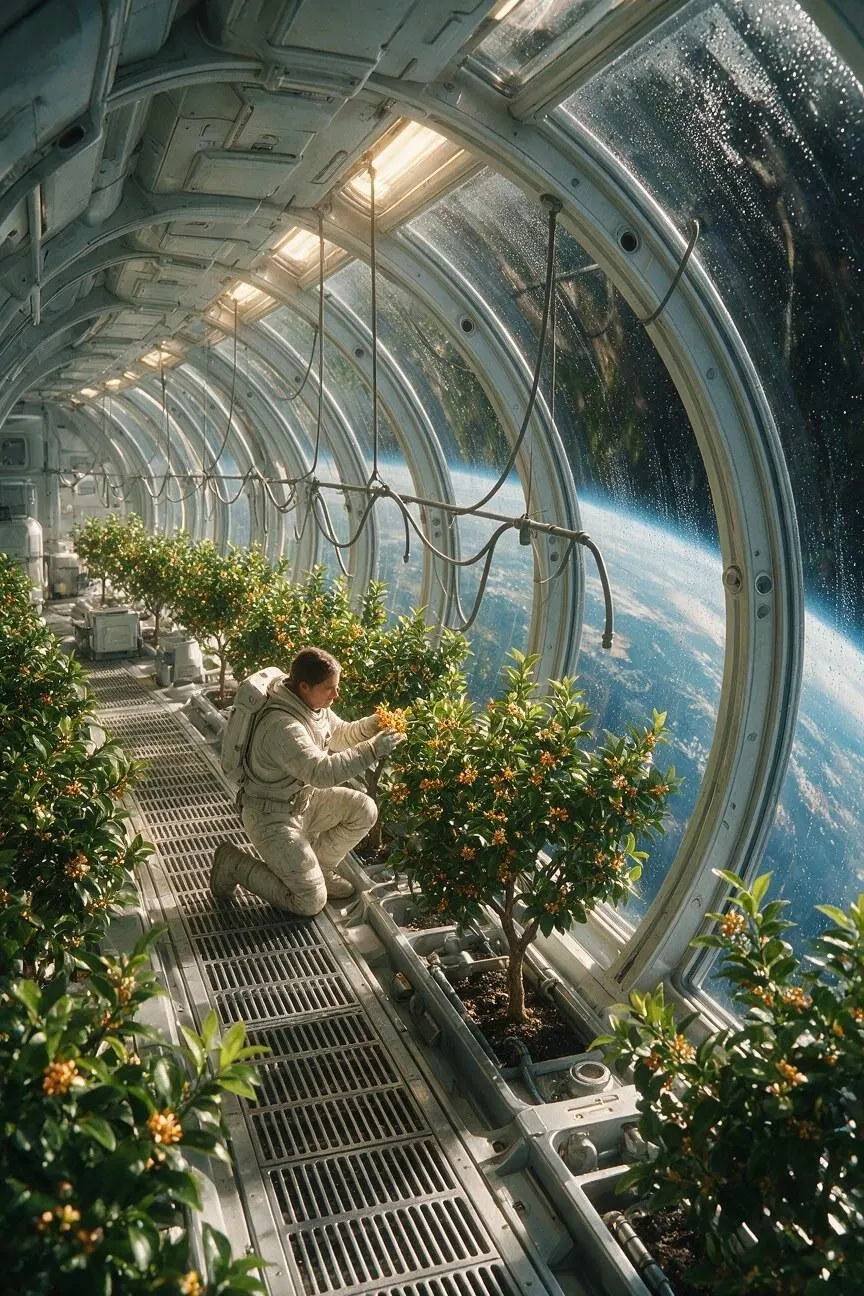 |
Tip: Have a clear focal point in your compositions. I usually focus on setting up the main subject, character, structure, or action and try to limit competing signs, people, and background details. Otherwise, as the viewer, we won’t know where to look.
4. Deep-Space Observatory Portrait
| Prompt | Output Image |
|---|---|
| Create a cinematic science-fiction portrait of an adult Black astrophysicist inside a deep-space observatory, standing beside a large circular viewport filled with a red nebula and distant stars. Frame the subject from the waist up in a three-quarter pose, with one hand resting on a brushed-metal console. Use cool red-blue rim light from the viewport, warm amber instrument glow, realistic glass reflections, dark navy and copper tones, subtle film grain, and premium futuristic cinematography. Keep the face, hands, and body proportions natural, with the person as the primary focal point. Exclude readable control-panel text, insignia, logos, and visual clutter. Use a 3:2 aspect ratio. | 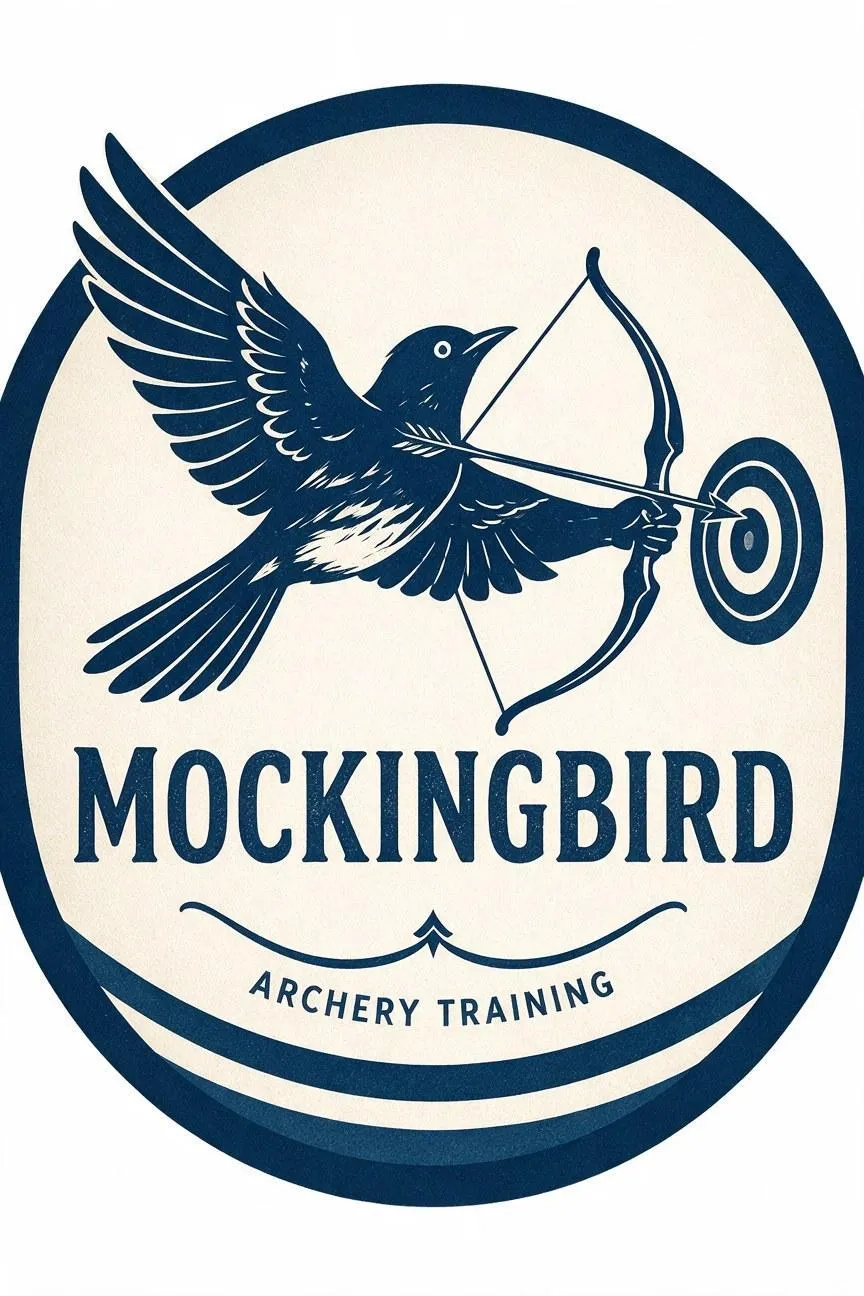 |
Tip: If you don’t want the environment to overpower a character’s importance, then I’d tell you to use the character as the anchor. Remind the model to use them as a focal point but also make an effort to detail their pose, expression, clothing, action, and position in the frame.
5. Solar-punk Neighborhood
| Prompt | Output Image |
|---|---|
| Create a bright solar-punk neighborhood built across a terraced hillside, with white adobe homes, rooftop gardens, shaded pedestrian paths, solar canopies, rainwater channels, bicycles, and a shared public kitchen. Show a wide elevated view in clear morning light with diverse residents tending plants, carrying groceries, and gathering in communal spaces. Use warm white, terracotta, leaf green, and sky blue, optimistic architectural concept art, realistic climate-responsive details, and abundant trees. Make renewable energy, water collection, shade, and walkability visible parts of the infrastructure. Exclude smog, dystopian ruins, flying cars, corporate logos, and readable text. Use a 16:9 aspect ratio. | 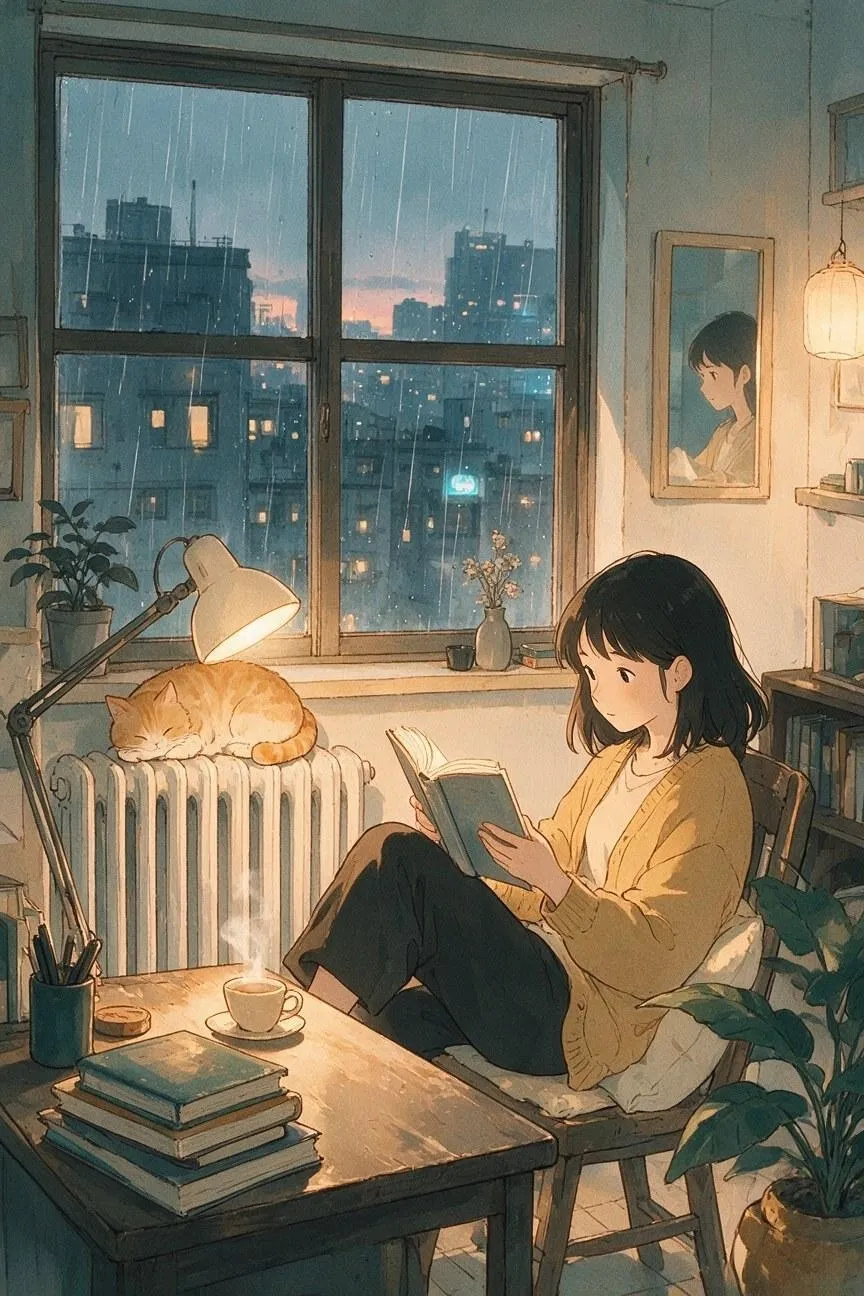 |
Tip: To make a futuristic/imagined world feel real, I would suggest specifying details about the infrastructure. I usually enjoy highlighting systems like transport, energy, agriculture, housing, communication, etc., in my prompts to make the compositions more believable.
FAQs about Best AI Image Prompt
How detailed should an AI image prompt be?
I’d urge you to use enough detail to describe the subject, setting, composition, lighting, style, and any important constraints you want excluded. Just make sure to avoid adding details that conflict with one another because this is what leads to unpredictable outputs.
Should I always include negative prompts?
Yes, I always consider this to be an underrated part of prompting. Always mention key aspects like extra people, duplicate products, distorted logos, invented text, or incorrect anatomy. But don’t over do it because I’ve seen how too many exclusions can make the prompt unfocused.
How can I keep characters or products consistent?
Use the same reference image, subject description, product details, composition, and visual style across generations. And when you’re refining the output, I strongly recommend that you only change only one or two variables at a time to better track the quality of the results.
How do I make an image look more realistic?
Don’t just using broad terms like photorealistic, which is a common mistake I tend to see. Instead, I’d try to describe specific details like skin texture, fabric weave, wet stone, metal highlights, or food gloss. The more details you can give, the better.
How do I create a specific artistic style?
Avoid using broad terms like anime, line art or 3D. I’d make sure the prompt mentions characteristics about the medium like line quality, color treatment, shading, texture, etc. This makes it harder for the model to stray away from your intended vision.