



Best Vidu Q4 Use Cases: What to Create with the Reference-Led Model
If I were to sum up Vidu Q4 in one word, it would be: reference-driven. The latest successor to Vidu Q3 brings with it a heap of improvements, but the biggest is the amount of visual and vocal information you can input. Having used it extensively, I’ve narrowed down the type of videos it’s best suited to, so sit back for some keen insight into what you can use this model to generate.
TL;DR
Vidu Q4 accepts up to 15 image references and 3 voice inputs, with multi-shot storytelling and richer VFX, but is capped at 16s per clip. So, I’d recommend it for character-led shorts, quick action shots, stylized concepts, and other reference-led clips, making it ideal for short-form creators, advertisers, animators, and previsualization teams. Try creating with it on Pollo AI now!
Exploring Vidu Q4 Best Use Cases: At a Glance
Vidu Q4 fixed most of the shortcomings of Vidu Q3, opening up new possibilities for those of us keen on short-form storytelling. So, here’s a look at some use cases that I’m confident it suits:
| Use Case | Relevant Vidu Q4 Feature | How Vidu Q4 Can Help |
| Character-led narrative shorts | Up to 15 image references; character-performance improvements; up to 3 voice references | Preserves identity, wardrobe, props, and vocal character while generating a short dramatic beat |
| Product advertising and e-commerce | Multi-image reference-to-video input; 2K/4K output; native audio; multiple aspect ratios | Lets teams provide product shots, packaging details, accessories, and environments before asking for motion |
| Brand mascots and entertainment IP | Reference-based consistency across characters, objects, and scenes | Helps recurring visual identities remain recognizable across short promotional clips |
| Fashion and beauty concepts | References for model, garment, makeup, hair, styling, and set | Preserves a precise visual look while adding movement and editorial camera work |
| Storyboards and previsualization | Multiple visual references; short 1–16-second generation; camera and action control | Turns approved concept art into moving tests for staging, pacing, and performance |
| Voice-led avatars and character content | Up to 3 voice references; synchronized audio and visuals; lip-synced delivery | Keeps a character’s vocal identity aligned with short spoken lines and facial performance |
| Social content clips | Reference reuse; native aspect-ratio options; short generation time and format | Enables recurring characters, products, and visual systems to produce related but varied clips |
What to Create with Vidu Q4: A Practical Use Case Analysis
What I like most about Vidu Q4 is that it no longer forces us to compress intent into a prompt. By raising support from 1 to 15 image references and 0 to 3 audio references, it’s become much easier to maintain identity and consistency across scenes.
That isn’t to say that Vidu Q4 is perfect, because I’ve tested it in several different ways to generate cinematic shots, animations, music videos, and more. For the most part, it delivered great results (which I’ll show in a bit), but I will say that you need to be willing to iterate.
For the most part, I found the video quality to be great, but the outputs can vary, so don’t expect exact repeatability from one generation to the next. This is particularly why the caliber of your reference set needs to be on point.
Having said that, since I’ve tested Vidu Q4 across different video types, styles, and formats, I can break down what this model works best at. And for good measure, I’ll throw in a few samples from my tests for you to see what I’m talking about:
#1. Character-Led Narrative Shorts
At its current duration limit, Vidu Q4 doesn’t give us much room to generate extended narratives. But you can easily produce short sequences around characters by uploading clear reference images, then describing the scene via prompt.
It can be a glance, reveal, reaction, entrance, performance, or brief exchange. In fact, one of Vidu Q4's new upgrades is smoother motion for more fluid martial arts, running, combat, etc. Given how I often saw Vidu Q3 struggle a lot in this area, this was much needed.
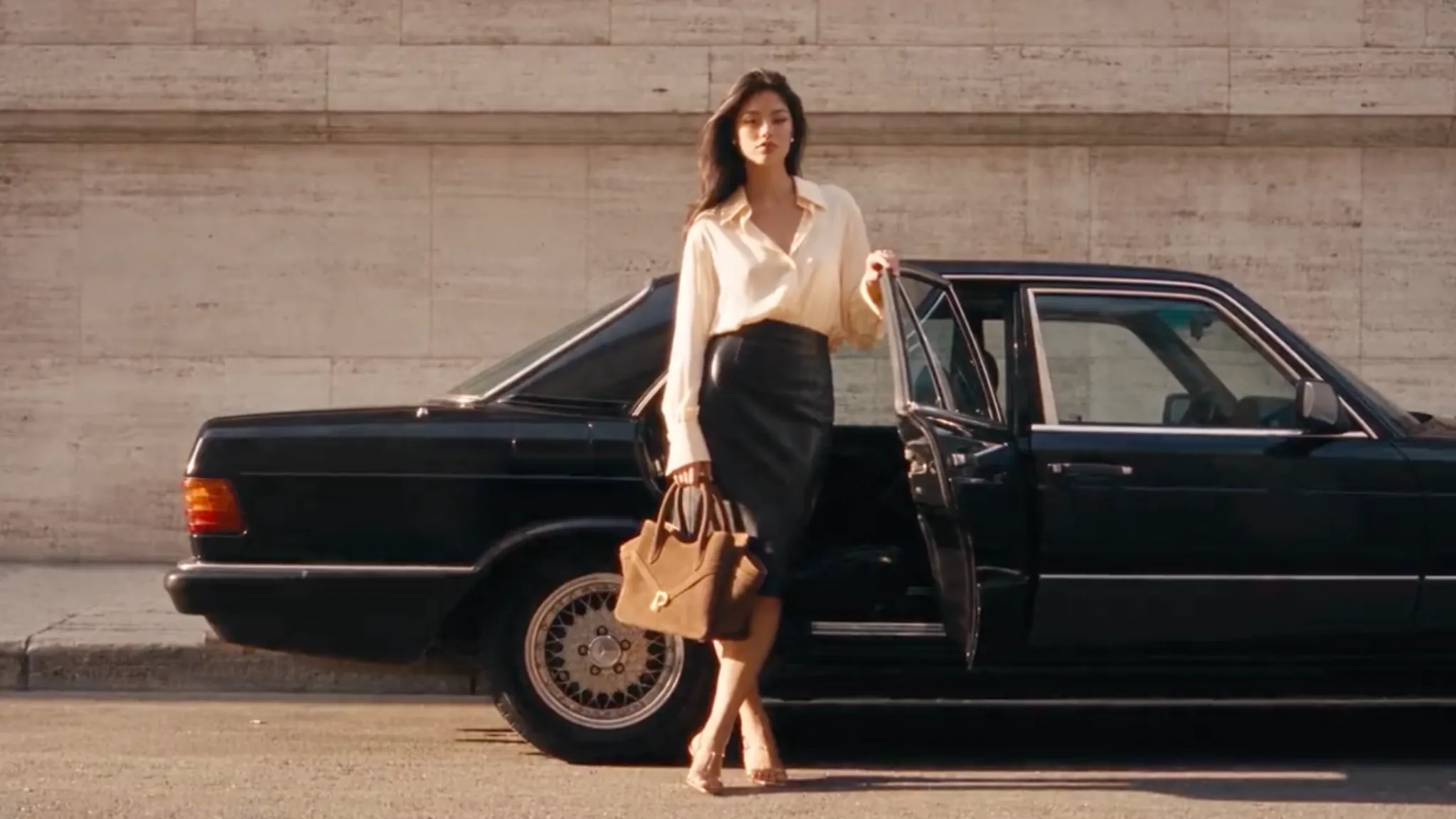
For my test, I wanted to see if it could produce a TVC ad video. My biggest concern was whether it could preserve the elements in the image even across multiple cuts and shots without any deformations or artifacts. All in all, I’ll say Vidu Q4 pulled it off quite well, don’t you think?
Prompt: Create a cinematic luxury handbag commercial using the provided image as the visual reference. The woman opens the trunk of a vintage black Mercedes-Benz, retrieves her tan leather handbag, and walks confidently beside the car. Use elegant close-ups showcasing the handbag’s rich leather texture, precise stitching, structured handles, and gold hardware. Capture her posing effortlessly with the bag, opening the car door, settling inside with the handbag beside her, and driving away before arriving at another location and stepping out. Incorporate smooth tracking shots, refined camera angles, warm golden-hour sunlight, and seamless cinematic transitions. Premium fashion-house aesthetic, understated luxury, photorealistic motion, consistent character appearance and handbag design throughout.
| Ref Image | Output Video |
|---|---|
 |
#2. Product Ads and E-Commerce
In my opinion, this is where Vidu Q4 works best because it is quite good at locking in an established product design. With such a reference-rich workflow, I can upload the product image, then use the rest of the slots to establish the specific setting I want.
Unlike character-led scenes, a product remains visually static, so there's more flexibility to explore different openings, characters, environments, etc. On top of that, Vidu Q4 supports multi-shot storytelling for more dynamic video production.
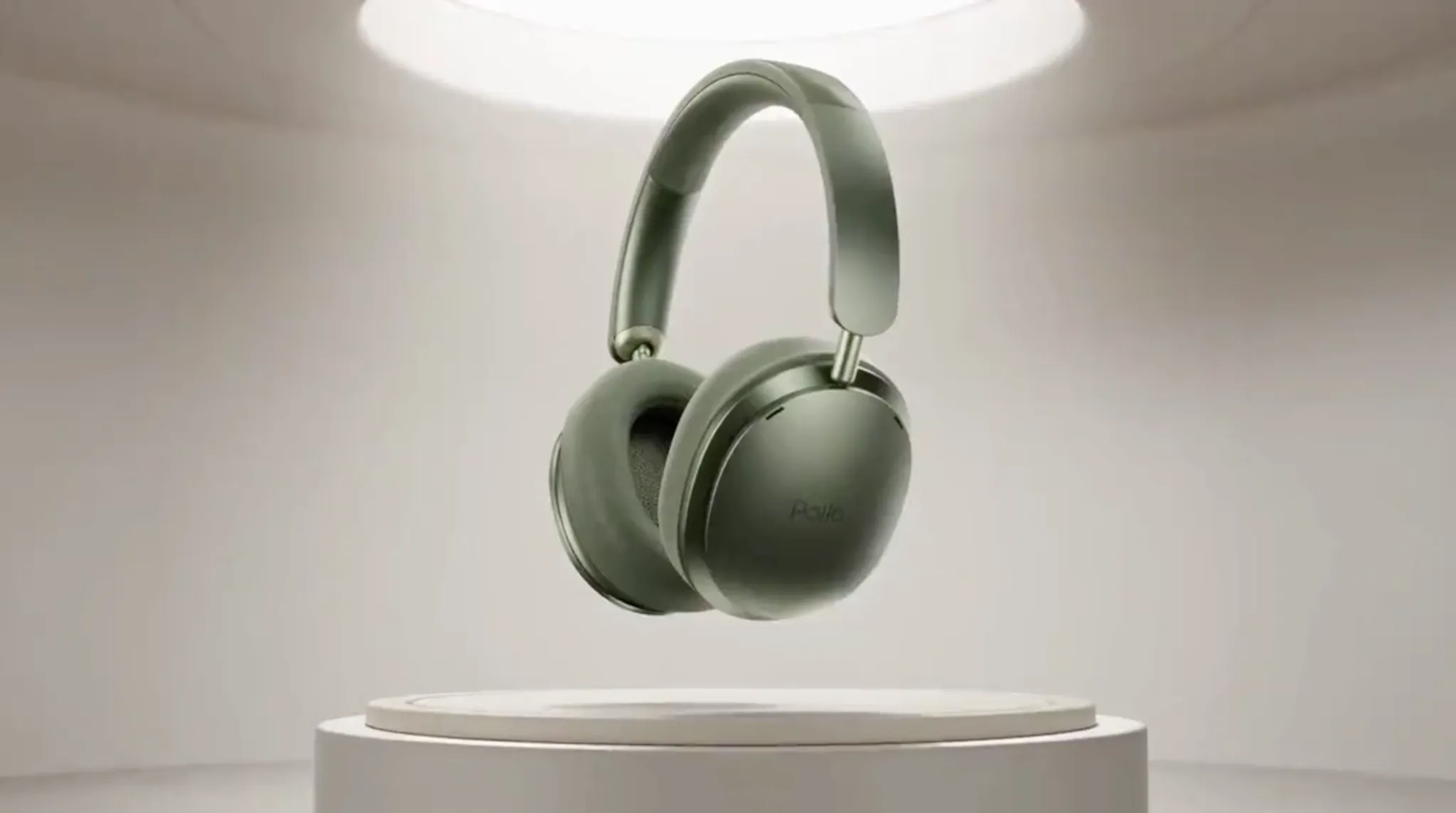
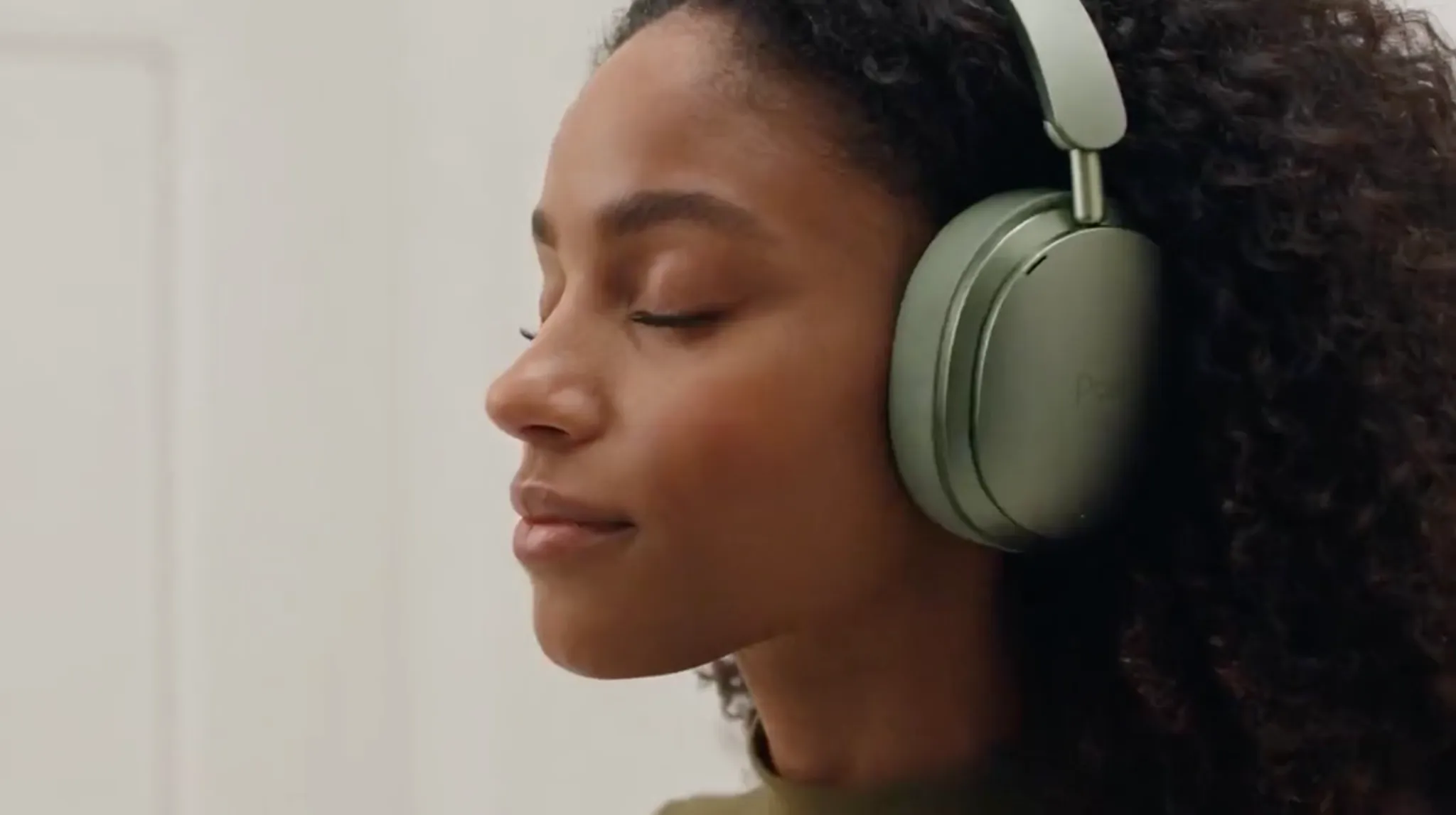
I was eager to see how it would coordinate multiple perspectives, cuts and on-screen action. So, here’s a product ad video that I generated with that in mind. Frankly, I was quite impressed to see how it came out, especially with limited prompt direction:
Prompt: Create a cinematic commercial for Pollo olive-green headphones, using image 1 as a starting frame before the woman in image 2 puts them on as shown. Transition her walking into futuristic sound chambers and immersive listening environments, with dynamic camera movements, sweeping tracking shots, and detailed close-ups highlighting the headphones’ design and texture. Reveal a surreal world above the clouds, where other diverse models immerse themselves in music against breathtaking skies and dreamlike landscapes. Use creative transitions, atmospheric lighting, and subtle visual effects to convey the feeling of escaping reality through sound. Incorporate ethereal electronic music, rhythmic sound effects, and a premium futuristic aesthetic. End with a striking hero shot of the headphones alongside the Pollo branding, maintaining consistent product design throughout.
| Ref Image | Output Video |
|---|---|
  |
Give Your Stories More Life With Vidu Q4
Bring characters and scenes to life with expressive performances, cinematic visuals, and natural sound.
Try Vidu Q4 for Free
#3. Fashion, Beauty, and Styling Concepts
Fashion and beauty showcases can be almost impossible to nail without reference images. After all, there’s only so much you can do to describe a particular cut of fabric, makeup palette, hairstyle, etc. But with Vidu Q4’s extended capacity for 15 reference images, I found it easy.
I could use these extra slots to show the model, the garment, the makeup, the hair, the setting, etc. This lets me craft the visual language of the scene with great precision, making it into a proper concept film, social ad, or even just as a show pitch, for example.
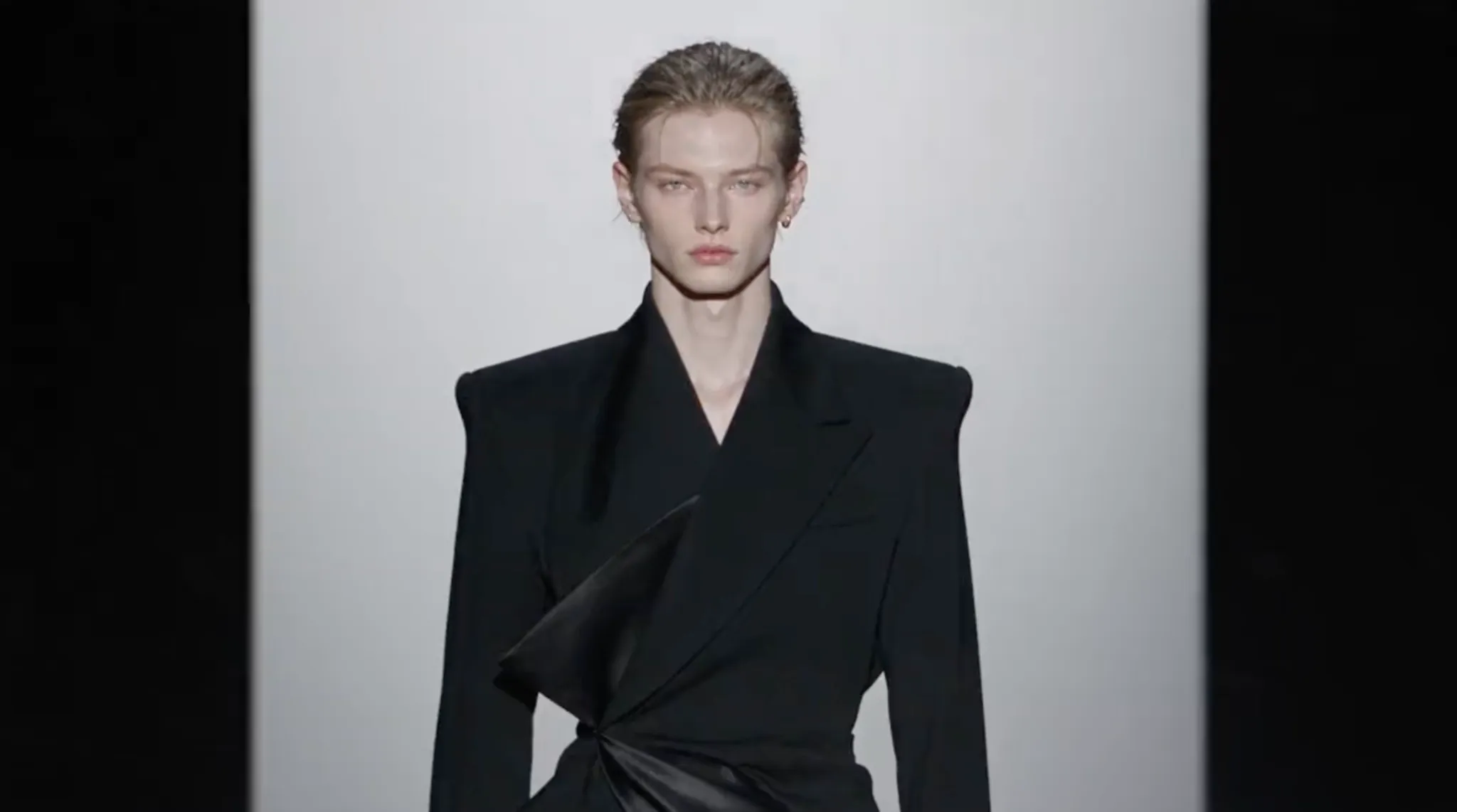
And what I enjoy most about fashion and beauty sequences is that they don’t need a complex story or even to be long, for that matter. All you need is to preserve the look and create a polished moment around it, which is why I think Vidu Q4 is perfect for this, like so:
Prompt: Create a cinematic high-fashion film using the provided reference photo. Showcase the model wearing the same sculptural black outfit across three striking locations: a misty mountain peak, an exclusive fashion runway illuminated by flashing cameras, and a vast brutalist concrete maze. Capture low-angle tracking shots, slow-motion walks, dramatic wide shots, and intimate editorial close-ups highlighting the outfit’s unique silhouette, textures, and intricate details. Use seamless transitions, atmospheric fog, bold compositions, and moody cinematic lighting to create a powerful visual narrative. Maintain consistent model identity and outfit throughout. Photorealistic, avant-garde luxury aesthetic, sophisticated color grading, and high-end fashion campaign quality.
| Ref Image | Output Video |
|---|---|
 |
#4. Storyboards, Concept Art, and Previsualization
Vidu Q4’s duration limit makes it difficult to build full cinematic story arcs, but I find that it can still work very well for previsualization or producing a teaser video. As I said before, the new model offers smoother motion for more realistic action scenes.
It also comes with richer VFX, ensuring more practical explosions, smoke, particles, etc. Plus, it supports 2K/4K resolution. All of these capabilities cater well to producing cinematic shots, even across different visual styles.
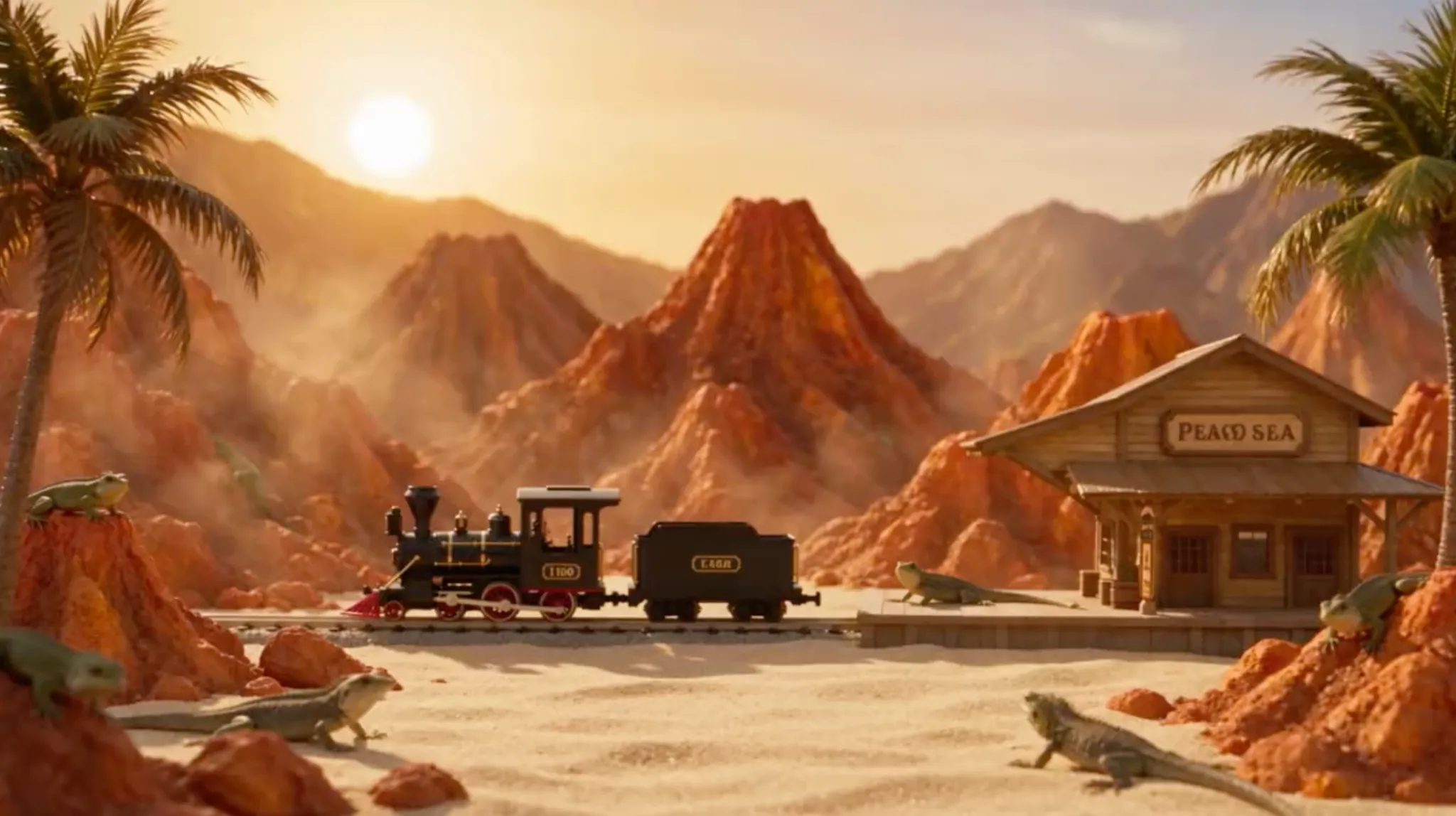
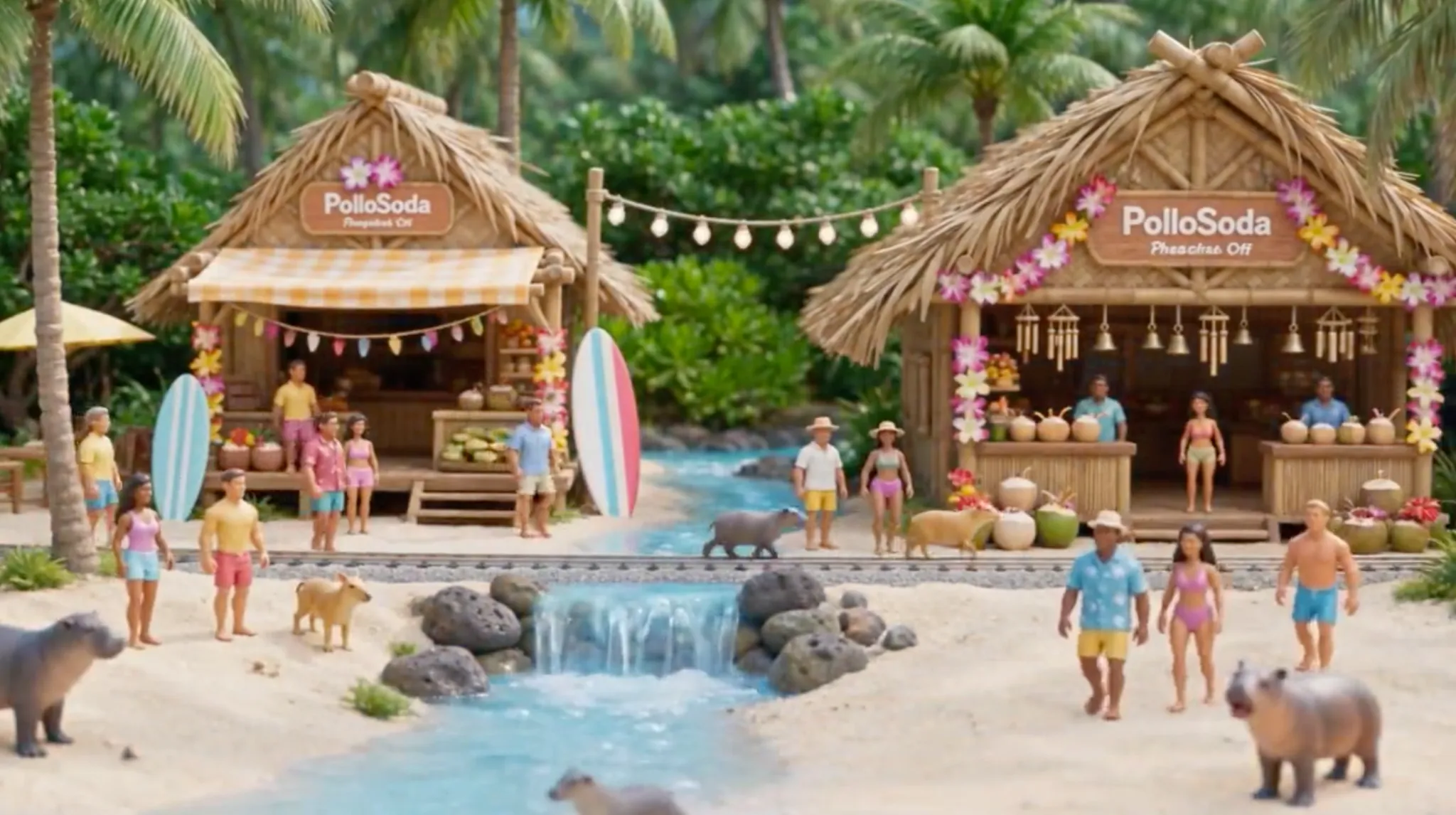
To this end, I’d recommend Vidu Q4 for conceptualization, be it for film, promotional content, dance performances, etc. For example, I experiment with it to try and produce a whimsically animated product ad for a soda brand. This is what I got, and I think it came out relatively well:
Prompt: Create a whimsical, cinematic 3D animated product ad for PolloSoda, featuring tiny action-figure characters. A hand places a soda bottle in the image 1 setting beside the stationary vintage train. The bottle magically shrinks, entering the train, which begins racing across the tracks. As it passes through different desolate and time-frozen landscapes, each transforms into a vibrant world filled with lush greenery, lively crowds, and roaming animals. The journey culminates at image 2, a tropical Hawaiian-style beach buzzing with people, sunshine, and energy. The camera pulls dramatically upward and outward, revealing the entire island as a miniature landscape placed next to a gigantic PolloSoda bottle. Playful magical transitions, vibrant colors, intricate miniature details, smooth cinematic camera movements. Add a fun, upbeat soundtrack with bouncy rhythms, cheerful melodies, playful percussion, and whimsical sound effects to enhance the sense of adventure and wonder.
| Ref Image | Output Video |
|---|---|
  |
#5. Short Social Media Clips
Vidu Q4 can work well for producing social/viral-worthy clips, be it reactions, performances, micro-stories, product moments, or looping sequences. All you need is a few reference images to lock in the subjects.
In fact, you can use the reference voice inputs to produce short spoken-character clips. Since Vidu Q4 accepts up to 3 voices, this makes it easier to guide vocal consistency and natural emotional delivery for a truly convincing clip worth sharing online.
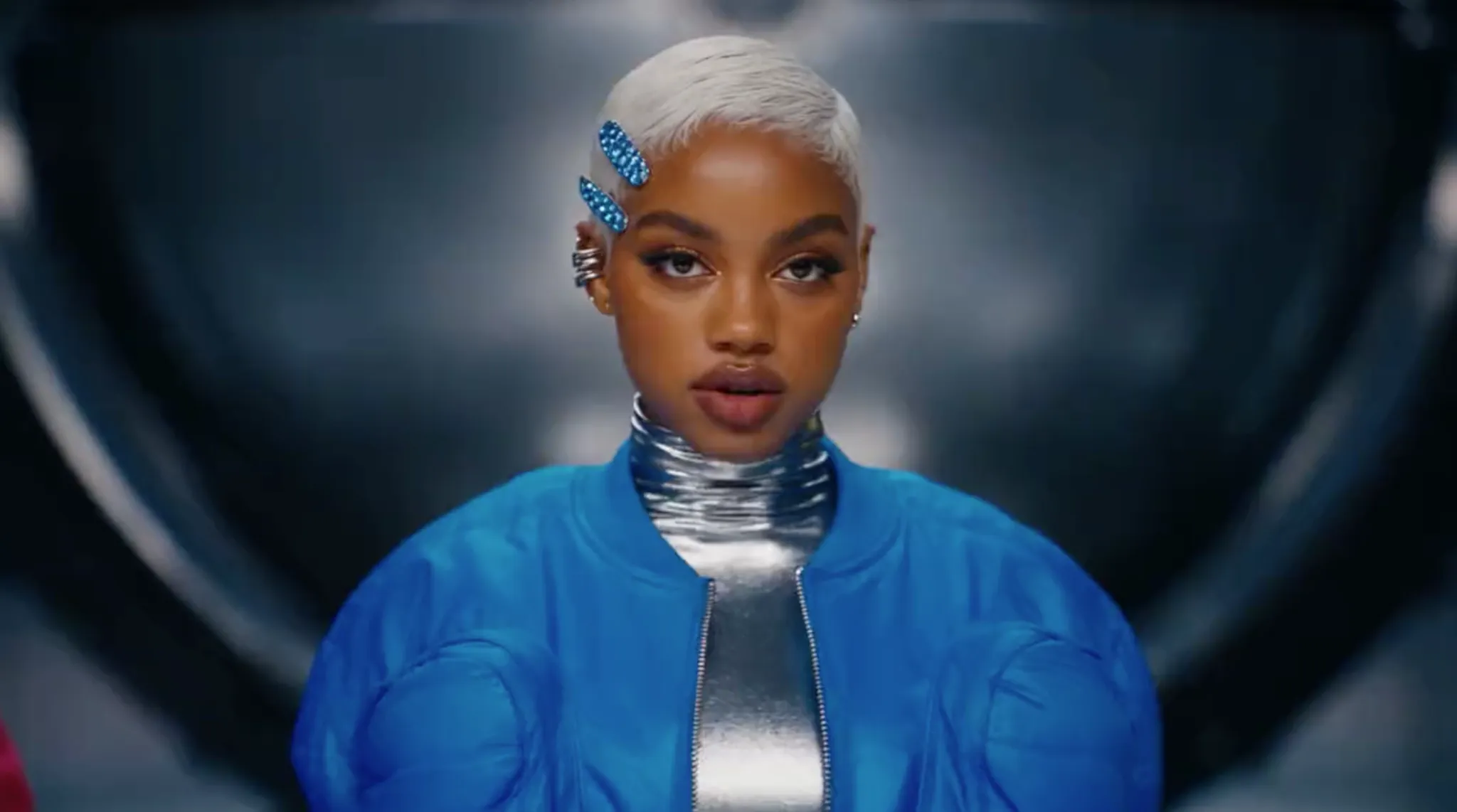
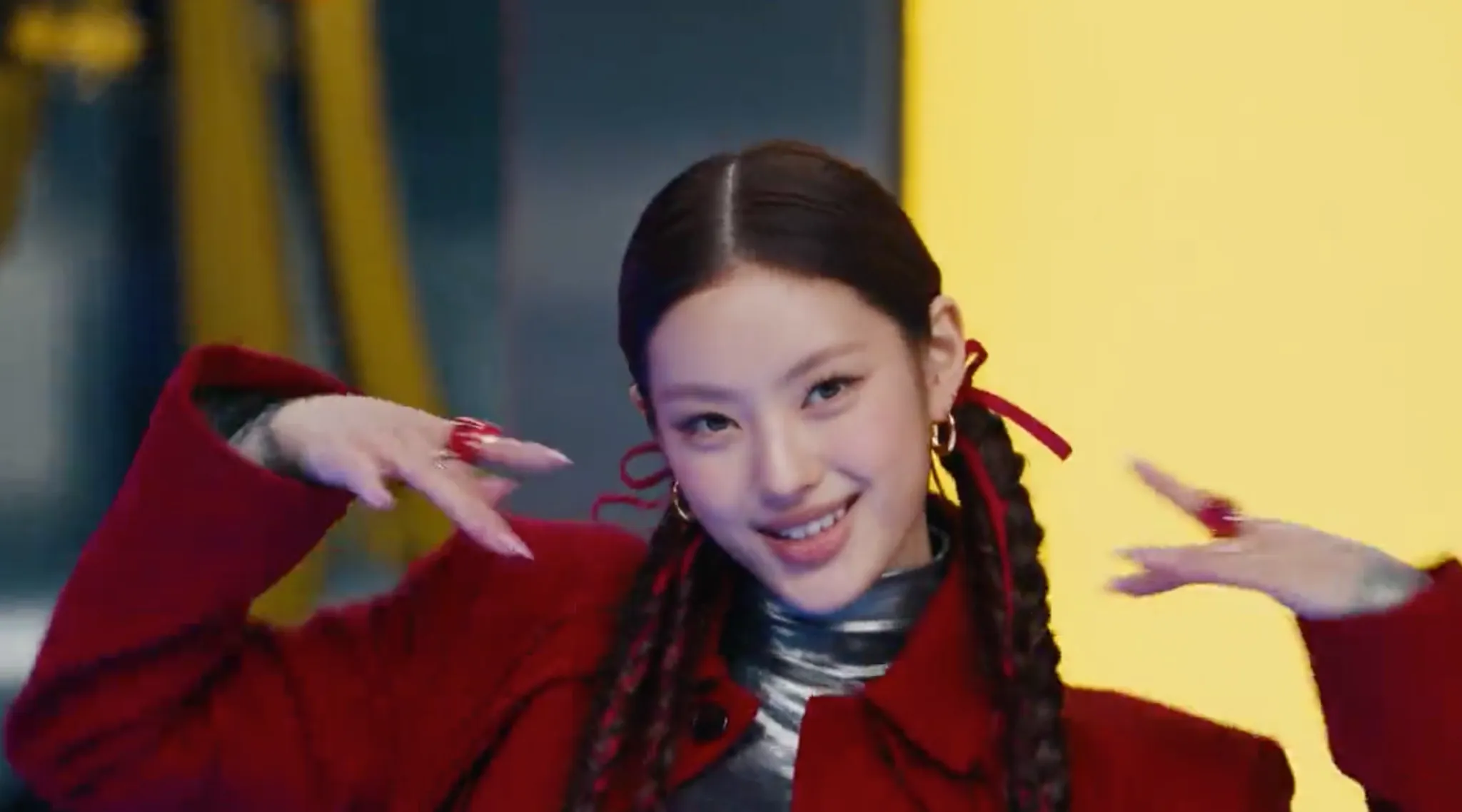
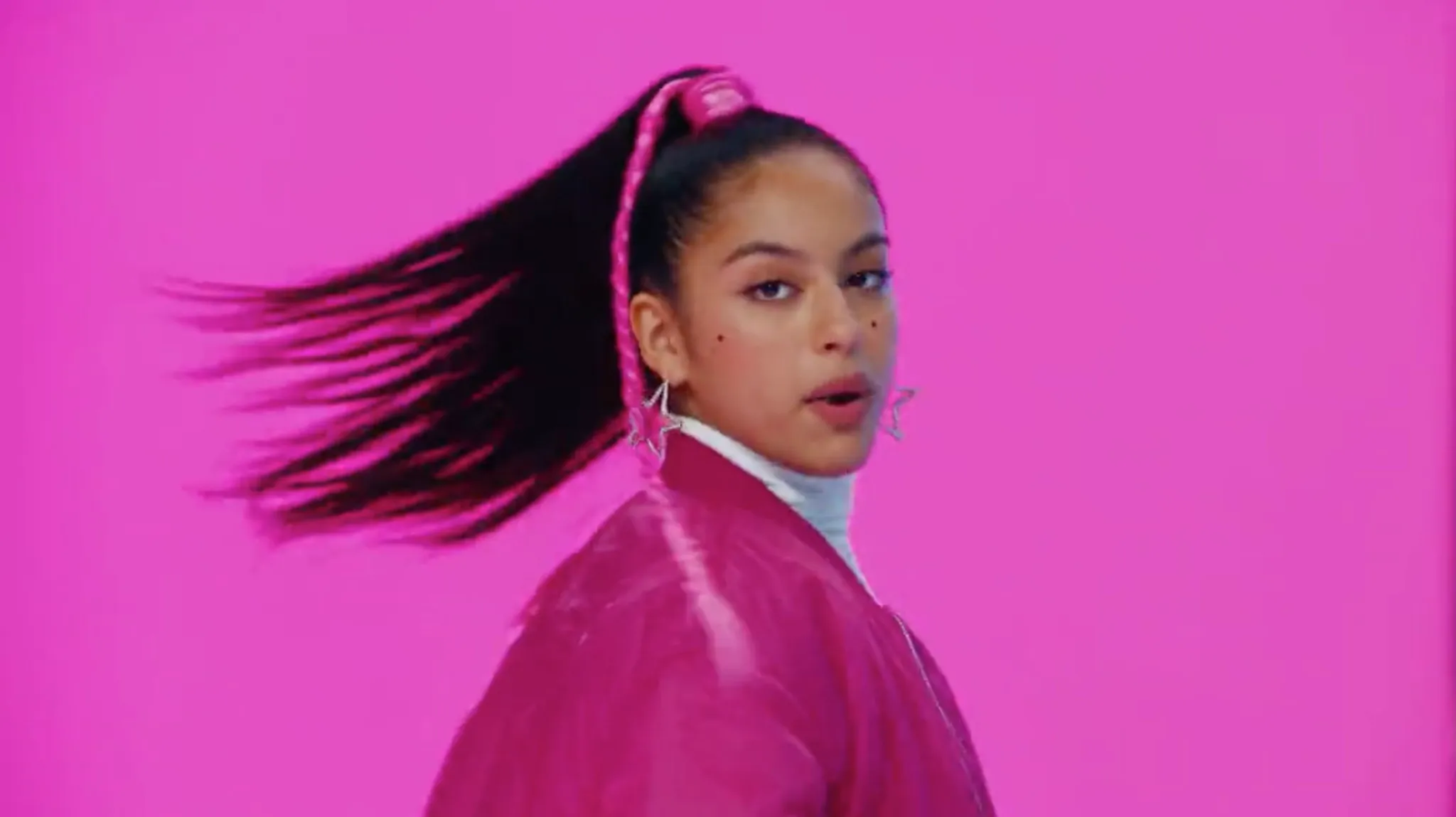
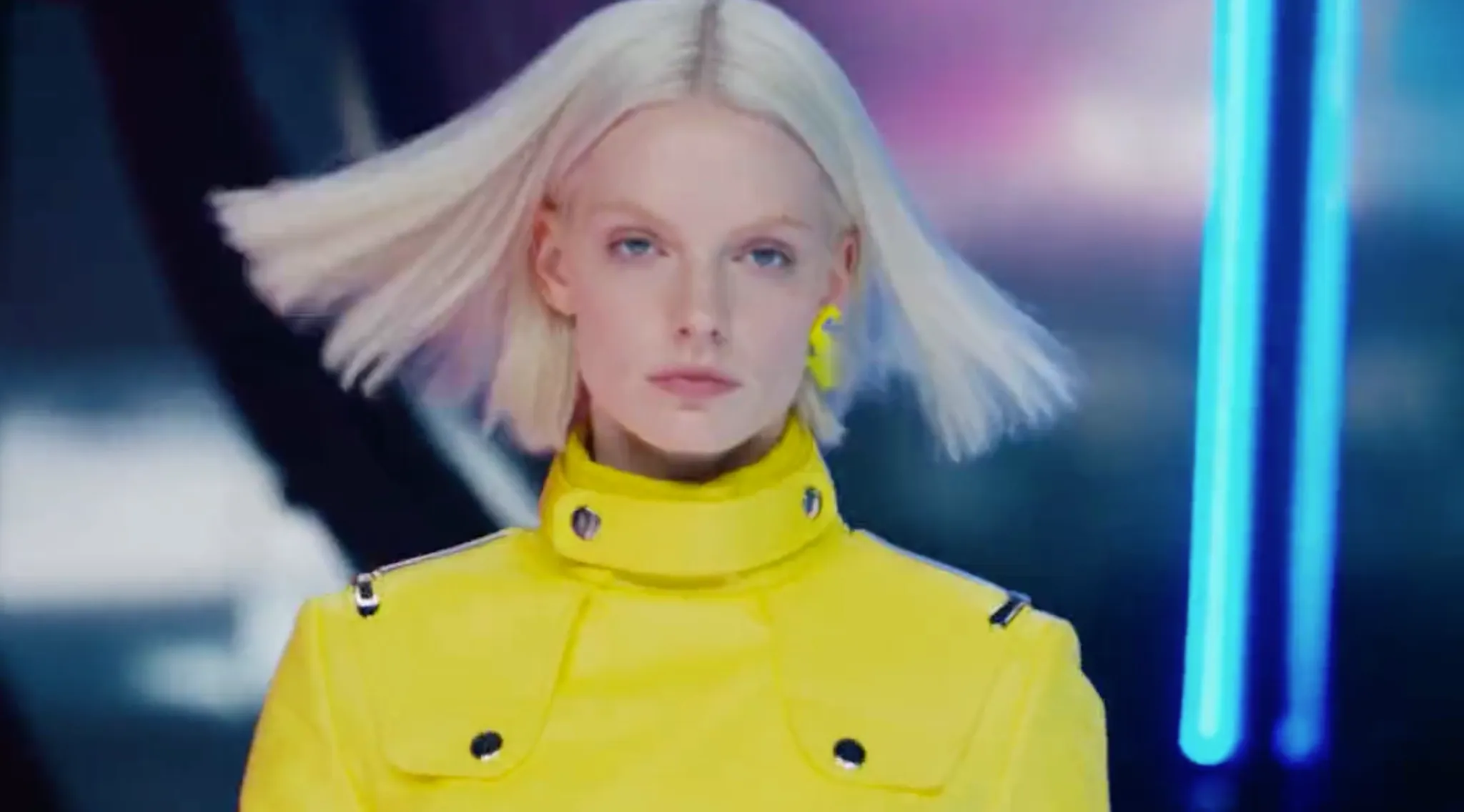
I wanted to see just how effective the model can be in this area, so I tried to generate a short dance clip. It took 2-3 tries, but I managed to render a fairly passable result, proving that it can help with replicating dance trends or even just to preview dance concepts. Check it out below:
Prompt: Create a futuristic high-fashion dance campaign featuring four models in bold streetwear: electric blue, hot pink, bright yellow, and dramatic red. Begin with striking beauty close-ups, then reveal the models dancing around a giant metallic sphere in a dark industrial studio. Use vibrant geometric panels, glossy reflective floors, overhead shots, dynamic tracking, rapid cuts, and synchronized choreography. Transition between individual model showcases and powerful group dance sequences. Incorporate neon lighting, metallic reflections, energetic electronic music, and rhythmic camera movements. Finish with a wide cinematic shot of all four models performing together, creating a bold, futuristic fashion-film aesthetic with photorealistic detail.
| Ref Image | Output Video |
|---|---|
    |
Ready To Generate with Vidu Q4? Start Using It on Pollo AI
By now you’re probably itching to give Vidu Q4 a test run yourself. If so, I suggest you head over to Pollo AI. Why? Because I frequently rely on this platform not just to access Vidu Q4 but also to access dozens of other top AI video models, including Seedance 2.5, Veo 3.1, and Wan 3.0.
As the ultimate AI creative suite for filmmakers, brands, marketers, and creators, I never need to look elsewhere to produce my video projects. I can seamlessly switch between multiple models to generate post-ready cinematic shorts, animated scenes, UGC-style promotional clips, etc.
I especially enjoy using Pollo Agent because this tool automates everything from visuals to pacing to structure. I can just describe the idea for a scene via chat, and it handles everything; no manual editing. Plus, it supports continuous iteration, so I can request changes as I go along.
And if I need to be more surgical with my production, there’s Pollo Director. With this, I can produce an extended narrative and refine each component on a multitrack timeline. From characters, camera, lighting, dialogue, to subtitles, I can fine-tune it all for a polished final cut.
But don’t take my word for it. Check out Pollo AI and start creating videos with Vidu Q4 yourself!
Conclusion
One thing is for sure: Vidu Q4 is only for short, reference-led generation, but that doesn’t diminish its cinematic capabilities. So, whether you’re an online creator, advertiser, animator, or storyteller, be sure to follow our guide to fully capitalize on where this new video model shines!