



Vidu Q4 Review: My Verdict On This AI Video Model May Surprise You
Vidu Q4 has finally been unveiled, and at first glance, I like that it’s doubled down on the parts that push for a more complete shot-design workflow, compared to Vidu Q3. So, I wasted no time putting this new video model through the wringer, and there’s a lot for me to share about my experience with it. Should it be your next top choice for video creation? Read on to find out!
TL;DR
Vidu Q4 may not necessarily win every raw visual quality comparison, but I find that it caters well to creators looking to iterate character-led shorts, stylized sequences, action concepts, etc. With access to more references, better camera behavior, richer effects, and enhanced audio syncing, I see it as a worthwhile upgrade to its predecessor. You can try it out on Pollo AI now!
Vidu Q4 At a Glance: A Performance Breakdown
Before I dive into how my experience with Vidu Q4 went in detail, let’s take a quick minute to sum up what this AI video model can do, what it does well, and what its limitations are:
| Features | Summary | Limitations |
|---|---|---|
| Image to Video | Animates a single image into a 3–16 second clip; preserves the source image’s aspect ratio. | Requires a strong starting image; complex movement may still introduce deformation or temporal drift. |
| Reference to Video | Supports up to 15 image references for characters, products, clothing, props, locations and style. Useful for complex scenes with recurring characters. | Requires careful reference preparation because there’s no guarantee that every detail will remain consistent in every frame. |
| Voice Referencing | Supports up to 3 audio references for voice consistency, emotional delivery and character performance. | Voice quality and consistency across scenes with long or complex dialogue have not been sufficiently tested. |
| Native Audio Generation | Generates synchronized dialogue, sound effects and video in one pass, reducing the need for separate audio production. | Professional productions may still need post-production mixing or replacement. |
| Lip Sync | Coordinates speech, facial expression and mouth movement more naturally. | Synchronicity can vary depending on multiple speakers and long dialogue. |
| Visual Quality | Adds 2K and 4K output, 10-bit color, improved lighting, texture and depth. | Higher output resolution doesn’t automatically mean stable native detail. |
| Motion Quality | Claims smoother running, martial arts and combat, with fewer stutters and deformations. | Complex interactions, hands, object handling and long physical actions may still be prone to inconsistency. |
| Camera Movement | Supports smoother camera moves, more coherent cuts and intelligent camera switching that follows the action. | Automatic camera decisions may be less predictable, so be sure to direct the sequence with precision. |
| Multi-shot Storytelling | Can create up to 16 seconds of story-like footage with multiple shots and camera changes in one generation. | Still doesn’t offer a complete production, so continuity and pacing may require editing. |
| Visual Effects | Improved handling of explosions, smoke, fireworks, particles and energy effects, including better integration with scene lighting. | Quality of VFX may vary across different environments and physical interactions. |
| Prompt Adherence | Reference images reduce the need to describe every visual detail in text. | Conflicting or overly detailed instructions can still be missed, so keep that in mind when drafting prompts. |
| Render Speed and Cost | Positioned to be faster and cheaper to iterate than Vidu Q3. | Failed generations may still consume a fair amount of credits to nail the final result. |
| Best Use Cases | Character-led shorts, stylized videos, action concepts, product ads, e-commerce variations, storyboards and social content. | Not suited to be a one-click replacement for a full editing, sound, continuity and production workflow. |
What’s New with Vidu Q4: Why Should You Use It?
What genuinely piqued my interest about Vidu Q4 is that its improvements are focused on what makes AI footage usable. By this, I mean that we get better control, reference handling and cinematic staging, all of which can be compelling for narrative and commercial projects.
Having said that, I’ll confess I was a little disappointed to find out that it only has two modes: image-to-video and reference-to-video. This leaves those of us who like experimenting with text-to-video out in the cold, but I also think we got a good trade-off. Here’s what we got:
Broader Image Referencing:
Vidu Q4 now supports up to 15 images via reference-to-video. I like that this lets us better define characters, objects, wardrobe, locations, style, etc., across scenes. Compared to Vidu Q3, this can make it easier to produce product ads, short dramas, animated clips, etc.
Improved Audio Referencing:
The other new feature is that it now accepts up to three audio references. I find this particularly valuable because it becomes easier to preserve vocal identity across scenes and even render new character dialogue with natural-sounding emotion.
Multi-Shot Storytelling:
Another big change is that it offers multi-shot storytelling in one clip with multi-frame coordination. Frankly, this impressed me because it means the model can decide when to change frame or perspective without affecting visual consistency.
Make Every Scene More Captivating With Vidu Q4
Bring characters and scenes to life with expressive performances, cinematic visuals, and natural sound.
Try Vidu Q4 for Free
Enhanced Visual Motion:
Vidu Q4 also introduces smoother motion, ensuring aspects like running, martial arts and combat, etc., produce fewer deformations. The model even brings VFX improvements which should help it to produce more convincing sequences with explosions, smoke, particles, etc.
2K/4K Resolution Support:
Finally, Vidu Q4 raises the bar with support for 2K and 4K output and 10-bit color depth, which is a huge leap from Vidu Q3 that maxes out at 1080p. This opens up new avenues for detail-rich visual storytelling, so I was also keen to see this in action.
All in all, I was optimistic that Vidu Q4 could deliver more coherent coordination between action, camera and effects for cinematic movie clips. But the only way for me to find out was to put it through a few tests. Now, you want to see how the model performed? Let’s get into it!
How Does Vidu Q4 Perform? Here’s My Experience Using It
When I started using Vidu Q4, I wanted to assess it in detail, which meant dissecting its performance across several different areas, so let’s dive right into each of them:
#1. Visual Quality: Does the Output Look Better?
Based on the specs alone, Vidu Q4 is a serious visual-quality contender. But higher-resolution delivery isn’t everything, and I think we can agree on that. What I was more concerned with is scene integration. Does Vidu Q4 truly deliver on realism, lighting, texture, etc.?
To find out, I conducted a few tests to see how it performs with various characters, across multiple settings, different visual styles, etc. After several attempts, this was the output that I felt was probably the most visually appealing sequence Vidu Q4 could deliver:
Prompt: Create a cinematic luxury handbag commercial using the provided image as the visual reference. The elegant woman opens the car boot, retrieves her tan leather handbag, and walks confidently beside the vintage black Mercedes-Benz. Capture close-up shots of the handbag's leather texture, stitching, handles, and gold hardware. Show her posing effortlessly beside the car with the bag, opening the car door and getting inside with the handbag beside her, then driving away, before parking and getting out. Use smooth camera movements, warm golden-hour sunlight, sophisticated framing, and realistic motion. Premium fashion-house aesthetic, understated luxury, photorealistic, seamless transitions, consistent handbag design and character appearance throughout.
| Ref Image | Output Video |
|---|---|
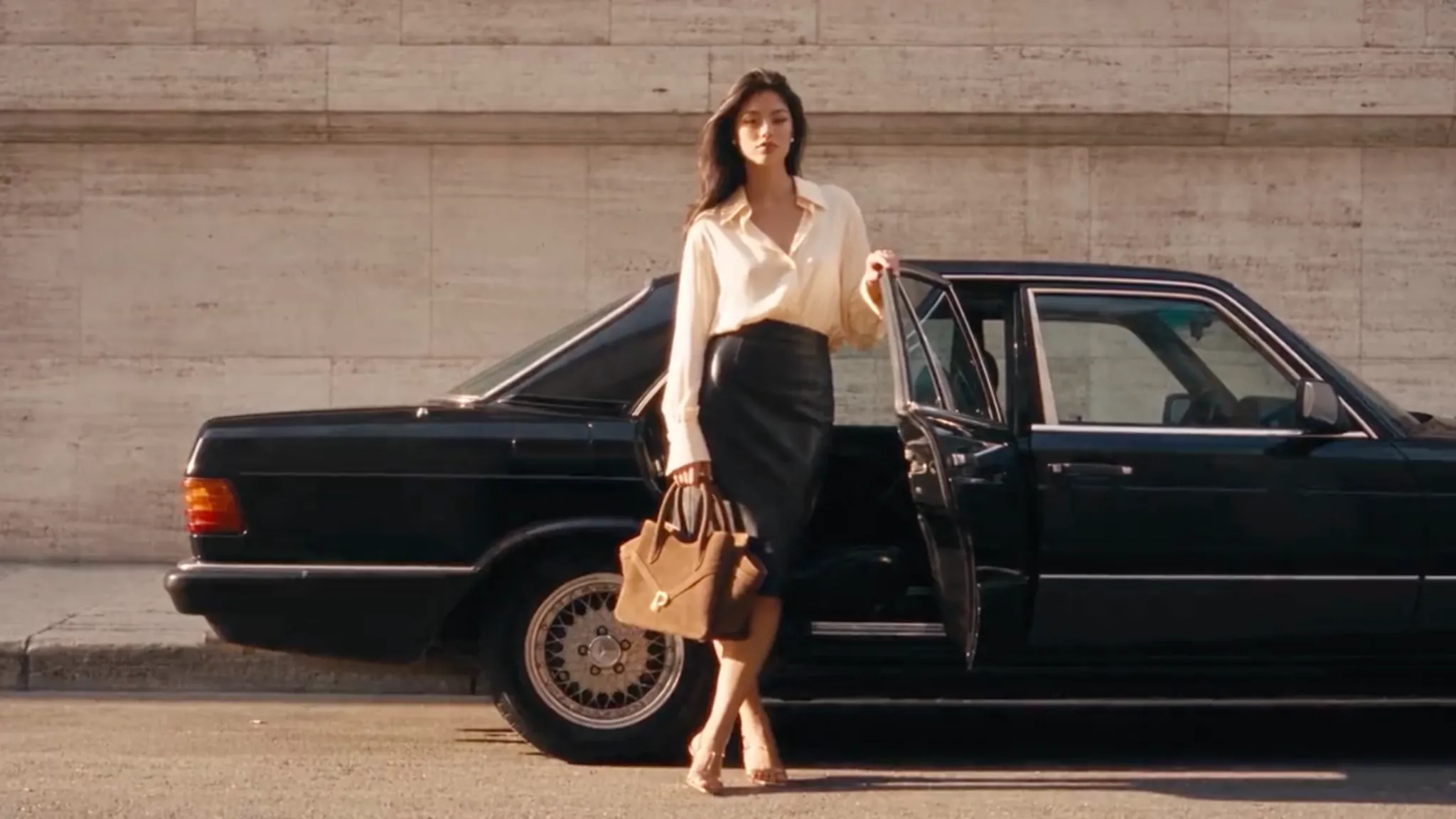 |
Quite the solid result, right? Firstly, I like the fact that the avatar doesn’t look artificial. Everything from her natural movements to skin texture to how she interacts with her environment makes it difficult to tell that she isn’t an actual person being recorded.
Also, the sound effects were well in sync with her movements and actions throughout the sequence for added realism. Even the level of detail on the luxury bag is on point; you can see the suede texture and the intricate stitching so clearly. If I were to rate this, I’d give it a 7.5/10.
#2. Motion Physics & Temporal Coherence: Does the Scene Hold Up?
If there’s one problem I often faced with Vidu Q3, it was dealing with rigid/robotic character movements, especially with image-to-video outputs. It was quite frustrating back then, so I was hopeful that this new successor would do a better job of it.
For this test, I gave Vidu Q4 a more challenging task. For most video models, trying to render complex movement/dance sequences can be frustrating; I think many of us have tried it. You’d often need multiple iterations to get something passable, so how did this model handle it?
Prompt: Create a high-energy wireless earphones commercial using the provided image as the visual reference. Feature the dancer listening to music and moving rhythmically with confidence, fluid choreography, and expressive body movements. Use dynamic scene cuts, sweeping camera movements, tracking shots, low angles, close-up portraits, and detailed shots of the wireless earphones as she dances. Capture her with the earphones on, closing her eyes to feel the beat, and transitioning into increasingly energetic dance moves. Include slow-motion moments and close-ups highlighting the earphones' sleek design and comfortable fit. Stylish lighting, crisp black and white visuals, seamless transitions, and an energetic, youthful atmosphere. Keep the earphones in color, clearly visible and consistent throughout.
| Ref Image | Output Video |
|---|---|
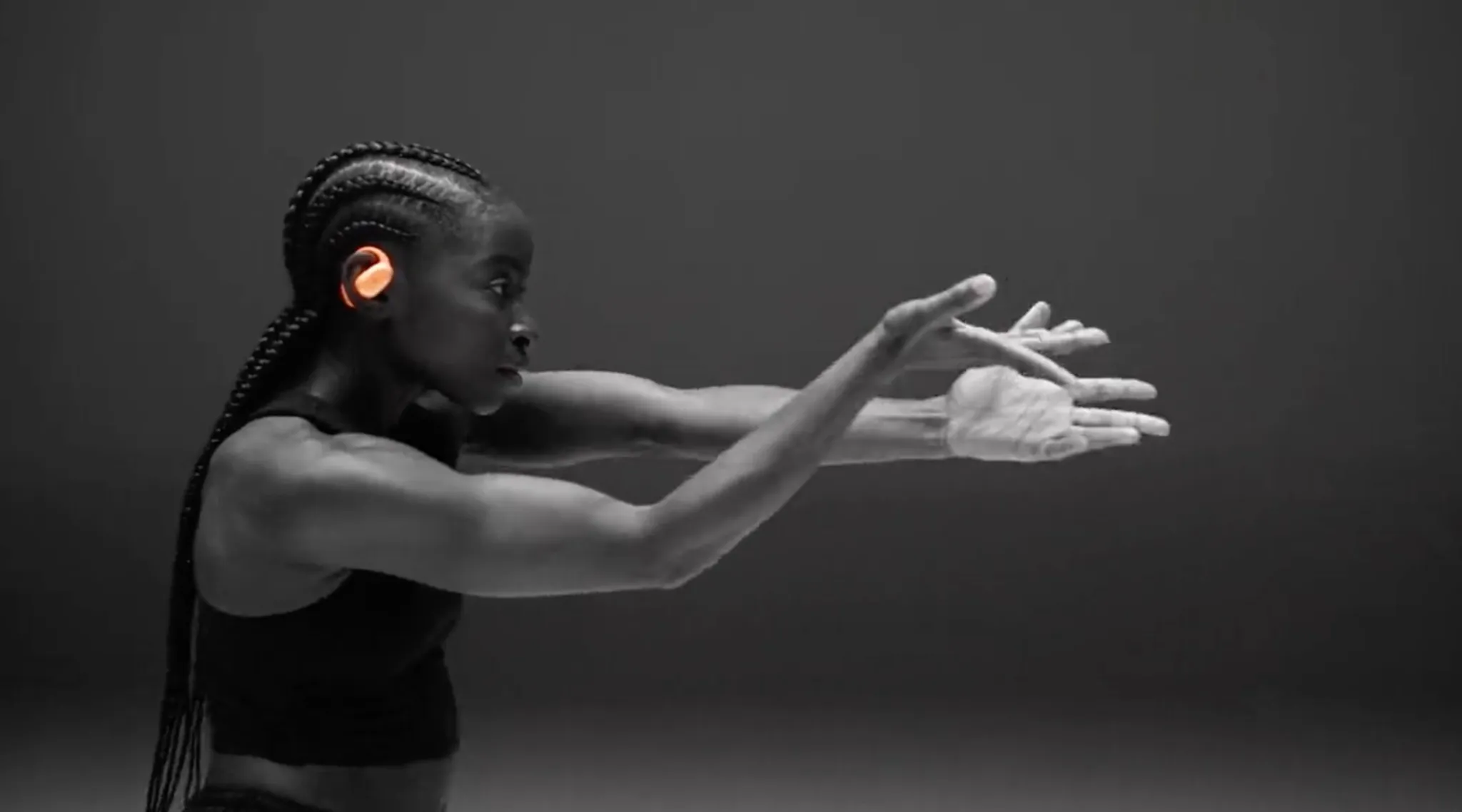 |
For starters, I was glad to see that the scene was stable: no artefacts, distortions, or glitches. This is usually something to expect for such sequences, but to my surprise, it was a clean playback from start to finish. It showed great coherence across every frame.
But the best part was how fluid her body movements were, as she danced around the set. It all felt natural; no rigid movements, just calm, well-choreographed, and believable, as if it truly were a dance music video. For this, I’d say it’s earned a solid 8/10; a stellar result.
#3. Adherence and Multi-Reference Control: Can It Stick to the Plan?
Next, I wanted to see how well Vidu Q4 follows instructions. This was another area that Vidu Q3 often stumbled on, with the outputs I made in the past requiring multiple iterations. But with this new model’s broader reference-to-video capabilities, I was optimistic it would solve the problem.
After all, using more reference images means I can better establish character identity, products and style direction without needing overly specific prompts. So, to see how Vidu Q4 responds, I decided to generate a multi-character scene. Here’s what I went for:
Prompt: Create a dynamic, high-fashion lipstick commercial for NURA using the reference image. Set in a vibrant retro-futuristic beauty studio with bold pink and turquoise colors, chrome surfaces, and playful lighting. Feature the girls in striking portrait shots, applying NURA lipstick, posing confidently, and showcasing expressive beauty looks. Premium beauty campaign meets pop-art fantasy. Rapid creative cuts alternate between close-ups of lips, lipstick application, dramatic product reveals, and beautifully arranged NURA lipsticks in multiple shades. Use whip pans, snap zooms, mirror reflections, rhythmic transitions, and experimental camera angles. Glossy textures, saturated colors, punchy lighting, playful attitude, editorial fashion photography, and energetic music-video pacing. Keep the NURA branding and lipstick packaging consistent throughout.
| Ref Image | Output Video |
|---|---|
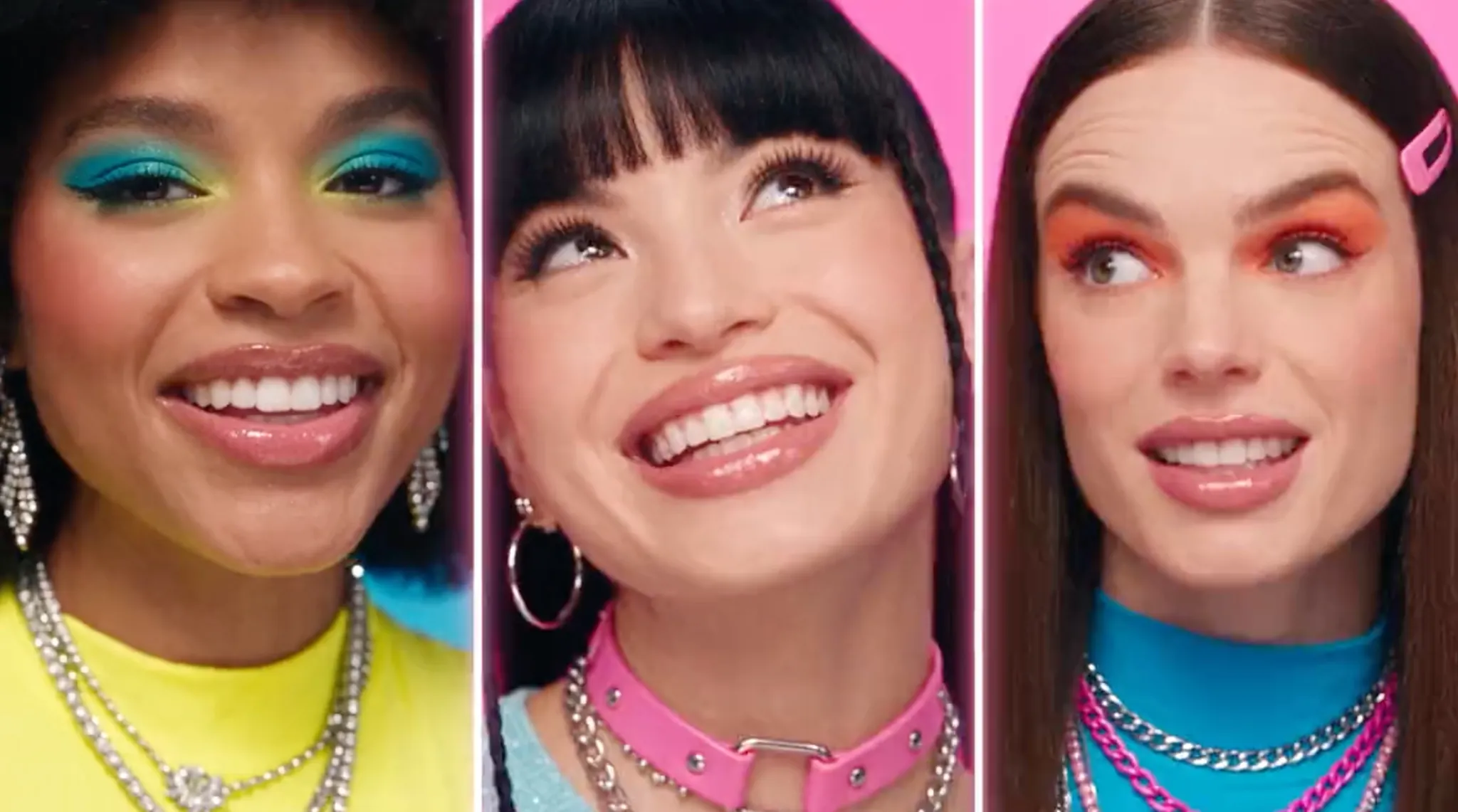 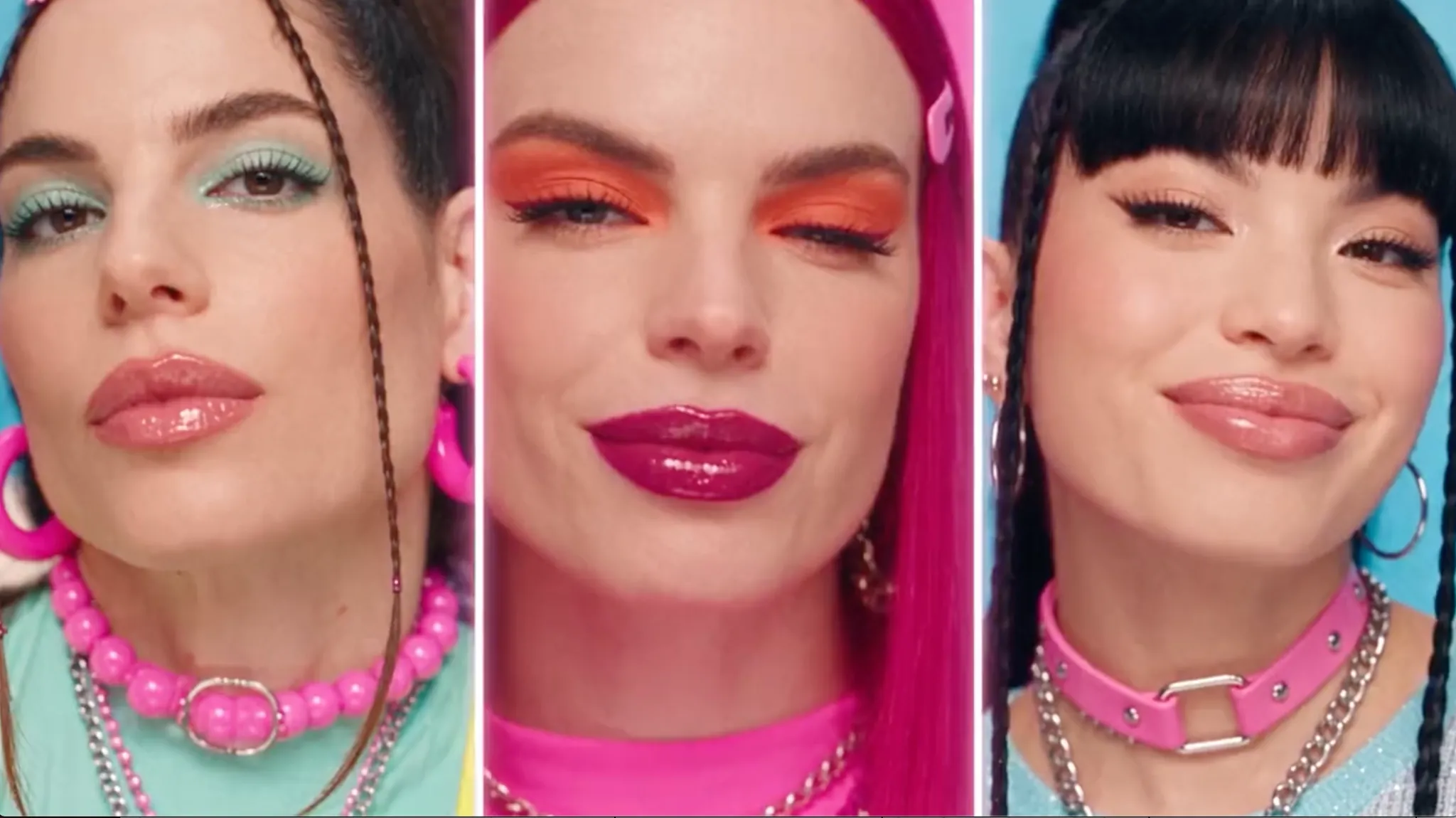 |
To my surprise, Vidu Q4 did more than just hold up; it delivered a stunning sequence that could make for an actual brand commercial. Once again, the model handled transitions and camera perspectives well, producing a creative mishmash of shots that fit the narrative flow.
More so, it did well to maintain the key visual style and subject identities per my references. But most importantly, it’s a clear example of Vidu Q4’s capacity to render multiple characters with natural emotion and accurate lip-syncing. For this, I’d give it an 8.5/10.
#4. Camera Language & Multi-Shot Storytelling: Is It Cinematic Enough?
When I heard that Vidu Q4 can coordinate multiple perspectives, cuts and on-screen action in a single generation, I knew this could be fantastic for cinematic storytelling. Whether you want to create a short drama or a product ad, this can make the directorial process easier.
So, I wanted to see how well it works by rendering a scene with multiple characters in different settings. I didn’t use any timestamping in my prompt to see if it could execute coherent cuts and frame changes on its own. I even let it render the characters by itself.
Prompt: Create a dynamic, feel-good blueberry frozen yoghurt commercial using the provided image as the product reference. Begin with a family enjoying blueberry frozen yoghurt together around a dinner table, then cut to a man eating yoghurt while walking along a busy city street, then transition to another man enjoying it on a completely different street, using creative match cuts to connect their movements. Shift to a group of friends sharing frozen yoghurt and laughing in a sunny park, followed by another lively group of friends enjoying it together on a college football field. Use varied camera angles, tracking shots, close-up reactions, product detail shots, and rhythmic jump cuts to create seamless transitions between each setting. Highlight the creamy texture, rich blueberry color, and irresistible first-bite reactions. Bright natural lighting, vibrant summer colors, authentic expressions, energetic pacing, appetizing food cinematography, and a refreshing, youthful atmosphere. Keep the yoghurt and packaging visually consistent throughout.
| Ref Image | Output Video |
|---|---|
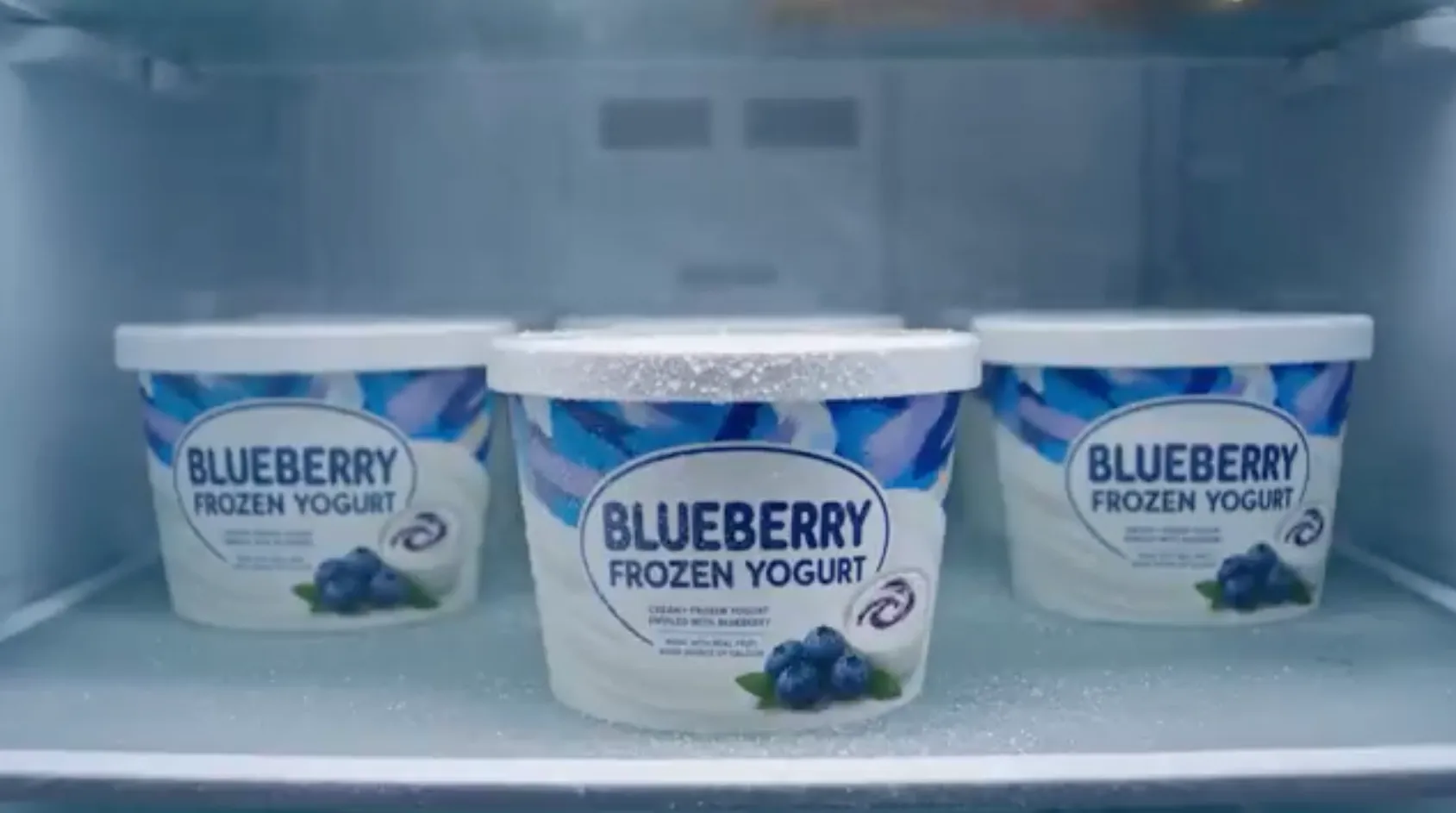 |
Right off the bat, Vidu Q4 delivered a shockingly stellar result. Even without my precise instructions, it rendered an entire product ad with coherent tracking, shifting between multiple cuts and perspectives, like establishing shots to reactions, quite fluidly.
What’s more commendable is that it retained visual continuity for a smooth sequence from start to finish. While it’s still a far cry from publish-ready, I think this proves Vidu Q4 can handle dynamic video generation. For this case, I’d give it a 6.5/10 score, so not bad at all.
Unlock More Creative Possibilities With Vidu Q4
Explore expressive motion, cinematic scenes, and synchronized audio to make your ideas stand out.
Try Vidu Q4 on Pollo AILimitations of Vidu Q4: Here’s What I Think Needs Improvement
I like to give credit where it’s due, but Vidu Q4 isn’t perfect. What I learned about it is that you need to have a tolerance for failed generations. While most of the videos I rendered came out relatively well, quite a few still needed multiple iterations to get the exact results I wanted.
Given that Vidu Q4 is still in its early stages of release, I think we can cut it some slack in this department. But it does need refinement, because the shots it produces are mostly attractive and cinematic, yet they seem to vary quite a bit from one generation to the next.
Besides that, I’ve shown that Vidu Q4’s broader referencing helps with improving subject and style consistency. But it doesn’t offer frame-perfect control over complex interactions and motion. So, it can be a little tricky to nail certain action shots the exact way you want them.
All in all, I think Vidu Q4 can deliver highly promising previews, but considering its duration limits, it’s definitely not built for complete long-form production. Ultimately, it’s still quite new, so I’m sure we can expect meaningful improvements soon.
My Final Verdict: Is Vidu Q4 Worth It?
For creators willing to iterate and edit, I think Vidu Q4 is worth trying now. Based on my experience with it so far, it looks to be particularly well-suited to short-form storytellers, advertisers, animation creators, and previsualization teams.
As long as you can provide the cast, props, aesthetic, voice, etc., I believe that it can be quite a handy model. In other words, the more references you provide, the more likely you can count on it to deliver a short scene with relatively good acting, camera movement, and sound.
But don’t look at it for a finished multi-scene production because, as I’ve said before, Vidu Q4 is not great at ensuring exact repeatability. Plus, we don’t even have text-to-video generation. So, I think anyone looking to describe a scene without having an image will find it quite restrictive.
Instead, what I would suggest is using it as a starting point, then exploring other complete production models to help with the final cut. In this respect, you should access Vidu Q4 on a platform like Pollo AI, where you’ll have multiple model options to choose from.
Looking to Generate Videos with Vidu Q4? Try Using Pollo AI
You’ve seen how my experience with Vidu Q4 turned out, so why not give it a try yourself? For this, I often recommend Pollo AI because I have consistently used it to access dozens of other industry-leading AI video models like Seedance 2.5 and Wan 3.0.
In this sense, it’s the ultimate AI creative suite for filmmakers, brands, marketers, and creators. For instance, I could use Vidu Q4 as a shot generator to test ideas and concepts, then turn to another model for more complete, serialized productions.
From cinematic clips and animations to product ads and music videos, I can generate all this and more in one convenient place. This gives me a broader production pipeline to work with, and if I need help with brainstorming/refining visual ideas, I often like to turn to Pollo Agent.
Since it automates everything from visuals to pacing to structure, I often rely on it to turn rough ideas into publication-ready videos in minutes. And as an iterative tool, it lets me continuously refine my outputs by giving feedback, so I don’t need to start it all from scratch.
But what really excites me is Pollo Director. It’s a powerhouse tool that I can use to shape extended stories with full directorial control of every frame. Every aspect, be it camera, lighting, pacing, dialogue, etc., can be fine-tuned on a multitrack timeline for a polished final cut.
Best part? You can generate videos with Pollo AI for free. Just sign up for an account now!
Conclusion
I’m glad to see that Vidu Q4 is a significant upgrade from its predecessor, Vidu Q3. This latest release is a promising upgrade that I find still needs a bit more development to work in a repeatable production pipeline. But for now, it serves well to produce isolated cinematic clips.