



Elai Review: I Spent 14 Days Testing This AI Video Generator and Here’s the Result
Elai is worth trying if you need an AI video generator for business videos, training content, onboarding, or multilingual explainers. I liked it most when I had a clear script, slide deck, or learning topic ready. But Elai AI still needs review when avatar realism, voice tone, pacing, or creative flexibility matters.
Elai Review: TL;DR
Elai is worth trying if you need an AI video generator for training, onboarding, slide-to-video content, and presenter-led explainers. It works best with clear scripts, decks, or learning topics. But avatar realism, voice tone, pacing, and creative flexibility still need review.
If you need more model choice and a broader creative workflow, Pollo AI is the best Elai alternative to consider.
Review Criteria | Verdict |
|---|---|
| AI Video Generation | Strong fit for business explainers, training videos, and onboarding content. |
| AI Avatars | Useful for presenter-led videos, but realism still needs review. |
| PPT-to-Video | Practical for turning slide decks into narrated video content. |
| Localization | Good for multilingual teams, but voice tone still needs checking. |
| Interactive Video | Helpful for learning content when used with a clear purpose. |
| Best Fit | L&D teams, HR teams, educators, trainers, and business communicators. |
What Is Elai?
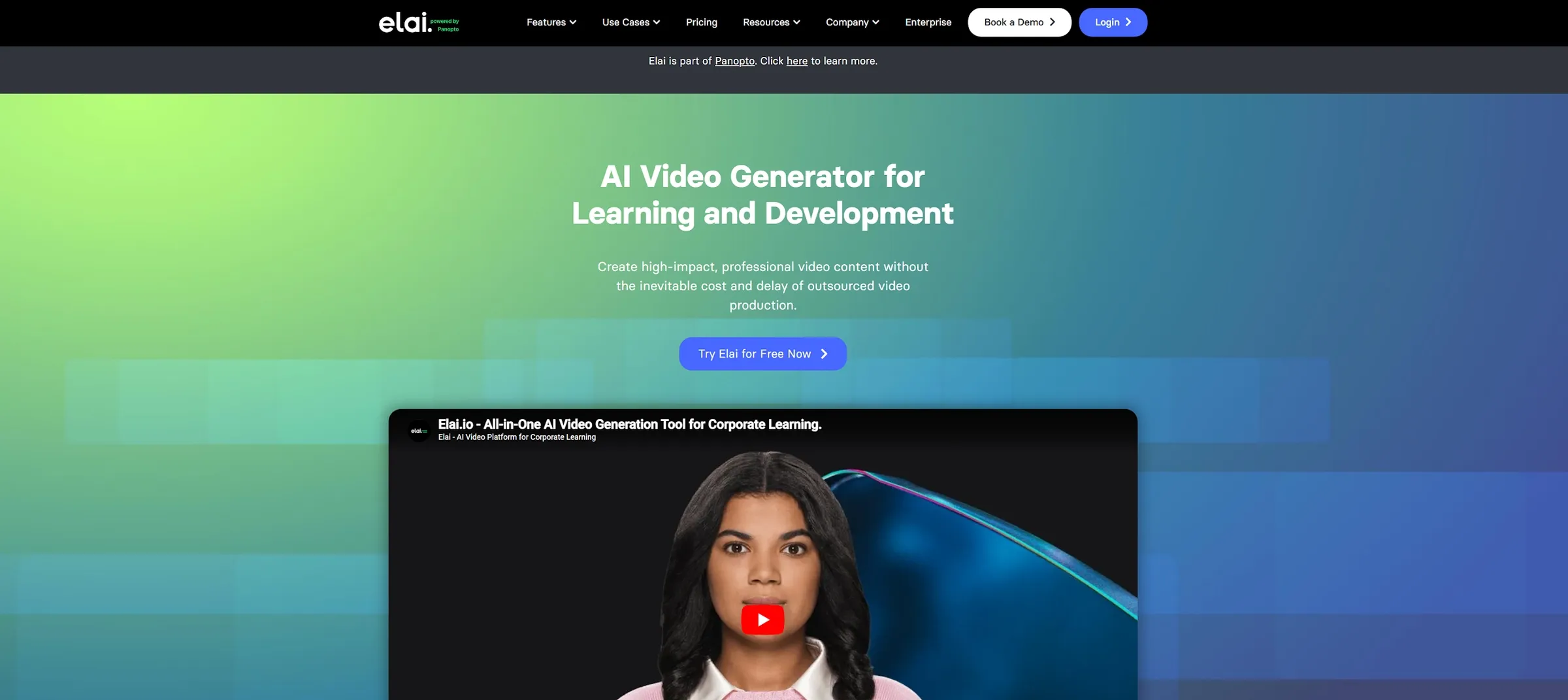
Elai is an AI video generator built for teams that want to create business videos without filming, recording, or editing everything manually. Instead of starting from a blank timeline, Elai gives you a more structured way to make videos. You can start with a script, a slide deck, or training material, then build a Avatar video around it.
That makes Elai different from a general AI video generator. Elai is not mainly asking, “What cinematic scene should AI create?” It is asking something closer to, “How can this business message become a clear video?”
In my testing, Elai felt most useful when the content already had a purpose. It worked better for lessons, onboarding, product explainers, and internal communication than for loose creative ideas.
How I Tested Elai AI
I tested Elai around common business video tasks. I looked at avatar videos, slide-to-video workflows, multilingual content, interactive learning elements, and short explainer videos.
I focused less on whether the output looked flashy. I cared more about whether it could support a real message. A business video does not always need cinematic visuals. It needs to be clear, easy to follow, and easy to update.
So I paid attention to practical details. Does the avatar feel believable enough? Does the voice fit the script? Does the PPT-to-video workflow save time? Do interactive elements make the video more useful, or do they feel added only for decoration? That gave me a better sense of where Elai works and where it starts to feel limited.
Key Features of Elai AI?
Elai’s best features are AI video generation, AI avatars, PPT-to-video workflows, multilingual localization, and interactive video creation.
1. AI Video Generation for Business Content
Elai is strongest when you use it to create structured business videos.
This includes training modules, onboarding videos, internal explainers, product walkthroughs, course content, and company updates. The workflow works best when you already know what you want to say.
I found this useful because many teams do not need a cinematic video. They need a clear video that explains a process, introduces a topic, or delivers information in a repeatable way. The limit is creative freedom. Elai is not the tool I would choose first for highly cinematic scenes, fast social clips, or experimental visual styles.
2. AI Avatars for Presenter-Led Videos
Elai’s avatar feature is one of the main reasons people use it.
You can create presenter-style videos without filming a real speaker. This is helpful for training, HR updates, onboarding, product education, and course lessons. I found the avatar workflow most useful when the script was short and focused. A clear explanation usually worked better than a message that needed strong emotion or personality.
The limit is human nuance. The avatar can present information, but it may not always feel warm, expressive, or fully natural. For basic training, that may be fine. For sensitive or customer-facing content, I would review it more carefully.
3. PPT-to-Video Workflows
Elai’s PPT-to-video workflow is practical for teams that already have slide decks.
This matters because many business teams do not start with a fresh video idea. They start with existing training slides, sales decks, internal documents, or classroom materials. Elai helps turn those materials into a more watchable video presentation.
In my testing, this worked best for lessons, onboarding modules, and repeatable business explainers. It reduced the need to rebuild content from scratch.
The weak point is pacing. A slide deck does not automatically become a good video. Some slides still need shorter text, clearer structure, and a more natural narration flow. So Elai can speed up the process, but the source material still matters.
4. Multilingual and Interactive Videos
Elai is useful for teams that need to share the same message across different languages or learning groups. This is helpful for global onboarding, customer education, regional training, and internal communication. Instead of rebuilding every video from zero, teams can adapt one core message for more viewers.
The interactive side also makes sense for learning content. Quizzes and clickable moments can help viewers stay involved, especially when the goal is to check understanding.
The limitation is quality control. A translated video can be accurate but still feel slightly off in tone. An interactive moment can support learning, but only if it is placed with a clear reason.
These features work best when the learning goal is clear.
What Are Elai’s Pros and Cons?
Elai is strong for structured business videos, but it has clear limits.
Pros:
- Good for business-focused AI video generation
- Useful for avatar-led explainers
- Practical for slide-to-video workflows
- Helpful for training and onboarding
- Supports multilingual communication
- Interactive elements can support learning
Cons:
- Less flexible for cinematic or social-first videos
- Avatars can still feel slightly stiff
- Slide decks may need rewriting first
- Not ideal for open-ended creative testing
- Translated tone still needs review
- Interactivity needs good instructional design
Where Does Elai Fall Short?
Elai falls short when you need natural emotion, flexible creative control, or a broader content workflow.
Avatar Realism Still Needs Review
Elai can create useful presenter videos, but the avatar is not always a full replacement for a real person.
This matters when the message needs warmth, trust, or emotional weight. A simple training video can work with a clean presenter style. A sensitive HR message or customer-facing brand story may need more human nuance.
Small details can affect trust. The mouth movement may feel slightly off. The voice may sound too even. The face may not carry the right emotion. This is not a major issue for simple explainers. But it matters for videos that need a stronger human connection.
Structured Content Works Better Than Open-Ended Ideas
Elai works best when you already know what you want to say.
A script, lesson plan, or slide deck gives the platform a clear direction. Without that structure, the workflow feels less flexible than a more open creative video tool.
That is not a flaw. It simply shows where Elai fits best. It is stronger for training and communication. It is less ideal when you want to explore visual styles, generate social clips, or test different creative directions quickly.
It Is Not a Full Creative Workflow
Elai is useful for business videos, but it does not cover every type of content a modern team may need.
A company may need training videos, but it may also need product videos, UGC ads, social clips, visuals, voiceovers, and campaign assets. Elai can support part of that work. But it does not feel like the only platform you would use for broader creative production. That is where a wider suite can make more sense.
Move Beyond Structured Business Videos
Create avatar videos, product clips, social assets, and campaign content in one broader AI creative workflow.
Try Pollo AI for Free
Is Elai Right for You?
Elai is right for you if you need an AI video generator for training, onboarding, education, internal communication, or slide-based explainers. It makes sense for L&D teams, HR teams, educators, trainers, and companies that want to turn scripts or slides into repeatable video content.
Skip it if you need cinematic generation, social-first creative assets, product marketing videos, or a more flexible all-in-one workflow. The simple version is this: Elai is strong for structured business videos, but less complete for broader creative production.
How Does Elai Perform Across Real Use Cases?
Elai performs best when the content is structured, educational, and presenter-led.
Use Case | My Take |
|---|---|
| Training Videos | Strong fit when the script is clear and the lesson is structured. |
| Employee Onboarding | Good fit for repeatable internal communication. |
| Slide-to-Video Content | Useful when existing decks need to become narrated videos. |
| Product Explainers | Good for simple walkthroughs and feature education. |
| Multilingual Training | Helpful for global teams, but tone needs review. |
| Interactive Learning | Useful when quizzes and hotspots support the lesson. |
| Marketing Videos | Possible, but less direct for fast campaign-style content. |
My Personal Take on Elai
I like Elai because it solves a real business problem. Many teams already have scripts, slides, and training material. What they lack is time to film presenters, record voiceovers, and edit every update manually.
Elai makes that process easier. It is especially useful when the message needs to be clear, repeatable, and easy to update. But I hit the limits when I wanted more creative range. Elai feels like a strong business video generator, not a broad creative studio.
My take is simple. Elai is a good choice for structured AI videos, especially training and onboarding content. It is not the only tool I would use for marketing, social video, product content, or multi-format creative work.
Why Is Pollo AI a Better Elai Alternative?
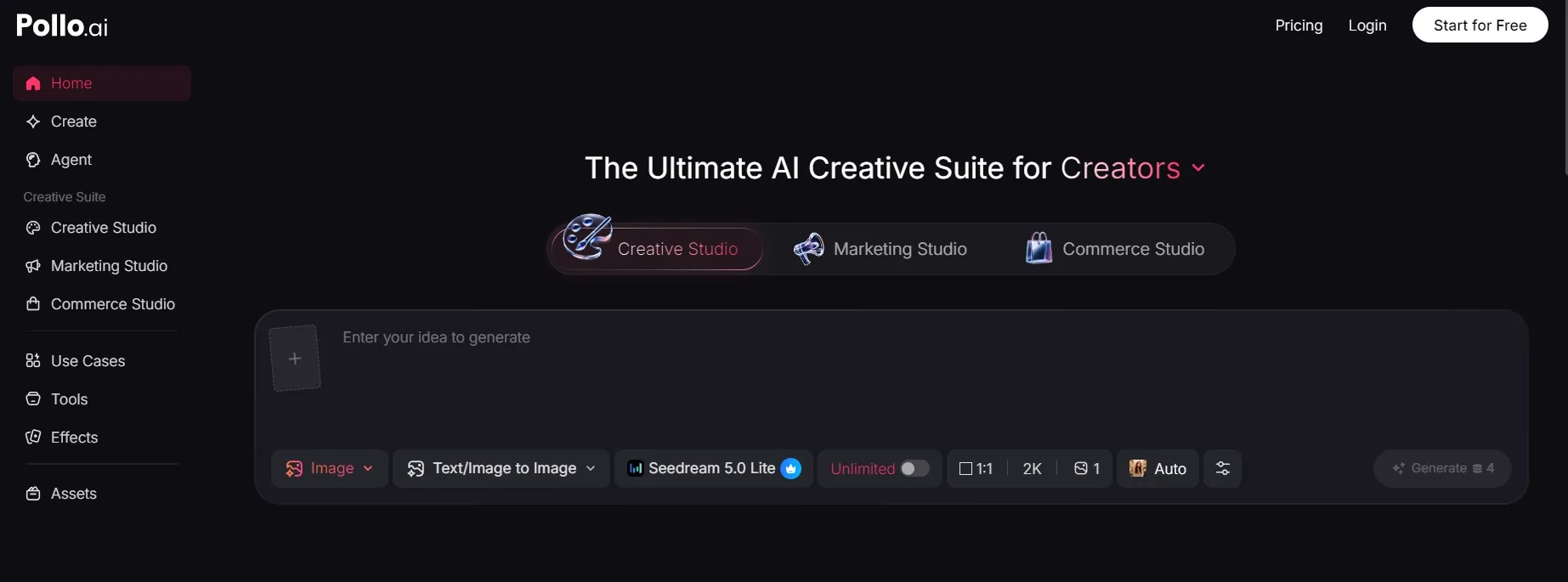
Pollo AI is a better Elai alternative if your work goes beyond structured business videos.
Elai is useful for training, onboarding, slide-based videos, and avatar-led explainers. But many teams need more than one type of video. They may also need product clips, ad variations, creator-style content, voiceovers, social assets, and visual support for campaigns.
A Broader Creative Workflow
That is where Pollo AI feels more flexible. Pollo AI is the ultimate AI creative suite for marketers, creators, and sellers & brands. It brings video generation, image creation, avatars, audio, product visuals, and AI video editing tools into one place.
This matters when your content plan is bigger than training. You may start with an explainer, then need a product video, a social version, and a short ad. Keeping those options in one place can save time.
Studios Built Around Real Use Cases
Pollo AI is also organized around practical content needs. Marketing Studio is for ads video and campaign content. Commerce Studio is for product visuals and seller workflows. Creative Studio is for image, video, avatar, and audio creation. If you want to move from an idea, script, product link, or image into a more publish-ready video, Pollo Agent is the stronger fit.
That makes the platform feel less like a single-purpose video tool. It gives users more paths depending on what they are trying to create.
More Model Choice for Different Video Tasks
Pollo AI also gives users access to many leading AI models, including Seedance 2.5 and Gemini Omni Flash.
That matters because one model rarely handles every video task well. Some are better for realistic motion. Some are stronger for cinematic scenes. Others work better for social clips or image-to-video content.
So the difference is simple. Elai is good for structured business videos. Pollo AI is better when you need more model choice and a broader workflow for videos, ads, product content, and creative campaigns.
Final Verdict: Is Elai Worth It?
Elai is worth trying if you need an AI video generator for training, onboarding, education, or internal communication. It is strongest when the message is clear and structured. For teams with scripts, slide decks, and repeatable learning content, it can save real production time.
But Elai is not perfect. Avatar realism still needs review, translated tone can vary, and the platform feels less flexible for broader creative production.
My verdict is simple. Use Elai for structured business videos. Use Pollo AI when you need a wider creative suite for avatar videos, ads, product content, social clips, and multi-format workflows.