



How to Clone the 3D Character Modeling Viral Video
It's just a mirror selfie: teal jersey, phone in hand. Then she pops up as a 3D character, and the view swings around to show her from another angle. Here's how to make your own.
Viral Video Example
How to Clone This Viral Video
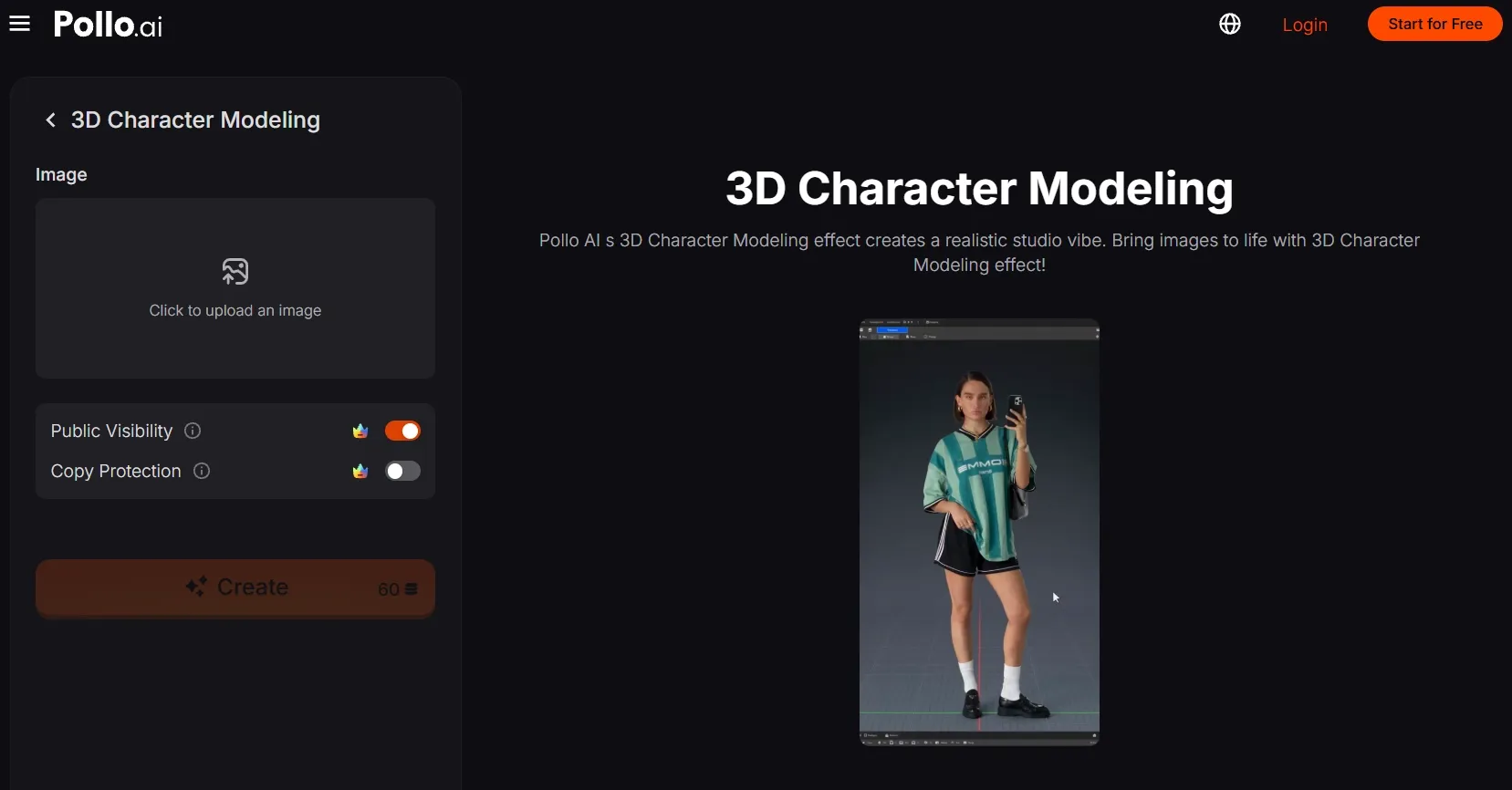
Step 1: Open the effect
Open the 3D Character Modeling effect by Pollo AI.
Step 2: Upload your subject
Click to upload an image and choose a clear, full-body photo of one person. A recognizable outfit and pose help the modeling-app illusion land.
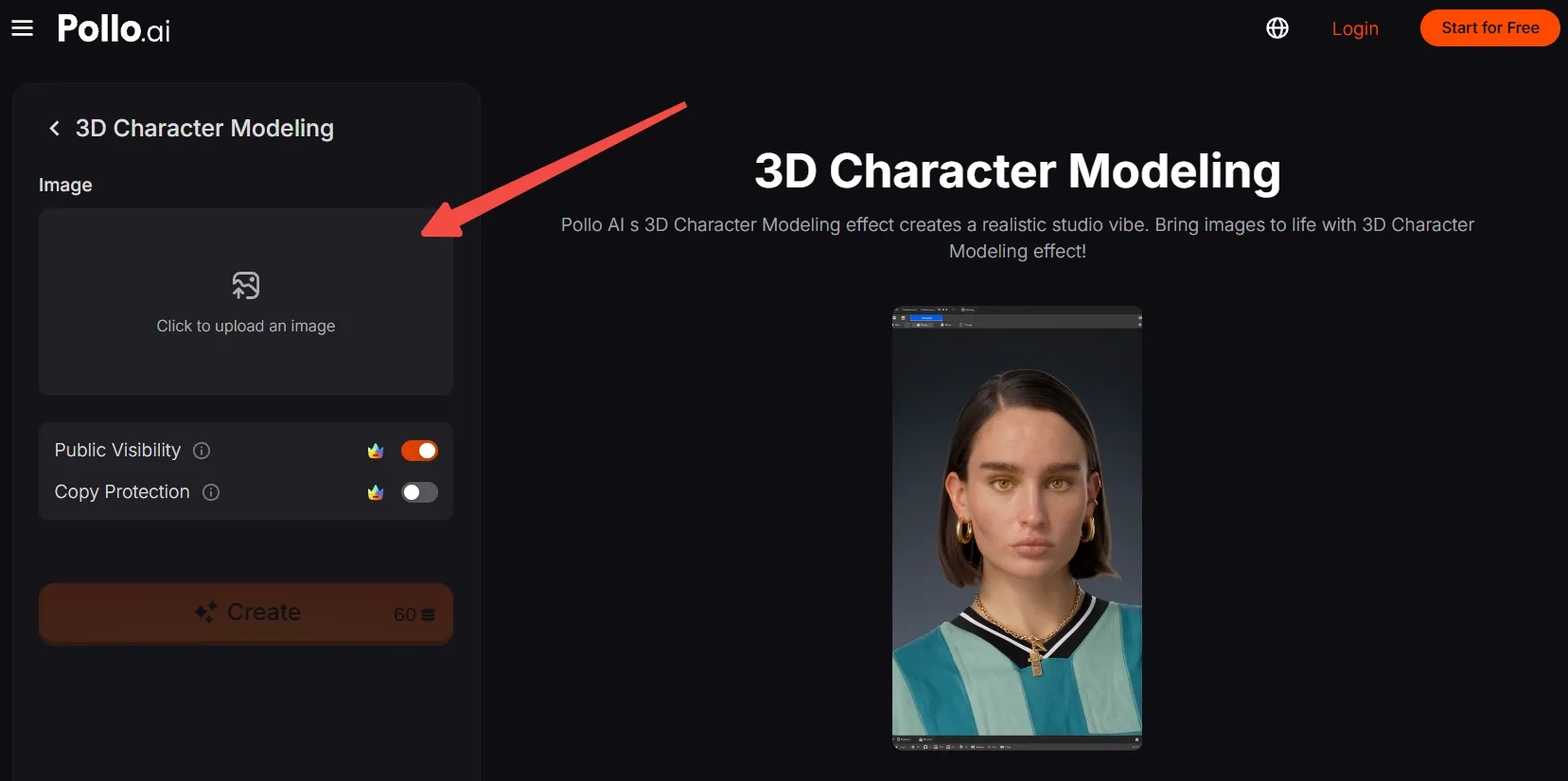
No suitable photo? Generate an AI image featuring a unique person or character, then upload it here.
Step 3: Frame the photo
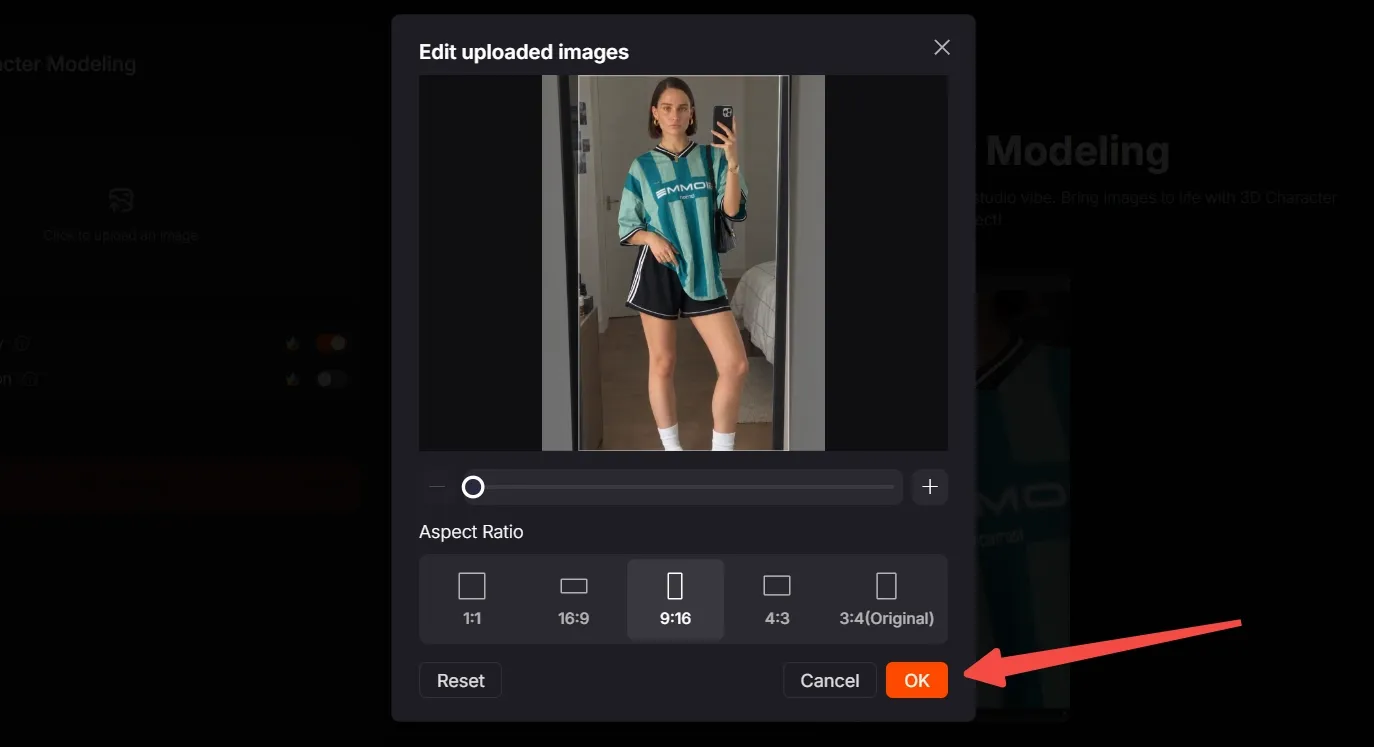
Move, scale, and crop the image so the face, clothing, hands, and shoes remain visible. Choose the aspect ratio for your destination and click OK to confirm.
Step 4: Create and share
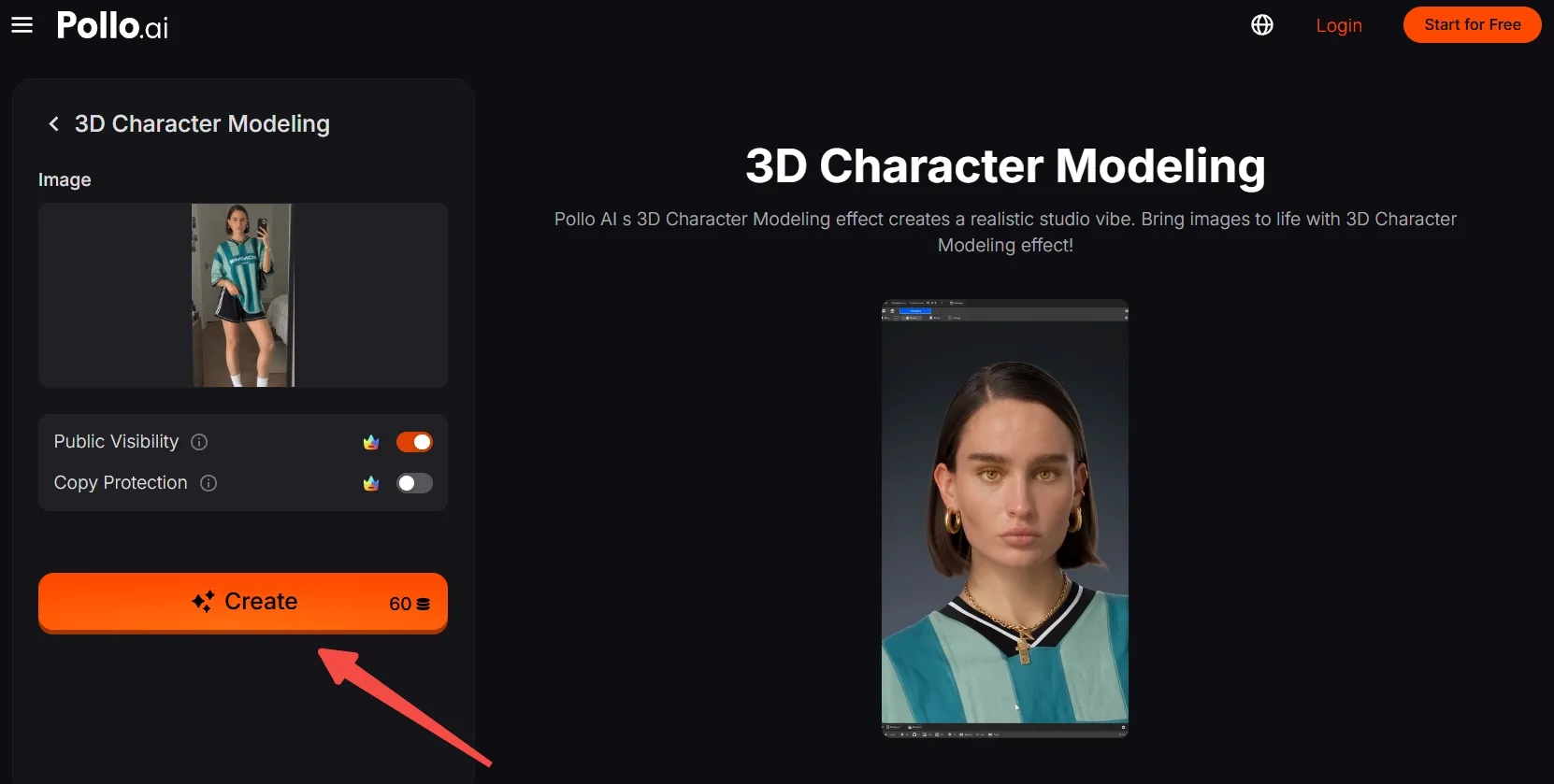
Check the credits, then click Create. Wait for the video to generate, export it, and post your version.
Create Viral Videos with Pollo AI
Turn one portrait into an eye-catching, trendy clip with ease.
Start Creating Free
Best Practices
- Start with a sharp, full-body photo. The effect needs enough detail to make the face and outfit worth inspecting up close.
- Keep the subject distinct from the background so their silhouette reads clearly in the modeling viewport.
- Leave room around the head and shoes when cropping; the full figure should fit in the wide view.
- Make distinctive details visible, such as a jersey, jewelry, or a phone held in one hand.
- Select a vertical ratio when making a short-form post like the example.
Create Full Videos and Shape Every Shot with Pollo AI
3D Character Modeling gives one photo a playful behind-the-scenes reveal. That may be all you need for a quick post, but the character could have more stories to tell.
Want to see that character in a full story? Give Pollo Agent the image and a rough idea, and it can build a post-ready video without leaving you to stitch separate clips together.
If you want to shape each moment yourself, Pollo Director lets you bring the character into different scenes, compare takes, and adjust the camera or pacing until every shot feels right.
Conclusion
The fun is in the inspection: a familiar selfie becomes a figure the on-screen cursor seems to examine from every angle.
Try this 3D character modelling video effect with a clear full-body photo, then swap in a different person, outfit, or original character to see how the reveal changes.