



How to Clone the Deep Sea Viral Video
An everyday sweater, a raised hand, and fish swimming overhead: this portrait belongs underwater. Deep Sea turns the familiar into something impossible. I'll show you how to put your own subject in the scene.
Viral Video Example
How to Clone This Viral Video with Pollo AI
Step 1: Open the Deep Sea Effect
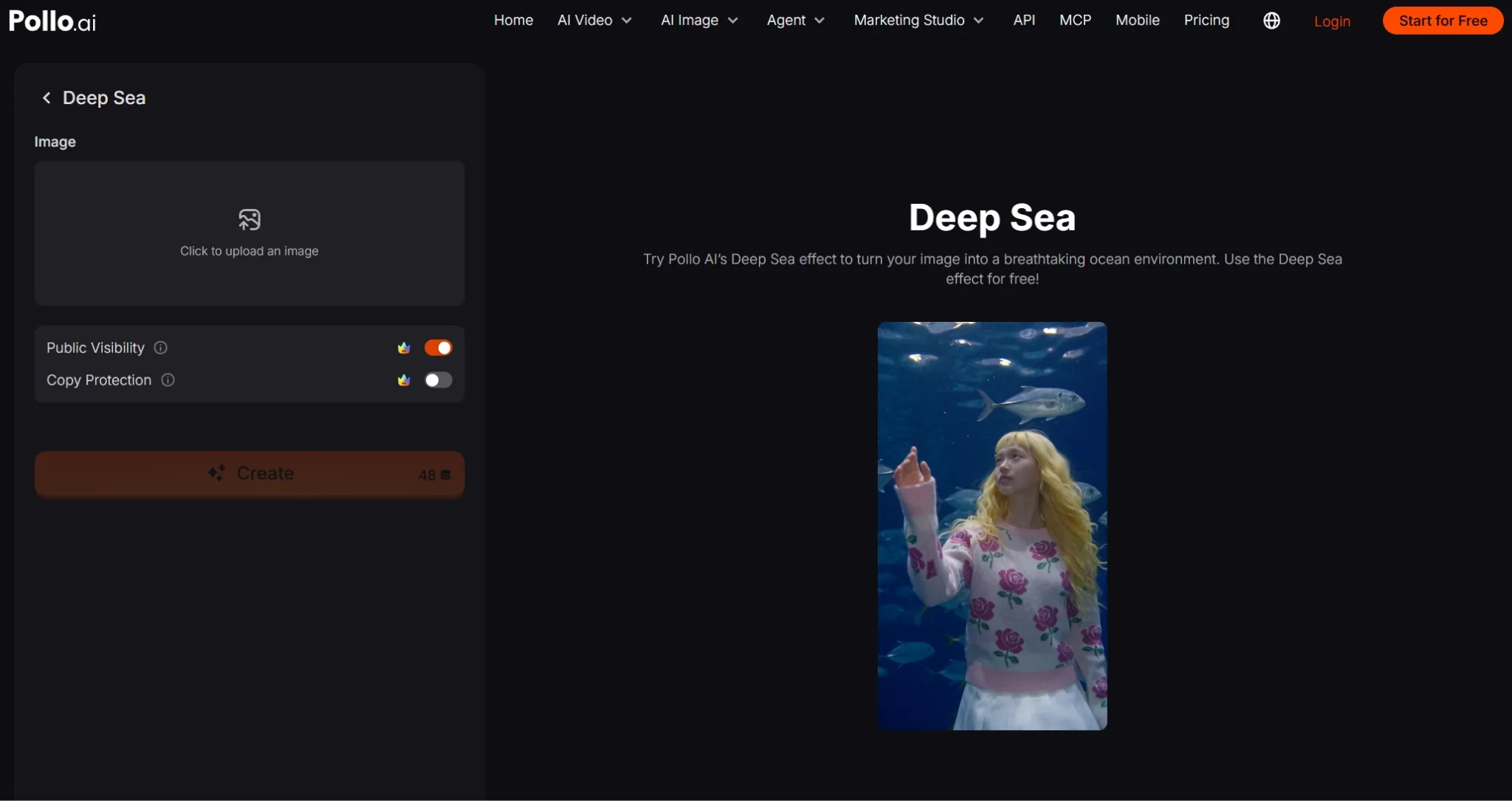
Open the Deep Sea effect page. Watch the preview beside the creation panel, then locate the image upload area on the left.
Step 2: Upload Your Main Subject
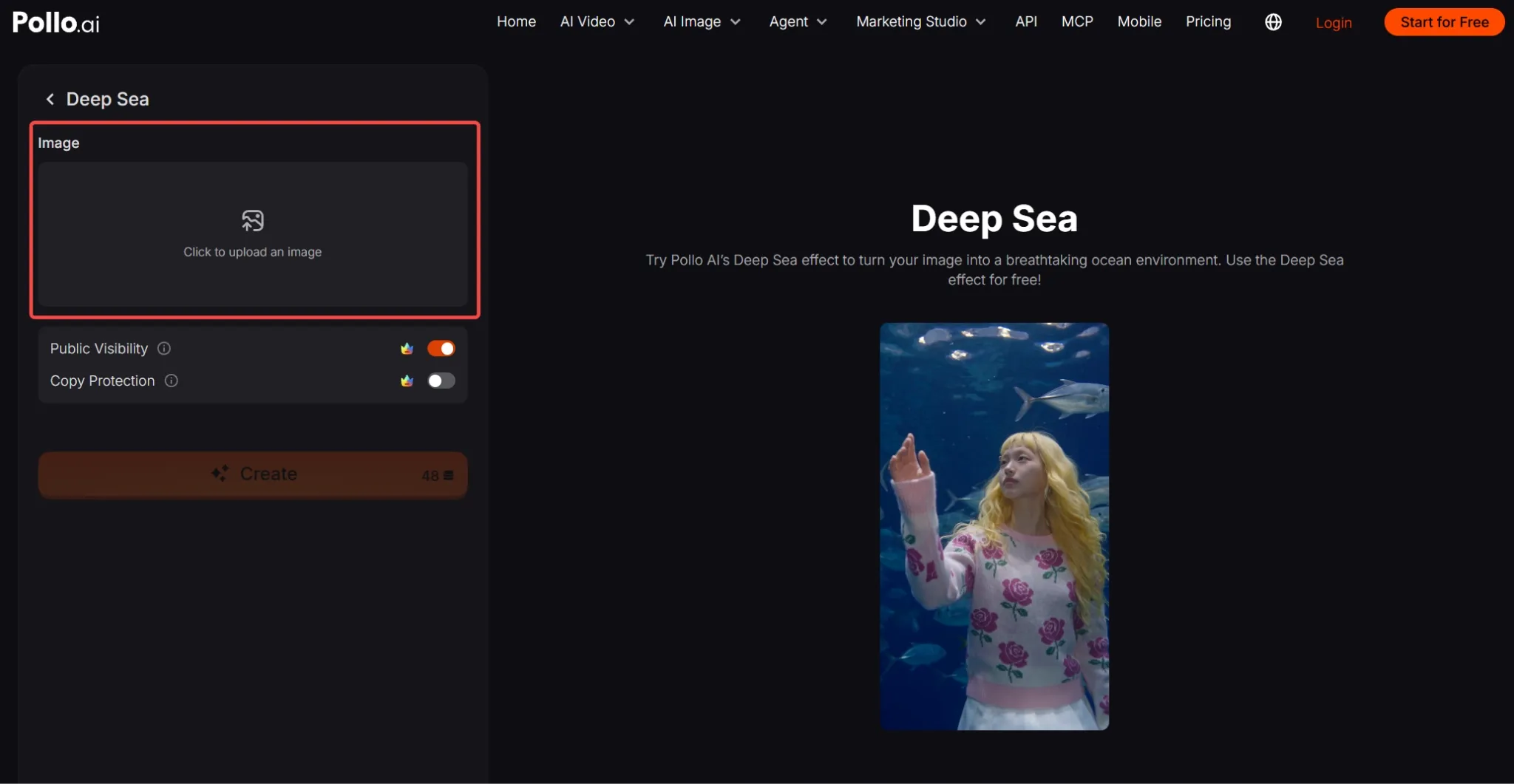
Click Click to upload an image and select a clear portrait. I'd choose a photo with visible eyes, recognizable clothing, and some space around the head and upper body.
No suitable photo? You can generate an AI image featuring a unique person or character, then upload it here.
Step 3: Frame Your Underwater Portrait
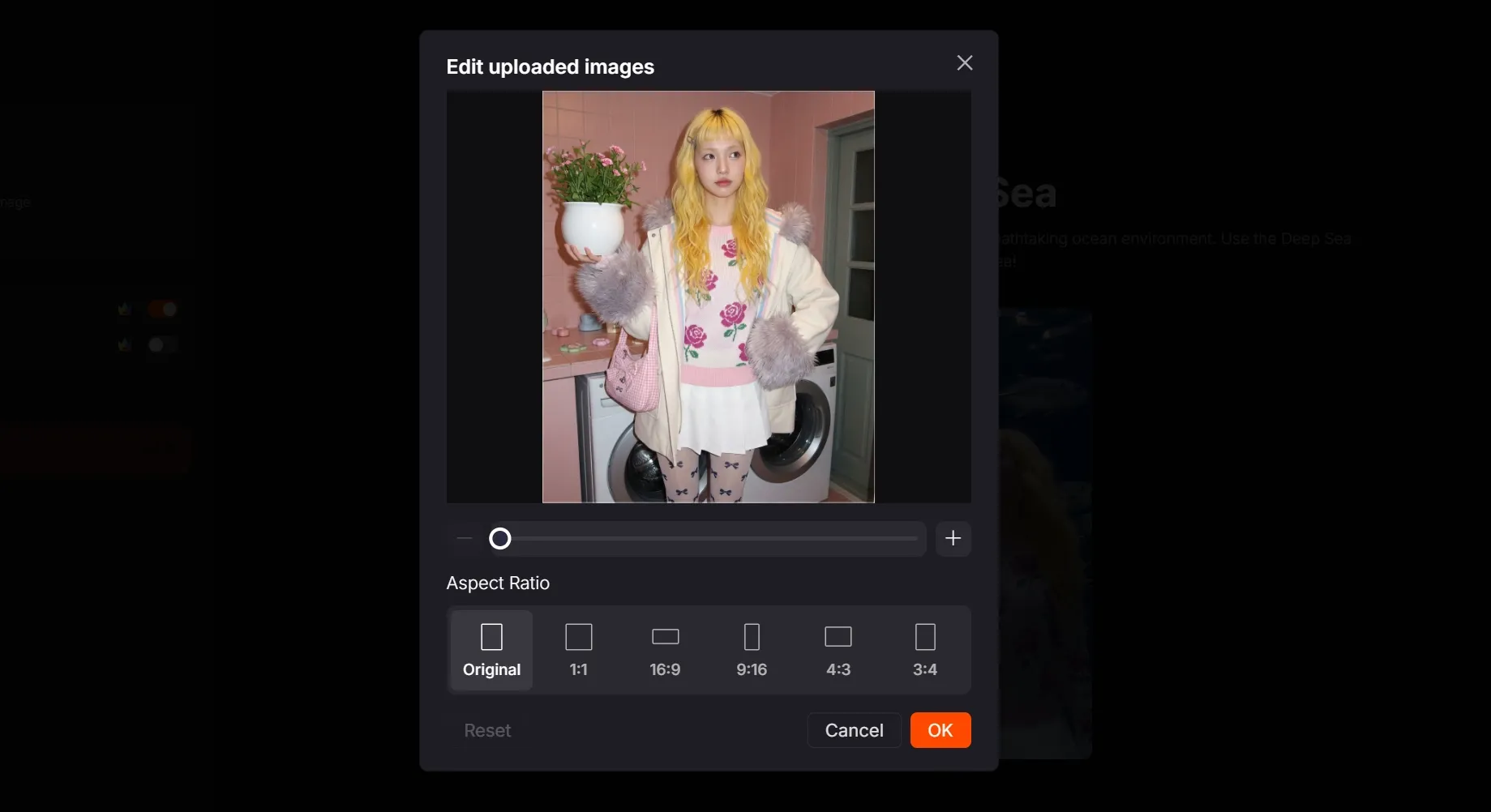
In Edit uploaded images, drag the photo to reposition your subject and use the slider or “+” to adjust its size.
Choose 9:16 under Aspect Ratio for a vertical social post, or another ratio that suits your destination. Keep the face, shoulders, and any raised hand inside the crop.
Click OK to confirm the crop, then check that your image appears in the upload panel.
Step 4: Create and Share Your Video
Check the credit requirement beside Create and make sure your account has enough credits. Click Create and wait for your video to finish generating.
Preview the result, download it with the available export option, and post your version on your chosen social platform.
Create Viral Videos with Pollo AI
Turn your photos and ideas into surprising social videos worth sharing.
Start Creating Free
Best Practices
- Keep the face easy to recognize. Use a sharp portrait with visible eyes and even lighting for a readable underwater subject.
- Leave breathing room. Include space above the head and beside the shoulders so the underwater setting has room around your subject.
- Keep hands fully in frame. If you choose a raised-hand pose like the preview, avoid cutting off fingers at the crop.
- Choose clear clothing contrast. A lighter top or distinct pattern can help the person stand out against the blue water.
- Simplify the source image. I'd use one prominent person with a clear outline and an uncluttered background.
Create Natural Motion and Consistent Characters with Pollo AI
Deep Sea is just one way I can create with Pollo AI. I can also keep my characters recognizable and improve the clarity of my videos.
For recurring stories, I can use reference to video to guide clips with character images. This helps me explore new settings while keeping a familiar face recognizable, giving my series a clearer sense of continuity.
For clearer footage, I can use video upscaler to increase resolution and reduce blur or noise. This makes faces and scene details easier to see, giving my social videos a cleaner finish.
Conclusion
I'd start with a portrait that feels unmistakably yours. Try the Deep Sea effect with your favorite photo or an original character, and discover who belongs in your next underwater story.