



How to Clone the Giant Alter Ego Viral Video
A woman strolls down the street in a black jacket and leopard print. Then a towering, winged version of her drops in for a fist bump. That sudden scale shift begs a replay. Here's how to make your own.
Viral Video Example
How to Clone This Viral Video
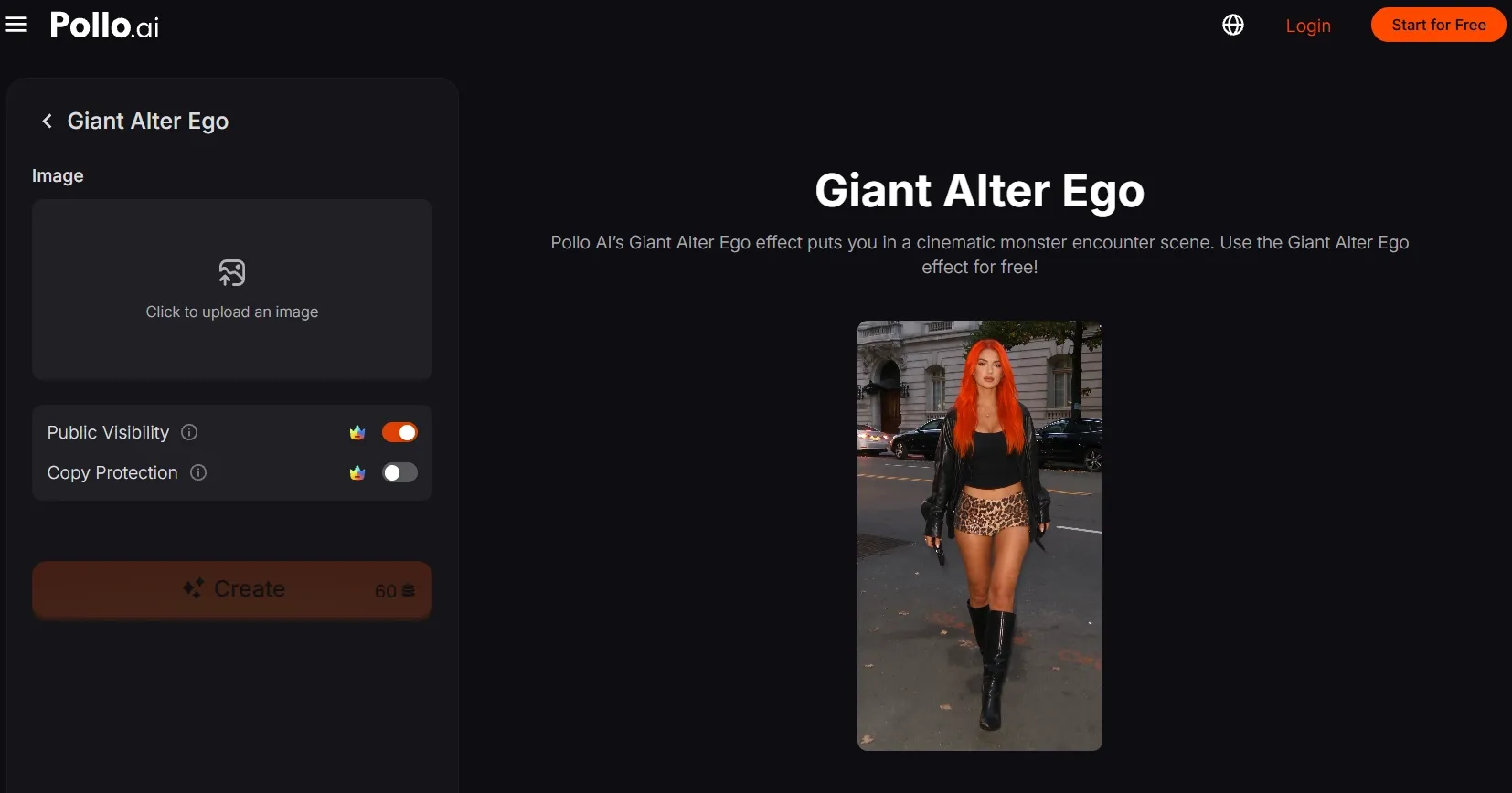
Step 1: Open the Giant Alter Ego effect
Open the Giant Alter Ego effect by Pollo AI and prepare a clear image to upload.
Step 2: Upload your main subject
Upload a clear photo of the person you want to meet their giant double. A full-body image with a visible face and distinctive outfit helps the match read instantly.
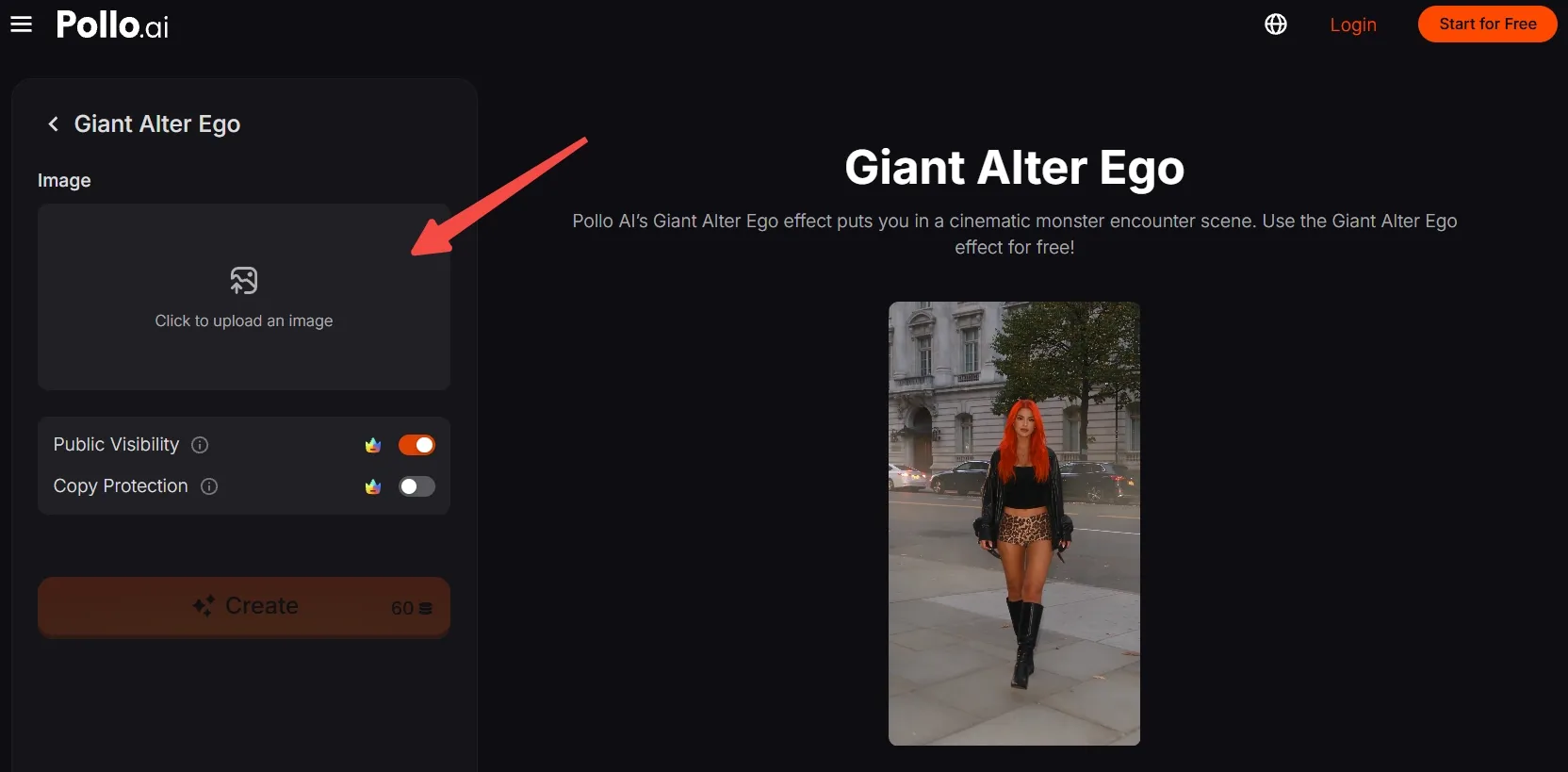
No suitable photo? Generate an AI image, then upload it here.
Step 3: Frame the subject
Move, scale, and crop the image so the person's face, outfit, hands, and feet stay visible.
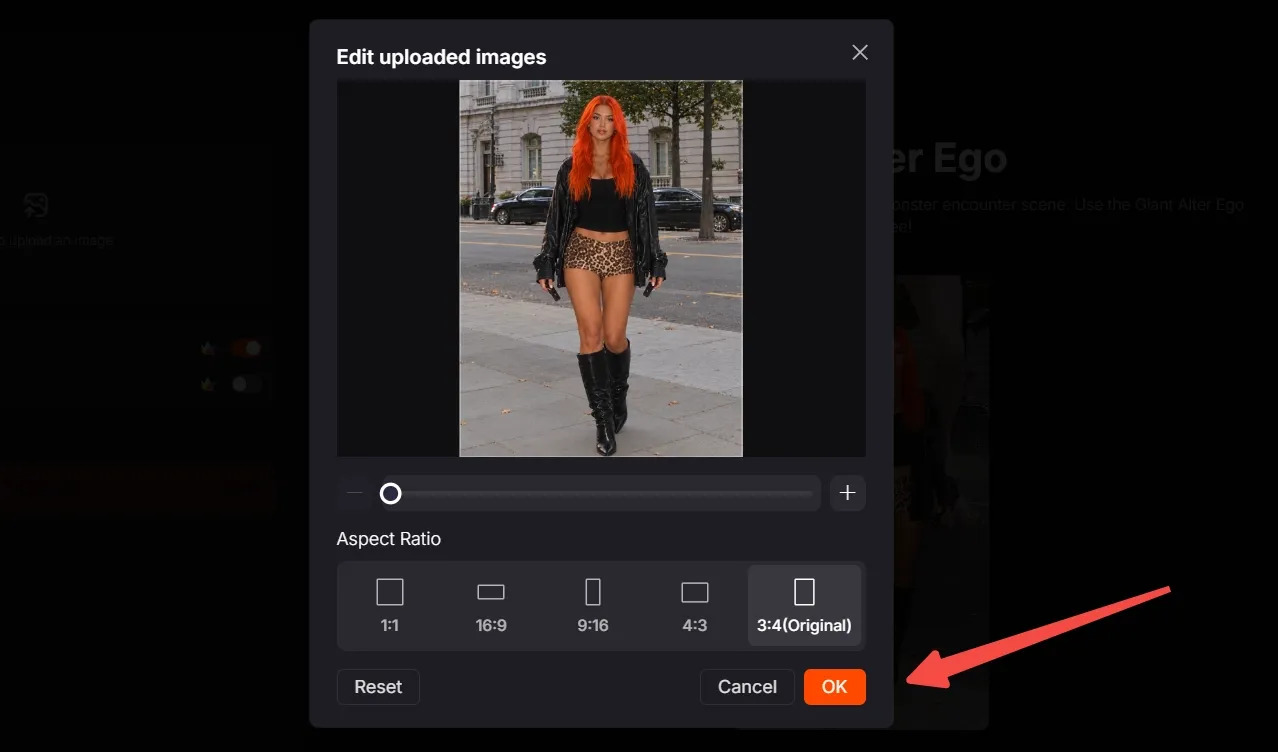
Choose the aspect ratio that fits your destination and click OK to confirm.
Step 4: Create and share
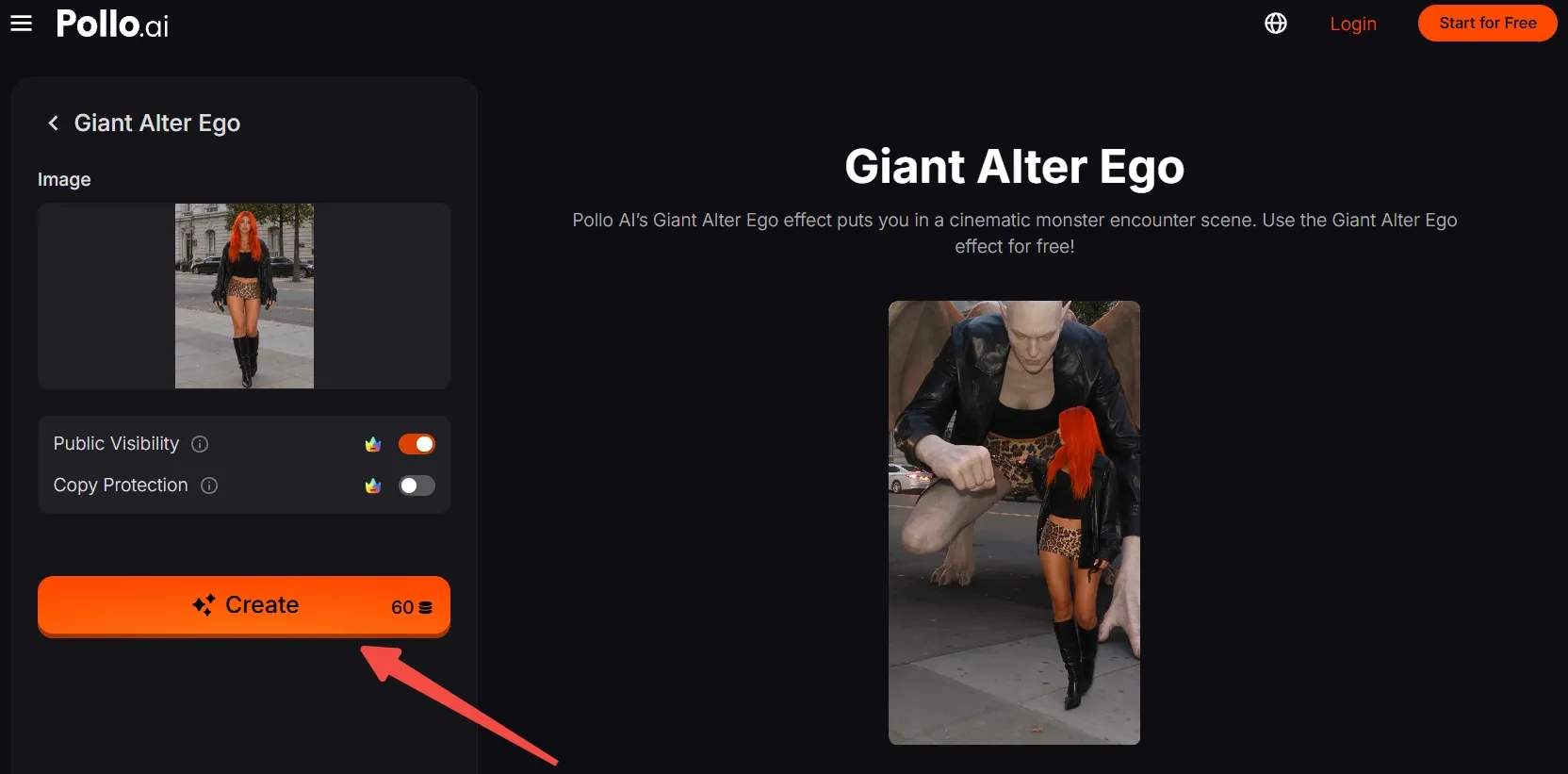
Check the credit requirement shown in the creation panel, then click Create. Wait for the AI video to generate, export the result, and post your own fist-bump surprise.
Clone Viral Videos with Pollo AI
Turn one portrait into an outsized encounter viewers will want to replay.
Start Creating Free
Best Practices
- Use a sharp, full-body source image so the smaller person and giant double have a recognizable silhouette.
- Keep clothing patterns and accessories visible. The matching outfit is part of the visual joke.
- Leave space around the head, hands, and feet when cropping so the encounter does not feel cramped.
- Choose a background that contrasts with the subject's clothes, especially if the outfit is dark.
- Check the vertical crop before creating; keep the subject centered with room for the giant reveal.
Why Pollo AI Delivers Motion and Consistency
One-click video effects are one way to turn a still image into a surprising scene. Pollo AI also offers broader tools for creators who want to develop more videos from their visual ideas.
For new scenes from a single portrait, Pollo AI’s image to video adds natural movement and camera flow, giving a familiar character a fresh moment on screen.
Its reference to video AI helps carry a character's defining look across different clips, so viewers can recognize the same person as the setting changes.
Conclusion
The street walk feels ordinary until a giant, winged double steps in for a fist bump. Start with a clear full-body image, frame it vertically, and let Giant Alter Ego make the scale shift.
Try this effect with a friend or original character, then explore more Pollo AI video effects for your next unexpected encounter.