



How to Clone City Folding Viral Video
A woman walks down a city street. Nothing unusual—until the roads and buildings fold over her head, and she just keeps walking. Want your own reality-bending stroll? Here’s how to recreate the look with one photo.
Viral Video Example
How to Clone This Viral Video
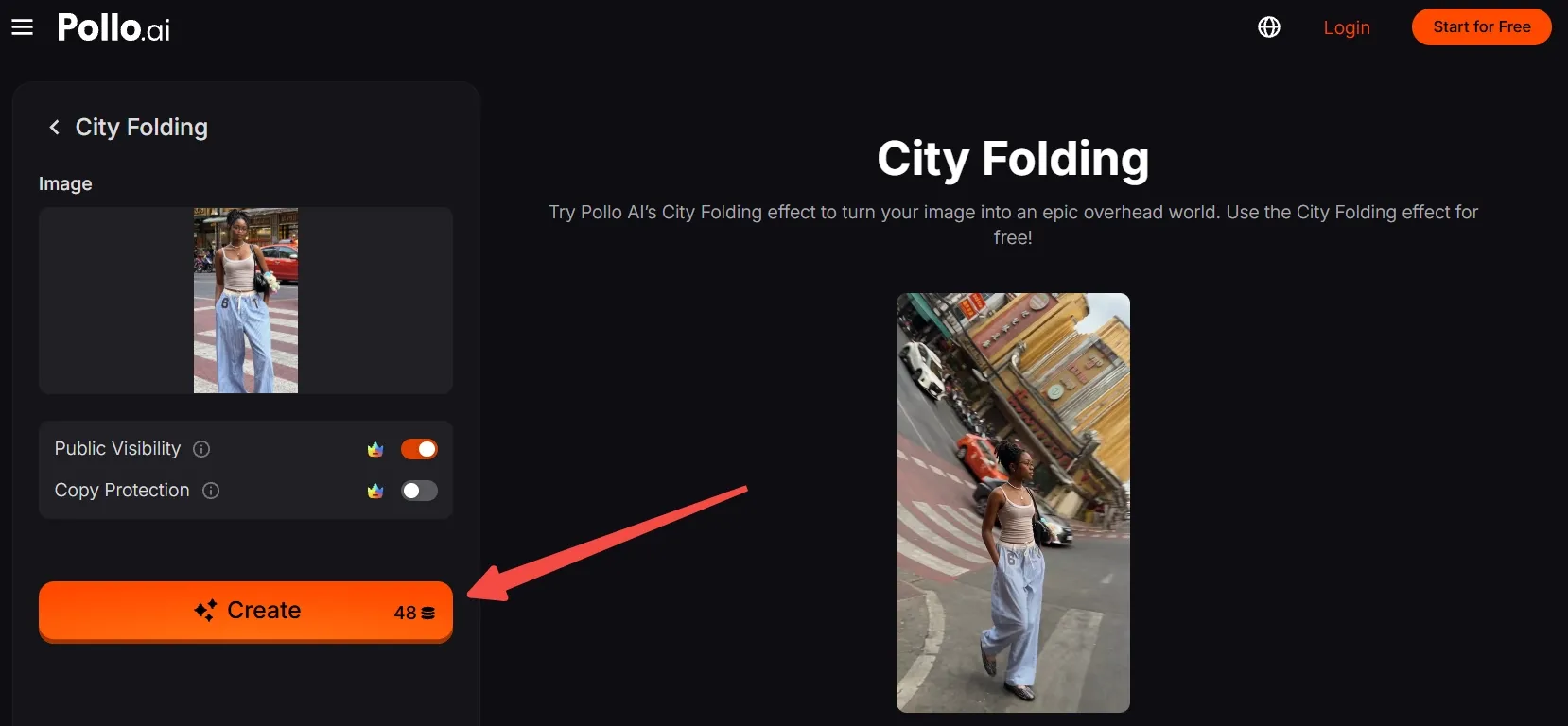
Step 1: Open the City Folding effect
Open the City Folding effect and use its creation panel. The effect is already set up, so you only need to bring in the right source photo.
Step 2: Upload your main subject
Upload a clear, full-body photo of one person or character. To echo the example, choose an urban scene with visible pavement and buildings, keeping the subject easy to distinguish from the surroundings.
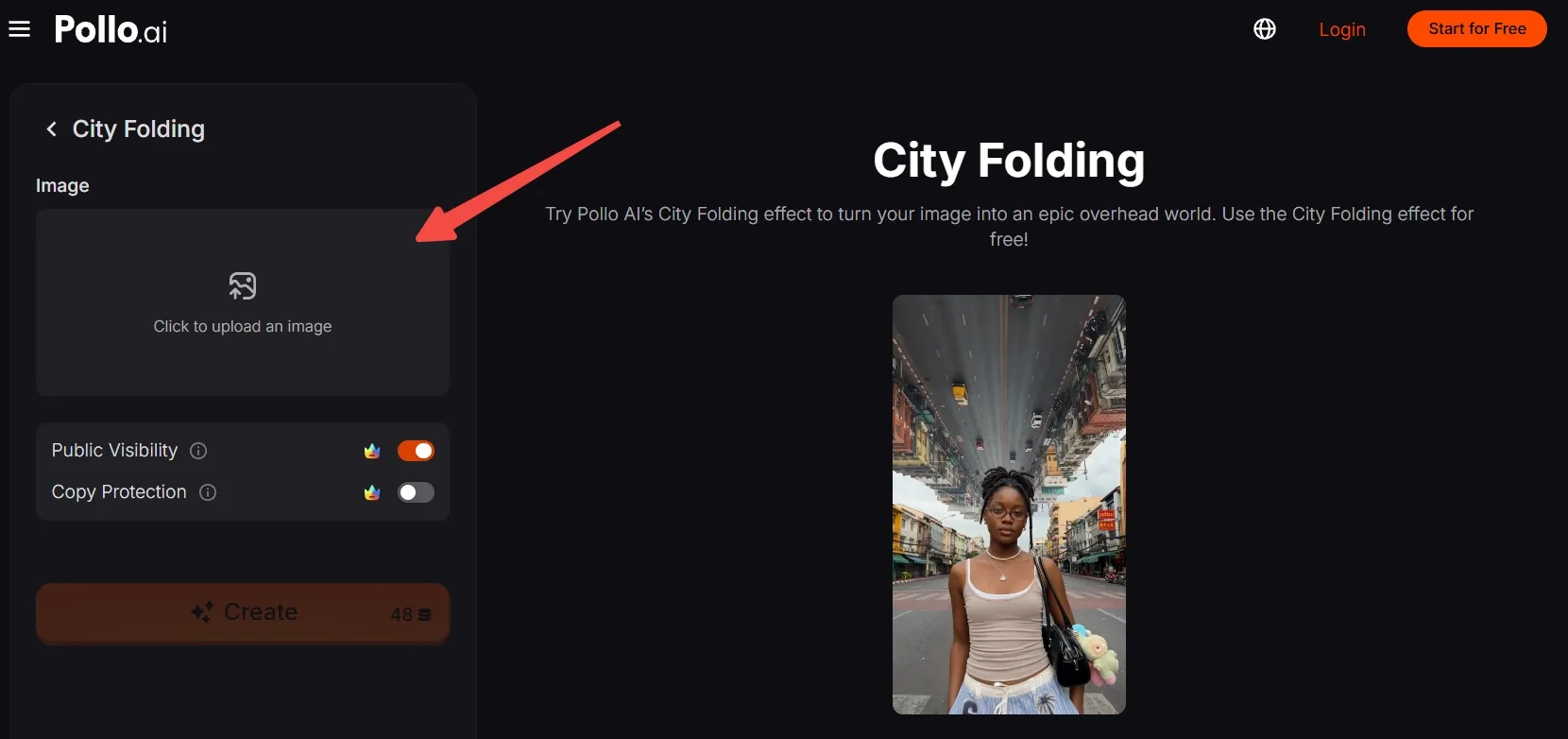
No suitable photo? First, generate an AI image featuring a unique person or character on a city street, then upload it here.
Step 3: Frame the subject and street
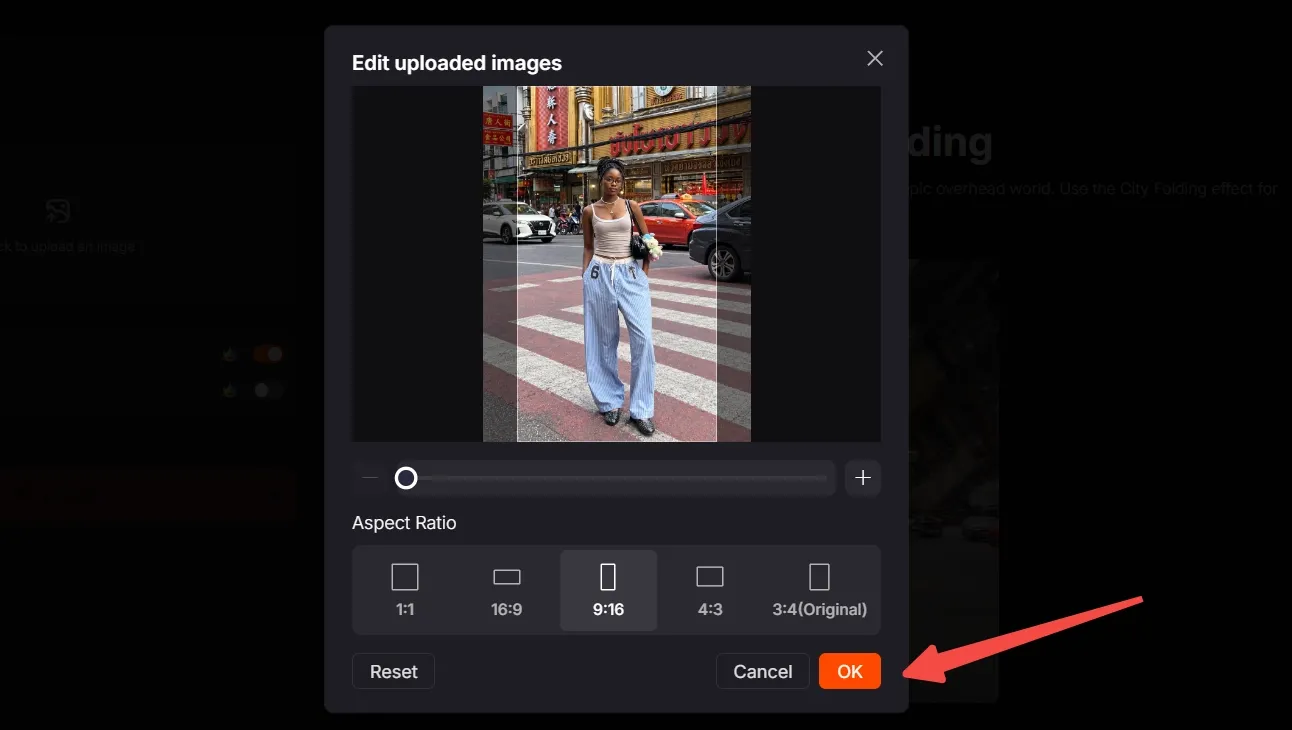
Move, scale, and crop the image to keep the subject’s face, outfit, and feet visible. Leave space above and beside them so the city has room in the composition.
Choose the aspect ratio that matches your destination. For a vertical remake like the example, select 9:16 for TikTok, Reels, or Shorts, then click OK to confirm.
Step 4: Create, download, and post
Check the credit requirement beside “Create” and make sure you have enough credits. Click “Create,” wait for the result, and preview your city-folding clip.
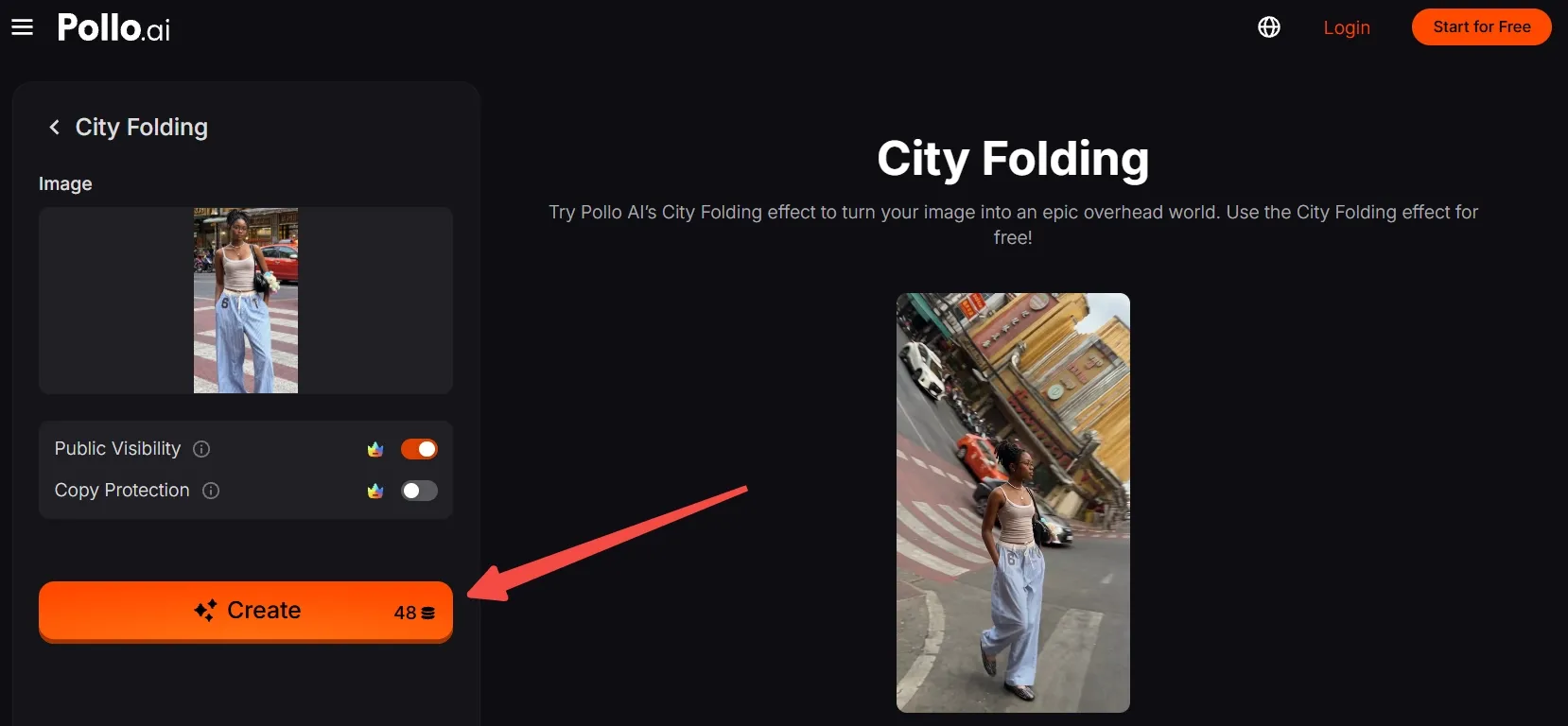
Export the video, then post your impossible-looking stroll on your favorite social platform.
Clone Viral Videos In Seconds with Pollo AI
Turn your street photo into a surreal stroll beneath a folding city.
Start Creating Free
Best Practices
- Show the whole person. Keep the head, hands, and feet inside the frame so the walking subject has a readable silhouette.
- Give the city some space. Avoid a tight selfie crop; include buildings, pavement, and room above the subject to establish the urban scale.
- Choose clear street geometry. Visible curbs, window rows, and road markings make the ordinary setting recognizable before it becomes surreal.
- Keep the subject distinct. Favor clothing that contrasts with nearby buildings, and avoid crowds or foreground objects that obscure the body.
- Check your vertical crop. For 9:16, preserve both the person and surrounding architecture instead of filling the frame with the face alone.
Try Pollo AI: Create Full Videos, Enjoy Simpler Workflows
City Folding is one quick way to create with Pollo AI. Beyond one-click effects, Pollo AI also helps you produce complete videos and explore formats built around different creative goals.
With Pollo Agent, a brief, image, link, or reference can become a cohesive, post-ready video without manually stitching clips together. You can give feedback along the way without restarting the whole project.
Its video apps also offer dedicated workflows for music videos, anime stories, and product promos. Choose a format that fits your idea and create content without planning the entire production process yourself.
Conclusion
The street stays familiar, but the skyline stops obeying gravity. That contrast makes City Folding video worth a second look. Start with a clear urban photo, give your subject and surroundings room, and let the template handle the transformation.
Try City Folding with yourself or an original character, or explore more Pollo AI free video effects for your next impossible scene.