



How to Clone the Vanish Viral Video
A fashion pose on a tiled floor looks perfectly ordinary—until the person vanishes and the clothes collapse into a heap. Here’s how to recreate that replayable surprise with one strong photo.
Viral Video Example
How to Clone This Viral Video
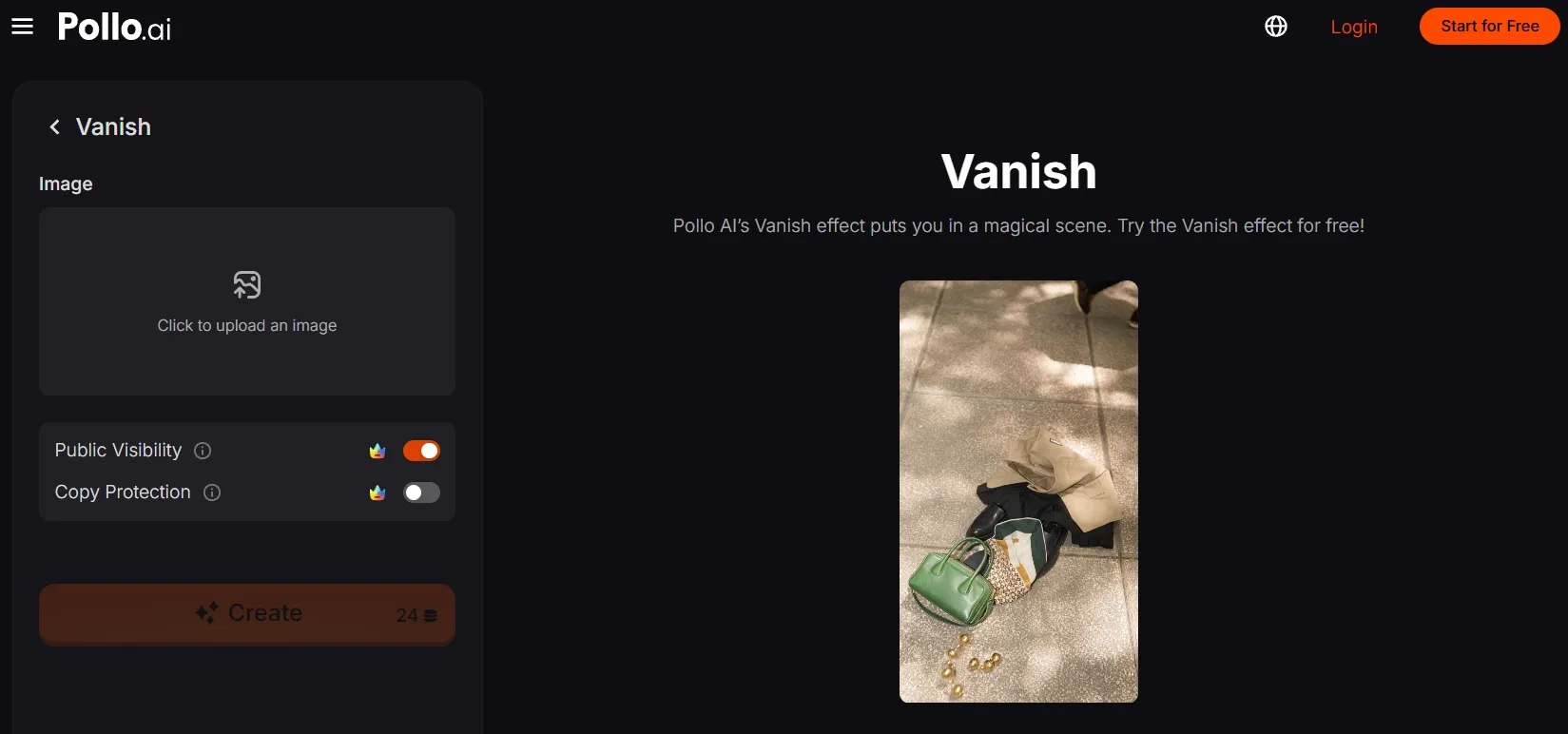
Step 1: Open the Vanish effect
Open Pollo AI’s Vanish video effect and enter its creation panel.
Step 2: Upload your main subject
Click to upload an image, then add a clear photo of the person with their outfit clearly visible. A full-body or seated fashion pose keeps the outfit readable as it drops.
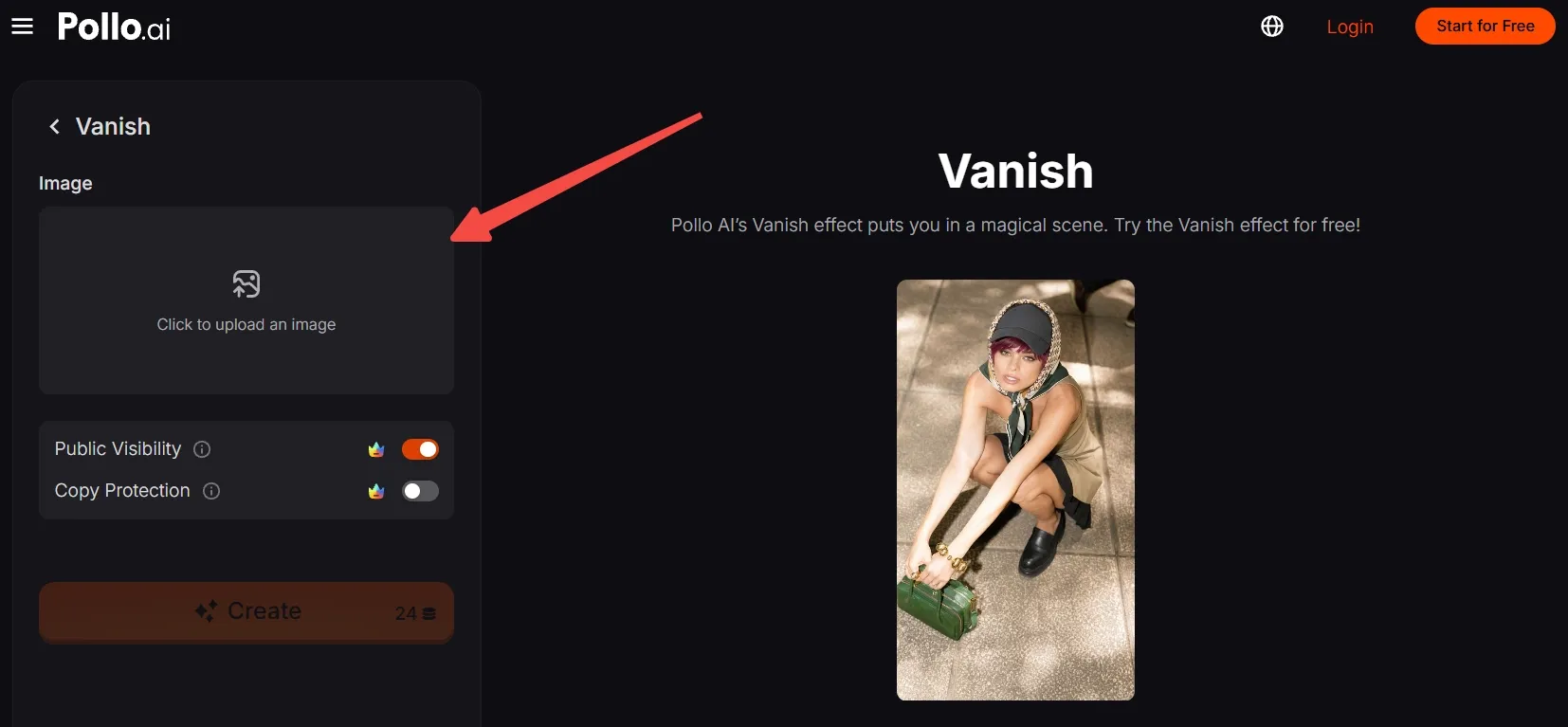
No suitable photo? Generate an AI image featuring the model and outfit you want to showcase, then upload it here.
Step 3: Frame the subject for the effect
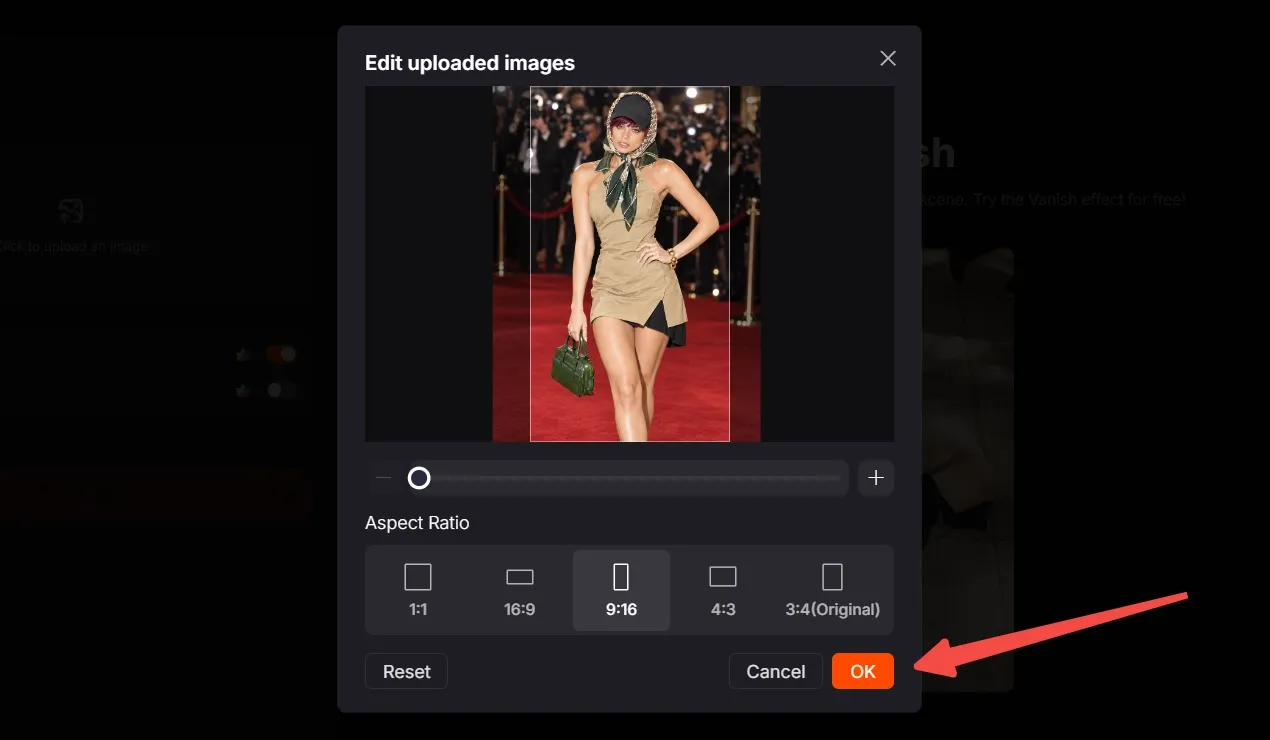
Move, scale, and crop the image so the whole outfit, footwear, and important accessories stay inside the frame. Leave open space around the subject so the falling-clothes reveal remains easy to read.
Choose the aspect ratio that matches your destination. Use 9:16 to match the supplied vertical short-form example, then click OK.
Step 4: Create, export, and post
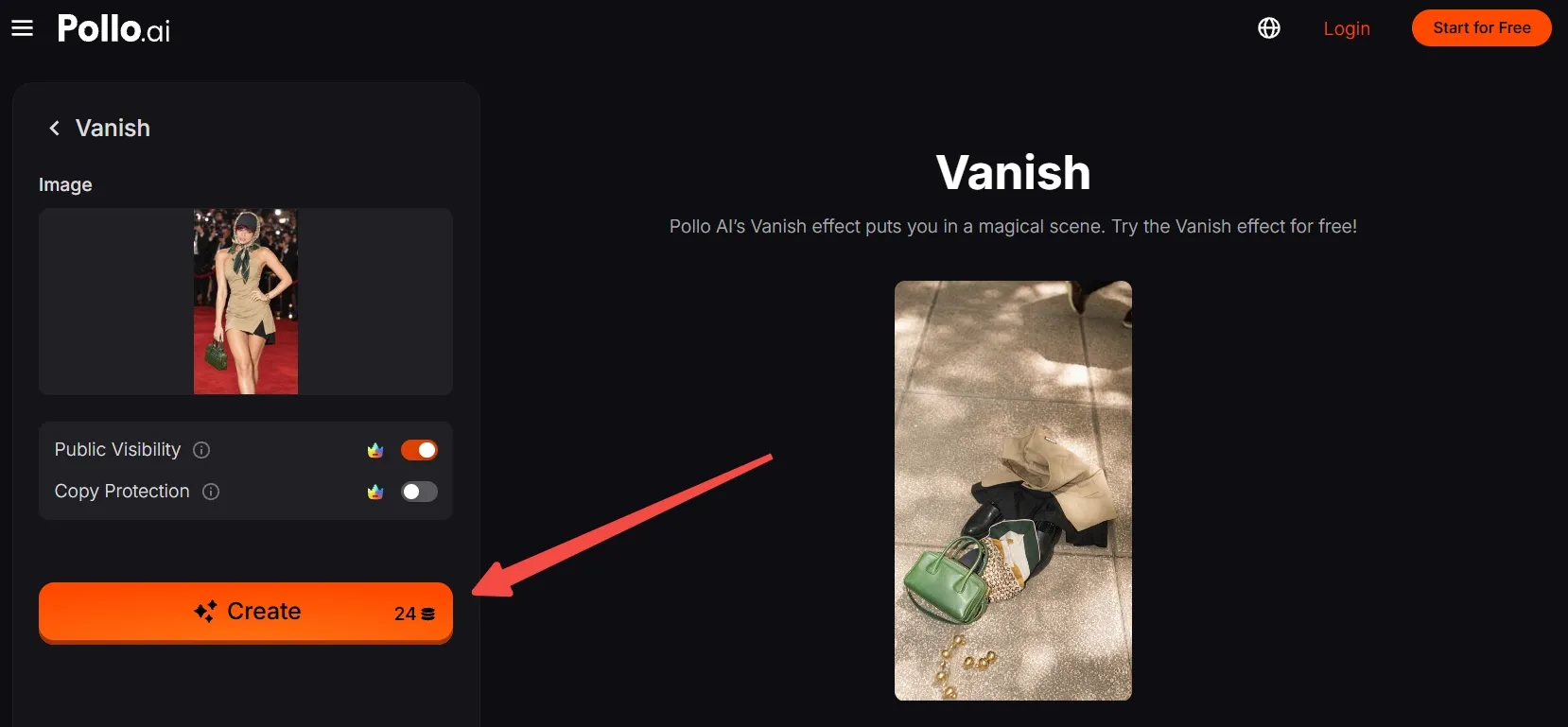
Check that you have enough credits, then click Create. Wait for the video result, export or download the finished clip, and post it.
Clone Viral Videos Free with Pollo AI
Turn one clear photo into a jaw-dropping disappearing act.
Start Creating Free
Best Practices
- Use a sharp full-body photo with the complete outfit, footwear, and any handbag visible; missing edges weaken the falling-clothes reveal.
- Keep the person separated from the floor or background with readable contrast so the empty outfit is easy to spot.
- Choose a stable pose with arms and legs clearly separated; a seated or crouched composition makes the clothing silhouette easier to follow.
- Keep shoes and grounded props inside the frame so their contact points remain clear when the clothes settle.
- Frame the source vertically at 9:16 for TikTok, Reels, and Shorts, leaving room around the subject for the drop.
Try Pollo AI: From Rough Idea to Finished Video
Pollo AI’s one-click Vanish effect is a quick entry point for turning a still image into a replayable surprise.
Beyond this template, Pollo Agent turns a brief, image, link, script, or reference into a cohesive, post-ready video while carrying feedback through the workflow. That makes it useful when a quick effect grows into a larger marketing campaign idea.
Pollo Director lets you direct scenes shot by shot, compare takes, refine visuals on a timeline, and keep characters, settings, and products consistent. It gives bigger remixes a clearer path from first concept to final cut.
Conclusion
This Vanish clip works because a normal fashion pose flips into a pile of falling clothes in one clean beat.
Start with a clear, well-framed subject, let the template handle the disappearance, and remix the reveal with a friend, character, or product. Explore more Pollo AI video effects when you’re ready for the next surprise.