



How to Clone the Street Drift Viral Video
A still photo suddenly turns into a high-energy street drift. Want to give your own subject the same action-scene twist? Here’s how to create your version.
Viral Video Example
Step 1: Open the Street Drift effect
Open the Street Drift effect by Pollo AI and enter its creation panel.
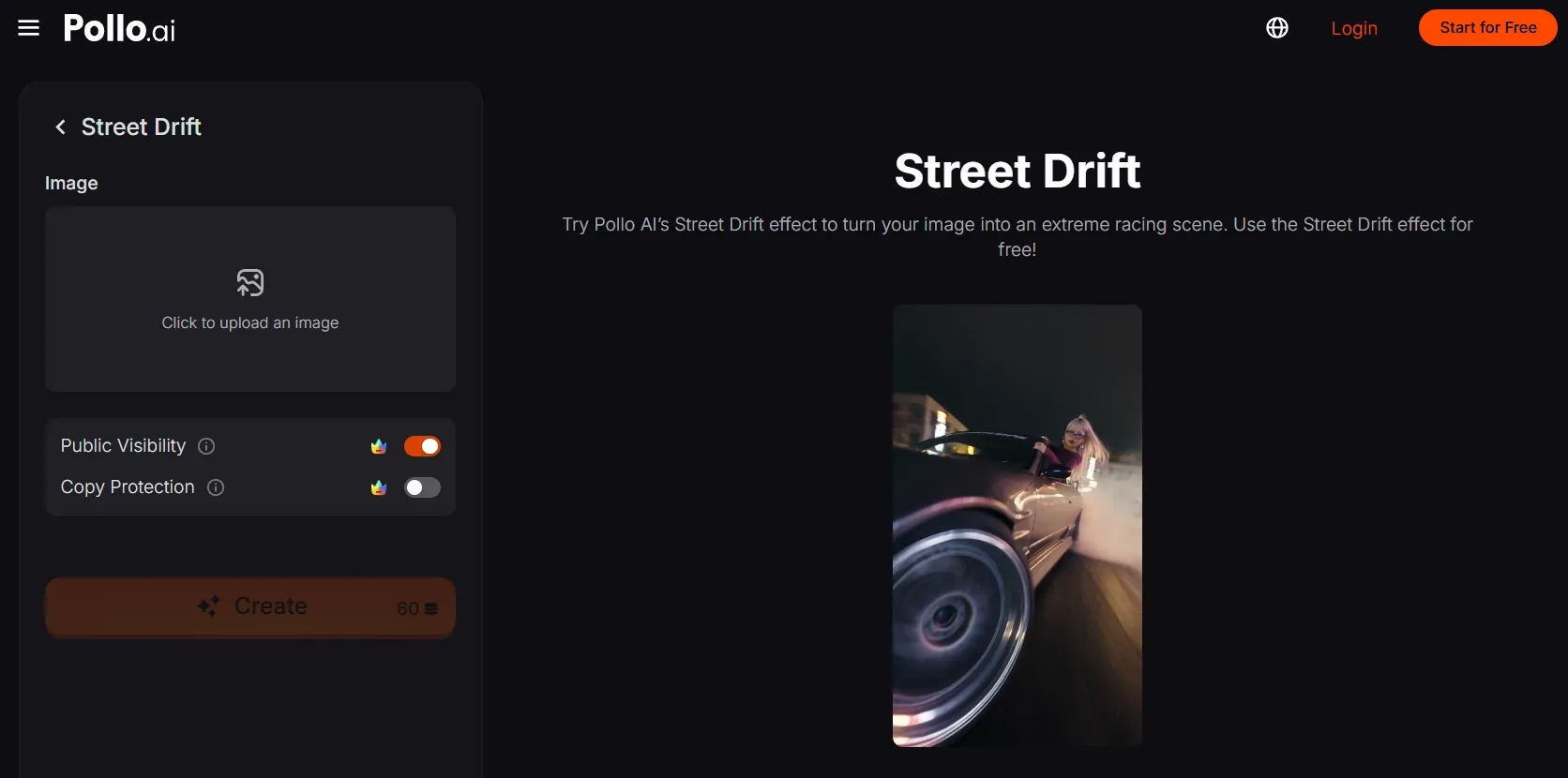
Step 2: Upload your main subject
Upload a sharp photo of the person you want behind the wheel. To get a result you’re happy with, choose a visible face, distinctive hair, and a clearly framed upper body.
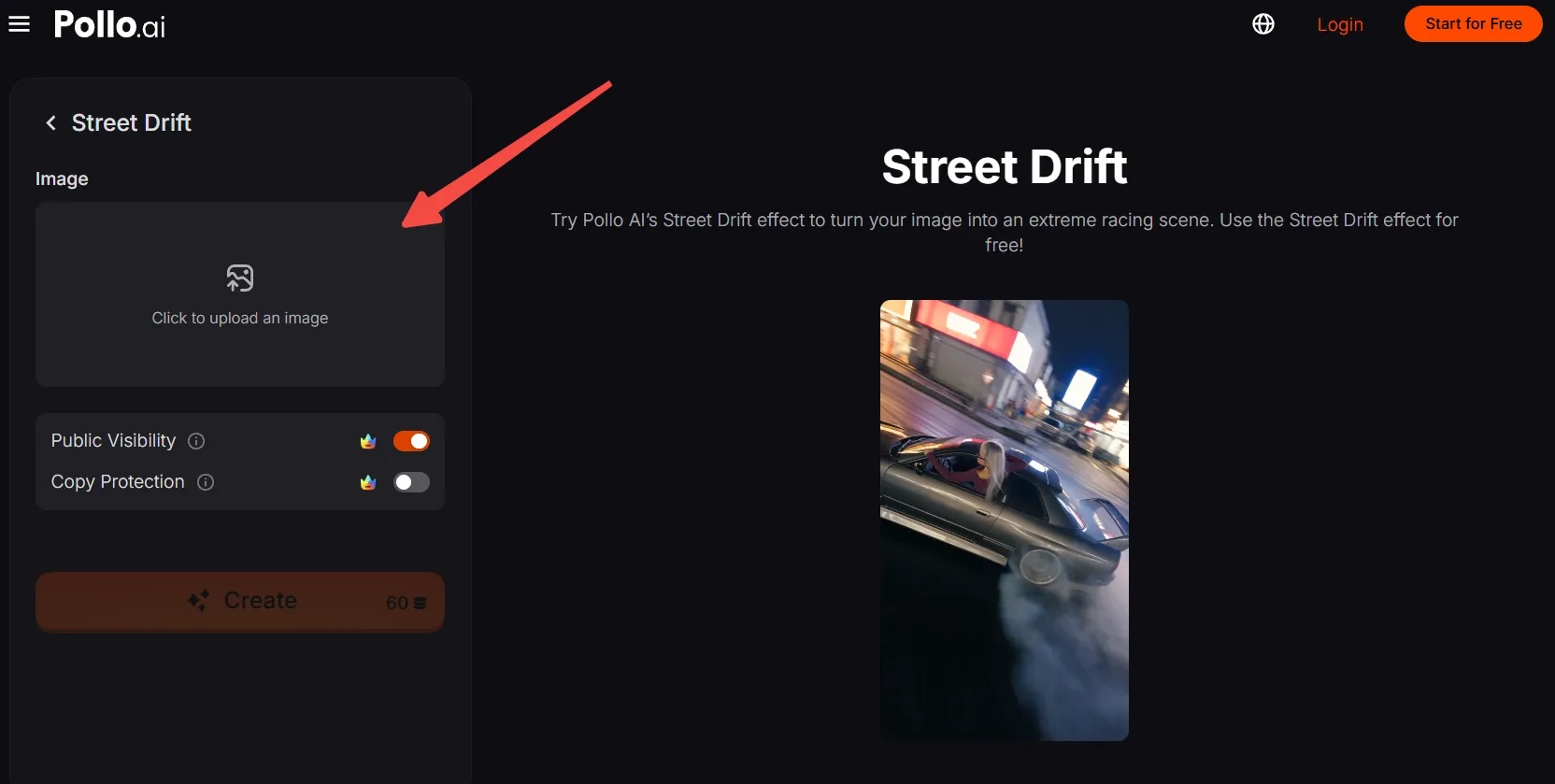
No suitable photo? Generate an AI image, then upload it here.
Step 3: Frame and confirm your image
Move, scale, and crop the image so the face, hair, and shoulders stay visible. Leave enough of the outfit in frame to carry your subject’s personal style into the driving scene.
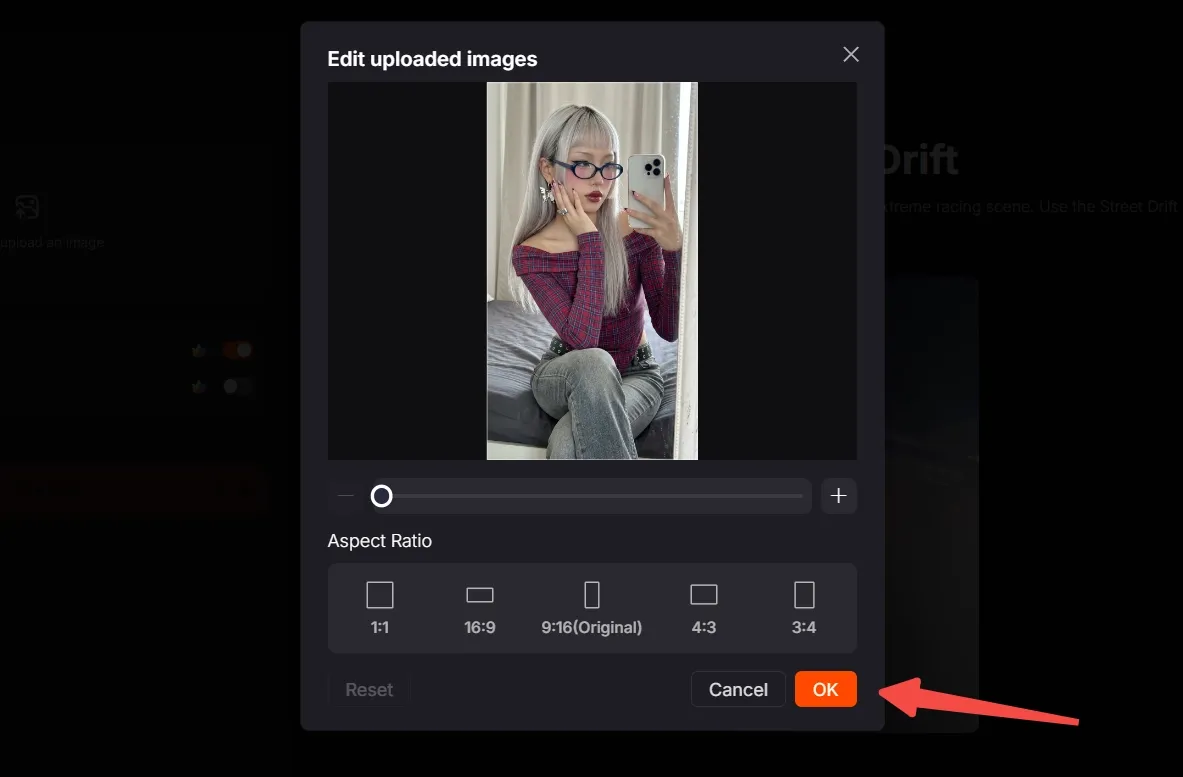
Choose an available aspect ratio that matches your destination. Check the crop again before clicking OK to confirm your image.
Step 4: Create, export, and share
Check the credit requirement, then click Create. Wait for the result and preview your clip.
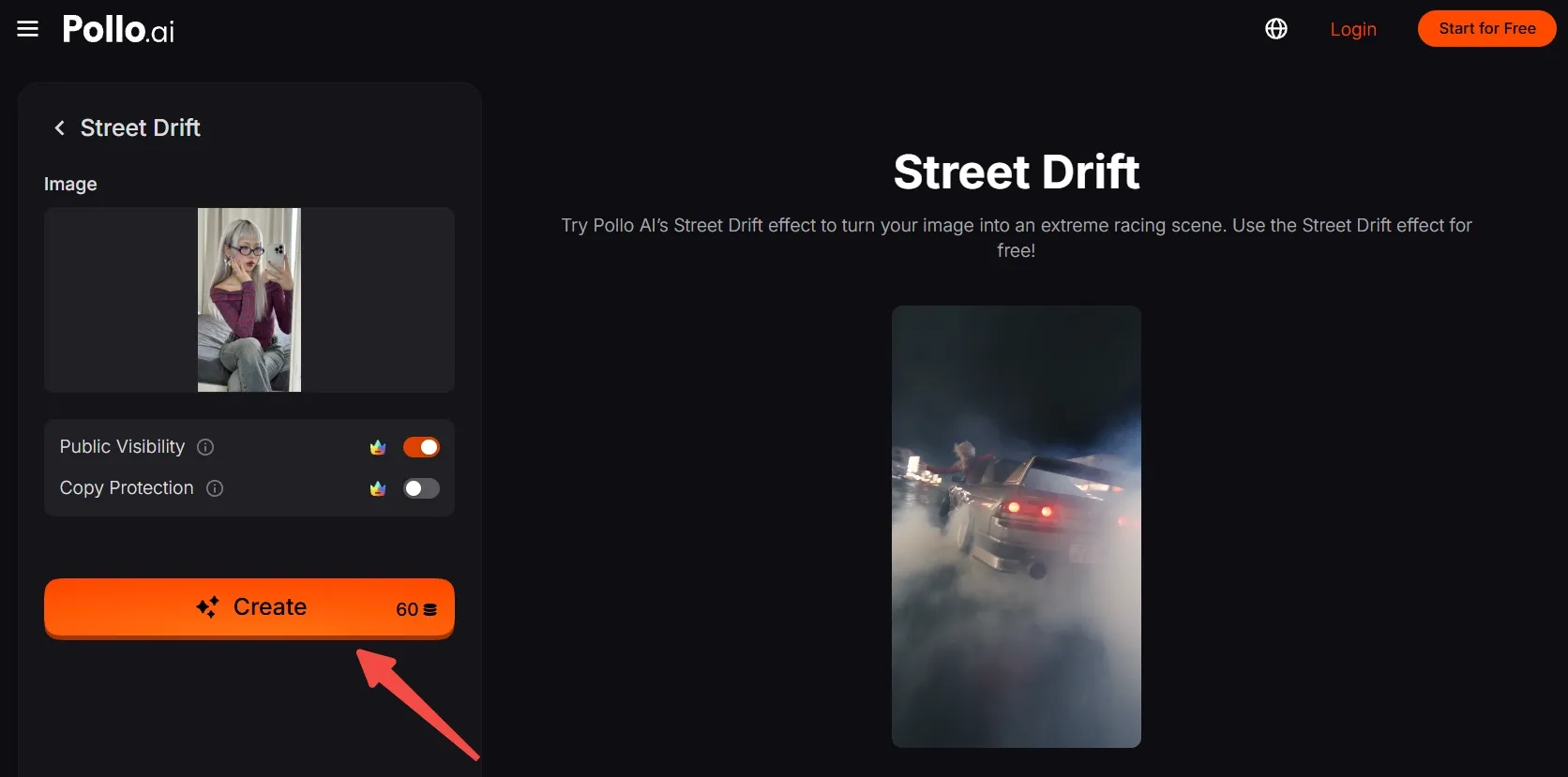
Export the finished video and post your own Street Drift remake.
Create Viral Videos with Pollo AI
Put yourself behind the wheel of a street-drifting scene.
Start Creating Free
Best Practices
- Make the driver easy to recognize. Use a sharp, well-lit face without heavy shadows or hair covering the eyes.
- Watch for lens glare. If your subject wears glasses, choose a photo where reflections do not hide the eyes.
- Leave room around the upper body. Keep the shoulders and enough of the top visible, rather than using an extremely tight face crop.
- Check the destination crop. Choose the available ratio that suits your post while keeping the driver’s face and distinctive hair comfortably in frame.
Pollo AI: Create Videos with Smooth Motion and Consistent Visuals
Street Drift is one example of Pollo AI’s one-click video effects. Beyond ready-made effects, the platform helps creators build polished videos from their own ideas and visual assets.
Pollo AI’s image to video turns portraits, products, artwork, and other still visuals into clips with natural movement and expressive camera work. It helps creators produce engaging social posts, campaigns, and creative projects from one image.
Its reference to video AI keeps character, product, and scene details consistent as footage changes. Reference images help you build connected videos that feel cohesive across settings and shots.
Conclusion
Who gets the driver’s seat next: you, a friend, or an original character? Try this Street Drift effect with a photo full of personality and give your next post an action-scene twist.
Want another surprise for your next post? Explore more Pollo AI video effects and give the same subject a completely different role.