



How to Create AI-Generated Game Character Combat Scenes
Fighting games have long been a favorite genre for gamers worldwide, driven by the thrill of high-stakes duels and technical choreography.
One of the most exciting prospects for fans is the "dream matchup"—seeing iconic characters from completely different universes face off in the same arena.
While these characters would normally never share a screen, Pollo AI game character combat generator makes these impossible battles a reality, capturing every strike and special move in cinematic detail.
What is Pollo AI Game Character Combat Generator?
Pollo AI game character combat generator is a specialized tool built to ensure that two distinct characters interact realistically.
The AI analyzes the positioning of both fighters to generate believable strikes, parries, and special effect collisions.
Why Use Pollo AI Game Character Combat Generator?
High-energy action is one of the most effective ways to stop a scroll and spark a conversation on social platforms. When you use the combat generator to build your scenes, you get several specific advantages for your channel:
- High Engagement Potential: Settle "who would win" debates with a cinematic clip that fans can react to, debate, and share across their networks.
- Professional Action Choreography: The generator ensures characters interact realistically, handling the parries and strikes that define modern gaming visuals.
- Rapid Prototyping: Save hours of manual animation time by generating high-fidelity battle sequences instantly from a simple setup.
How to create game character combat scenes on Pollo AI?
Step 1: Designate Your Combatants
Visit the AI game character combat page, enter descriptions or names for Character 1 and Character 2.
You can match anyone—whether it is an existing well-known cartoon character or the original character you described.
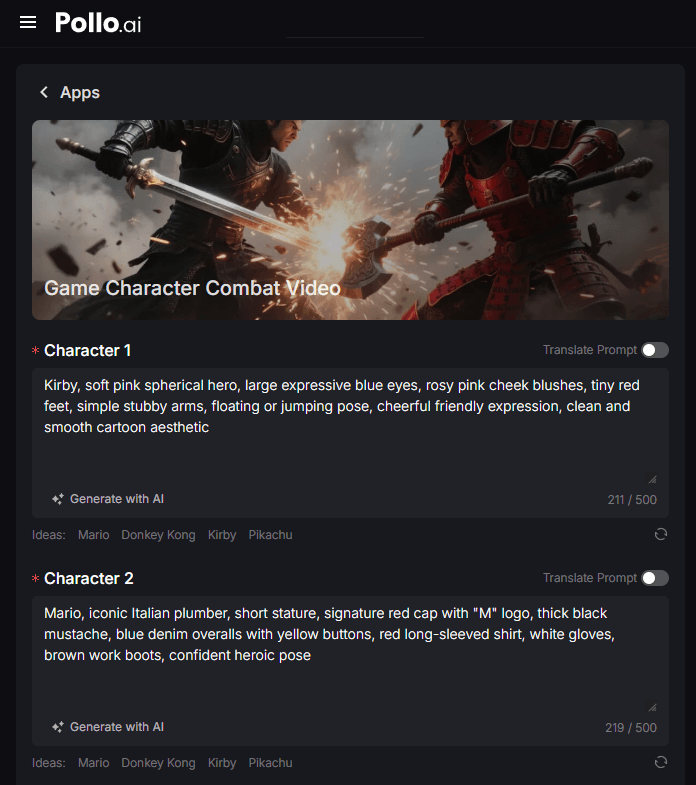
Step 2: Choose Your Storyboard Count and Ratio
Select a storyboard quantity from 1 to 10. This choice allows the AI to determine the complexity and progression of the battle. And choose the aspect ratio between 9:16 and 16:9.
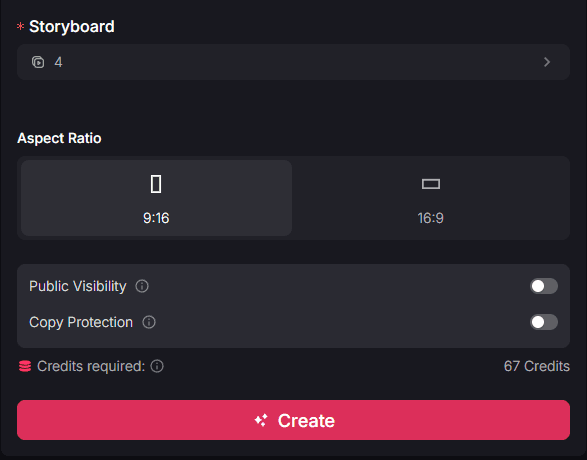
Step 3: Render and Get Your Combat Video
Click "Create." Once the AI has finished its work, your high-definition battle scene will be ready to download and share.
Who Can Benefit From Game Character Combat Videos?
From indie developers to lore enthusiasts, this generator provides a powerful visual resource for anyone working in the gaming space:
- VS Battle and Lore Creators: Build "Power Level" videos with visual evidence to drive community engagement and settle long-standing character debates.
- Indie Game Developers: Rapidly prototype fight choreography or see how different character aesthetics clash in motion before committing to custom animation.
- Fan-Fiction Writers: Visualize the "boss fight" of your story to provide high-quality B-roll for your social media projects or narrative podcasts.
Final Thought
Trying the game character combat generator from Pollo apps is the fastest way to turn your combat imagination into a professional-looking video. It provides a high-energy way to create content that stands out in a crowded social feed and settles the age-old debate of who is the ultimate fighter.
Beyond combat, there is an entire gallery of creative apps on Pollo AI. For instance, gaming enthusiasts can explore the gaming intro maker to brand their channels or use the pixel art story tool to create retro-style narratives.