



How to Make a Boomerang Video on Instagram | Pollo AI
A pour, outfit turn, wave, or product reveal can fill an Instagram Story without becoming a full video. Instagram's Boomerang mode is convenient when the moment is happening now. For footage already in your camera roll, Pollo AI can prepare the forward-and-back clip before you open Instagram.
Use Instagram Boomerang or Pollo AI
Instagram Boomerang is best for filming and posting in the same session. Pollo AI makes more sense when the moment was recorded earlier or the finished clip also needs to work on TikTok or Shorts.
| Method | Best when | What you get |
|---|---|---|
| Instagram Boomerang | You are filming a new Story and want to post it immediately | A Boomerang recorded, decorated, and shared inside Instagram |
| Pollo AI | The moment is already in your camera roll, or the same clip will be used elsewhere | A downloadable vertical Boomerang-style video ready to upload as a Story |
Create an Boomerang Video with Pollo AI
Give a camera-roll clip a forward-and-back effect with Pollo AI, then download your Instagram Boomerang video and add your Story text.
Create an Instagram Boomerang Video
How to Make a Boomerang Directly on Instagram
Open Instagram Stories
Open Instagram and swipe to the Stories camera. Select the infinity icon or Boomerang mode before recording so the app captures the action in its forward-and-back format.
Record the Action
Press and hold the capture button while the action happens. Record one short movement because Instagram will repeat everything you capture. If your app shows extra Boomerang effects, preview them and choose the version where the subject is still easiest to follow.
Add Story Elements and Share
Let the Boomerang play a few times without pausing. If your eye stays on the subject rather than the turning point, add text, stickers, or music and share it to your Story.
How to Make an Instagram Boomerang with Pollo AI
Open Pollo AI and Upload the Camera-Roll Video
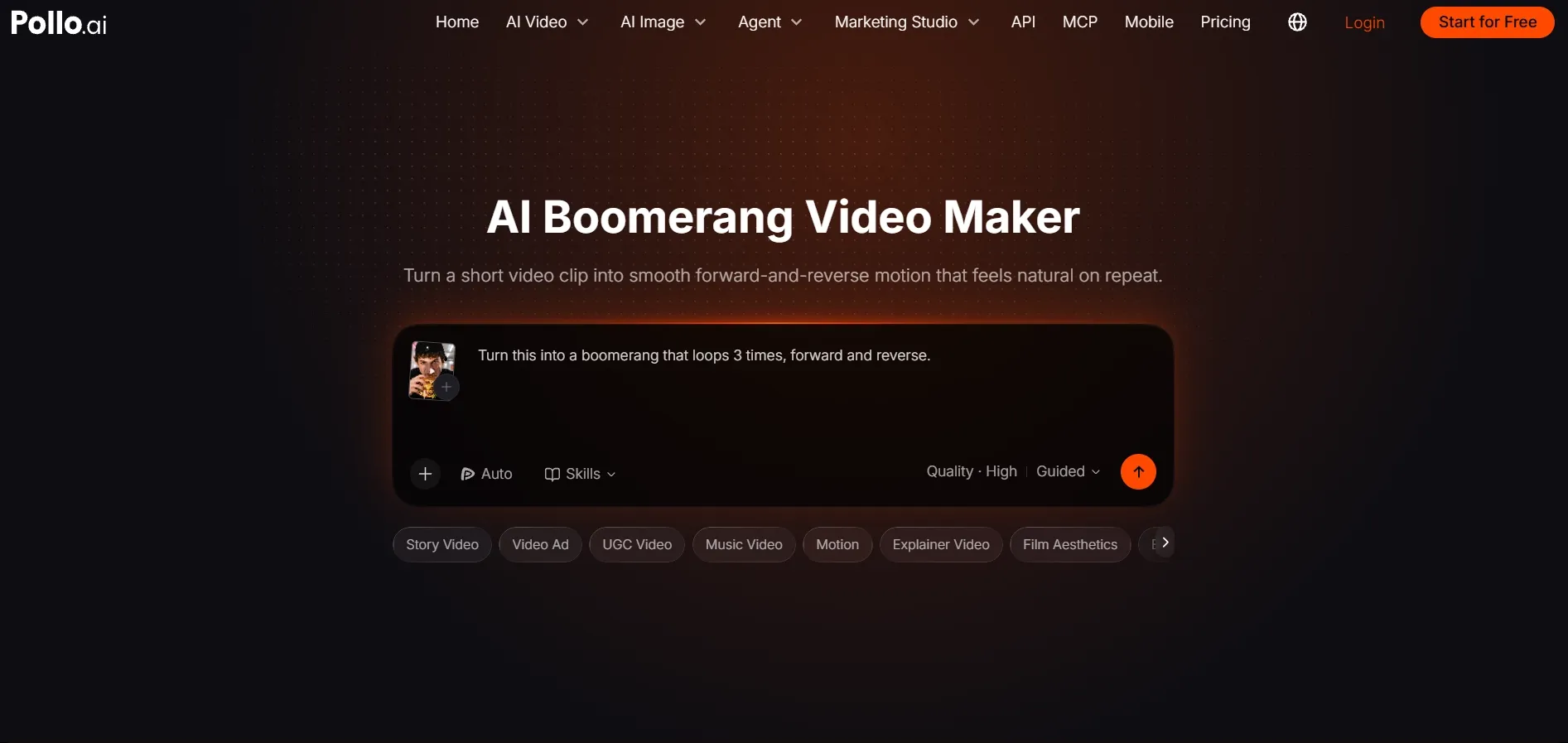
Open the Pollo AI boomerang video maker and upload the existing video. Trim it to one complete reveal, turn, pour, wave, or expression. A clean start and end point help the reverse motion feel connected to the original action.
Say What Should Move and Ask for a Vertical Story
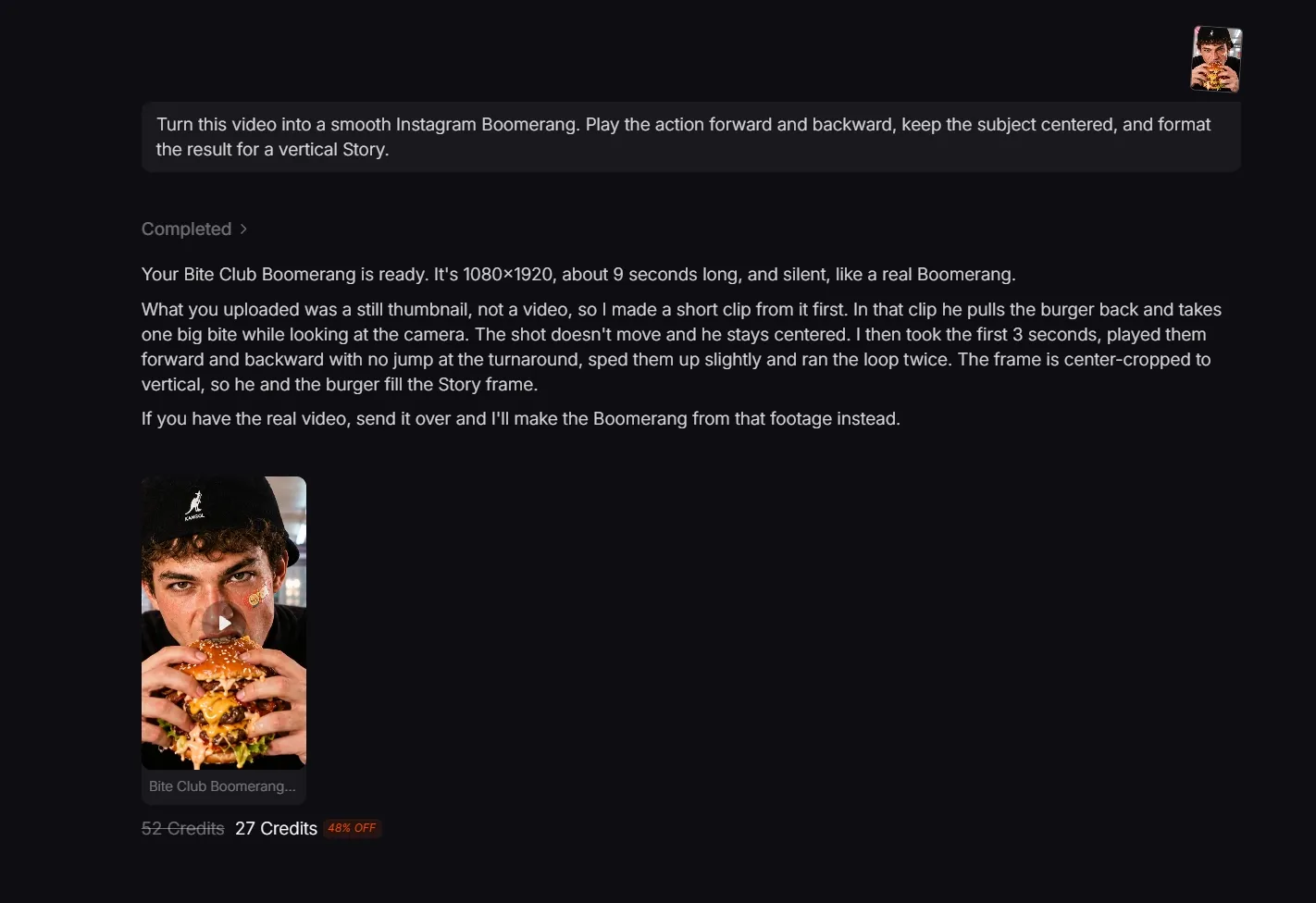
Describe the one action that should play forward and backward, then ask for a vertical Instagram Story:
Turn this video into a smooth Instagram Boomerang. Play the action forward and backward, keep the subject centered, and format the result for a vertical Story.
Leave Space for Story Text, Then Post
Preview the generated Instagram clip several times. The subject should stay easy to follow, with enough empty space for Story text or stickers.
Upload the finished video to Instagram Stories, add the Story elements, and preview it once before sharing.
How to Keep an Instagram Boomerang from Looking Busy
If the Boomerang looks cluttered, change one item below and replay the same moment before changing anything else:
- Frame the action before it starts. Position the product, face, or gesture before recording or trimming so the first frame is ready to use.
- Keep one moment in each Boomerang. Choose a reveal, pour, turn, or expression. Save the second idea for another Story.
- Keep the light steady. A screen flash or moving shadow becomes more obvious when it also plays backward.
- Add Story elements after the motion is ready. Watch where the subject moves, then place text, stickers, polls, or links in the empty space.
- Make the idea work without sound. Music can add energy, but the movement should still communicate the moment when someone watches with audio off.
Where to Use an Instagram Boomerang
| Use case | Moment to repeat | What the Story shows |
|---|---|---|
| Story reaction | A wave, smile, wink, or surprised look | People get a second look at the expression before the Story moves on. |
| Product detail | An opening, rotation, application, or texture movement | The label, finish, or application appears twice without a full product video. |
| Food or drink | A pour, garnish, steam burst, or toast | The pour or texture appears twice, so it is easier to notice. |
| Cross-platform post | A centered vertical action with minimal interface text | The saved clip can also fit TikTok videos and YouTube Shorts. |
| Branded teaser | A logo reveal, package opening, or event moment | The Boomerang can open a longer promotional clip. |
Instagram Boomerang FAQs
Can I use the same Boomerang in an Instagram Reel?
Yes. Upload the vertical clip as Reel footage. It works best as a short insert, transition, or reaction rather than a full Reel on its own.
Can I combine several Boomerangs in one Story sequence?
Yes. Create each Boomerang as a separate clip, then upload them in Story order. Keep each clip focused on one action so the sequence does not feel rushed.
Will Instagram recognize a Pollo AI Boomerang as a regular video?
Yes. The motion is already part of the downloaded file, so Instagram treats it like any other camera-roll video. You can still add music, text, stickers, polls, or links before posting.