



Kling AI Generation Failed (How to Fix)
Encountering a “Generation Failed” error in Kling AI can derail your video creation plans. Common causes include inappropriate input, account issues, or device problems, but quick fixes can get you back on track.
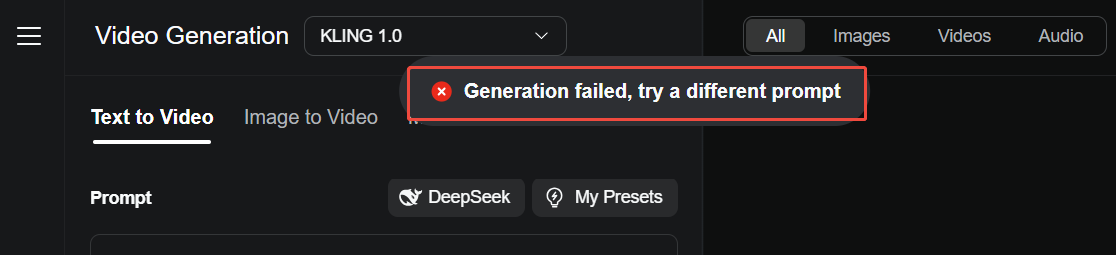
Read on to find out some potential reasons in detail and how to solve them with effective solutions.
Effective Solutions When Kling AI Fails to Generate Videos
Now, let's discuss some solutions for you when Kling AI fails to generate videos:
1. Simplify Your Text Prompt
Complex or vague text prompts can confuse Kling AI’s Standard Mode, leading to generation failures.
Action: Shorten and clarify your prompt, e.g., change “A man strides through a neon-lit city with dynamic camera angles” to “A man walks in a city at night.” Re-submit the task with your image (JPG/PNG, <10 MB, ≥300x300 pixels) to ensure the AI processes it correctly.
2. Keep Your Input Appropriate
Kling AI censorship sticks to regulations that prevent generation about subjects like politics, violence, explicit content, etc.
Action: Some potential approaches include using indirect language such as “gathering”, “a walk of change” or “spirited stroll”. Or you could experiment with abstract terms to find loopholes in its filtering system.
3. Check for Account Restrictions
Your account may be temporarily restricted due to suspected policy violations (e.g., flagged content).
Action: Log out, wait 10-15 minutes, then log back in. Verify your account status in the profile settings and ensure your input complies with Kling AI’s content guidelines before re-submitting.
4. Avoid Overusing Free Credits in One Session
Rapidly consuming your 166 monthly free credits can trigger system limits, leading to errors.
Action: Pause for an hour after 3-4 consecutive generations. Then, re-upload your image and use a simple prompt to generate a short video, preserving credits and reducing server strain.
5. Switch to a Different Device
Device-specific issues, like low memory or incompatible hardware, can cause generation failures.
Action: Try accessing Kling AI from another device, such as a laptop instead of a phone, ensuring it meets minimum specs (e.g., 4GB RAM, updated OS). Re-upload your image and submit the task, using a browser like Chrome for optimal performance.
6. Update or Reinstall the Kling AI App
If you’re using Kling AI’s mobile app, an outdated version or corrupted installation might cause errors.
Action: Check for updates in your app store (iOS/Android) and install the latest version. If issues persist, uninstall and reinstall the app, then log in and re-upload your image to restart the generation process, ensuring a stable connection to avoid further disruptions.
How Pollo AI Will Give You the Best Experience

Looking to eliminate Kling AI generation failures? Pollo AI is a robust alternative that ensures you won’t encounter any generation issues when using Kling AI models, thanks to the platform's consistent updates and reliable maintenance.
As an all-in-one AI video generator, Pollo AI also supports other great video models, including Runway, Hailuo AI, PixVerse AI, Vidu AI, and more.
With its diverse range of video generation models, Pollo AI offers countless options and creative possibilities, catering to the needs of both professional and entertainment sectors.
In just minutes, you can input your prompts or images and have your video ready for use.
Kling AI’s Different Models Available on Pollo AI
Pollo AI also integrates 4 Kling AI models. It has the Kling 1.0, which was introduced in June 2024. This model has the ability to create video clips in mere minutes, but not like the more powerful Kling 1.5.
The Kling 1.5 takes realism to another level with its 1080p HD outputs! It comes with new functionalities like the smart motion brush.
Then, the Kling 1.6 model can understand prompts well and its output is ultra realistic. Finally, its latest Kling 2.0 model, with enhanced character motion dynamics and greater visual display quality.
Pollo AI really has outdone itself by incorporating Kling AI into its platform. This allows you to enjoy Kling AI in the same way and most importantly, with rare generation issues.
Conclusion
You can try all of those solutions above when Kling AI fails to generate projects. And if you're already familiar with Kling AI, you'll find that Pollo AI offers the same models with better video generation experience. So, head over to the Pollo AI website to try this all-in-one video generator!