



Kling O1 Image Model Review: Can Kling's First AI Image Generator Match Its Video Legacy?
Kling AI has made a name for itself as one of the most powerful AI video generators on the market, consistently impressing creators with its ability to produce high-quality footage from simple text prompts.
Now, they're trying something new with the launch of the Kling O1 image model, their first dedicated image generation model. The big question is: can Kling do images as well as it does video?
I've spent time testing the Kling O1 image model extensively, and I'm here to share what I found. Let's see what this new model brings to the table.
What Makes Kling O1 Stand Out?
Before diving into my detailed tests, let me give you a quick preview of what I found to be Kling O1's most impressive features:
Amazing Multi-Image Fusion That Keeps Original Details
One of the Kling O1 image model's biggest strengths is its ability to combine multiple reference images while keeping the original features of each source incredibly well-preserved.
Unlike many other models that blur details when mixing multiple images, Kling O1 maintains the distinct characteristics of each element with impressive accuracy.
Smart Prompt Understanding & Precise Editing
Whether adjusting specific areas of an image or modifying particular elements, the model accurately understands editing instructions.
Built on the powerful concept of Multi-modal Visual Language (MVL), it makes image editing feel as natural as conversing with a designer.
My Testing Process: Pushing Kling O1 Image Model to Its Limits
To properly evaluate Kling O1's capabilities, I focused on two primary testing scenarios that would expose both its strengths and potential weaknesses:
Test 1: Multi-Image Reference Fusion
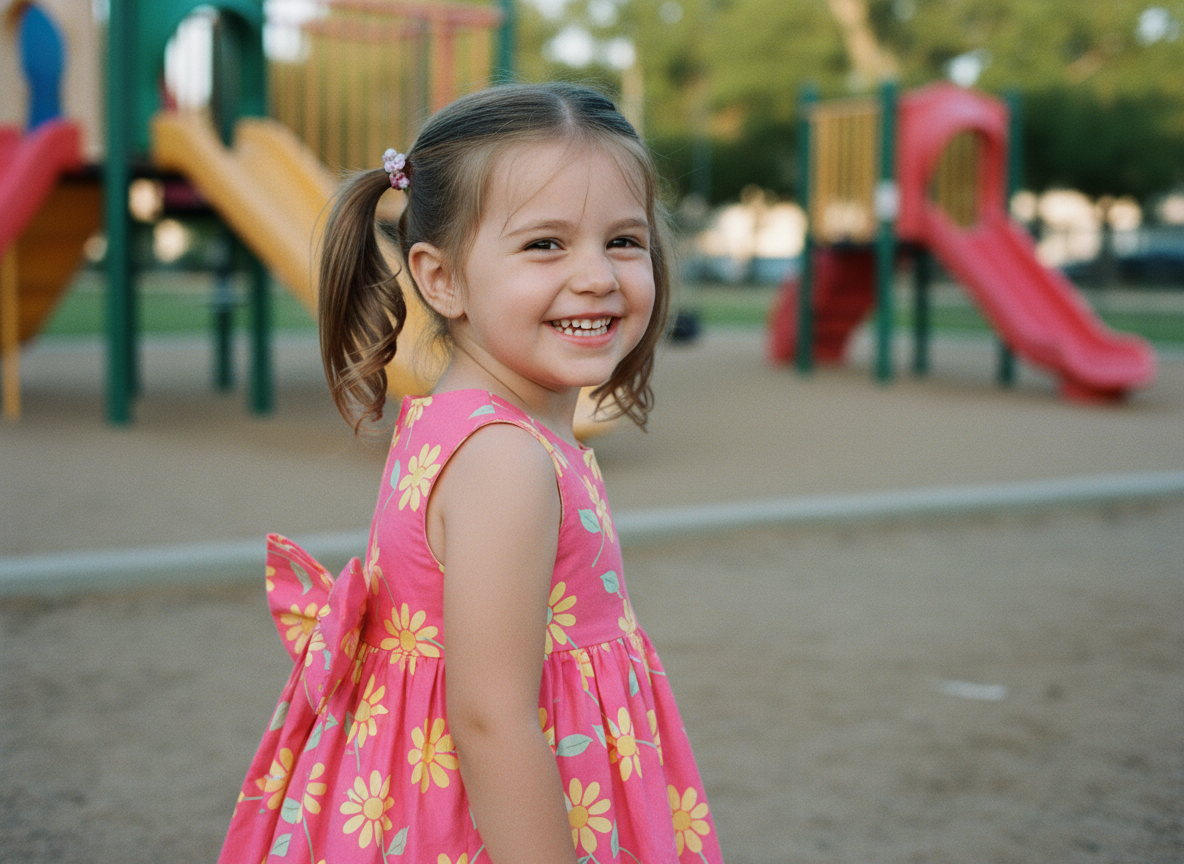
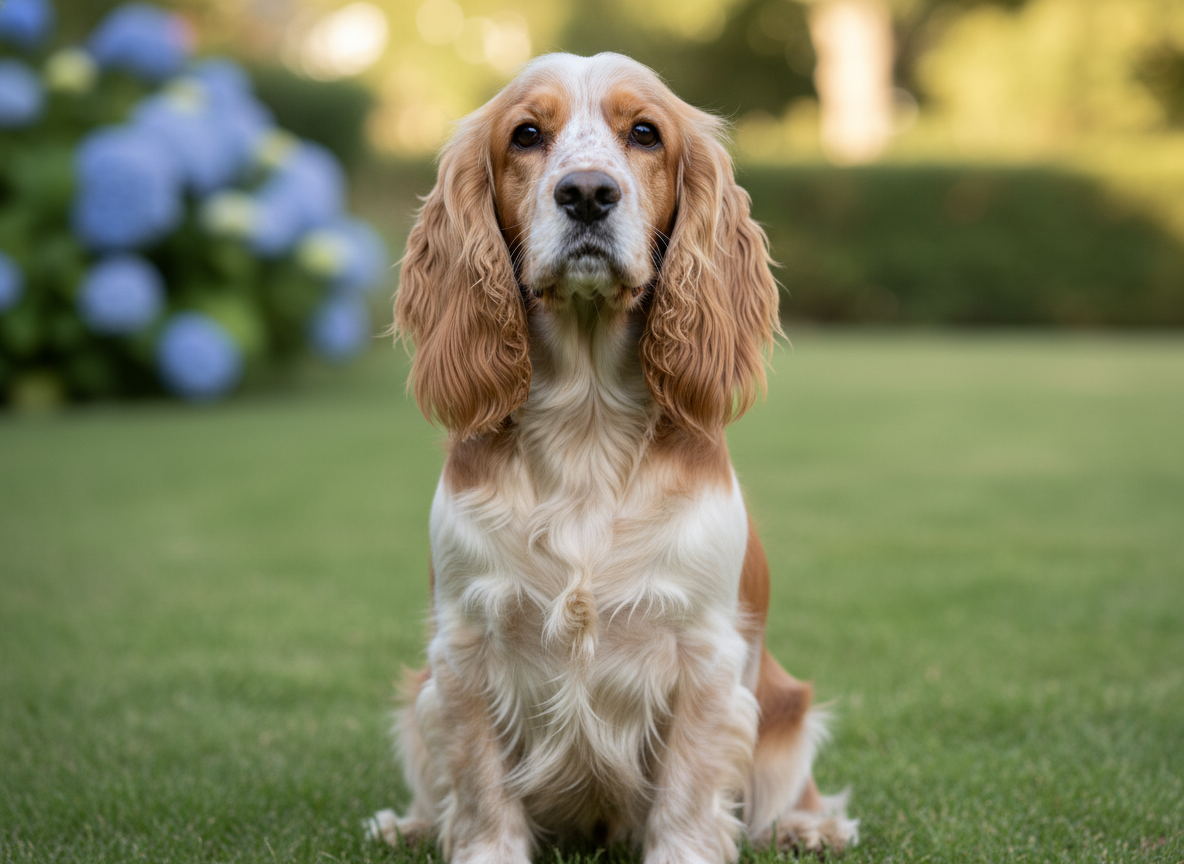
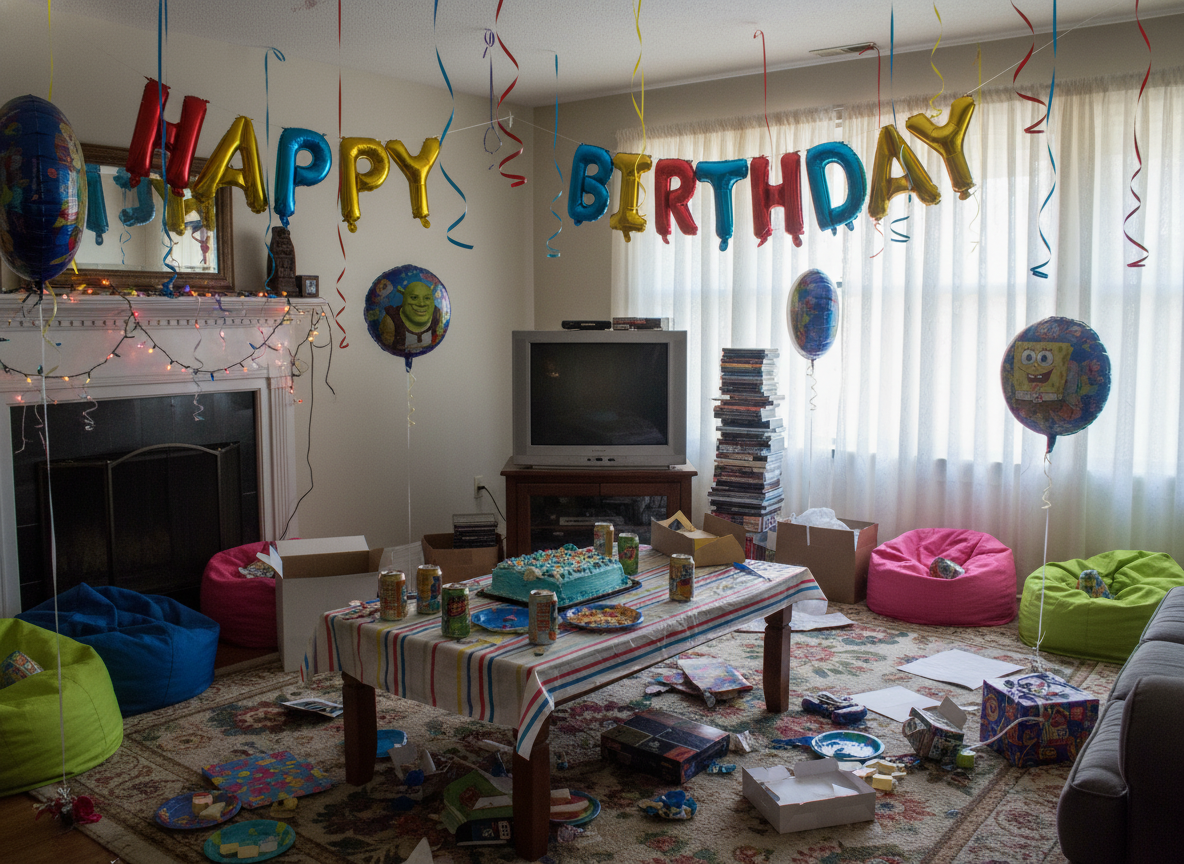
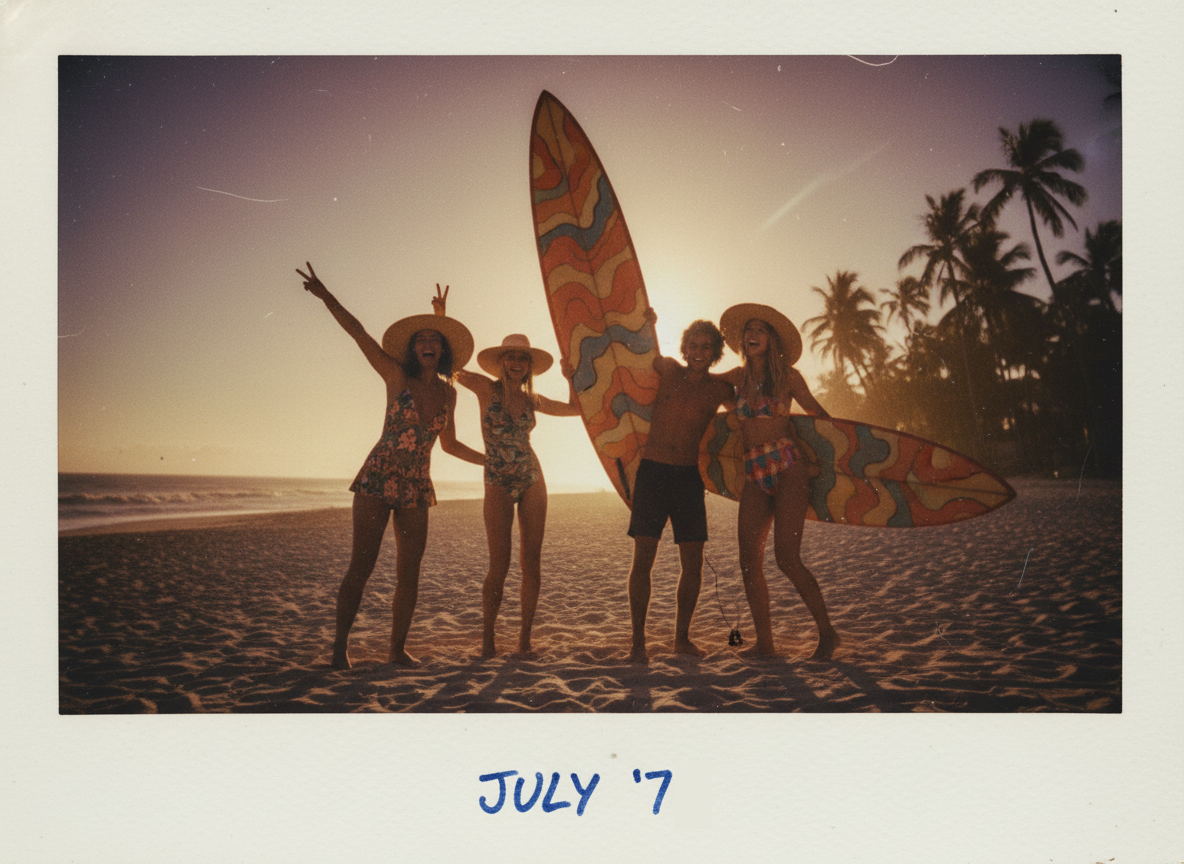
The first test aimed to assess how well Kling O1 could handle multiple reference images simultaneously and create a cohesive composition that preserves the characteristics of each source.
I used four images:
| Reference Images Used: | |
 |
 |
 |
 |
Then I provided the following prompt:
Please generate an image featuring the girl from Image 1 holding the dog from Image 2, with the background of Image 3, and applying the color tone and style of Image 4 to the entire photo.
And here’s the result I got:
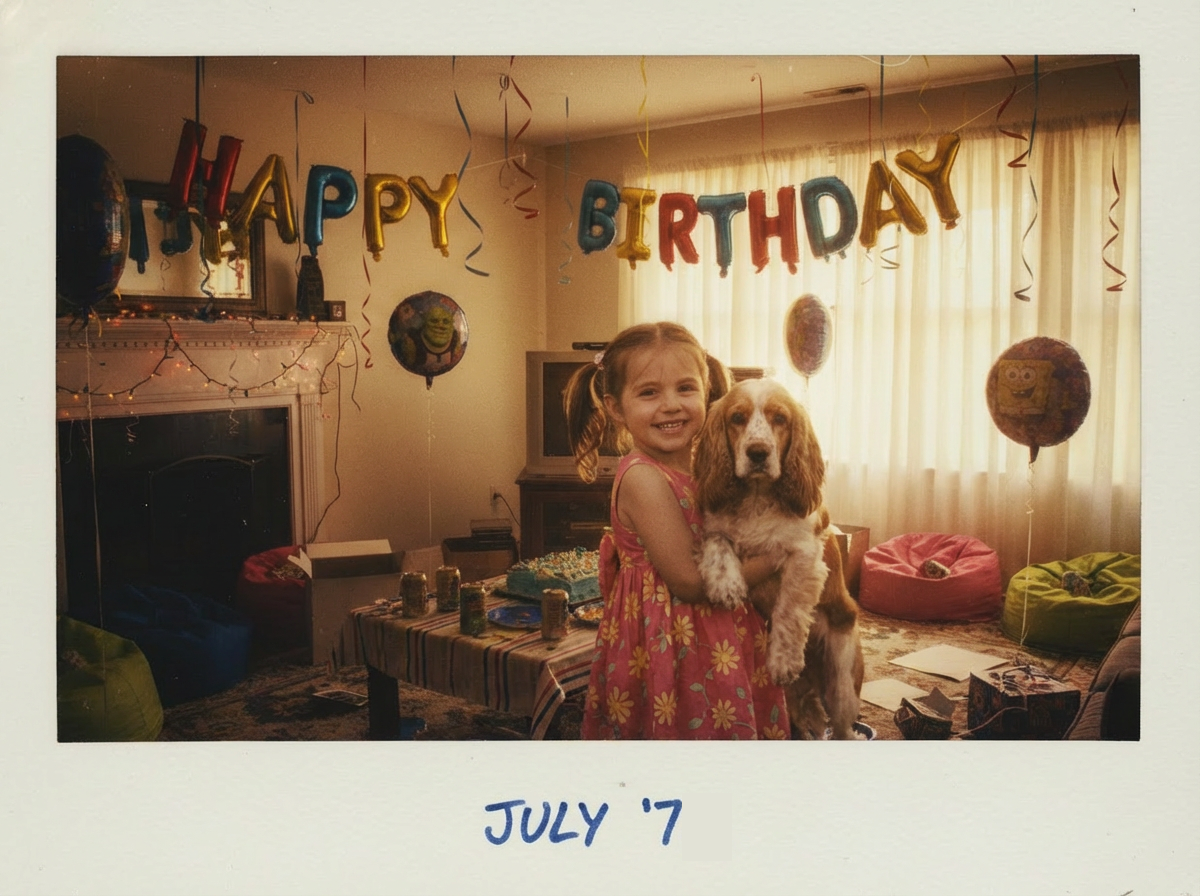
From the generated results, it is evident that Kling O1 perfectly followed the instructions, even while processing content from four images simultaneously. There was no chaos or deviation from the prompt, and its powerful multi-image processing capability truly surprised me.
However, I believe the realism of this photo could be further improved. Although the subject and background share the same color tone, there is still a somewhat discordant and unnatural feel.
Beyond blending scenes and subjects, I also tested the application of style and material.
I used these two images:
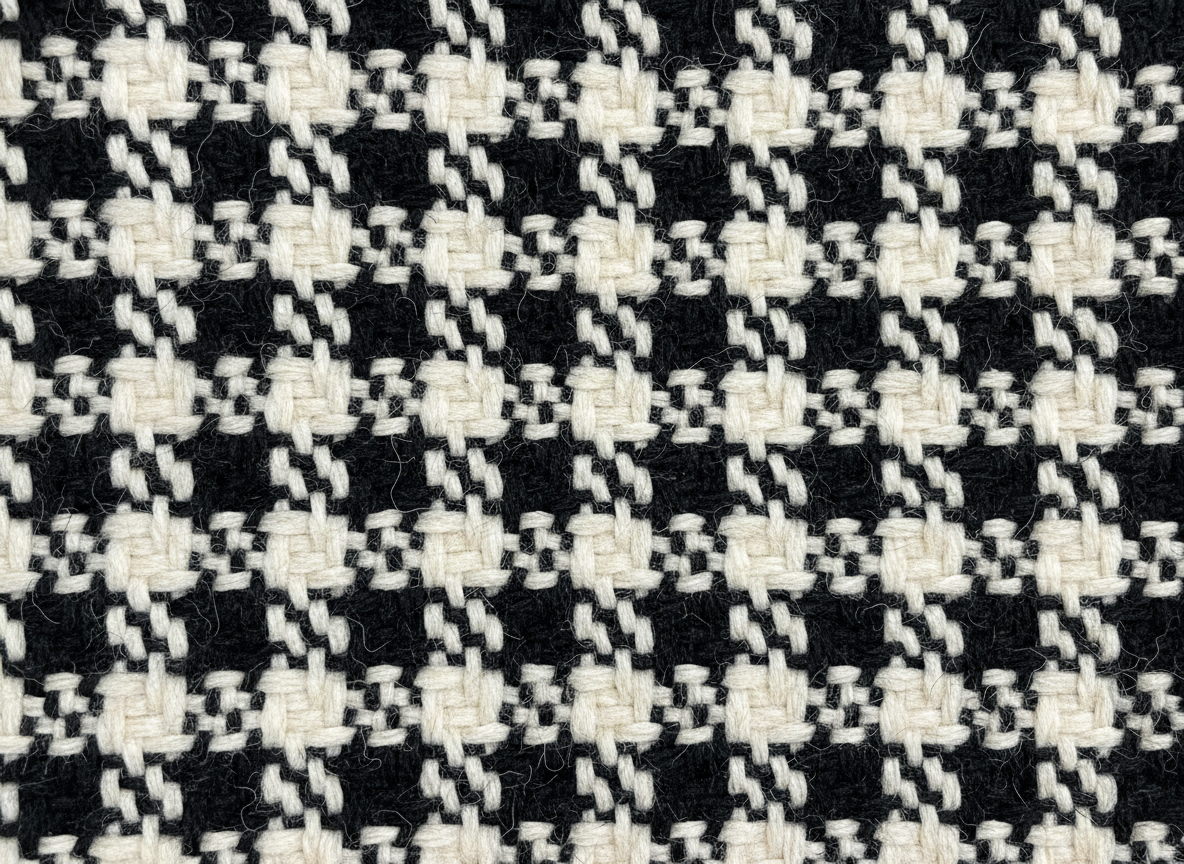
| Character Subject Reference | Target Material Texture |
 |
 |
And set the prompt as:
Convert the subject of Image 1 into a photorealistic person, using the texture and material from Image 2 for the scarf.
The final image that Kling O1 gave:
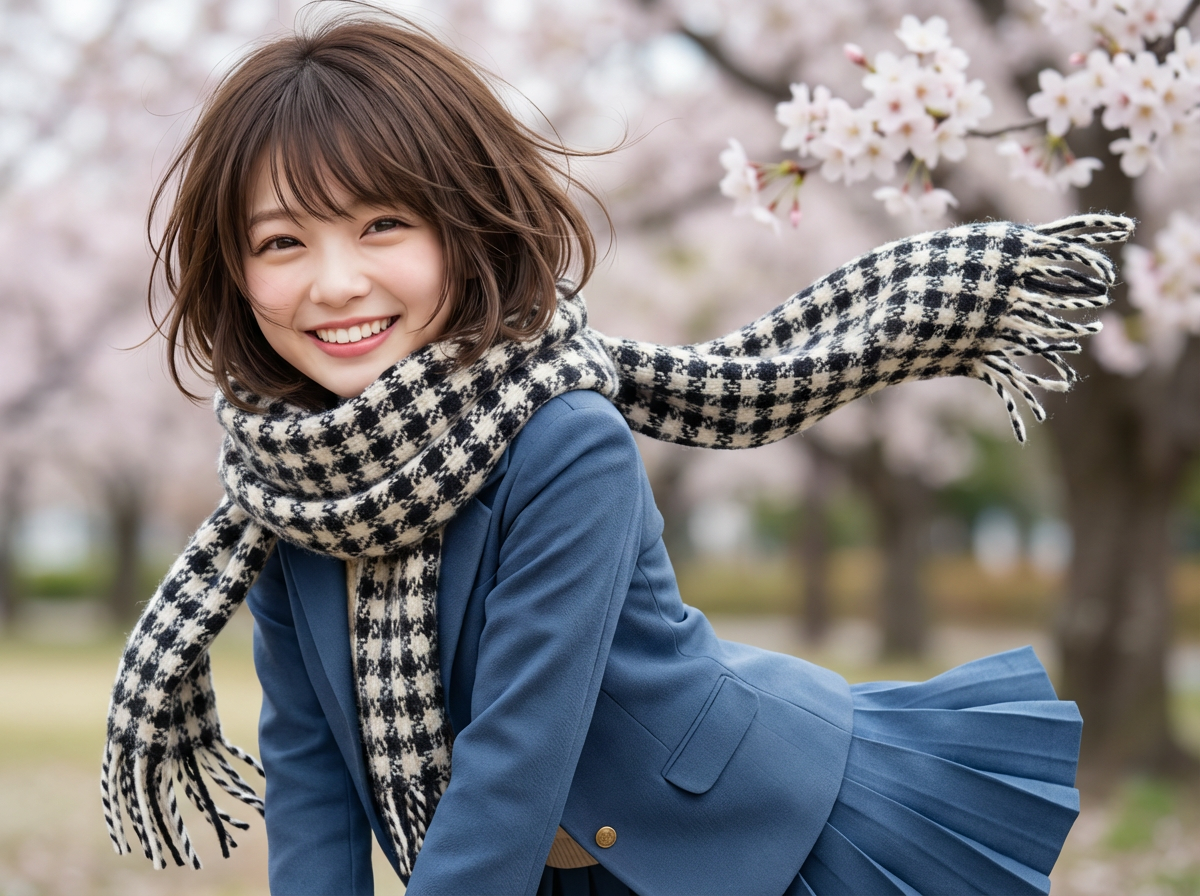
The final result demonstrates that Kling O1 performs quite well in terms of style transformation and material replacement.
Yet, there are some minor issues: an extra portion of the scarf appearing on the subject's chest and the disappearance of the bow tie. These kinds of logical inconsistencies in the image undermine its overall realism.
Test 2: Iterative Precision Editing
The second test focused on evaluating Kling O1's capacity for precise, incremental modifications based on a single reference image.
This would reveal whether the model could handle complex editing workflows without degrading quality or losing context.
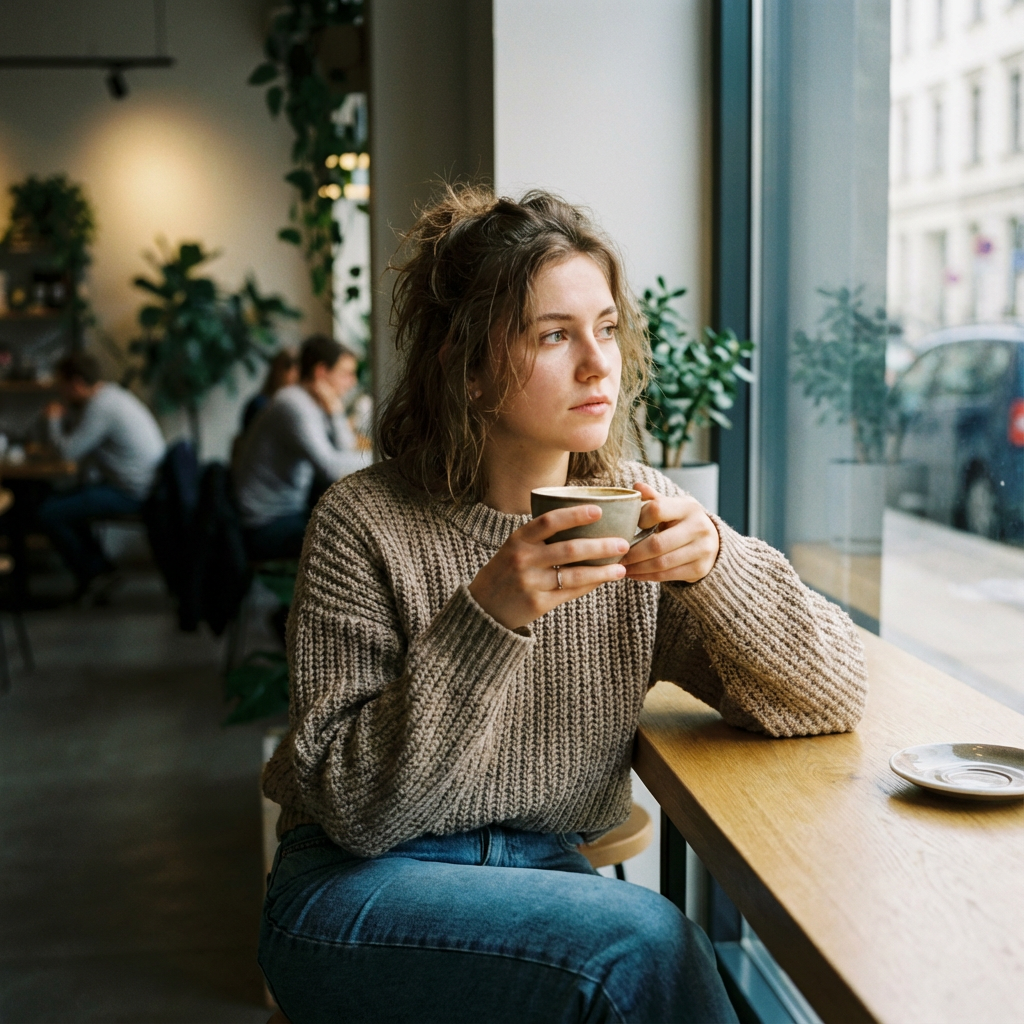
In the table I've compiled below, you can see a side-by-side comparison of Kling O1's performance on this test:
| Ref Image | Prompt & Result 1 | Prompt & Result 2 |
 |
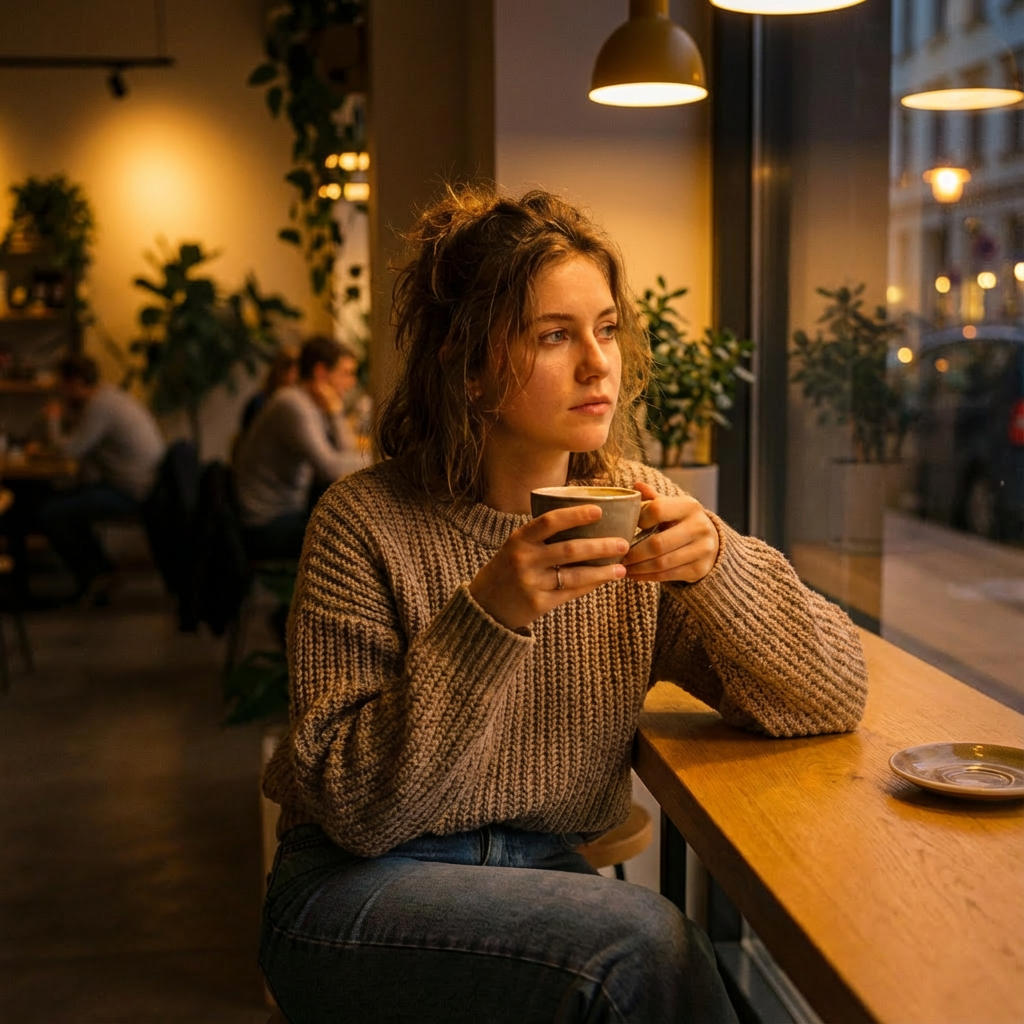 Change the time of day to evening, with warm interior lighting from overhead lamps. Keep everything else unchanged. |
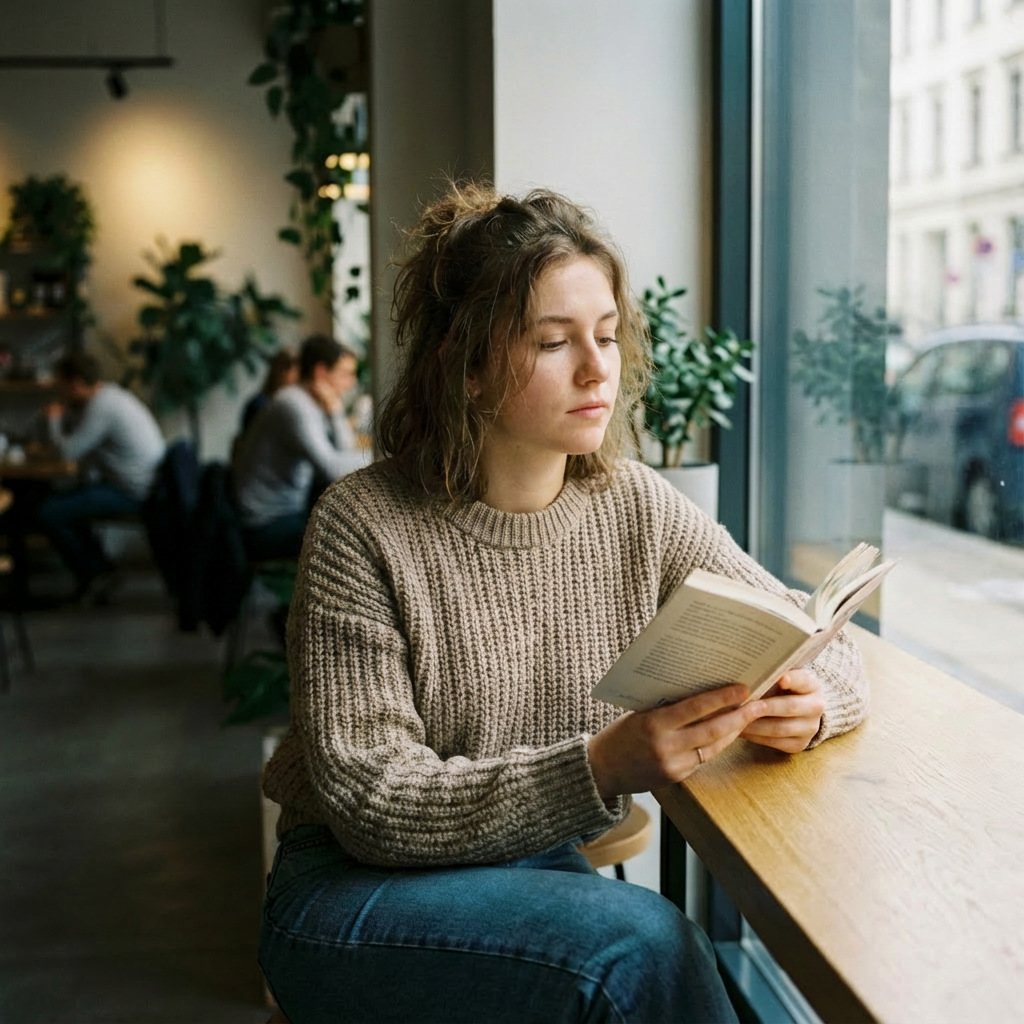 Replace the coffee cup with a book. The woman should now be reading instead of looking out the window. Maintain the same facial features, clothing, and background. |
| Prompt & Result 3 | Prompt & Result 4 | Prompt & Result 5 |
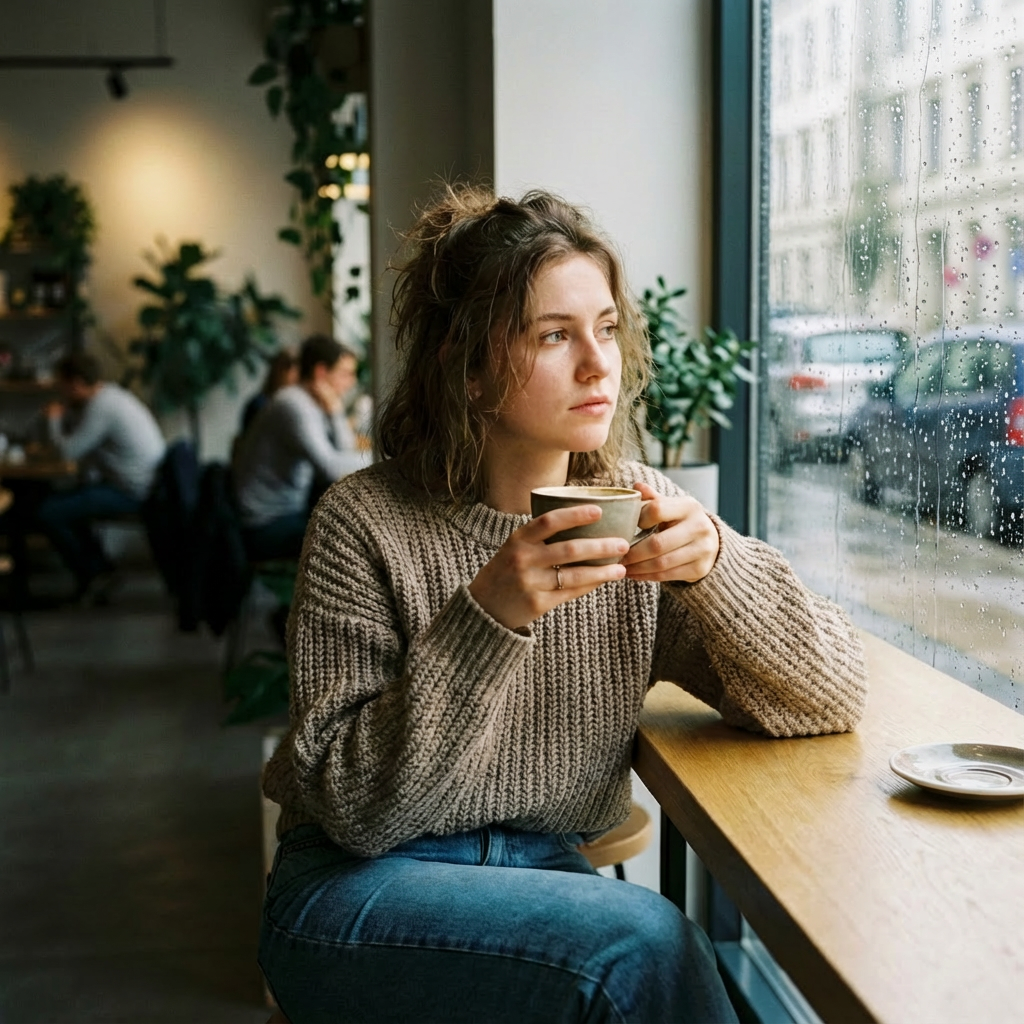 Add light rain visible through the window. Adjust the window reflection to show the rain droplets. Do not modify the interior scene or the character. |
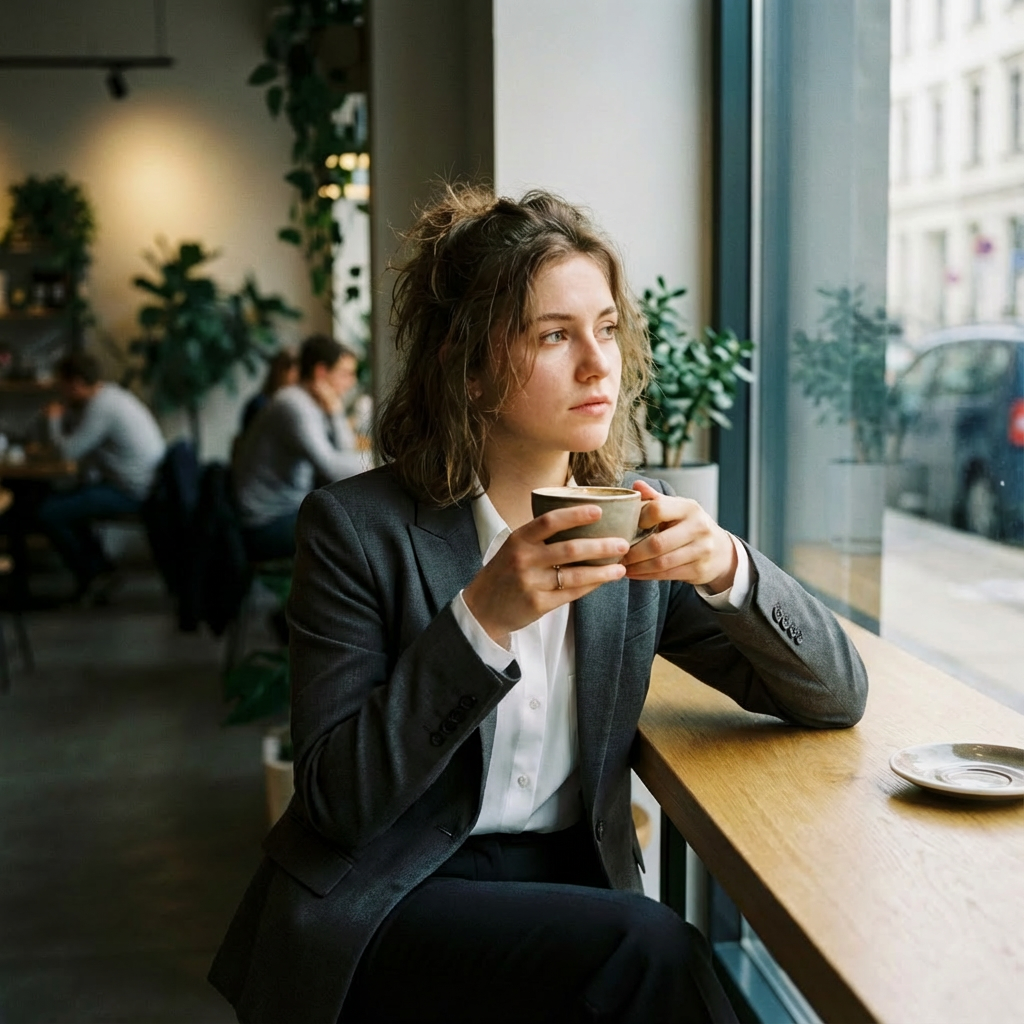 Change her casual attire to business professional clothing—a blazer and formal blouse. Keep her pose, facial features, and the entire background scene identical. |
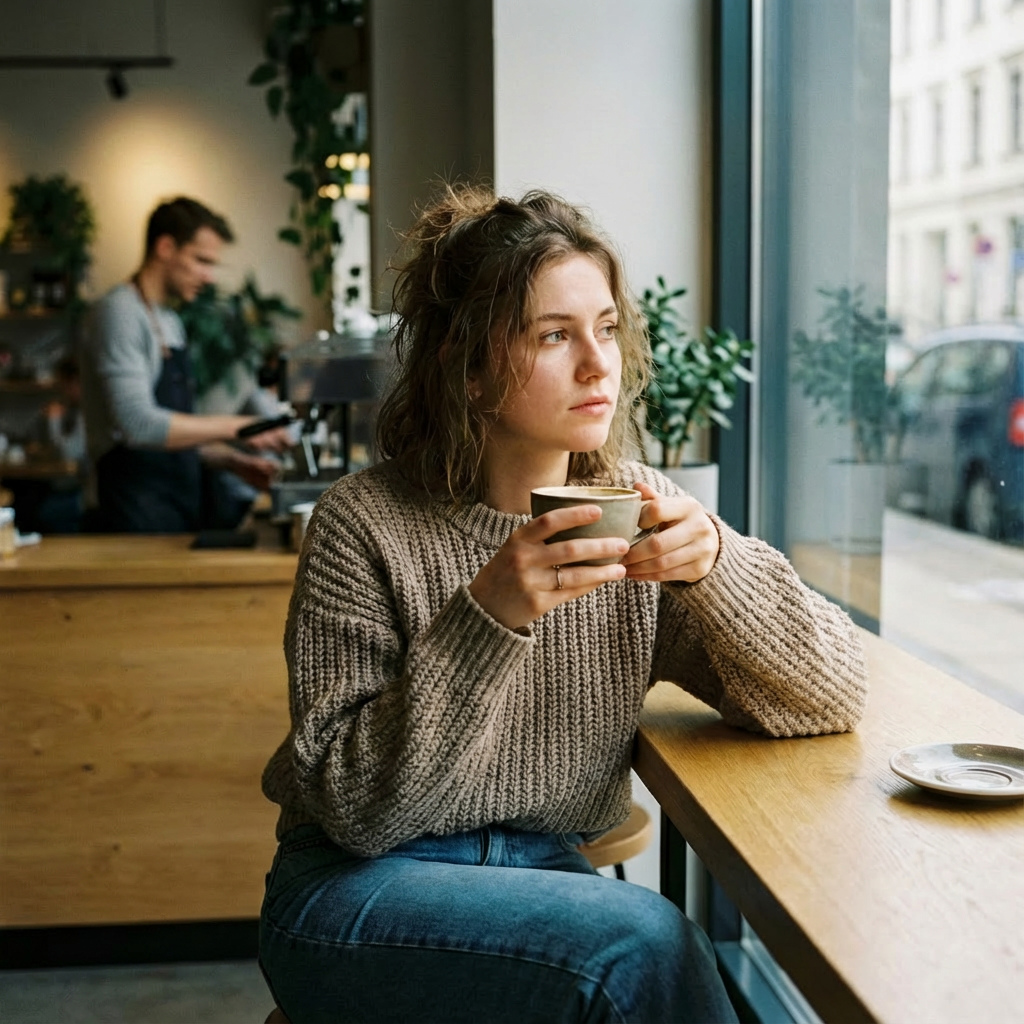 Add another person in the background—a barista working behind the counter. Maintain the same lighting, time of day, and all other existing elements. |
The results were genuinely impressive. Kling O1 demonstrated an exceptional understanding of what should change and what should remain constant.
Each iteration maintained remarkable consistency with previous versions while accurately implementing the requested modifications.
Final Thoughts: Is Kling O1 Worth Trying?
After extensive testing, the Kling O1 image model is clearly a strong entry into the AI image generation space.
The multi-modal approach works great—combining natural language prompts with reference images creates a smooth workflow that feels collaborative rather than frustrating.
The feature retention is genuinely best-in-class, keeping the distinct characteristics of each source when combining multiple references. The step-by-step editing is also remarkably efficient, letting you make precise changes without losing context.
For creators and designers wanting excellent control and consistency, the Kling O1 image model is definitely worth trying. It successfully brings Kling's video expertise into still images while eliminating the annoying tool-switching that plagues many AI creative processes.
Is it perfect? No. But it's a strong debut that shows Kling AI is serious about image generation.
Ready to test it yourself? Head over to Pollo AI to try the Kling O1 image model, or explore other premier models available on the Pollo AI image generator to find the one that best suits your needs. It's an investment of time well worth making for any creator.