



MakeUGC Review: I Tested Its AI UGC Workflow
MakeUGC is a purpose-built ad platform that turns a script, an AI actor, and a product asset into creator-style UGC videos without arranging a physical shoot.
The promise is unusually specific, and that is why I wanted to test it: if casting, filming, and localization all move into software, does the product pitch still feel believable?
My verdict: MakeUGC is a practical way to multiply UGC executions around an existing message, but actor volume and scene variety do not replace a strong hook or careful review of hands, product scale, and delivery.
MakeUGC Review: TL;DR
| Area | My Take |
|---|---|
| Category | AI UGC ad platform |
| Core input | Script, AI actor, product image or URL, and scene choice |
| Key mechanics | 1,000+ actors, Product in Hand, motion recreation, localization, built-in editor |
| Output shape | Creator-style product ads and localized presenter videos |
| Better alternative | Pollo AI for source-page ads and complete scene-led campaign variants |
What Is MakeUGC?
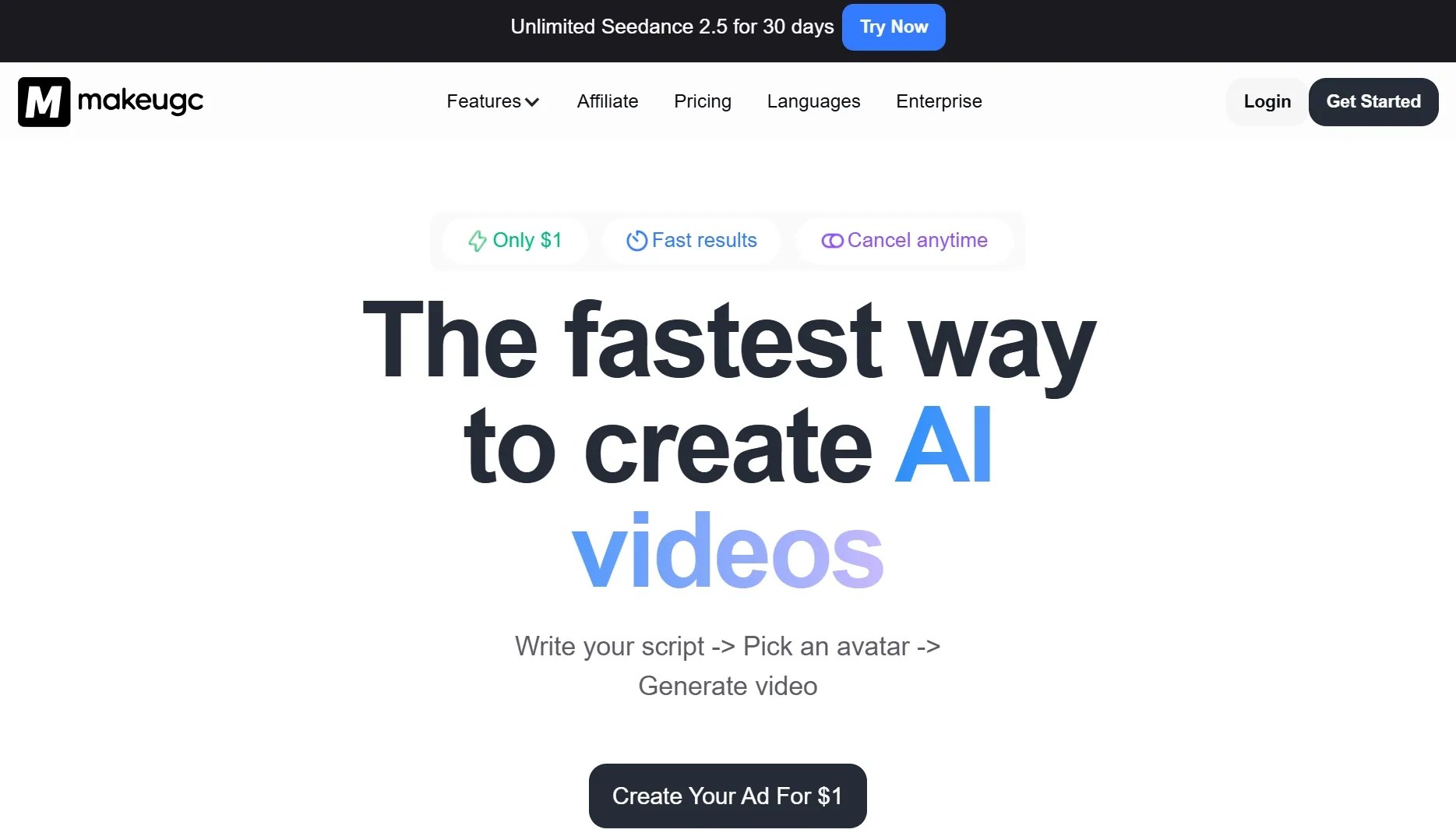
MakeUGC is an AI UGC platform for brands, agencies, apps, and ecommerce teams that want creator-style video without booking an actor. Its homepage reduces the main workflow to three steps: write a script, pick an avatar, and generate the video.
That focus separates it from a broad AI video generator. The product is organized around ad ingredients such as actors, scripts, products, scenes, languages, and lightweight editing rather than open-ended cinematic prompting.
The current product also supports Product in Hand, motion recreation, custom actors, and an editor for captions, music, B-roll, and trims. In practical terms, MakeUGC tries to move casting, performance, and first-pass assembly into one repeatable ad workflow.
How I Evaluated MakeUGC
I evaluated MakeUGC around four decisions a paid-social team actually makes: whether the script sounds natural, whether the actor fits the product, whether the product appears credibly in the scene, and whether the first edit is clear enough to compare with another angle.
I treated the output as an AI UGC video ad rather than a generic talking-head clip, which means the presenter, product proof, pacing, and CTA all have to support the same message.
Key Feature Review
Script, actor, and generate flow
MakeUGC's three-step flow is its strongest usability decision. Starting with the script and actor narrows the task immediately, so a marketer is reviewing how a real message sounds instead of asking a blank prompt to invent the whole ad.
This is where MakeUGC started to feel genuinely practical to me: I could hear a real message through a chosen presenter instead of judging an abstract prompt. It works well when testing a script-based UGC ad, but the script has nowhere to hide once it is spoken. Copy that looks polished on the page can suddenly feel stiff, overlong, or unnatural in the creator's voice.
AI actor library and localization
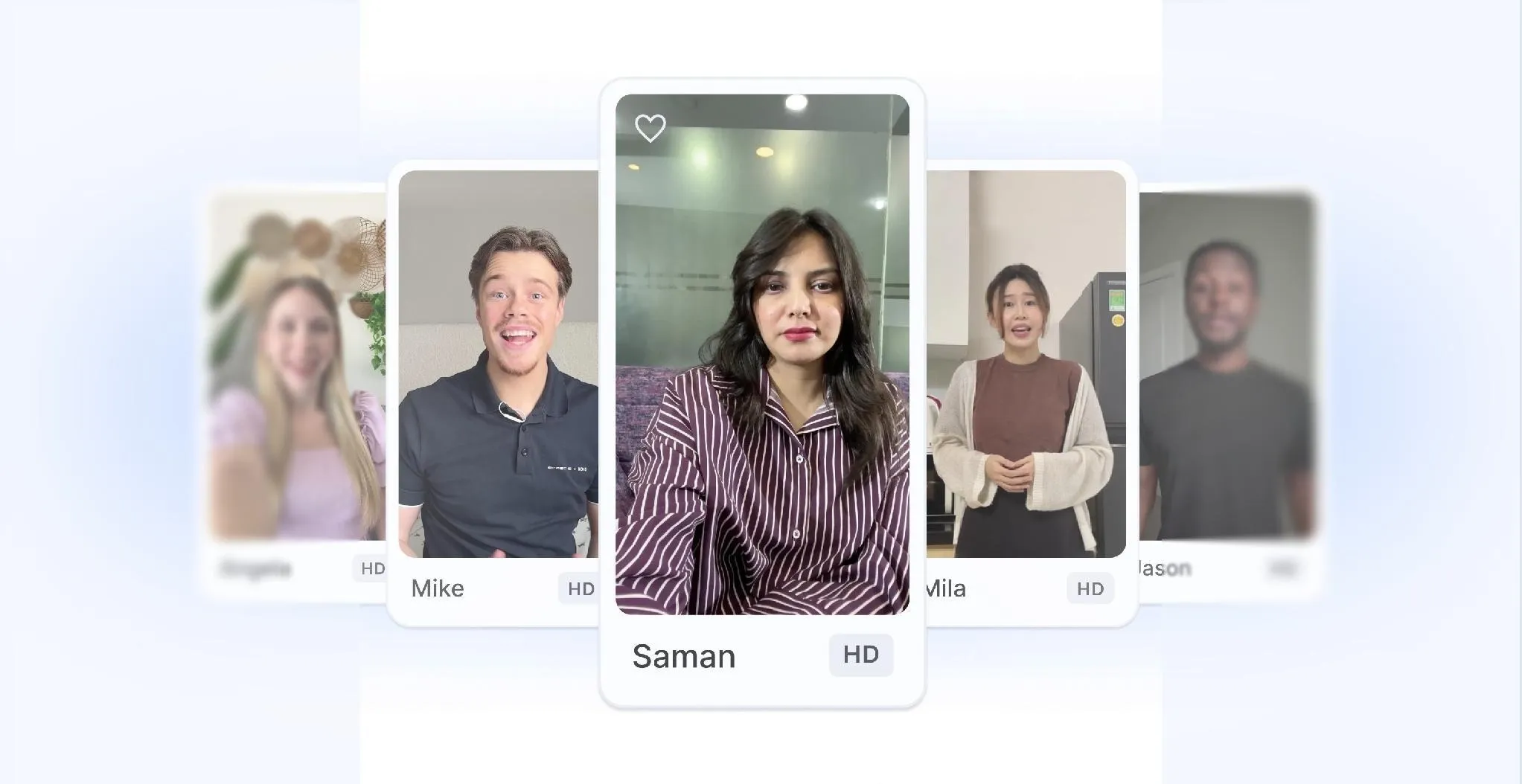
The homepage advertises more than 1,000 AI actors, while the product page promotes running the same product demo across multiple avatars and scenes. It also supports more than 50 languages with localized voices and lip sync.
For an agency, I can see the appeal immediately: casting and localization become one review session. I would just avoid mistaking cosmetic variety for creative variety, because changing the face or language does not create a new persuasion angle, and a localized AI talking avatar can still sound culturally flat even when the pronunciation is correct.
Product in Hand
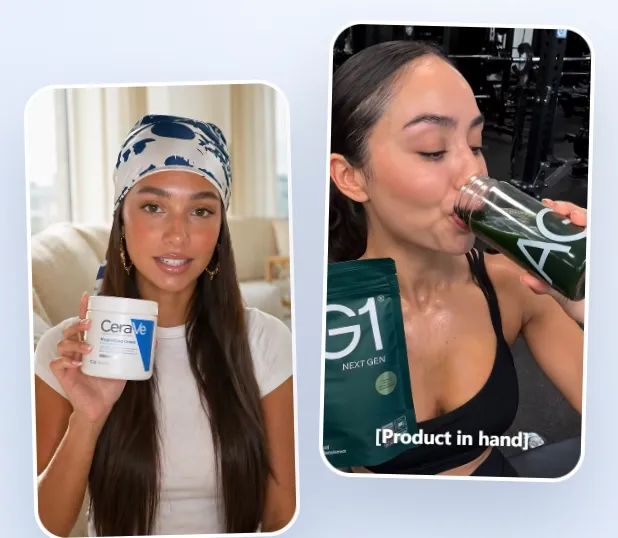
Product in Hand tackles a problem that generic avatars often avoid: the presenter must appear to hold and discuss the item. MakeUGC lets users upload a product image or paste a URL, then select a frame that shows the product clearly.
That gives ecommerce teams a concrete path into product video ads. It also creates the most obvious quality check: hands, packaging geometry, labels, and product scale must stay believable when the actor moves.
Motion control and built-in editor
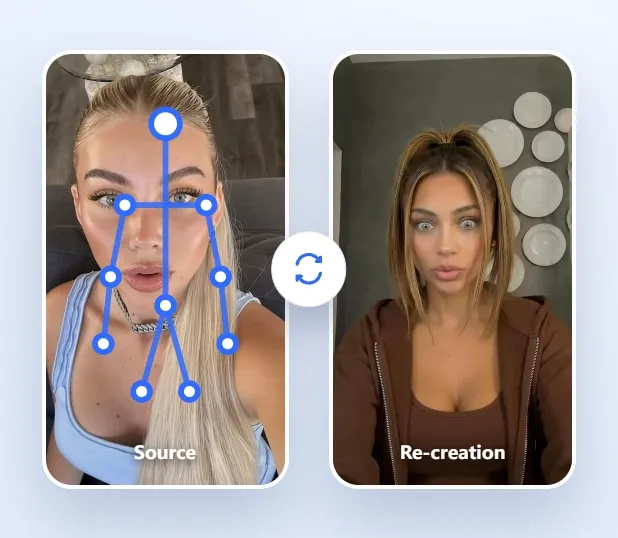
Full Motion Control recreates an avatar performing source movement, and the editor keeps captions, music, B-roll, and trims inside the same product. Those features matter because UGC delivery is carried by timing and physical behavior, not just a face and voice.
This is more useful than exporting every draft into a separate AI video editor for basic fixes. I would leave this editor when the problem is bigger than presentation, such as a new scene logic, a different proof sequence, or a product detail that needs precise correction rather than another trim.
MakeUGC Use Cases: Who Should Use It?
MakeUGC fits teams that already know the offer and want to compare creator-style executions.
- UGC hook auditions: for paid-social teams hearing the same opening line across different actors before choosing a direction.
- Product-in-hand drafts: for ecommerce brands checking whether a presenter can demonstrate a physical item without a shoot.
- Localized creator ads: for teams adapting one message into several social media videos for regional audiences.
- Unboxing concepts: for marketers prototyping unboxing UGC ads before sending products to real creators.
What I Liked
I liked that MakeUGC begins with recognizable production choices instead of model names. Script, actor, product, and scene are concepts a marketer can discuss with a colleague without translating technical settings first.
The product page also encourages a useful review habit: run the same demo through different avatars and scenes. Keeping the message stable makes it easier to see whether the performance choice is improving the idea or merely changing its appearance.
Where MakeUGC Falls Short
The failure I would worry about most is a clip that feels convincing until the product enters the frame. Once the face and voice look believable, a bent label, floating package, or uncertain grip becomes even more obvious because the rest of the scene has raised the viewer's expectations.
- More actors can hide a weak message: testing ten faces against the same generic claim produces casting variation, not necessarily creative learning.
- Localization needs market review: a technically correct voice may still miss the pace, idiom, or social tone expected in that region.
- Basic editing does not repair strategy: captions and trims help presentation, but a weak offer may require a new structure for the product demo video rather than another edit.
Pros and Cons
Pros:
- Simple script-to-actor workflow
- Large actor library and broad localization
- Product in Hand addresses a real UGC need
- Built-in captions, music, B-roll, and trims
Cons:
- Natural delivery depends on the script
- Visual variety can outpace strategic variety
- Hands, labels, and scale need close review
- Complex scene changes still require a new approach
Beyond MakeUGC
MakeUGC is the tool I would use to audition the performance: which actor, language, scene, and product moment make the pitch feel believable? Once one version works, I would stop multiplying presenters and start asking how to carry the winning message into a fuller campaign without losing the product facts.
That is when I would move the winning idea into Pollo AI, a broader AI creative suite. Marketing Studio is the useful part for this handoff: it can take the product page, approved script, or reference ad behind the concept and rebuild it as a structured variation with scenes, voiceover, and transitions still tied to that source.
- Keep product facts attached: Pollo AI's URL to video ads uses the product or landing page as input, so the draft can draw on real claims and assets rather than a shortened manual brief.
- Turn approved copy into scenes: Pollo AI's script to video ads pairs lines with visuals, voiceover, and transitions, which is useful after the spoken message has already been chosen.
- Adapt a proven structure: Pollo AI's clone video ads gives teams a direct route to recreate the hook and pacing of a reference format with their own product material.
Build Complete UGC Ads with Pollo AI
Use product pages, scripts, or proven structures as the starting point.
Try Pollo AI for UGC Ads
Final Verdict
The useful lesson from MakeUGC is that UGC scale has two separate parts: producing more performances and learning which message deserves more production. The platform handles the first part more directly than the second.
Use MakeUGC when you have a script or product pitch and want to compare actors, scenes, languages, or product-in-hand executions. Use Pollo AI when the winning message needs to be rebuilt from a product page, mapped across scenes, or adapted into a different ad structure.