



SeaArt A Review: I Tested SeaArt AI's Image and Video Generator and Here Are My Thoughts
SeaArt AI is a versatile AI creativity platform that supports both simple text to image and video generation and more advanced workflows like ComfyUI, making it suitable for designers and developers alike.
That said, after spending a few days testing it out, I noticed the image editing tools could definitely use some improvement—they feel a bit rough around the edges.
Plus, no matter how many images I asked it to create, the results tended to look quite similar, which was a bit disappointing.
It would be great if SeaArt AI could step up its game in mixing up styles and pushing creativity further, so the images feel more unique and varied.
Curious to know more? Keep reading!
Text-to-Image Generation
The heart of SeaArt AI lies in generating high-quality images based on textual prompts. Here, I could use Flux, Stable Diffusion, and other popular AI models
To test this feature, I decided to start with a simple and specific request: “A serene beach at sunset, with golden sand and gentle waves.” I input the prompt and eagerly awaited the results.
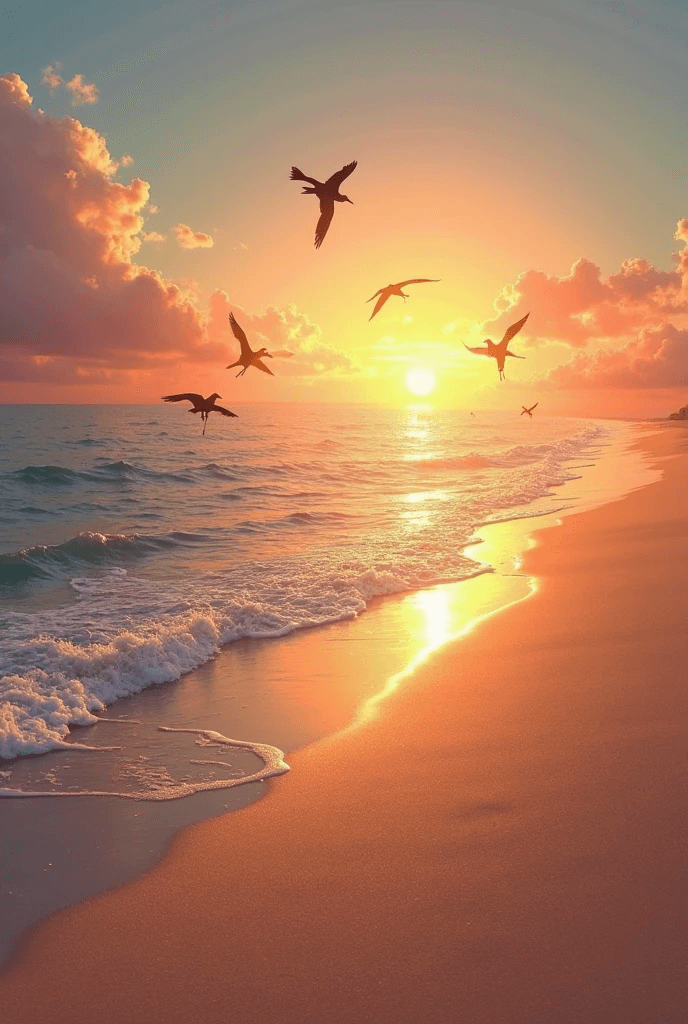
To my delight, the generated image was remarkably close to what I had envisioned. The colors were vibrant, the composition was balanced, and the details were impressive.
The AI had captured the essence of a tranquil sunset beach scene, complete with the soft hues of the sky and the gentle movement of the waves.
This initial success gave me confidence in the tool’s ability to interpret and translate text into visual art.
Next, I was also curious about how it could integrate various elements in the same picture. Then I decided to push the boundaries a bit.
I entered a more complex prompt: “A futuristic cityscape at night, with neon lights and flying cars.”
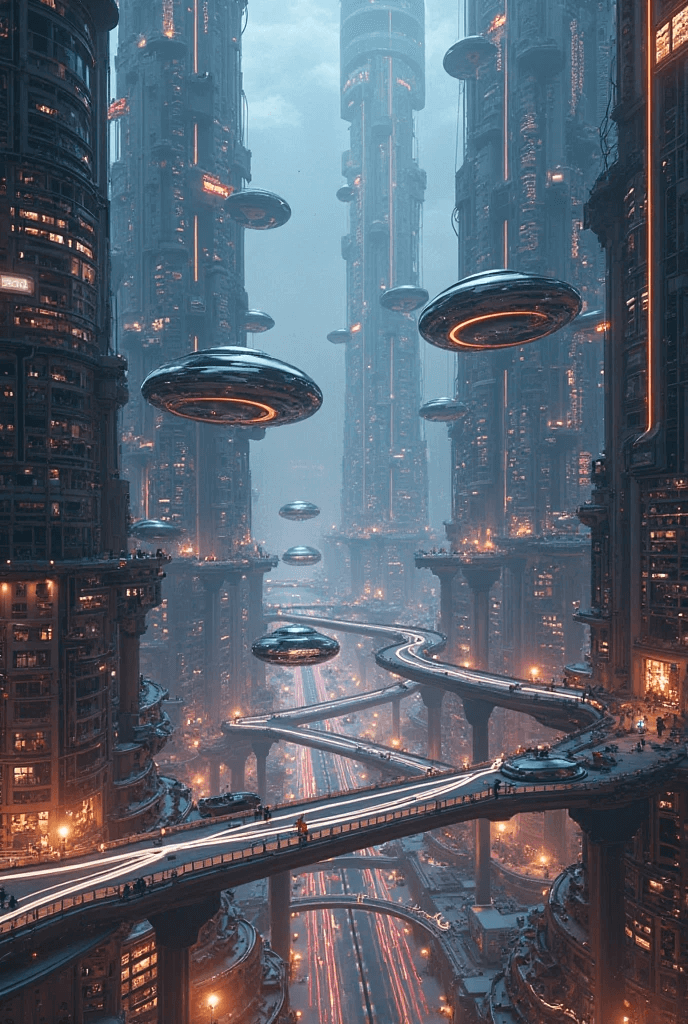
This time, the output was also impressive. The AI generated a visually striking image that conveyed a sense of modernity and innovation.
The neon lights were vivid, and the flying elements added a dynamic element to the scene.
However, the key elements in the picture were less accurate. For example, the flying elements are not like traditional cars.
Especially in the left picture, the “car” is more like a spaceship or an unidentified flying object. A futuristic cityscape doesn’t refer to covering the spaceship. The spaceships make the image off-topic.
No tool is perfect, and I was curious to see how SeaArt handled more challenging prompts.
Then I decided to test its error handling by entering a deliberately vague and contradictory prompt: “A winter scene with bright sunshine and palm trees.”
As expected, the AI struggled to integrate these conflicting elements on the same page. The generated images were similar.
It indeed covers bright sunshine and palm trees in a winter scene, but it seems like the snow doesn’t quite fit the sunny days.

My conflicting description confused the AI, as I didn’t mention snow in the description, but it includes the snow elements in the image. The snow doesn’t quite fit the sunny days.
However, the good news is that I can adjust the image by “chatting” with the smart image editing tools.
Thus, I entered the instruction to regenerate the image: remove the conflicting elements in the image, enhance the prompt, and make it more realistic: A winter scene with bright sunshine and palm trees.
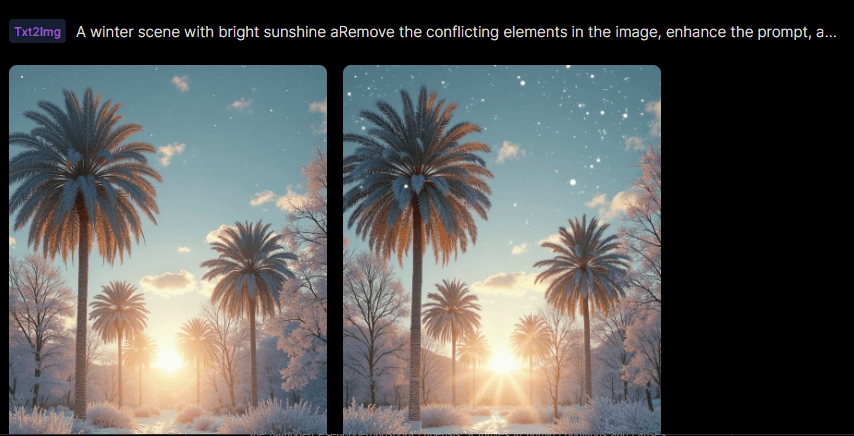
However, the verified version doesn’t change a lot. The snow still appears in the sky. This test indicates that if you want to generate an accurate image, make your prompt correct.
This is because SeaArt cannot identify the mistakes in your prompt, and it’s even more difficult to adjust the image by giving the instructions again.
Customization Options
I decided to test the style customization by requesting an image of “A forest in spring” in the style of Vincent van Gogh.
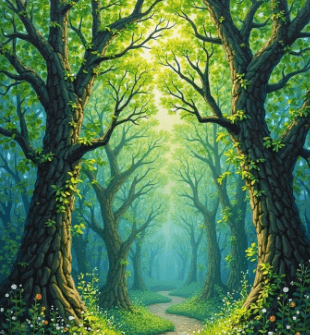
The result was fascinating. The AI successfully infused the vibrant brushstrokes and bold colors characteristic of van Gogh’s work into the image.
The trees and flowers seemed to come alive with movement, much like in his famous paintings.
This feature opened up a world of possibilities for artists and designers looking to experiment with different styles without having to manually recreate them.
Image-to-Video Generation
Powered by various AI video models, the SeaArt can also convert text and images to video. Especially, it excels in creating high-quality, dynamic videos with synchronized audio.
Here, I wanted to animate the generated image mentioned above, so I decided to test its image-to-video generation feature.
I could either upload a new image to generate or generate the video from the library. Then I chose one of the images I generated before and chose the
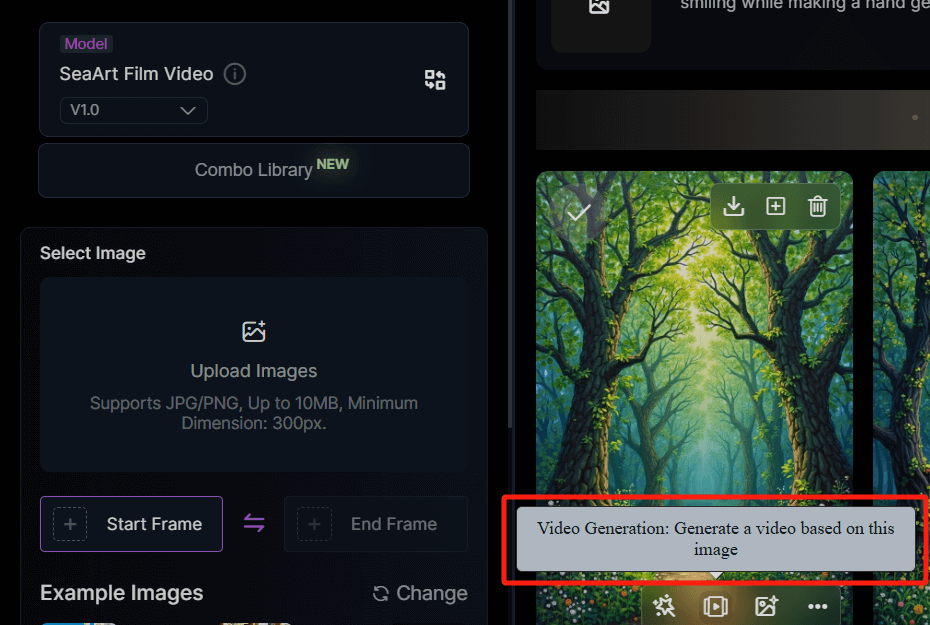
Then I entered the text prompt:
Create a serene video that captures the essence of a lush forest scene. It should start with a gentle zoom-in on a winding path surrounded by tall, vibrant trees with thick trunks and abundant green leaves. The sunlight should filter through the canopy, casting dappled shadows on the ground. Add subtle movements, like swaying branches and fluttering leaves, to evoke a sense of tranquility. Incorporate soft ambient sounds of nature, such as birds chirping and a light breeze rustling through the foliage, enhancing the immersive experience of this peaceful woodland setting.
For about 10 seconds, it generated a dynamic video:
The camera moves from far to close side, and the field of view expands accordingly. There is a bird flying over the road, which didn't show up in the original image.
It evokes a sense of peace and tranquility. However, it can add more details to make the picture more vivid. For example, it can add swaying leaves and change the light and shadow of the ground.
Upload Datasets and Train Models
This is another groundbreaking feature that empowers me to create AI models. After uploading my datasets, such as images or text, I can train models that capture the unique styles, themes, or aesthetics that match my preferences.
Also, I can configure training parameters, including learning rates, batch sizes, and the number of training epochs.
AI Characters
This is a higher-level feature that allows me to create and interact with AI-generated characters. Based on various character presets, I customized these characters to resonate with specific target audiences and enhance engagement.
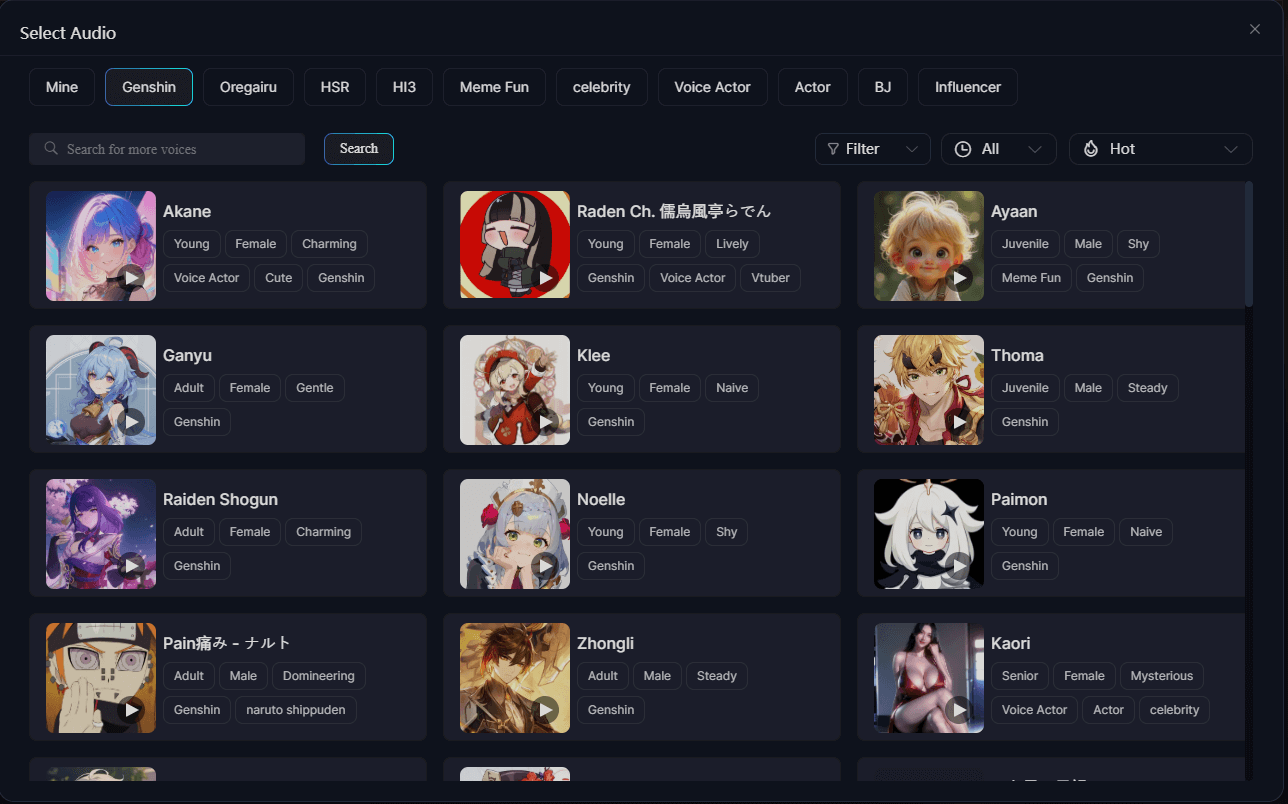
Also, by chatting with the character, I defined the character’s traits, interests, and backstories, and even trained the AI character’s voice using the platform’s AI audio tool. This feature is ideal for storytellers, game developers, and anyone who focuses on interactive dialogue.
I
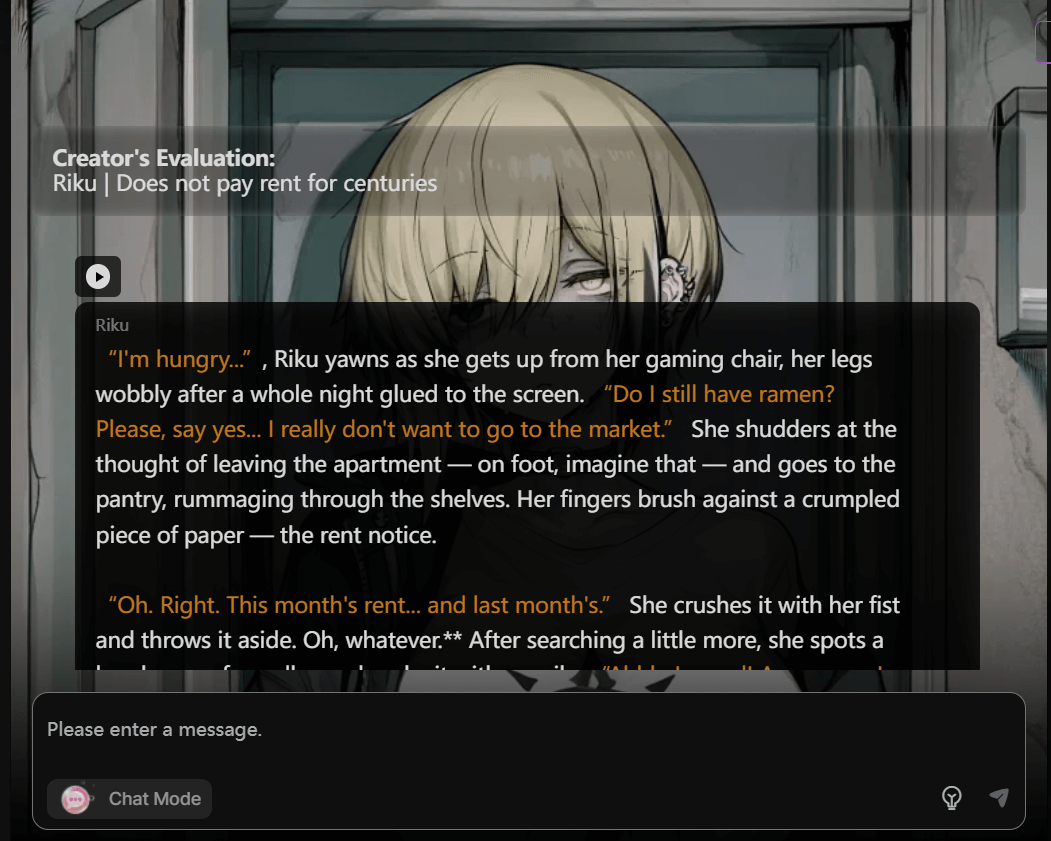
n addition to customization, CyberPub provides a variety of pre-made chat rooms with distinct AI characters, each offering different styles and personalities to suit various moods and needs.
ComfyUI Workflow
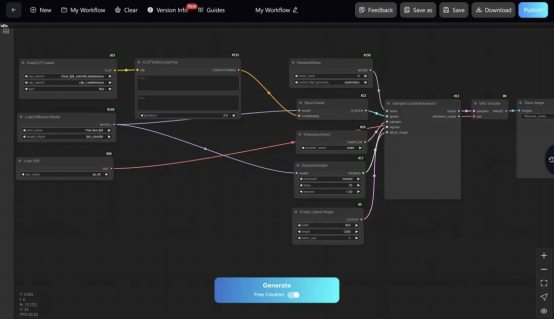
Moreover, SeaArt.AI develops a more advanced AI art generation feature through its node-based workflow.
Unlike traditional AI art tools that rely heavily on presets, ComfyUI visualizes the entire image generation process as customizable nodes, allowing users to have granular control over every step.
With this feature, I combined different nodes to create a variety of generation methods and workflows.
For example, I connected nodes for text encoding, model loading, sampling, and image saving to design their creative processes.
In conclusion, it was evident that the developers had put thought into making the tool accessible to users with varying levels of technical expertise.
According to my test, I think SeaArt AI is more than a basic AI image and video generator. It has fully made best use of its experience in game development to design this tool for higher-level uses, such as game designers and key animators.
Compared with other AI image and video generators, it’s more customizable as you can establish and train your AI models with datasets and the ComfyUI workflow.
Nevertheless, I think it should spare more efforts to improve its image editing tools. Although I could regenerate the image by giving the instructions, the output didn’t change a lot.
Perhaps, SeaArt AI should integrate basic editing tools so that users can manually edit the images.
In summary, the quality of the generated images depends on how specific and accurate my prompt is. The main disadvantage is that the generated outputs vary slightly from each other.
You consume the stocks, but receive almost the same pictures. Also, it might generate wrong elements or objects that do not appear in the prompt.
Besides, the image editing tools aren't smart enough to understand my intention and cannot adjust the image as I want.
The highlights for this tool are its ComfyUI Workflow. It allows me to customize the entire image generation process through the node-based workflow. This feature is more ideal for designers and developers.
Why I Use Pollo AI Image Generator as an Alternative to SeaArt AI?
Compared with SeaArt AI Image Generator, Pollo AI image generator integrates a suite of the latest AI image generation models in one place, such as GPT-4o, Imagen, Dall-E, and so on. I can switch between models seamlessly to compare outputs and find the best fit for my projects.
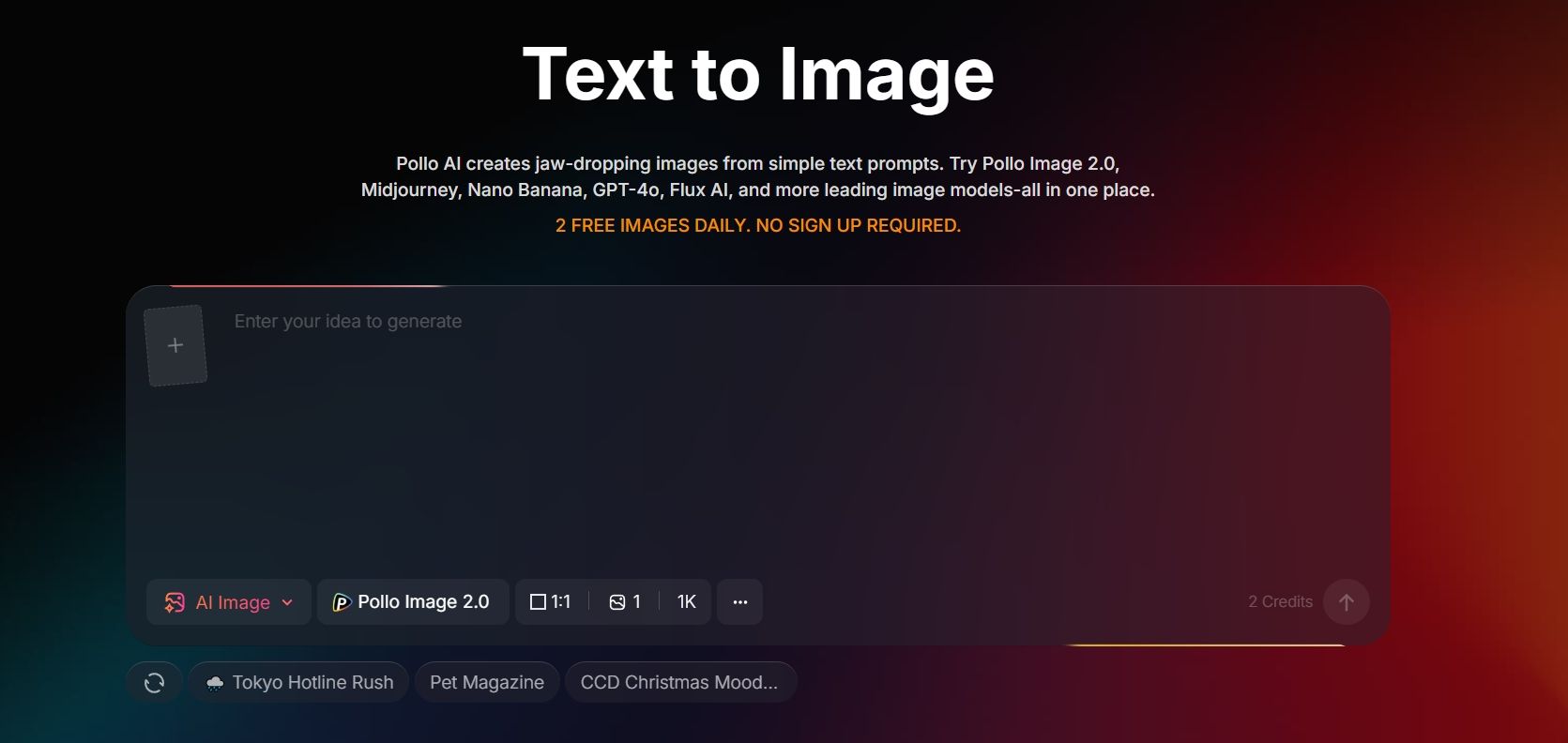
You get 2 free images daily with no sign-up required, so you can start creating instantly and bring your ideas to life.
Moreover, it can generate not only images but also a variety of creative videos, such as working cats and favorite animals competing in Olympic events.
In Conclusion
SeaArt AI image and video generator can both generate images and customize the AI models of image generation.
However, it also has certain limitations. For example, it may make minor mistakes when generating elements.
Besides, it's difficult to edit the generated images with its editing tools. To get a more accurate result and enjoy more AI image generation models, I prefer to use Pollo AI.