



VideoScribe Review: Is This AI Video Maker Still Worth It?
I tested VideoScribe to see how well its animated video workflow holds up in today’s AI video landscape, especially if you need explainers, training content, or business videos.
In this review, I’ll share what VideoScribe does well, where it feels limited, who it is best for, and why I would choose Pollo AI when I need a broader path to post-ready AI videos.
VideoScribe Review: TL;DR
VideoScribe feels most useful when your video goal is clarity. It gives you a structured way to turn information into easy-to-follow visual content, so the workflow feels approachable even if you do not have much animation experience.
But it may not be the best fit if your project depends on deeper visual variety, faster campaign output, or a more complete AI production workflow.
Review Criteria | My Take |
|---|---|
| Video Quality | Good for clean animated explainers, but not built for cinematic realism. |
| Motion Quality | Works well for simple animation, drawing effects, zooms, and scene movement. |
| Editing Control | Good for scene timing, camera movement, and visual sequencing. |
| Creative Flexibility | Limited if you need multiple video styles beyond animated explainers. |
| Audio Support | Useful for voiceovers, narration, music, and basic audio syncing. |
| Best Fit | Educators, trainers, HR teams, small businesses, and explainer creators. |
| Better Alternative | Pollo AI, especially for post-ready videos, ads, avatars, audio, and product-led content. |
What Is VideoScribe?
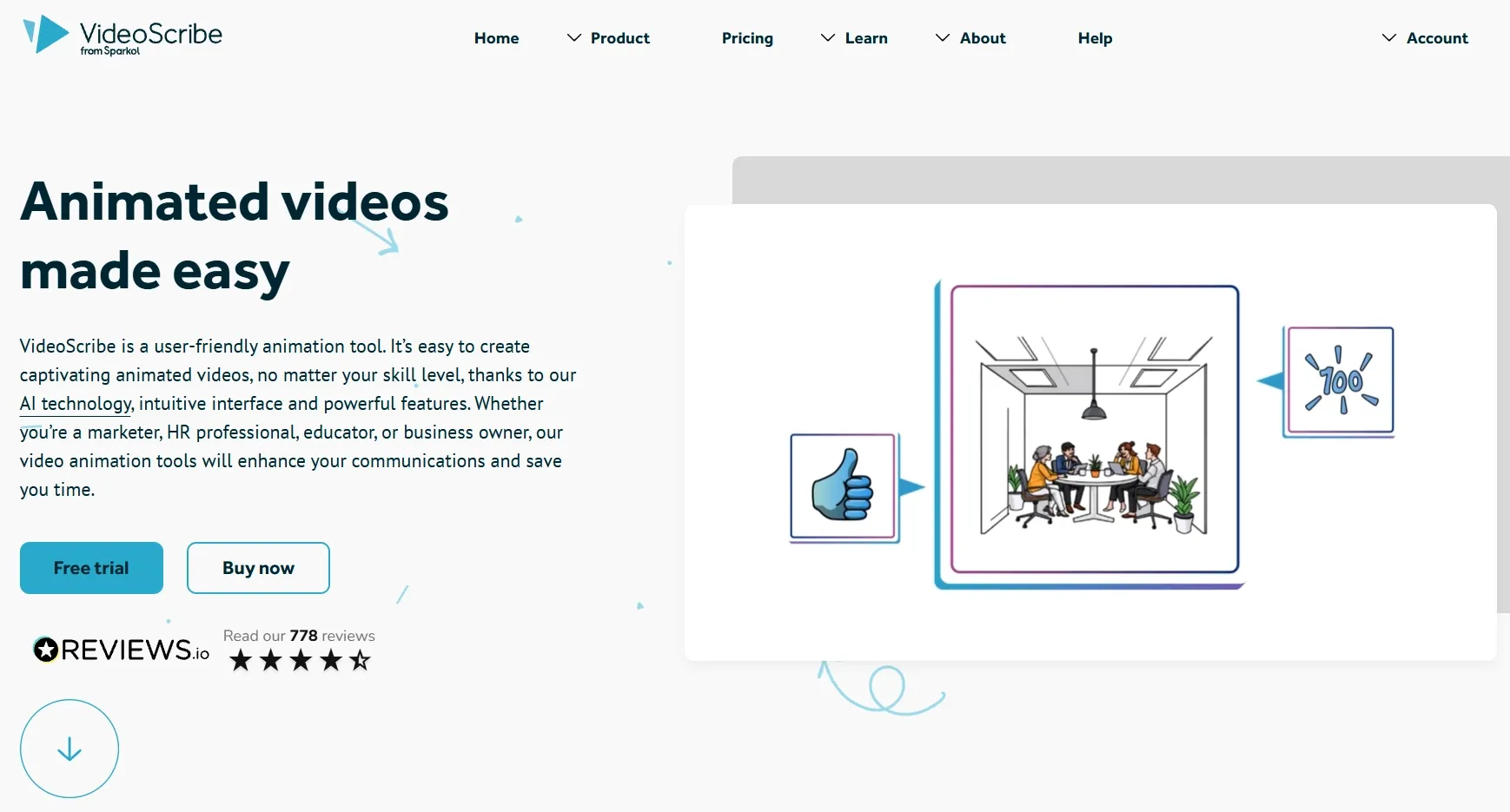
VideoScribe is an animated video maker known for creating visual explainer videos. You can use it to build videos with text, illustrations, icons, characters, voiceovers, camera movement, and scene-based animation.
Its best-known style is whiteboard animation, where visual elements appear as if they are being drawn by hand. I think this is why it still works well for lessons, training videos, business explainers, process walkthroughs, and simple marketing presentations.
VideoScribe also includes AI tools to support script writing, image generation, and voiceover creation. If you do not have video editing or animation experience, these features can make the first step feel much easier.
But VideoScribe feels less capable once your project moves beyond a clear animated explanation. When you need a video that can sell a product, show a realistic scene, or fit directly into a marketing campaign, its workflow does not give you enough room to build that kind of finished content.
What Are VideoScribe’s Key Features?
VideoScribe’s key features focus on animated video creation, script support, visual assets, timeline control, camera movement, audio syncing, and export flexibility.
Animated Explainer Workflow
The core VideoScribe experience is built around animated explainers. I can add text, illustrations, icons, characters, and visual elements to a canvas, then animate them into a clear visual sequence.
This format felt most useful when I needed to explain something step by step. It helped me guide viewers through a process, break down a concept, or make a message easier to remember.
Templates And Visual Asset Library
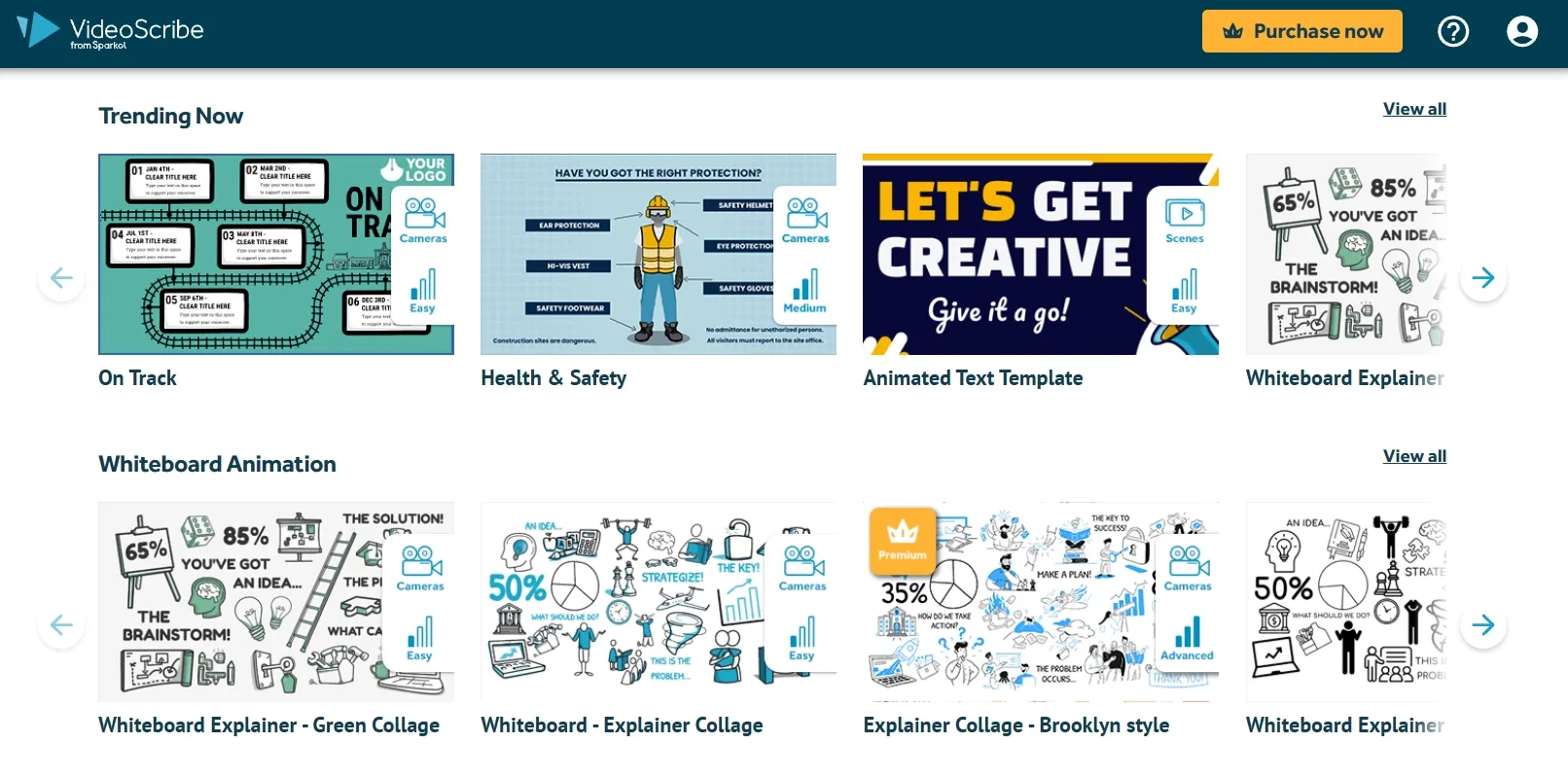
VideoScribe includes templates, icons, characters, images, backgrounds, and other ready-made assets. These resources make it easier to create a video even if you do not have design experience.
I like this because a template can give your project structure from the beginning. The asset library also helps me build visual scenes faster, so I can focus more on the message instead of creating every element manually.
Scene And Timeline Control
I liked how VideoScribe gave me a timeline-based workflow for shaping the video step by step. I could control when each element appeared, how long it stayed on screen, and how one scene moved into the next.
This made the workflow feel more manageable when I was creating business or educational videos. Instead of just placing visuals on a canvas, I could guide the pacing of a lesson, presentation, or explainer so the final video felt more organized and easier to watch.
Camera Zoom And Pan Effects
Camera movement helps VideoScribe videos feel more dynamic. I could zoom into key details, move across the canvas, or shift attention to the next part of the message.
For me, this made the animated videos easier to follow. When I was explaining a diagram, process, or multi-step idea, the zoom and pan effects helped me guide viewers’ attention more naturally.
Voiceover, Music, And Audio Sync
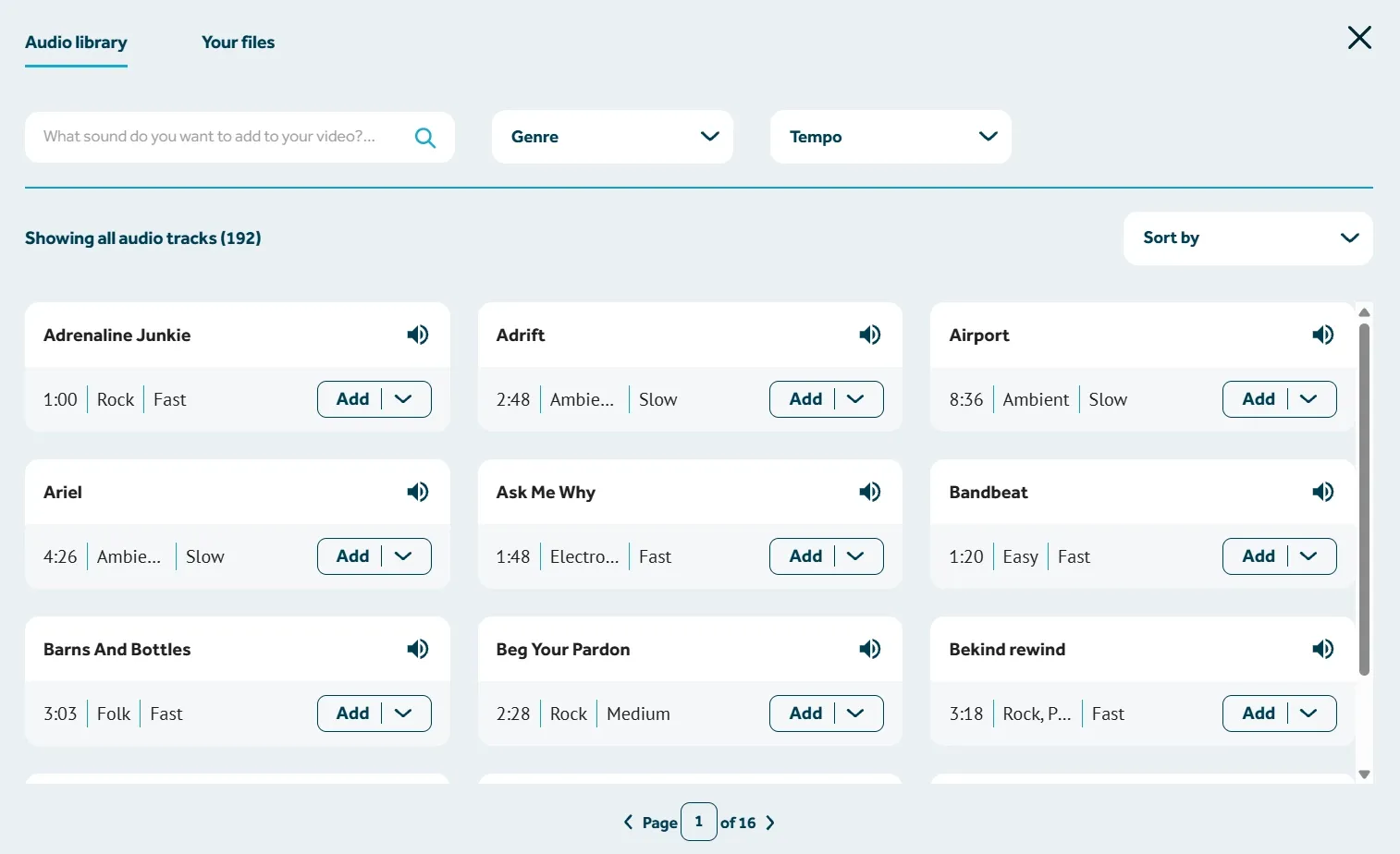
I also found the audio tools helpful when I wanted the video to feel more complete. VideoScribe let me add narration, AI voiceovers, music, and audio syncing, so I could build the visuals around the spoken script instead of treating sound as an afterthought.
This mattered most when the video needed to teach or explain something clearly. A well-paced voiceover gave the content structure, while the on-screen visuals helped each point land at the right moment.
What Are VideoScribe’s Pros And Cons?
VideoScribe has a clear purpose. It is not trying to be every type of AI video tool, and that is both its advantage and its limitation.
Pros:
- Easy to use for beginners and non-designers
- Strong for animated explainers and visual storytelling
- Helpful for education, training, HR, and business communication
- AI script, image, and voiceover tools can speed up creation
- Templates and asset libraries make it easier to start quickly
- Timeline and camera controls help organize ideas visually
- Good for turning complex topics into simple visual stories
Cons:
- Visual style can feel limiting for modern content needs
- Not ideal for cinematic AI video generation
- Not the strongest fit for UGC ads or product-led campaigns
- AI tools assist the animation workflow but do not replace full video production
- Visual output can feel less fresh for social-first marketing content
- More manual setup is needed than prompt-to-video workflows
- Less flexible if you need avatars, effects, product visuals, and audio in one place
Where Does VideoScribe Fall Short?
VideoScribe falls short when your video needs go beyond structured animated explainers.
The Visual Style Can Feel Limiting
I started to feel the limits of VideoScribe’s animation style when I imagined using it for more modern content tasks. If I needed realistic product scenes, cinematic shots, creator-style clips, AI avatar videos, or social-first visuals, the format did not give me enough room to shape the output.
The style also made me more aware of repetition. It works well for clear explanation, but once I tried to picture several marketing or social projects in the same format, the videos started to feel less distinctive and less fresh.
The AI Workflow Still Needs Manual Assembly
VideoScribe’s AI tools made the starting point easier, but they did not remove the hands-on work for me. After generating a script, image, or voiceover, I still had to shape the video piece by piece, from scene order to timing and camera flow.
That became more noticeable when I thought about fast content production. VideoScribe helped me build the video, but it did not feel like a workflow that could quickly turn an idea into a finished, ready-to-use piece without extra assembly.
It Is Less Suitable For Product-Led Campaigns
When I looked at VideoScribe from a product marketing angle, the gap became clearer. A product video often needs to create desire, show the item in context, highlight a use case, and support a campaign goal, not just explain what the product is.
VideoScribe is not built for the kind of visual selling that product ads usually need. If I wanted a more persuasive product showcase or conversion-focused ad creative, I would likely need a more marketing-oriented workflow.
How I Reviewed VideoScribe
I reviewed VideoScribe by focusing on real content tasks, not just its feature list. I looked at six parts of the experience:
- Video Quality: How clean and polished the final animated videos looked.
- Motion Quality: How well the drawing effects, zooms, pans, and scene movement supported the message.
- Editing Control: How much control I had over scene timing, camera movement, and visual sequencing.
- Creative Flexibility: How well VideoScribe handled different video needs beyond basic animated explainers.
- Audio Support: How easily I could add narration, AI voiceovers, music, and audio syncing.
My conclusion is balanced. VideoScribe is good at what it was built for. But it is not the tool I would choose as my main AI video platform.
Is VideoScribe Right For You?
VideoScribe is right for you if you want to explain ideas in a simple, visual way. I would recommend it most for content where the message needs to feel clear, structured, and easy to follow.
If you are turning a lesson, internal process, sales idea, or basic product concept into a visual story, VideoScribe gives you a practical way to make that information easier to understand.
But I would skip VideoScribe if my goal is to build a broader AI video workflow. Once my content needs to feel more cinematic, more creator-led, or closer to something you can publish directly, VideoScribe may feel too narrow for the job.
That is the clearest split for me. VideoScribe is better for focused animated explainers. For a more complete AI video workflow and more flexibility, Pollo AI is the stronger choice.
Create Videos with More Freedom
Enjoy a more flexible and complete AI creation experience, with powerful tools designed to help you produce polished content more efficiently.
Start Creating with Pollo AI
How Does VideoScribe Perform Across Real Use Cases?
VideoScribe performs best in communication-heavy use cases where structure, clarity, and simple visuals matter more than cinematic quality.
Use Case | My Take |
|---|---|
| Education Videos | Strong fit. VideoScribe works well when you need to explain lessons, concepts, and visual learning topics. |
| Training Videos | Strong fit. The timeline and animation format help you break information into clear steps. |
| HR And Onboarding Videos | Good fit. It can make policy, process, and workplace content easier to follow. |
| Sales Explainers | Good fit. It helps simplify offers, services, and product ideas. |
| Social Media Videos | Mixed fit. It can create simple animated posts, but the style may feel repetitive. |
| UGC Ads | Weak fit. It does not naturally create creator-style product ads. |
| Cinematic Videos | Weak fit. It is not built for realistic motion, camera depth, or cinematic scenes. |
Why Is Pollo AI a Better VideoScribe Alternative?
Pollo AI is a better VideoScribe alternative if you want a more complete way to create AI videos.
Instead of staying within one animated video style, Pollo AI gives you more room to create different types of content and move closer to finished results. That makes it a stronger choice when your video workflow needs more flexibility, speed, and production value.
Pollo Agent Creates Post-Ready Videos Without Editing
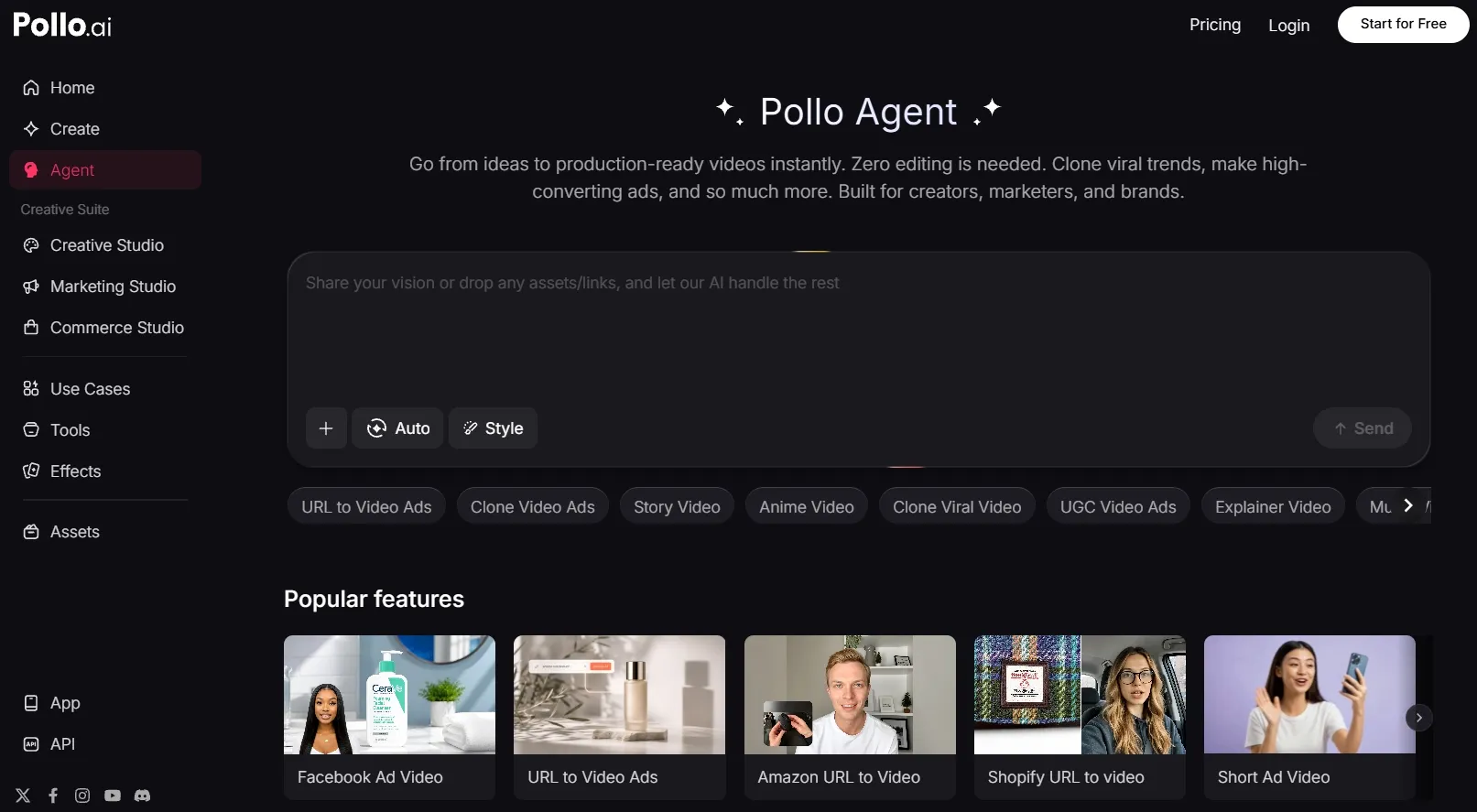
The biggest reason I would choose Pollo AI here is Pollo Agent.
Pollo Agent is built to help you move from an idea, script, image, video, or URL to a more complete video with less manual work. It can help shape the structure, pacing, visuals, and sound, so the output feels closer to a post-ready video instead of another raw draft.
That makes Pollo AI more useful when you want to create and publish faster. With Pollo Agent, the workflow feels more focused on finished content, not just on assembling separate video pieces.
Marketing Studio Is Built For Ads And Campaigns
Marketing Studio is another reason I would choose Pollo AI for marketing-focused video creation.
It gives me a more direct way to create ad-ready and product-led content, instead of starting from a general video canvas every time. I like that the workflow feels built around real campaign needs, so I can move from an idea, product asset, or marketing angle to usable creative faster.
For product launches, paid ads, social campaigns, and e-commerce content, Marketing Studio makes Pollo AI feel much more practical as a marketing video workflow.
More Model Flexibility And a Fuller Workflow
Pollo AI also gives me more flexibility at the model level. Instead of working within one fixed creation system, I can access leading AI models such as Sora 2 and Seedance 2.5 in one place.
This matters because different projects need different strengths, from cinematic motion and fast social content to product visuals and image generation.
I also like that Pollo AI gives me a fuller workflow around the video itself. I can create videos, talking avatars, voiceovers, and edit my videos without constantly switching between separate tools.
For real content production, that makes the process feel more connected. You are not just generating one asset; you are building a more complete piece of creative from idea to final output.
My Personal Take On VideoScribe
My personal take is that VideoScribe works best when I need to make information easier to understand. I like how approachable it feels, especially when I want to turn a lesson, process, or simple business idea into a clear visual story without learning complex animation tools.
I would consider using it when the video’s main job is to guide viewers through information in a structured way. In that kind of project, the animation format helps me organize the message, while the AI script and voiceover tools make the setup feel lighter.
But I would not choose VideoScribe as my main AI video tool. When a project needs to do more than explain an idea, I start to feel its limits. If the video needs to sell, entertain, show realistic context, or move closer to a finished campaign asset, I would rather use Pollo AI.
For me, VideoScribe is useful when I want to explain something clearly. Pollo AI makes more sense when I want to create a fuller piece of content.
Build Post-Ready Videos Faster
Create post-ready AI videos with 70+ flexible models, 100+ specialized workflows, and no editing required.
Try Pollo AI for Free NowMy Take: Is VideoScribe Worth Using?
VideoScribe is worth using when your video’s main job is to make information easier to understand. It gives you a simple, visual way to organize ideas, so I can see why users still turn to it for content that needs to feel clear, structured, and easy to follow.
But after looking at it from a broader AI video creation angle, I would not use VideoScribe as my main tool. When I need a video that feels more complete, more flexible, and closer to something I can publish or use in a campaign, Pollo AI makes more sense.
What stands out to me most is Pollo Agent’s focus on post-ready output. Instead of just helping me generate another rough video asset, it gives me a more direct path from an idea to a finished video with no editing required.
Marketing Studio is also a major advantage if I need content for real campaigns. Its biggest strength is that it is built around ad-ready and product-led creation, so the workflow feels much closer to actual marketing needs.
I also like Pollo AI’s workflow and flexibility. It gives me access to 70+ leading AI models such as Veo AI and Kling AI. I can test different visual styles without jumping between separate platforms. I can also use 100+ specialized workflow apps for real creative projects to reduce my workload.
Try Pollo AI if you want to create post-ready AI videos with a more complete workflow built for today’s content needs.