



Vadoo AI Review: I Tested Vadoo AI for 2 Weeks and Here’s What I Found
I tested Vadoo AI for 2 weeks because it promises a broad AI video workflow for creators who want to make short videos faster.
My main question was simple: Does Vadoo AI feel like a practical production tool, or is it better as a creative workspace for quick video experiments?
Vadoo AI Review: TL;DR
Vadoo AI is useful for fast AI video drafts, stylized clips, and social video experiments. But after testing it, I found its workflow too loose for serious production. It gives you many tools, but it does not reliably guide you toward a polished, publishable video.
Review Area | My Take |
|---|---|
| Best for | Short video drafts, social clips, visual experiments |
| Less ideal for | Structured ad campaigns and polished brand videos |
| Strongest feature | Broad model access with several video creation paths |
| Biggest limit | It creates fragments more easily than finished videos |
| User feedback | Positive on speed, weak on credits, navigation, and support |
| My verdict | Useful for exploration, risky for dependable publishing workflows |
What Is Vadoo AI
Vadoo AI is an AI video platform built around model access, AI video generation, and post creation tools. Instead of focusing on one narrow task, it helps users start from an idea or existing asset and move toward a short video inside one workspace.
The platform is mainly useful for creators, marketers, and small teams that need a faster way to produce social content. Its biggest appeal is creative range, but that range also makes the workflow feel less focused once the goal moves beyond casual experimentation.
What Other Users Say About Vadoo AI
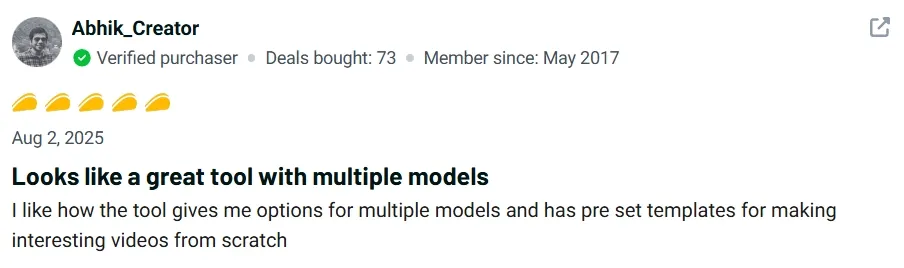
User feedback is mixed. On AppSumo, Vadoo AI shows a 4.0 rating across 166 reviews at the time I checked. The positive pattern is clear: users like the speed, the range of video templates, and the ability to create reels or ad drafts without starting from an empty timeline.
The critical pattern is also important. Some users mention confusing navigation, onboarding friction, unclear paid tool behavior, and support concerns. On Trustpilot, Vadoo AI shows a much lower 1.9 rating, with recent complaints focused on credits, failed generations, cancellation, and support response.
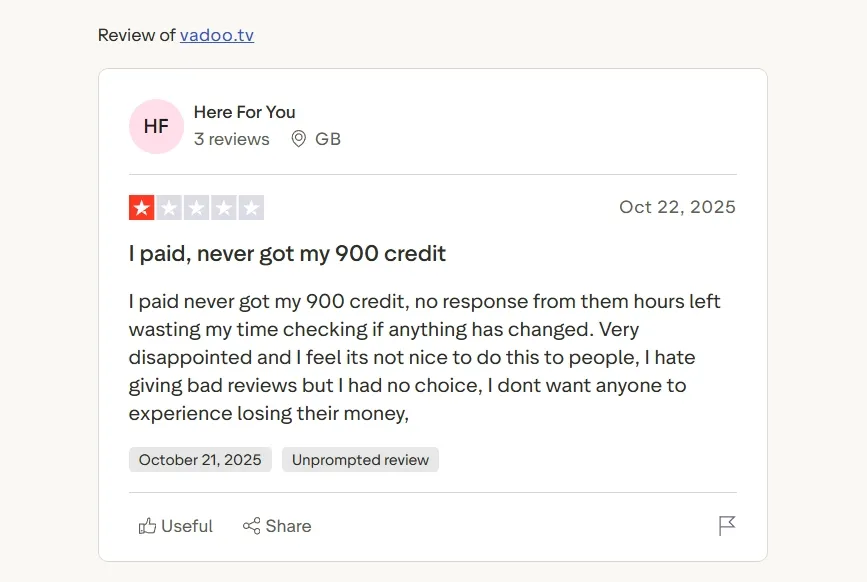
I would not treat reviews as the whole story, but I would treat them as a risk signal. If a tool is only for casual content experiments, friction is annoying. If it is for client work or paid campaigns, friction becomes expensive.
Vadoo AI Key Features I Reviewed
Multi-Model Integration Hub
The multi-model integration hub is Vadoo AI’s best idea. Bringing several AI video models like Hailuo AI and Kling AI into one workspace makes exploration faster because users are not locked into a single visual engine.
That range helps when a story video needs a specific mood. A dramatic scene, a playful short, and a realistic product moment all require different model behavior, so having model choice in one place is genuinely useful.
This was the one feature where Vadoo AI felt strongest to me. When the creative direction was clear, the model hub made comparison easier and gave me more room to test visual tone.
Intelligent Text to Video
Text to video is Vadoo AI’s simplest entry point. It turns written ideas, prompts, or scripts into video drafts, which makes it useful when the user has a message but no footage.
It works best for explainer videos because a clear problem, explanation, and takeaway can give the video enough structure to follow. For simple educational clips, it also gives creators a fast way to turn text into something watchable.
The problem I found is that Vadoo AI’s text to video output often feels like a draft rather than a full video. The pacing can feel flat, the visual choices can feel generic, and the hook usually needs manual improvement. It helps me start, but it does not do enough to make the video feel intentionally built.
Dynamic Image to Video
Vadoo’s dynamic image to video animates static visuals with motion and atmosphere. I found it useful when the starting image already had a clear purpose in the video.
For product videos, this can make a product asset feel more active in a feed. A still product shot becomes more usable when motion adds attention without losing the original visual identity.
But this feature also exposes a common Vadoo AI issue: the motion can look decorative instead of meaningful. It can make an image move, but it does not reliably turn that image into a persuasive product moment. The user still has to supply the reason the viewer should care.
Video to Video Stylization
Video to video stylization is useful because it starts from footage that already has motion. Instead of building a scene from scratch, Vadoo AI can restyle existing material into a different look.
This works well for anime videos or creator series where the style is part of the identity. The original footage provides structure, while the stylization changes the visual language.
The weakness is consistency. Vadoo’s stylized outputs look fun in isolation, but they are harder to trust across a series. When the style shifts too much between clips, the content starts feeling like random experiments instead of a recognizable format.
Advanced AI Video Effects
The effects library is built for quick social attention. These transformations can make the first second more surprising, which is useful for me to create trendy content for fast scrolling platforms.
For a viral video, that first visual beat can help stop the scroll. Vadoo AI’s effects are useful when the creator already has a trend, reveal, or punchline in mind.
Professional AI Audio Suite
The audio suite adds voiceovers and lip syncing, which makes Vadoo AI more useful than a silent visual generator. Audio gives short videos a clearer path for narration, timing, and viewer attention.
For faceless creator content, this is helpful. A voiceover can carry the message while visuals and subtitles support the pace. In that context, the feature makes Vadoo AI more practical for AI faceless video workflows.
Still, the audio layer is not polished enough to carry weak content. Some voice-driven outputs can feel mechanical, and lip syncing does not automatically make a presenter feel natural. The feature helps, but it does not remove the need for script quality and delivery judgment.
Precision Editing Tools
The precision tools are meant to fix or adjust generated visuals after the first output. They are useful when a clip is close but needs changes in appearance, framing, or visual fit.
For branding videos, that can matter. A small visual mismatch can make a draft feel off-brand, and adjustment tools can prevent users from restarting the whole generation.
The downside is that these tools feel more like patches than a strong editing workflow. They can correct details, but they do not solve bigger problems like weak pacing, unclear structure, or disconnected scenes. For production work, that is a real limitation.
Social Media Optimization
Vadoo’s social media optimization helps prepare videos for short-form platforms. It focuses on making clips feel ready for feed-based content rather than long video formats.
For Instagram story ads, this is useful because vertical framing and fast pacing matter. Vadoo AI’s social focus helps creators think in the right format from the start.
Real Use Cases of Vadoo AI
Use Case | How Vadoo AI Fits |
|---|---|
| Social video creation | Vadoo AI helps test short clip ideas quickly, especially for Instagram videos that need native feed pacing. |
| Product visual animation | It can animate static product assets, giving early product video concepts a faster visual start. |
| Stylized creator content | It restyles existing footage when the motion already works, and the creator needs a stronger visual identity. |
| Faceless narration videos | Its audio tools, captions, and visuals support AI faceless video workflows without filming. |
| Early ad concept testing | It helps marketers rough out ad angles before spending time or budget on short ad generation. |
Vadoo AI’s Pros and Cons
Pros:
- Broad model access for testing different visual directions.
- Fast drafts from text, images, or existing footage.
- Useful audio tools for faceless and character videos.
- Social format support helps creators move faster.
Cons:
- Workflow feels scattered for polished production.
- Stylized outputs lack reliable consistency.
- Effects feel shallow without strong concepts.
- Editing tools only fix surface problems.
How I Reviewed Vadoo AI
I reviewed Vadoo AI from three angles, and each one appears later in the article:
- Generation flexibility: I looked at how easily Vadoo AI moves from text, images, or existing footage into a video draft.
- Production polish: I reviewed whether its effects, audio tools, visual adjustments, and social formatting make videos feel closer to publishable.
- Practical reliability: I compared my workflow impressions with user feedback around credits, support, navigation, and repeated use.
I kept the review focused on video. When a feature touched images or audio, I judged it by whether it helped create better video content.
Where Vadoo AI Falls Short
Vadoo AI works when I treat it as a creative exploration tool. It can generate drafts, test styles, add audio, and prepare short clips for social platforms.
But it feels much weaker once the work needs to become production-ready. The platform creates pieces of a video more easily than it creates a finished video. I still had to think through structure, hook, pacing, consistency, and final polish myself.
Seamless Video Creation Starts Here
Join 10M+ creators using Pollo AI to generate ready-to-use videos with every top model.
Create Videos with Pollo AI Free
That is where Pollo AI feels stronger. Pollo AI is the ultimate creative suite for creators, sellers, and marketers, with multi-model AI video creation, Commerce Studio for product-focused video workflows, and Marketing Studio for campaign-ready video production.
Vadoo AI vs. Pollo AI
Dimension | Vadoo AI | Pollo AI |
|---|---|---|
| Creative exploration | Broad toolset for fast experiments | Clearer workflows for turning ideas into complete videos |
| Model access | Useful multi-model hub | Industry-leading video models, including Seedance and Veo |
| Social clips | Good for short drafts and stylized formats | Stronger when creators need consistent, repeatable publishing |
| Marketing videos | Useful for rough ad concepts | Marketing Studio is built around campaign-ready video workflows |
| Human presence | Supports AI audio and lip syncing | Pollo AI avatar creates up to 2 minutes of talking avatar videos from one photo |
| AI video editing | Offers surface-level visual adjustment tools | AI video editor lets users edit videos with text prompts, changing styles, objects, backgrounds, and scenes |
| Finished output | Often still needs user assembly and review | Pollo Agent helps generate post-ready videos with structure and pacing,without editing |
Why Pollo AI Feels Like the Better Vadoo AI Alternative
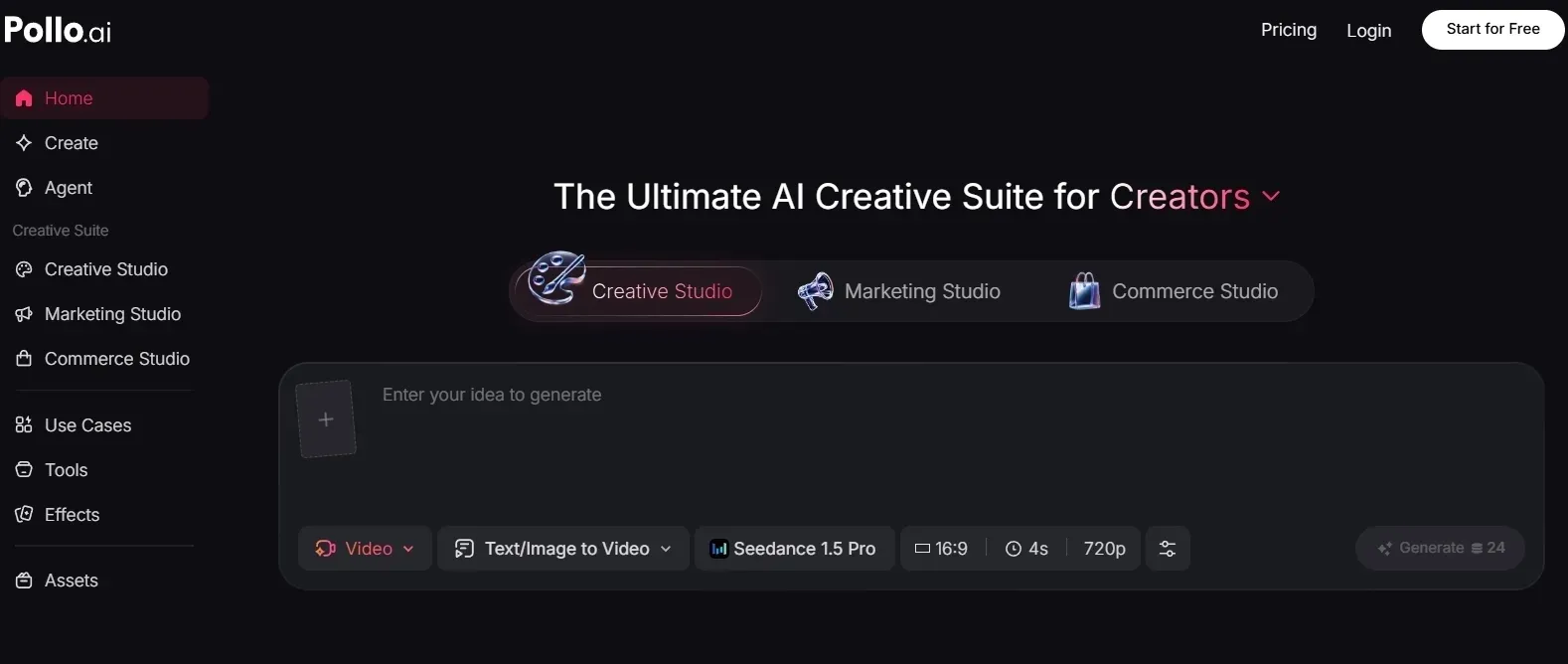
Pollo AI Offers Stronger Industry-Leading Video Models
I found Pollo AI stronger because it gives creators fast access to multiple industry-leading video models, letting them test the newest generation styles and capabilities in one place.
Seedance 2.5 is strong for multimodal references, visual consistency, and realistic motion. Veo 3.1 works well for controlled product, brand, and cinematic videos.
Kling 3.0 is useful for character motion, action-heavy clips, and multi-shot storytelling. With Pollo AI, creators can choose the right model for the task instead of forcing every idea through one model.
Pollo Agent Helps Users Finish the Video
The biggest practical advantage is Pollo Agent. Vadoo AI gives users many ingredients, but the user still has to connect them into a finished video.
Pollo Agent is built for that missing step. It can turn an idea, URL, image, or asset into a post-ready video while handling structure, pacing, music, captions, and the opening hook without manual editing.
That matters because production time is usually lost between draft and final. Pollo Agent reduces that gap, which makes it more useful for creators and teams that need ready-to-use videos regularly.
Marketing Studio Is Better for Marketers
For marketers, Marketing Studio by Pollo AI is the stronger workflow because it is built around ad production, not just visual generation.
The first benefit is speed. A marketer can start from a product URL, a script, or an ad idea and move toward types of structured video ads such as TVC ads and comparison UGC ads, without coordinating a shoot or building each scene manually.
The second benefit is cost control. Teams can test more concepts before paying for creators, agencies, or reshoots. The third benefit is conversion focus: the workflow is built around hooks, product context, and viewer action, which matters more than visual novelty alone.
Pollo AI Avatar Adds Human Presence Without Filming
Pollo AI Avatar also stood out after reviewing Vadoo AI’s audio and lip sync workflow. Vadoo AI helps with voice and sync, but avatar creation gives users a more direct route to presenter-style content.
Pollo AI Avatar turns one photo into a talking avatar with lip sync, facial expressions, and gestures. That removes the need for filming, prerecorded footage, or long training.
For product explainers, tutorials, and brand messages, that human presence can make the content feel clearer and more trustworthy while keeping production fast.
Final Verdict
Vadoo AI is useful for quick drafts, model exploration, effects, audio, and social video experiments.
But after testing it for 2 weeks, I found it much weaker as a production workflow. The platform feels broad but loose, and several features still leave too much finishing work to the user.
Pollo AI is stronger for creators and marketers who need videos that feel closer to publishable. It offers industry-leading video models, Pollo Agent for post-ready videos, Marketing Studio for campaign videos, and AI Avatar for presenter-style content without filming.