



What Is Pollo AI Influencer and How Does It Work
Pollo AI Influencer helps you create a reusable virtual character through guided settings, without writing a detailed image prompt. Add an optional reference photo, customize the character’s appearance, and generate a character sheet that you can use in other Pollo AI workflows.
The character does not have to remain a single image. You can save it as an asset, create new looks, or use it in Recast videos.
What Is Pollo AI Influencer: TL;DR
Pollo AI Influencer is a character creation feature for building virtual personas that you can reuse in images and videos. It is designed for creators, marketers, and brands that want a recurring character without recreating the design from scratch each time.
| Feature | What it does |
|---|---|
| Character settings | Customize appearance across 19 categories |
| Reference photo | Optionally use one photo to guide facial features |
| Generated result | Create a 2K character sheet in a 16:9 layout |
| Saved asset | Store the result as a Character with an AI Influencer label |
| Further creation | Make new looks or use the character in Recast |
How Does Pollo AI Influencer Work?
Pollo AI Influencer uses your selected settings and optional reference photo to generate a character sheet. You can then save and reuse the character, create another look, or use it as a reference in Recast.
Two Ways to Create AI Influencers: Scratch or Template
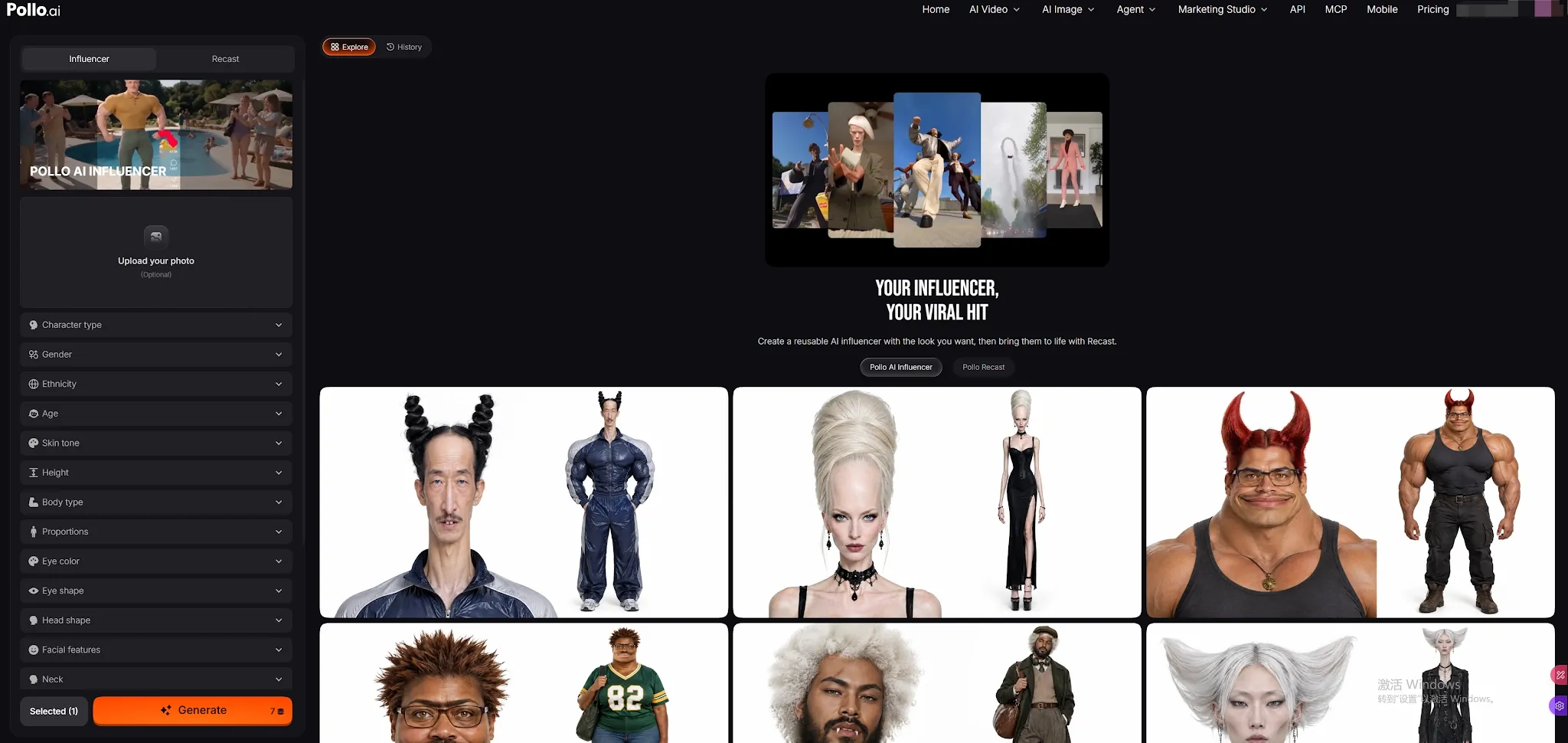
The Menu-Driven Build:
Navigate to Pollo AI Influencer page. From there, you can toggle 19 different menu categories (including age, ethnicity, facial geometry, hairstyle, and aesthetic) to sculpt your character without writing prompts. You can also upload an optional reference photo to anchor specific facial features.
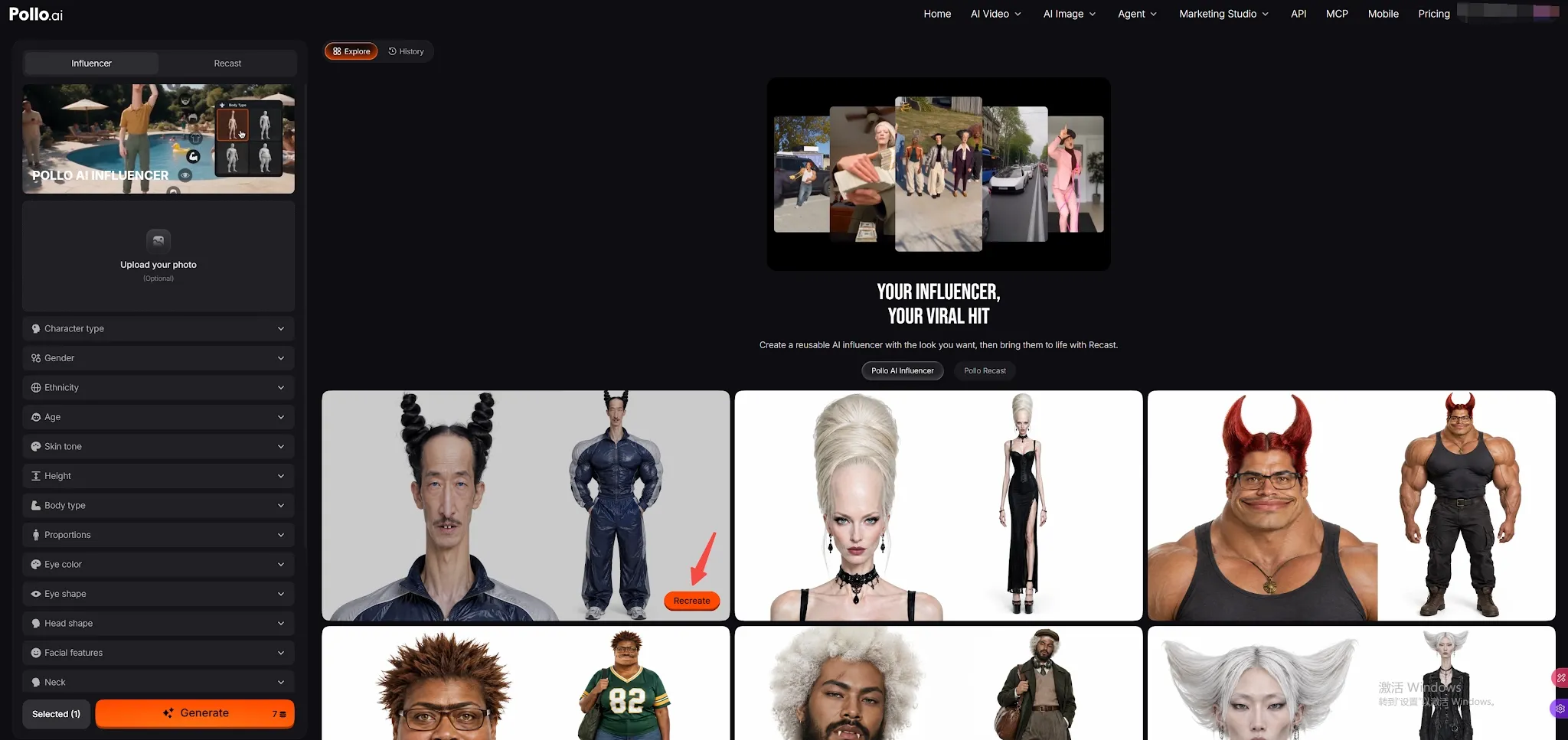
Or Template Recreate:
Browse community characters in the Explore tab and click Recreate on any card to instantly load its preset settings into your panel for quick tweaking.
Character Persistence & History
Once generated, your influencer isn't just an image—it is a permanent asset automatically stored in your History and Elements library.
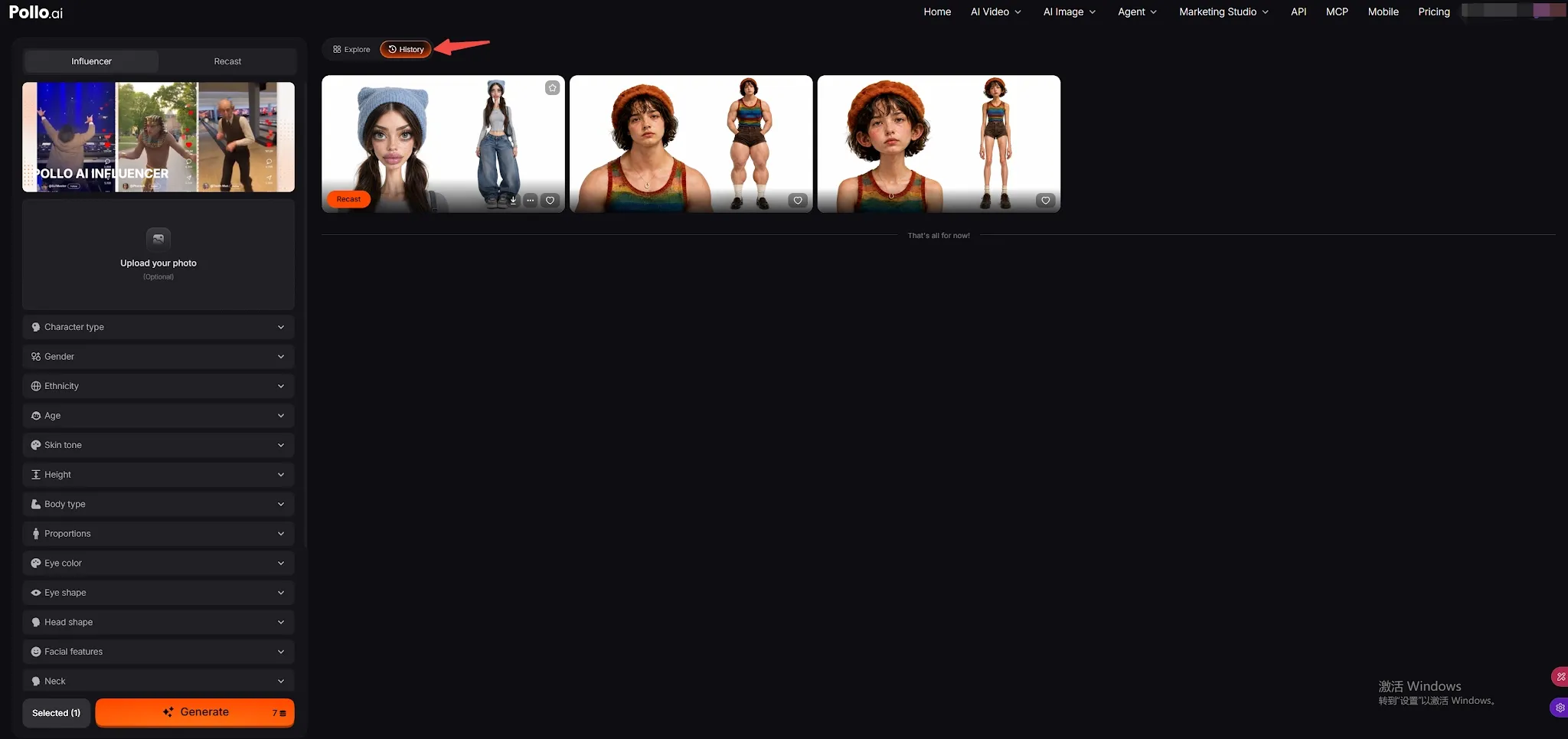
This maintains 100% identity consistency, allowing you to give your character a "New Look" while locking the exact facial structure.
At this point, your AI Influencer is fully created and ready for static image generation. But if you want to bring them to life and make them move, simply proceed to the final step.
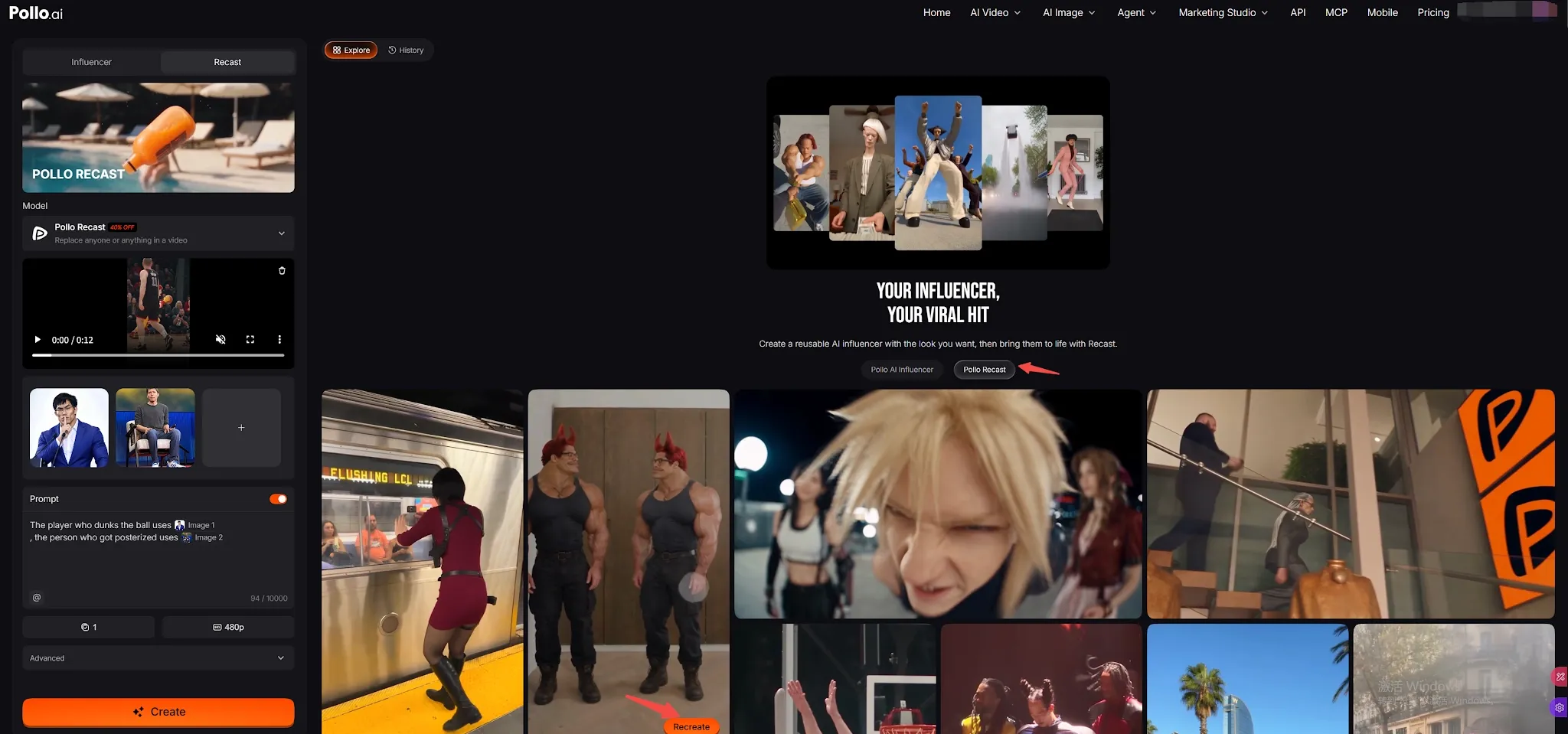
Every character is "Recast-ready." Switch to the Recast tab or click the Recast button directly on your character card in History:
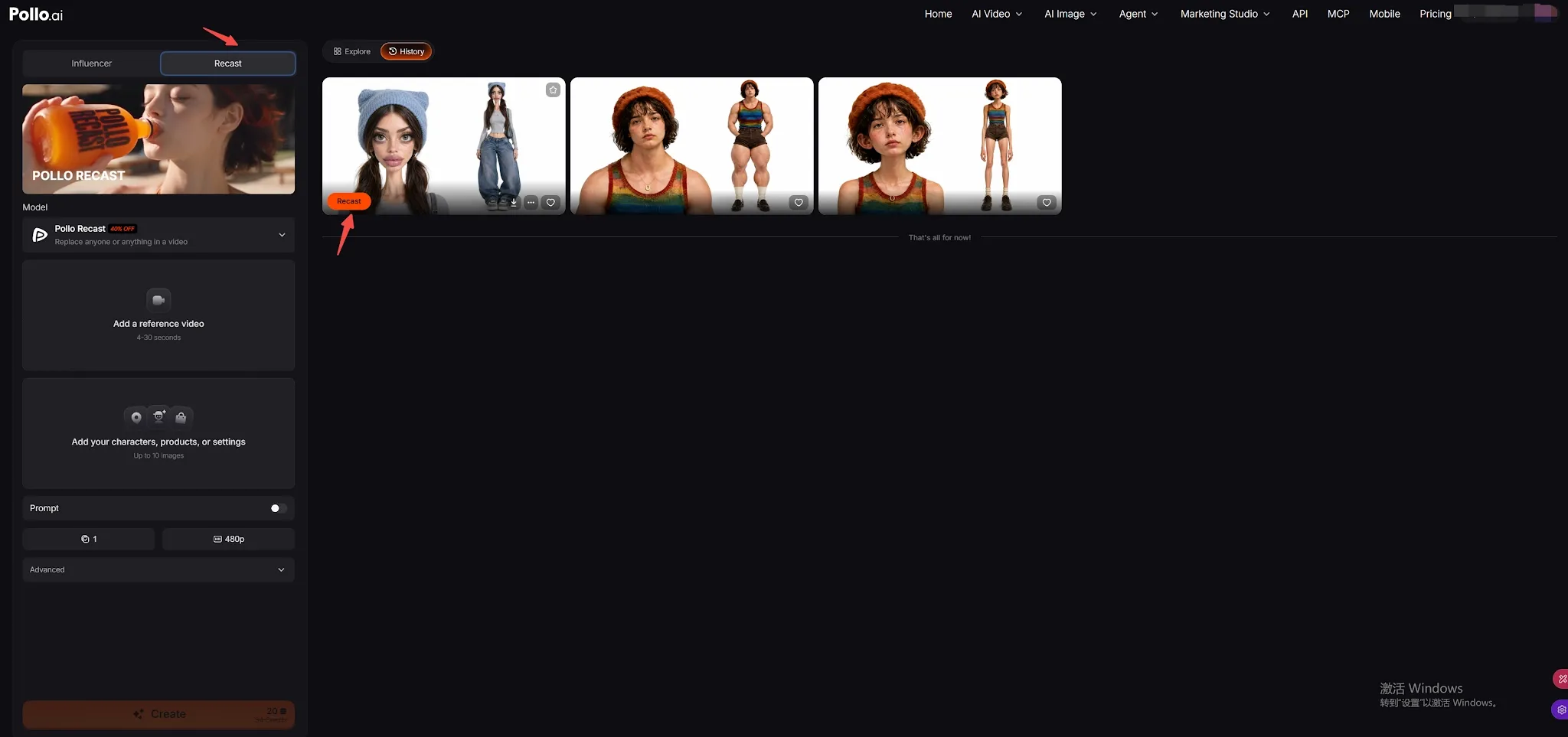
Trending Motions:
Select from viral dances and popular social media movements.
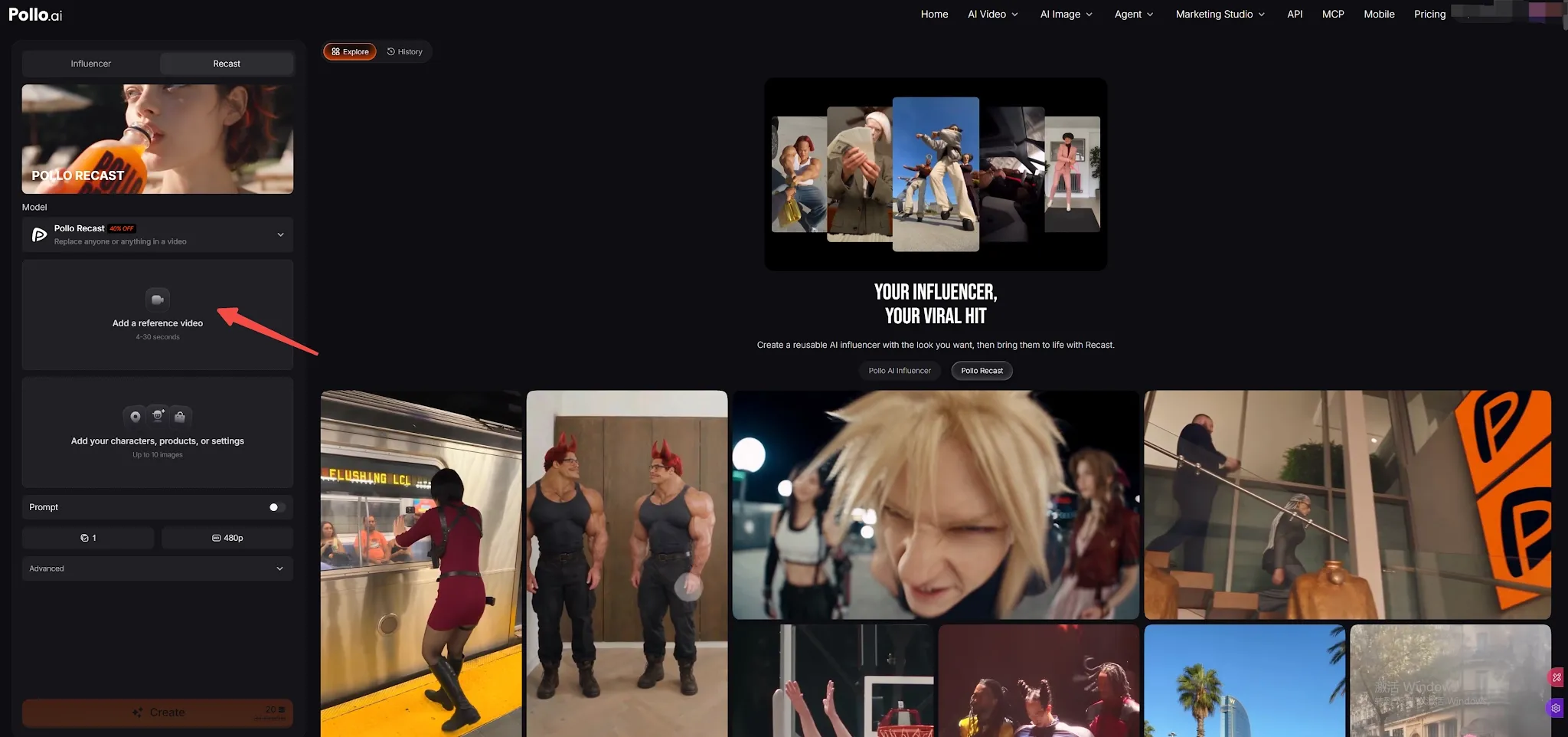
Custom Video Reference:
Upload your own 4–30 second clip, and your influencer will mimic the motion seamlessly.
For a complete walkthrough of every setting, read our step-by-step guide on how to use Pollo AI Influencer.
What Can You Do With a Generated Pollo AI Influencer?
A generated influencer is saved as a Character asset with an AI Influencer label. From there, you can download the character sheet, re-create the character with adjusted settings, or open its details to manage saved looks.
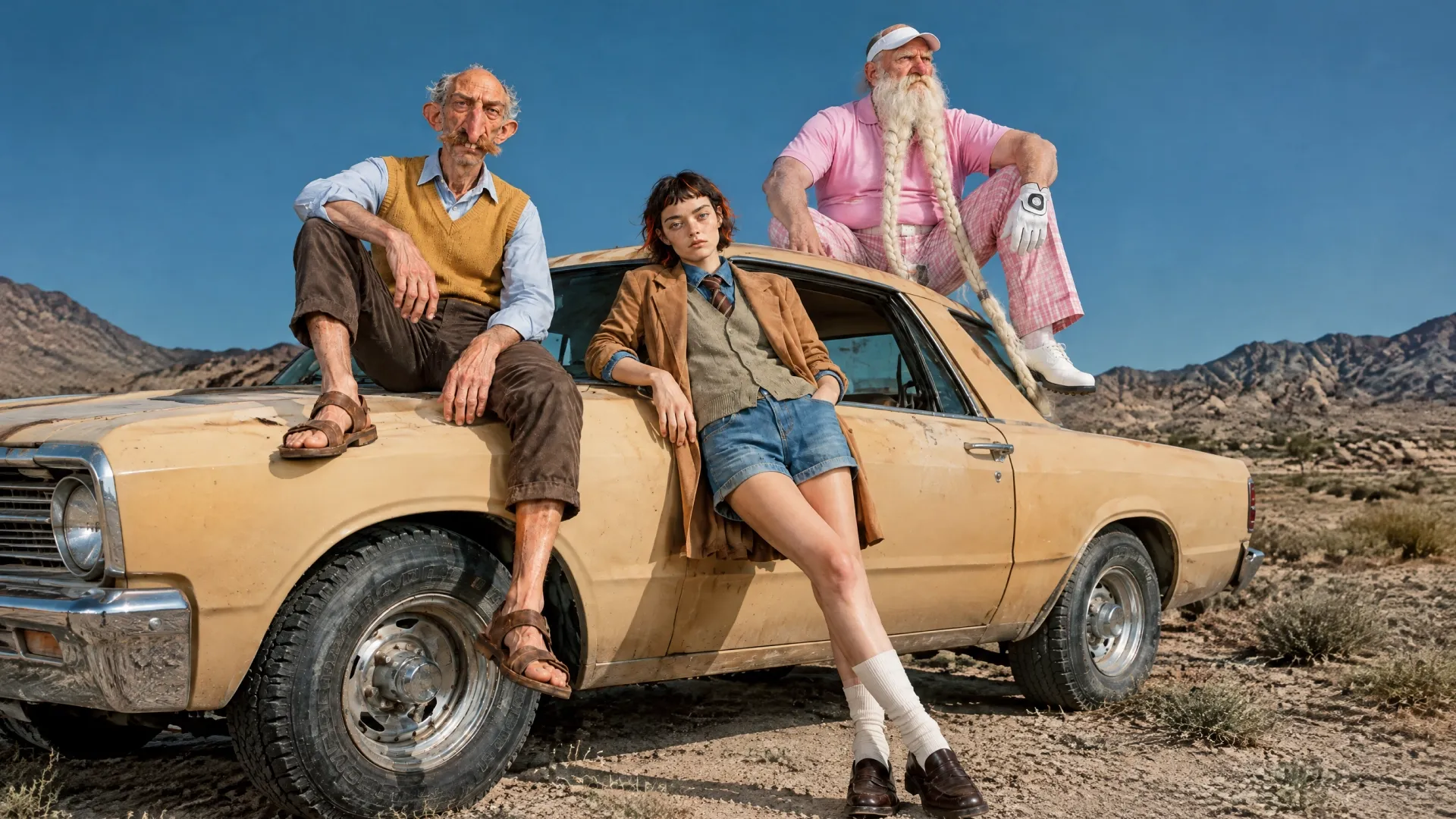
You can also create a new look while keeping the character asset. Add a short description and, if useful, a clothing or object reference image. When you choose Pollo Recast, Pollo AI can pass the selected character or look into the Recast workflow as the character reference.
| Action | What happens |
|---|---|
| Download | Save the generated character sheet |
| Re-create | Reopen the original settings and adjust the character |
| New Look | Create a different outfit, hairstyle, or visual direction for the character |
| Recast | Use the character or selected look as a reference for a motion video |
| Use in Create | Select the saved character or a specific look as a reference in supported workflows |
What Can You Create With Pollo AI Influencer?
Pollo AI Influencer gives you a reusable character that can support image and video workflows. The character sheet and saved looks provide visual references; The final content depends on the creation workflow you choose.
| Use case | How the character can be used |
|---|---|
| Recurring social persona | Reuse the character as a reference across supported social content workflows |
| Character and styling concepts | Create additional looks for a content series or campaign direction |
| Product-related visuals | Develop character looks using clothing or object reference images |
| Short-form motion videos | Send the character to Recast with a motion template or uploaded reference video |
Create Your Own AI Influencer
Build a reusable virtual persona with guided settings, save its identity, and bring it to life in images and Recast videos.
Try Pollo AI Influencer for Free
Who Is Pollo AI Influencer For?
- Faceless Creators & Social Media Managers: Build and scale character-led TikTok, Instagram, and YouTube channels where a single virtual persona must maintain recognizable visual identity across hundreds of videos over months. You can also create repeatable UGC videos around the same virtual character.
- Performance Marketers & DTC Brands: Design custom brand ambassadors and spokespersons without recurring talent contracts or studio rental costs, then test multiple product hooks rapidly using motion transfer.
- Short-Form Video Creators & Meme Curators: Combine stylized non-human characters, such as anthropomorphic frogs or capybaras, with trending internet dances and kinetic audio to tap into algorithmic virality. For fast social campaigns, create TikTok video ads with the same character identity.
- Agencies Managing Multiple Client Personas: Keep distinct virtual personas, proprietary lookbooks, and voice presets neatly separated and organized inside the Elements dashboard for different client accounts. You can also create consistent profile pictures for each persona.
- Indie Filmmakers & Animators: Cast consistent characters, futuristic androids, and creature concepts across multiple storyboard scenes directly inside the Pollo AI creation flow.
Pro Tips for Better Results
- Lock Consistency via Picker: Always use the Select button in the Assets picker to pull your character into new workflows so the engine references the exact same visual identity.
- Assign Default Voice Early: Pick and audition a Default Voice in the character details panel so your influencer is primed for audio-driven video updates.
- Iterate Fast with Re-create: If your character is almost perfect but needs a different hairstyle or outfit, hit Re-create to reload all original settings and tweak just that one parameter.
Summary
Pollo AI Influencer eliminates prompt fatigue by giving creators an 19-parameter studio to build consistent, reusable 2K virtual personas without writing text prompts. Connected directly to Elements and Recast, it delivers an instant pipeline from character design to trending short-form video. Ready to launch your virtual creator? Try Pollo AI Influencer today, or learn more in our Pollo Recast Guide.