



Tensor Art AI Image Generator
Tensor Art centers on models, LoRAs, and community workflows, while Pollo AI goes further with 50+ image apps and tools that turn ideas into impressive designs and marketing visuals faster. Try Pollo AI image generator for free!
Kling 4.0
Up to 10 keyframes. Impressive performance.
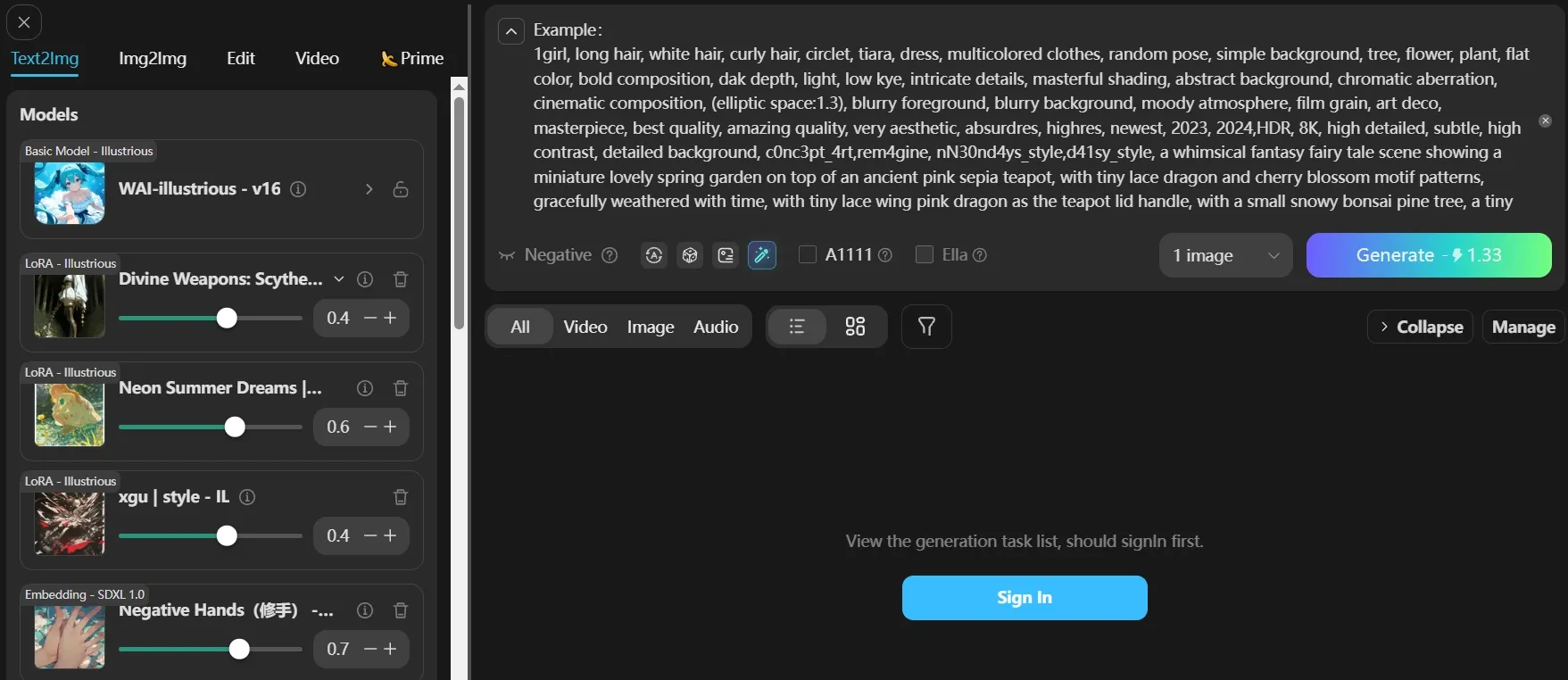
Extensive Models and LoRAs
Tensor Art lets users browse its model library, select a base model or LoRA, enter a prompt, and adjust parameters to control the output’s style and details.
For an indie game studio developing a recurring fantasy character, a character-focused LoRA keeps distinctive armor, facial features, and illustration styles recognizable across concept sheets and environment artwork.
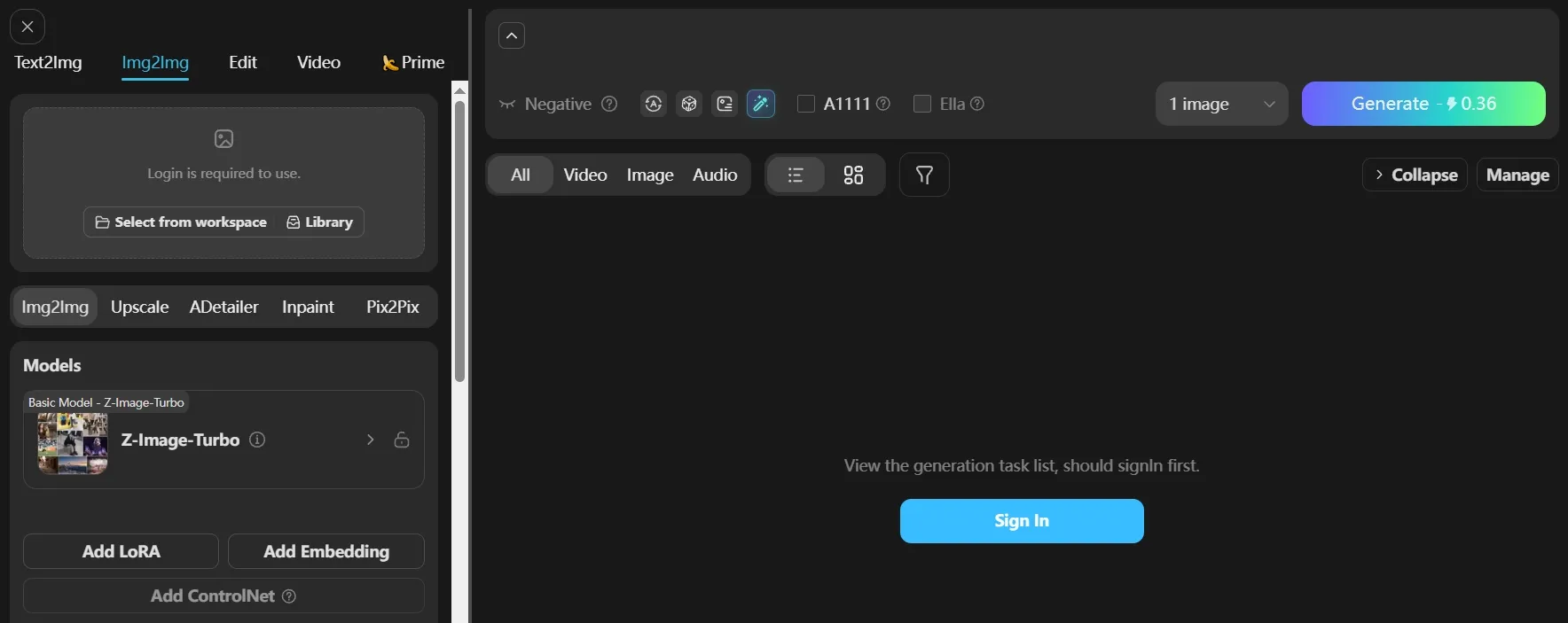
Reference-Guided Image Creation
Tensor Art allows users to upload a source image, describe the desired result, and use its subject, pose, composition, or aesthetic as guidance for a new generation.
In a fashion campaign, one model portrait can anchor a series of outfit concepts, editorial poses, and locations while maintaining a recognizable character and visual direction.
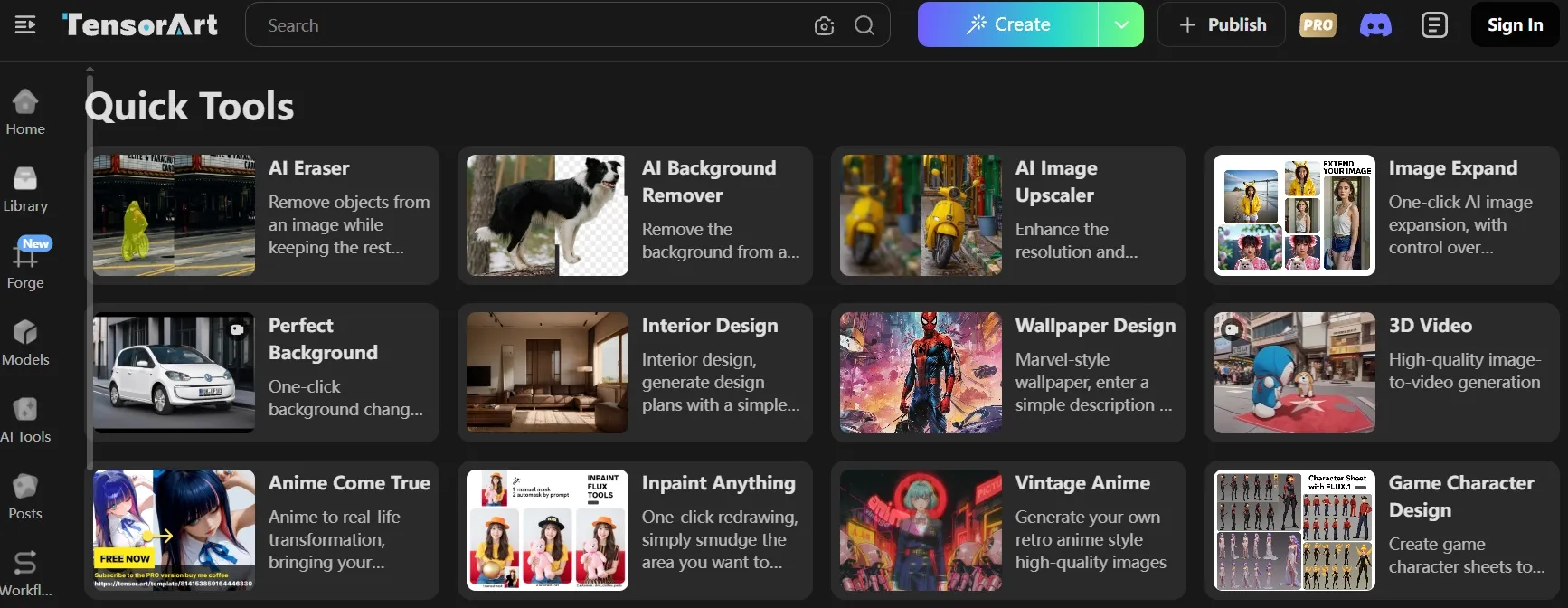
AI Image Editing Tools
In Tensor Art, users can upload an existing image and select tools for object removal, background cleanup, image expansion, upscaling, relighting, or style transformation.
Before publishing a marketplace listing, an online seller might remove unwanted props, brighten the product, extend the background for a banner, and improve the final image resolution.
Purpose-Built Creation Studios
Tensor Art provides focused studios such as Anime Lab, Photoreal Studio, OC Creator, and Brand Design, each organizing relevant models and controls around a specific creative task.
Anime Lab gives a manga creator a focused space for developing stylized characters and scenes, while Brand Design turns a small business’s creative brief into logos, branded graphics, and campaign visuals.
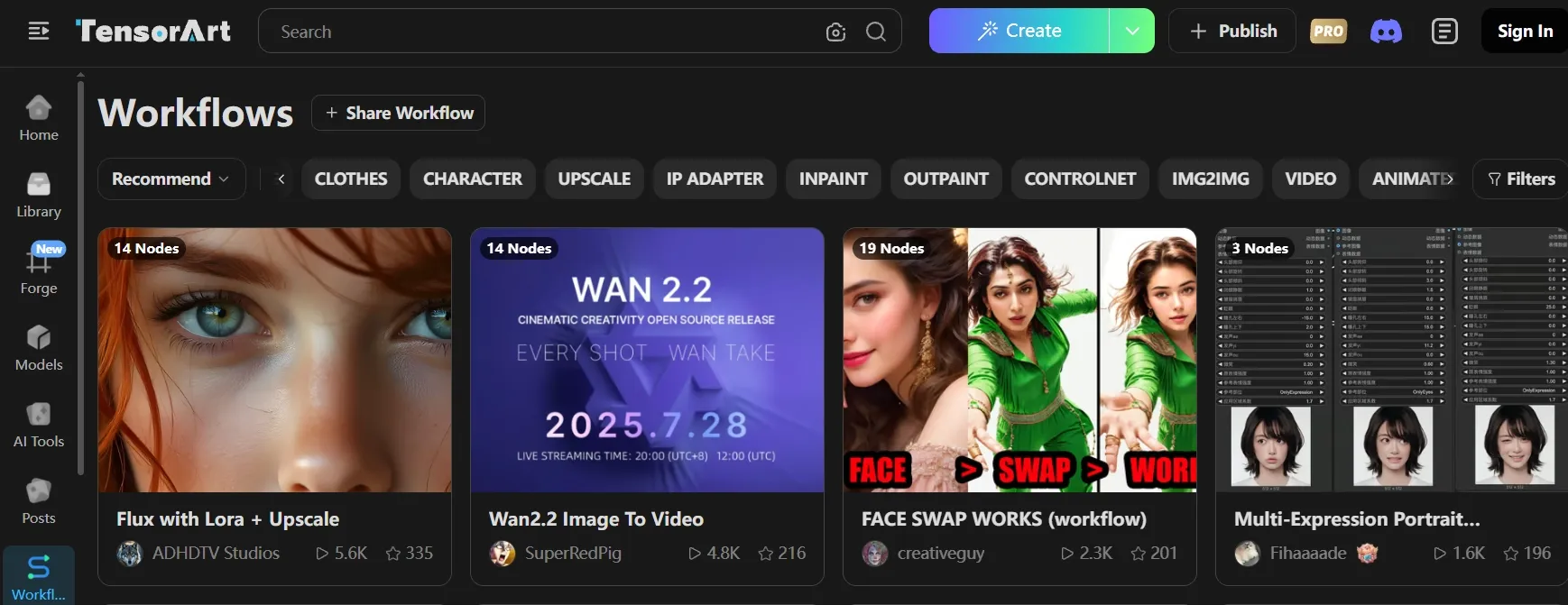
Community Image Workflows
Tensor Art lets users open workflows shared by other creators, replace the original inputs, adjust models or settings, and run the revised setup for new results.
A beginner working from a rough character sketch might adapt a popular sketch-to-art workflow to produce a finished illustration without assembling every generation step independently.
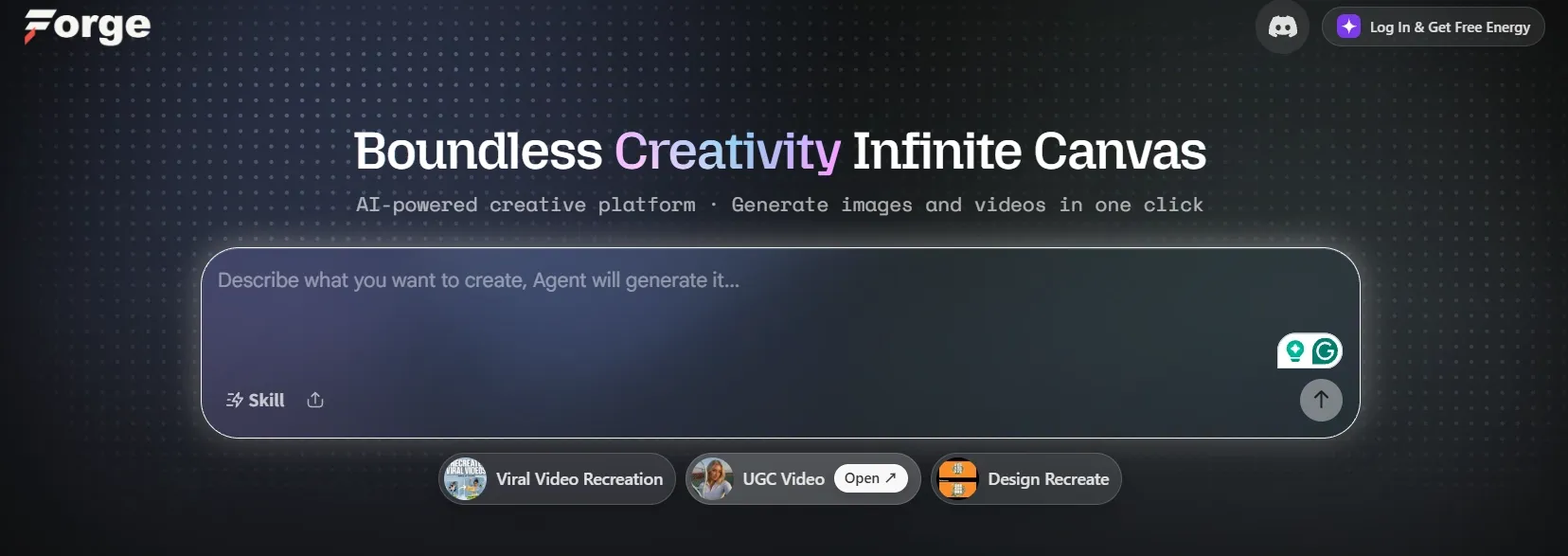
Create With Canvas Agent
Tensor Art combines image models, design tools, and Canvas Agent, letting users arrange references, enter instructions, and generate or revise visual elements in one workspace.
While planning a product launch, a creative director brings product photos, style references, and generated campaign concepts onto one canvas, making it easier to compare and refine different visual directions.
Tensor Art Use Cases
AI Artists & Illustrators
Test different aesthetics and develop early client directions before investing time in final polishing, making exploratory rounds faster and easier to compare.
Anime & Character Creators
Keep a recurring cast visually recognizable across comic strips, fan series, and serialized content that requires new scenes on a regular schedule.
Game Developers & Concept Artists
Translate early ideas into visual references for characters, environments, and key moments, helping the team align before 3D modeling and animation begin.
E-commerce Sellers & Teams
Turn basic product photos into lifestyle scenes, feature banners, and comparison visuals for Amazon A+ content, making listings more informative without repeated photoshoots.
Create Better Images for Every Use Case
Generate polished visuals for creative, marketing, and product needs in one place.
What Powers Tensor Art AI Image Generation
Tensor Art combines generative image models, LoRAs, and reusable workflows to give users more control over how each image is created.
Base Models for Image Generation
Base models handle the main image synthesis, interpreting prompts and producing anime, photorealistic, illustrated, 3D, and design-focused outputs.
LoRAs for Targeted Visual Control
LoRAs work with base models to guide specific characters, clothing, facial traits, artistic styles, and other details that need to look more recognizable.
Workflows and Canvas for Visual Development
Community workflows preserve useful model and setting combinations, while Canvas brings references, generated images, and revisions into one space for comparison and refinement.
Tensor Art vs Civitai vs Pollo AI
| Feature | Tensor Art | Civitai | Pollo AI |
| Image Models & LoRAs | Community models, custom LoRAs, and model training | Extensive Checkpoints, LoRAs, ControlNets, and on-site LoRA training | Leading models including Nano Banana 2, GPT Image 2.5, and Seedream 5.0 |
| AI Agent | Canvas Agent for generating and refining visuals | No dedicated creation agent | Pollo Agent creates product visuals, social posts, and graphic designs |
| Reference Control | Subject, style, pose, and composition guidance | Img2img and ControlNet-based guidance | Image-to-image and multi-reference creation across supported models |
| Image Editing | Erasing, expansion, upscaling, relighting, and style changes | Img2img and inpainting through compatible models | Editing, enhancement, removal, background tools, expansion, and upscaling |
| Design & Marketing | Anime, character, photography, and brand creation tools | Community-led model experimentation and AI artwork | 50+ image generators plus tools for e-commerce, design, and marketing |
What Are Tensor Art’s Pros and Cons
Pros
- Detailed Creative Control: Model selection, LoRAs, references, and adjustable parameters give experienced users considerable control over image style and composition.
- Strong Community Ecosystem: Shared models and workflows offer plenty of starting points for experimenting with new characters, aesthetics, and generation techniques.
- Flexible Creation Paths: Focused tools support quicker generation, while custom models and advanced workflows offer more room for technical experimentation.
Cons
- Steeper Learning Curve: Choosing compatible models, LoRAs, parameters, and workflows may feel overwhelming for users new to generative image tools.
- Separate Usage Currencies: The main Tensor Art tools uses TA Credits, while Canvas runs on Energy, so users must track two separate balances and generation costs.
- Less Direct for Commercial Assets: Its model-first workflow often requires extra setup and refinement to produce consistent, campaign-ready visuals at scale.
Why Pollo AI Goes Further Than Tensor Art

Complete AI Image Toolkit
Generate, retouch, upscale, expand, and clean up images with dedicated tools that reduce manual editing and speed up delivery.
Marketing Studio for Commercial Visuals
Turn product photos into listing sets,staged shots, and try-on visuals that help e-commerce teams launch campaigns faster.

10M+Users
Using Pollo AI to Create and Inspire


Chosen by 10M+ Creators and Marketers Worldwide
- Liz CassidyDec 15, 2025Easy to use, great results for short videosI’ve been using Pollo AI mainly for short videos and quick image-to-video tests. The interface is straightforward and it works well even with simple prompts, which is a big plus compared to tools that need long, complicated instructions. The results can be really impressive, and it’s honestly been fun to experiment with. I’d love a bit more consistency on faces when there’s movement, but overall it’s been a solid experience for what I needed.
- Richard QuickOct 15, 2025Awesome websiteAwesome website. loads of options and a great way to learn how to work with 'AI' my reasoning for 5 stars is based upon price, versatility and ease of use. Also I would like to add, Pollo AI runs a lot of promos on different AI products as well. I rate their customer service at 5 stars, when I purchased my first subscription my computer crashed the following weekend and I lost all my data and info passwords you name it I lost it, contacted pollo by email they responded quickly and found my info/username and account, and I was able to restore my account.
- armourdudeNov 19, 2025I have been using Pollo AI for short…I have been using Pollo AI for short videos. It is easy to use and works well with simple prompts. Other generators seem to need long drawn out complicated explanations to get even close to what I want.
- DuduJan 14, 2026I'm just amazed by the level of quality…I'm just amazed by the level of quality output that Pollo AI can produce from a simple image. The motion, the realism, It's too good!!
- Ray WarnesDec 30, 2025A fabulous journeyI find Pollo easy to use, it gives me great results and I'd recommend it to anyone. It has been a wonderful experience for me.
- lawless clanNov 22, 2025i tried 220 online img to vid in 2…i tried 220 online img to vid in 2 months, and this is the best online video.I will subscribe for a year; there are many reasons. But freedom is the most important.


Discover Other AI Image Generators on Pollo AI
FAQs
What is the Tensor Art AI image generator?
Tensor Art is a cloud-based AI creation platform where users can browse community models, run checkpoints and LoRAs, and generate images without setting up models locally.
Is Tensor Art free to use?
Tensor Art provides limited free credits for image generation. More generations, premium models, and resource-intensive settings may require additional credits or a paid membership
Can I train custom models on Tensor Art?
Yes. Tensor Art supports online training for custom LoRAs and models, allowing users to reproduce a particular character, subject, or visual style across multiple images.
Can Tensor Art images be used commercially?
Commercial use depends on the selected model. Before using an image in advertising, products, or client work, check that model’s individual license and permissions.
Who is Tensor Art best suited for?
Tensor Art is best suited to AI artists, hobbyists, and model creators who enjoy exploring community models and adjusting generation settings. Its model-focused workflow may be less convenient for marketers producing campaign assets at scale.
Is Pollo AI a Stronger Alternative to Tensor Art?
Yes. You can start creating for free with top-tier image models, purpose-built image apps, and practical editing tools for polished marketing and e-commerce visuals.

Create Standout Images with Pollo AI Now
Generate polished social and marketing visuals with purpose-built image generators.