Animoto is an AI video generator designed for rapid marketing and social media production. It raised $25 million in 2011, signalling growing investor confidence in online video creation. It combines personal assets with professional design elements to create high-impact ads. That simplicity is useful, but deeper video creation needs more than drag-and-drop editing. Pollo AI combines top-tier AI models, talking avatar, specialized workflow apps, and more tools and effects to help create post-ready videos without editing. Try Pollo for free!
Create your own influencer. Then jump into any trend with Recast.
Kling 4.0
Up to 10 keyframes. Unlimited for 10 days with Ultra.
Pollo Recast Challenge
One upload in. Your viral video out. Unlimited rewards await.
Pollo Agent x DeepSeek V4.1 FLASH
Faster completion at a much lower cost.
Pollo Agent x Gemini 4 Argon
Smarter reasoning. All through Pollo Agent.
Pollo MCP
End-to-end content creation. Up to 4 Videos/ 20 Images for FREE.
Key Features of Animoto
Intuitive Visual Story Merger: Easily merge multiple video segments and images into a single, cohesive project with a drag-and-drop interface.
Dynamic Typography Overlays: Add engaging text, captions, and headings to your videos to highlight key messages and ensure accessibility on all platforms.
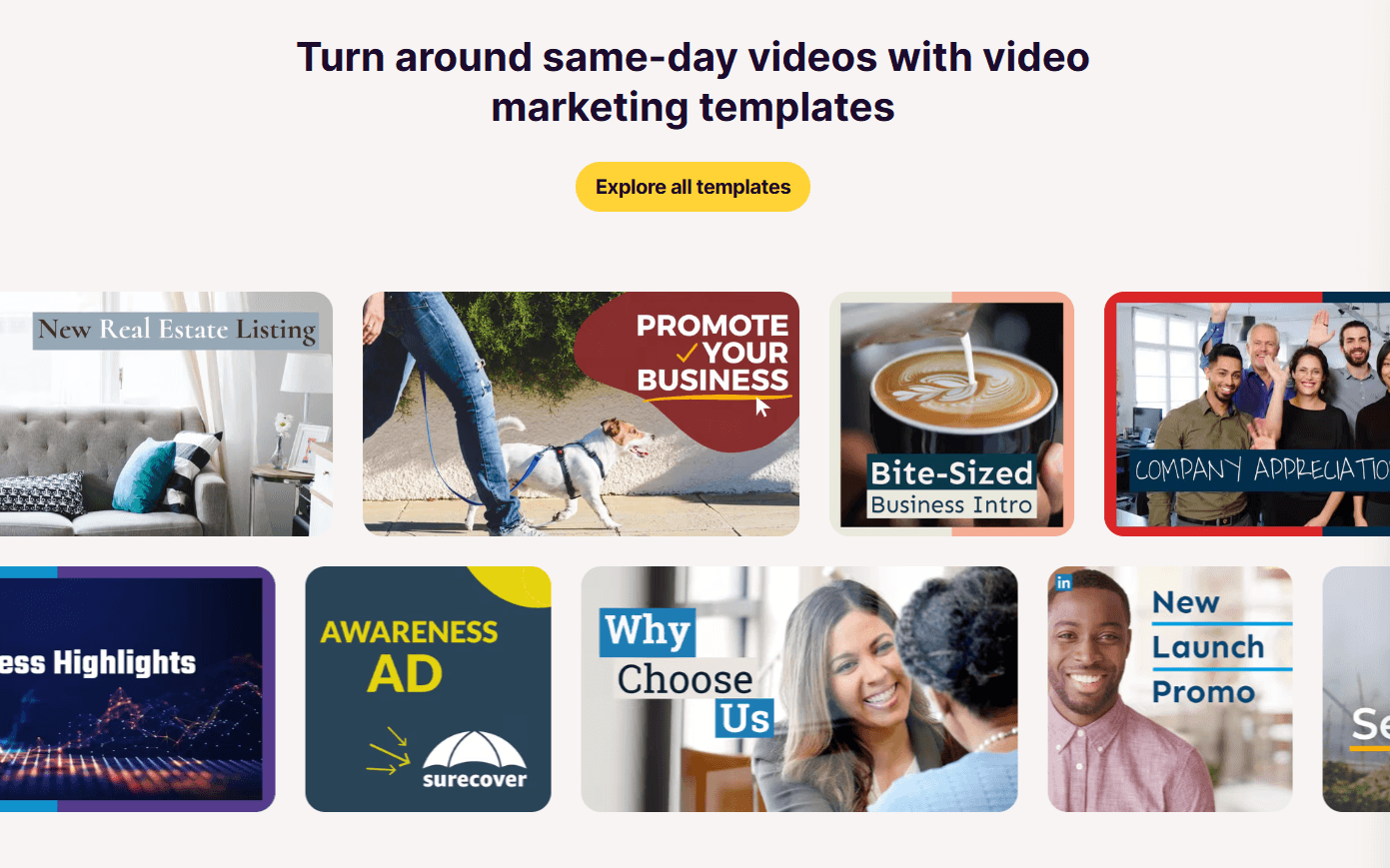
Marketing-Focused Video Template: Select from a wide range of templates specifically optimized for business ads, real estate listings, and event recaps.
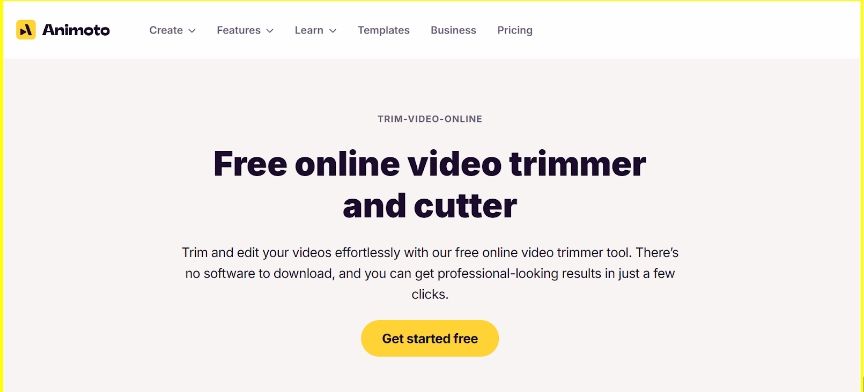
Precision Duration Control: Use the integrated trimmer and cutter to remove unnecessary footage and ensure your content fits perfectly within time limits.
Intuitive Visual Story Merger
Whether you are combining clips from a phone or professional stock imagery, Animoto’s video merger handles the transitions and alignment automatically. This allows you to focus on the story rather than the technical difficulties of video editing.
Clip 1 & Clip 2
Output Video
Dynamic Typography Overlays
Amimoto’s add text to video feature allows your message to become a visual highlight. The platform offers professionally designed text styles that can be customized to match your branding. This is essential for social media, where many viewers watch videos with the sound off and rely on clear, animated text to follow the narrative.
Input Text
Output Video
Experience cloud-like cushioning with every run.
Marketing-Focused Video Templates
Animoto’s marketing video templates provide a professional foundation for any business need. From high-energy "Promo Videos" to informative "Real Estate Listings," these templates are pre-structured with the correct pacing and layout to drive viewer action and engagement.
Precision Duration Control
Animoto’s video trimmer and cutter allows you to sculpt your footage to the exact second. This is particularly useful for creating content for specific platforms like Instagram Stories or TikTok, where timing is critical for retaining the audience's attention and meeting platform requirements.
Use Cases of Animoto AI
Small Businesses: Create branded promos and product videos that build trust and drive faster customer action.
Marketing Teams: Produce campaign videos and social ads that improve engagement without slowing content calendars.
Educators: Turn lessons and recaps into visual videos that make learning easier to follow.
Real Estate Agents: Create listing tours and neighborhood videos that help buyers understand properties faster.
Photographers: Convert photo galleries into polished slideshows that increase client satisfaction and sharing.
Event Planners: Create highlight reels that help clients relive moments and promote future events.
E-Commerce Sellers: Turn product photos into simple videos that make listings more persuasive.
Animoto AI’s Technical Structure
Animoto is a cloud-based video creation platform. Users upload photos, clips, screen recordings, and music through web or mobile workflows. The system handles media conversion, template assembly, and browser-based editing.
Its older technical identity centers on patented Cinematic AI. Redbrick said this technology helps turn photos, screen recordings, and short clips into professional videos.
Animoto AI is template-first, not model-first. VentureBeat described a WYSIWYG storyboard editor with blocks for logos, text, collage, photos, and video. This supports fast assembly, but limits deep creative control.
User Feedback on Animoto AI
Based on accessible public review pages, users most often praise Animoto’s ease of use. Beginner users say they can create professional-looking videos quickly. Some also cite a short learning curve, music access, stock assets, and fast aesthetic changes.
Users also like its template and media libraries. On G2, reviewers highlight templates and music as major strengths for educators and marketers.
The biggest complaints concern pricing, renewals, and perceived value. Capterra includes complaints about auto-renewal, no refund, and high cost.
Users also criticize the limited customization. Reviewers mention limited text placement, image arrangement, transitions, and frame-level control. Capterra users also mention dated templates and reduced flexibility versus newer tools.
A simple template-based video maker for non-editors.
An all-in-one AI video and image creation platform.
An AI video generator focused on prompt-led creation.
Main Creation Method
Users customize templates with clips, photos, text, and music.
Users generate videos through models, agents, and apps.
Users describe a video idea and let AI build a draft.
AI Generation Depth
Limited AI-native generation compared with newer tools.
Strong AI-native workflow with multiple leading models.
Strong prompt-to-video workflow for fast script-based creation.
Best For
Small businesses needing quick branded videos.
Creators and marketers needing production-ready AI videos.
Teams needing fast drafts from text prompts.
Why Top Creators Prefer Pollo AI?
Step 1
Specialized Workflow Apps for Real Needs
100+ specialized video generators are built for your specific tasks. Be it music videos or b-roll videos, you can always find one fit for your needs.
Step 2
Talking Avatar with 40+ Languages
Use Pollo AI’s talking avatar to create expressive videos. It supports 40+ languages, helping you reach a wider audience. No pre-training and pre-recording videos needed.
Step 3
Generate Final Videos Faster
You only need to input your ideas, text, images, or URLs, and Pollo Agent turns your input into publication-ready videos without manual editing.
I’ve been using Pollo AI mainly for short videos and quick image-to-video tests. The interface is straightforward and it works well even with simple prompts, which is a big plus compared to tools that need long, complicated instructions. The results can be really impressive, and it’s honestly been fun to experiment with. I’d love a bit more consistency on faces when there’s movement, but overall it’s been a solid experience for what I needed.
Awesome website. loads of options and a great way to learn how to work with 'AI' my reasoning for 5 stars is based upon price, versatility and ease of use. Also I would like to add, Pollo AI runs a lot of promos on different AI products as well. I rate their customer service at 5 stars, when I purchased my first subscription my computer crashed the following weekend and I lost all my data and info passwords you name it I lost it, contacted pollo by email they responded quickly and found my info/username and account, and I was able to restore my account.
I have been using Pollo AI for short videos. It is easy to use and works well with simple prompts. Other generators seem to need long drawn out complicated explanations to get even close to what I want.
i tried 220 online img to vid in 2 months, and this is the best online video.I will subscribe for a year; there are many reasons. But freedom is the most important.
Discover Other Powerful AI Video Generators on Pollo AI
Yes, it is designed for non-professionals, making it easy for small business owners to create high-quality marketing videos without a large budget.
Can I add my own branding to the templates?
Absolutely. You can customize the colors, fonts, and logos in any Animoto template to ensure the video aligns with your brand identity.
What kind of videos can I make with Animoto?
You can create everything from social media ads and product promos to family slideshows and educational recap videos.
How easy is it to add text to videos in Animoto AI?
Adding text to videos in Animoto AI is very easy and user-friendly. The platform allows you to quickly add, customize, and animate text overlays with various fonts, colors, and styles to make your message stand out without complex editing.
Is Animoto AI free to use?
Animoto AI offers a free plan for users. But if you want to remove watermarks, have higher resolution and access more tools like voice-over, professional fonts, team workspace, etc, you need to pay for it.
Make Videos Without Template Limits on Pollo AI!
Use Pollo AI to turn ideas, images, or prompts into flexible, publication-ready videos.








 Liz Cassidy


