



LTX Studio AI Video Generator
LTX Studio builds on models like LTX-2, an open-source system capable of generating synchronized 4K video and audio in one workflow, bringing more control into video creation. For a faster way to turn ideas into complete, ready-to-publish videos, Pollo AI delivers full video generation with leading models and Pollo Agent. Try it for free now!
Key Features
Storyboard-Based Video Creation : Turn scripts or ideas into structured scenes before generating video.Visual Style Presets and Customization : Apply consistent visual styles across scenes with predefined looks.Elements for Cross-Scene Consistency : Keep characters, objects, and environments consistent across scenes.Timeline Editor for Scene Refinement : Adjust timing, sequence, and pacing with a video timeline.Built-In Sound and Audio Design : Integrate audio elements directly into the video workflow.AI Music Video Generator with Audio-Synced Visuals : Generate music videos where visuals adapt to rhythm, lyrics, and style.Team Collaboration and Project Sharing : Collaborate on video projects, sharing assets and feedback.AI Movie Maker for End-to-End Film Creation : Turn scripts into structured movie clips with storyboard, motion control, and export tools in one workflow.
Storyboard-Based Video Creation
LTX Studio starts with a storyboard layer, where ideas are broken into scenes with defined flow and visual direction. This makes video creation feel closer to planning a film rather than generating random clips.
For example, a marketing team can map out a product launch video scene by scene, ensuring each section delivers a clear message before generating visuals.
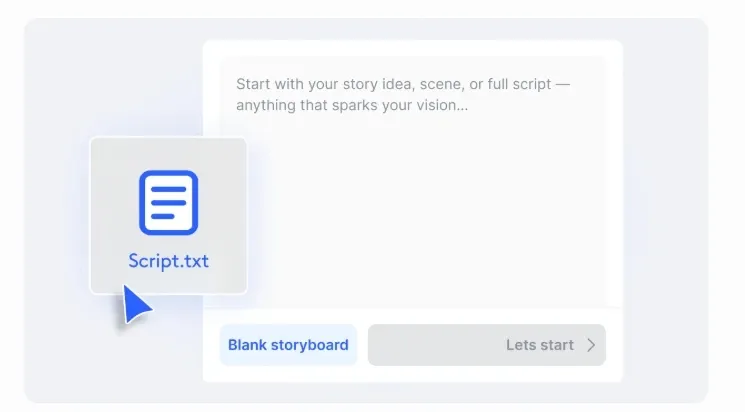
LTX Studio requires manually building storyboards to structure scenes before generation.
In contrast, Pollo Agent turns an idea, image, or link into a fully structured video, automatically handling scene breakdown, pacing, and format—delivering a ready-to-publish result without manual setup.
Visual Style Presets and Customization
Users can choose from LTX’s style presets or define their own visual direction, ensuring the entire video maintains a cohesive aesthetic.
For example, a brand team can apply a consistent “clean product ad” style across multiple campaign videos without redesigning each scene.
Elements for Cross-Scene Consistency
The elements system in LTX Studio allows users to define reusable assets, such as characters, products, or environments, that remain consistent across different shots.
It is useful for a brand to create a series of ads that can reuse the same product model and environment across videos, avoiding visual drift between scenes.
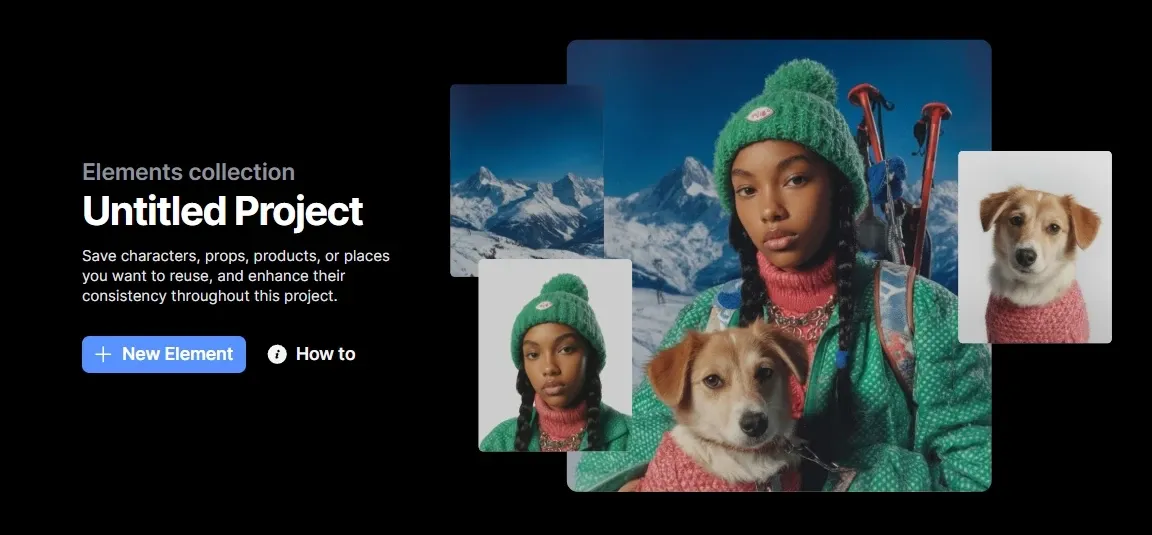
LTX Studio maintains consistency by defining reusable elements across scenes, which requires setup in advance.
In contrast, reference to video of Pollo AI uses an image or subject directly to guide generation, preserving identity and visual details automatically across frames, achieving consistent results without manual asset configuration.
Timeline Editor for Scene Refinement
LTX includes a timeline-style editor where users can refine how scenes play out, similar to traditional video editing software.
For instance, a marketing team can shorten an intro scene or adjust pacing in a demo video without regenerating everything.
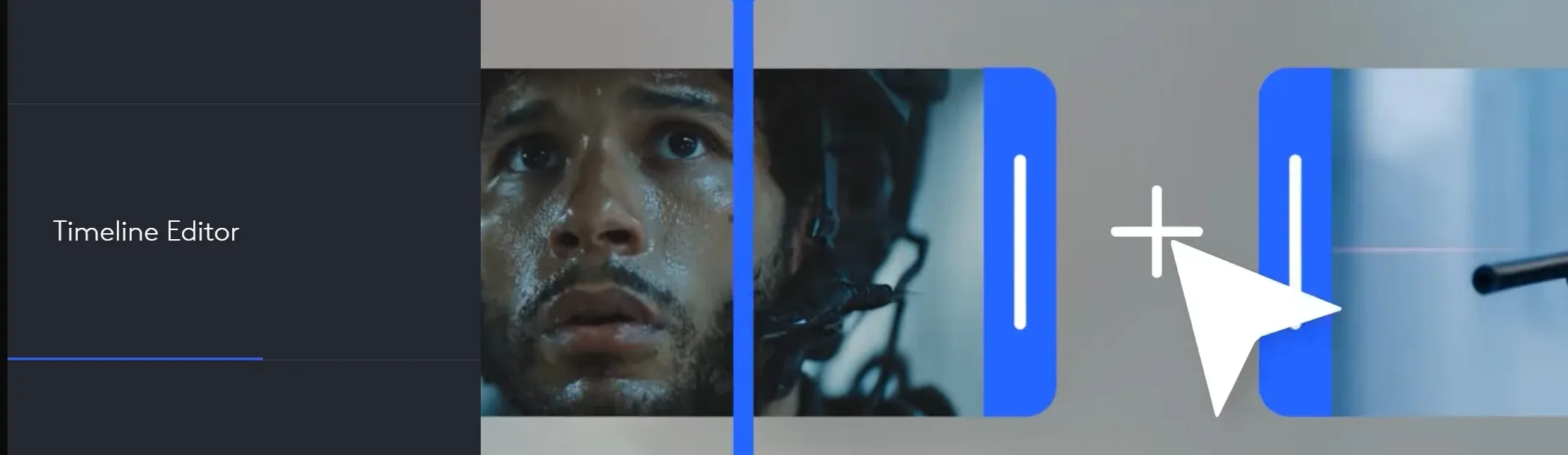
LTX Studio relies on a timeline editor to adjust scenes and pacing manually. Pollo AI takes a different path. Its video editor uses simple text prompts to change scenes, remove elements, or restyle videos. No timeline is needed. The workflow feels faster and more direct.
Built-In Sound and Audio Design
Audio is not treated as an afterthought. LTX allows sound design to be incorporated alongside visual creation, helping align motion and audio output.
A creator can build a music video concept where transitions and visuals align with audio cues from the beginning.
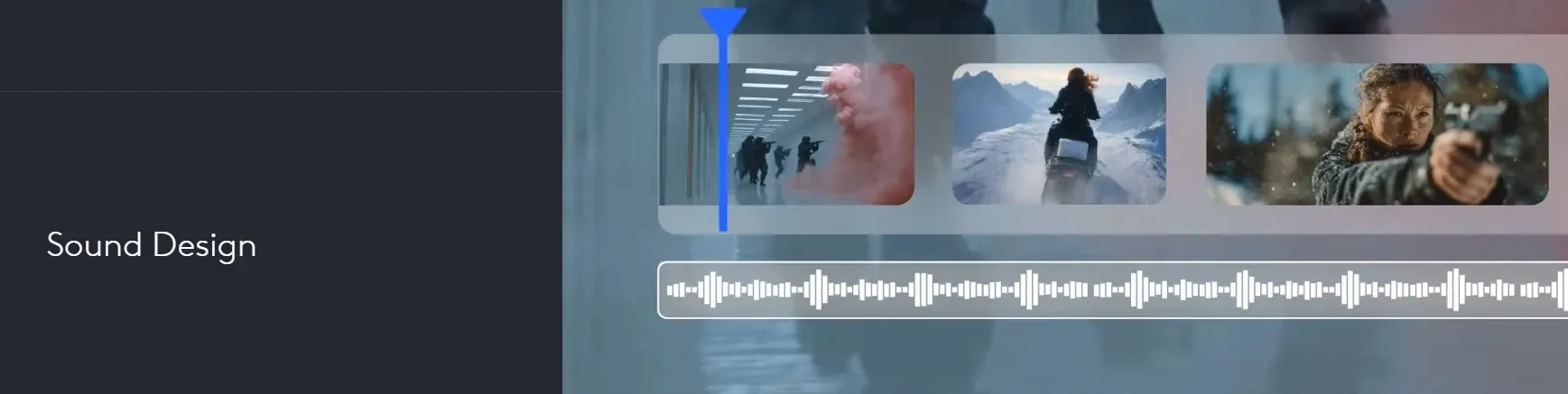
AI Music Video Generator with Audio-Synced Visuals
LTX Studio’s AI music video generator transforms music into visual sequences, allowing users to customize animation, camera angles, and style while aligning motion with the audio.
The system focuses on turning sound into a structured visual narrative rather than adding visuals afterward.
For example, an indie artist can upload a track and generate a music video where scene transitions and motion follow the beat and mood, creating a cohesive video ready for platforms like YouTube or TikTok without manual syncing.
LTX Studio builds music videos by aligning motion and scenes to audio, with manual control over style and structure.
Pollo AI moves faster. Its music video generator turns a song into a complete music video with scenes, visuals, and pacing generated together, using automated structure. The result feels more ready to publish, without manual syncing or setup.
Team Collaboration and Project Sharing
LTX Studio supports team-based workflows with shared projects, enabling collaboration across creative roles.
For example, an agency team can have a strategist define the storyboard, a designer refine visuals, and a director adjust motion—all within the same project.
AI Movie Maker for End-to-End Film Creation
LTX Studio’s AI movie maker converts scripts into structured scenes, then generates and refines visuals within one workflow. This keeps the creation process organized and closer to real production.
For example, a founder can turn a product script into a clear, scene-by-scene brand video and export it for presentations without having to rebuild the flow.
Pollo AI simplifies this flow. Its AI movie maker turns a script or idea into a complete movie-style video with scenes, pacing, and visuals generated together, often including voice and cinematic structure.
The content output feels more finished, with far less manual setup or iteration needed.
Who Actually Uses LTX Studio in Real Workflows
1. Advertising Teams
Campaign ideas can be structured into storyboard-driven scenes, making the message flow clear from the start. This helps present polished ad concepts without producing multiple versions.
2. Filmmakers and Directors
AI movie maker and timeline editing help shape scenes from script to sequence. This makes it easier to test narrative flow and prepare film or commercial drafts before production.
3. Music Creators and Artists
Audio-synced visuals turn tracks into full music videos where motion follows rhythm and mood. This allows faster publishing on platforms like YouTube or TikTok without manual syncing.
4. Brand and Content Teams
Visual styles and reusable elements keep assets consistent across scenes and campaigns. Teams produce cohesive launch or marketing videos more easily without redesigning each time.
5. Startup Founders and Product Teams
Scripts can be turned into structured explainer videos with defined scenes and pacing. These outputs are ready for investor decks, demos, or landing pages with minimal iteration.
LTX Studio vs Higgsfield AI vs Artlist vs Pollo AI
| Feature | LTX Studio | Higgsfield AI | Artlist | Pollo AI |
| Core Positioning | AI video production studio | Cinematic video generator | AI + stock content platform | AI video creation platform |
| Workflow Type | Structured production workflow (storyboard + timeline) | Prompt + camera simulation | Generate + edit + stock workflow | Prompt creation& edit / agent-driven workflow |
| Creative Control | High (scene & timeline control) | High (lens, camera physics) | Medium (editing + assets) | High (guided generation) |
| Output Type | Multi-scene structured videos | Cinematic clips | Polished videos with stock assets | Complete ready-to-publish videos |
| Audio & Music | Integration
Built-in audio + sync tools |
Limited native audio workflow | Strong (music, SFX, voice AI) | AI voice + multilingual |
| Agent Capability | No agent | No agent | No agent | Yes (Pollo Agent handles full workflow without editing) |
LTX Studio focuses on structured video production with storyboard and timeline control, offering strong scene-level precision. Compared with Higgsfield and Artlist, it leans more toward a controlled, studio-style workflow.
For a faster path to finished videos, Pollo AI uses an agent-driven approach to generate complete, ready-to-publish content without manual setup or editing.
Is LTX Studio Reliable or Still Inconsistent
Some users highlight strong creative output, especially for niche use cases. One reviewer noted that LTX Studio can generate high-quality, uncensored clips with impressive visual results, making it suitable for experimental or genre-specific content.
At the same time, others report stability issues. Feedback mentions glitches, AI errors, and unclear instructions, with concerns about reliability during generation and overall user experience.
LTX Studio shows clear creative potential, but consistency and usability can vary depending on the workflow and expectations.
Is LTX Studio A Creator Tool or A Production Studio
LTX Studio positions itself closer to a professional video production environment than a typical AI video generator.
Instead of focusing on quick, one-click outputs, it emphasizes structure, control, and creative direction, bringing elements of traditional filmmaking into AI workflows.
Its design reflects a shift toward more deliberate content creation, where scenes, motion, and visual consistency are shaped before the final video is produced.
This makes LTX Studio feel less like a casual tool for fast content and more like a platform built for planning, refining, and iterating ideas.
In the broader market, it sits between cinematic generators and full editing suites, offering a hybrid approach that prioritizes control over speed and production logic over instant results.
Why Choose Pollo AI Over LTX Studio
LTX Studio offers strong control, but the workflow can feel complex, and output consistency may vary. If you’re looking for a more stable and efficient experience, Pollo AI is worth exploring.
Pollo AI brings together leading models like Kling and Seedance in one place, making it easy to generate videos without switching tools. Beyond generation, it offers use cases built for real use cases.
For example, script to video turns scripts into complete videos with visuals and voiceover automatically, while movie trailer maker creates cinematic, trailer-style videos with consistent scenes and pacing.
With Pollo Agent, you simply describe an idea, upload a reference, or paste a link, and the system handles the rest—structuring scenes, selecting models, refining pacing, and generating a complete video that feels cohesive from start to finish.
The output content is not just a clip, but a ready-to-publish piece, without manual editing or rebuilding the workflow.
What Makes Pollo AI Stand Out
Access To The Most Advanced Video Models
Use a wide range of leading video models in one place, making it easy to generate high-quality videos without switching tools.
Pollo Agent For Ready-To-Publish Videos
Turn a simple idea into a complete video with structured scenes, pacing, and visuals, all generated automatically with no editing required.
Ready-To-Use Use Cases For Real Scenarios
Create AI lyric music videos or stylized cartoon animations instantly, using tools designed for specific content needs without extra setup.










 5000+ reviewsTrustscore 4.4
Used by 10M+ Creators and Marketers
Thousands of satisfied users have shared their Pollo AI experiences on Trustpilot, rating us as "Excellent." See what they love about our platform.
Liz Cassidy Dec 15, 2025Richard QuickOct 15, 2025armourdudeNov 19, 2025
 DuduJan 14, 2026
 Ray WarnesDec 30, 2025
 lawless clanNov 22, 2025
Discover More AI Video Generators on Pollo AI
FAQs
What is LTX Studio?
LTX Studio is an AI video production platform designed to turn ideas, scripts, or references into structured videos. Its key strengths include storyboard-based creation, scene-level control, consistent visuals across shots, and tools like timeline editing and audio integration, making it closer to a professional production workflow than a simple video generator.
How is LTX Studio different from typical AI video generators?
Most AI video tools focus on generating short clips from prompts. LTX Studio takes a more structured approach, allowing users to plan scenes, control motion, and refine sequences, which makes it better suited for multi-scene videos rather than one-off outputs.
Can LTX Studio create complete videos or just clips?
LTX Studio can generate multi-scene videos, especially when using features like storyboard and AI Movie Maker. However, the process often involves structuring and refining scenes step by step rather than producing a fully finished video in one click.
Does LTX Studio require video editing skills?
A basic understanding of video structure helps. While the interface guides users through the process, features like timeline editing and scene control may require some learning, especially compared to simpler tools. For those who prefer a more guided experience, tools like Pollo AI can handle structure and pacing automatically, reducing the need for manual adjustments.
What types of videos can be created with LTX Studio?
LTX Studio supports a wide range of formats, including short films, commercials, music videos, product demos, and concept videos. Its flexibility makes it suitable for both creative storytelling and structured content.
Is LTX Studio suitable for beginners?
It can be used by beginners, but it’s more geared toward users who want control over the creative process. The workflow may feel complex at first, especially when working with multiple scenes and controls. In comparison, platforms like Pollo AI focus more on simplifying the process, helping users turn ideas into complete videos with less setup.

Turn Ideas Into Videos With Pollo AI
Unlike LTX’s control-heavy workflows, Pollo AI uses top models and Pollo Agent to create complete, structured videos without editing.