



MindVideo AI Video Generator
MindVideo AI video generator supports custom annotations and professional product visualization. It blends interactive drawing features with e-commerce animation, helping users craft high-impact content. But creators often face visual artifacts and resolution limits. Pollo AI solves these issues by offering post-ready 4K outputs and better character consistency. Try Pollo AI for free now!
Key Features of MindVideo
Interactive Video Annotator: Draw, scribble, and add personalized hand-drawn elements directly onto your video frames.E-commerce Product Animator: Transform static product photos into professional-grade marketing videos with dynamic lighting.Contextual Audio Synthesis: Generate synchronized sound effects and background music that match your video’s atmosphere.Comprehensive Video Utility Toolkit: Access a versatile suite of tools to compress, cut, convert, and remove watermarks, ensuring your AI videos are perfectly optimized for any platform.
Interactive Video Annotator
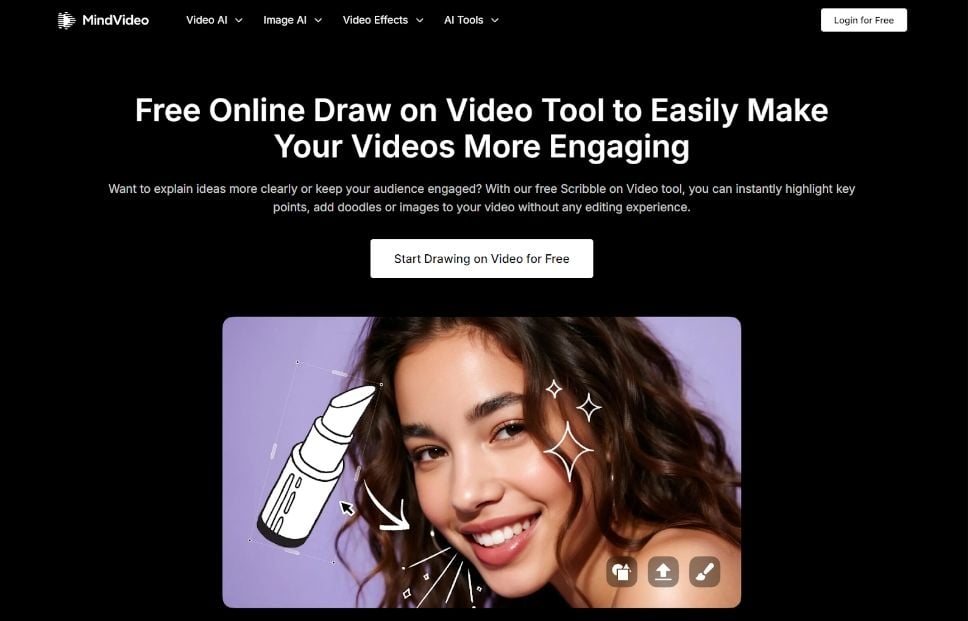
MindVideo’s "Draw on Video" tool is a creative breakthrough for those who want to add a personal touch to their content. It allows users to freely scribble, draw shapes, or add annotations on top of their videos. This is perfect for educators highlighting key points or creators adding trendy, hand-drawn VFX and "doodle" aesthetics to their social media clips.
E-commerce Product Animator
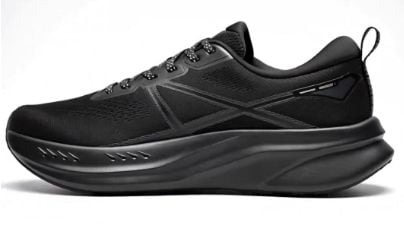
The AI product video maker within MindVideo is designed to scale small businesses. By uploading a single photo of a product, the AI identifies the object's 3D structure and generates smooth camera movements—like orbits or slow pans—while adding professional studio lighting and realistic shadows.
| Reference Image | Output Video |
 |
Contextual Audio Synthesis
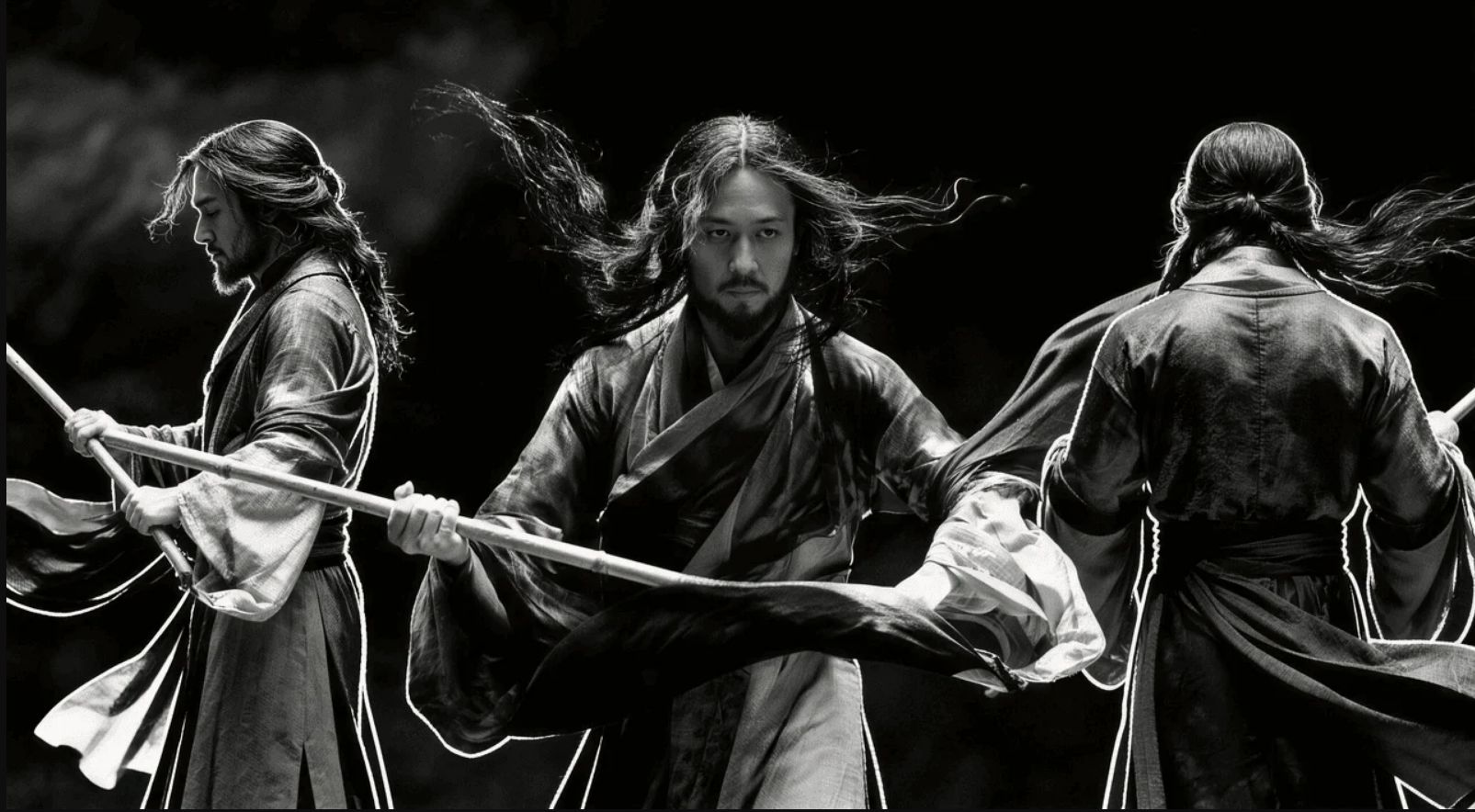
MindVideo removes the struggle of finding royalty-free music. Its native audio generation tool analyzes the visual elements—like wind, fire, or crowds—and synthesizes matching high-quality soundscapes. The audio is perfectly timed with the visual action for a professional finish.
| Reference Image | Output Video |
 |
Comprehensive Video Utility Toolkit
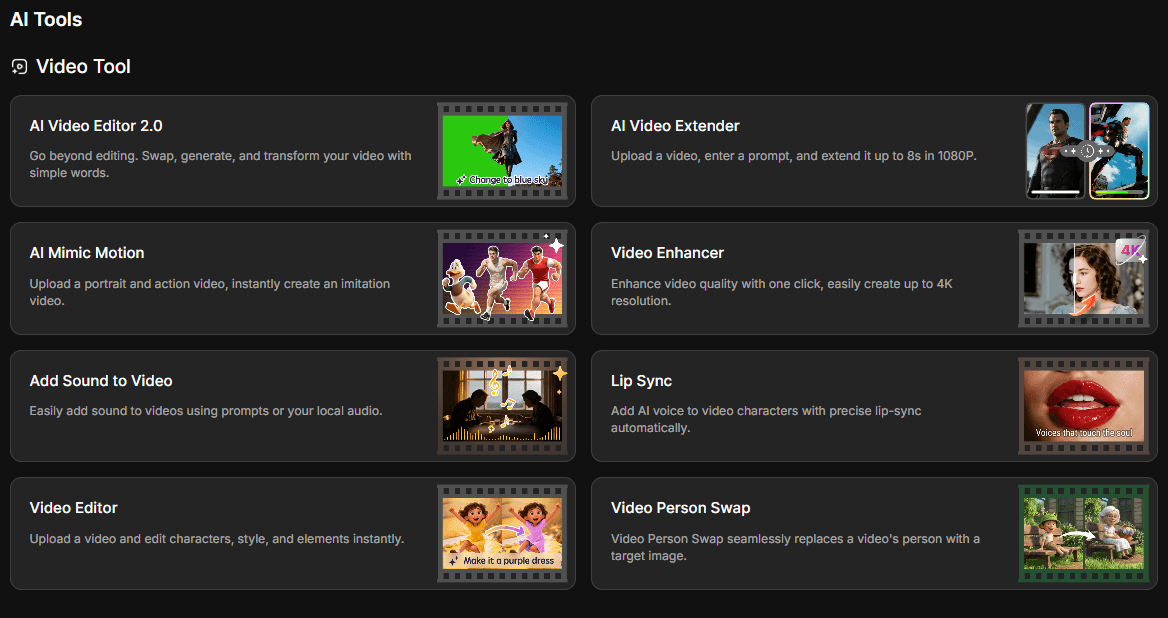
Beyond generation, MindVideo offers a "Versatile Video Editing" suite. This includes essential tools like a video compressor to reduce file size without losing quality, a watermark remover for clean visuals, and a video cutter to trim your AI-generated clips to the perfect length for social media.
Use Cases of MindVideo AI
- Social Media Influencers: Generate fast, trendy short-form videos with viral effects to grow followers and engagement.
- Digital Marketers & Brands: Produce eye-catching promotional videos and product demos that convert, without hiring a production team.
- Small Business Owners: Create cost-effective marketing content and video presentations to compete with larger brands.
- Content Creators & Editors: Transform static images into dynamic video narratives using diverse AI-powered artistic styles and effects.
MindVideo AI’s Business Model
MindVideo AI operates on a tiered freemium subscription model designed to convert casual users into paying customers through progressive feature gating.
The free tier serves as a low-friction acquisition channel, providing limited credits that allow new users to generate a small number of videos with watermarks.
Daily check-in bonuses offer additional credits, encouraging habitual engagement with the platform.
Commercial usage rights are reserved exclusively for paid subscribers, creating a clear incentive for businesses to upgrade.
The paid tier structure scales as follows:
| Plan | Yearly Price | Credits (Annual Plan Receives Additional Credits) | Videos/Month |
| Lite | $9.90 | 400+100 | 50 |
| Pro | $15.90 | 1000+200 | 120 |
| Max | $39.90 | 2500+300 | 280 |
Whatever plan users choose, MindVideo AI offers the same benefits, including no watermarks, 3 parallel tasks, 1080P output, and access to all models and tools.
This pricing architecture follows the standard SaaS playbook: offer enough value in the free tier to demonstrate capability, then gate professional features.
MindVideo AI’s Technology Structure
MindVideo AI is built on a multi-model aggregation architecture rather than a single proprietary foundation model.
This design philosophy positions the platform as a model-agnostic orchestration layer, routing user requests to the most appropriate underlying AI tool based on the selected style and output requirements.
The platform currently integrates the following generation models:
| Category | Models |
| Video Generation | Seedance 2.0, Kling 2.6, Wan 2.6, Sora 2, Veo 3.1, etc. |
| Image Generation | Nano Banana 2, GPT Image 2.0, Seedream 5.0 Lite, etc. |
| Audio | MindMusic 1 Pro, MindMusic 2 Pro and MindMusic 2 Fast |
The technical workflow operates on a cloud-based infrastructure, enabling users to access the platform from any device without local hardware requirements.
The generation pipeline supports text-to-video, image-to-video, and video-to-video transformations, with additional post-processing capabilities including lip sync, style transfer and more.
A notable architectural decision is the platform's approach to data privacy: all uploaded content and generated videos can be deleted at the user's discretion.
Its cloud-first, privacy-conscious structure is built around accessibility and trust. But this comes at the cost of potentially slower processing when internet connectivity is limited.
What Creators Say About MindVideo AI
Multiple reviewers highlight that MindVideo AI requires virtually no learning curve. The platform's straightforward workflow—upload, select style, generate—makes it accessible to users with zero video editing experience.
Speed is also praised across reviews. A Reddit review rated the platform 4.3 out of 5, specifically noting that "most videos generate in under a minute," making it one of the fastest options in its category.
Users appreciate the breadth of artistic styles and viral effects unavailable on other AI tools. MindVideo AI's effects like AI Kiss and AI Hug are frequently cited as differentiators for social media content creation.
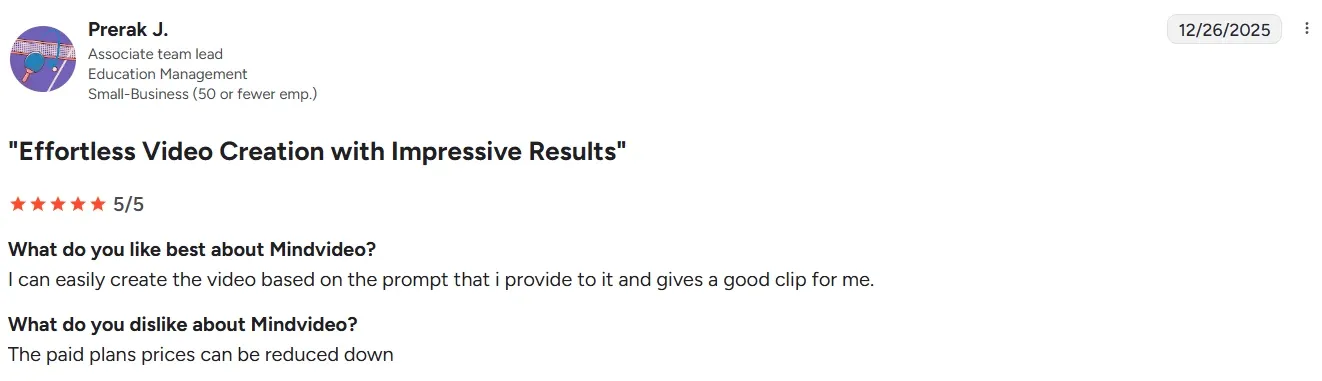
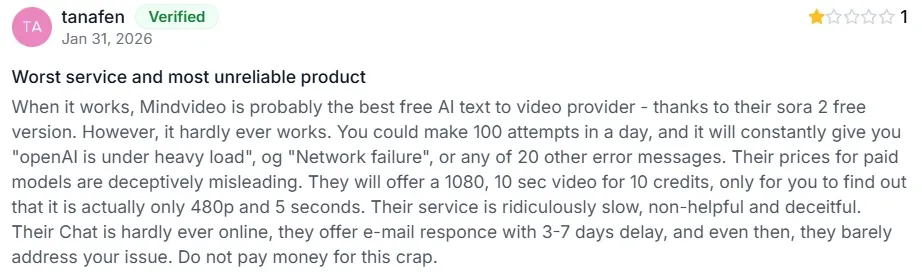
But many professional creators also consistently report frustration with the inability to fine-tune character movements, camera angles, or animation timing.
Users also report that artifacts like overactive camera motion, flicker in textures, and warping on hands/edges are particularly noticeable in longer or more complex generations.
Moreover, despite marketing language suggesting 4K capability, reviewers note that native output is capped at 1080P. This limits professional use cases requiring ultra-high-definition delivery.
Feature Comparison: MindVideo AI vs Pollo AI vs Synthesia AI
| Dimension | MindVideo AI | Pollo AI | Synthesia |
| Main Focus | Quick stylized short-form videos and social media effects | All-in-one videos and images for creators and marketers | Enterprise avatar-led training, marketing, and internal communications |
| Unique Strength | Fun viral effects (AI Kiss, Hug, Inflate), fast generation | Pollo Agent for zero-editing publish-ready videos; 100+ AI models; 100+ specialized workflow apps | Best-in-class lip-sync, 240+ avatars, 160+ languages, interactive elements |
| Resolution | Up to 1080P | Up to 4K | Up to 1080P |
| Avatar/Talking Head | Basic AI Avatar and lip sync | Advanced talking avatar without filming, recording or any pre-production preparation | Industry-leading 240+ stock avatars with gestures |
| Best For | Fast social media content with trendy effects | Versatile, high-volume content production across formats | Scalable corporate video at enterprise level |
| Target Audience | Casual creators, influencers, small businesses | Creators, marketers, brands, and agencies | Enterprise L&D, sales enablement, Fortune 100 companies |
Why Creators Prefer Pollo AI for Professional Videos
Publication-Ready Outputs Without Editing
Use Pollo Agent to avoid editing due to visual artifacts. It automates structure, pacing, visuals, and sound from simple inputs. You can get post-ready videos directly.
Realistic Talking-Head Videos
Use AI avatar to create realistic videos for presentations, product demos, and social content. It delivers your script with natural lip-sync, gestures, and body movement.
Higher Quality Control
Pollo AI supports reference to video to maintain character and scene consistency. No worry about any artefacts like face distortion and subject drift.










 5000+ reviewsTrustscore 4.4
Used by 10M+ Creators and Marketers
Thousands of satisfied users have shared their Pollo AI experiences on Trustpilot, rating us as "Excellent." See what they love about our platform.
Liz Cassidy Dec 15, 2025Richard QuickOct 15, 2025armourdudeNov 19, 2025
 DuduJan 14, 2026
 Ray WarnesDec 30, 2025
 lawless clanNov 22, 2025
Discover Other Powerful AI Video Generators on Pollo AI
FAQs
What is MindVideo used for?
MindVideo is an AI video generator designed for creators who want to combine AI generation with manual creative tools like video annotation and product-specific animation.
Can I draw on my videos in MindVideo?
Yes, the ‘Draw on Video’ feature allows you to scribble, add images, and annotate your videos directly, which is ideal for tutorials and adding artistic flair.
Why choose MindVideo AI for my video projects?
MindVideo AI stands out for its ability to let you directly interact with video content through drawing, and its automated product showcasing significantly boosts efficiency and engagement for various video types.
Does MindVideo help with product marketing?
Yes, it features a dedicated product video maker that can turn a simple photo into a professional commercial with realistic lighting and camera motion.
Is it free to use MindVideo on Pollo AI?
Yes, you can access the MindVideo AI video generator through the free trial on Pollo AI, allowing you to explore its features before committing to a plan.

Create Professional Videos Instantly on Pollo AI!
Generate videos with natural animations, character consistency, and professional output standards.