Renderforest has over 30 million users and 50 million projects. This AI video generator offers a unified suite to make AI videos up to 3 minutes long while keeping character consistency. It can craft narratives with voiceovers and multi-model integration. Renderforest helps start quickly, but some need a deeper workflow after the first draft. Pollo AI is built for that next step, offering leading AI models, AI avatars, specialized apps and more for finished videos. You can make clips with better creative control. Try Pollo AI for free!
Create your own influencer. Then jump into any trend with Recast.
Kling 4.0
Up to 10 keyframes. Unlimited for 10 days with Ultra.
Pollo Recast
Recreate viral videos. Remix new versions.
Pollo Recast Challenge
One upload in. Your viral video out. Unlimited rewards await.
Pollo Agent x DeepSeek V4.1 FLASH
Faster completion at a much lower cost.
Pollo Agent x Gemini 4 Argon
Smarter reasoning. All through Pollo Agent.
WIN iPHONE DUO
Capture a city in one minute. Join the challenge now.
Pollo MCP
End-to-end content creation. Up to 4 Videos/ 20 Images for FREE.
Key Features of Renderforest
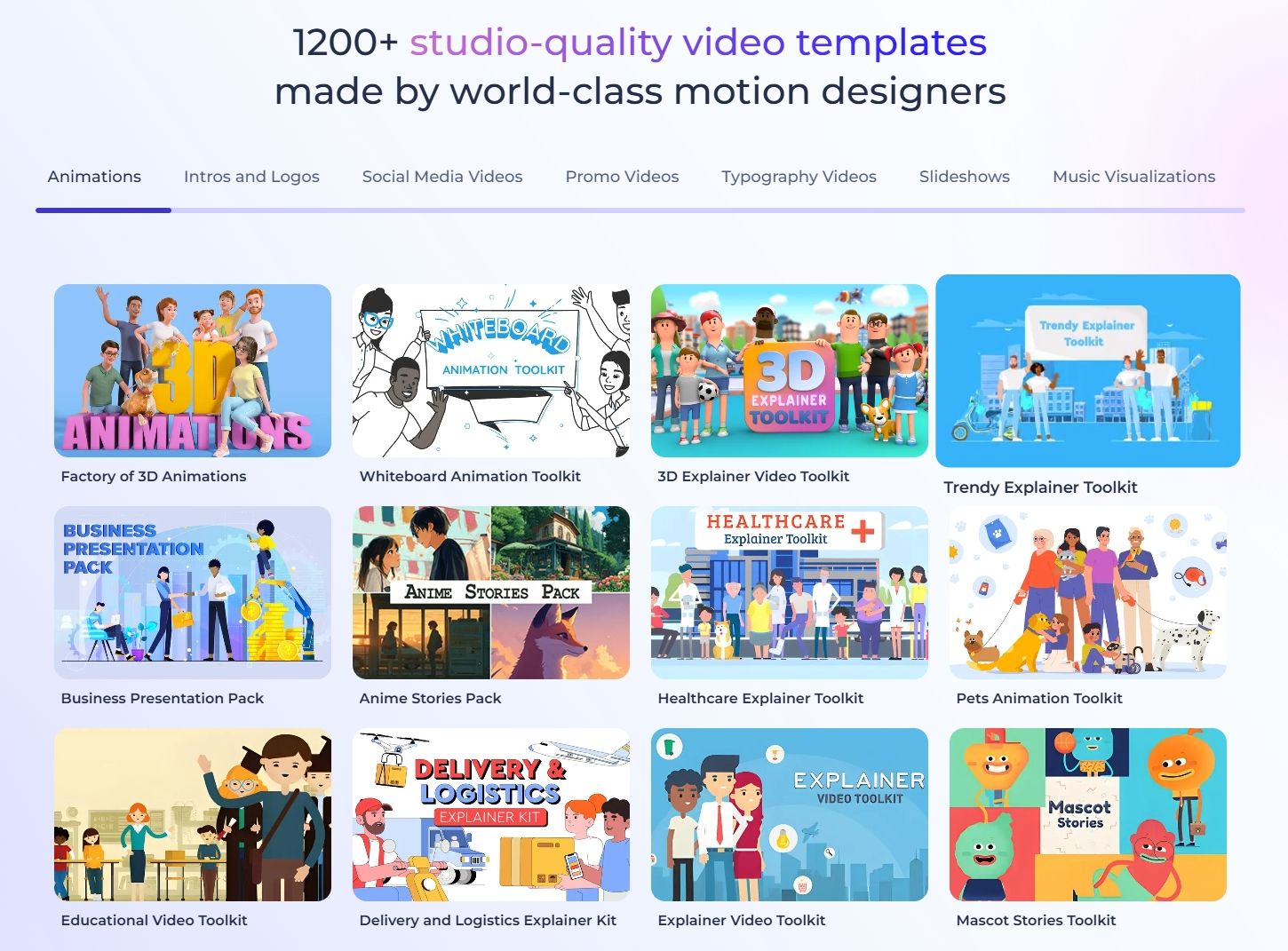
1,200+ Designer Templates: Access a massive library of studio-quality motion graphics and intros.
Extended 3-Minute Clips: Break the 10-second AI limit with long-form cinematic storytelling tools.
Multi-Model AI Integration: Leverage Sora 2, Veo 3, and Minimax Hailuo all in one single workspace.
Lifelike Multilingual Voiceovers: Generate AI narration in 50+ languages with natural human tones.
Pro-Level Character Consistency: Keep your AI-generated characters looking identical across every single video scene.
1,200+ Designer-Made Templates
Stop starting from zero every time you have an idea. Renderforest offers over 1,200 studio-quality templates crafted by world-class motion designers. Unlike other tools that often feel generic, these layouts cover everything from high-end corporate intros to trendy social media Reels and Shorts.
Extended 3-Minute AI Generations
Renderforest is a total game-changer, allowing you to produce AI videos up to 3 minutes long without any loss in quality or pacing. This makes it the ultimate choice for long-form storytelling, detailed product demos, or corporate training videos. You get a unified timeline to merge different AI scenes into one seamless, professional narrative that keeps your audience hooked.
Multi-Model AI Integration
Renderforest acts as a central hub, integrating elite AI video models like Sora 2, Veo 3, and Hailuo. Instead of jumping between different tools, you get the world's best generative tech in one timeline. This allows you to pick the specific model that fits your visual style—whether you need cinematic realism or snappy social media animations for your brand.
Lifelike Multilingual Voiceovers
Renderforest offers professional AI Voiceovers in over 50 languages, eliminating the need for expensive voice actors. You can control the tone and emotion of the narration, ensuring it perfectly matches your video's vibe. Whether you're targeting a local market or going global, these lifelike voices sync perfectly with your visuals for a polished, international finish.
Pro-Level Character Consistency
One of the biggest hurdles in AI video production is 'character drift,' but Renderforest solves this. Its advanced engine ensures that your subject’s face, clothing, and features stay exactly the same from the first frame to the last. This is perfect for brand storytelling, where your digital mascot or spokesperson needs to remain recognizable and professional throughout the video.
Use Cases of Renderforest AI
Marketing Teams: Create promo videos and campaign clips faster, improving launch speed and audience engagement.
Small Businesses: Build branded videos, logos, and intros, gaining a more professional online presence.
E-commerce Brands: Generate product videos and ads, helping shoppers understand products and purchase faster.
Educators: Turn lessons into visual videos, making training content clearer and easier to follow.
Content Creators: Make intros, outros, and social videos, improving channel branding and posting consistency.
Agencies: Produce client-ready visual assets faster, reducing production costs and revision pressure.
HR Teams: Create onboarding and internal videos, helping employees understand updates with less confusion.
Renderforest AI’s Marketing Position
Renderforest occupies a practical space in the creative software market. It is not built for studios with large production teams. It is also more than a simple template library. Its value lies in giving small businesses, marketers, educators, and creators one place to build branded content quickly.
Users can create videos, logos, websites, mockups, and social visuals without hiring designers or editors. This makes Renderforest useful for teams that need presentable content but lack time, budget, or specialist skills.
The company’s newer positioning is increasingly tied to AI video creation. EVN Report highlights the company’s text-to-video AI work, suggesting Renderforest AI is trying to move beyond template-based production.
Its goal is to make video creation faster, more automated, and easier for non-technical users. Still, its strongest appeal remains practical rather than cinematic. Renderforest AI is best for branded business content, not advanced creative experimentation.
For the market, this gives Renderforest a clear identity. It sells speed, structure, and accessibility. Solo founders can make a logo, a landing page, and a promo video in one workflow. Marketing teams can produce quick campaign assets without starting from scratch.
What Users Say About Renderforest AI
Renderforest AI’s review profile is broadly positive, especially among users who value speed over deep control. According to Trustpilot reviews, users often describe the platform as intuitive and useful for quick business content.
Users also praise ease of use, template variety, and fast output. On G2, users consistently highlight quick video and logo creation without advanced design skills. Many also mention responsive support, which matters for small teams working without in-house creative help.
Reviewers also show strong value-for-money sentiment. They often use Renderforest for practical outcomes like explainers, educational films, animations, and branded clips. And users point out that they can make these videos faster.
But some reviewers raise concerns about renewals, refunds, and cancellation experiences. Others also note that certain templates can feel limiting when they need more customization.
I’ve been using Pollo AI mainly for short videos and quick image-to-video tests. The interface is straightforward and it works well even with simple prompts, which is a big plus compared to tools that need long, complicated instructions. The results can be really impressive, and it’s honestly been fun to experiment with. I’d love a bit more consistency on faces when there’s movement, but overall it’s been a solid experience for what I needed.
Awesome website. loads of options and a great way to learn how to work with 'AI' my reasoning for 5 stars is based upon price, versatility and ease of use. Also I would like to add, Pollo AI runs a lot of promos on different AI products as well. I rate their customer service at 5 stars, when I purchased my first subscription my computer crashed the following weekend and I lost all my data and info passwords you name it I lost it, contacted pollo by email they responded quickly and found my info/username and account, and I was able to restore my account.
I have been using Pollo AI for short videos. It is easy to use and works well with simple prompts. Other generators seem to need long drawn out complicated explanations to get even close to what I want.
i tried 220 online img to vid in 2 months, and this is the best online video.I will subscribe for a year; there are many reasons. But freedom is the most important.
Discover Other Powerful AI Video Generators on Pollo AI
Renderforest is an all-in-one creative platform that uses AI to help you make videos, animations, and even websites. It’s famous for its massive template library and its ability to handle longer AI video projects that most other tools can't manage.
Does Renderforest support 4K video exports?
Absolutely. While the free version usually offers standard resolution, the paid plans allow you to export your AI masterpieces in Full HD or 4K, ensuring they look crisp on everything from a smartphone to a giant presentation screen.
How does the Renderforest Smart Edit feature work?
Smart Edit is a unique tool that lets you change parts of your video (like the background or lighting) without re-generating the entire clip from scratch. It saves you a ton of time and credits when you just need to make a small tweak to a scene.
What starting materials can I use to build my video?
You can kick things off with a simple text prompt, a full script, or even just a reference image. Renderforest works its magic to build visuals, movement, and sound that match your vision. If it’s not quite perfect on the first try, you can jump into the unified timeline to fine-tune every single detail until it’s exactly right.
Can I create Al videos in different aspect ratios for multiple platforms?
You sure can. Renderforest AI video creator lets you choose the perfect aspect ratio for your needs, like 16:9 for YouTube or 9:16 for TikTok and Instagram. If you’re turning a photo into a video, the AI is smart enough to keep the original dimensions, making sure your shot stays perfectly framed and looks professional.
Bring More Freedom to Video Creation on Pollo AI!
Pollo AI gives you richer model access, flexible tools, and post-ready video workflows.








 Liz Cassidy


