Steve AI has experienced remarkable growth, expanding from 1 million to 5 million users since 2022, with creators earning up to 10,000/month through its platform. This powerful AI video generator features an advanced AI prompter that auto-converts scripts into finished videos, plus multi-voice storytelling for content creation. Still, Pollo AI goes further with elite AI models, workflow apps, talking avatar, Pollo Agent and more tools for post-ready video creation. Try Pollo AI for free now!
Create your own influencer. Then jump into any trend with Recast.
Kling 4.0
Up to 10 keyframes. Unlimited for 10 days with Ultra.
Pollo Recast
Recreate viral videos. Remix new versions.
Pollo Recast Challenge
One upload in. Your viral video out. Unlimited rewards await.
Pollo Agent x DeepSeek V4.1 FLASH
Faster completion at a much lower cost.
Pollo Agent x Gemini 4 Argon
Smarter reasoning. All through Pollo Agent.
WIN iPHONE DUO
Capture a city in one minute. Join the challenge now.
Pollo MCP
End-to-end content creation. Up to 4 Videos/ 20 Images for FREE.
Key Features of Steve AI
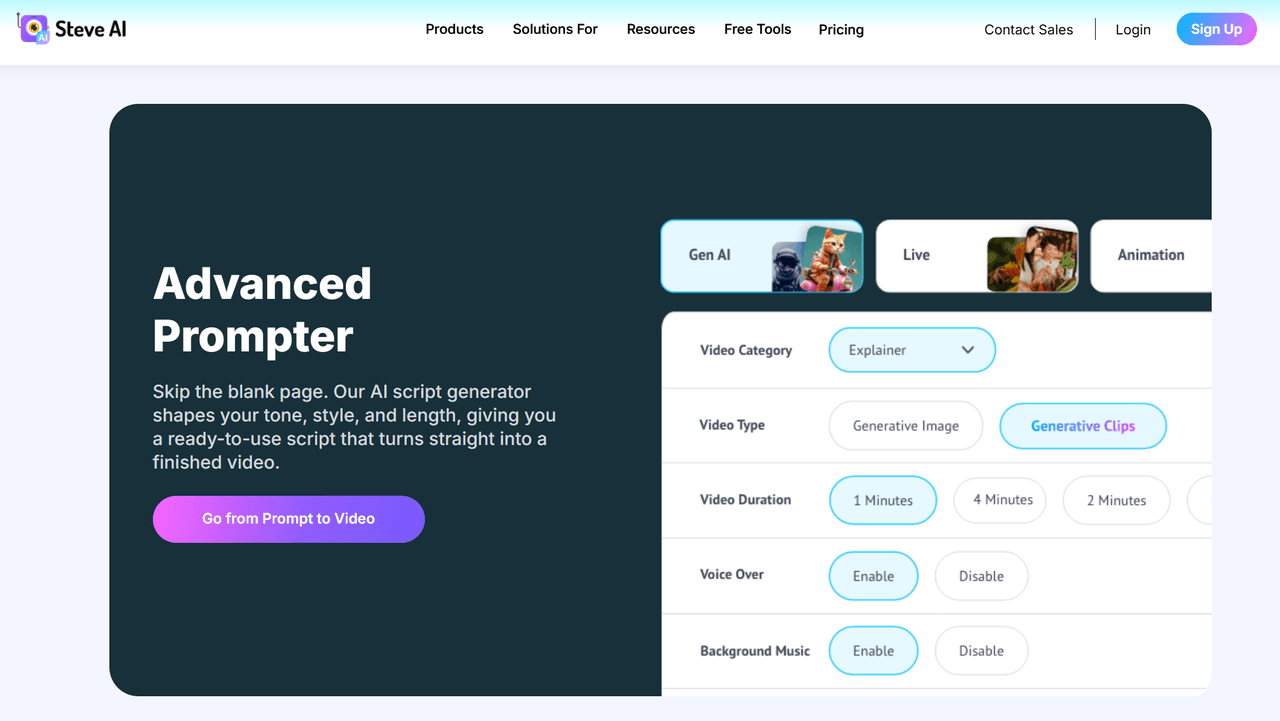
Advanced AI Prompter: Generate ready-to-use scripts that automatically convert into finished videos
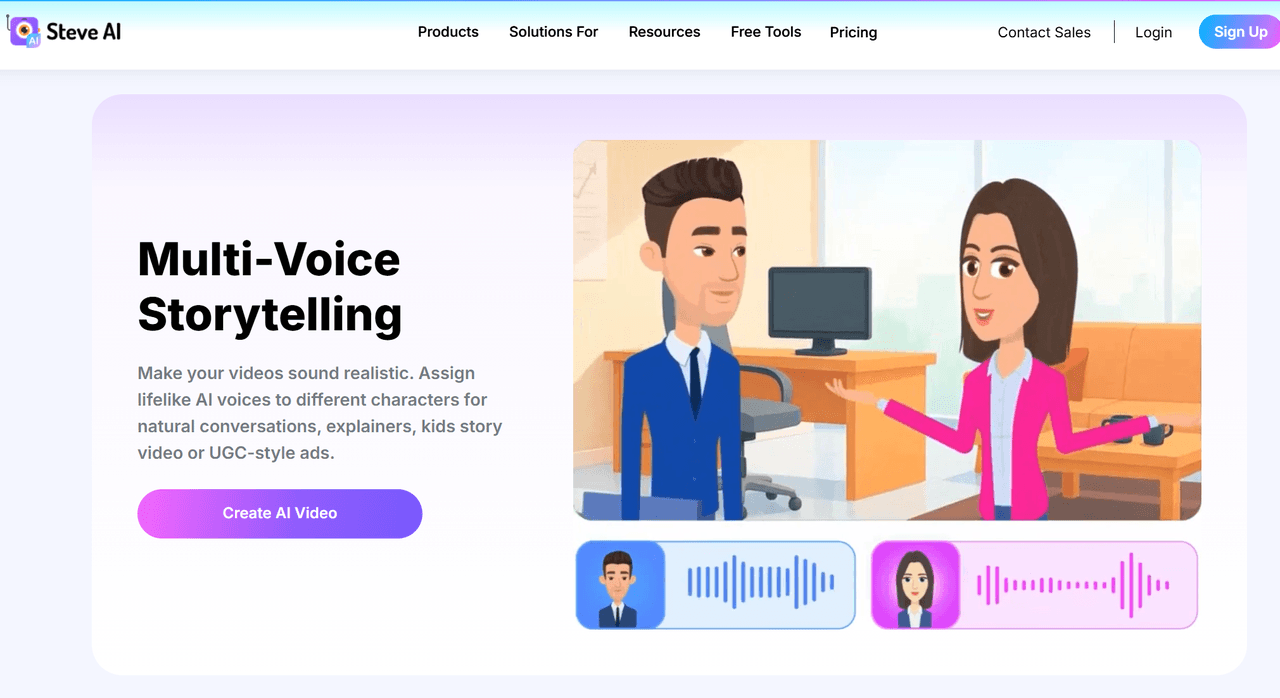
Multi-Voice Storytelling: Assign lifelike AI voices to different characters for natural conversations
Intelligent Scene Builder: Automatically match script content with relevant visuals and animations
Advanced AI Prompter
Steve AI's Advanced Prompter eliminates the creative block of starting from scratch. You can simply describe your video concept, and the AI script generator crafts a complete, ready-to-use script tailored to your desired tone, style, and length. The script immediately transforms into a structured video timeline with matching visuals, transitions, and pacing—no manual assembly required. This feature dramatically reduces production time from hours to minutes.
Multi-Voice Storytelling
Steve AI's Multi-Voice Storytelling feature allows you to assign different realistic AI voices to various characters or speakers within a single video. Perfect for creating conversations, explainer videos with multiple perspectives, kids' story videos, or UGC-style ads that require authentic human interaction. Each voice can be customized for emotion, pace, and tone, creating genuinely engaging audio experiences.
Intelligent Scene Builder
Steve AI analyzes your script content and automatically selects the most relevant visuals, animations, and scene compositions from its extensive library. The platform understands context, emotion, and narrative flow, ensuring that every scene visually reinforces your message. This intelligent matching saves creators from manually searching through stock libraries and guarantees visual coherence throughout the entire video.
Beginner-friendly AI video maker for prompts, scripts, audio, and faceless content.
All-in-one AI video and image platform for creators, marketers, and brands.
AI video generator for full-length, ready-to-share videos from prompts.
AI Models
Uses its own patented and hybrid generative workflow.
Integrates models like Sora 2, Veo 3.1, Kling 3.0, and Happy Horse 1.0.
Paid plans include 200+ image, video, audio, and music models.
Workflow Depth
Automates scripts, scenes, visuals, voiceovers, subtitles, and music.
Offers Pollo Agent for post-ready videos with no editing required.
InVideo v4 agent can create up to 30-minute videos from one prompt.
Avatar Features
Talking head and animated avatar workflows are available.
Avatar videos can be generated from one photo without pre-training.
Includes AI avatars, AI Twin, and multilingual video generation.
Best Fit
Animated explainers, training videos, faceless clips, and quick social videos.
Publication-ready videos, UGC ads, viral clones, avatars, image tools, and effects.
Long-form prompt videos, UGC ads, product ads, explainers, and stories.
Steve AI Technical Structure
Steve AI’s architecture appears built around an automated video production pipeline. It begins with text, prompts, URLs, scripts, documents, or voiceovers. The system then creates scenes, chooses visuals, adds narration, inserts music, and prepares the final video.
Its earlier technical story centered on script-to-video automation. Times of India reported that Steve AI used patented technology to turn templated scripts into live-action and animated videos.
Steve AI 3.0 expands that pipeline with more generative components. The release says the product uses hybrid generative AI and can create AI visuals from text.
It also highlights smarter scene selection, faster processing, and access to more than 16 million media assets.
The technical stack is therefore not a single video model. It works more like a layered creation system. One layer interprets the prompt or script. Another builds the video structure. Other layers handle visuals, stock assets, voice, subtitles, music, and publishing.
This design suits users who value automation over manual precision. It can create a coherent draft quickly from common business inputs.
What Users Think About Steve AI
Based on the ratings among famous review platforms like Trustpilot and G2, it is clear that Steve AI is a great AI video generator in general.
Users usually praise its speed and low learning curve. For instance, some reviewers say it can turn blog posts or simple ideas into animated or live-action videos quickly.
Many also highlight its intuitive interface and integrated creation tools. One marketing reviewer on G2 says Steve AI helps simplify complex video creation and save production time by its multimedia integration.
But it is worth listening to dissatisfied users’ feedback. The main complaints focus on reliability and output quality. Some Trustpilot users report failed renders, low-quality videos, and generation errors.
Some also question whether Steve AI has kept pace with newer AI video tools. Locked generative features, limited access for lifetime users and outdated results hinder users’ creative process.
Why Users Move from Steve AI to Pollo AI?
Step 1
Publication-Ready Videos Faster
Pollo Agent turns ideas, URLs, text, or images into post-ready videos. You can use the results directly, free from the burden of editing.
Step 2
More Models for Better Fit
Pollo AI brings elite models like Sora 2 and Veo 3.1 together. You can choose better models to fit your needs
Step 3
All-in-One Ad Creation Hub
Create avatar videos, URL to ad videos and more. You can find all ad tools you need here without switching different platforms.
I’ve been using Pollo AI mainly for short videos and quick image-to-video tests. The interface is straightforward and it works well even with simple prompts, which is a big plus compared to tools that need long, complicated instructions. The results can be really impressive, and it’s honestly been fun to experiment with. I’d love a bit more consistency on faces when there’s movement, but overall it’s been a solid experience for what I needed.
Awesome website. loads of options and a great way to learn how to work with 'AI' my reasoning for 5 stars is based upon price, versatility and ease of use. Also I would like to add, Pollo AI runs a lot of promos on different AI products as well. I rate their customer service at 5 stars, when I purchased my first subscription my computer crashed the following weekend and I lost all my data and info passwords you name it I lost it, contacted pollo by email they responded quickly and found my info/username and account, and I was able to restore my account.
I have been using Pollo AI for short videos. It is easy to use and works well with simple prompts. Other generators seem to need long drawn out complicated explanations to get even close to what I want.
i tried 220 online img to vid in 2 months, and this is the best online video.I will subscribe for a year; there are many reasons. But freedom is the most important.
Discover Other Powerful AI Video Generators on Pollo AI
Steve AI transforms text and scripts into fully animated videos with minimal manual effort. It generates scripts automatically through its AI Prompter, assembles relevant visuals and animations, adds multi-voice narration with realistic character dialogue, and produces complete videos suitable for marketing, education, social media, and business communications. The platform handles the entire video creation pipeline from concept to finished product.
How to make a video on Steve AI?
Creating a video on Steve AI is straightforward: First, describe your video concept or let the AI Prompter generate a script for you. Next, the platform automatically matches your script with relevant visuals from its asset library. Then, assign AI voices to different speakers or characters. Finally, customize any details like branding, colors, or pacing, and generate your video. The entire process typically takes just minutes.
What types of videos work best with Steve AI?
Steve AI excels at creating explainer videos, educational content, social media posts, product demonstrations, training materials, marketing videos, and animated presentations. The platform is particularly effective for content that benefits from clear narration, character dialogue, and illustrative animations rather than live-action footage.
Can I use my own branding in Steve AI videos?
Absolutely. Steve AI includes a Brand Customization Kit that lets you upload logos, set brand colors, choose custom fonts, and create templates that maintain visual consistency across all your videos. This ensures every video you create aligns perfectly with your brand identity.
Does Steve AI support multiple languages?
Yes. Steve AI supports video creation in multiple languages with localized AI voices and text. This makes it an excellent choice for businesses and creators who need to produce content for international audiences or multilingual markets without managing separate production workflows.
Create Stunning AI Videos with Pollo AI for Free!
Generate ready-to-use videos with more model choices, smoother workflows, and less manual editing.








 Liz Cassidy


