



ToonBee AI Video Generator
ToonBee AI turns a script into a multi-scene cartoon with storyboarding, recurring characters, narration, music, and timeline editing. For broader styles, models, and Agent-led creation, try Pollo AI video generator for free.
Kling 4.0
Up to 10 keyframes. Impressive performance.
Key Features of ToonBee AI Video Generator
AI Video Wizard Model : Converts an idea or script into an assembled cartoon video.Character Consistency : Reuses a character's core appearance across scenes.Style Consistency Pipeline : Maintains a shared visual direction throughout the project.10+ Visual Styles Included : Supports multiple cartoon and illustration aesthetics.Professional Multi-Track Editor : Provides scene, audio, caption, and timing controls.AI Voice Studio : Generates or imports narration for individual scenes.AI Music Composer : Creates mood-based background music with mixing controls.Script + Voiceover in 55+ Languages : Localizes scripts, narration, and captions.
AI Video Wizard Model
The AI Video Wizard Model is ToonBee's central production layer. It interprets an idea or pasted script, develops the storyboard, generates characters and scenes, adds animation, and assembles narration and music. Educators can turn a lesson into a structured explainer, while marketers can produce an animated product narrative with a beginning, supporting scenes, and a closing message.
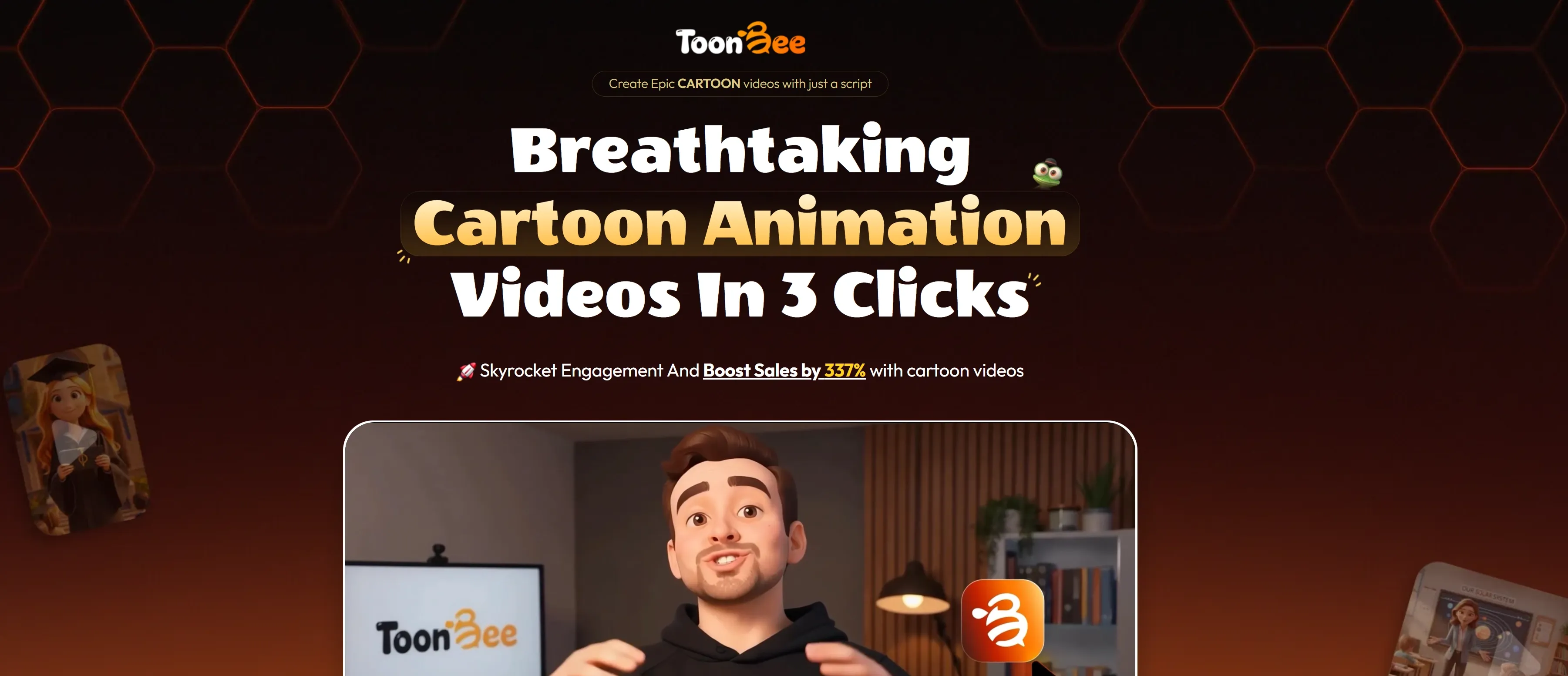
Character Consistency
The character consistency is designed to preserve the same face, clothing, and overall identity across multiple scenes. Users can create a character inside ToonBee or introduce their own character image as a visual reference. This is particularly valuable for serialized stories, mascot-led campaigns, and educational videos with a recurring presenter.
Style Consistency Pipeline
While the ToonBee AI's character consistency focuses on subjects, the style consistency pipeline controls the project's wider visual language. It helps backgrounds, colors, rendering choices, and scene treatments follow one direction. This distinction matters in longer videos. A recurring character is not enough if each environment looks as though it came from a different production. The pipeline gives multi-scene cartoons a more unified identity.
10+ Visual Styles Included
ToonBee includes more than 10 visual styles, covering 3D, classic cartoons, modern illustration, comic books, and fine art. Pro expands the selection with additional options such as anime, sketch, low-poly, and paper-craft treatments.The library is useful for matching an educational lesson, children's story, or promotional video to its audience.
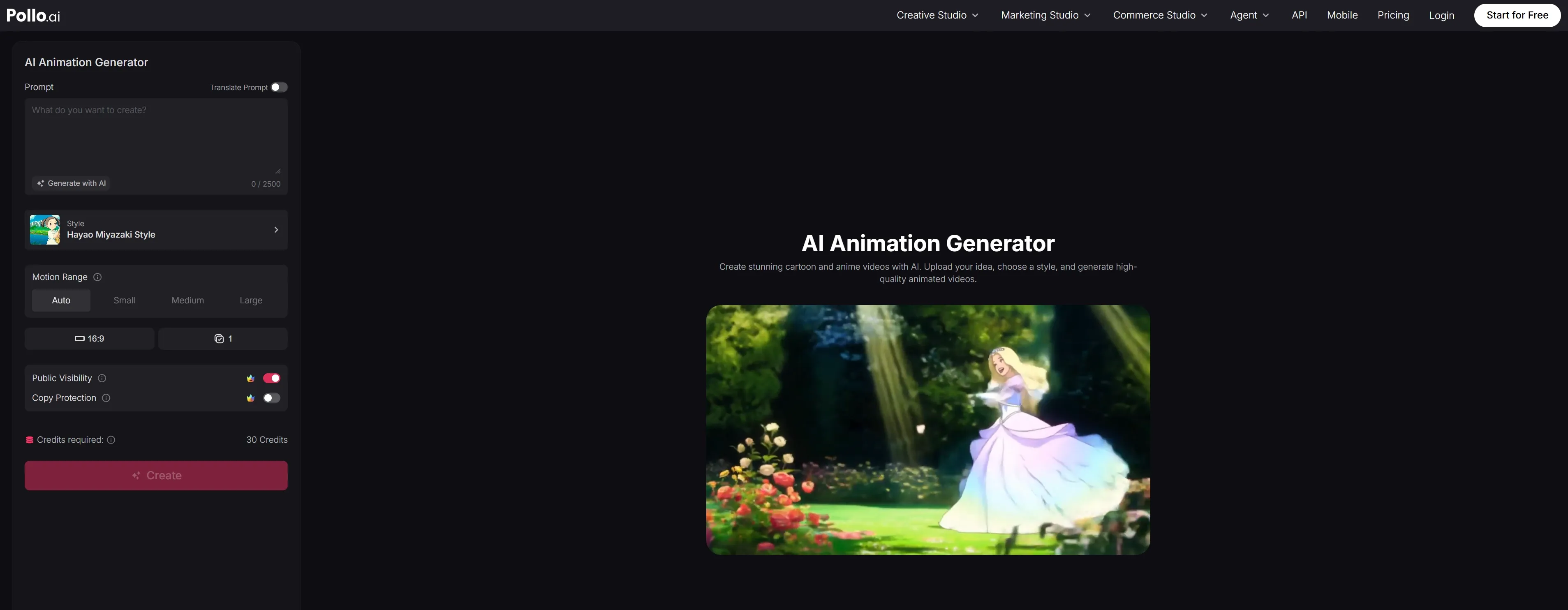
While ToonBee makes project-wide style changes convenient, Pollo AI's AI animation generator offers deeper control over both appearance and motion. Creators can choose from 11 anime-inspired styles, adjust motion intensity and aspect ratio, and produce 2D cartoons, 3D animations, or cinematic anime scenes with fluid movement and polished transitions.
Professional Multi-Track Editor
The professional multi-track editor adds timeline-level control after generation. Users can rearrange scenes, trim clips, adjust timing, inspect waveforms, and layer voiceovers, captions, music, transitions, and effects. Its simple and professional modes support both quick corrections and more detailed assembly.
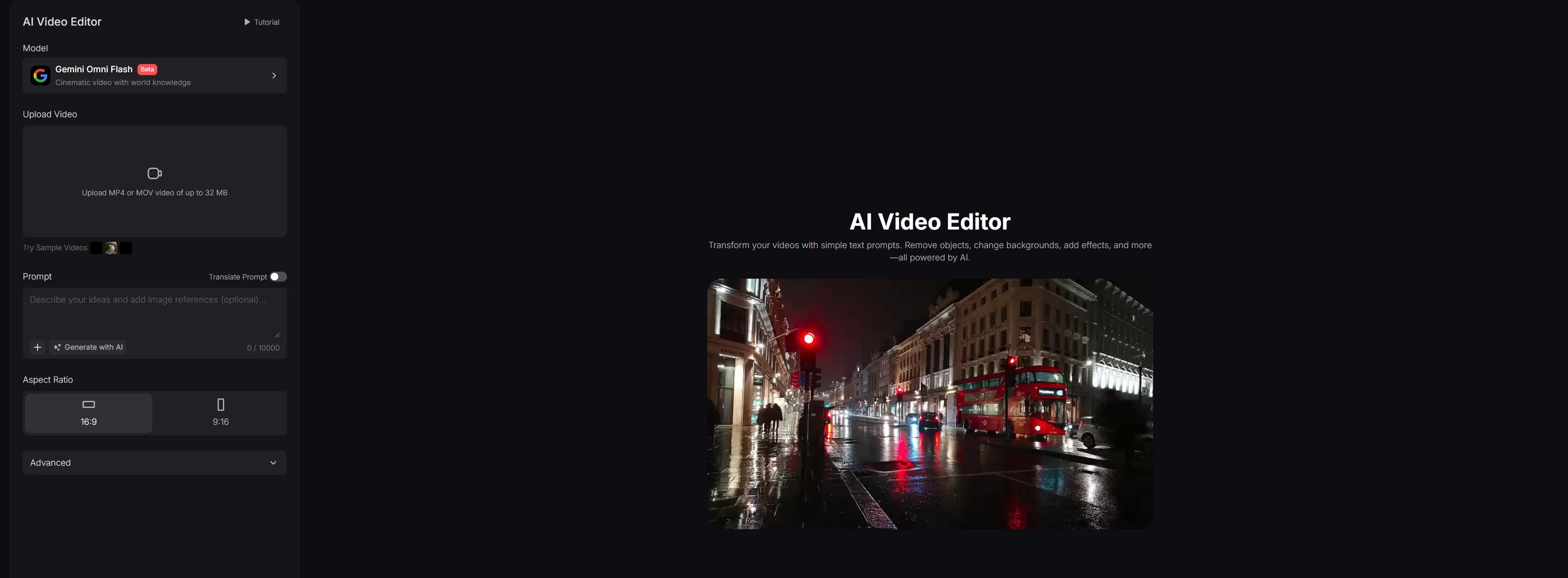
For creators editing existing footage, Pollo AI's video editor extends the workflow with text-based object removal, background replacement, restyling, and visual changes.
AI Voice Studio
ToonBee AI Voice Studio lets users select a narrator, choose a speaking style, and adjust delivery by scene. Available tones include warm, energetic, dramatic, and educational. Creators can also upload their own recorded voice. Scene-level voice control is helpful when a story contains narration, character dialogue, and calls to action. Additional voice options may depend on separately purchased voice packs.
AI Music Composer
ToonBee AI Music Composer produces original background tracks based on mood. Users can generate variations and control looping, fade-ins, fade-outs, and automatic ducking beneath speech. Because the music is created inside the project, creators do not need to search a separate stock library before finishing a lesson, promotion, or animated story.
Script + Voiceover in 55+ Languages
ToonBee supports script generation, narration, and localization in more than 55 languages. This allows one cartoon concept to be adapted for different regions without rebuilding the visual sequence.
The workflow is useful for multilingual training, localized advertising, and international educational channels. Animated caption styles are marketed separately, so creators should confirm which caption functions are included in their selected package.
What Is ToonBee AI? Product Positioning and Background
ToonBee is a browser-based cartoon video generator developed by Insta App SRL. The platform targets educators, marketers, small businesses, agencies, and independent storytellers who need animated videos without hiring illustrators or managing a traditional animation pipeline. Its market position is best described as generative-first with built-in editing.
A script or short idea becomes a storyboard, scenes, recurring characters, voiceover, music, and an assembled video. Users can then refine that output through a multi-track editor. This differs from Animaker's asset-heavy, template-driven approach, where creators usually select characters, actions, props, and layouts more manually.
ToonBee AI is also narrower than a general-purpose video platform. Its strongest identity is cartoon storytelling rather than cinematic footage, UGC advertising, realistic product videos, or model experimentation. Cloud rendering removes local hardware requirements, while Pro supports projects of up to 15 minutes and 30-plus slides.
Who Uses ToonBee AI?
Educators and training teams: Convert lessons, onboarding material, and complex concepts into character-led explainers, training videos, and editable scenes with narration and music.
Marketers and small businesses: Produce animated product explainers, local promotions, sales videos, and recurring social content around a recognizable visual style.
Agencies and freelance creators: Build cartoon campaigns for multiple clients while reusing established characters, styles, and production structures across short animated videos.
Storytellers and channel creators: Develop children's stories, faith-based narratives, episodic cartoons, and narrated YouTube series with recurring casts and connected scenes.
ToonBee AI Review: What Users Actually Say
On Trustpilot, users frequently praise ToonBee AI for its fast cartoon workflow, approachable interface, varied animation styles, practical tutorials, and responsive customer support.
However, reviews focused on production performance reveal recurring issues with script interpretation. One creator reported that ToonBee assigned dialogue to the wrong characters, requiring several regenerations. Another reviewer found that the platform paraphrased a detailed script instead of following the original wording.
Character movement and continuity can also require correction. One user noted that characters walked through furniture despite explicit movement instructions. Other feedback mentions changing outfits, inconsistent scene images, frozen sequences, and generated clips that do not fully follow the prompt.
Audio controls are another area for improvement. A training-video creator observed that lip movements occasionally lost synchronization during longer or more complex dialogue. Users have also requested finer control over pauses, emphasis, transitions, custom fonts, and external TTS integration.
How Pollo AI Addresses ToonBee's Functional Gaps
Pollo Agent addresses the script drift, unnatural character movement, and inconsistent lip sync reported by ToonBee users. Instead of forcing every scene through one fixed generation path, Pollo AI combines multiple leading video models with an integrated Agent that interprets the full brief, organizes scenes, and retains character references throughout revisions.
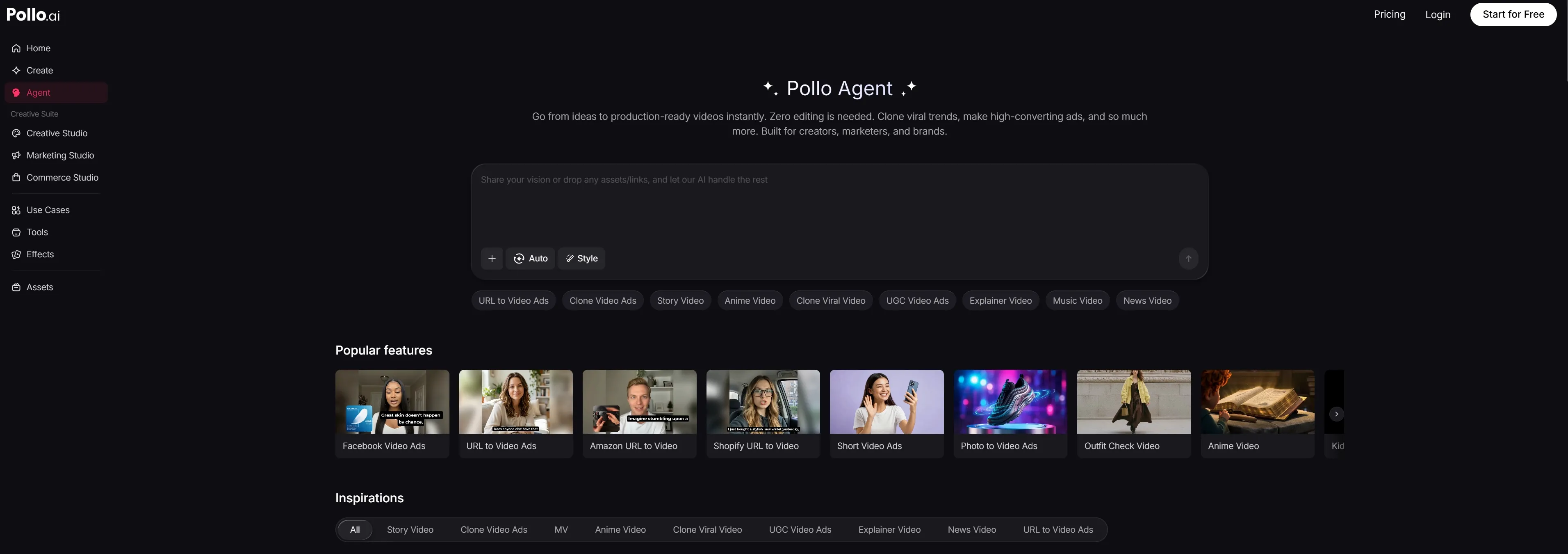
More importantly, its connected workflow brings video generation, voice creation, sound effects, and prompt-based editing into one creative space. Creators can refine dialogue, replace an unsuccessful shot, or adjust the visual direction without rebuilding the entire story. The result is a smoother path from an initial script to a coherent, publication-ready video.
Feature Comparison: ToonBee vs Animaker vs Pollo AI
| Capability | ToonBee | Animaker | Pollo AI |
| Primary workflow | Script-to-cartoon generation followed by editing | Templates, stock assets, character building, and prompt generation | Multi-model generation with specialized workflows and an integrated video Agent |
| Story automation | Generates storyboard, scenes, narration, and music | Generates complete videos, then opens them for asset-level editing | Plans scenes, pacing, visuals, characters, voice, and sound within one Agent-led workflow |
| Character handling | Character Consistency Engine for recurring appearances | Character Builder with reusable actions and expressions | Reference-guided subjects and consistent characters across Agent-created scenes |
| Visual range | Cartoon-first with 10+ styles | Cartoon, 2D, 3D, realistic, live footage, and a large asset library | Cartoon, anime, realistic, cinematic, advertising, and social formats |
| Editing | Multi-track editor with timing, layers, and transitions | Advanced asset editor with 25+ editing tools | Prompt-based editing plus generation, enhancement, transformation, and workflow tools |
| Voice and localization | Voice Studio, music generation, and 55+ languages | 1,800+ voices in 200+ languages | Voice generation, voice cloning, text to speech, sound effects, and video integration |
| Agent capability | Automated wizard, but no dedicated conversational model-routing agent is marketed | Prompt generation and advanced editing, but no dedicated video Agent is marketed | Dedicated Agent that plans, generates, revises, and completes videos |
| Model choice | Platform-selected models; premium models are advertised without a complete public list | Platform-controlled generation without cross-model selection | Multiple leading video models available from one workspace |
Why Creators Move from ToonBee to Pollo AI

Multiple Leading Video Models
Access multiple advanced models—Seedance 2.5, Grok Imagine Video 1.5 and Gemini Omni Flash—into one platform.
Audio and Video in One Studio
Generate narration, clone voices, add sound effects, and carry every audio element into the video workflow without changing platforms.
200+ Purpose-Built Workflows
Start with workflows for story videos, viral shorts, ads, explainers, and more, reducing prompt setup while retaining creative control.

10M+Users
Using Pollo AI to Create and Inspire


Chosen by 10M+ Creators and Marketers Worldwide
- Liz CassidyDec 15, 2025Easy to use, great results for short videosI’ve been using Pollo AI mainly for short videos and quick image-to-video tests. The interface is straightforward and it works well even with simple prompts, which is a big plus compared to tools that need long, complicated instructions. The results can be really impressive, and it’s honestly been fun to experiment with. I’d love a bit more consistency on faces when there’s movement, but overall it’s been a solid experience for what I needed.
- Richard QuickOct 15, 2025Awesome websiteAwesome website. loads of options and a great way to learn how to work with 'AI' my reasoning for 5 stars is based upon price, versatility and ease of use. Also I would like to add, Pollo AI runs a lot of promos on different AI products as well. I rate their customer service at 5 stars, when I purchased my first subscription my computer crashed the following weekend and I lost all my data and info passwords you name it I lost it, contacted pollo by email they responded quickly and found my info/username and account, and I was able to restore my account.
- armourdudeNov 19, 2025I have been using Pollo AI for short…I have been using Pollo AI for short videos. It is easy to use and works well with simple prompts. Other generators seem to need long drawn out complicated explanations to get even close to what I want.
- DuduJan 14, 2026I'm just amazed by the level of quality…I'm just amazed by the level of quality output that Pollo AI can produce from a simple image. The motion, the realism, It's too good!!
- Ray WarnesDec 30, 2025A fabulous journeyI find Pollo easy to use, it gives me great results and I'd recommend it to anyone. It has been a wonderful experience for me.
- lawless clanNov 22, 2025i tried 220 online img to vid in 2…i tried 220 online img to vid in 2 months, and this is the best online video.I will subscribe for a year; there are many reasons. But freedom is the most important.


Discover More AI Video Generators on Pollo AI
FAQs
What is ToonBee used for?
ToonBee is used to create multi-scene cartoon videos from ideas or scripts. Its main use cases include educational explainers, children's stories, promotional videos, animated sales content, and narrated social media projects.
How does ToonBee create a video from a script?
The Video Wizard interprets the script, divides it into scenes, generates a storyboard and characters, adds animation, and assembles voiceovers and music. Users can review and revise the result before export.
Can ToonBee keep the same character across multiple scenes?
Its Character Consistency Engine is designed to retain the same face, clothing, and visual identity. Results can still vary because generated characters are not identical to manually rigged animation assets.
How long can ToonBee videos be?
Standard projects are marketed for videos of up to five minutes. ToonBee Pro supports more than 30 slides and videos of up to 15 minutes, making it more suitable for lessons and longer narrated stories.
Can ToonBee generate videos in different languages?
Yes. ToonBee advertises script and voiceover generation in more than 55 languages. This supports regional versions of educational, promotional, and storytelling content.
Can users edit a ToonBee video after generation?
Yes. The multi-track editor supports scene arrangement, trimming, timing, voice, music, captions, transitions, and effects. Access to advanced controls may depend on the purchased version.

Create Beyond a Cartoon-Only Workflow on Pollo AI
Create complete cartoon, cinematic, social, and marketing videos through one ture video agent.