Founded in 2023, SF-based VideoGen AI video generator is the 'speed-first' pioneer for the faceless era. YC-backed, it uses proprietary B-roll automation to sync semantic footage with any script or URL instantly. It is the go-to utility for turning a URL into a video in under four seconds. While VideoGen excels at rapid stock montages, Pollo AI acts as a true marketing video agent for full-length, publication-ready videos. Try Pollo AI now!
Create your own influencer. Then jump into any trend with Recast.
Kling 4.0
Up to 10 keyframes. Unlimited for 10 days with Ultra.
Pollo Recast
Recreate viral videos. Remix new versions.
Pollo Recast Challenge
One upload in. Your viral video out. Unlimited rewards await.
Pollo Agent x DeepSeek V4.1 FLASH
Faster completion at a much lower cost.
Pollo Agent x Gemini 4 Argon
Smarter reasoning. All through Pollo Agent.
WIN iPHONE DUO
Capture a city in one minute. Join the challenge now.
Pollo MCP
End-to-end content creation. Up to 4 Videos/ 20 Images for FREE.
Key Features of VideoGen
Semantic B-Roll Matching: Automatically pairs your script with relevant royalty-free clips.
URL-to-Video Tool: Instantly transforms blog posts or news articles into video scripts.
Ultra-Fast Voiceover Sync: Generates human-like AI narrations that align with your timing.
One-Click Subtitle Burn-in: Adds high-contrast, social-ready captions to boost engagement.
Faceless Channel Templates: Specialized workflows for YouTube automation and niche pages.
Integrated Script Assistant: Uses LLMs to draft compelling narratives based on a prompt.
Commercial Asset Library: Access to millions of premium stock photos and video segments.
Brand Identity Kits: Saves your specific logos and color palettes for consistent output.
Semantic B-Roll Matching
The standout feature of VideoGen is its ability to 'read' your script and instantly populate the timeline with matching stock footage. Instead of spending hours browsing libraries like Pexels or Shutterstock, the AI identifies keywords and visual cues to find the best fit. This is perfect for informational content where the visual is secondary to the message, allowing you to build a visual foundation in seconds.
URL-to-Video Engine
For bloggers and affiliate marketers, the URL-to-Video tool is a massive time-saver. By simply pasting a link, VideoGen scrapes the text, summarizes the key points, and creates a structured video layout. It removes the friction of starting with a blank page. While this is great for quick summaries, those needing a more 'context-aware' flow for complex marketing might find a dedicated Video Agent more effective.
Ultra-Fast Voiceover Sync
Narrating a video used to require a microphone and a quiet room. VideoGen eliminates this by offering a suite of AI voices that sync perfectly with the generated B-roll. The system automatically adjusts the duration of visual clips to match the natural pauses in the speech. This ensures that your 'faceless' videos sound professional and maintain a steady rhythm, which is vital for viewer retention.
One-Click Subtitle Burn-in
With the majority of social media users watching videos on mute, captions are no longer optional. VideoGen automates the transcription process, burning high-quality, readable text directly into the video. You can customize the font and positioning to ensure it does not interfere with the visuals. It is a streamlined way to make your content accessible and 'scroll-stopper' ready without manual typing.
Faceless Channel Templates
Many users flock to VideoGen to build 'cash cow' YouTube channels. The platform provides specific layouts optimized for the 'storytelling' style common in history, finance, and trivia niches. These templates prioritize a fast-paced edit that keeps the audience engaged. It is a high-volume approach to content creation that favors quantity and consistency over manual frame-by-frame artistic control.
Integrated Script Assistant
If you have a rough idea but no script, the built-in assistant can bridge the gap. By inputting a few keywords, the AI drafts a full narrative designed for high engagement. This feature is tailored for creators who struggle with writer’s block. It ensures that the tone is consistent throughout the video, providing a solid backbone for the automated visuals and voiceovers that follow.
Commercial Asset Library
One of the biggest hurdles in video production is copyright. VideoGen includes a massive library of licensed assets, meaning you do not have to worry about takedown notices on YouTube or TikTok. This 'all-in-one' access to stock footage and music is integrated directly into the workflow. It simplifies the legal side of content creation, making it a safe choice for small businesses and independent creators.
Brand Identity Kits
Maintaining a recognizable look is key for brands. VideoGen allows you to save 'Brand Kits' that include your specific hex codes, fonts, and watermarks. Once set up, these elements are automatically applied to every project. This ensures that even if you are churning out ten videos a week, they all carry the same professional aesthetic, helping you build trust and authority with your target audience.
Target Audience & Application Scenarios for VideoGen
Faceless Creators: YouTube and TikTok bloggers who need to produce high volumes of content without appearing on camera.
Affiliate Marketers: Those who need to quickly create product reviews and promotional shorts to earn commissions.
SMBs & Solopreneurs: Merchants who lack a professional editing team but need to update social media daily.
Educators & Explainers: Professionals turning complex text, blogs, or research papers into engaging visual guides.
VideoGen AI Video Generator's Unique Tech and Business Model
Smart B-roll Automation System: This is the core technical moat. Its algorithm understands text semantics to pull precisely from millions of royalty-free assets.
URL-to-Video Workflow: Features powerful scraping and summarization capabilities to turn long-form blogs into short-form video scripts instantly.
High-Velocity SaaS Model: A subscription service that prides itself on 'turning 4 hours of editing into 4 seconds.'
What the Community Says about VideoGen AI
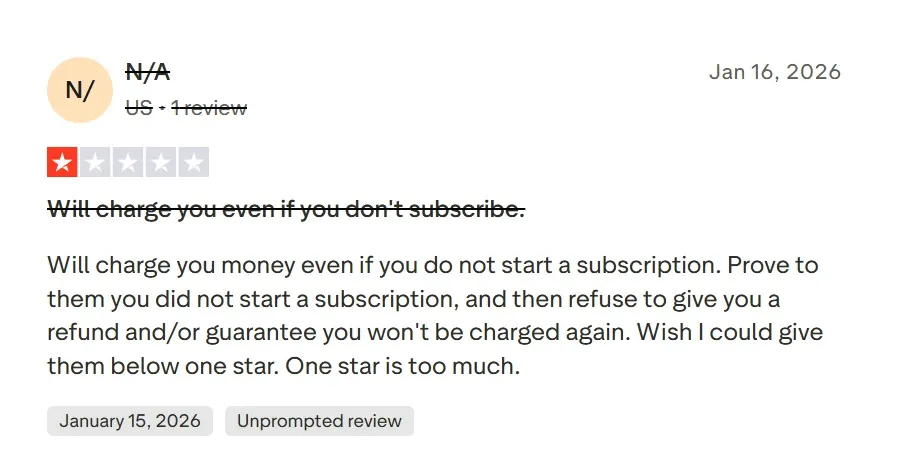
On G2 and Trustpilot, VideoGen is praised for its speed. However, users report significant "growing pains." Key complaints involve an unclear credit system and extreme wait times—sometimes up to 16 days for a single project.
While it offers 4K exports, some users find the visual quality closer to standard HD. Others highlight inflexible refund policies and the inability to process PDF uploads. These limitations can make the tool feel "sub-optimal" for creators seeking professional reliability and high-fidelity output.
How Pollo AI Redefines the Creator Experience
Pollo AI acts as a true marketing video agent to solve these specific frustrations. Unlike stock-stitching tools, we generate original pixels using elite models, ensuring true 4K clarity and unique visuals. We offer a transparent billing system.
While others struggle with file types, Pollo AI handles complex inputs to create cohesive stories with a clear narrative flow. Stop settling for fragmented clips; choose a stable, high-value partner for your brand.
VideoGen vs. Pollo AI vs. InVideo: Quick Comparison
I’ve been using Pollo AI mainly for short videos and quick image-to-video tests. The interface is straightforward and it works well even with simple prompts, which is a big plus compared to tools that need long, complicated instructions. The results can be really impressive, and it’s honestly been fun to experiment with. I’d love a bit more consistency on faces when there’s movement, but overall it’s been a solid experience for what I needed.
Awesome website. loads of options and a great way to learn how to work with 'AI' my reasoning for 5 stars is based upon price, versatility and ease of use. Also I would like to add, Pollo AI runs a lot of promos on different AI products as well. I rate their customer service at 5 stars, when I purchased my first subscription my computer crashed the following weekend and I lost all my data and info passwords you name it I lost it, contacted pollo by email they responded quickly and found my info/username and account, and I was able to restore my account.
I have been using Pollo AI for short videos. It is easy to use and works well with simple prompts. Other generators seem to need long drawn out complicated explanations to get even close to what I want.
i tried 220 online img to vid in 2 months, and this is the best online video.I will subscribe for a year; there are many reasons. But freedom is the most important.
Discover More AI Video Generators for Your Unique Brand Storytelling on Pollo AI
VideoGen is primarily used to create videos quickly using AI and stock footage. It is a favorite for 'Faceless YouTube' creators who want to turn scripts into videos without filming themselves. It automates the process of finding B-roll, adding subtitles, and generating a voiceover.
Are the videos generated by VideoGen safe for commercial use?
Yes, VideoGen uses royalty-free assets from commercial libraries. This means you can post your videos on YouTube, TikTok, or your company website without worrying about copyright strikes, provided you have an active subscription that covers licensing.
Can I customize the AI voiceovers in VideoGen?
VideoGen offers a wide range of human-like AI voices across various accents and languages. You can adjust the script to control the pacing, but the platform is designed for automation rather than granular, syllable-level voice editing.
How does the URL-to-video feature work with paywalled content?
VideoGen works best with publicly accessible URLs (like blog posts or news articles). If a URL is behind a paywall or has heavy bot protection, the scraper may not be able to extract the text effectively. In such cases, it is better to copy and paste the script directly.
Can I upload my own footage to VideoGen?
Yes, while VideoGen's strength is its automated B-roll library, users can upload their own video clips and images to maintain brand consistency or to include specific product shots that stock libraries don't have.
Stop patching together fragments and start crafting professional narratives!








 Liz Cassidy


