DomoAI focuses on stylized, anime, and character-driven video creation with talking avatars and lip sync. Pollo AI goes further by turning ideas, scripts, and assets into polished, ready-to-publish videos. Try Pollo AI video generator for free now!
Create your own influencer. Then jump into any trend with Recast.
Kling 4.0
Up to 10 keyframes. Unlimited for 10 days with Ultra.
Pollo Recast
Recreate viral videos. Remix new versions.
Pollo Recast Challenge
One upload in. Your viral video out. Unlimited rewards await.
Pollo Agent x DeepSeek V4.1 FLASH
Faster completion at a much lower cost.
Pollo Agent x Gemini 4 Argon
Smarter reasoning. All through Pollo Agent.
WIN iPHONE DUO
Capture a city in one minute. Join the challenge now.
Pollo MCP
End-to-end content creation. Up to 4 Videos/ 20 Images for FREE.
Key Features of DomoAI
Text and Image to Video Generation: Create stylized videos from prompts or still images.
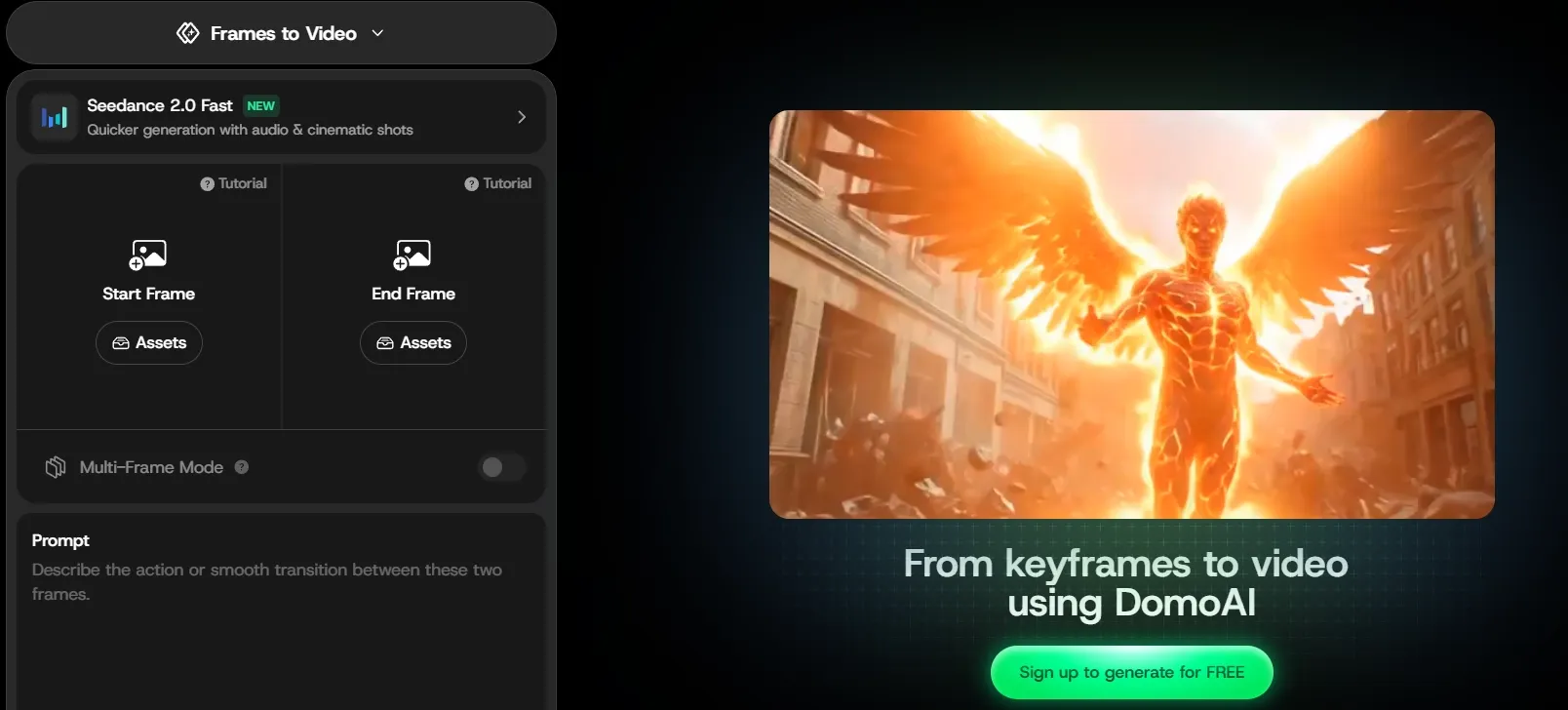
Frames to Video Generation: Connect multiple images with continuous motion.
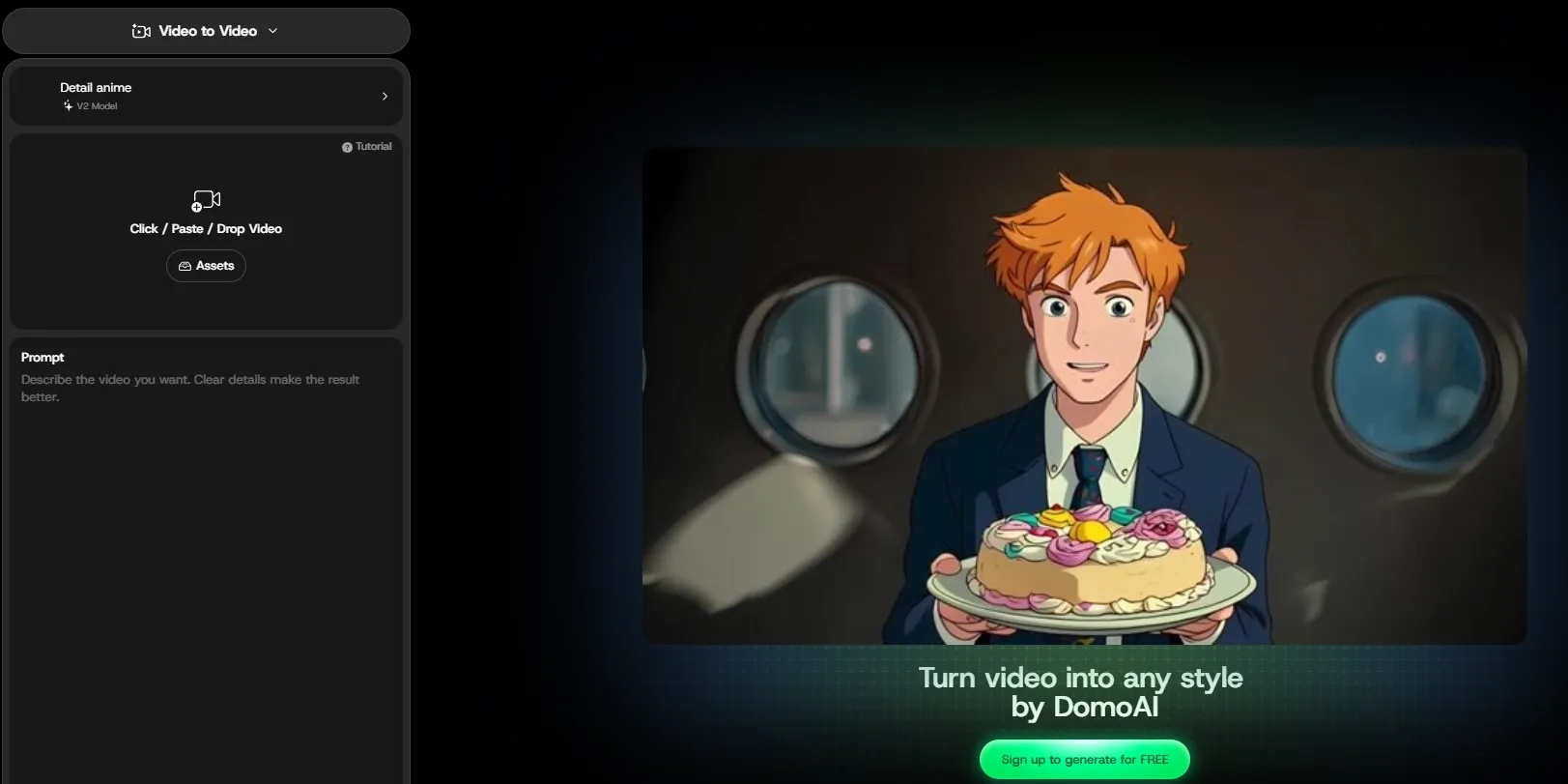
Video to Video Style Transfer: Restyle existing footage while preserving its motion.
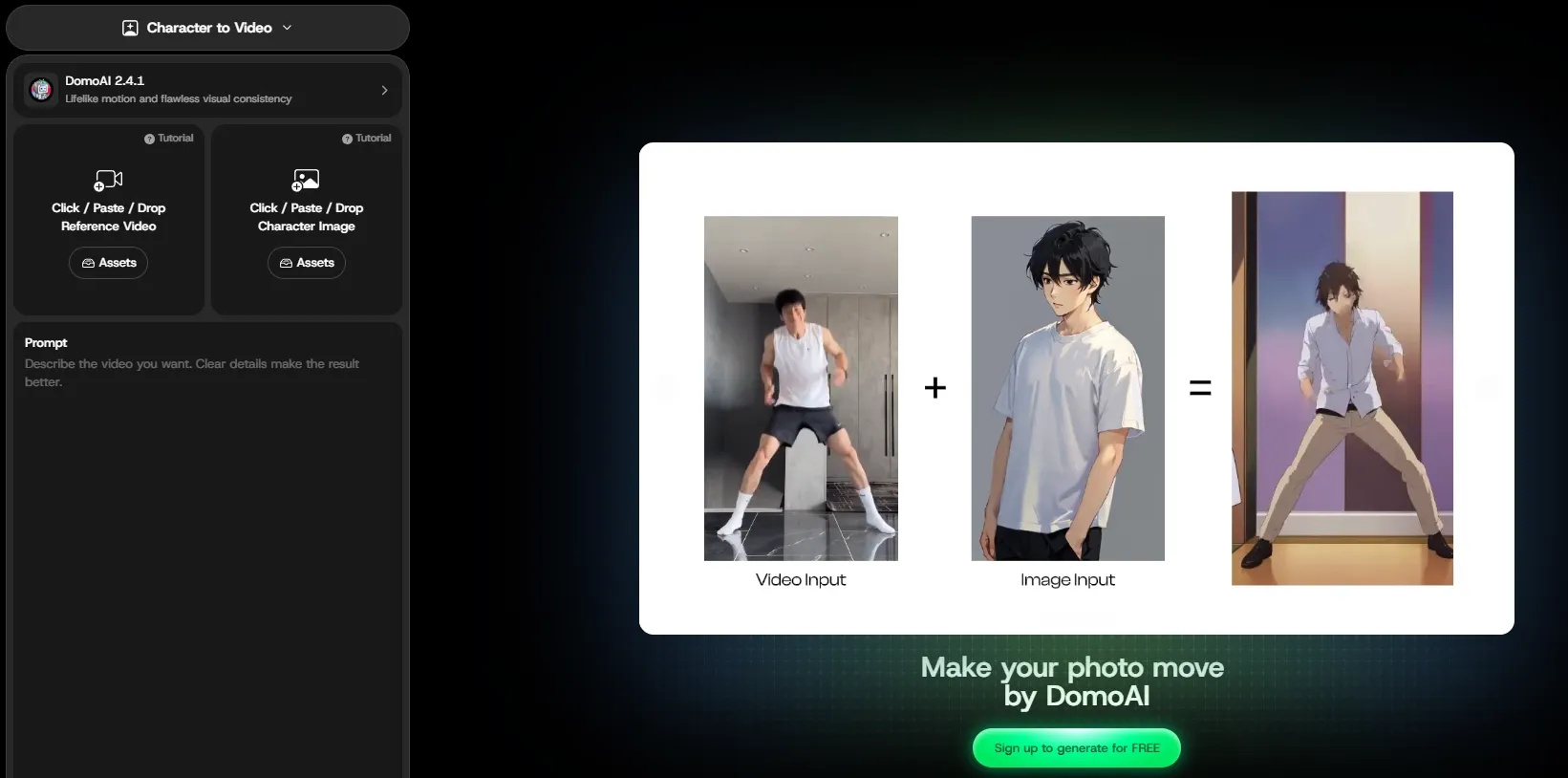
Character Animation: Apply reference movements to static characters.
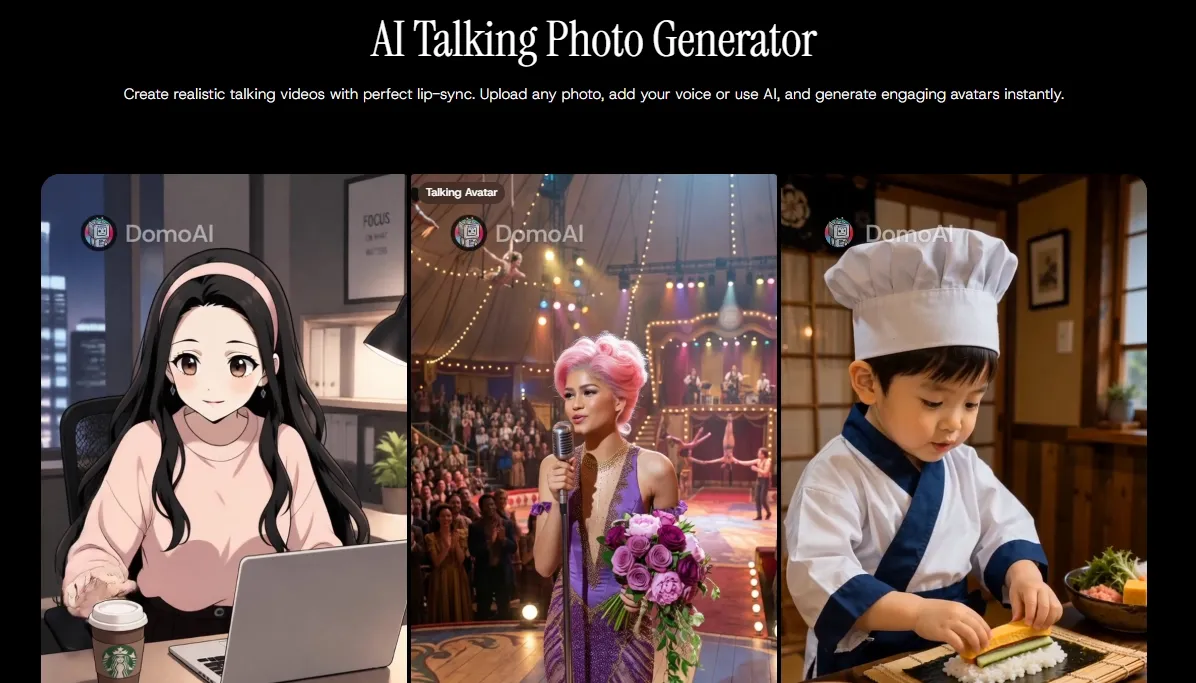
Talking Avatar and Lip Sync: Make characters speak with synchronized mouth movement.
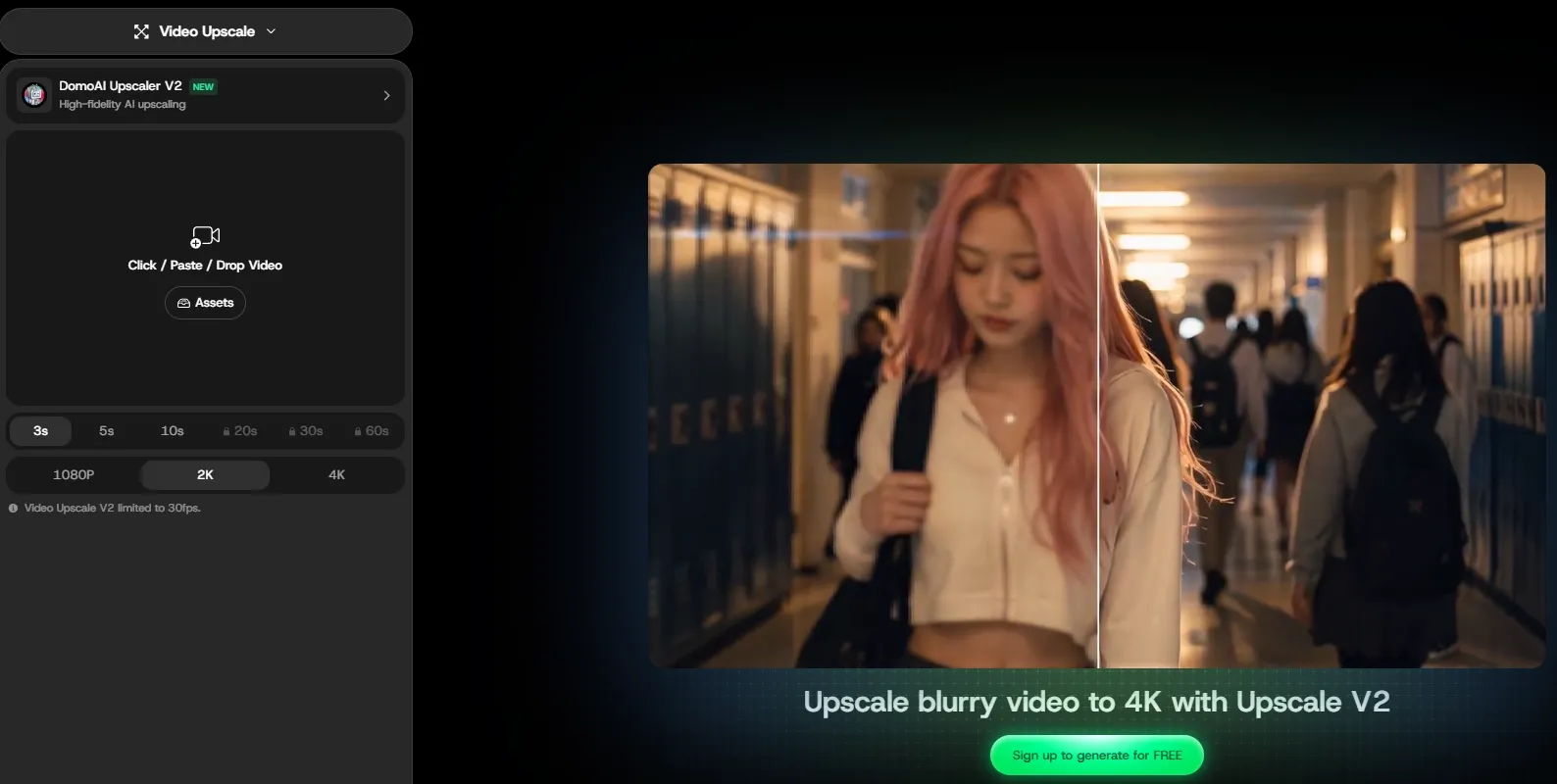
AI Video Upscaling: Improve video resolution and visual clarity.
Text and Image to Video Generation
DomoAI generates AI videos from written descriptions or uploaded images, helping users turn original ideas and existing artwork into moving scenes. A creator can animate an anime portrait, build a fantasy clip from a prompt, or add motion to a product image for social content.
Frames to Video Generation
Users can upload a sequence of keyframes and let DomoAI generate the movement between them. This provides more control over how a scene develops, whether showing a character transformation, connecting storyboard panels, or presenting a product from several planned angles.
Video to Video Style Transfer
DomoAI transforms uploaded videos into anime, illustrated, realistic, or other stylized visuals while retaining the original actions and overall composition. Creators can convert a dance recording into an anime performance or give ordinary travel footage a more distinctive visual identity.
Character Animation
DomoAI transfers motion from a reference video to a character image, allowing illustrated figures, avatars, and original characters to perform recognizable actions. It can animate a game character dancing, make a mascot wave, or turn a static character design into a short performance clip.
Talking Avatar and Lip Sync
In Domo AI, users can combine a character image or video with recorded or generated audio to produce a speaking avatar. DomoAI matches mouth movements to the voice, making it suitable for anime dialogue, virtual presenters, singing characters, and short narrative scenes.
When a talking avatar needs to feel convincing rather than merely synchronized, Pollo AI adds the performance details that matter. From one photo and a script or uploaded audio, it creates lifelike avatar videos up to two minutes long with natural lip sync, expressive facial reactions, and human-like hand gestures.
Users can animate portraits, illustrations, pets, or mascots, and even make avatars hold and present products without pre-recording footage or training a custom model.
AI Video Upscaling
DomoAI enhances generated or uploaded videos with sharper details and higher-resolution output. This helps clean up soft character lines, improve facial details, and prepare stylized clips for larger screens, social publishing, or further editing.
When soft footage needs more than a resolution boost, Pollo AI provides a fuller cleanup. Its video upscaler enhances clips to 4K, reducing noise and blur while sharpening frames and preserving the original detail and style.
This makes anime scenes, product demos, UGC ads, tutorials, and social videos look cleaner, more credible, and ready to publish.
Pros & Cons of DomoAI
Domo AI shows clear strengths in speed, stylization, and ease of use across different creative workflows, while some limitations become more noticeable in longer or more complex projects.
Pros
Excels at video restyling: DomoAI preserves the source motion while converting footage into 40+ anime, cartoon, game-inspired, and artistic styles.
Built for character-driven videos: Character-to-video, talking avatars, lip sync, and voice controls make animated performances easier to produce from existing characters and audio.
Offers useful control beyond one-click animation: Users can connect up to eight keyframes, guide the motion with prompts, and upscale finished clips to 4K.
Cons
Produces clips, not complete videos: DomoAI lacks an end-to-end video agent that can structure scenes, assemble a narrative, and deliver a ready-to-publish result from one input.
Credits limit serious production: The free trial includes only 25 credits, while video generation, longer outputs, and repeated revisions can quickly push users toward paid plans or extra credits
Use Cases of DomoAI in Real-World Scenarios
Animate Anime Artwork: Turn a character illustration or manga-style scene into a short video with facial expressions, camera movement, or environmental motion.
Restyle Recorded Footage: Convert dance clips, travel videos, or short performances into anime and other artistic styles without recreating the original movement.
Create Character Performances: Apply dancing, walking, waving, or action movements from a reference video to an original character, mascot, or game avatar.
Produce Talking Character Videos: Combine a portrait with dialogue, narration, or music to create virtual presenters, anime conversations, or singing character clips.
Build Controlled Visual Sequences: Connect several planned images or storyboard frames into a continuous transformation, product reveal, or short narrative scene.
Prepare Videos for Publishing: Upscale generated clips to improve clarity before sharing them on social platforms, using them in presentations, or displaying them on larger screens.
DomoAI vs Invideo AI vs Pollo AI: Feature Comparison
Pollo Agent turns inputs into cohesive videos without manual stitching
Video Control
Keyframes, motion transfer, style conversion, and lip sync
Script, scene, voiceover, and timeline control
Reference guidance, scene revisions, video extension, and multimodal control
Best Video Use Cases
Anime clips, character performances, and talking avatars
Explainers, YouTube videos, and marketing content
Ads, social videos, product promos, explainers, and viral remakes
Where Pollo AI Stands Out
Step 1
Multi-Model Video Generation
Access leading video models such as Kling 3.0 and Veo 3.1 in one platform, making it easier to match each project with the right motion, realism, and creative control.
Step 2
AI Video Agent
Pollo Agent turns ideas, scripts, links, or existing assets into cohesive videos with complete scenes, pacing, and audio, without manually stitching separate clips together.
Step 3
Marketing Video Production
Transform URLs, photos, scripts, or campaign ideas into polished UGC ads, product videos, TVC-style commercials, and other ready-to-run marketing content in Marketing Studio.
I’ve been using Pollo AI mainly for short videos and quick image-to-video tests. The interface is straightforward and it works well even with simple prompts, which is a big plus compared to tools that need long, complicated instructions. The results can be really impressive, and it’s honestly been fun to experiment with. I’d love a bit more consistency on faces when there’s movement, but overall it’s been a solid experience for what I needed.
Awesome website. loads of options and a great way to learn how to work with 'AI' my reasoning for 5 stars is based upon price, versatility and ease of use. Also I would like to add, Pollo AI runs a lot of promos on different AI products as well. I rate their customer service at 5 stars, when I purchased my first subscription my computer crashed the following weekend and I lost all my data and info passwords you name it I lost it, contacted pollo by email they responded quickly and found my info/username and account, and I was able to restore my account.
I have been using Pollo AI for short videos. It is easy to use and works well with simple prompts. Other generators seem to need long drawn out complicated explanations to get even close to what I want.
i tried 220 online img to vid in 2 months, and this is the best online video.I will subscribe for a year; there are many reasons. But freedom is the most important.
DomoAI is an AI video creation platform focused on anime, artistic, and character-driven content. It supports text-to-video, image animation, video restyling, character animation, talking avatars, and video upscaling
Is DomoAI suitable for beginners?
Yes. Domo AI’s video tools use guided workflows for uploading source material, selecting a style, and generating an output, making basic animation and restyling accessible without professional editing experience.
Can DomoAI turn real videos into anime?
Yes. Its video-to-video tool can apply anime and other artistic styles while preserving the source footage’s main movement, composition, and content.
Can DomoAI improve video quality?
DomoAI includes an AI video upscaler that can sharpen generated or uploaded clips and export them at resolutions including 1080P, 2K, and 4K.
Is DomoAI enough for complete video production?
Domo AI is particularly useful for animation, character motion, lip sync, and visual restyling. Teams that need complete, ready-to-publish ads, explainers, and multi-scene videos may prefer Pollo AI for its broader model access, video agent, and marketing-focused production workflows.
Turn Ideas Into Finished Videos with Pollo AI
Leading video models, AI video agent, and campaign-ready production, all in one platform.








 Liz Cassidy


