



Wixel Review: I Tested Wixel for 14 Days, Here’s My Honest Take
Wixel caught my attention because it is not just another prompt box. Since it comes from Wix, I expected it to be more business-friendly than experimental, especially for people who want branded video content without handling a full editing workflow.
I tested Wixel for 14 days from the perspective of a marketer creating short promo videos, avatar-led explainers, social ads, and recurring brand content. My main question was simple: can Wixel produce videos I would actually publish, or is it better as a quick draft tool?

Wixel Review: TL;DR
Wixel is useful for simple branded videos, especially if you want a guided workflow and do not want to start from a blank editing timeline. I found it fairly approachable for short business clips, avatar explainers, and basic social content.
But the limitations show up quickly once the project needs stronger creative control, deeper editing, model choice, or a more polished campaign structure. Wixel can help with early drafts, but I would not rely on it as my main AI video production workflow.
Review Point | My Take |
| Best for | Small businesses, beginners, and simple branded video drafts |
| Not suitable for | Complex campaigns, cinematic scenes, detailed editing, or advanced generation control |
| Strongest feature | A guided brand-first workflow that is easy to understand |
| Biggest limitation | The final videos can feel too safe, generic, and hard to refine deeply |
| Learning curve | Easy to start, but limited once you need more control |
| My verdict | Useful for quick drafts, not strong enough for serious production |
What Is Wixel
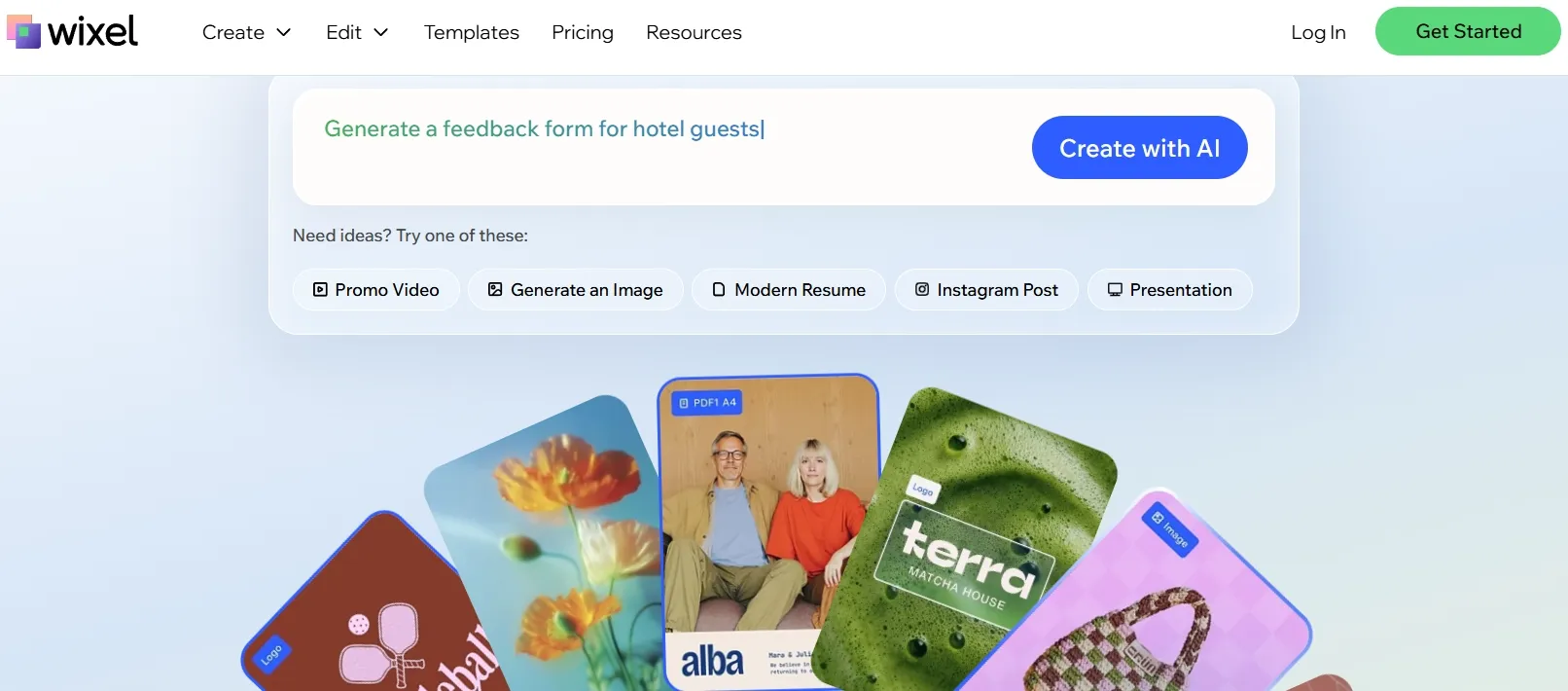
Wixel is an AI-powered design platform from Wix. This review focused on its workflow for AI video: branded promo videos, social clips, AI human avatars, auto-layout, scene flow, and team collaboration.
Its main appeal is that it tries to make video creation easier for businesses. Instead of asking users to build every scene manually, Wixel guides them toward a branded result. That makes it easier to start, but it also means the workflow can feel boxed in when you want more creative control.
Key Wixel Features I Reviewed
Brand-Aware Video Logic
Wixel’s brand-aware workflow is probably its most practical feature. It helps users keep a consistent look and message across short business videos, which is useful if you are making short product videos or simple brand story videos.
I liked the idea more than the depth of the execution. The workflow is easy to follow, and the results can look organized enough for a small business post or a lightweight promo.
The problem is that the videos can become too safe. Several drafts felt clean, but also generic. The hooks were not very sharp, the pacing did not always build interest, and the overall result leaned toward “acceptable brand content” rather than something memorable enough to carry a serious campaign.
AI Human Avatars
Wixel’s AI human avatars are built for presenter-style videos. This can work for explainer videos and tutorial videos, especially when the goal is to deliver a clear message without filming a person.
I found the workflow simple, which is a plus for users who just want a talking presenter format. It is good enough for straightforward announcements, product introductions, and service summaries.
Social-First Auto-Layout
Wixel’s social-first auto-layout is a useful convenience feature. It helps format short business videos for vertical platforms and keeps important text, subjects, and calls to action easier to read.
This is helpful for Instagram Story ads, especially if the user does not want to manually adjust the layout for every version. For fast social posting, I can see why this would save time.
I would still call it a convenience feature, not a production advantage. It helps with presentation, but it does not solve the deeper problem of social media performance: viewers scroll fast, attention is hard to earn, and a vertical layout alone cannot make up for a weak hook, loose pacing, or an unpersuasive message.
Smart Scene Stitching
Wixel’s smart scene stitching is designed to make short videos feel less like disconnected clips. It can connect scenes with smoother transitions and match the flow to the script or message.
This can be useful for short UGC video ads or viral social videos, where the content needs to move quickly and stay easy to follow. For very simple videos, the flow is usually decent.
The issue is that smoother transitions do not automatically create better storytelling. Some stitched videos still felt mechanically assembled. The scenes connected, but the pacing did not always create tension, curiosity, or a stronger reason to keep watching. That is a serious limitation if the video is meant to convert.
Browser-Based Collaboration
Wixel’s browser-based workflow is useful for team review. A marketer can create a draft, a founder can check the message, and another teammate can suggest adjustments without passing files around.
I found this especially relevant for training videos and internal communication videos, where feedback and clarity matter more than advanced editing.
This part of Wixel feels practical. It does not make the video itself more advanced, but it does make the review process easier for teams that do not want a heavy production setup.
Real Use Cases for Wixel
Use Case | How Wixel Fits |
| Short branded promos | Helps small businesses create quick promo drafts when the message is simple, and the style does not need much customization. |
| Avatar-led explainers | Works for basic presenter-style explanations, especially when the script is short and informational. |
| Event announcements | Useful for fast announcements like news videos where speed matters more than creative depth. |
| Recurring social drafts | Helps teams create early versions of social videos, but the final cut may still need stronger polishing. |
| Channel support clips | Creates simple creator-branding assets, such as a YouTube outro, when the format is short and not too customized. |
Pros and Cons of Wixel
What I Liked:
- Easy to start: The workflow is simple enough for users without editing experience.
- Business-friendly structure: It gives basic promo videos a clear direction.
- Useful avatar option: Presenter-style videos are easy to create for simple messages.
- Social layout support: Vertical formatting saves some manual adjustment.
- Decent collaboration flow: Team review feels easier than passing video files around.
What Held It Back:
- Weak post-generation control: Once the draft is created, deeper revisions feel limited.
- Generic final results: Some videos look clean but lack a distinctive hook or style.
- Shallow creative range: Wixel is better for standard business clips than varied video concepts.
- Limited model transparency: I did not feel much control over generation style or quality direction.
- Editing still feels necessary: Many drafts need extra work before I would publish them.
Where Wixel Falls Short
Wixel works when the job is simple: a quick branded clip, a basic avatar explainer, a short promo, or a social draft. For those tasks, it can reduce friction.
The bigger problem is that Wixel does not give enough control after the first draft. If the pacing feels weak, the avatar delivery feels flat, or the hook does not land, the workflow does not give me enough room to rebuild the video at a deeper level.
This is where Pollo AI becomes a stronger video workflow. With Pollo AI, I can start from a simple idea with its text to video. If I already know the creative direction I want, I can use reference to video to guide the video toward a specific style, subject, composition, or visual mood, which gives me more control than a basic guided business-video flow.
Polished Video Creation Starts Here
Join 10M+ creators using Pollo AI to generate videos with every top model.
Try Pollo AI for Free
The bigger difference is what happens after the first draft. If the video is close but not finished, I can use Pollo AI’s AI video editor to refine the parts that still feel off, such as removing unnecessary subtitles, cleaning up distracting details, improving the flow, or adjusting the final look.
Wixel helps with basic branded drafts; Pollo AI gives me a fuller create-edit-publish workflow when the video needs to be shaped into something I would actually post.
Wixel vs. Pollo AI: Which Workflow Fits Better
Dimension | Wixel | Pollo AI |
| Model choice | Wixel keeps model control mostly behind the scenes, which makes it easier but less flexible | Pollo AI gives access to multiple leading video models, including Veo 3.1 and Kling 3.0 |
| Main workflow | Guided branded video creation for simple business content | End-to-end AI video creation with generation, editing, workflow apps, and agent-driven production |
| Starting input | Best when the user already has a short business message or script | Works from ideas, text, URLs, and existing clips |
| Creation depth | Good for quick drafts, but limited for complex scenes or campaign variations | Stronger for varied styles, connected scenes, and more controlled video creation |
| Editing flexibility | Useful for light changes, but weak for deeper revision after generation | Stronger for prompt-based editing, refinement, cleanup, and post-generation changes |
| Use-case coverage | Focused mainly on branded business content and social drafts | Broader coverage for product videos, story videos, explainers, training videos, ads, and social content |
Why Pollo AI Would Be My Long-Term Choice for AI Video Generator
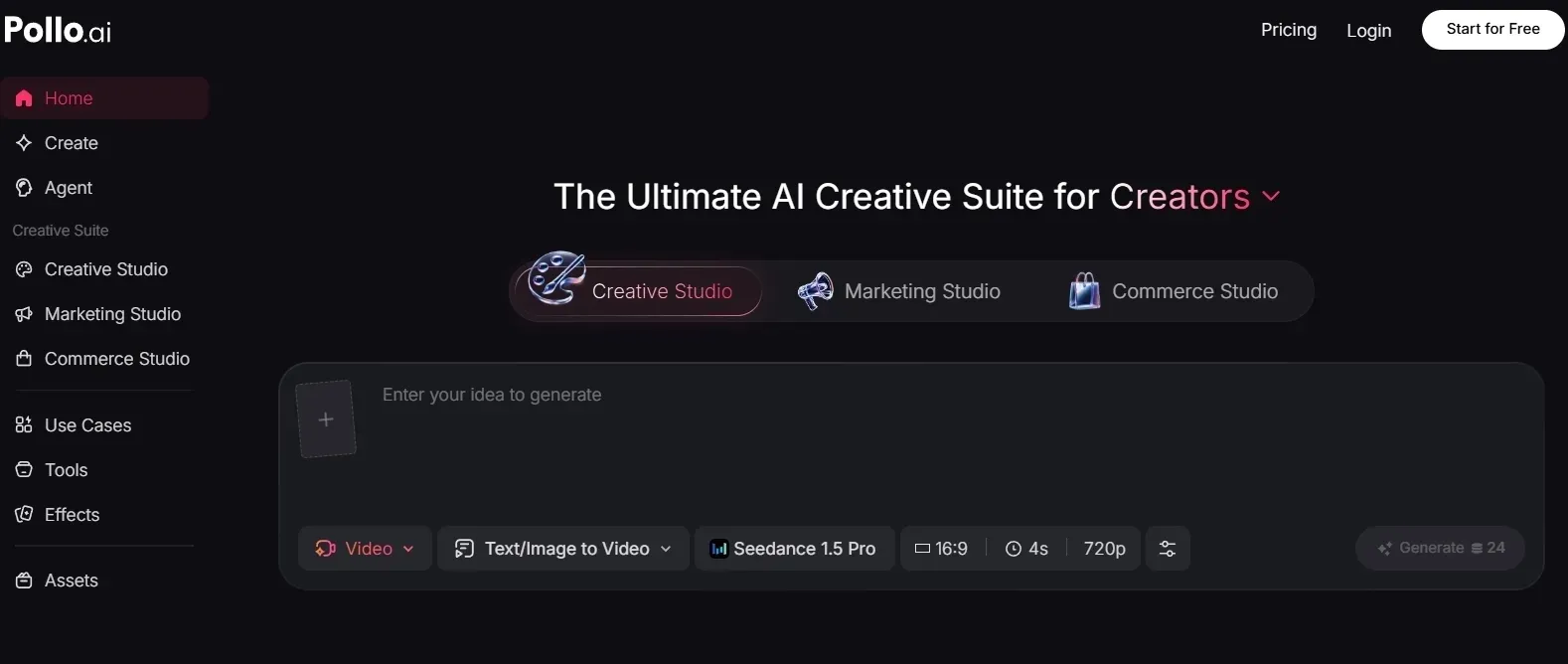
Pollo AI Gives Me More Ways to Start a Video
The first thing I like about Pollo AI is that I do not have to begin every video the same way. If I only have a rough idea, I can input the text and generate video output, and I can try Pollo AI for free before committing to a bigger project.
If I already have a product shot, a character look, or a visual direction in mind, image to video AI gives me a better starting point because I am not asking the AI to invent everything from scratch.
That matters a lot for product ads. Most brands already have static product materials, so being able to turn them into motion makes it easier to create quick product showcases, scroll-friendly social clips, or campaign drafts without planning a full shoot.
I also like that Pollo AI is not locked to one generation model. It supports models such as Happy Horse and Seedance, so I can choose the model that fits the job better. Some videos need cleaner motion, some need a more realistic look, and some just need fast iteration. Having those options makes Pollo AI feel more useful over time.
Fix the Video After Generation
The part I care about most is what happens after the first draft. AI videos are rarely perfect on the first try. Sometimes the idea is right, but the pacing feels off. Sometimes the visuals are close, but there are distracting details or small moments that make the video feel unfinished.
That is why the AI video editor matters. I can use it to make targeted changes, like removing unwanted objects, instead of throwing away the whole video and regenerating from zero. For me, that is the difference between a fun AI generator and a tool I can actually use in a content workflow.
This is also where Pollo AI feels more practical for long-term work. I do not just want to generate clips; I want to shape them. Being able to clean up a video, adjust what feels wrong, and keep improving the parts that are already working makes the whole process feel less random.
Makes Campaign Variations Easier
For marketing work, one video is usually not enough. I often need different hooks, different angles, and different formats for each platform. That is where Marketing Studio feels useful.
I can start from a product URL, product shots, or a product description. From there, Marketing Studio can turn those materials into post-ready ad variations like TVC ads and tutorial ads. That feels closer to real campaign work because I am reusing what a brand already has instead of starting every version from scratch.
The value here is not just speed. It is the ability to test more ideas. If one hook feels too flat, I can try another. If one format does not fit the platform, I can create a different version. For teams that publish ads regularly, that flexibility matters more than a single polished demo.
Helps Scale Product-Led UGC Ads
I would also use the product avatar of Pollo AI for product-led UGC ads, because it solves a very real production problem: making enough creator-style ad variations without organizing a new shoot every time.
The workflow is simple in a useful way. You can bring in a product, choose or upload an avatar, add a script, and create ready-to-use UGC video ads. That makes it easier to test the performance of different UGC formats, such as unboxing UGC ads, comparison UGC ads, and recommendation-style videos.
For brands, this matters because UGC ads burn out fast. A single creator-style video can stop performing after a while, and manually producing new versions takes time. Pollo AI’s product avatar gives teams a faster way to refresh messages, try different presenters, and create more product-focused ad variations without building every video from the ground up.
How I Reviewed Wixel
I reviewed Wixel as a business video tool, not as a cinematic AI model test. I wanted to see whether it could help a small team move from a campaign idea to a usable video without spending hours editing.
Here are the main areas I focused on:
- Output quality: whether the videos looked clean enough for everyday business use.
- Brand consistency: whether style, tone, pacing, and message stayed aligned across drafts.
- Avatar workflow: whether presenter-style videos worked for explainers and product messages.
- Social publishing fit: whether vertical layouts and calls to action felt ready for short-form channels.
- Editing and refinement: whether I could meaningfully improve a draft after generation.
- Campaign usefulness: whether Wixel could support repeated ad, promo, and social content production.
Final Verdict
Wixel is a decent option if you only need quick, branded videos and do not need much creative control. It is approachable, and it can help small teams create simple drafts faster.
But after testing it across real marketing-style needs, the limits became clear. The outputs can feel generic, and the workflow does not give enough control for serious campaign work.
Pollo AI is the stronger long-term choice because it gives me more paths to start, more detailed control after generation, and better support for campaign ad variations and product-led UGC ads. Try Pollo AI if you want a more complete AI video workflow!