



I Tested Clipfly AI & Found That It Was A Decent All-in-One AI Creation Platform
I’ve always loved the idea that I could instantly create stunning videos using AI tools. After all, the efficiency and cost-effectiveness are so appealing!
However, most AI video generators can often be overly complicated, which discourages many first-timers from maximizing on generative AI.
But recently, I discovered Clipfly AI and have tried it for a few days to see what it is made of.
Let me just give you a quick rundown of my experience with it.
Clipfly supports one-stop AI video creation, and it really simplifies the whole text-to-video workflow.
It offers access to versatile video editing tools and trendy video effects.
Plus, it has solid editing features like merging clips, adding captions, transitions, and background music, so you can easily make professional-looking videos from start to finish.
On the flip side, the videos can sometimes lack intricate details or even look a little unnatural. Also, it can be slow to generate longer videos in some cases.
Plus, it has a limited range of visual styles to choose from, which can be especially restrictive to artistic content creators.
But before I get into all that, let’s look a little closer at what Clipfly AI is all about and what it has to offer its sizable user base.
An Overview of Clipfly AI
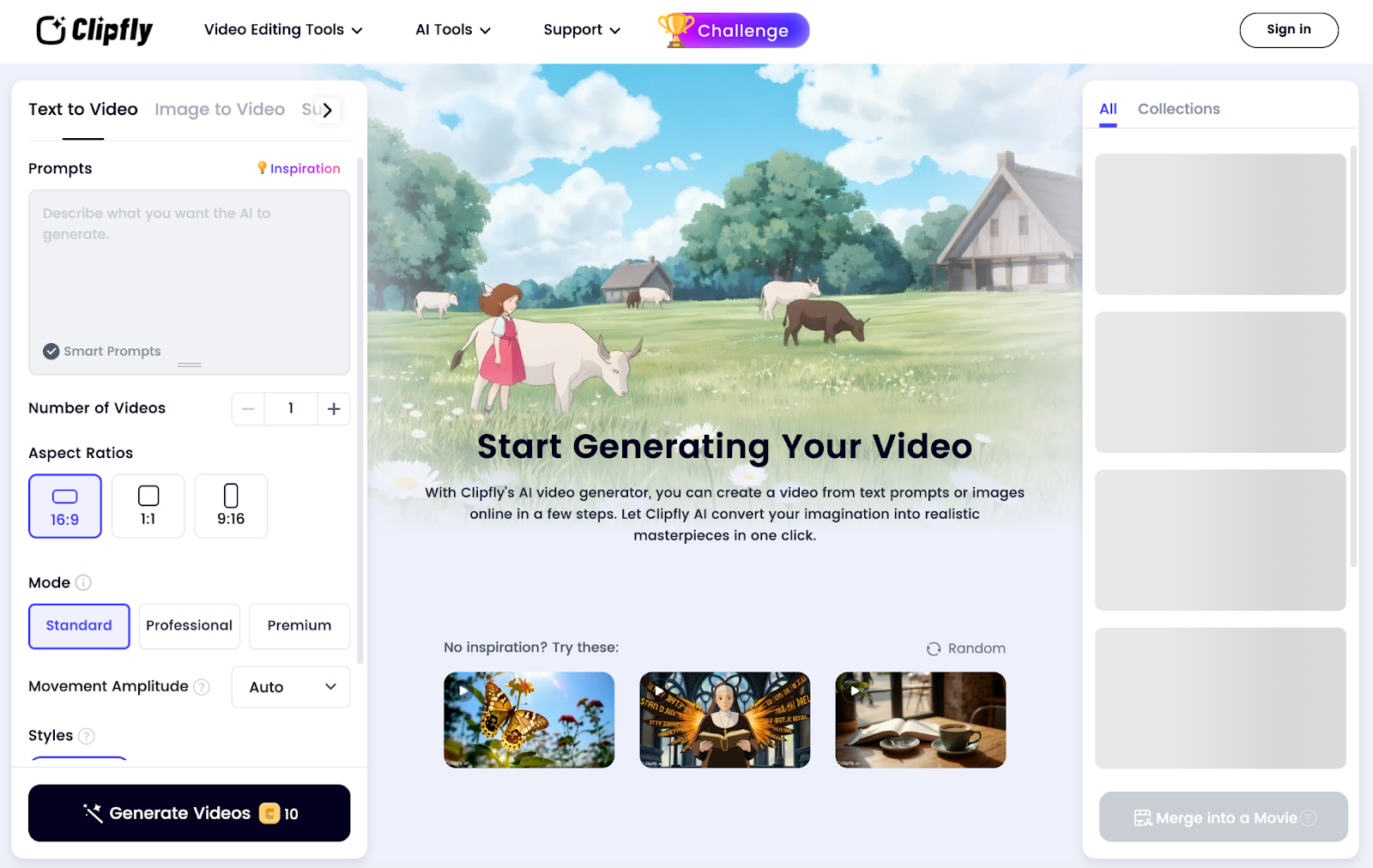
Clipfly AI is a popular AI video generation tool.
If I need help engineering the right prompt, Clipfly AI has a ‘Smart Prompts’ feature that optimizes my instructions. It even has an ‘Inspiration’ option if I’m ever stuck.
In addition, I can also choose to upload reference images via image-to-video, which lets me generate even more precise visuals that can maintain the original style or theme.
In terms of versatility, I can generate videos in diverse styles such as anime, cinematic, ghibli, neopunk, illustration, etc. The only downside is that the options are limited.
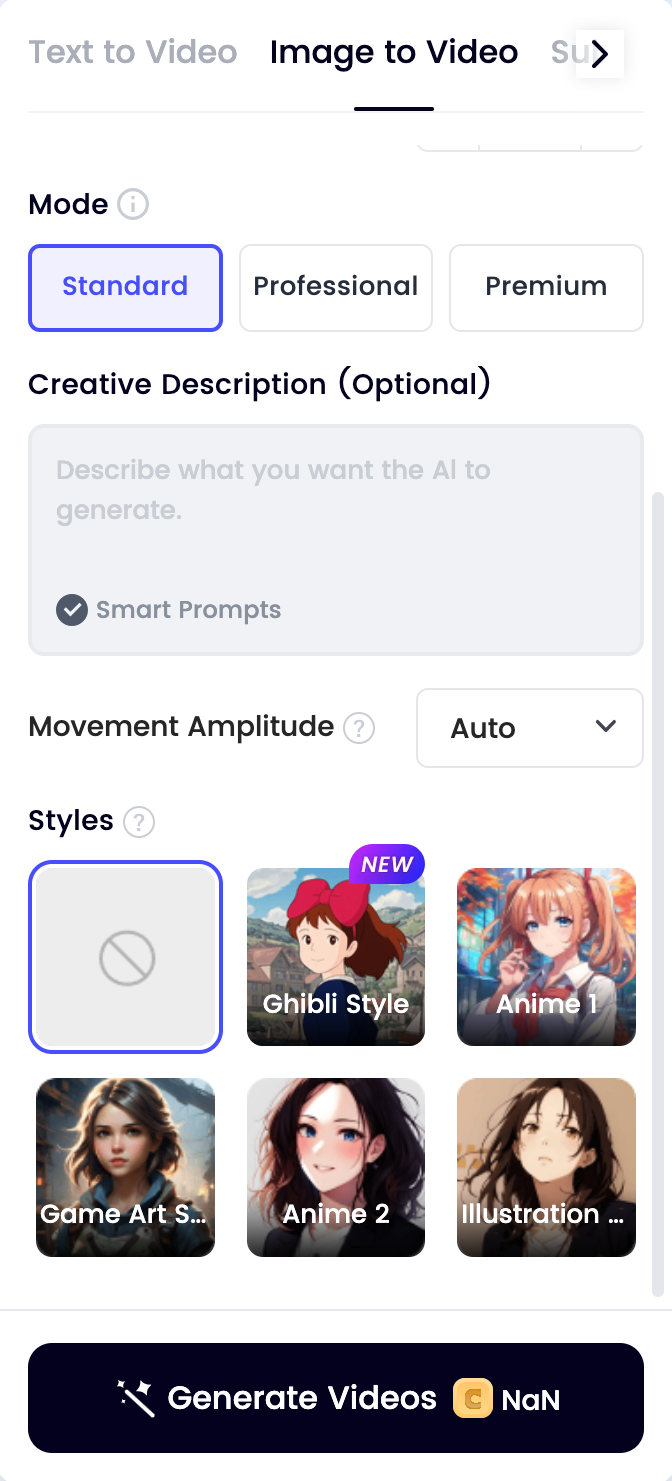
Clipfly AI offers multiple generation modes that let me choose between fast renders, better quality, and higher resolution outputs.
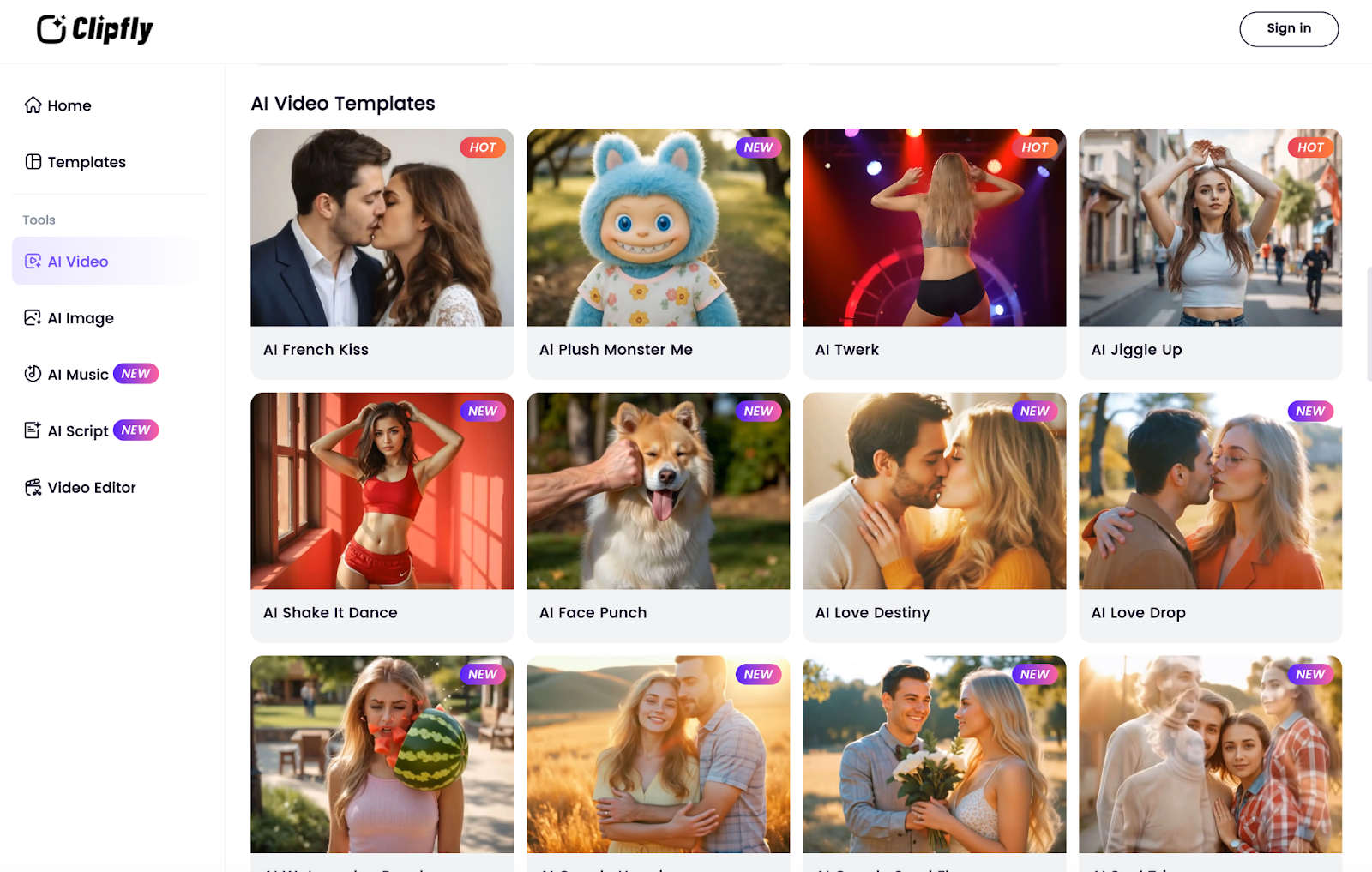
On top of that, Clipfly AI provides several pre-designed AI video templates that I can freely use to create tailored videos for personal, marketing or social media purposes.
And if I want to edit any generated or even pre-existing videos, Clipfly AI’s editor has it covered. I can crop, apply filters, remove backgrounds, add music, add voiceovers, etc.
Now that I’ve established what Clipfly AI has to offer, let’s get into the more exciting part. How does it perform when generating videos? And to find out, I conducted a few tests!
How Was My Personal Experience using Clipfly AI?
While I do love Clipfly AI’s interface, the quality of the output it produces still matters. So, I decided to carry out three separate tests to see what it can and can’t handle.
For my first one, I was eager to see how it handles realistic/cinematic visuals. So this was the prompt I crafted for the test:
[Generate a cinematic sunset scene on a serene beach where the mood is peaceful, elegant, and dreamlike. A beautiful woman in a flowing white dress walks barefoot along the shoreline, accompanied by a golden retriever that happily strolls along beside her. The camera captures wide, sweeping shots of the horizon with slow-motion close-ups of her looking down and smiling brightly at the dog.]
This was the output it produced:
To be honest, I was a little disappointed with the video render. The scene composition is captured fairly accurately, and even the overall mood matches what I expected.
I also like how the character moves across the environment look quite natural. However, there is very little detail and focus in the scene to make it look realistic enough.
Moreover, the video quality is lacking, and there are also several visible distortions around the characters. For instance, those around the woman’s hands and face.
I also didn't think the video length would be so short. And with no way to adjust that, this ruins how much more captivating the scene could’ve been.
If I rate this test, I’d say it scored a 5/10. But I give points for good prompt adherence.
For my second test, I wanted to see how it would handle more imaginative visual concepts. So, this was the prompt I used:
[Generate a vibrant anime scene set in a bustling city during sunset. A teenage boy with spiky hair and a school uniform stands on a rooftop, gazing out over the cityscape, wind rustling his clothes. It’s springtime, and cherry blossoms are drifting through the air. The lighting is warm and cinematic, casting long shadows and bathing the scene in orange and pink hues. The mood is contemplative, and the camera slowly pans to reveal his face, as he decides to turn and start heading back down.]
This time around, I was a little more satisfied with the video output. Once again, the prompt adherence was relatively accurate, as the video captured most of my instructions.
The scene composition was fantastic, especially the cinematic lighting and color, which reflected an incredibly beautiful modern cityscape in the background.
I also liked the anime character design, which looks very cinematic. Even the contemplative look on his face, and his uniform flowing naturally in the wind, all came out just as I hoped.
The only issue was the weird distortion with the cherry blossoms on the right. It sort of ruins what would have been a near-perfect anime scene.
And even with the short video length, this time the scene was relatively captivating. So, if I had to rate this test, I would give it a solid 7.5/10.
For my final sample test, I wanted to see how it would respond to another imaginative visual design. So, this was the prompt I came up with:
[Generate a neo-futuristic cyberpunk scene that shows a lone female character standing under glowing holographic billboards in a rain-soaked alley. She wears a sleek, high-tech trench coat and has a katana sheathed behind her back. Neon lights reflect off puddles, and digital advertisements can be seen flickering around. The mood is really moody and atmospheric, with a sense of rebellion heavy in the air.]
This was the output the tool produced:
My opinion of this scene is a bit of a mixed bag. On one hand, the scene captures my prompt relatively well. I particularly like how the atmosphere is just as dark and gritty as I would expect.
The flickering displays and neon signs also help convey the idea of a neo-futuristic cityscape. If anything, it looks like a cinematic still from ‘The Matrix’, especially because of the outfit.
However, her movements are so stiff, and she retains that typical glossy look that most AI characters are notoriously known for. This makes it easy to recognize it as a typical AI render.
Besides that, there are unusual distortions, like how the rain weirdly falls and the lack of any ripples in the water puddles. All of this compromises any potential realism in the scene.
For these reasons, I would give this test a 6/10 at best. Not great, but not a complete disaster.
What Is My Overall Verdict of Clipfly AI?
Clipfly AI’s level of user simplicity and accessibility is definitely unmatched.
However, the platform can be slow to generate videos and at times, this was frustrating. I also didn’t like the lack of customization options.
While the built-in video editor is available, the inability to tailor the video pre-generation is very restrictive and makes it harder to get more precise video renders.
Another aspect to consider is the inconsistent video quality. In my opinion, Clipfly AI is better suited to conceptual videos rather than rendering realistic visuals.
With the second test, it performed admirably but the first and third videos fell short of expectations. So, I don’t think that it’s best suited for professional-grade projects like films.
Also, it has limited visual style options. Because of this, I find that it doesn’t give much room for creative experimentation.
Ultimately, if you want a simple way to produce videos for basic video projects, then I think Clipfly AI can satisfy. Otherwise, anything more sophisticated will require a more advanced tool.
Need a More Professional Alternative? Try Out Pollo AI!
If you want to produce visual projects with greater fidelity, realism, and appeal, then you need a more advanced AI video generator. Luckily, I know just the perfect one and it’s called Pollo AI!
This is a state-of-the-art, all-in-one creative suite integrated with industry-leading AI models, offering advanced video capabilities like reference to video and AI animation generator to produce high-quality visuals in minutes.
Beyond its advanced video features, Pollo AI gives you access to top-tier AI video models like Kling 3.0, Veo 3.1, and so much more.
And that's not all! Do you want to edit or reimagine your existing videos? Pollo AI has dozens of AI tools, templates, and effects that you can use with no advanced skills required.
You can also use features like mimic motion to animate your photos with realistic movements. This makes it easy to create dynamic videos without complex editing.
Since Pollo AI has a free trial plan, you won’t even need to worry about paying anything. So, don’t waste any time and go test out its vast capabilities now!
Conclusion
Clipfly AI may not be the most advanced or game-changing AI video generator but I believe that it holds a lot of potential. For the time being, it should satisfy beginners looking to explore their creative ideas and produce good quality video renders. However, if you want to step things up a notch and stun audiences and professionals, then I suggest you head over to Pollo AI.