



How to Create Realistic AI Images: A Practical Step-by-Step Guide
I spent weeks testing prompts across major engines, and here is the truth: most AI images look fake because creators treat prompts like wishlists instead of camera briefs. Buzzwords like "hyper-realistic 8K" only force waxy skin and dead doll eyes. To make AI photos look real, speak the language of real camera lenses, single-source light, and natural surface flaws. Here is the exact workflow I use to create realistic AI images that actually pass as real captures.
How To Create Realistic AI Images: Quick Answer
To create realistic AI images, describe the subject like a photography brief, using clear camera framing, directional lighting, and natural textures instead of generic quality words. Add a reference photo when you need to guide a person or product, then refine anatomy and important details before upscaling. With Pollo AI’s realistic AI image generator, you can start from text or a reference image and adjust the lighting, camera angle, composition, and texture in one workflow.
What Makes an AI Image Look Real?
An AI image looks real when it respects optical physics, directional lighting, and organic surface flaws rather than synthetic perfection. The human eye spots fake images within milliseconds because digital renders are often unnaturally smooth, uniformly sharp, and lit from everywhere at once.
When I evaluate a generated photo, I check three core physical markers:
- Organic micro-textures: Authentic skin has pores, faint freckles, uneven pigmentation, and fine peach fuzz. Fabric should fold with weight, and solid surfaces should show subtle dust, scuffs, or natural seams.
- Single-source lighting physics: Realistic scenes feature an identifiable light source—like an overcast window, a single tungsten bulb, or low golden hour sun—with shadows falling consistently in the opposite direction.
- Optical lens behavior: Real cameras capture a distinct focal plane. An 85mm portrait lens naturally softens the background into creamy bokeh, while a 35mm lens keeps environmental context intact without digital over-sharpening.
What You Need Before You Start
Before opening any generator, define the specific commercial purpose of your visual and prepare clean reference assets if you need subject consistency. Jumping straight into prompts without an intended output format usually causes prompt bloat and wasted generations. If you’re still choosing a tool, explore our guide to the best realistic AI image generators to compare options for your project.
| Desired Image Output | Optimal Generation Workflow | Assets to Prepare |
| Candid human portrait | Text-to-Image | Target age, ethnic background, wardrobe fabric, lighting direction |
| Consistent brand persona | Image-to-Image | 1 high-resolution facial photo with neutral expression and flat lighting |
| E-commerce packshot | Image-to-Image (Asset Lock) | Clean product cutout, exact label text, desired tabletop material |
| Documentary lifestyle scene | Text-to-Image with Style Prompt | Specific real-world environment, time of day, camera perspective |
How to Create Realistic AI Images: 3 Simple Steps
You can move from a rough visual idea to a polished photo in three effortless steps:
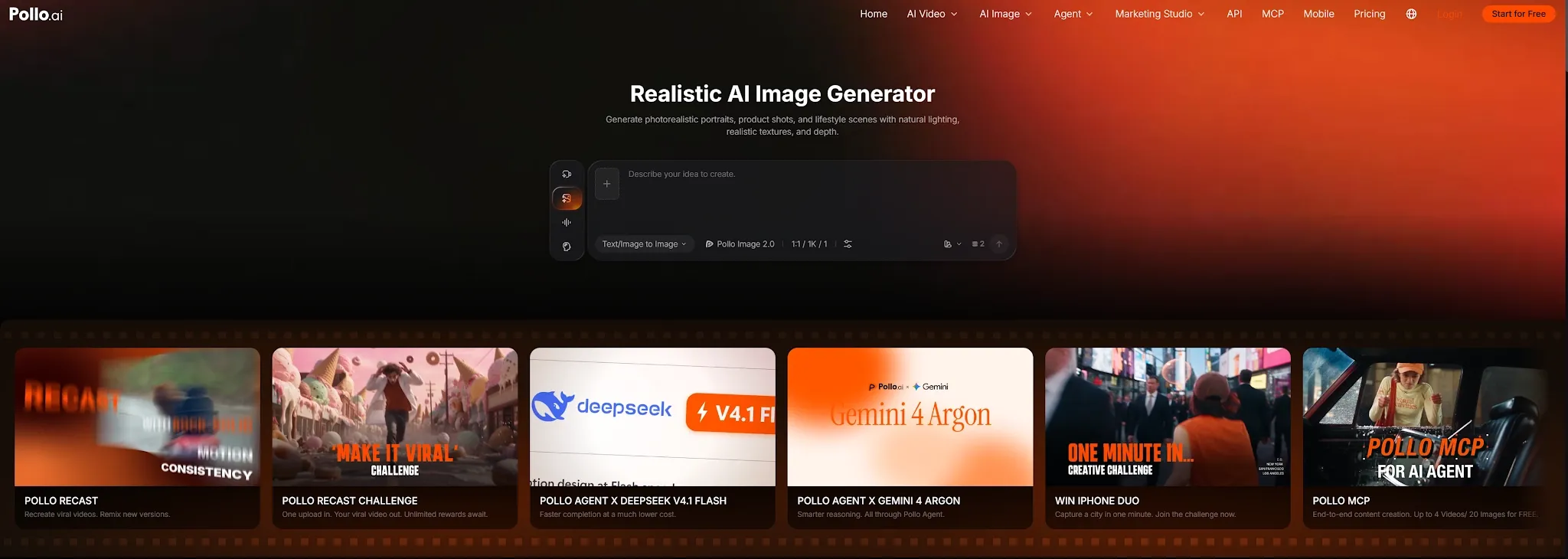
Set your visual brief:
Open the realistic AI image generator page. Upload a clear reference photo or describe your exact scene requirements to the AI agent.
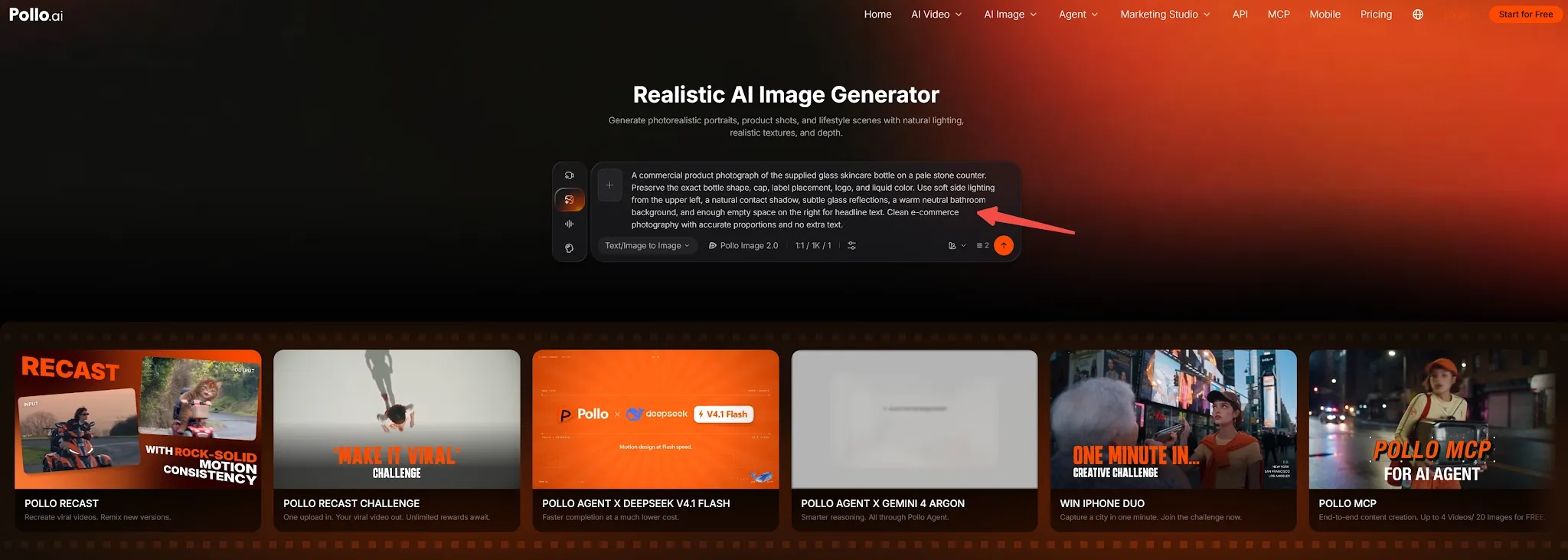
Refine the photographic variables:
Chat directly with the AI agent to adjust specific lighting angles, lens focal lengths, and skin textures seamlessly.
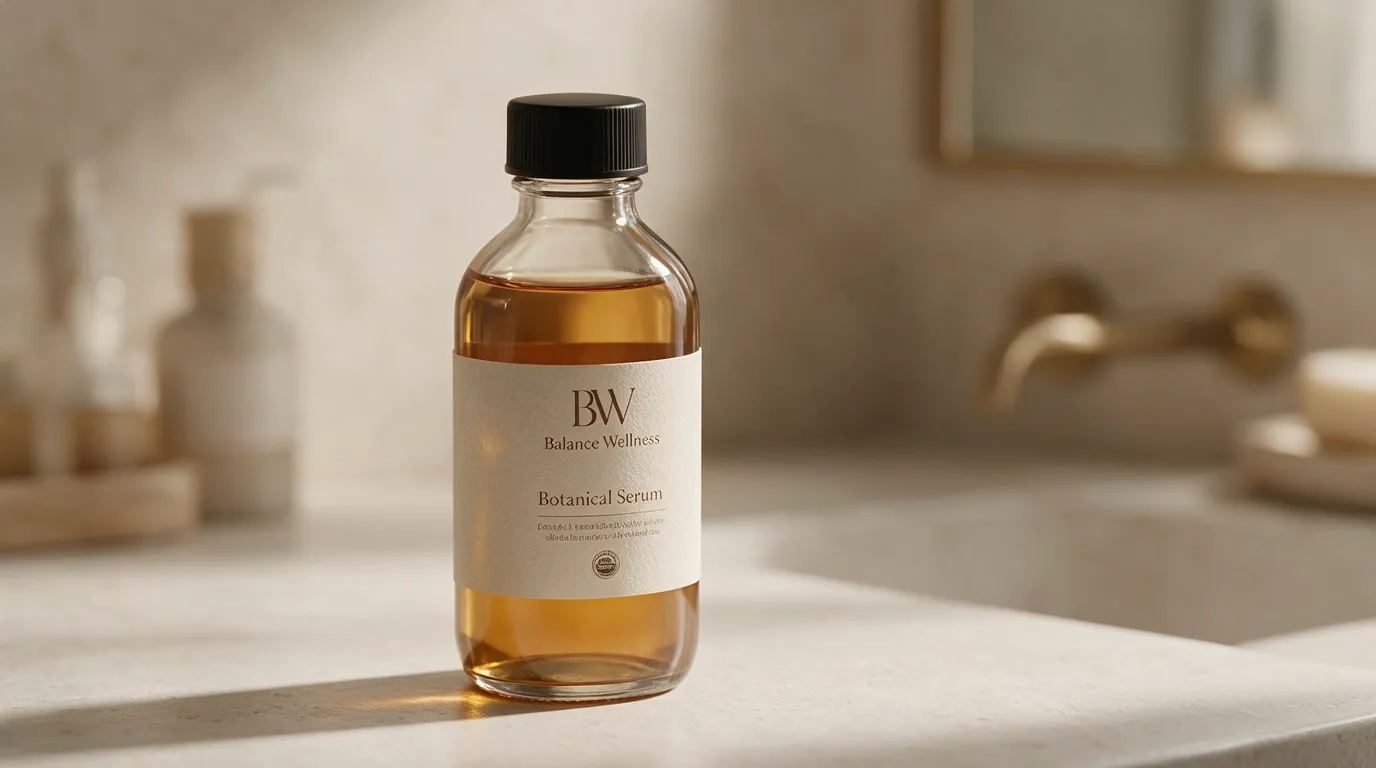
Generate and export:
Click Generate, compare your variations, and download your high-resolution realistic AI photos in seconds.
Crafting the Perfect Prompt: Formula and Copy-Paste Examples
A foolproof realistic prompt follows a modular structure: Framing & Subject + Authentic Action + Lens & Camera + Directional Lighting + Real-World Flaws. Avoid qualitative adjectives like "stunning" or "insane quality"; instead, describe what the camera sensor actually sees.
The Realistic Prompt Formula:
[Framing + Subject description] + [Natural candid action] + [Camera body + Focal length + Aperture] + [Directional lighting source] + [Organic skin/surface imperfections]
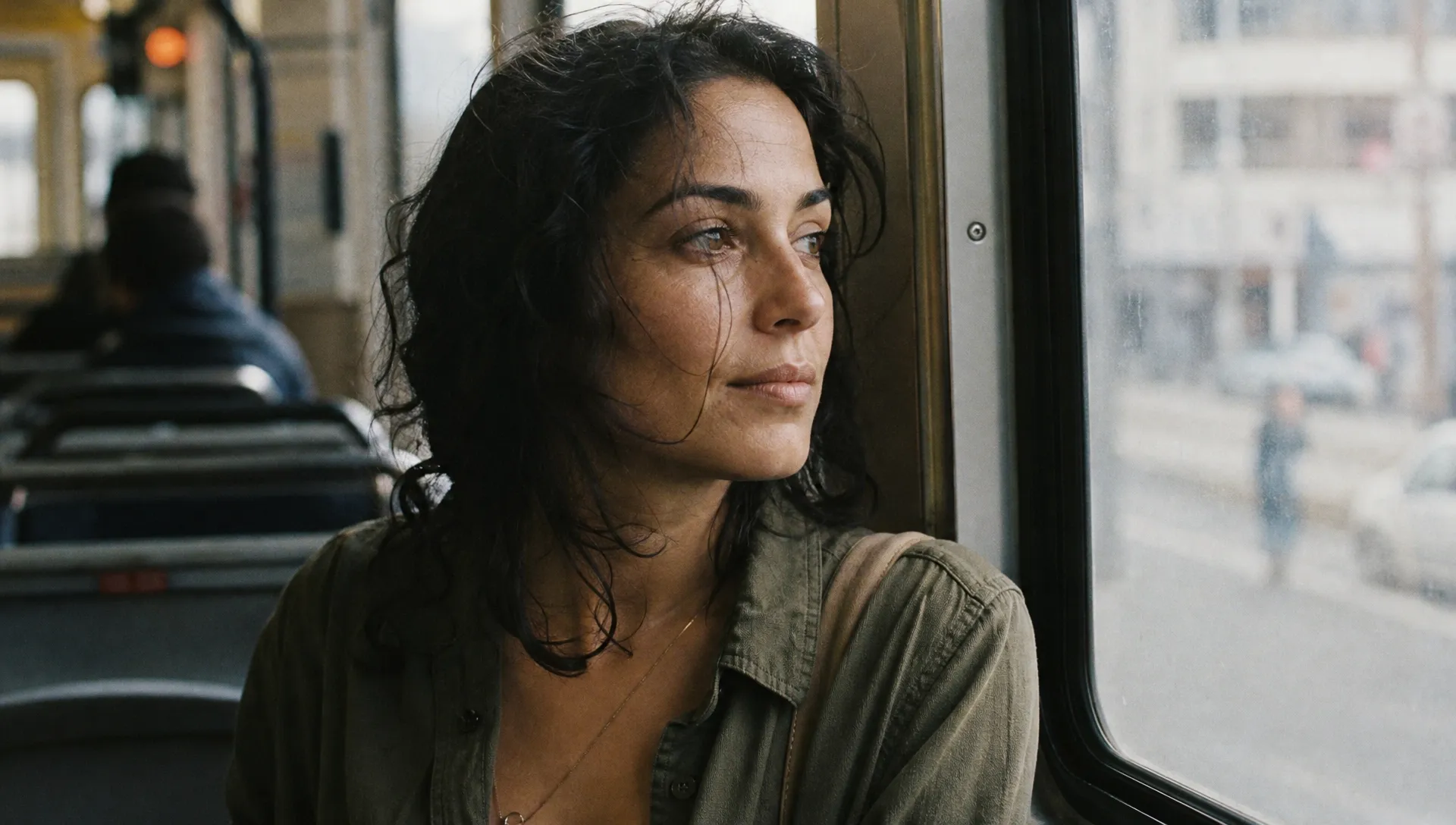
1. Candid Documentary Portrait
A candid waist-up documentary portrait of a 34-year-old Mediterranean woman looking pensively out a tram window. Wisps of dark wavy hair blowing across her cheek, visible skin texture with faint smile lines and natural pores, wearing an unbuttoned olive linen shirt. Shot on a 35mm film camera with a 50mm f/1.8 lens, soft diffused morning daylight from the window, muted city reflections on the glass, authentic film grain, soft contrast, no airbrushing.
2. Commercial Packshot
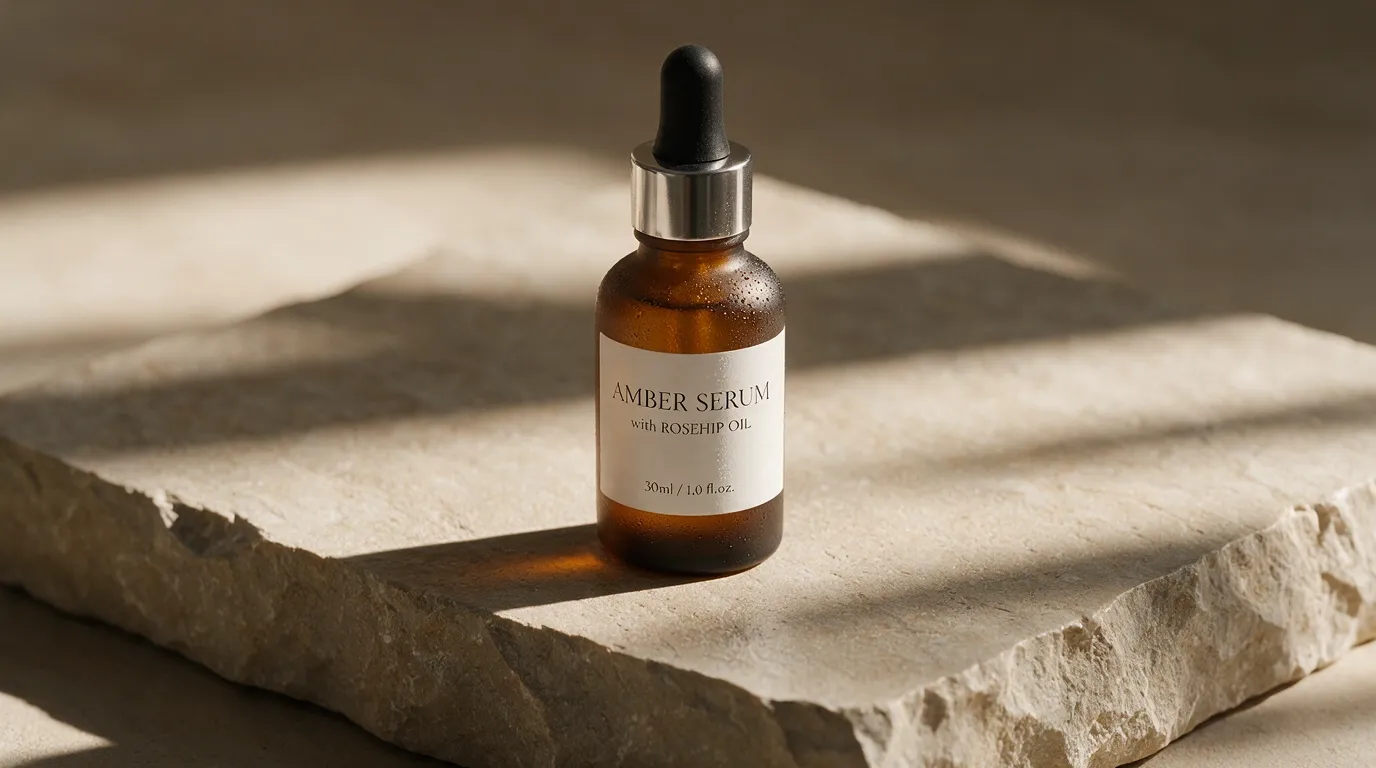
Commercial studio photograph of a frosted amber glass cosmetic serum bottle resting on a chiseled limestone slab. Soft directional sunlight angling from the upper left, casting long natural contact shadows across the stone, subtle water mist on the glass, razor-sharp typography on the minimalist white label, warm neutral background out of focus. Captured on an 85mm macro lens, f/5.6 aperture, crisp reflections, clean luxury aesthetic.
3. Everyday Smartphone Street Shot
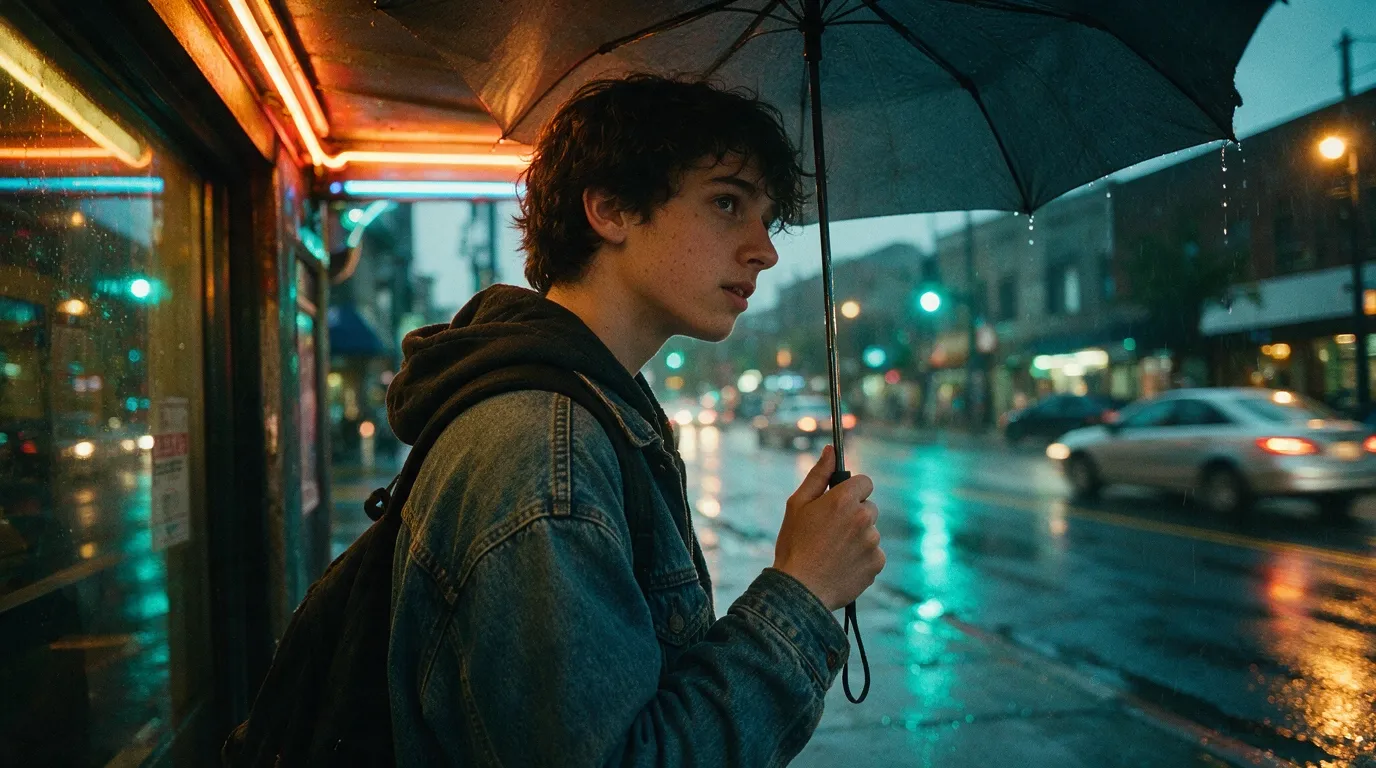
A candid eye-level smartphone photo of a college student waiting under a neon awning in the rain. Holding a plain umbrella with water droplets dripping from the edge, wearing a worn denim jacket with realistic fabric weave, damp pavement reflecting cyan and amber streetlights. Captured on a mobile phone sensor, natural motion blur in passing background cars, authentic high-ISO grain, slightly asymmetrical street composition.
Advanced Controls for Realistic AI Photos
When you need consistent faces or precise product details across multiple scenes, use image-to-image referencing instead of generating from scratch. Pure text prompts re-roll facial anatomy and product silhouettes every single time.
- Anchor protected details: Upload your source reference and explicitly state which attributes must remain static:
- "Keep the exact face structure, jawline, and eye color from the reference image. Change only the outfit to a black wool turtleneck and move the setting to a dimly lit bookstore."
- Set production aspect ratios: Avoid default squares when aiming for photographic realism. Stick to 4:5 or 9:16 for vertical mobile feeds, and 16:9 for cinematic desktop layouts.
- Isolate edits with inpainting: If an output delivers perfect lighting but mangles a hand or collar, do not rerun the whole prompt. Bring the image into Pollo AI's built-in editor, mask the flawed area, and refine only that specific section.
What Makes Pollo AI Realistic AI Image Generator Worth Trying?
- True Optical & Lighting Simulation: Built to understand real photography parameters. Whether you prompt for an 85mm portrait with creamy background bokeh or sharp 35mm street documentary light, the engine accurately renders subsurface skin scattering, natural contact shadows, and realistic material reflections without weird distortions.
- Professional Studio Controls & Full Aspect Ratios: Move beyond restrictive square formats. The generator supports 9 tailored aspect ratios (including 16:9 for cinematic banners, 4:5 for Instagram, and 3:2 for editorial layouts), batch generations up to 4 variations, and native exports from 1K up to crisp 2K and 4K resolution.
- Flexible Render Modes (Fast, Standard, Professional): Choose Fast Mode when rapidly concepting visual briefs, or switch to Professional Mode when you need maximum anatomical accuracy, intricate fabric weaves, and flawless commercial packshots ready for ad campaigns and e-commerce listings.
What Can You Create With Realistic AI Image Generator?
From high-converting marketing campaigns to authentic social media content, realistic image models handle commercial assets that once required expensive photo shoots.
| Creative Use Case | Primary Visual Elements | Why AI Realism Matters |
| E-Commerce Studio Shots | Textured stone, macro glass reflections, crisp labels | Replaces costly studio lighting setups while maintaining physical contact shadows. |
| UGC & Social Lifestyle | Smartphone grain, candid framing, unposed expressions | Builds organic audience trust without the polished, artificial look of corporate stock photos. |
| Editorial Fashion Lookbooks | Natural fabric drapes, linen textures, golden hour backlight | Allows indie fashion brands to showcase seasonal silhouettes across varied global locations. |
| Virtual AI Influencers | Identical facial structure, skin pores, versatile wardrobe | Keeps influencer branding recognizable and uniform across months of digital marketing releases. |
Simple Tips for Better Pollo AI Realistic Image Generator Results
Small tweaks in how you describe textures and camera mechanics make the difference between an amateur render and an editorial capture. Keep these practical tips handy:
- Specify deliberate camera flaws: Adding phrases like "faint chromatic aberration," "subtle 35mm film grain," or "natural lens flare" immediately breaks digital perfection.
- Harness the power of negative prompts: Actively exclude "plastic skin, airbrushed, cartoon, CGI, extra fingers, smooth porcelain texture, oversaturated colors."
- Ground your subjects with physical interactions: Give your characters something real to touch—a cold ceramic mug, hands inside wool pockets, or a hand resting on a damp handrail.
- Describe the light's bounce: Instead of just saying "daylight," describe "warm sunlight reflecting off wet asphalt" or "soft diffused window light bouncing across the cheeks."
Turn Your Visual Brief Into a Realistic Image
Start with a prompt or reference photo, then control lighting, camera angles, textures, and composition in one realistic AI image workflow.
Try Realistic AI Image Generator
Final Verdict
Realistic AI photography is no longer about luck or endless re-rolls; it is about treating your prompt like a real optical brief. By establishing physical light, embracing authentic micro-imperfections, and locking your subjects with reference workflows—even when starting with the best free AI image generators for realistic photos—you can create visuals indistinguishable from professional photography.
FAQ about How to Create Realistic AI Images
What is the most effective prompt phrase for natural AI skin?
Describe the skin as "unretouched with visible pores, subtle imperfections, and authentic texture" rather than "smooth" or "perfect." Asking for flaws prevents the AI from defaulting to an unnatural, airbrushed filter.
How do I stop AI models from distorting hands and fingers?
Give the subject's hands a clear physical interaction. Prompt them to be "tucked inside coat pockets," "holding a ceramic coffee mug," or frame the shot as a tighter waist-up portrait where hands remain out of the focal area.
Can I animate a realistic AI photo into video?
Yes. You can send your finalized image directly into Pollo Recast or the platform's image-to-video tools, adding subtle cinematic camera movements and natural facial gestures while preserving photographic fidelity.
How to create realistic AI generated images from photo
Upload a clear reference photo, describe the scene or transformation you want, and specify which details should remain recognizable. In Pollo AI’s realistic AI image generator, you can use the photo as a visual reference, then adjust elements such as the background, lighting, camera angle, clothing, or composition.