



How To Improve Reach on YouTube: Suggested Videos Algorithm Explained
‘How do I get YouTube to suggest my videos?’ If you’re reading this, then this is probably what’s going through your mind right now, and it’s a valid concern.
After all, up to 75% of total watch time on YouTube is from recommendations alone! But you also have to realize that YouTube doesn’t just use one algorithm for all this; it has several!
That may sound confusing, but it’s true. It handles Home, Search, Suggested Videos, and Shorts differently. So, read on as we explore all this and even touch on how Pollo AI fits into it!
TL;DR
Suggested Videos drive the most views on YouTube, and to get on that list, you should focus on growing your channel’s topical authority.
By consistently creating videos on a specific topic, you signal to the algorithm that you’re an expert in your niche and worth recommending to others. You can do this by creating topic clusters, structured YouTube playlists, etc.
How Does YouTube’s Algorithm Work?
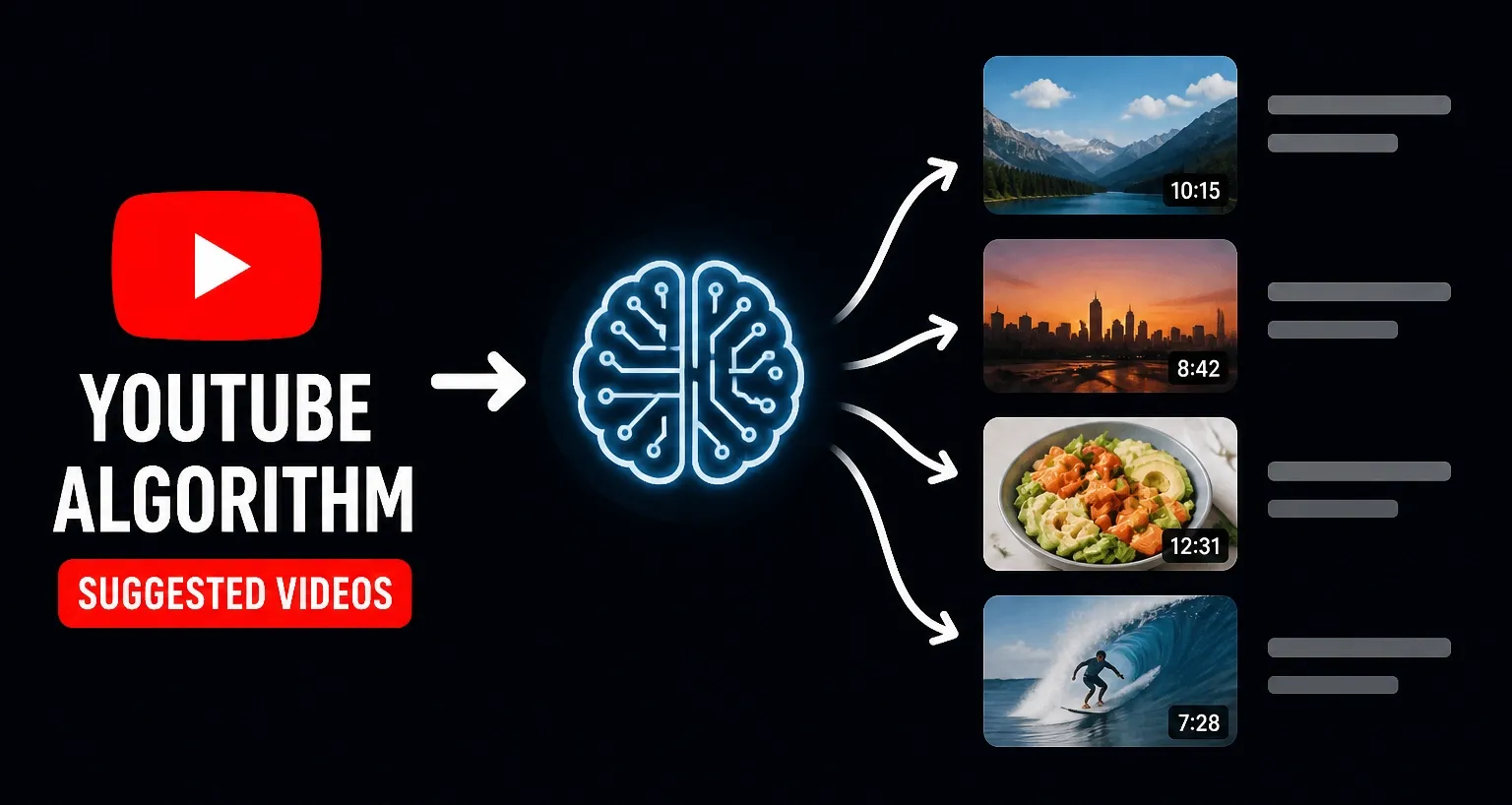
First things first, do you know what makes YouTube’s algorithm tick? Earlier this year, YouTube’s algorithm integrated with Gemini AI, and it completely altered how videos are discovered. At its core, the algorithm no longer prioritizes raw clicks and basic SEO. Instead, it has shifted to viewer satisfaction as the primary signal for whether your video is worth recommending or not.
But what many new creators may not know is that even if the algorithm looks at viewer satisfaction, how it handles that isn’t the same across the board.
Throughout Home, Search, Suggested Videos, and Shorts feeds, the algorithm will typically prioritize certain signals/metrics based on the context.
- ‘Home’ covers wider interests over time, so the algorithm looks at the viewer’s personal activity. This means their watch and search history, videos they’ve liked or commented on, etc.
‘Search’ is purely intent-driven, so the algorithm focuses on relevance. This usually means having the right keywords in your titles, descriptions, tags, etc, for YouTube SEO.
Unlike long-form videos, YouTube ‘Shorts’ run on a dedicated public feed. Here, the algorithm purely looks at metrics like retention rate, average percentage viewed, and engagement.
As for ‘Suggested Videos’, these will usually be tailored to what the viewer is currently watching, so the algorithm will place more emphasis on analyzing session time and topic relevance.
Now that you know what makes these YouTube feeds different, this brings us to the main point of discussion. How do you get more of your videos to appear on others’ suggested feeds?
What Do You Need to Know About Suggested Videos?
Out of all the recommendation feeds on YouTube, Suggested Videos drive the most views on the platform. And it makes complete sense why that is. After all, when you’re watching a YouTube video, most of us often click on a video from the suggested list on the right side of our screens. And why does that happen?
YouTube wants you to stick around on the platform for as long as possible, so it serves up more video content that it is confident you’ll be interested in at that moment.
It starts with the algorithm looking at the video you’re currently watching, then it groups other popular videos on the same topic that are often watched together. For example, if you were watching a car repair video, then your suggested videos list will be made up of other related videos on car repair that other viewers found useful.
So, what does this all mean? The key to getting YouTube’s algorithm to place your content on more people’s suggested videos list is all about topical authority. If you can consistently create videos on a specific topic, it becomes easier for the algorithm to identify your channel as an expert, especially if viewers seem satisfied with the content.
As a YouTube creator, what you need to ask yourself is: Have I narrowed down my video content to a specific niche, or am I being too broad?
The more focused and targeted your video content is, the more likely the algorithm will properly classify your channel. Now, let’s explore how you can improve your channel’s topical authority.
Get YouTube Suggest Your Stunning Videos
Use Pollo AI to create post-ready videos with appealing hook, complete structures and rich elements. Let more people watch your videos now!
Make Better Videos with Pollo AI
How Can You Boost Topical Authority on YouTube?
Being placed on suggested lists is a simple process of understanding YouTube’s algorithm and adjusting your content strategy to match how it works.
Lucky for you, we’ve got several proven ways to pull this off, so let’s break them down in detail:
1. Select an Area of Authority
The first thing you need to do is settle on a particular niche. It can be fitness, gaming, cooking, beauty and fashion, etc. The trick here is to be unique with your approach.
For instance, you can see how @captainworkout uses AI-generated animation to showcase bodybuilding and fitness in a different way from the competition.
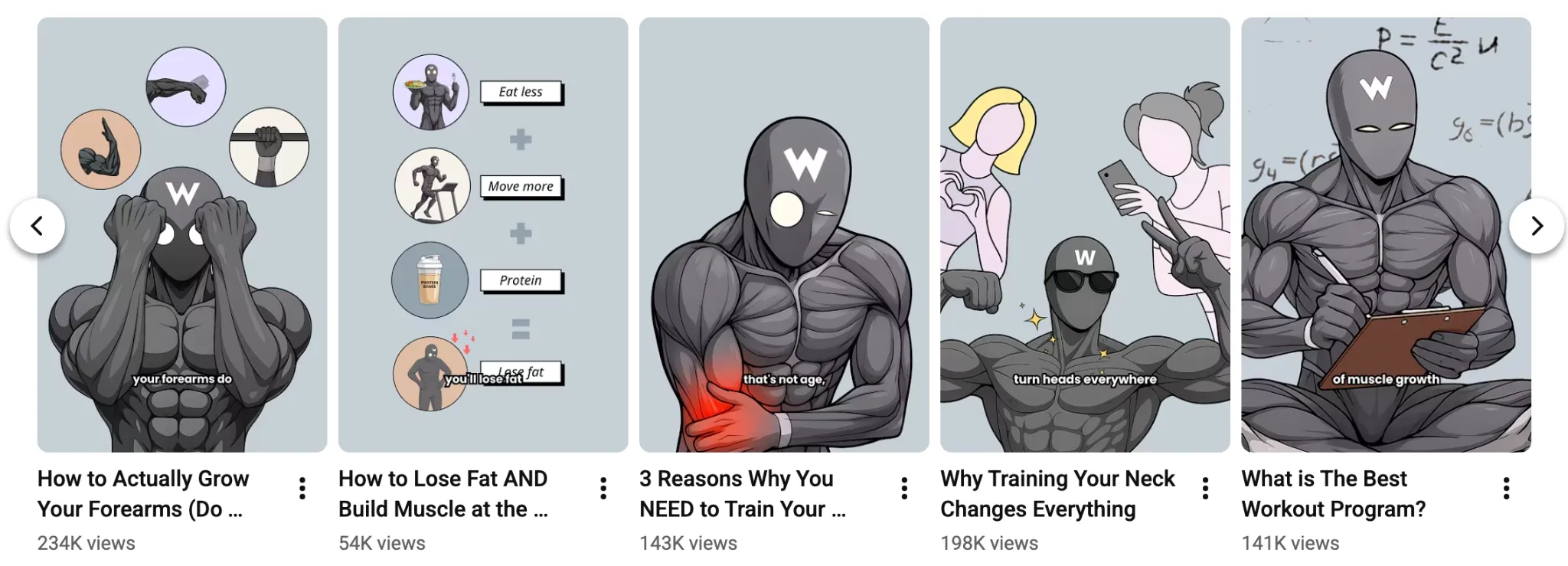
In this regard, you can consider using an advanced tool like text to video generator to test out new visual ideas, explore various styles, create personalized characters, and more.
2. Create Topic Clusters
Even after you’ve settled on a particular niche, you don’t want to be too broad with the videos you create. Instead, try to organize everything into engaging topic clusters.
To put it simply, create videos with the intent to connect them. For example, you can create tutorial videos, daily vlogs, reactions, case studies, etc. Basically, the idea here is to cover multiple angles of the same topic. By doing this, the algorithm considers you to be an expert, which boosts the chances of being on others’ suggested lists.
3. Categorize Videos Into Playlists
If you want to be on suggested lists, then you need high session watch times. As people spend longer watching videos on your channel, the more valuable your content seems to the algorithm. It proves that your channel is a trusted source of information and encourages the algorithm to recommend it with other similar videos. For this reason, you should create bingeable playlists.
By curating your videos, viewers will feel less need to look elsewhere for information on that particular subject. And with the autoplay feature, they’ll be watching your videos back-to-back.
4. Optimize Your Video Metadata
If you want your videos to be suggested alongside other popular videos in your niche, then you must also optimize your video titles, descriptions, and tags. In other words, make sure that you frequently use words/terms that are closely related to what your competitors are using. This way, they will refer to a similar theme.
By doing this, you help the algorithm to understand and classify your videos. As a result, you will increase the chances of your videos being placed on popular suggested lists.
5. Improve Your Titles/Thumbnails
Even if you manage to get your videos on the suggested list, you still need to get people to click on them. If people don’t click on your videos, then you can’t expect any growth at all.
The best way to ensure that doesn’t happen is by improving the quality of your video titles and thumbnails. They need to be appealing enough to trigger people’s curiosity and interest.
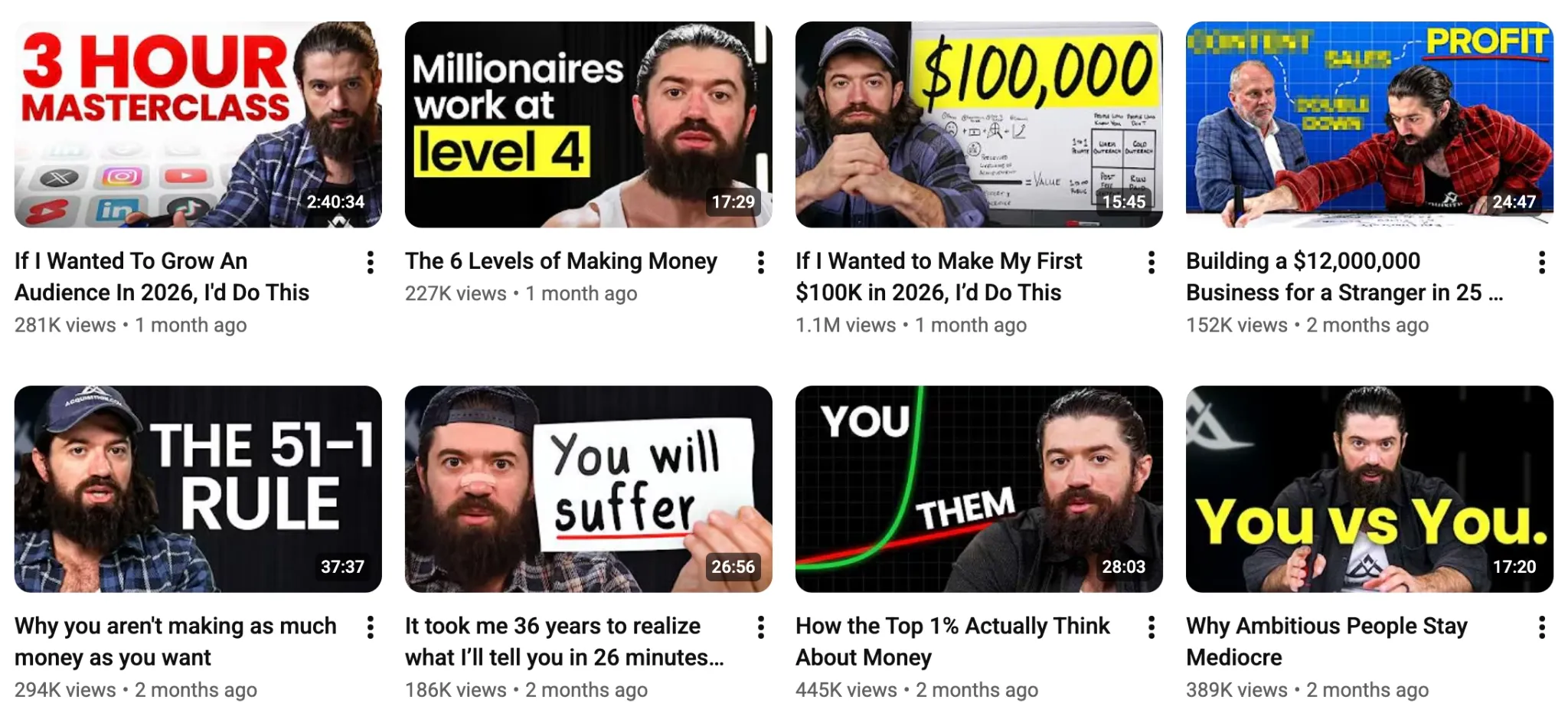
With thumbnails, focus on using images with expressive faces and bold texts (2-4 words max) as @AlexHormozi does. As for titles, try to keep them short and to the point (add keywords).
6. Be Timely But Selective with Trends
It isn’t practical to chase trends in the hopes of going viral. But it is still important to note that YouTube’s algorithm favours actively relevant videos. And it makes sense.
For example, if a new movie or product is released, many viewers flock to those videos, and the algorithm takes notice. By dropping a related video early, you can capitalize on that hype.
Aim to publish videos on relevant trends but craft a unique perspective worth sharing. If you need help, you can use Pollo Agent to clone viral videos.
As an iterative, agent-driven tool, Pollo Agent allows you to simply paste the video URL and describe the changes you want to make via chat. Within minutes, you’ll get a polished, publish-ready clip.
Best of all, it tracks all references and edits that you input. So, you can enjoy continuous visual refinement rather than having to keep starting over.
7. Skip Introductions In Your Videos
When a random viewer sees your video on their suggested list and clicks on it, you typically have about 10-15 seconds to hook them before they decide to exit.
Many creators drag out their introductions, which impacts retention and watch time. And when this happens, the algorithm won’t be inclined to keep recommending your videos.
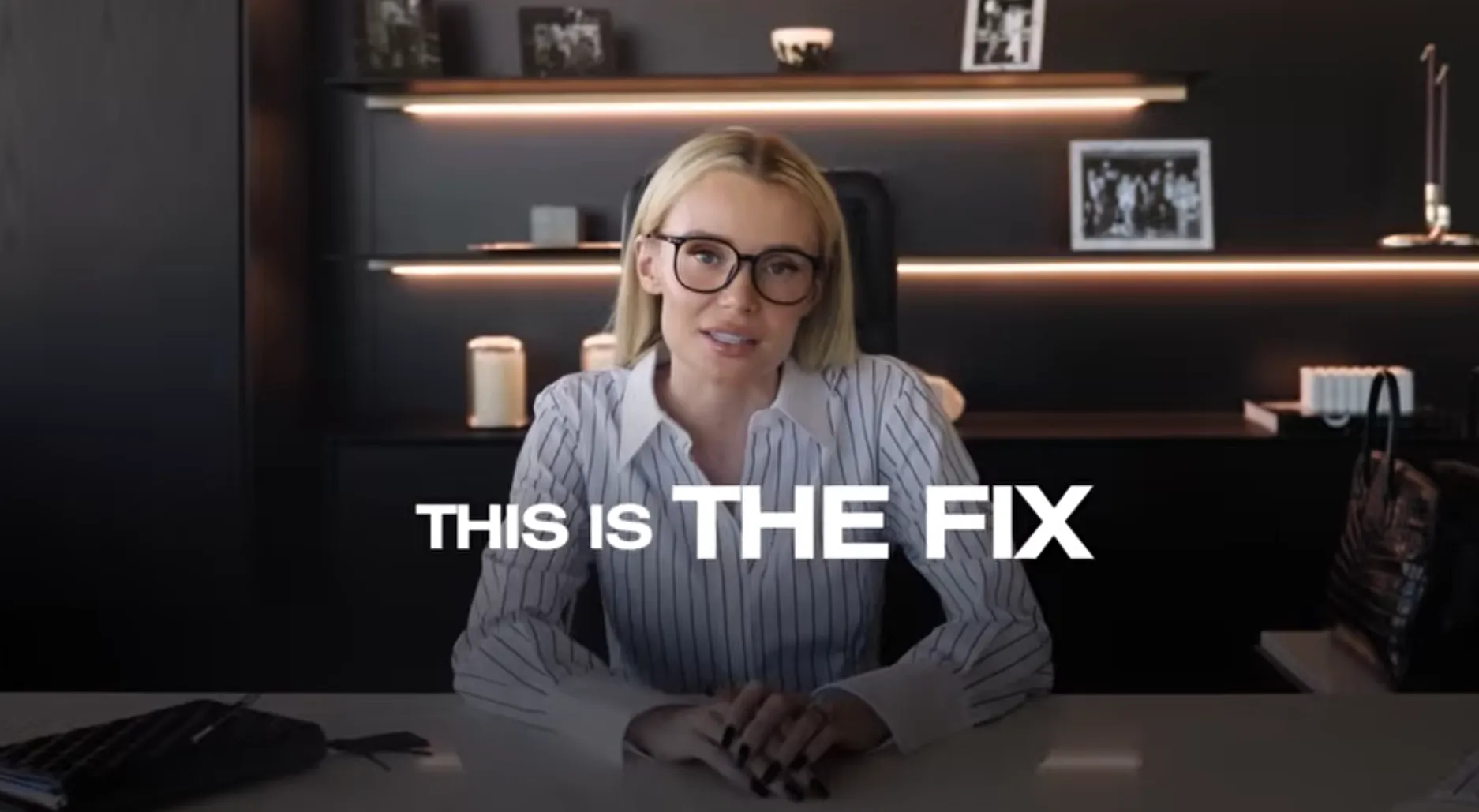
Instead, you should deliver value right away. Jump into the topic like @NatalieDawson does to grab attention. You can also create impressive YouTube intros with Pollo AI to attract your viewers. As retention rises, so will your chances of being placed on suggested lists.
Common Mistakes to Avoid To Get on YouTube’s Suggested Lists
Getting on the suggested list is not easy, but there are certain mistakes that YouTubers often make that complicate the whole process unnecessarily. Some of these include:
- Don’t publish videos on random topics; focus on one niche, so the algorithm knows who to recommend your videos to.
- Don’t use clickbait titles and thumbnails; if viewers leave soon after clicking, it looks bad to the algorithm.
- Don’t be inconsistent with posting; stick to a set schedule so that the algorithm knows you're active enough to recommend.
How Can Pollo AI Help Get Your Videos Recommended More?
To build topical authority on YouTube, you need to post quality content as frequently as possible. Whether it’s to capitalize on trends or expand on important subjects, you must scale.
As the ultimate AI creative suite, Pollo AI can help simplify this entire process for you. Need eye-catching thumbnails for your YouTube videos?
You can access top-tier models like GPT Image 2, Nano Banana 2, and Seedream 5.0 via the text to image generator to create unique images in just a few clicks.
Need to produce an animated or cinematic sequence? You can use leading AI models like Seedance 2.5 and Kling 3.0 via the image to video generator for studio-level visuals.
Other useful features include AI Avatar, which lets you create UGC-style videos with lifelike talking avatars, natural-sounding voiceovers, and accurate lip-syncing.
Best part? You can explore all these capabilities at no cost via the free trial plan. Just head to Pollo AI, sign up for an account, and you’re all set to start creating engaging YouTube content!
Conclusion
As a YouTube creator, getting your videos placed on suggested lists is a top priority. Most of the traffic on videos comes from these lists, so follow the tips we’ve laid out here.
Remember, there is no fast hack to organic YouTube growth. You need the algorithm’s help to reach new audiences, which means creating quality content that repeatedly satisfies viewers.
And if you need help with scaling your video output, then head over to Pollo AI. You can access powerful image and video generation tools that will streamline your YouTube workflow in a jiffy!