



How to Make a Boomerang Video with AI
Sometimes the full clip is more than you need, but one small movement is worth repeating. A product opening, wave, pour, or reaction can become a short forward-and-back Boomerang for a social post or product video. Pollo AI creates that effect from a photo or existing clip without making you reverse and join the footage by hand.
Boomerang vs. Regular Loop
Both effects replay a short clip, so they are easy to confuse. A Boomerang runs the action backward to its starting point; a regular loop jumps from the end back to the beginning.
| Comparison | Boomerang | Regular loop |
|---|---|---|
| Motion | Forward, then backward | Original direction repeats |
| Best for | Short actions and playful reactions | Backgrounds, music visuals, and continuous scenes |
| Main check | Does the action still make sense when played backward? | Does the ending connect cleanly to the beginning? |
Make a Boomerang Video with AI
Turn a photo or short clip into a forward-and-back Boomerang with Pollo AI for product reveals, reactions, and social posts.
Make a Boomerang Video with AI
How to Make a Boomerang Video with Pollo AI
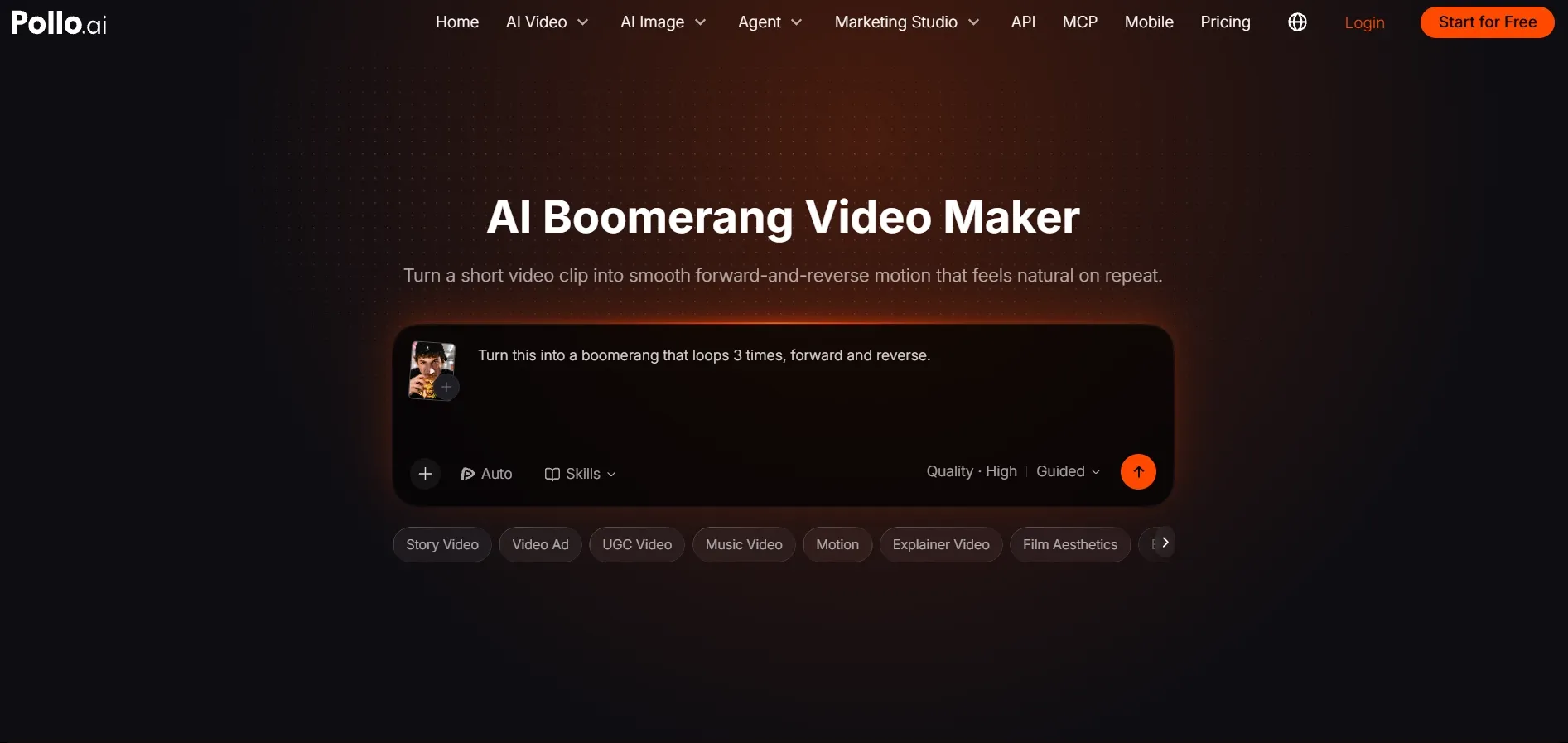
Open the Boomerang Video Maker
Start in the Pollo AI boomerang video maker. Use an existing clip that you have already recorded the exact wave, reveal, or reaction you want to repeat.
Upload a Photo or Clip and Say What Should Move
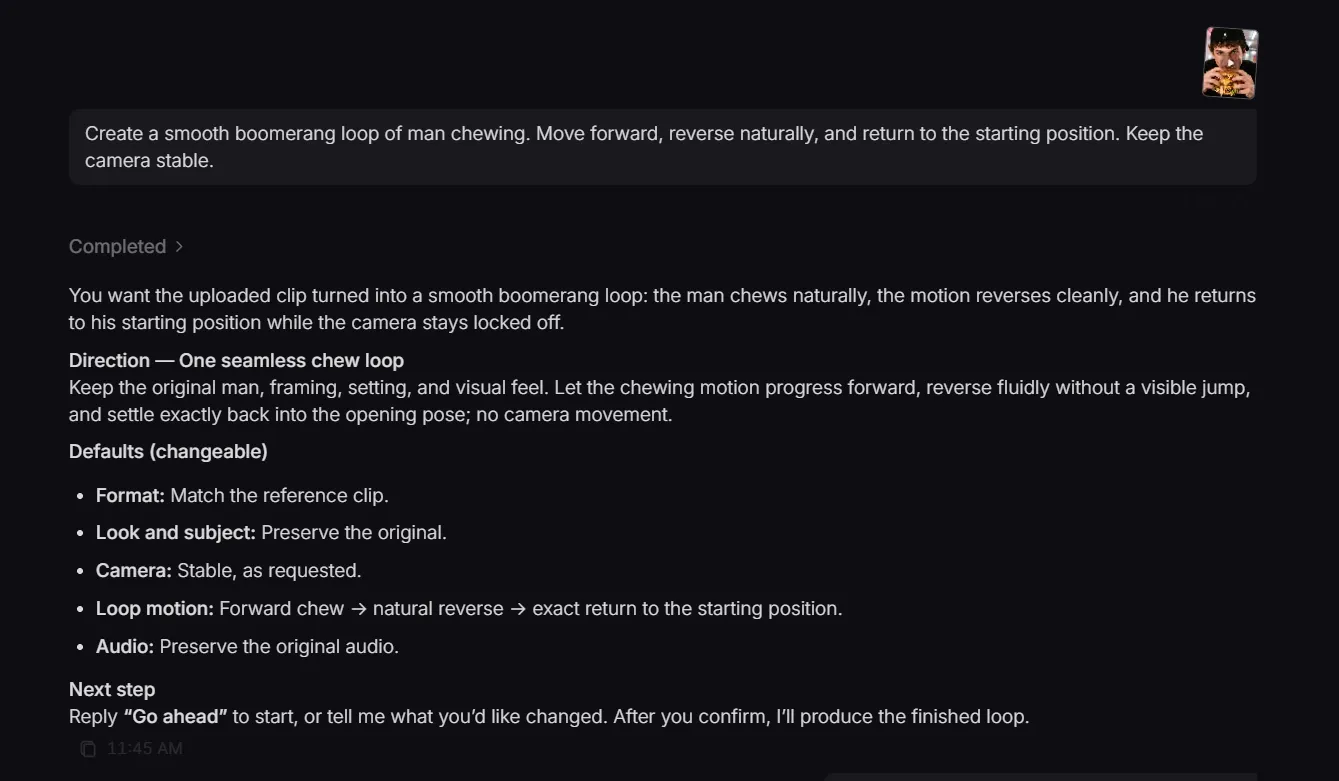
Pick one complete action before you write the instruction. The model needs a clear beginning and end so the reverse movement does not feel random. Upload the clip, then describe that action:
Create a smooth boomerang loop of [subject] [action]. Move forward, reverse naturally, and return to the starting position. Keep the camera stable.
Watch the Turning Point
Let the new Boomerang play twice without pausing. If your eye jumps to the turning point instead of the product, face, or hand, the reversal needs another pass. Use the problem table below before downloading.
How to Fix a Boomerang That Looks Jumpy, Busy, or Flat
Do not replace the whole prompt first. Find the visible problem, change one detail, and compare the same turning point again:
| What you see | Likely cause | What to change |
|---|---|---|
| A pause at the turning point | The selected section holds on the final position for too long | Shorten the action so it begins reversing as soon as the movement reaches its peak. |
| The subject shifts or gets cropped | The person, hand, or product travels too far across the frame | Use a shorter section and leave more space around the subject. |
| The background appears to snap | People, screens, shadows, or camera movement reverse more noticeably than the subject | Choose a cleaner part of the source and ask for a stable camera and background. |
| Nothing changes enough to catch attention | The action has no obvious turning point | Use a reveal, jump, turn, pour, or reaction with a clear peak moment. |
| The repeat feels too busy | Several actions compete inside one short cycle | Keep one movement and simplify the instruction around that single subject. |
| The motion feels rushed or sluggish | The speed does not match the scene | Use a faster bounce for reactions and reveals, and a slower return for food, fabric, or beauty details. |
After making one change, generate again and compare the same two cycles. This makes it easier to see whether the adjustment solved the actual problem.
Where to Post or Reuse Your Boomerang
The platform determines the export frame. Stories, Shorts, and TikTok usually need a vertical crop with enough space around the moving subject.
| Use case | What to repeat | What the repeat shows |
|---|---|---|
| Product reveal | A box opening, lid lifting, or feature appearing | The opening happens twice, making the product detail easier to catch before a longer product showcase video. |
| Creator reaction | A smile, nod, wave, or surprised expression | The repeated expression is easier to catch in a quick creator-led UGC video. |
| Food or drink | A pour, sprinkle, steam burst, or garnish | The repeat shows the pour or texture again without recording a longer food clip. |
| Fashion or beauty | A turn, hair movement, fabric swish, or product application | The fabric movement or product change appears twice, making the detail easier to see. |
| Event or travel moment | A jump, toast, sign reveal, or landmark gesture | The best moment repeats without turning into a full event recap. |
Boomerang Video FAQs
How long should a Boomerang video be?
Keep it short enough for someone to understand the action at a glance. One clear movement usually feels more satisfying on repeat than a longer sequence of events.
Can I add music?
When audio options are available, choose a beat that lands near the point where the action reverses. The music should make the repeat easier to feel, not harder to follow.
Can I add text or change the timing afterward?
Yes. Open it in an AI video editor when you want to adjust the timing or add text and effects before posting.