



ImagineArt Review: I Tested ImagineArt & Here Are My Opinions For You
I’ve always wanted to find an AI image generator that accommodates beginners without having to worry about a steep learning curve.
And recently I discovered ImagineArt. This platform allows you to simply hop in and start creating high-fidelity imagery without jumping through complicated hoops.
Now, there’s a lot to unpack about it. But if I were to give you a quick rundown of my impression of it, I’d say that it is one of the most user-friendly AI image generators.
I can actually access a vast community of AI image models, as well as train my own custom models on specific styles, characters, and objects to create personalized artwork. I also like that it can produce surprisingly realistic, detailed, and high-quality imagery, not to mention that it is incredibly quick at rendering outputs.
On the flip side, it comes with limited customization tools compared to other competitors. It also doesn’t support that many art styles, either. Plus, the renders that it generates aren’t consistently great.
But before I get into all this, let me give you a detailed breakdown of what ImagineArt can do.
An Introduction To ImagineArt
ImagineArt is a powerful generative AI platform that allows users to create, explore, and share high-quality artwork.
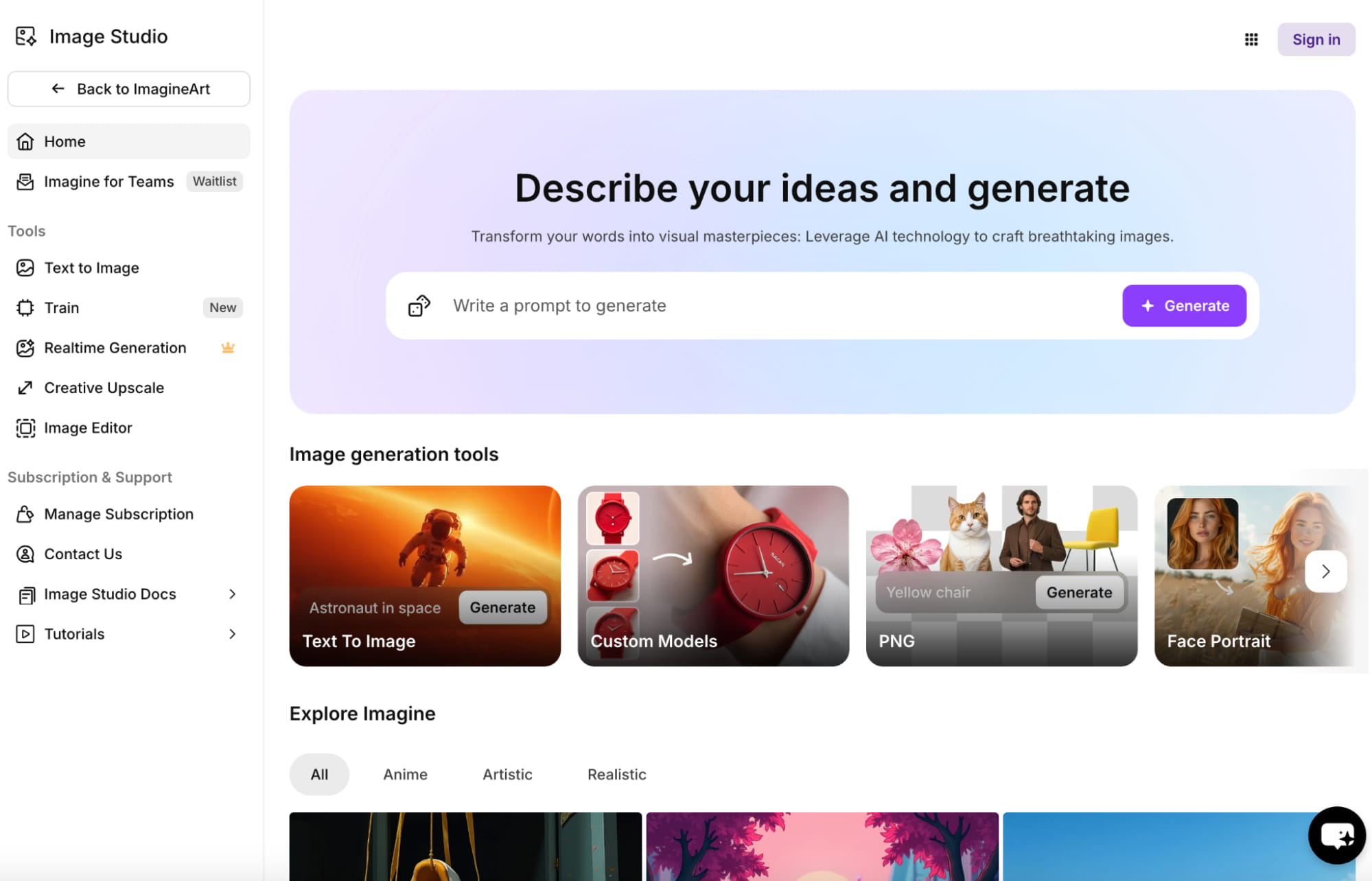
With its text-to-image capabilities, all it takes for me to bring my ideas and concepts to life is to craft a simple prompt. And within seconds, it renders a stunning result.
What I first noticed was how ImagineArt’s interface is simplistic and intuitive and that it really caters well to beginners.
For instance, the tool offers prompt assistance that lets me create random prompts. You can also access the ‘Imagine Bot’, which can help with brainstorming prompt ideas.
Besides that, ImagineArt lets me upload a reference image for more precise output, with the added option of choosing between different modes. These modes allow me to reimagine different variations, maintain the same structure, replicate faces, and even incorporate the same style of the uploaded image.
On top of that, it offers access to a few customization features that allow me to set various aspects like camera view, lighting, aspect ratio, etc.
However, what I consider to be ImagineArt’s best selling point is the vast library of AI image models that are available to choose from.
Besides the platform’s own proprietary models, it offers access to leading options like Flux, Imagen-3, GPT, as well as unique, custom style models. Some of these include Studio Ghibli, Chibi Character, Anime, Cyberpunk, and several others. But that's not even the best part!
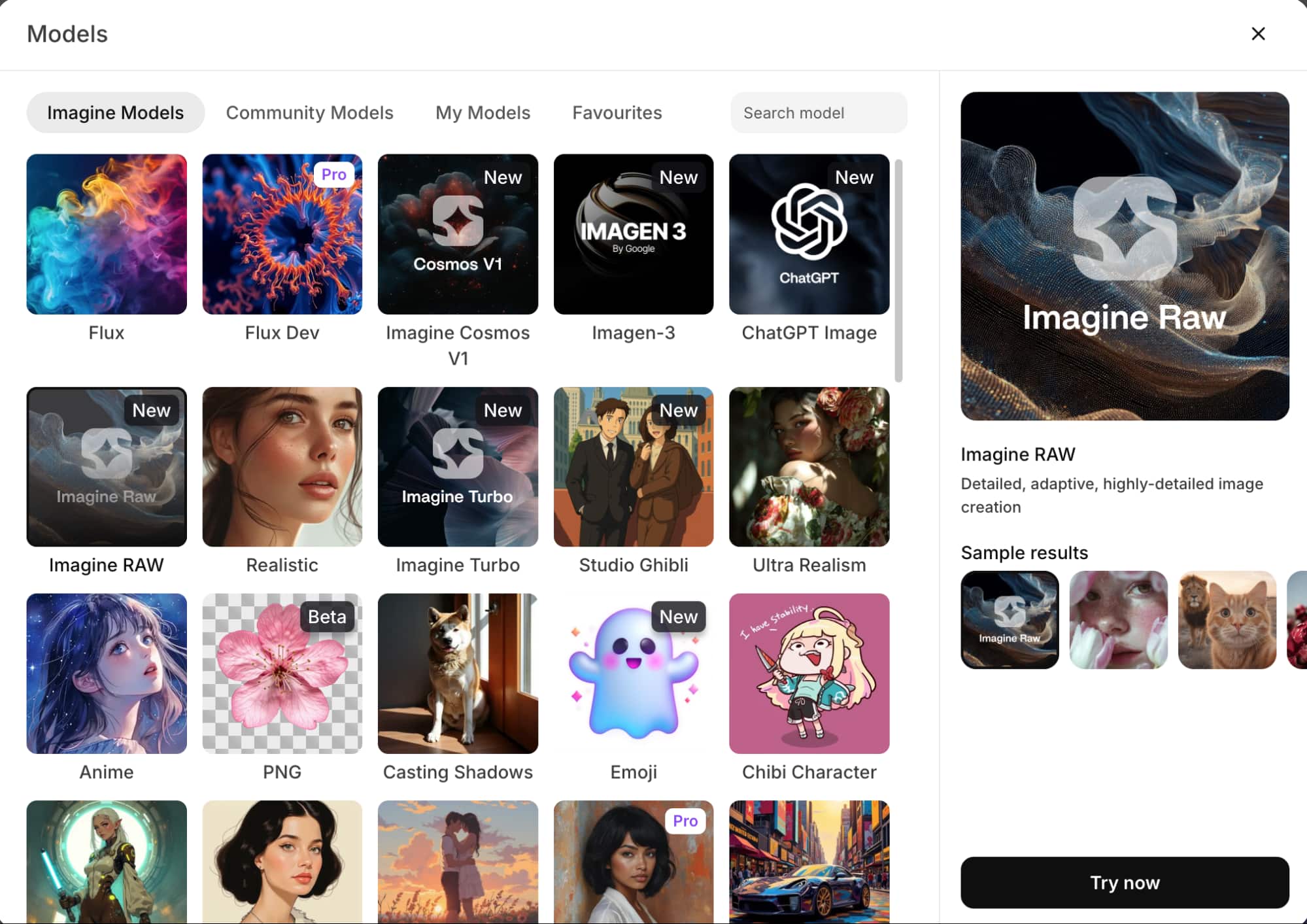
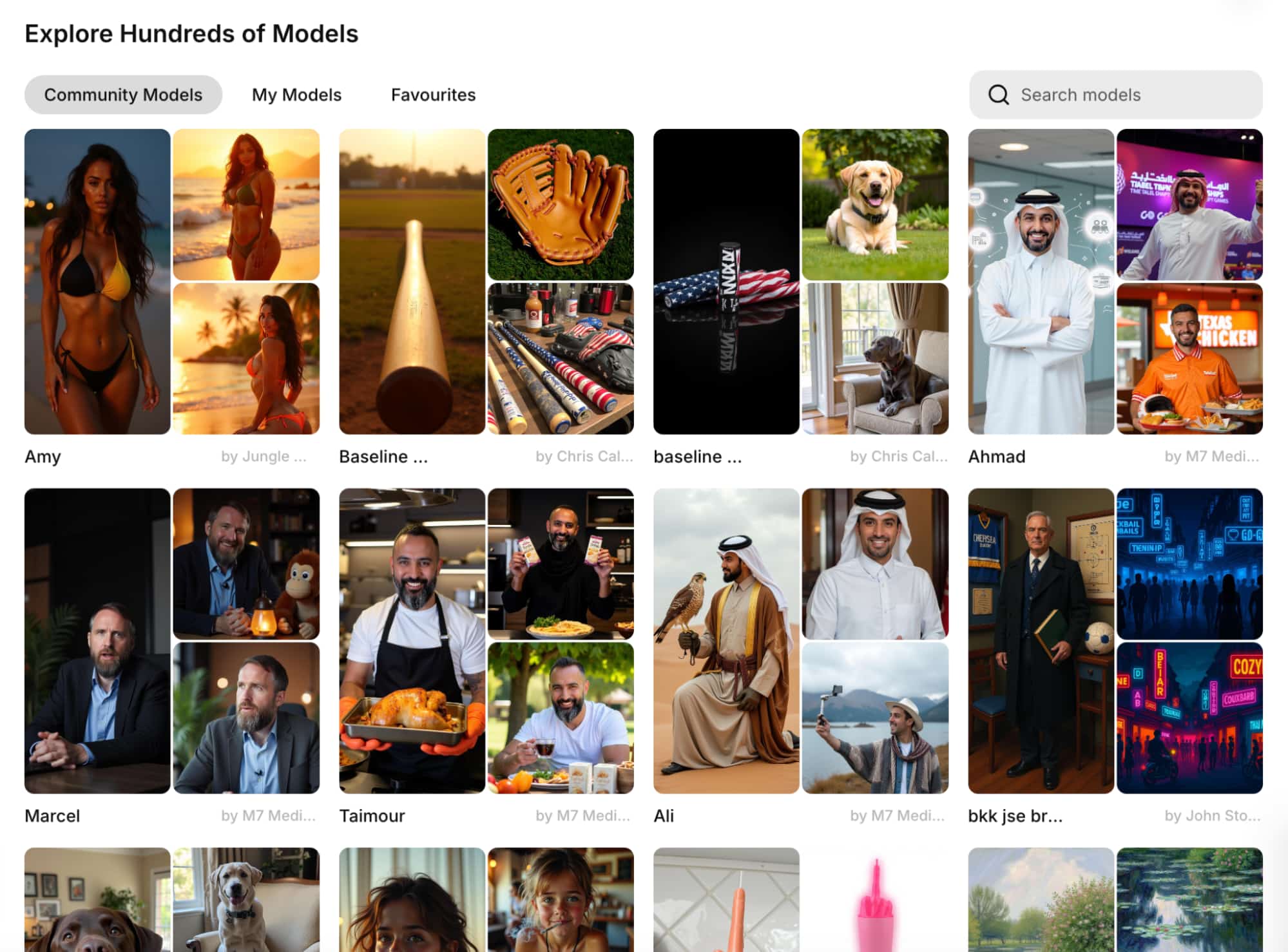
ImagineArt also lets its community of users train their own custom AI image models and even publicly share them with others.
In other words, I can not only create unique AI models for certain styles, characters, and objects, but I can also explore and access the models that others have made.
In this sense, the interface reminded me of Pinterest! Because I could see what the community has published, like their creations, and even use them for my own projects.
Now that I’ve given you the lowdown on ImagineArt, the next step is to see how it performs. Will this AI image generator meet expectations? Let’s find out.
What Was My Experience With ImagineArt Like?
I’ve explored what ImagineArt can do, but I have yet to show you what it can do. Luckily, I was prepared for this and carried out a few sample tests to assess its capabilities.
For the first test, I decided to start with something simple. So, I requested ImagineArt to render something realistic. These were the prompt instructions I used:
[A photorealistic image of a stunning blonde woman wearing a flowing red dress, her hair billowing in the wind as she rides a powerful horse galloping along a sandy beach. The sun sets on the horizon, casting a warm golden glow over the scene, while waves crash gently in the background. The woman's expression is one of exhilaration and freedom, embodying the spirit of adventure in this picturesque coastal setting.]
Within a matter of seconds, this was what ImagineArt delivered.
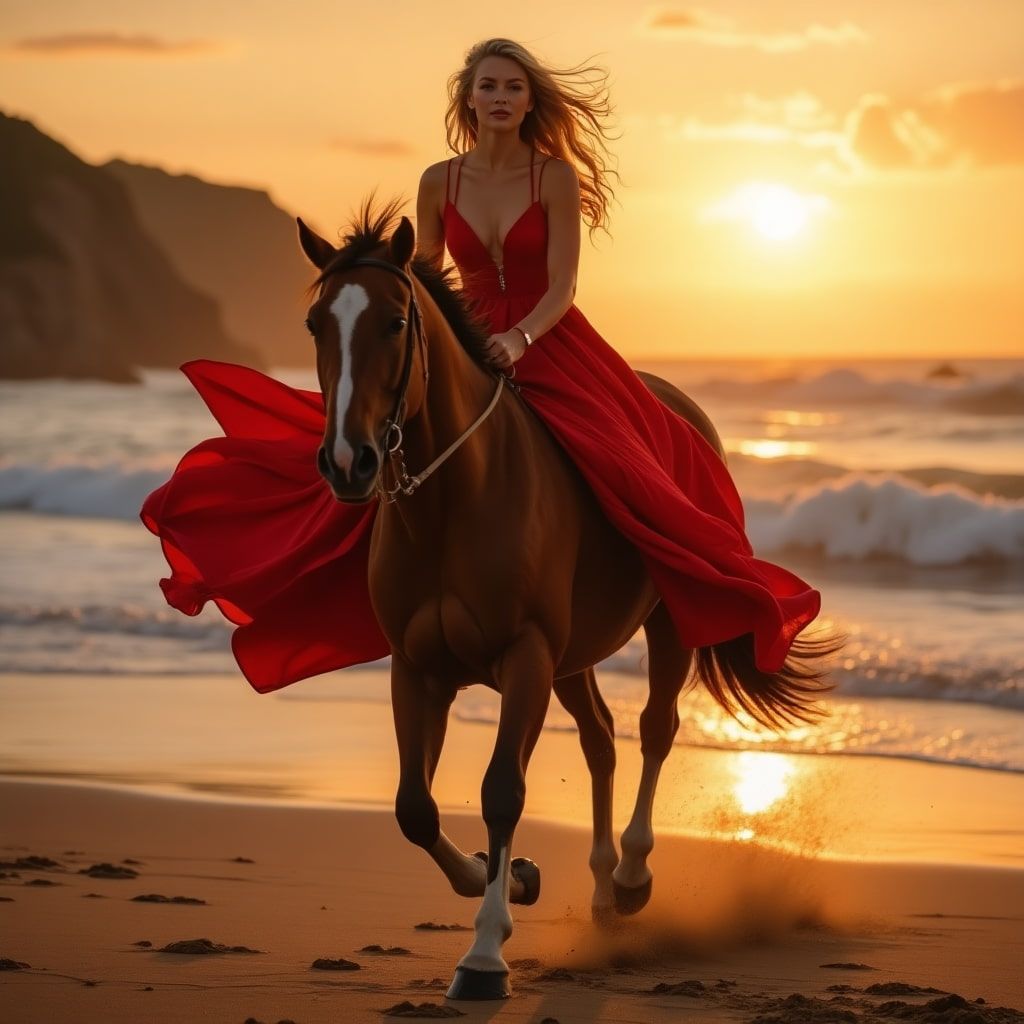
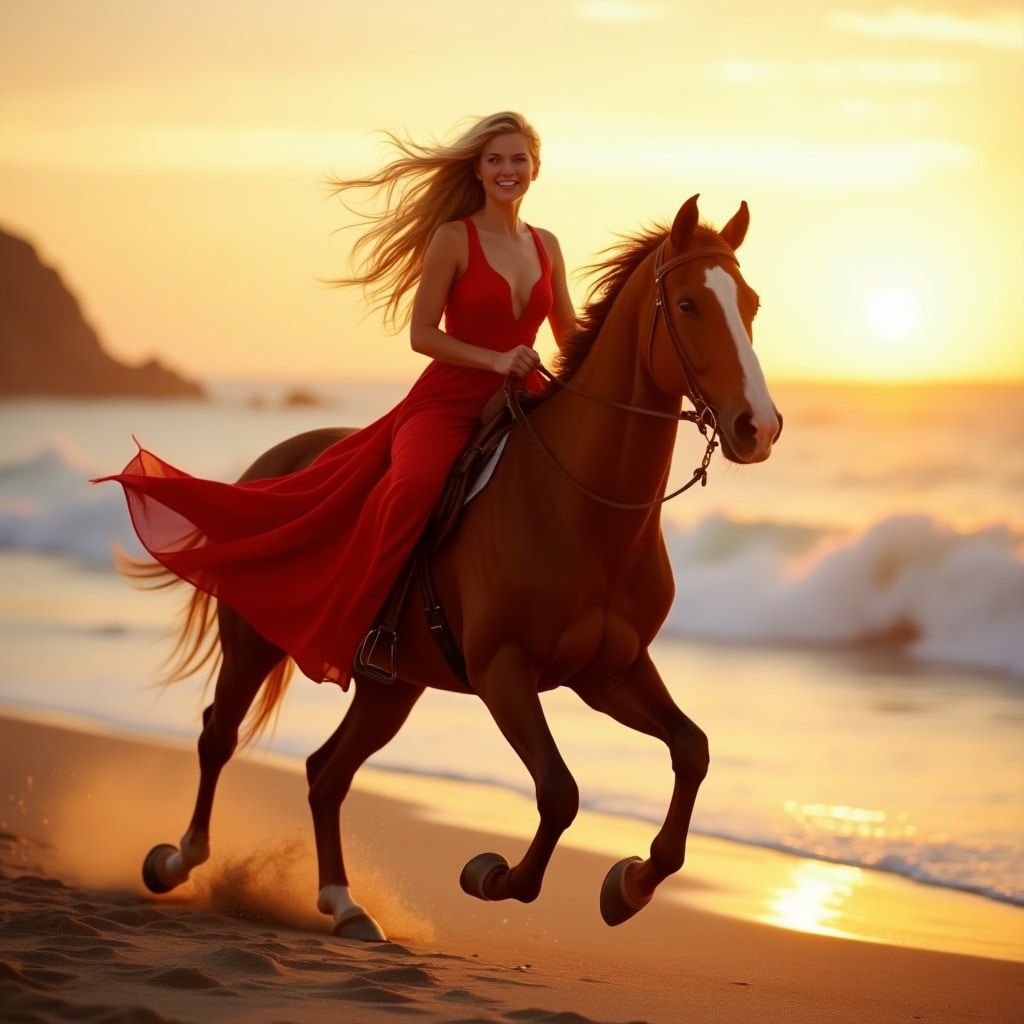
First off, I am impressed at how the prompt assistance tool engineered such great instructions using a simple idea. I must give that feature the kudos it deserves.
I also liked to see that the AI model followed the prompt to a tee. Pretty much everything in the instructions was included, so the tool’s adherence level was on point.
In terms of the images, the scene composition isn’t bad at first glance. However, the texture and detail rendering, particularly on the model and horse, just look too smooth and glossy.
What I hoped would look like an actual photo is more reminiscent of a painting or CGI. Moreover, there are certain omissions, like the character’s legs, that make it unrealistic.
Overall, I would give this image render a 5/10. Not a great result.
For my second attempt, I wanted to see how it would perform if I tried out something a little more creative and imaginative. This was the prompt I entered:
[A medieval knight stands boldly in the center of a chaotic battlefield, his sword drawn and gleaming in the sunlight, ready to face his next opponent. Around him, fellow warriors engage in fierce combat, clashing swords and shields amidst a backdrop of dust and chaos. The knight's armor is intricately detailed, reflecting the light. The intense scene is filled with banners fluttering in the heavy wind, and a dramatic sunny sky shining overhead.]
You can check out the images it generated below:
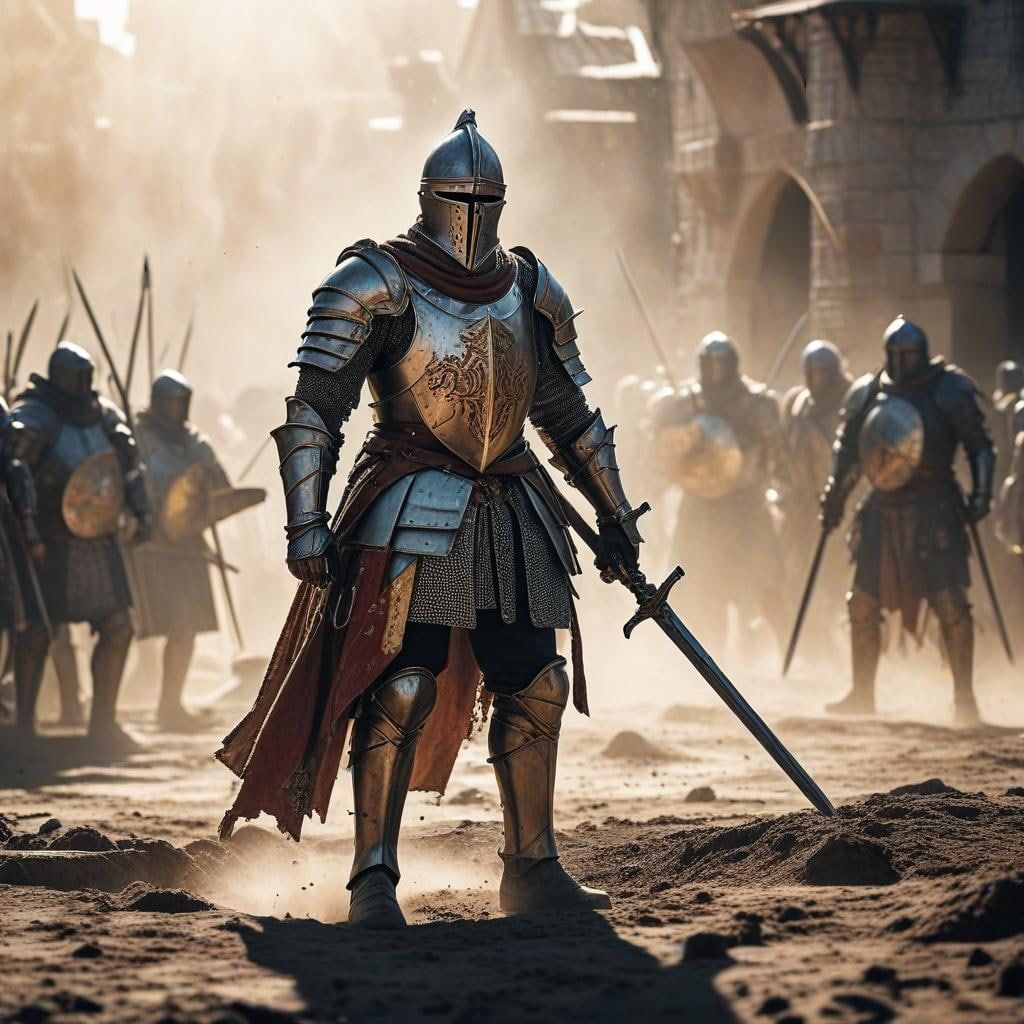
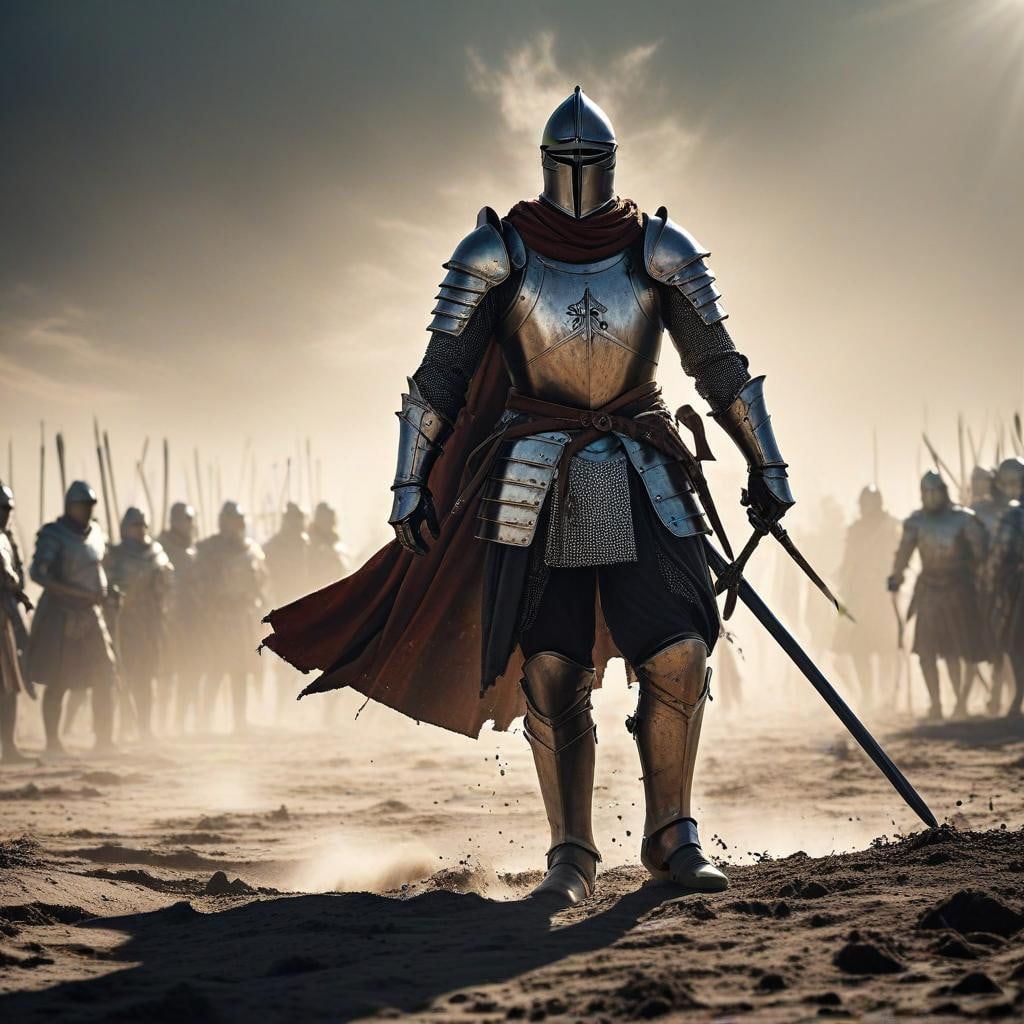
This time around, the renders were much better. I liked the level of detail in each image, like the armor plating, the dusty landscape, and even the cinematic feel of the scenes look dramatic.
However, the prompt adherence wasn’t entirely accurate. I expected to see the armies in the back clashing with one another rather than simply standing there and facing each other.
There are also some small errors, like the sword in the second image not being held by anything. But apart from that, I would say this sample test was an improvement.
If I had to rate it, I’d give this sample a solid 7.5/10. Not a bad result.
What Is My Final Verdict on ImagineArt?
No matter what your experience level with generative AI may be, I honestly believe that you will be hard pressed to find a more user-friendly AI image generator.
From the moment you log in to getting your generated images, the entire user experience is seamless. Even if you can’t write good prompts, ImagineArt has you covered. It is also capable of producing high-resolution imagery in various styles, and the speed at which it renders visual content is one of the fastest I have seen yet.
It even caters to concurrent generations, so creating multiple images for bulk projects like social media, brand marketing, or anything else can be a breeze.
What’s more, it makes model training so easy that even a first-timer can create their own custom AI models just like they would make a Pinterest board. It’s mind-blowing!
But ImagineArt does come with its issues. As I have shown, its outputs don’t always follow the prompt instructions accurately.
Also, the images are frankly not at a professional-grade level. If anything, the renders just look undeniably AI-generated, with some even presenting missing elements, glitches, and artefacts.
Plus, it’s a shame that while it is simplistic, it lacks several useful features that would make AI image generation an even more personalized experience. Because of this, I would recommend ImagineArt to anyone with no experience in AI image generation. It can be a good tool for getting familiar with how it all works.
But if you want more professional-grade outputs, greater customization, and image renders with minimal flaws, then there are better alternatives to consider out there.
Need A More Sophisticated AI Image Tool? Then Use Pollo AI!
If advanced image generation with near-perfect results is what you’re looking for, then I can recommend a better alternative to ImagineArt: Pollo AI's AI image generator.
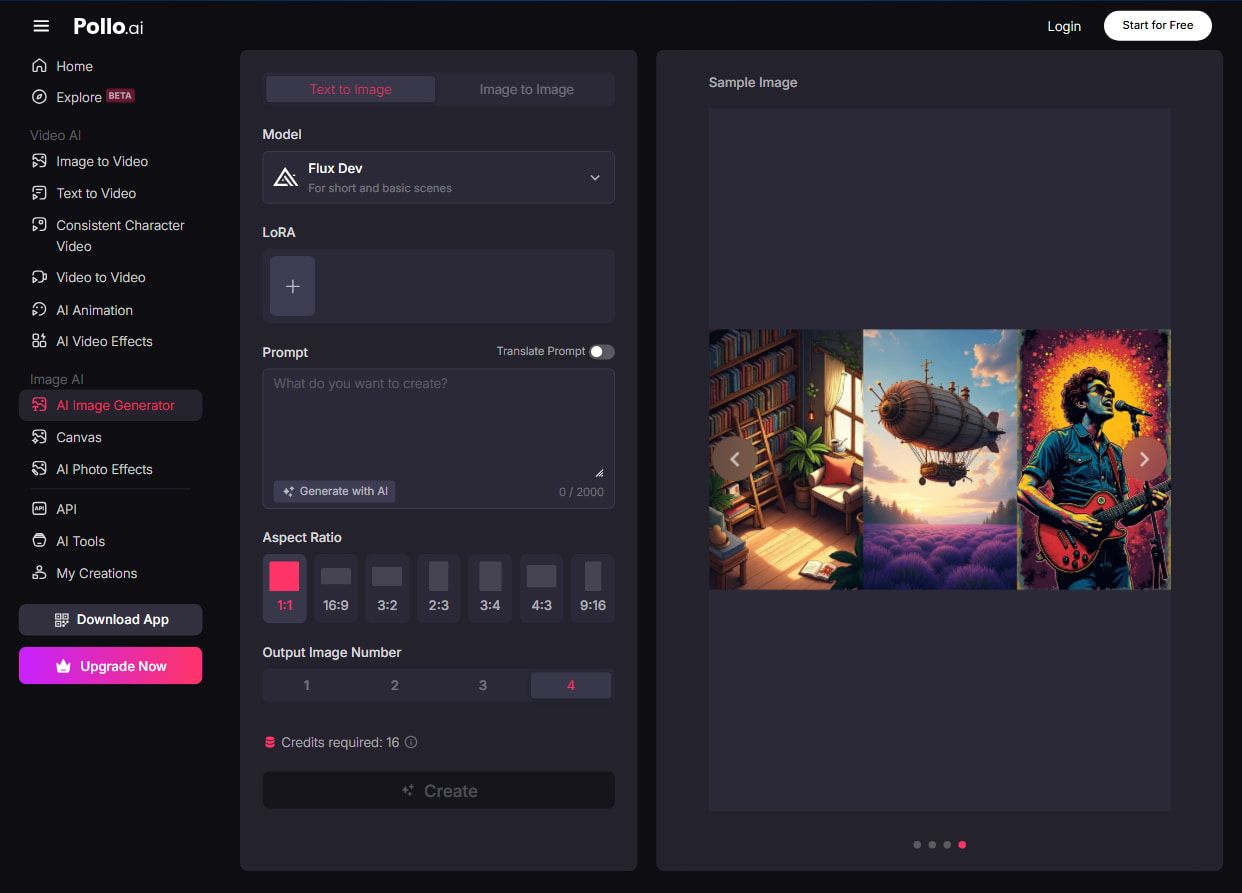
Integrated with industry-leading AI image models like GPT-4o and Flux, Pollo AI is a powerful, all-in-one AI image and video generation platform.
Pollo AI's image generators offer you versatility. It comes with 2,000+ LoRAs you can choose from to customize the aesthetics and elements of your generated images.
But that’s not all. Pollo AI also offers a wide range of fun and creative app collections designed for more engaging content creation.
You can explore playful experiences like generating dancing girl videos and AI faceless videos to quickly turn ideas into entertaining visuals.
Also, some of the image tools on Pollo AI that I’ve found helpful include the AI logo generator.
Pollo AI also comes with a free plan. So you can explore what it has to offer now, all without having to pay a dime!
Conclusion
ImagineArt can be a great generative AI image tool for artists and creatives of all levels. The ease of use and intuitiveness that it provides make personalized image creation a far more straightforward process than most other tools.
But to take your design workflow to the next level, I believe that Pollo AI’s cutting-edge functionality and versatility are what you will need.