



Meta AI Review: I tested Meta AI's Imagine, and it has revolutionized my way of creating images
As an editor, I’ve always been fascinated by the combination of technology and creativity.
When I first heard about Meta AI’s image generator–Imagine, I was intrigued by its ability to generate images from text.
So I started to evaluate its strengths and weaknesses, explore its potential, and understand how it could be integrated into my team’s workflow.
I tested different aspects of its image generation capabilities, such as realism, details, customization, and speed. Also, I tested its new feature of generating images directly on Facebook, such as feeds, stories, and Facebook profile.
I found out that this is an effective AI image generator when it comes to making images from specific instructions.
That said, it’s not ideal for creating broad concept images, and customization options are somewhat limited.
Below, I share my detailed tests starting with…
Test 1: Realism and Detail
Firstly, I wanted to see how Meta AI could create real-world scenes. I entered a simple text prompt: “A bustling city street at sunset, with people walking and cars driving.” Within a few seconds, the platform generated 4 images.
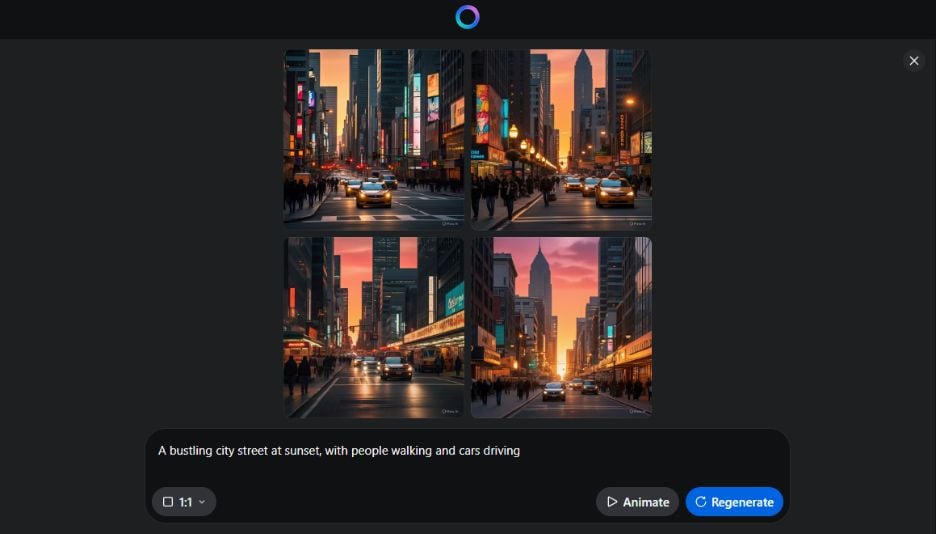
Immediately, I was struck by the night scene and various elements - each image featured realistic lighting, shadows, and textures. The cityscape was vibrant, and pedestrians and vehicles were wandering on the street.
However, upon closer inspection, I noticed some minor inconsistencies. For example, one image had a car with an oddly-shaped wheel, and another showed a person with an exaggerated posture. While they were minor flaws, these details indicated that Meta AI’s generated images were not yet perfect.
Test 2: Customization and Control
Next, I explored the platform’s customization options. I described a more abstract scene with a more specific prompt: “A futuristic cityscape with neon lights and flying cars, in a cyberpunk style.”
This time, I also adjusted some of the platform’s parameters, such as the level of detail and the color palette. The output was fascinating. The style was in line with my description. There were neon hues and sleek, futuristic architecture.
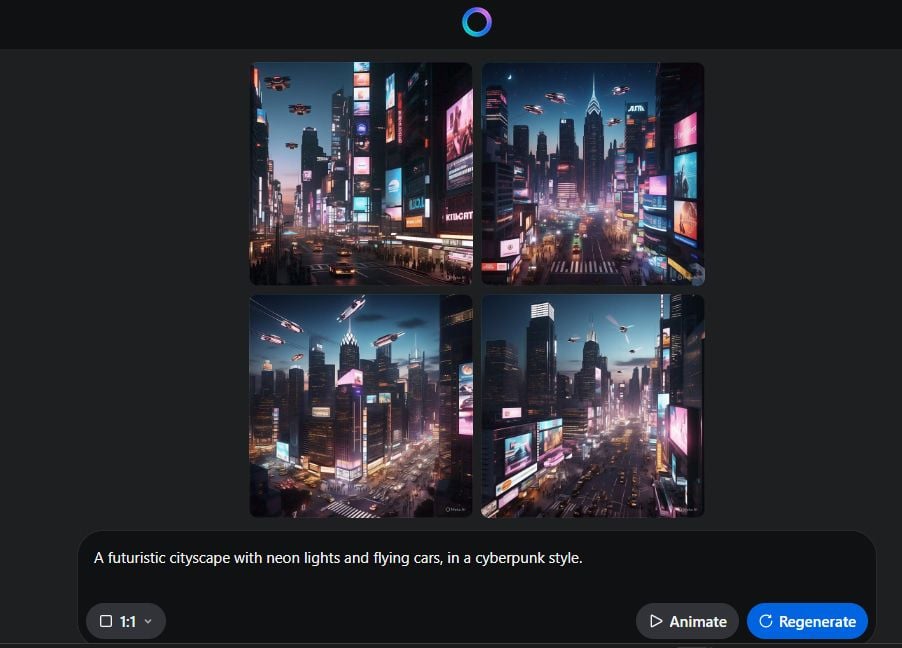
Then I adjusted the style on the left panel. I decided to generate more images based on the same prompt.
For example, I selected the “Cartoon” style and entered the same prompt to regenerate the images.
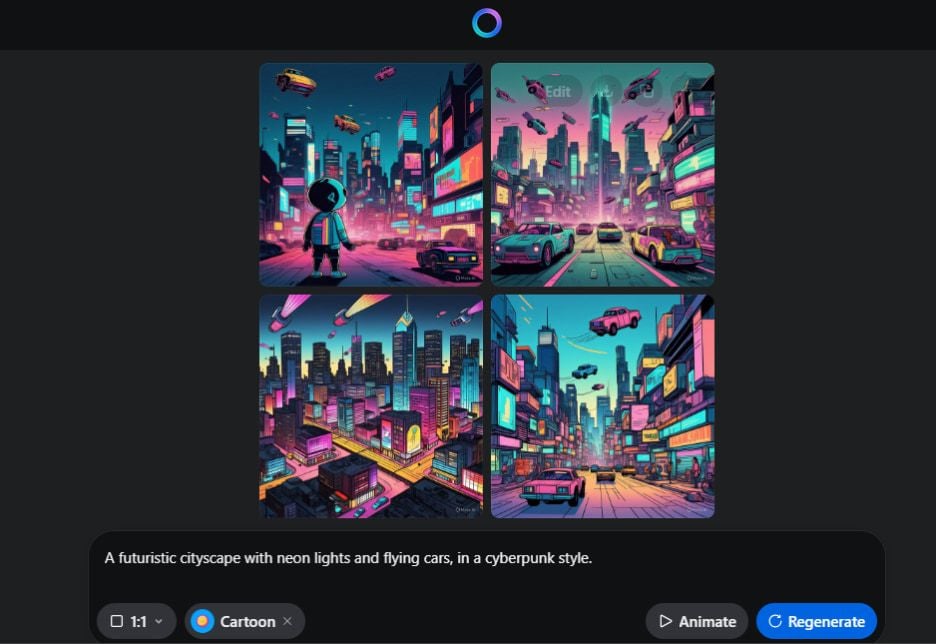
This time, it presents a vibrant and dynamic cityscape, characterized by a cyberpunk aesthetic. The pictures are rich with neon lights, flying vehicles, and a mix of traditional and future architecture.
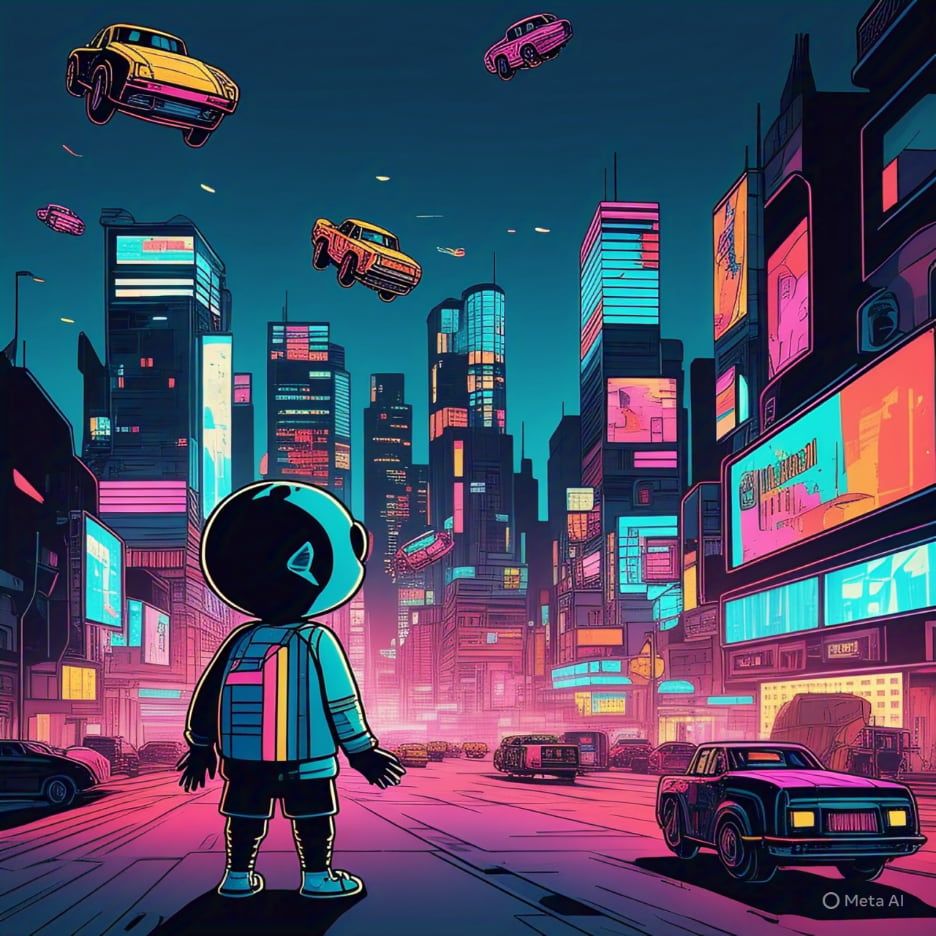
The overall effect is full of imagination, inviting viewers to imagine the possibilities of living in such a setting.
The color palette is dominated by blues and purples, and the splashes of pink and yellow add a sense of lively atmosphere. The images capture the essence of a bustling metropolis that blends technology with urban life.
This round of tests indicated that Meta AI could generate different styles of images. This customization is useful for designers and artists who need to create unique visuals for specific projects.
Test 3: The Editing Features
Then I tried to edit the image further. When I clicked on the “Edit” button, it took me to a canvas, where I could rectify the image by entering the instructions in the dialogue box. This was smarter than the AI image editors that only have a limited group of editing features and tools.
Then I seek to test the feature of “object removal”, as this function requires the tool to integrate more AI technology. I just wanted to see how it integrated AI technology into the image editing features.
I input the instruction in the dialogue box: remove the flying cars in the sky, and then hit the “Edit” button.
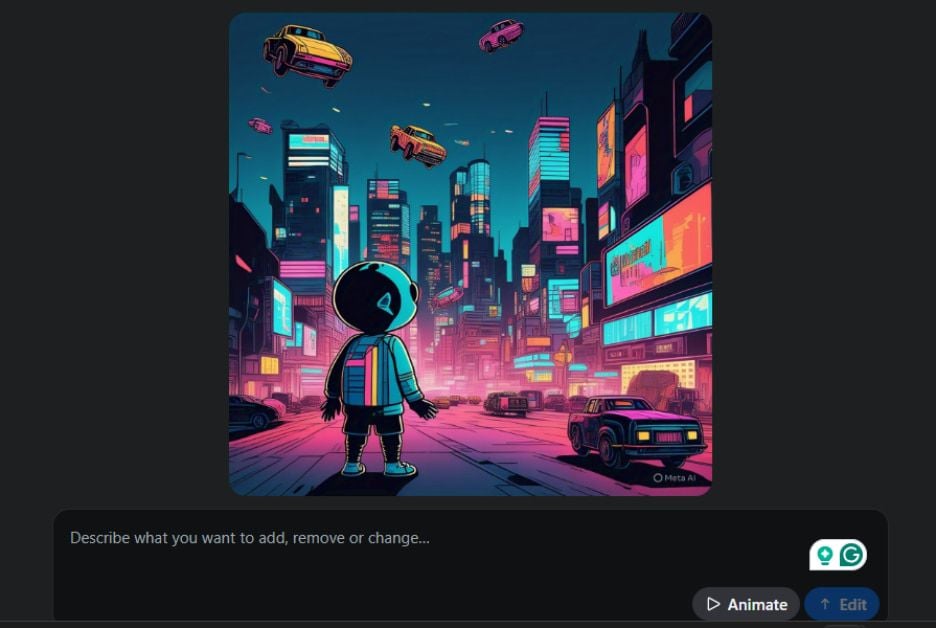
Again, the result surprised me! All the cars in the sky disappeared. And there are slight erasure marks in the image. Even if I’ve used many AI object removers, I’ll say the “object removal” feature for this AI image generator is good.
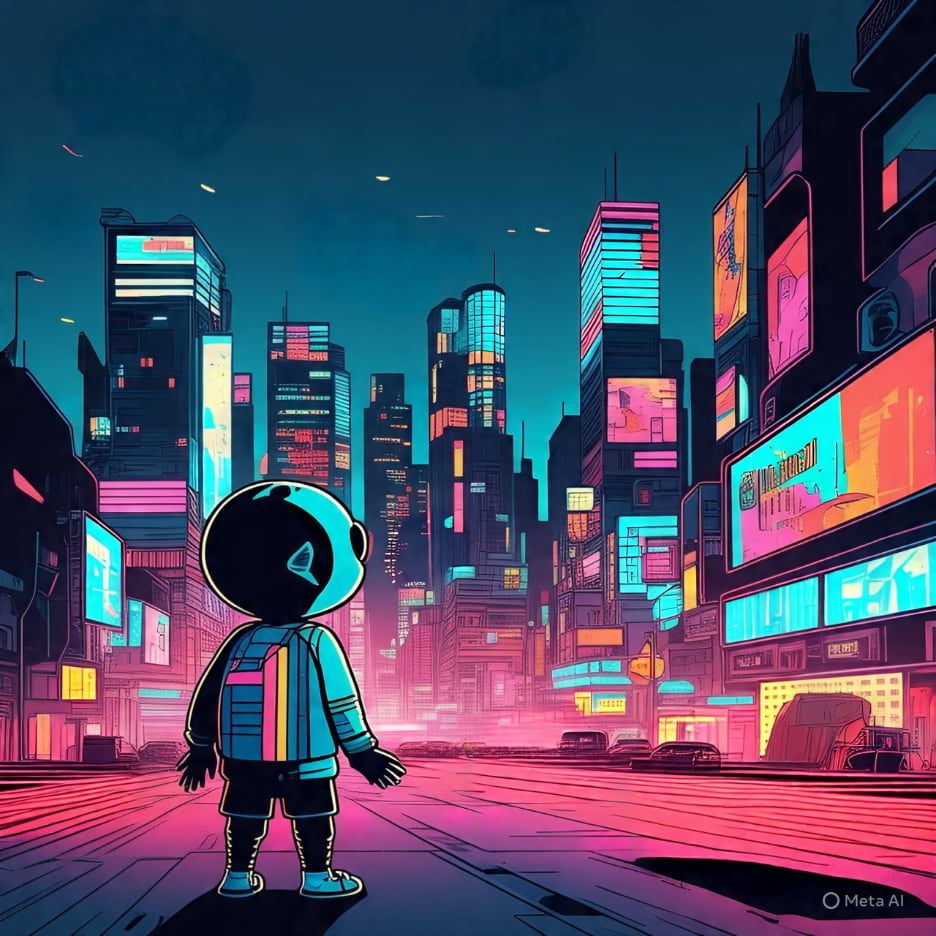
Next, I input “add another character next to the character. They remain face to face.” This was a more difficult instruction. I wondered whether it could completely understand my intention and give me the right feedback.
No more than 10 seconds, it added another character to the image. Nevertheless, I had expected the added character should be right next to the left one, face to face.
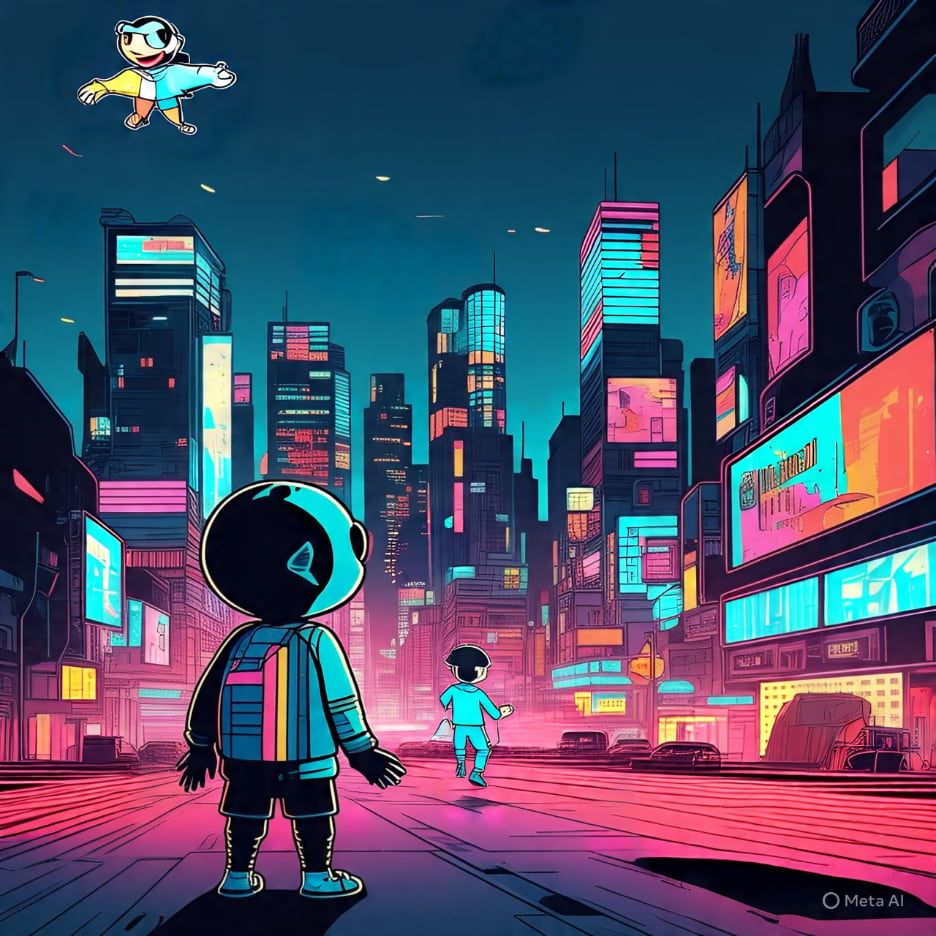
However, the AI editor didn’t fully understand my intention. The added character is far away from another one, presenting a back instead of a face to him. Also the newly-generated person’s style isn’t in line with the original one.
Moreover, it’s inconvenient to make more precise modifications by providing the instructions. If you want to make a more precise adjustment to the images, you’d better download the image and import it into other image editing tools.
By the way, although it’s free to generate, edit, and export images, the generated images have embedded a watermark in the lower right corner. And if you don’t want to show a watermark, you need to upgrade to a Pro version.
Test 4: The Understanding of Abstract Concepts
Besides, I also noticed some limitations. While the platform excels at generating realistic style images, sometimes it struggles with more abstract concepts.
For example, when I entered a prompt “The feeling of nostalgia”.
The generated images expressed a childlike sense of wonder. The scenes show children playing together, evoking memories of childhood games and interactions. This might be associated with nostalgic feelings.
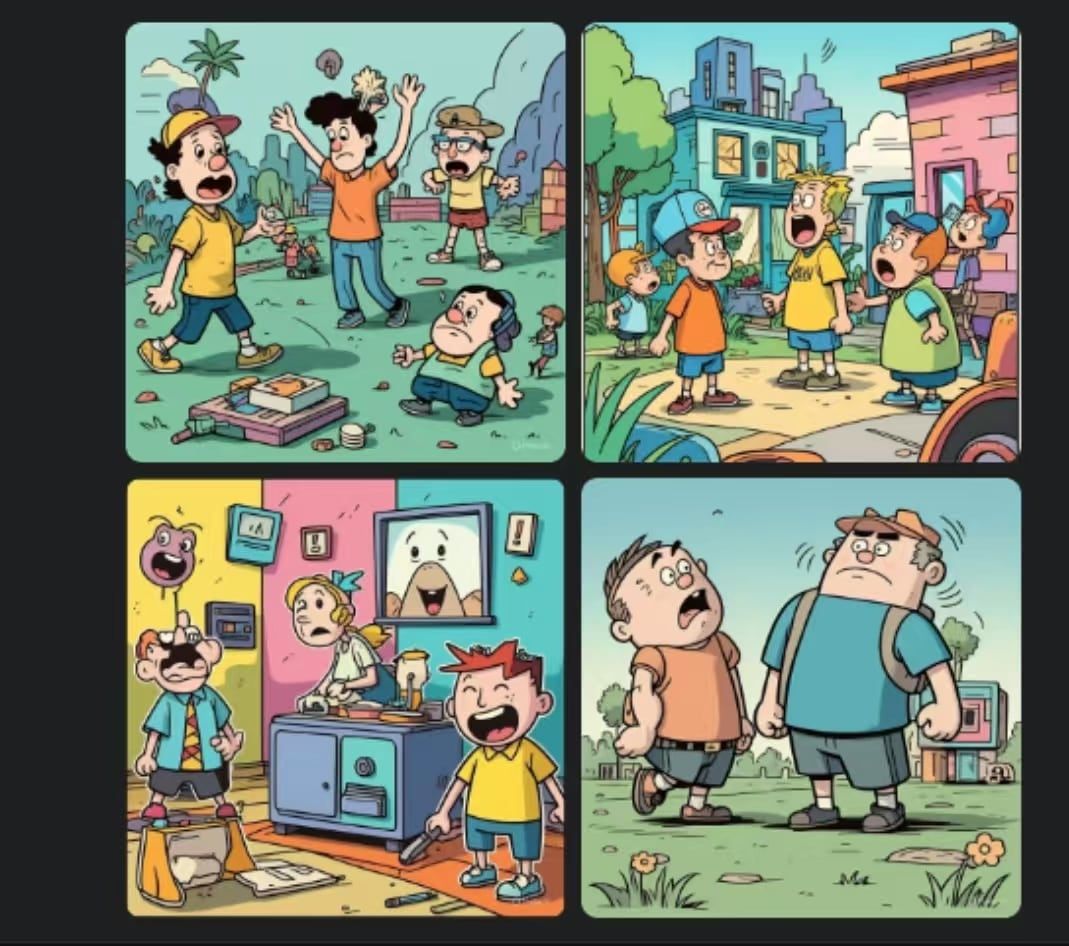
However, the overall hue is bright and playful. The vibrant and warm setting fails to let me look back on my past experiences. It lacks the emotional impact and fails to convey a feeling of nostalgia.

Test 5: Speed and Efficiency
Finally, I determined to evaluate the platform’s speed and efficiency.
I entered a series of quick prompts, ranging from simple prompts like “a cat sitting on a windowsill” to a more complex one like “an underwater scene with dolphins and coral reefs”.
I recorded how long it would take to generate an image and assess the quality of the output.
Both the efficiency and the quality were impressive. It could even generate high-quality images from a more complex prompt in seconds.
This speed is crucial for fast-paced creation environments. Meta Imagine AI’s fast speed to deliver high-quality visuals could significantly enhance our editor’s productivity.
Test 6: Generating Images Directly in Facebook & Instagram
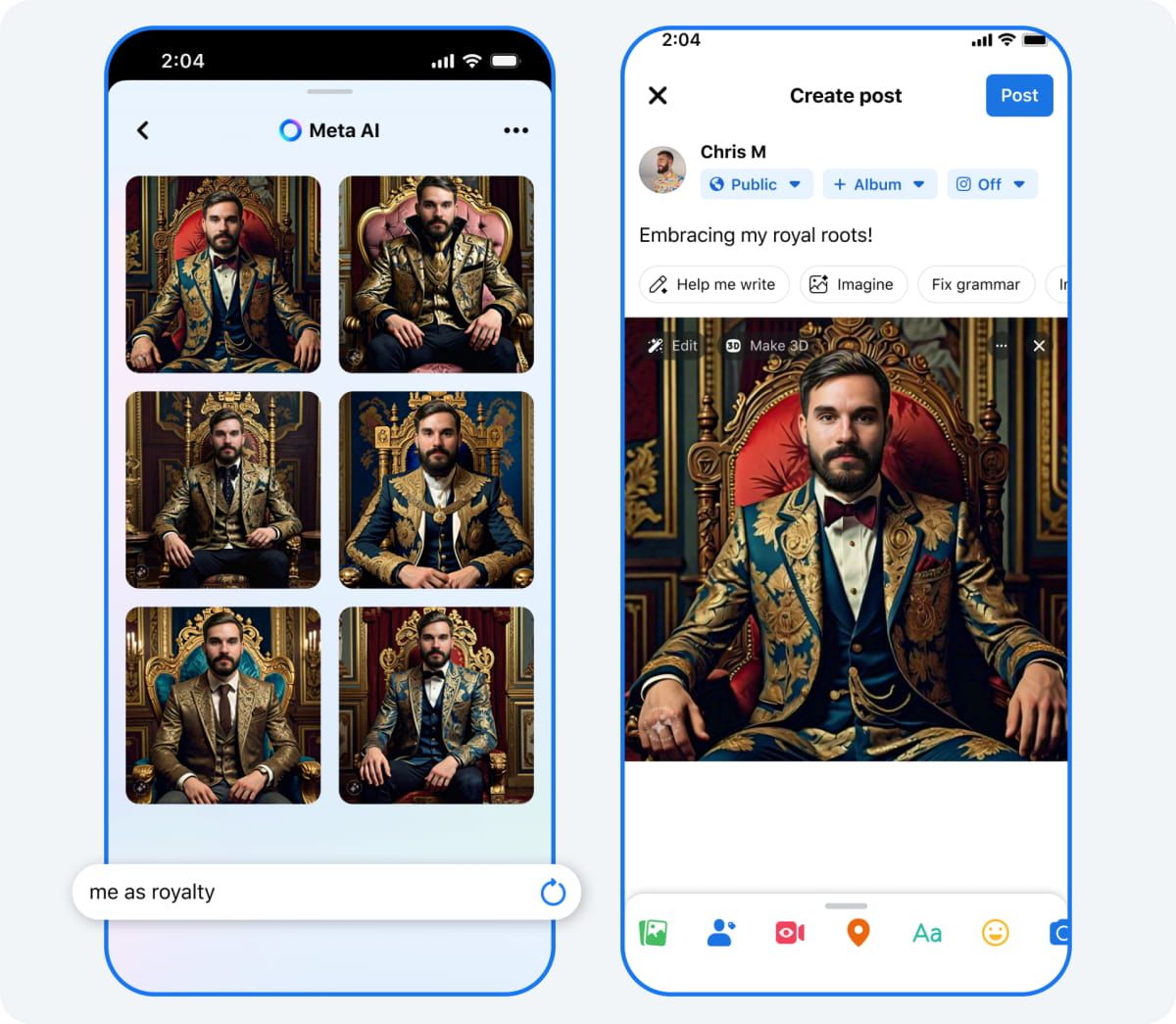
Finally, I want to highlight the “Imagine” feature integrated into Facebook. This feature allows me to create photos directly within my Facebook and Instagram feeds, Stories, and even for my profile pictures.
By inputting text prompts, I could generate eye-catching images that can enhance my posts or enrich my profiles, making content more engaging and visually appealing.
While creating a new post, I entered the prompt: Embracing my royal roots. Within seconds, I got several eye-catching images that can enrich my post.
My Overall Opinion of Meta AI
Based on my tests, I think Meta AI’s image generator can basically meet my image generation demands.
It can quickly generate various styles of images, ranging from realistic photos to cute comic styles, based on my specific prompts.
Instead, if you seek to create a concept image, you are not advised to use Meta AI's Imagine.
As for the editing features, I think you can use its built-in AI editing tools to make some large-scale adjustments, such as removing objects, adding objects, and incorporating text.
If you want to make a more precise adjustment to the image, you’d better export and edit with other professional image editors.
More importantly, never give it complex and too detailed prompts because it might make a mistake.
Pollo AI - My Ultimate Choice for Generating AI Images & Videos
Lastly, I chose to use Pollo AI image generator as an alternative to the Meta AI's Imagine.
Compared with Meta AI, one of the key features of Pollo.ai is that it offers various AI models rather than a specific one.
As for the image generation, it supports models such as GPT-4o, FLUX, Imagen, Recraft, Dall-E, etc.
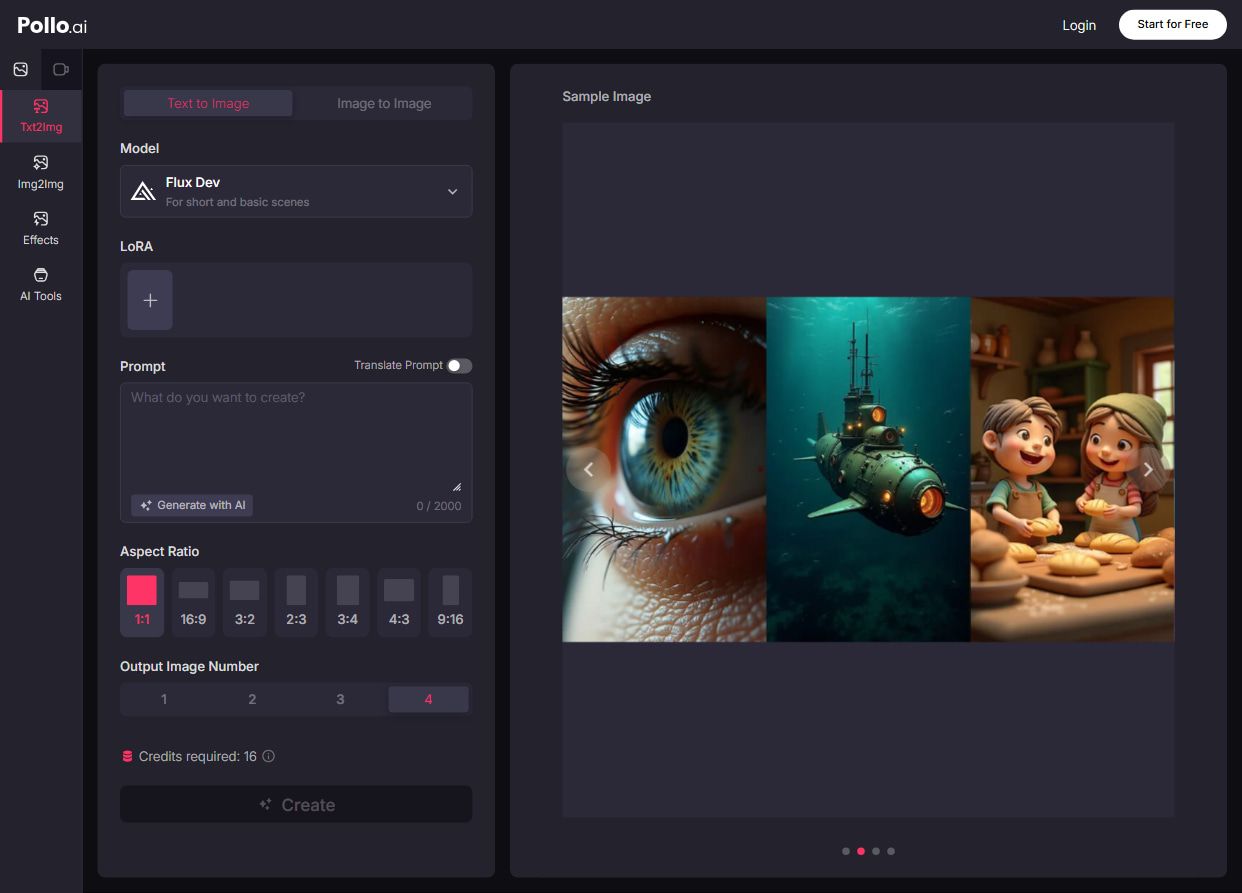
More than text-to-image generation, it also supports image-to-image generation and AI photo tools like object remover, cartoon character maker and image enhancer.
- Object Remover: Creates flawless images by removing photobomber, background clutter, or unnecessary items.
- Cartoon Character Maker: Bring all kinds of imaginative ideas to life with stunning animations.
- Image Enhancer: Eliminate blurriness and adjust color, brightness, contrast, saturation, etc.
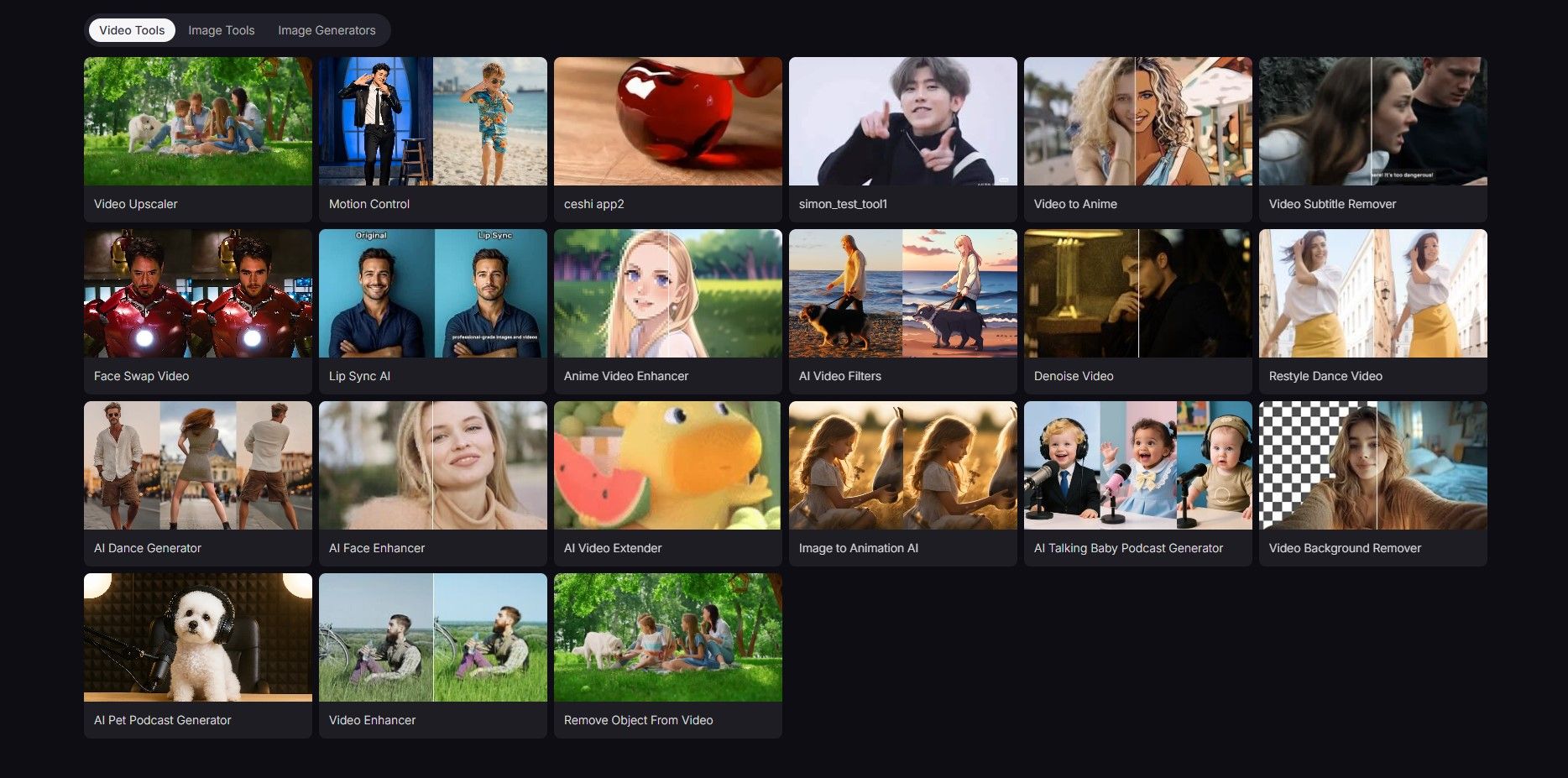
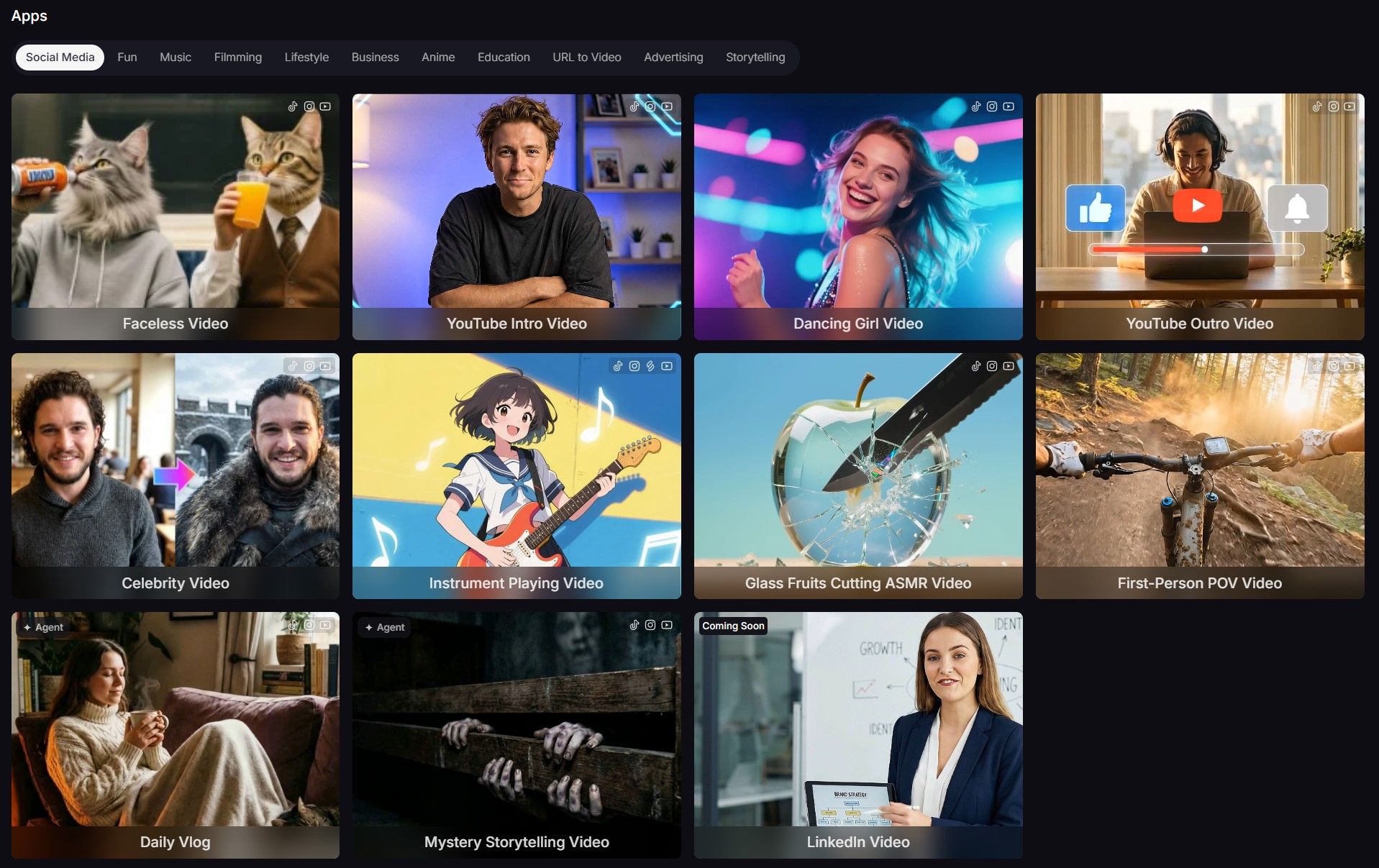
Moreover, I can make short videos from the images I generated. This is quite useful for me when I need to post some stunning video clips on my social media. Now Pollo AI updates new apps, like Pixar video generator and birthday video maker, to help users generate videos within a shorter time.
Conclusion
Meta AI is ideal for making various styles of quick images. It’s easy to generate and edit images by entering the instructions in the dialogue box.
The process is similar to talking with ChatGPT. However, if you want to make a more precise modification with the image, you’re suggested to export the image and edit it with other professional image editors.
Besides, if you want to try more AI image models and experience more interesting features, you can give Pollo AI image generator a try.