



MindVideo Review: I Tested Its AI Video Generator and Here’s What I Found
Marketing demos always look perfect. Real-world AI video creation? That is where the cracks show.
I tested MindVideo mainly as an AI video generator, not just as a general creative suite. I wanted to see whether it could help with actual video tasks: short social clips, product ads, image animation, editing, and content polishing.
MindVideo Review: TL;DR
MindVideo is a useful all-in-one AI creative platform if you want to generate simple clips from text or images and try different video tools in one place.
But if your goal is polished, campaign-ready video output, I would choose Pollo AI instead. MindVideo feels more like a flexible generation workspace, while Pollo AI is stronger for production-ready videos, marketing workflows, product visuals, and end-to-end creative tasks.
| Category | My take |
| Best for | Quick AI video experiments, image animation, simple social clips |
| Main strength | Text to video, image to video, video enhancement, effects, and audio tools in one platform |
| Biggest weakness | Outputs can still feel like raw video assets that need review, editing, and workflow planning |
| Better alternative | Pollo AI, especially for marketers, creators, and sellers who need publish-ready videos |
What Is MindVideo?
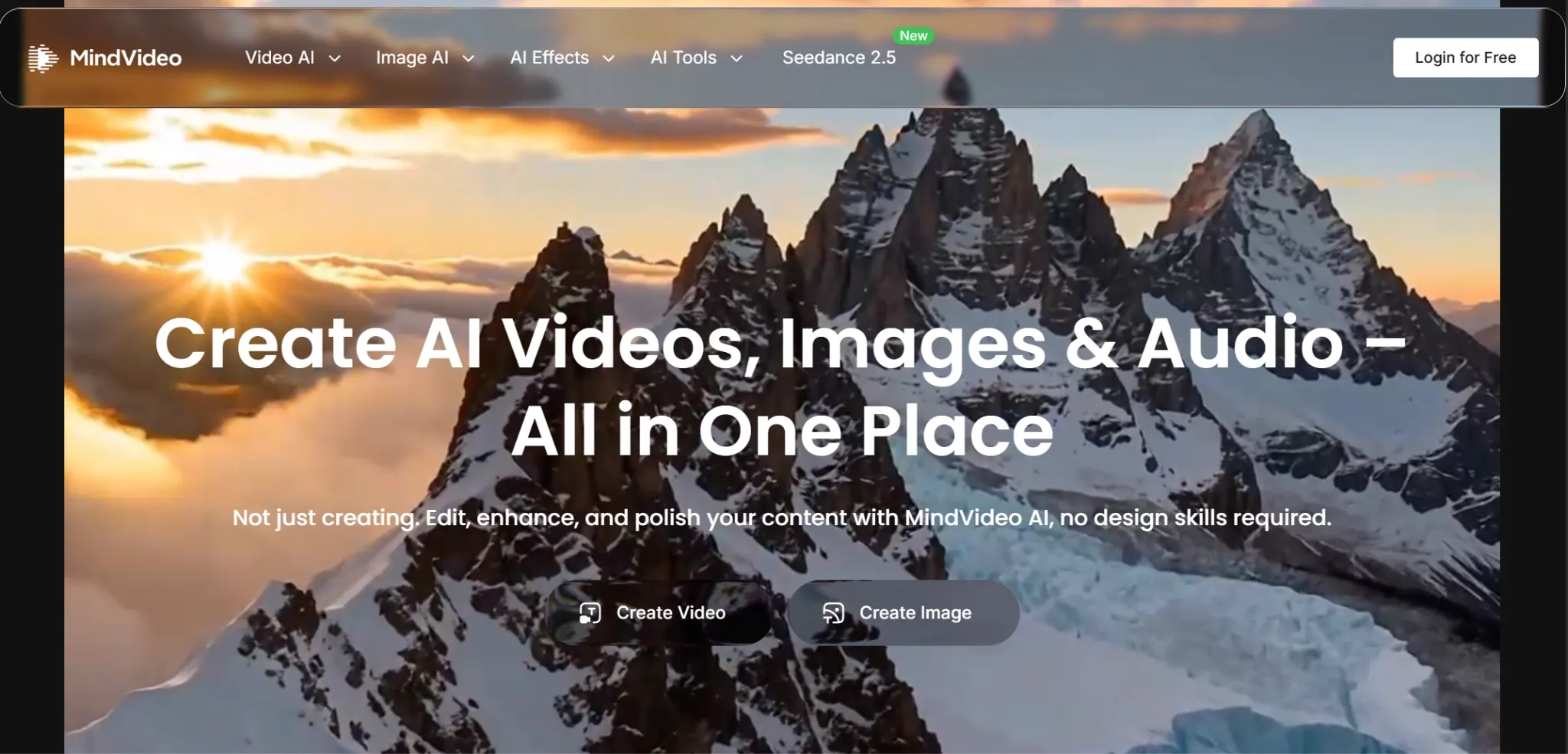
MindVideo is a web-based AI creative platform built around turning prompts, uploaded images, and existing media into short video assets. Its main appeal is convenience: users can start with a rough idea, generate a clip, then refine parts of the result inside the same workspace.
For video creation, MindVideo supports the typical steps many creators need, from generating motion and animating a picture to improving video quality, adjusting style, adding voice or sound effects, and preparing the final file for download.
That makes it useful for quick social clips and early campaign drafts. However, the platform still relies heavily on the user’s prompt quality, source materials, and editing judgment. In my view, MindVideo is strongest for creating a new video draft, but less convincing as a complete production workflow.
What Are MindVideo’s Key Features?
Prompt-Based Video Creation
MindVideo’s core video workflow starts with a written idea. Users describe the scene they want, adjust basic settings, and generate a short clip from that prompt.
I found this useful for testing visual directions quickly. It works best for early concepts, social media drafts, mood references, and simple ad ideas, rather than fully polished campaign videos.
Image-Based Video Generation
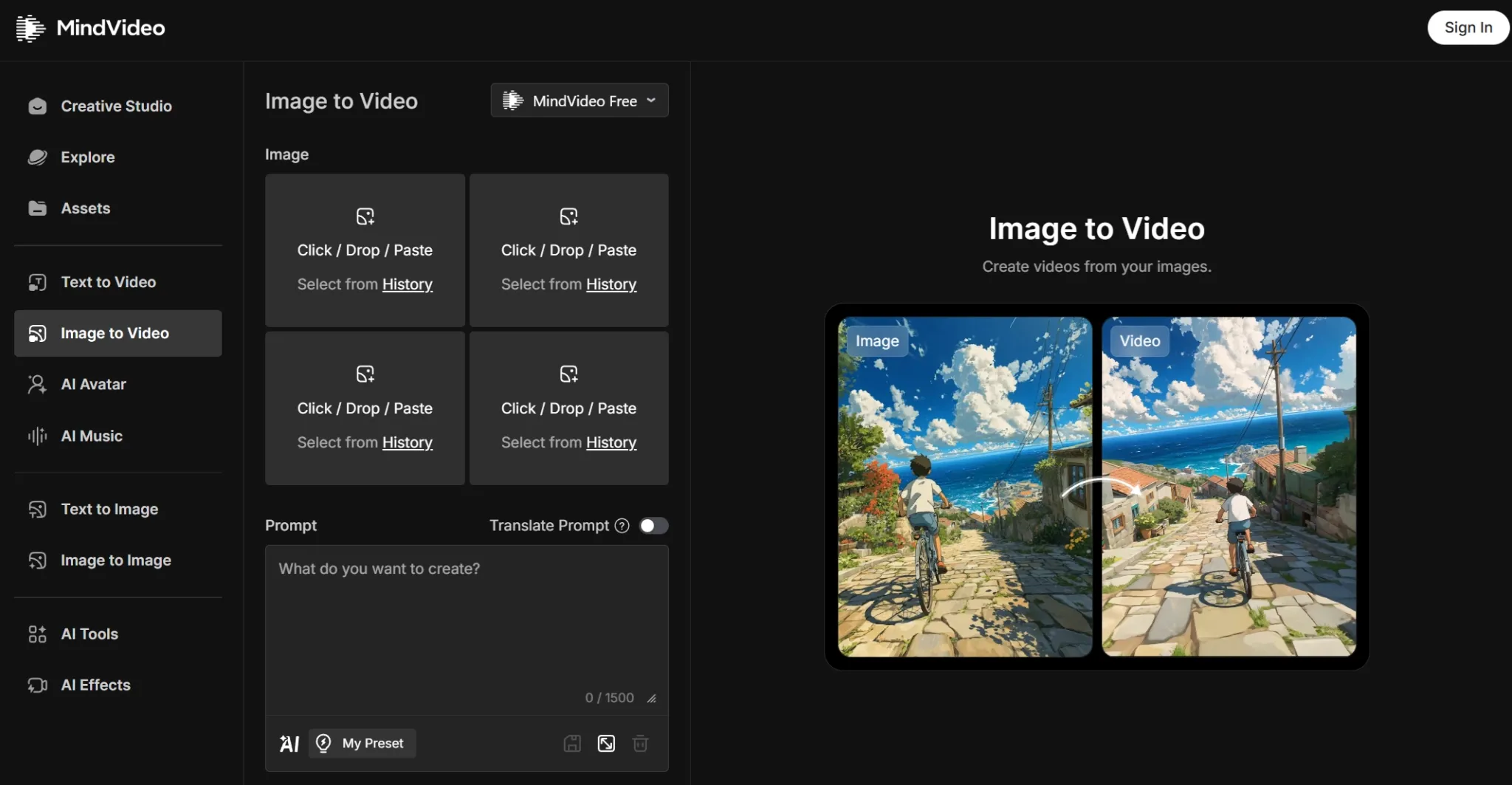
MindVideo’s image to video tool turns uploaded photos into moving clips. This is one of its more practical video features because many users already have product images, portraits, or concept art they want to animate.
In practice, I found this more predictable than pure prompt generation. It is useful for creating motion from existing assets, though the final result still needs review before business or campaign use.
Post-Generation Refinement
MindVideo includes tools for improving or adjusting generated clips after the first output. I could use it to refine quality, extend footage, change style, add motion, or make basic edits within the same platform.
This is practical, because AI video often needs a second pass. However, these tools still require manual judgment. The platform helps with refinement, but it does not remove the need to check pacing, consistency, and final usability.
Video Models And Effects
MindVideo lists several video model options and effects, including pages for models such as Sora 2, Veo 3.1, Kling 3.0, and more.
That flexibility is a strength, but it also adds to decision-making. I still had to choose the right approach for each task, so it felt more like a creative workspace than a guided production system.
AI Audio And Music
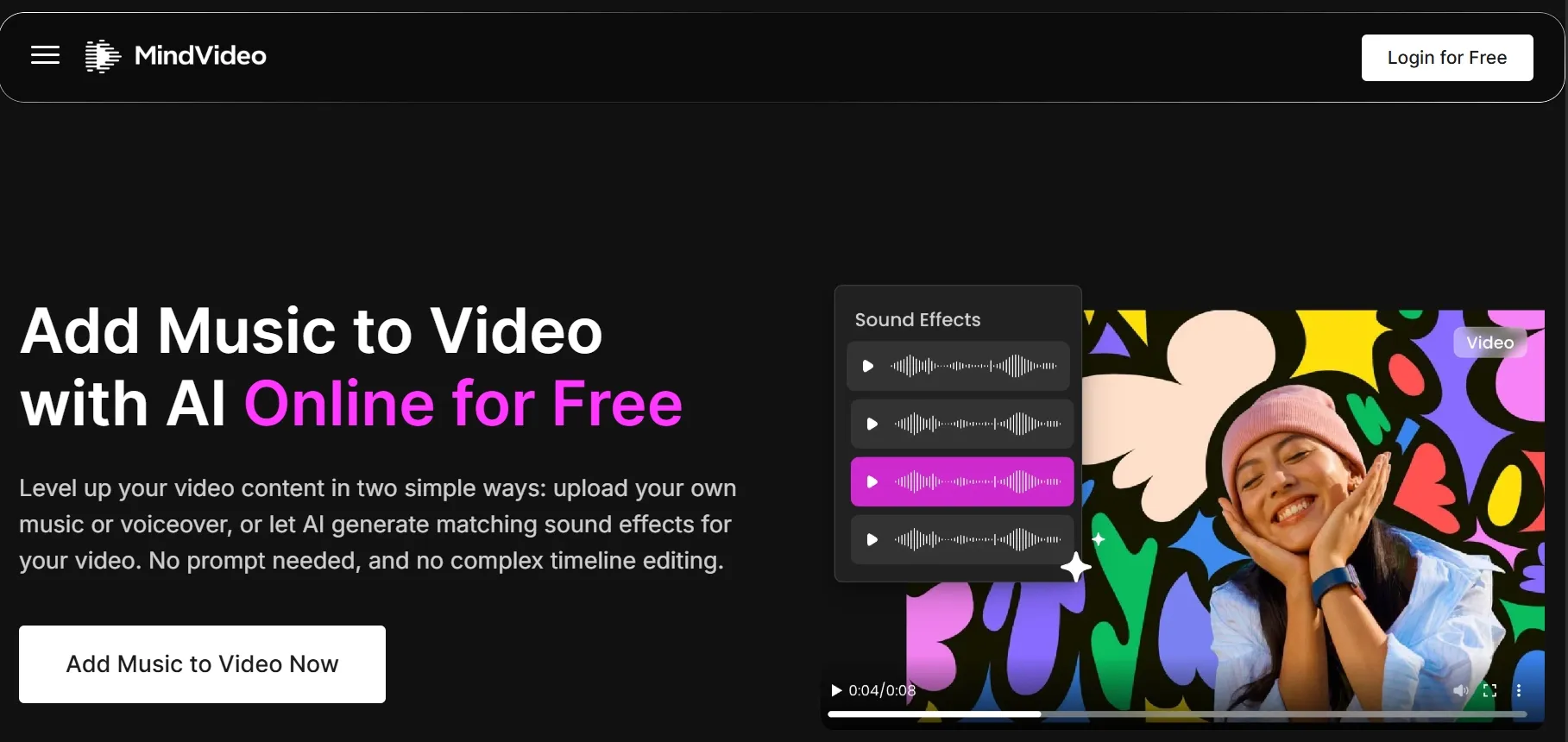
MindVideo includes audio-related features for adding voice, music, or sound effects to video projects. I see this as a useful addition because most generated clips feel incomplete without sound.
At the same time, audio is not a full substitute for video structure. I would still need to manage scene flow, captions, timing, and final editing if I wanted a polished, ready-to-publish result.
What Are MindVideo’s Pros And Cons?
Pros:
- Simple entry point for beginners
- Supports both text to video and image to video
- Includes useful video tools like enhancer, extender, editor, lip sync, and mimic motion
- Offers AI image, music, and audio tools in the same platform
- Good for fast experimentation and creative ideation
Cons:
- Video outputs can still feel like raw clips, not finished content
- Workflow planning is mostly left to the user
- Resolution claims are not fully consistent across pages
- Commercial rights are limited to paid users
- Marketing and product video workflows feel less specialized than Pollo AI
How I Tested MindVideo
To give MindVideo a fair shot, I ran a hands‑on test across eight real‑world use cases—from concept sketches to product clips. Here are the specific areas I put to the test:
- Text prompt to short video concept
- Image to video animation workflow
- Product-style video usefulness
- Social media clip readiness
- Video enhancement and extension support
- Audio and music workflow fit
- Model and tool discoverability
- Commercial-use and pricing signals
These tests showed me where MindVideo works for fast experiments, but also where it struggles with final polish. The results made it clear when I need a more structured platform for serious campaigns.
Where MindVideo Falls Short
It Still Feels More Like Clip Generation Than Video Production
MindVideo can generate video assets quickly, but I would not assume every result is ready to publish. I still had to think about pacing, scene logic, visual consistency, audio fit, and whether the clip actually served the intended use case.
That is acceptable for testing ideas. It becomes more limiting when the goal is a finished ad, product video, or social campaign that needs to look polished from the start.
The Workflow Still Depends Heavily On User Direction
I liked that MindVideo gives me several ways to create and refine videos, but the platform does not always guide me through a complete production process. I still had to decide what to generate first, what to fix next, and when the result was usable.
For experienced creators, that flexibility can be useful. For marketers or sellers who want a more direct path from idea to final asset, the workflow may feel too open-ended.
Its Output Quality Feels Inconsistent
MindVideo’s video quality is not always consistent across different tools and workflows. Some results can look clean enough for drafts or social experiments, but others still feel unfinished, especially when I need sharper details, smoother motion, or a more polished commercial look.
That makes it hard to rely on MindVideo for serious projects. If I am creating content for a brand, client, or paid campaign, I do not want to keep guessing whether the next output will be good enough to use.
Product And Ad Videos Need More Final Polish
MindVideo can help with product demos, ad concepts, and social content, but I found these outputs still need my review and manual editing before campaign use. A generated clip may look interesting, but it still has to communicate the product clearly and fit the brand.
For casual creators, that may be acceptable. For brands and sellers, that extra production work is a dealbreaker. Pollo AI's Commerce Studio solves this by delivering commercial-ready product images – so brands can skip the manual polish and go straight to campaign launch.
Turn Ideas to Polished Images Instantly
Join 10M+ creators using Pollo AI to generate commercial-ready images — ready in seconds, 2 free images daily.
Try Pollo AI Product Shots Free
How Does MindVideo Perform Across Real Use Cases?
| Use case | MindVideo performance | My concern |
| Quick social clips | Good for fast ideas and trendy effects | May need trimming, captions, and final polish |
| Product teaser videos | Useful for animating product images | Not always a full commerce workflow |
| Text to video | Easy enough for beginners | Prompt quality matters a lot |
| Character or story scenes | Good for experimenting with models | Continuity and structure need checking |
| Marketing ads | Can create ad-style clips | Not as specialized for campaign-ready output |
| Storyboarding | Helpful for visual exploration | Better as draft material than final production |
| Video enhancement | Useful support tool | Enhancement does not fix weak video direction |
The pattern is clear: MindVideo is helpful when I need fast AI video material. But when I need a finished, purposeful video, I would rather use a platform built around complete video workflows.
For me, that choice is Pollo AI.
Why Is Pollo AI A Better MindVideo Alternative?
Pollo AI Focuses On Finished Videos, Not Just Generated Clips
MindVideo is useful for creating video assets. Pollo AI goes further by focusing on production-ready and publish-ready video workflows.
With Pollo Agent, users can move from an idea, image, text, or URL toward a structured video without manually stitching every part together. That matters when the goal is not just “make a clip,” but “ship a video.”
Pollo AI Is Stronger For Marketing Video Workflows
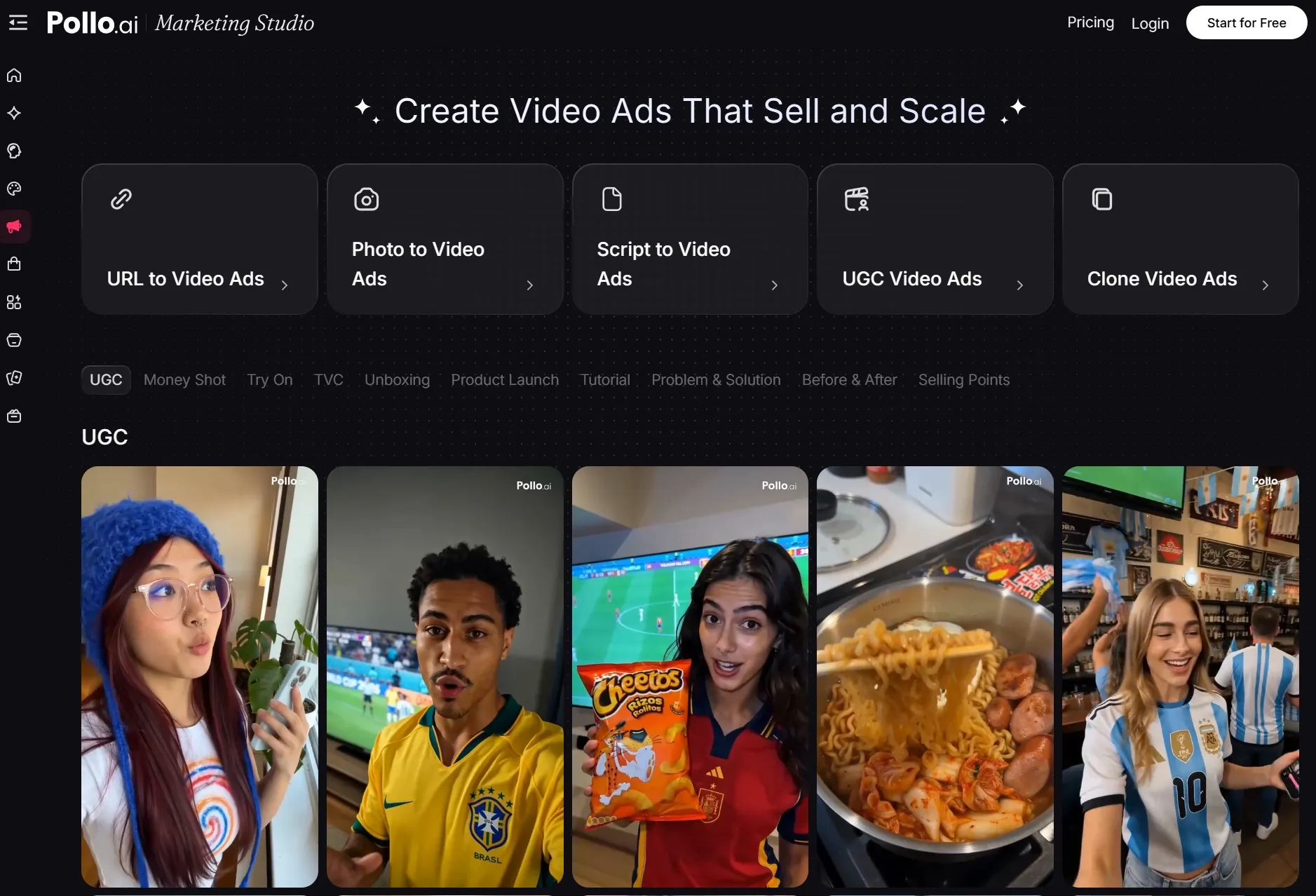
MindVideo mentions ads and product demos, but Pollo AI has more specialized workflows for marketers. Pollo AI’s Marketing Studio is built for ready-to-use ads, including UGC ads, photo to video ads, clone viral ads, etc.
That makes Pollo AI more practical for campaigns. Instead of starting with a blank generator, marketers can start with the type of video they actually need.
Pollo AI Handles Product Visuals Better
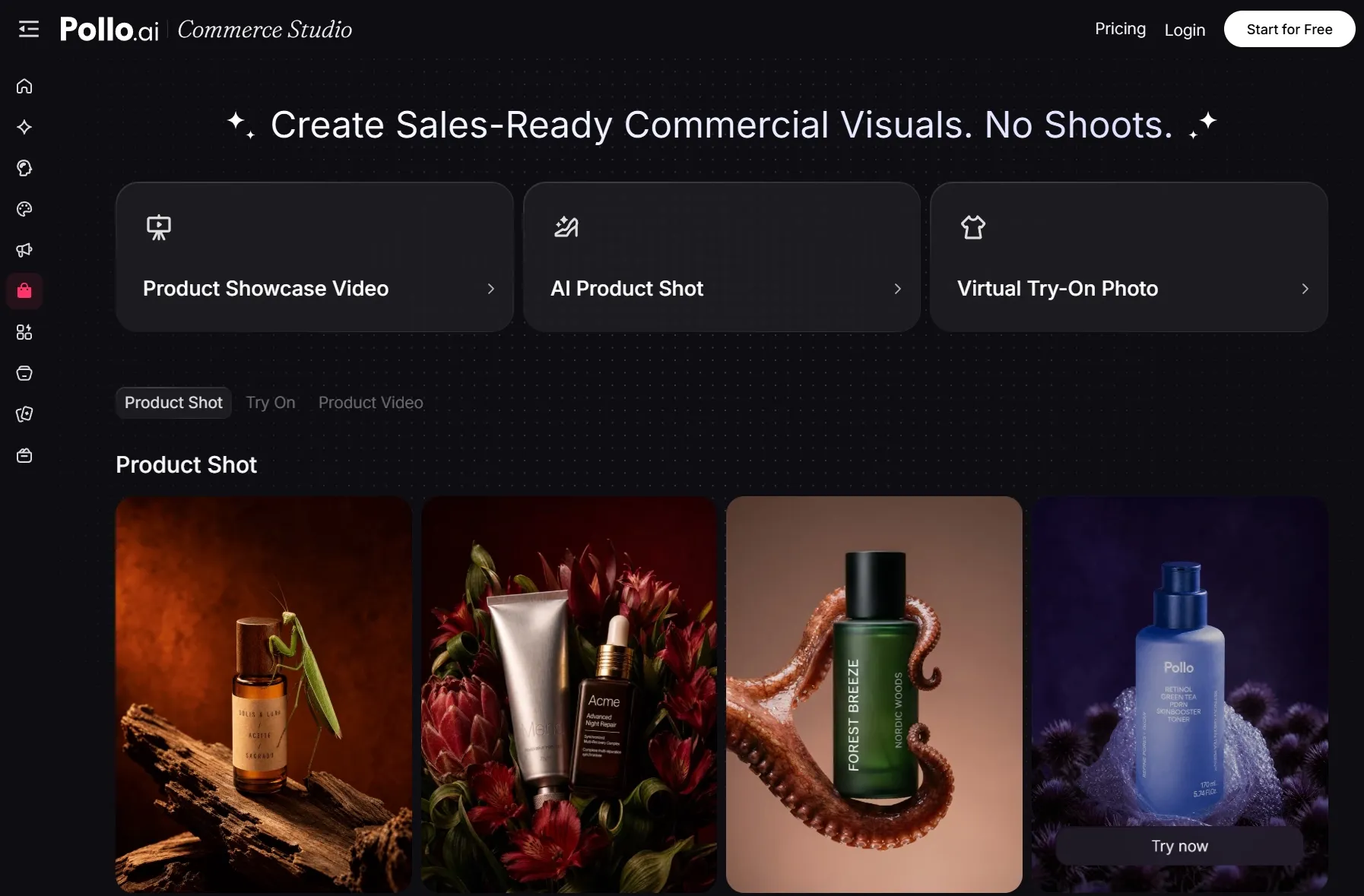
For sellers and brands, video generation is not only about motion. Product accuracy, scene quality, visual consistency, and conversion intent all matter.
Pollo AI’s Commerce Studio is better aligned with product showcase videos, commercial-grade product visuals, virtual try on, and e-commerce creative workflows.
Pollo AI Offers A Broader End-To-End Creative Suite
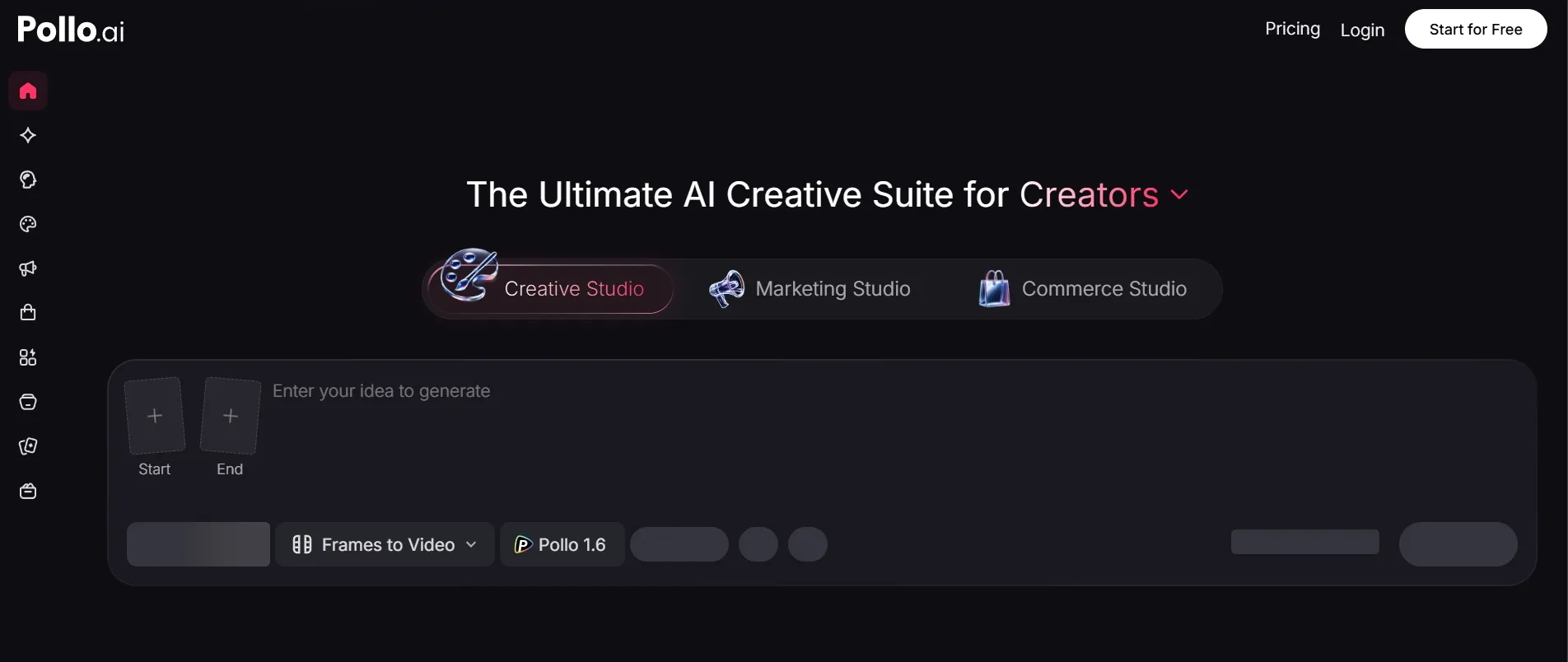
MindVideo has video, image, and audio tools. Pollo AI also brings those together, but with a clearer creative structure: Marketing Studio, Commerce Studio, and Creative Studio.
This framework lets users skip the tool‑centric thinking and jump straight to their goals—whether that’s ads, product visuals, creator videos, avatars, image assets, or social content.
Beyond these three studios, Pollo AI also provides the Pollo API – a developer‑friendly gateway to integrate leading AI video and image generation models into your own workflows. It’s more cost‑effective than Fal.ai, flexible for teams of any size.
So whether you’re a marketer using the studios or a developer building with the API, Pollo AI delivers a truly end‑to‑end solution that adapts to how you work.
| Category | MindVideo | Pollo AI |
| Text to video | Yes | Yes |
| Image to video | Yes | Yes |
| Multi-model creation | Yes | Yes, with broader workflow positioning |
| Marketing workflows | Basic ad use cases | Dedicated Marketing Studio (URL to video ads, photo to video ads, UGC video ads, etc.) |
| Product workflows | Product videos and image animation | Dedicated Commerce Studio (AI product shots, product showcases videos, AI virtual try on, etc.) |
| Finished video workflow | More manual | Stronger with Pollo Agent |
| API & Developer Access | Not available | Full Pollo API – integrate leading models at a lower cost, flexible for every team |
| Best fit | Quick experiments | Publish-ready creative production |
My Personal Take On MindVideo
I liked MindVideo most when I treated it as a creative sandbox. It is easy to understand, the video tool list is broad, and the text to video and image to video features make sense for quick content tests.
But I would not make it my first choice for serious video production. The platform can help me make clips, but I still need to bring the strategy, structure, editing decisions, and publishing logic myself.
That is why I move serious projects into Pollo AI when I need stronger generation, editing, production, and final delivery in one place—its three studios and API provide the structured workflow and custom flexibility that MindVideo lacks.
Final Verdict
MindVideo is worth trying if you want a beginner-friendly AI video generator with text to video, image to video, effects, enhancement, and audio tools in one place.
But if you want stronger video generation for real marketing, product, and social workflows, I would choose Pollo AI. It is better built for complete creative production, not just isolated AI outputs.
Start with Pollo AI today if you want AI videos that move closer to publish-ready results with less manual editing work.