



PixelDojo Review: I Tested Its AI Image Workflow
PixelDojo caught my attention because it promises something many image creators actually want: access to leading AI image models without moving between separate tools.
I tested it as a creator-facing image workflow, moving from a plain-language prompt and reference images to recurring character scenes and final refinements.
The short version: PixelDojo is strongest when model choice and character reuse matter, but it can feel heavier than necessary when the job is simply to finish one specific visual.
PixelDojo Review: TL;DR
| Area | My Take |
|---|---|
| Category | Multi-model AI image workspace |
| Core input | Text prompts and reference images |
| Standout workflow | Character Studio for reusable identities, scenes, and turnaround sheets |
| Best for | Model exploration, recurring characters, and visual concept work |
| Better alternative | Pollo AI for direct image creation, correction, and purpose-built visual outputs |
What Is PixelDojo?
PixelDojo is an AI image creation workspace that brings multiple generators, reference-based tools, Character Studio, editing, and upscaling into one account. It is best understood as a broad creator workspace rather than a single prompt box with one visual style.
For a first-time user, the workflow is straightforward: choose an AI image generator, describe the image, add references when the model supports them, generate, refine, and download. The current image page highlights GPT Image 2, Nano Banana 2, and Flux 2 as examples of models suited to different visual tasks.
The more distinctive layer is Character Studio. Instead of treating every result as an isolated download, PixelDojo can keep a named character, reference angles, cast, locations, products, outfits, objects, styles, shots, and turnaround sheets connected in one workspace.
How I Evaluated PixelDojo
I evaluated PixelDojo as an end-to-end image workflow for a normal creator. I followed the path from choosing a model and writing a prompt to using reference images, refining an output, and exporting a usable image.
I also looked at whether its image to image workflow and Character Studio reduce repeated setup when the same subject needs to return across portraits, scenes, outfits, and visual styles. The criteria were control, consistency, ease of iteration, and how close the result came to a finished asset.
Key Feature Review
Multi-model image generation
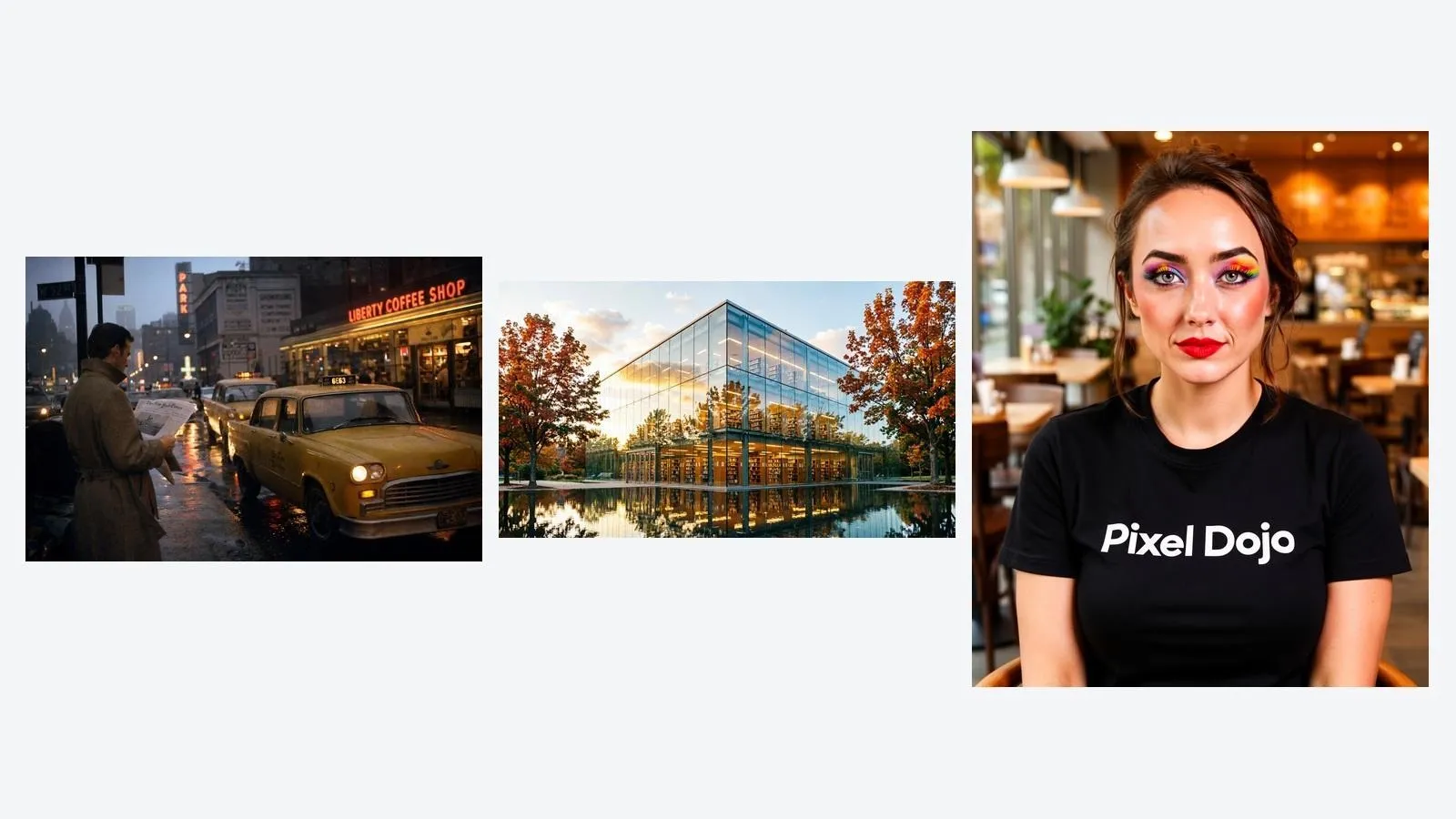
PixelDojo's image generator currently brings together more than 28 image models. The public workflow starts with model selection, then a plain-language prompt, generation and refinement, and a high-resolution download; GPT Image 2, Nano Banana 2, and Flux 2 illustrate the range without requiring separate accounts.
I found the breadth useful when the visual direction was still open, because switching models can change realism, typography, composition, or illustration style more quickly than repeatedly rewriting one prompt. It is less efficient when a beginner has a fixed brief but no basis for deciding which model should handle it.
Reference-led image creation
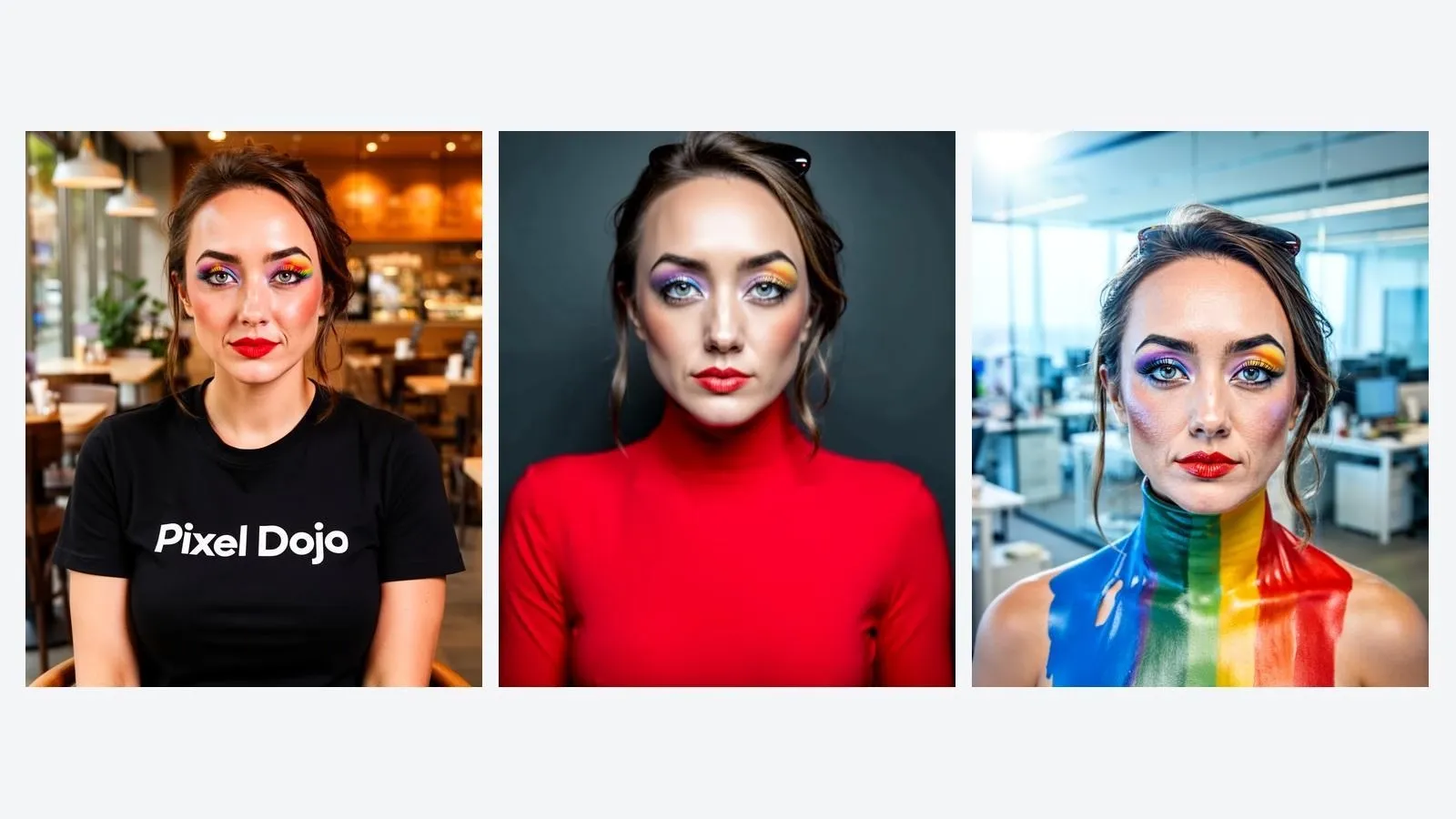
Reference support turns PixelDojo from a prompt-only generator into a more directed image workspace. Its current Flux 2 material describes editing with up to 10 references for characters, products, and styles, alongside local editing for more focused changes.
That makes reference images useful for carrying a face, object, palette, lighting idea, or composition into a new result. The limitation is precision: a reference guides the output, but small logos, packaging text, hands, reflections, and exact product geometry can still change and need close review.
Character Studio
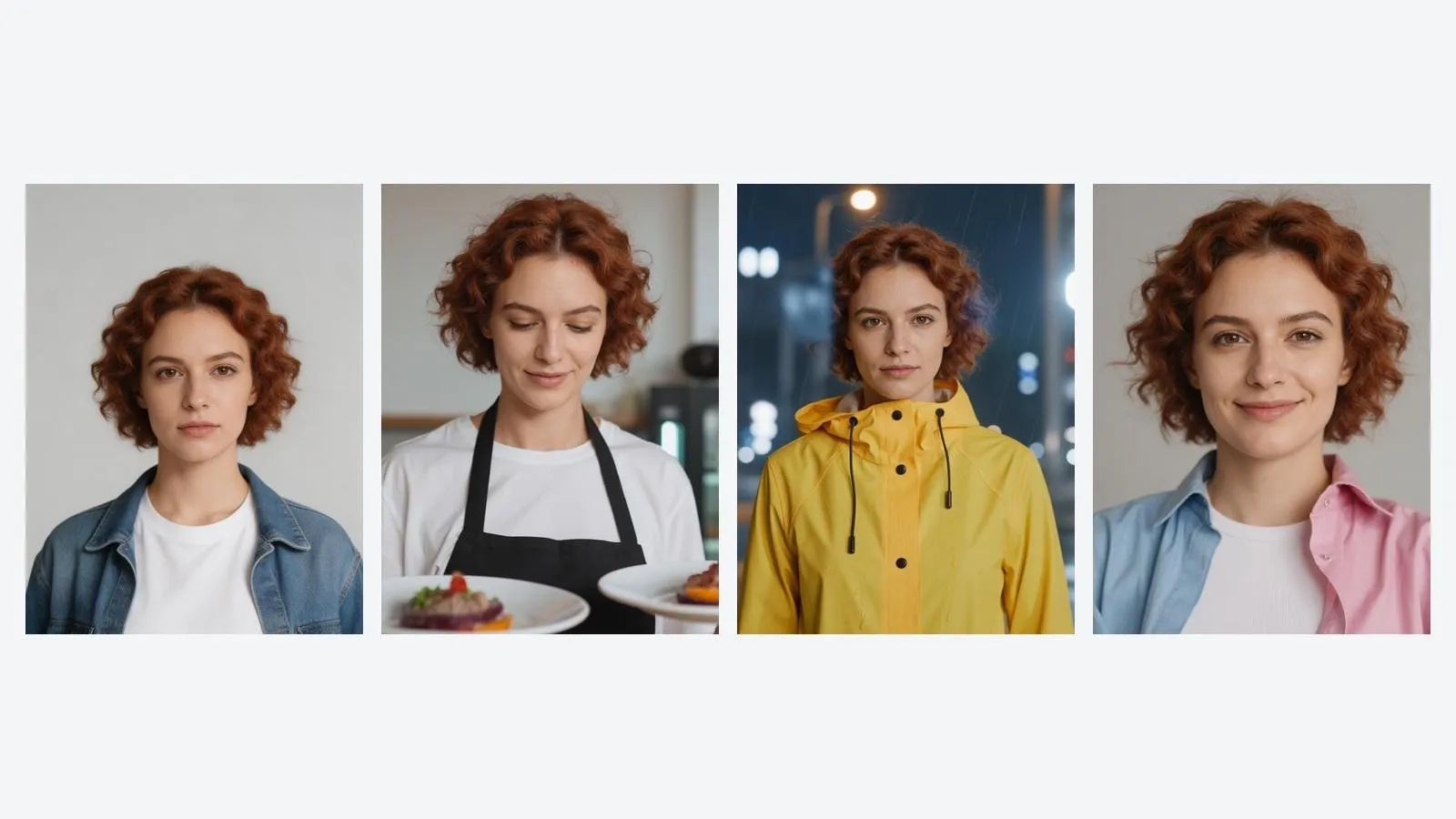
Character Studio gives recurring character images a concrete home. A creator can save a named identity, add reference angles, attach cast and reusable scene elements, generate shots or turnaround sheets, and pin a strong result as a reference for the next scene.
What I liked here is that training is optional rather than the entry ticket. References can start the character immediately; once the identity is worth keeping, selected shots can become a training set. Weak or repetitive source images can still narrow the character's range or allow identity drift in difficult poses and styles.
Editing and upscaling
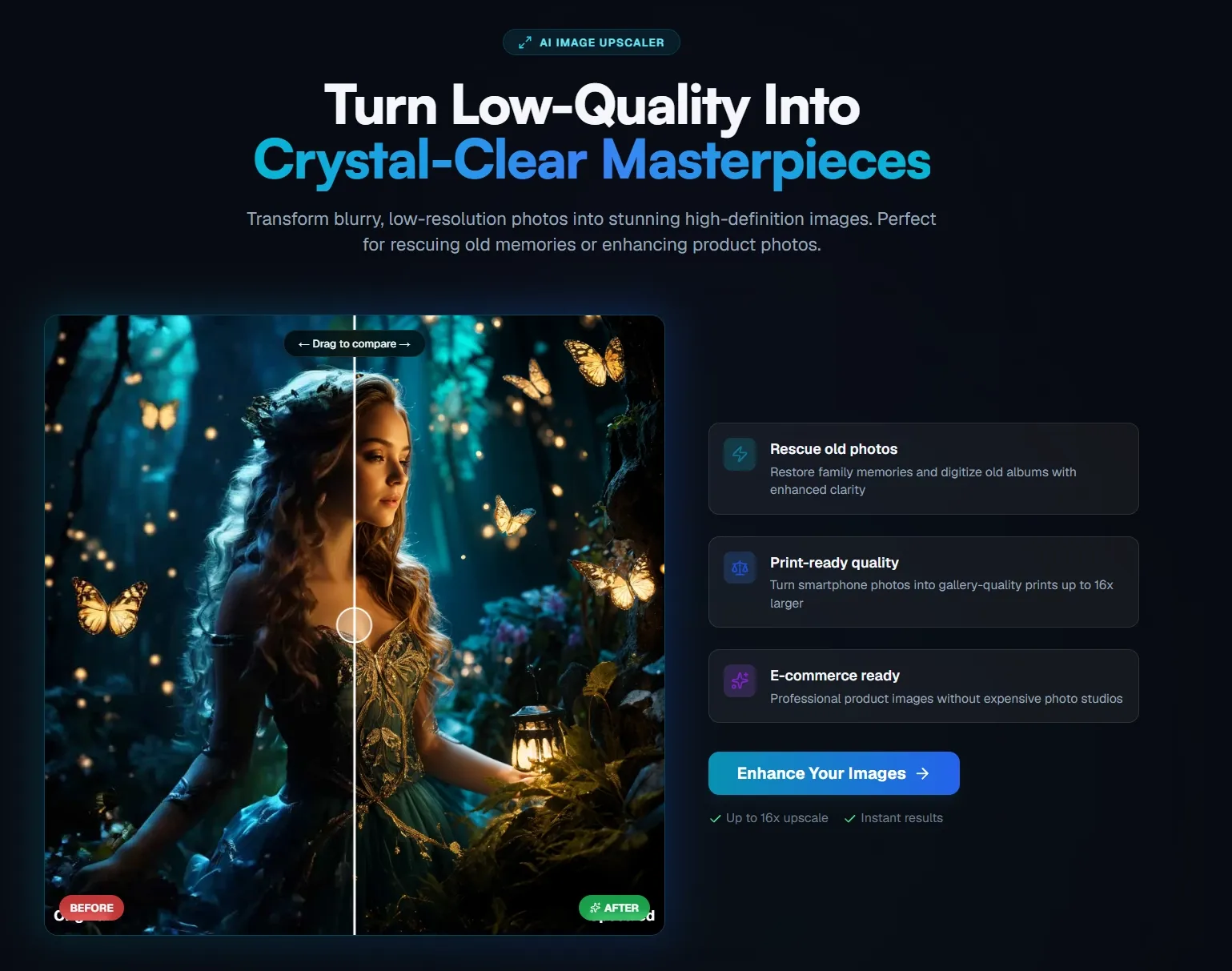
After the first generation, PixelDojo lets creators adjust the prompt, try another model, edit the image, remove a background, or use creative image upscaling. This finishing layer matters because changing one element should not always require restarting the entire idea.
The tools are practical for improving a strong draft, especially when the main issue is framing, background separation, or output size. They are not a substitute for precise retouching when hair edges, transparent materials, embedded text, or branded product details must remain exact.
PixelDojo Use Cases: Who Should Use It?
PixelDojo makes the most sense when model choice, references, or a recurring visual identity are part of the creative work.
- Digital art and illustration: for creators comparing photoreal, editorial, fantasy, and stylized image directions before committing to one look.
- Recurring character projects: for storytellers, game creators, and character-led accounts that need one recognizable identity across scenes, outfits, roles, and turnaround sheets.
- Marketing and product concepts: for small teams producing campaign ideas, product images, social graphics, or packaging directions that will still receive a final brand review.
- Freelance and agency exploration: for creatives who need several client-facing visual directions quickly, then want to refine the strongest option rather than brief each model separately.
What I Liked
The most useful design choice is that a good result does not have to become a dead-end download. Prompts can be revised, models can be changed, and Character Studio can promote a finished shot into a reference that improves the next scene.
I also liked that PixelDojo does not force every user into training. A creator can begin with ordinary references and only build a trained identity after the character proves worth the extra setup.
Where PixelDojo Falls Short
PixelDojo's breadth is valuable when exploration is the point. It becomes friction when the output is already obvious and the creator must still decide among models, reference limits, image tools, and character options before making a simple asset.
- Model choice can slow the start: the platform explains what each model can do, but the user still has to decide which tradeoff matters for the brief.
- Reference control is not exact reconstruction: faces, text, product proportions, and small branded details may still drift between generations.
- Finishing can require closer editing: an almost-right image may still need object removal, edge cleanup, layout work, or a more focused AI photo editing pass before publication.
Pros and Cons
Pros:
- Broad image-model choice in one account
- Reference-led generation and editing
- Character Studio keeps recurring assets connected
- Editing, background, and upscaling tools
Cons:
- Model choice can overwhelm casual users
- References do not guarantee exact identity or product details
- Stable characters still depend on strong references
- Precise finishing may require a more focused editing pass
Beyond PixelDojo
PixelDojo already gives creators plenty of models and a thoughtful character workspace, so the reason to consider an alternative is not a shortage of tools. The need changes when someone cares less about choosing a model or maintaining a character system and more about finishing a defined image: a profile visual, product shot, campaign poster, or cleaned-up photo.
That is where Pollo AI becomes relevant. Pollo AI is an all-in-one creative suite, and the useful difference in this image-only comparison is its task-led entry points: Creative Studio keeps image creation at the center, while dedicated tools let a creator begin from the result they need rather than the model architecture behind it.
- From an existing image to a new direction: Pollo AI's image to image workflow starts from a source visual and lets the creator reshape the style or scene without first building a character system.
- From an almost-right result to a cleaner asset: Pollo AI offers an AI photo editor and AI background changer as direct routes for correction when regeneration would discard too much useful work.
- From a broad idea to a defined commercial image: Pollo AI's AI product poster maker is more direct when product, offer, layout, and campaign use matter together.
Create Finished Assets with Pollo AI
Generate, edit, and adapt images around the job you need to finish.
Try Pollo AI for Image Creation
Final Verdict
What changed my view of PixelDojo was Character Studio. The platform is more creator-friendly than its long tools list initially suggests, because references, scene elements, shots, sheets, and useful outputs can stay attached to one character instead of being rebuilt each time.
Use PixelDojo when you enjoy comparing image models or need a recurring character workflow with reusable references and scene elements. Choose Pollo AI when the image has a defined job and you want a more direct path from prompt or source image to a generated, corrected, and presentation-ready asset.