Raphael AI is a free, browser-based generator offering prompt-to-image creation, templates, background edits, and uncrop tools for quick visual exploration. For broader model choices and a cleaner path to polished marketing visuals, Pollo AI is the ideal alternative. Try Pollo AI for free now!
Text to Image
Image to Image
Pollo Recast
Recreate viral videos. Remix new versions.
Pollo Recast Challenge
One upload in. Your viral video out. Unlimited rewards await.
Pollo Agent x DeepSeek V4.1 FLASH
Faster completion at a much lower cost.
Pollo Agent x Gemini 4 Argon
Smarter reasoning. All through Pollo Agent.
WIN iPHONE DUO
Capture a city in one minute. Join the challenge now.
Pollo MCP
End-to-end content creation. Up to 4 Videos/ 20 Images for FREE.
Key Features of Raphael AI Image Generator
Text-to-Image Generation: Raphael AI supports prompt-based image creation for fast concept visuals.
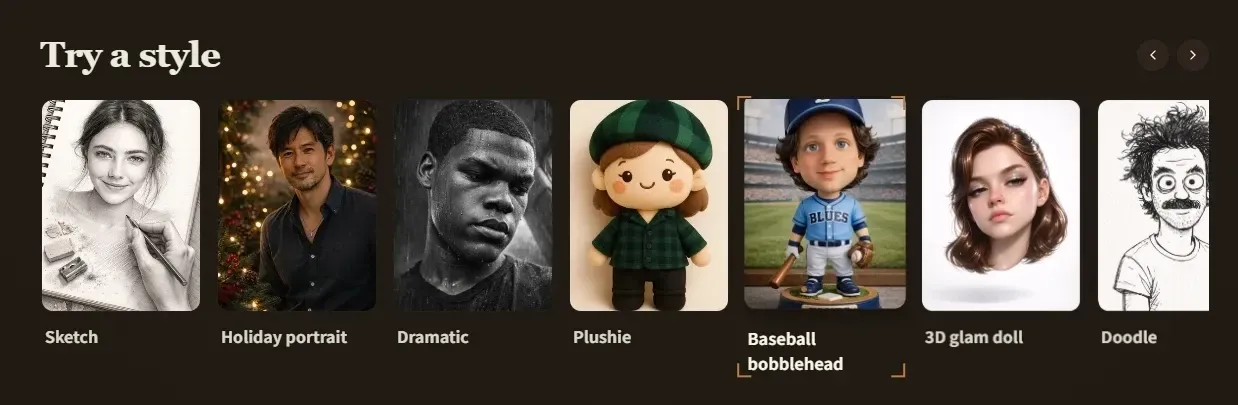
Style and Mood Customization: Raphael AI includes style, tone, and color controls for adjusting generated images.
Multiple Image Variations: Raphael AI lets users compare alternate outputs from the same prompt or base idea.
Pre-Built Creative Templates: Raphael AI offers ready-made templates for posters, ads, and social media visuals.
Background Editing and Replacement: Raphael AI includes background removal and replacement for cleaner product or campaign images.
Image Uncrop and Extension: Raphael AI supports uncrop and image expansion for adapting visuals to new layouts.
High-Resolution Image Export: Raphael AI supports higher-resolution outputs for digital and print-oriented use cases.
Text-to-Image Generation
Raphael AI supports prompt-based AI image generation for users who want quick concept visuals without a complex setup. This is useful for early-stage social posts, ad ideas, educational visuals, and simple editorial illustrations.
Because the tool emphasizes fast access, users should still review image realism, resolution, and consistency before using outputs in commercial or client-facing work.
Style and Mood Customization
Raphael AI includes style and mood controls for changing color direction, tone, and visual atmosphere. This helps users test styled campaign images for fashion, ecommerce, social media, or editorial projects.
This feature is best framed as creative direction support, not a full brand-design system with locked style rules.
Multiple Image Variations
Raphael AI lets users generate several image options from the same prompt or base idea. This supports quick visual comparison when a team needs to test mood, layout, subject framing, or audience response.
These variations are helpful for exploration, but final selection still depends on manual review for quality, accuracy, and brand fit.
Pre-Built Creative Templates
Raphael AI includes templates for posters, advertisements, and social media content. These templates can speed up simple creative drafts when small teams need visual starting points rather than a blank prompt.
Template-led workflows are most useful for quick layout direction, seasonal promotions, event posts, and lightweight campaign visuals.
Background Editing and Replacement
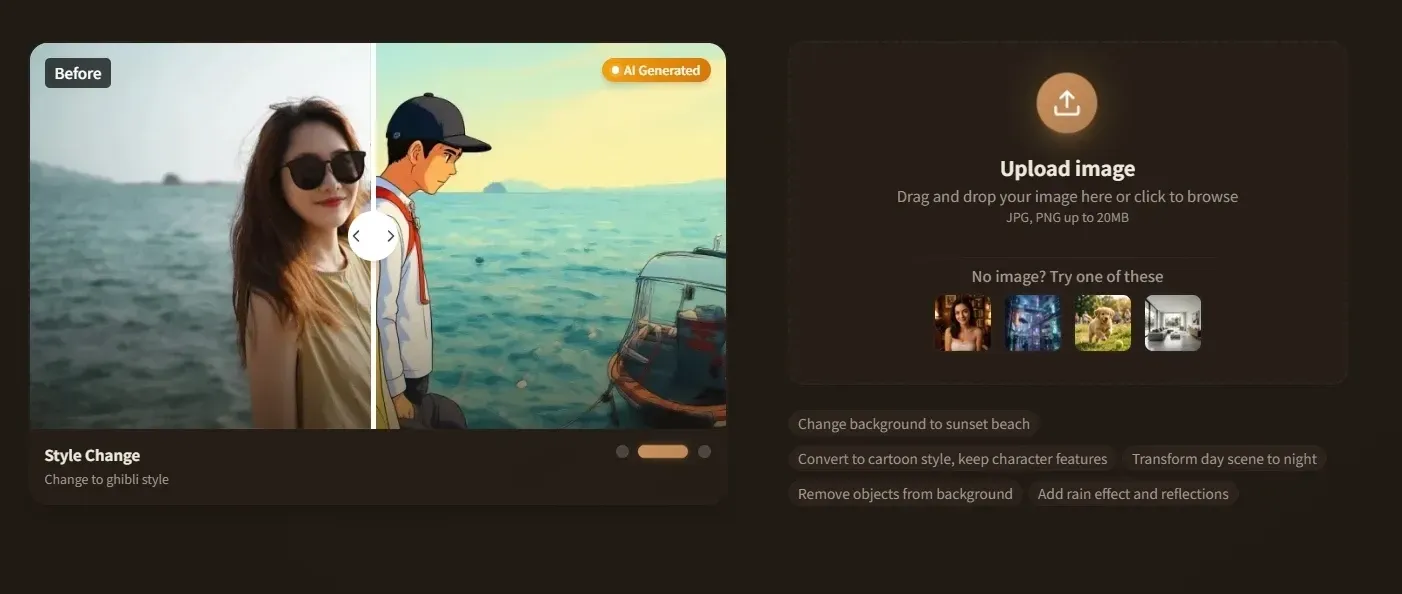
Raphael AI includes background removal and replacement for product images, profile visuals, social posts, and campaign materials. Similar workflows can also use an AI background generator or AI background changer when a visual needs a more tailored scene.
This feature is most relevant when the subject already works but the surrounding scene needs to fit a channel, season, or product context.
Image Uncrop and Extension
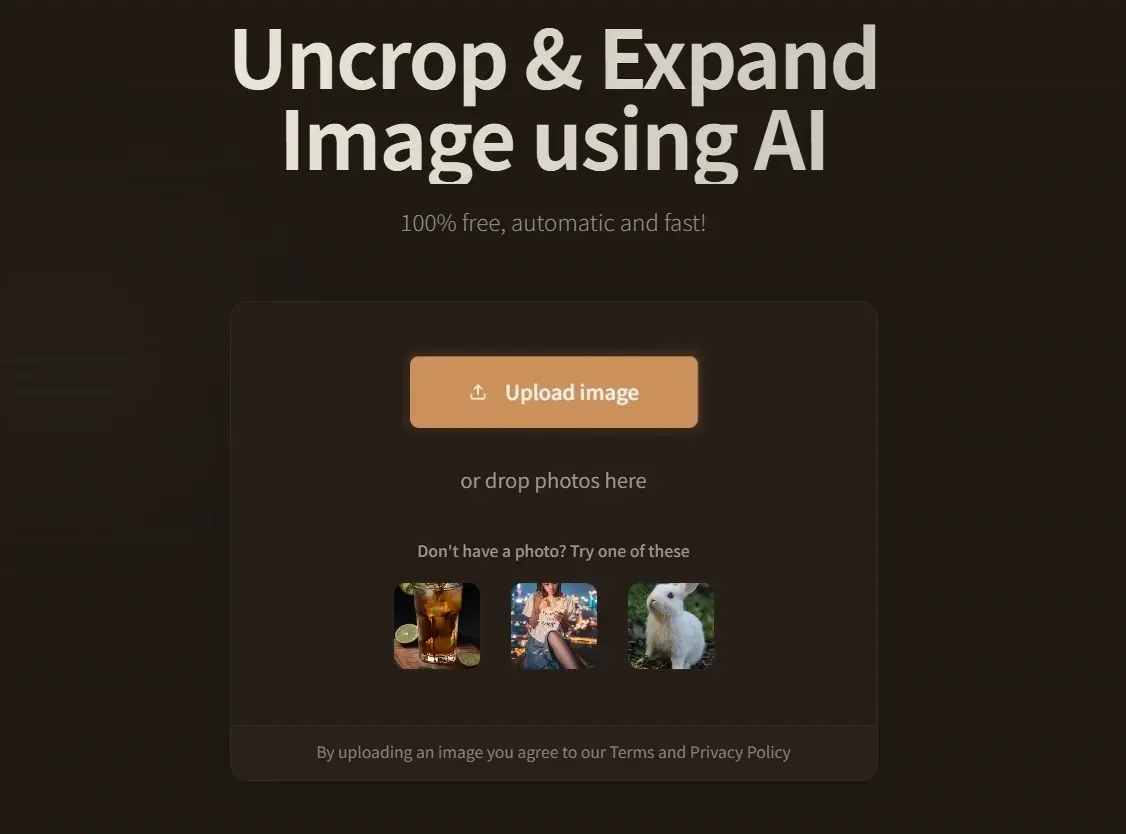
Raphael AI supports image uncrop and extension for expanding existing visuals beyond their original boundaries. This can help adapt product shots, social posts, and ad banners to different aspect ratios.
The workflow is useful for layout adaptation, but expanded areas should still be checked for unnatural details or mismatched backgrounds.
High-Resolution Image Export
Raphael AI supports higher-resolution image exports for digital and print-oriented visuals. This helps users prepare posters, brochures, website banners, and client presentation materials.
High-resolution export improves delivery quality, but users should still check whether the generated image itself has enough detail for the intended use.
Use Cases of Raphael AI Image Generator
For ecommerce sellers: Create product visuals, background variations, and marketplace-ready image layouts.
For social media creators: Test styled post images, campaign graphics, and alternate visuals from one prompt.
For educators and hobbyists: Generate simple illustrations, concept visuals, and creative materials without a complex tool setup.
For small marketing teams: Draft ads, posters, banners, and seasonal visuals using templates and quick editing tools.
Raphael AI Market Position
Raphael AI sits in the fast-access side of AI image generation. Its position is shaped by free browser-based generation, no-registration messaging, multi-model image access, prompt-to-image output, simple style controls, templates, background tools, and uncrop expansion.
That makes Raphael AI more like a low-friction image playground than a heavy production suite. A teacher can make simple learning visuals, a small seller can try product-image backgrounds, and a creator can test post ideas without setting up a full design workflow.
Its distinctive appeal is speed and accessibility: users can explore many image directions quickly, then decide whether a more controlled editing or production workflow is needed.
Raphael AI Pros and Cons
Pros
Cons
Free, browser-based access for quick image experiments
Output consistency can require manual review and repeated prompting
Useful prompt, style, template, background, and uncrop tools
Not as focused on polished production workflows as more advanced platforms
Helpful for small sellers, educators, creators, and lightweight marketing tasks
Reliability, resolution, and editing quality may vary by task
Simple enough for non-designers to test visual ideas
Template and editing results may still need external design cleanup
Background editing, uncrop, relight, and retouch tools
Limited post-generation editing
More direct editing path for cleanup, backgrounds, enhancement, and layout adaptation
Templates / Layouts
Pre-built templates for ads, posters, and social posts
More basic creative setup
Better fit for users turning generated images into product, social, or marketing visuals
Workflow Speed
Fast for free visual exploration
Fast for basic image output
Fast for moving from prompt or image input to polished practical outputs
Best Limitation
May need manual review for quality, consistency, and reliability
Less useful for editing-heavy projects
Less focused on being only a free casual image playground
Raphael AI is strongest for fast free image exploration with templates, background changes, and uncrop tools. Bylo AI is simpler and better suited to basic prompt-based output.
Pollo AI is a better fit when users need more control after the first image, especially for product images, campaign visuals, model comparison, and practical editing before publishing.
Why Is Pollo AI a Strong Raphael AI Alternative?
Step 1
Broader Model Choice
Compare leading image models when a free quick generator feels too limited for final visuals.
Step 2
Production-Ready Editing
Refine backgrounds, layouts, and image details after the first output without restarting.
Step 3
Practical Visual Workflows
Turn rough prompt results into product, social, and marketing images with fewer extra tools.
I’ve been using Pollo AI mainly for short videos and quick image-to-video tests. The interface is straightforward and it works well even with simple prompts, which is a big plus compared to tools that need long, complicated instructions. The results can be really impressive, and it’s honestly been fun to experiment with. I’d love a bit more consistency on faces when there’s movement, but overall it’s been a solid experience for what I needed.
Awesome website. loads of options and a great way to learn how to work with 'AI' my reasoning for 5 stars is based upon price, versatility and ease of use. Also I would like to add, Pollo AI runs a lot of promos on different AI products as well. I rate their customer service at 5 stars, when I purchased my first subscription my computer crashed the following weekend and I lost all my data and info passwords you name it I lost it, contacted pollo by email they responded quickly and found my info/username and account, and I was able to restore my account.
I have been using Pollo AI for short videos. It is easy to use and works well with simple prompts. Other generators seem to need long drawn out complicated explanations to get even close to what I want.
i tried 220 online img to vid in 2 months, and this is the best online video.I will subscribe for a year; there are many reasons. But freedom is the most important.
Explore Other AI Image Generators Besides Raphael AI
Raphael AI is a free AI image generator and image editing platform for prompt-to-image creation, style control, templates, background editing, uncrop, and fast visual exploration.
Is Raphael AI free to use?
Raphael AI promotes free image generation with no registration and no generation count limits, while some editing tools may depend on credits or usage limits.
Does Raphael AI support multiple AI models?
Yes. Raphael AI presents itself as supporting multiple image models, including options such as Nano Banana 2 and Qwen-Image on its page.
Can Raphael AI edit existing images?
Yes. Raphael AI includes image editing features such as background changes, uncrop, relight, retouch, and prompt-based image edits.
Who is Raphael AI best for?
Raphael AI is best for users who want quick, low-cost visual exploration, including educators, creators, small sellers, hobbyists, and small teams testing early image ideas.
What is a good Raphael AI alternative?
Pollo AI is a good alternative for users who want broader model choice, stronger post-generation editing, and more practical outputs for product, social, and marketing visuals.
Create Finished Images with Pollo AI
Generate, compare, edit, and polish images for social posts, product visuals, ads, and marketing campaigns with Pollo AI.









 Liz Cassidy


