



Higgsfield AI Review: I tried Higgsfield AI; it’s good for camera effects but not better than Kling & Runway
Do you rely on AI for content creation? I, for one, have been amazed by the number of AI image generators and video generators popping up everywhere.
But I also realized that very few AI developers have managed to nail both image and video generation with solid performances.
However, I recently discovered Higgsfield AI, which was developed by Snapchat’s AI department and secured $8M in seed funding, and I was eager to see if it might be a promising exception.
Inspiration → Image → Video, everything is completed on a single platform, Higgsfield.
And at first glance, I must say that the generative AI platform has an impressive lineup of image and video tools. To be precise, it recently launched its ‘Soul’ AI image model.
This AI model is unique in that it specializes in creating high-aesthetic imagery with an unmatched level of realism that most other competitors often fall short of.
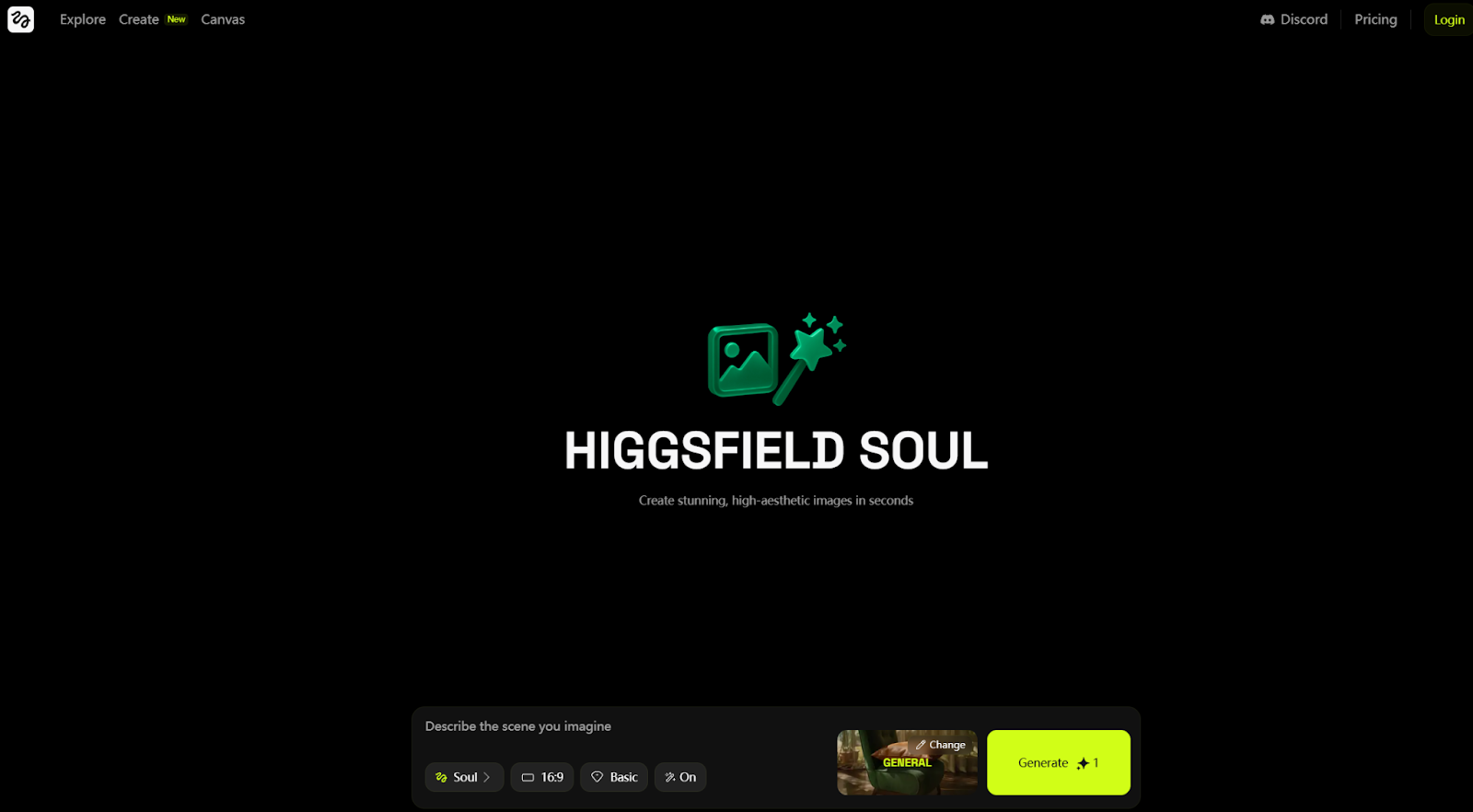
Also, I can combine these generated images with the platform’s image-to-video generator to animate them using unique camera movements, special effects, and even audio sync features.
With all this in one place, I can take any basic image concept or idea and turn it into a stunning video result for a seamless one-stop creation workflow.
So, there’s a lot to unpack here! But if I were to give you a quick rundown of Higgsfield AI, then you can check out this list of pros and cons that I’ve put together below:
Pros:
- Highly realistic image and video renders
- Delivers high-resolution visual outputs
- Numerous camera effects and lens shots
- Multiple image styles to choose from
Cons:
- Prompts may produce mismatched video outputs
- Interface complexity can confuse first-time users
- Limited image and video editing tools
If these drawbacks concern you, I recommend trying Pollo AI as a more flexible alternative. It combines leading image and video models with built-in editing tools, giving you more control throughout creation and refinement.
I’ll return to Pollo AI later in this review. First, let’s explore Higgsfield AI and see what it can do.
What makes Higgsfield AI stand out?
Let me start with its AI image generator: Higgsfield Soul. As I mentioned earlier, this AI model produces high-quality images that replicate real-life photography.
But that’s not all. I also discovered that Higgsfield Soul offers access to over 50 presets that can help me save time describing various image styles and camera settings.
Some of the preset options I can choose from include Y2K, street photography, Asian nostalgia and several others.
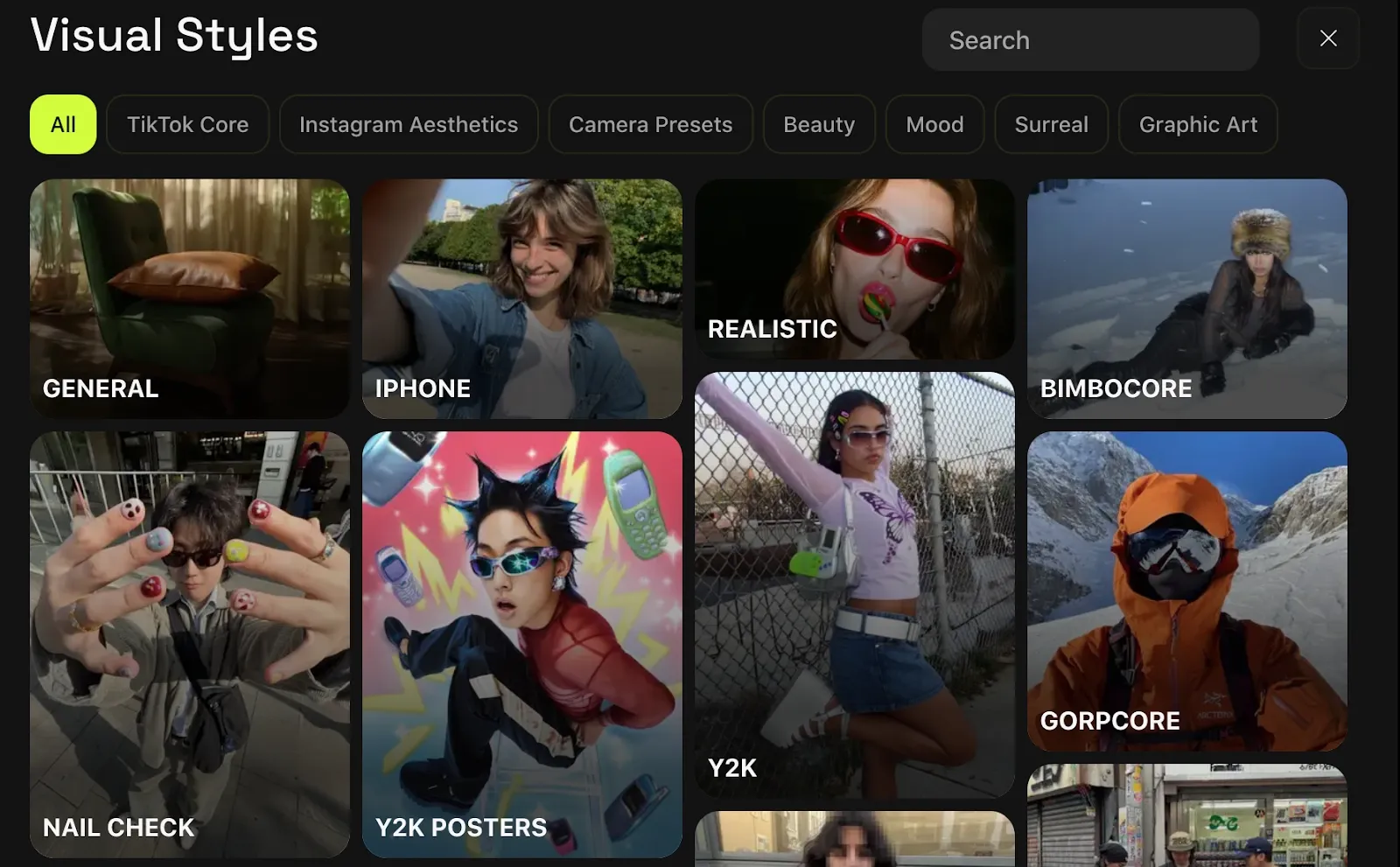
I also appreciate how Higgsfield AI lets me alternate between other powerful AI image models like Flux Kontext.
When it comes to the AI image to video generator, Higgsfield is unique for the multitude of camera motion controls and cinematic effects that it offers.
For instance, I can use Crash Zooms, FPV Drone, 360 Orbits, Eyes In, etc. With these many options, I can create all kinds of unique, cinematic visuals that will astound audiences.
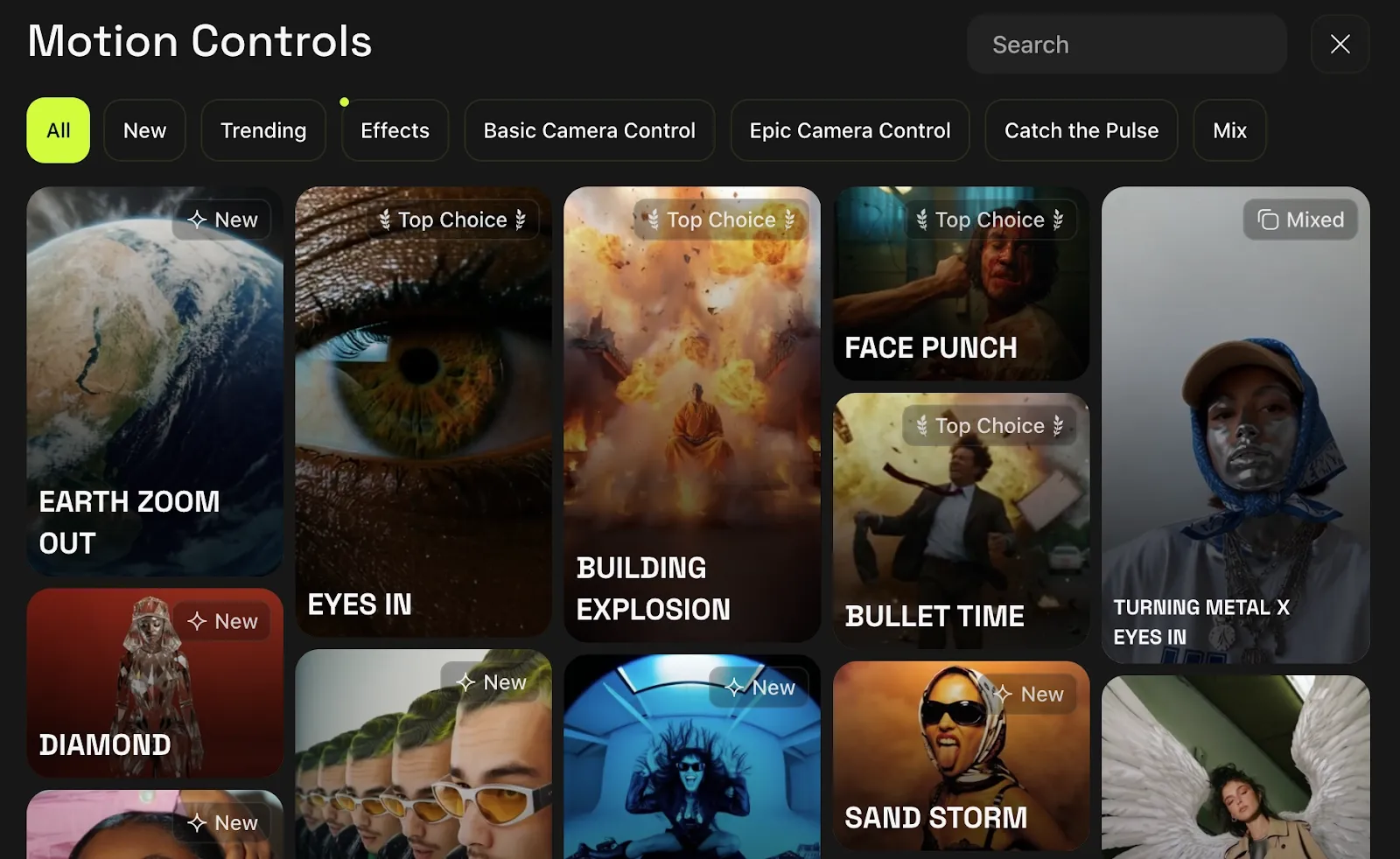
And if I combine this with my prompts, I can easily craft tailored videos to make any character move, look, and act in almost any way that I want.
In this sense, Higgsfield AI is more character-centric than a traditional AI video generator.
It is more geared to music video directors, commercial filmmakers, and other similar professionals, who typically require unique camera motion control and shot compositions.
While I will say that this is a small niche of users, its members are typically loyal and offer high purchasing power. So, it makes sense that Higgsfield AI is still steadily rising in the market.
Now that I’ve laid out what you need to know, let’s find out if Higgsfield AI is truly capable of delivering quality imagery and video content, shall we?
How was my personal experience with Higgsfield AI?
To start with, I wanted to explore the image generator. So, I started with a simple request to test its ability to render realistic imagery.
Here’s the prompt I came up with:
[A young fashion model with tattoos around her body poses confidently in a temple, standing beside a row of tall red columns. She wears an urban-fashion outfit made up of a vintage cropped tee and denim jeans that reflects modern Japanese street style.]
This was the output it delivered below:
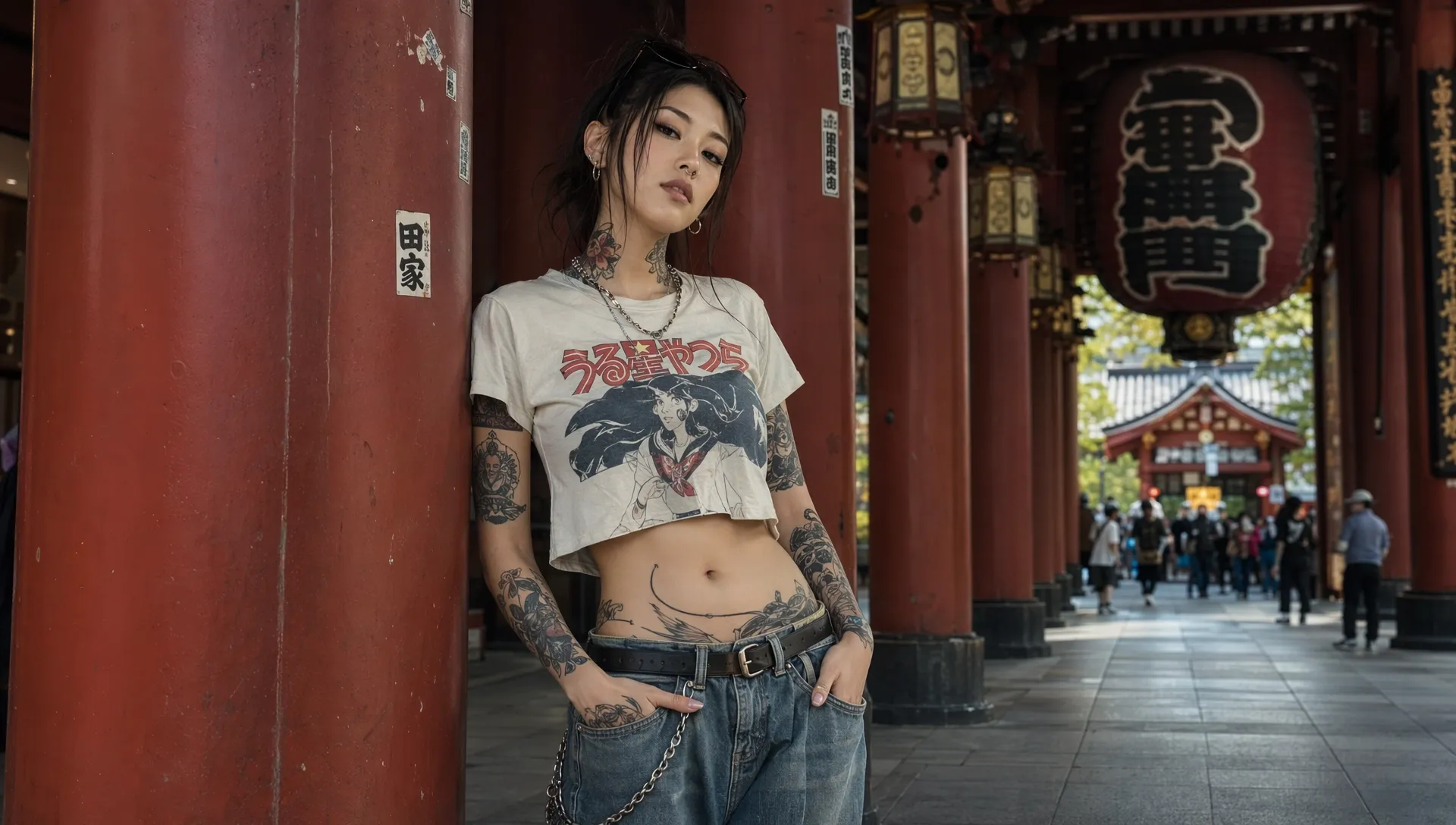
As you can see, Higgsfield Soul is an incredible tool! I’m amazed at how ultra-realistic the output is. In fact, I would find it hard to tell if it was shot by a real photographer or artificially generated.
I’m particularly impressed by the character render, as it looks so incredibly lifelike. Unlike most other AI image generators, it doesn’t have that glossy, plasticky look that often indicates AI use.
Instead, it genuinely looks like a real person. Even the surrounding area comes with natural outdoor lighting and authentic-looking buildings.
Frankly, there’s not much wrong with this image. And if I had to rate it, I would give it a solid 9/10. I think it’s safe to say that Higgsfield Soul is unparalleled in creating lifelike renders.
Now that we know what the AI image generator can do, I went over to the AI video generator to see what kind of results it would deliver. Can it create photorealistic visuals?
So, for my sample test, this was the prompt I used:
[A woman savors red wine from a crystal glass, her expression calm and introspective. The camera gracefully arcs right around her, revealing her quiet sophistication and satisfaction with each sip. The motion is slow and meditative, and as the shot unfolds, the soft lighting and blurred surroundings enhance the intimate atmosphere, drawing viewers deeper. The rich tones of the wine contrast beautifully with her warm, inviting smile.]
This was the reference image I used:

Here’s the video output Higgsfield AI delivered:
The video didn’t totally match my expectations. At first glance, the character render was not the best. She has a very glossy and artificial look that is easily distinguishable as unnatural.
I also had issues with the prompt adherence. If you pay attention to the video, you will notice that she doesn’t actually taste the wine. She merely touches the glass with her lips.
Also, her expressions and movements are not quite as natural as I hoped. She’s very stiff, and even her eyes are barely moving.
In fact, I wanted to see how it would stack up against other big-name competitors, so I compared the same prompt using Kling AI to see how much of a difference there would be.
This was Kling AI’s result:
As you can see, it offers a far more believable character render that looks and acts much more convincingly. I also tested the same prompt on Runway, this was the output:
While it wasn’t perfect, it is definitely a step up from Higgsfield AI’s render, particularly when it comes to the character’s facial expression and overall appearance.
All in all, I would rate the Higgsfield AI video at a 5/10 for effort.
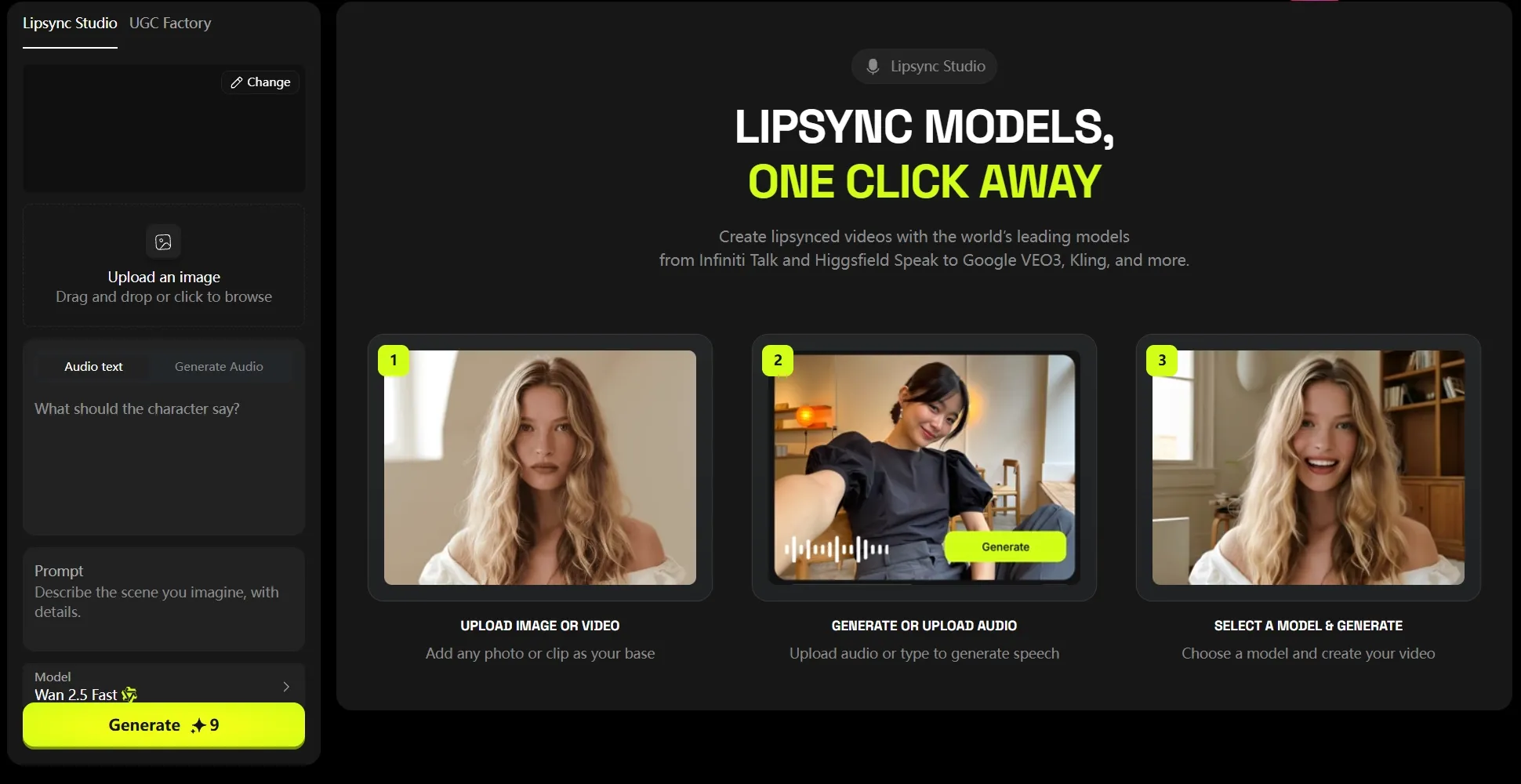
Another valuable feature that I like about Higgsfield AI is its Speak interface. With this, I can use written text to create all sorts of talking avatar videos.
It even lets me select the type of character motion that is presented, like Walk & Talk, Car Talking, Make Up & Talk, Selfie, and so many more.
In terms of audio, I can upload a recorded file or type in a script before selecting the voiceover I want to use. With dozens of options that span both male and female, there’s a lot to experiment with.
And the best part? The voiceovers will be synced to the characters facial movements for a more realistic render.
What’s my overall verdict of Higgsfield AI?
I am totally amazed by how powerful Higgsfield AI’s proprietary image model is. The renders are impeccably realistic, and with so many visual styles, I can create almost any custom design.
The only downside is that the AI image model doesn’t seem equipped for abstract or conceptual image generation. This limits the kind of projects I can work on.
As for the AI video generator, the output quality is much better than most alternatives on the market. I particularly like how seamless the videos flow frame by frame.
The scenes also look very believable, despite a few small distortions here and there. My favorite part is the numerous motion controls available and how easy it is to switch between them.
However, the few customization options make it difficult for me to produce more tailored outputs. Plus, it’s not particularly suited for anything other than character-based visuals.
All in all, it exceeded my expectations. But it isn’t the most versatile generative AI platform. If you need to work on more conceptual projects, I recommend you switch to Pollo AI.
Unlock a More Flexible Creative Workflow
Bring bigger creative ideas to life with flexible model choices, publication-ready video creation, and powerful built-in AI tools.
Try Pollo AI for Free Now
Looking for a More Flexible AI Generator? Try Using Pollo AI!
Higgsfield AI works well for focused visual generation, especially when cinematic presentation is the main goal. However, Pollo AI feels more practical when I need greater creative freedom and a workflow that supports the entire production process.
Instead of stopping at individual images or short clips, Pollo AI helps me move from an initial idea to content that is closer to being ready for use.
A More Complete Creative Workflow
Pollo AI gives me more than basic image or video generation. I can continue refining my content with built-in AI video editor, sound effects, voiceovers, talking avatars, motion tools, and visual enhancements.
This keeps the process connected from initial generation to final delivery. I can develop a complete piece of content without moving between several separate platforms.
Publication-Ready Videos with Pollo Agent
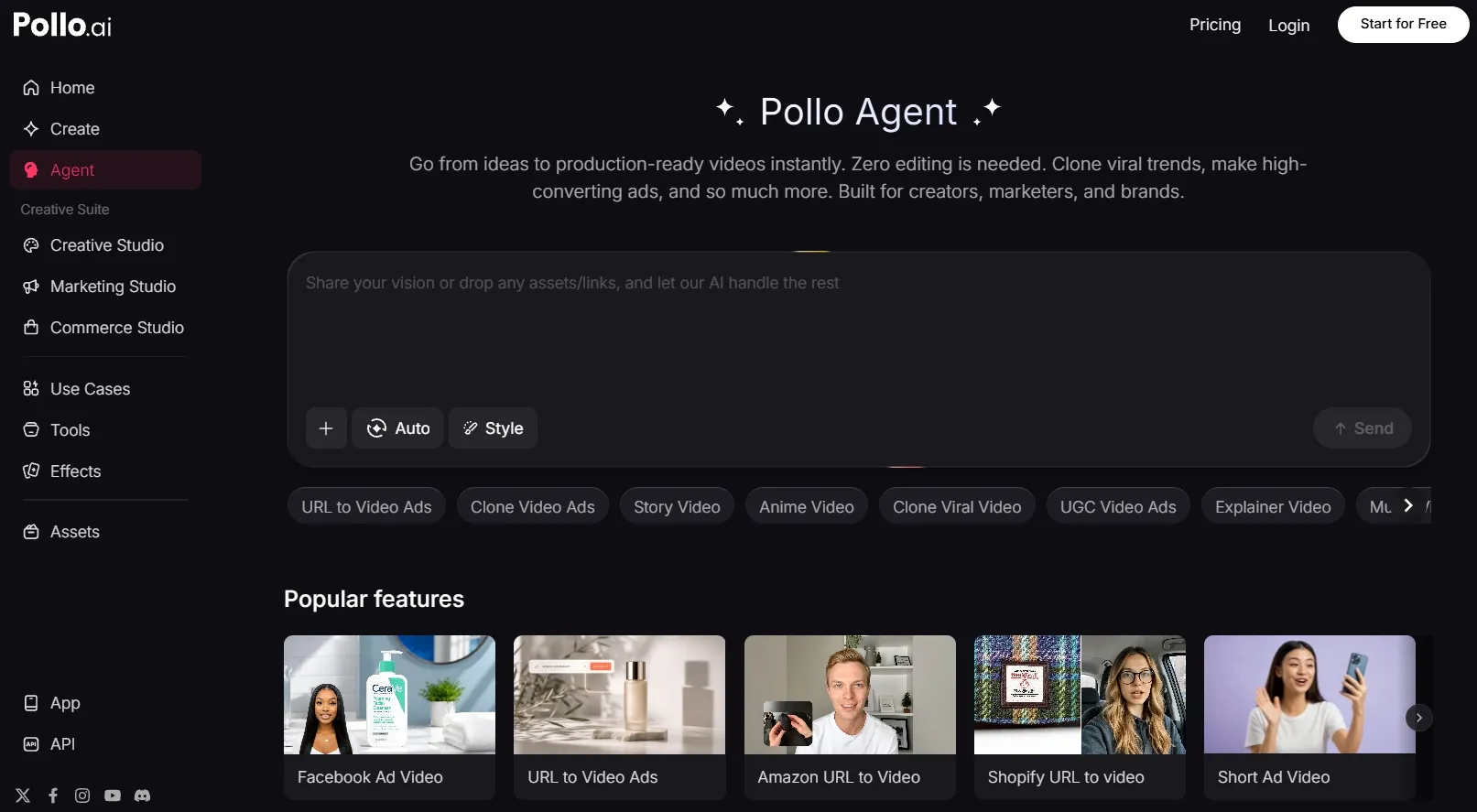
Pollo Agent gives Pollo AI a stronger end-to-end production advantage. I can start with an idea, script, image, video, or URL, and it helps shape the structure, pacing, visuals, and sound.
Instead of producing another raw clip, it creates a more complete, post-ready video with no heavy editing required. Its purpose-built workflows also help me reach different content goals without rebuilding the production process each time.
Stronger Marketing and Commercial Workflows
Pollo AI’s Marketing Studio is built for users who need practical campaign and product content.
It supports multiple input formats including URLs, scripts, and photos. So I can use these AI video makers to generate ready-to-use ads without editing, simplifying my workflow and saving me time. I can also create promotional videos, UGC-style content, product shots, campaign posters, and virtual try-on visuals through workflows designed around real commercial needs.
This makes Pollo AI more useful for marketers, sellers, and brands that need usable campaign assets rather than isolated creative experiments.
Greater Flexibility Across Models
Pollo AI gives me access to 100+ leading AI video and image models, including newly launched Seedance 2.5 and GPT Image 2, instead of limiting me to one generation system.
I can choose different models based on the realism, motion quality, visual style, speed, or level of control each project requires. This also makes it easier to compare results, test new creative directions, and select the strongest output for each idea.
For me, this model flexibility makes Pollo AI more adaptable across different projects and creative goals.
Conclusion
Higgsfield AI is a powerful generative AI solution. I think you’d have a lot of fun creating images and videos with this platform. But the problem is that its capabilities are limited.
If you want a more versatile tool that can support diverse art and video styles with professional-grade results, as well as offer greater customization options, then Pollo AI is the go-to choice.