



Kira AI Video Generator
Kira is an AI video generator which stands out with chat-based creation, motion control, and reference-led video editing. Built for social creators and visual experimenters, Kira AI creates animated photos, short cinematic clips, music videos, and stylized motion edits. But if your projects need a fuller structure, Pollo AI offers multiple leading AI models, specialized workflow apps, Pollo Agent and more tools for post-ready, edit-free videos. Try Pollo AI for free now!
Key Features of Kira AI
Template-Based Creation : Start from featured video templates and trending examples to create social-ready clips faster.Motion Control : Animate one subject from a photo by applying dance, gesture, or action references.Reference-Based Video Editing : Use reference images or videos to preserve characters, styles, and scenes across edits.Video Expand : Extend existing clips while keeping the original mood, framing, and visual direction intact.Three Model Tiers : Choose Lite, Nova, or Ultra based on speed, motion quality, and fidelity needs.Music-Ready Videos : Generate songs, instrumentals, or vocals to make short videos feel more complete.Conversation-Based Creation : Describe video ideas and edits naturally, without using complex timelines or editing layers.Cinematic Motion Output : Create camera moves, expressive portraits, and story-driven scenes from simple creative prompts.
Template-Based Creation
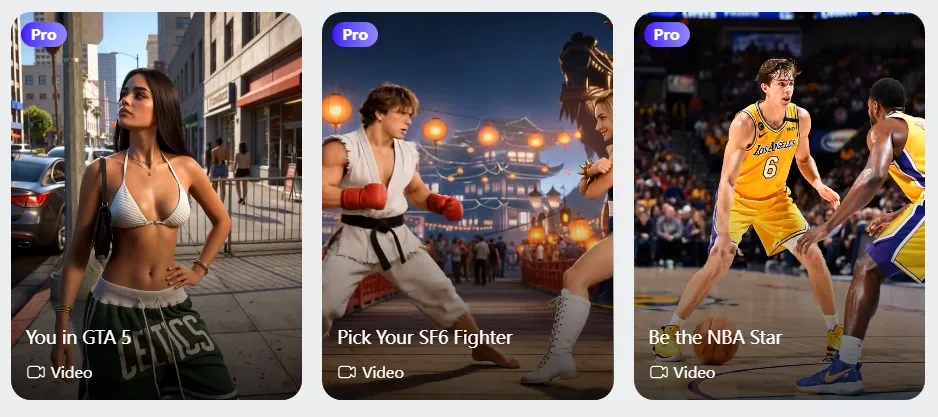
Kira Art presents template-style creative examples across featured and video categories. These entries combine a specific video scenario, visual direction, and preset motion idea, such as dance-based animation or stylized social content.
The structure helps define what the output should look like before users customize their own materials, prompts, or references.
Motion Control
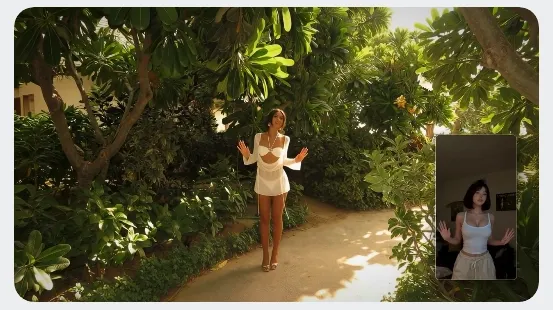
Kira AI allows a static subject to mimic motion from a reference video. It enables users to upload one photo and guide the subject with dance, gesture, action, or pose-based movement references.
This feature focuses on transferring visible body movement into a short video format, making it suitable for simple character animation, social-style motion clips, and performance-based visual experiments.
Reference-Based Video Editing
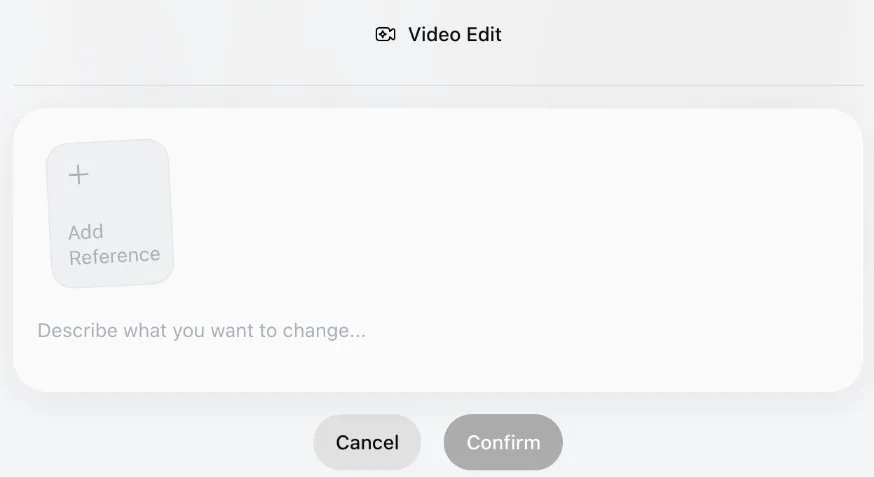
Kira Art supports reference images and videos during the editing process. Users can guide characters, styles, scenes, and visual direction more clearly. This helps reduce random changes across revisions.
It is useful when creators want a video to stay close to the original concept while still improving motion and detail.
Video Expand
Kira Art can expand an existing clip while following its original mood, framing, and visual style. Users can widen scenes, continue a shot, or create more visual space.
This is helpful for short videos that feel too tight. It also supports stylized story videos and more flexible social media formats, especially when creators need more room for pacing, framing, or platform-specific layouts.
Three Model Tiers
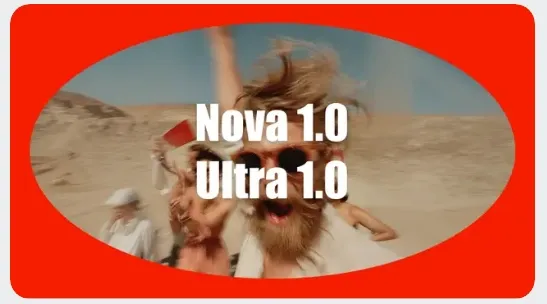
Kira AI offers Lite, Nova, and Ultra for different creative needs.
Lite is better for faster drafts and early testing. Nova balances speed and quality for everyday creation. Ultra is designed for stronger fidelity, smoother motion, and better subject consistency.
This tiered setup gives users more control over output priorities.
Music-Ready Videos
Kira Art can pair videos with AI-generated songs, instrumentals, or vocals. This helps short clips feel more complete, emotional, and shareable.
Instead of exporting silent visuals, users can build a stronger atmosphere around each video. It is useful for mood edits and storytelling such as kids story videos, where sound often shapes the final viewing experience.

Conversation-Based Creation
Kira AI lets users create and revise videos through natural language. Users can describe ideas, changes, style, and creative direction without using complex timelines.
This makes the workflow easier for beginners and faster for casual creators. It also supports quick iteration when users want to test different visual directions.
Cinematic Motion Output
Kira AI can generate videos with camera movement, expressive subjects, and a clear visual mood. Users can describe scenes through simple prompts, then refine the result through conversation.
This helps turn static concepts into more cinematic short-form clips. It works well for portraits, fantasy scenes, and story-driven visuals with stronger atmosphere, movement, and scene presence.
Who Is Kira AI for
- Social Creators: Generate animated portraits and viral videos to boost engagement, fill content calendars, and post faster.
- Short-Form Marketers: Create motion-led product demos that attract attention, sharpen campaign angles, and drive more sales.
- Music Creators: Pair AI songs with visuals to build stronger mood, increase shareability, and make posts feel complete.
- Designers: Animate concepts and moodboards to explain creative direction faster and make presentations more persuasive.
- Influencers: Create playful dance, gesture, and character videos to expand content variety and strengthen personal branding.
- Storytellers: Turn still scenes into various story narrations like bedtime story videos to test pacing, mood, and narrative direction at scale.
- Visual Experimenters: Compare different model outputs to find better motion, style, and consistency.
- Creative Brands: Create anime videos to find better characters, visual worlds, and campaign identities before production.
Kira AI’s Commercialization Model
Kira Art follows a freemium, usage-based commercial model. That structure is common for generative tools because each output consumes compute. It also lowers the first barrier for casual users. They can test the product before paying for heavier creative work.
Kira AI’s video features are priced through credits. For instance, video editing and video extension cost 15 credits per second. This pricing gives users flexibility for short tests and quick social clips. But it can also make longer videos harder to budget.
The model fits Kira Art’s consumer-style positioning. A user can enter lightly, generate a short clip, and spend more only when the output volume grows. That is smart for experimentation.
Still, it may feel less predictable for marketers creating many variations, as campaign teams usually need clearer cost planning, bulk production, and repeatable workflows.
Kira AI’s Pros and Cons
Pros
- Kira AI keeps video creation easy for beginners: Users can describe an idea, adjust the result through conversation, and avoid complex editing timelines.
- Kira AI turns static ideas into moving content: Its motion control, reference-based editing and more features help users animate photos, extend clips, and shape short-form videos.
- Kira AI supports a wider creative loop: Kira Art supports music-related creation, helping users build more complete social clips.
Cons
- Kira AI feels early for production work: Kira Art is not a good choice for enterprise workflows, bulk production, or campaign-ready systems. Teams that need repeatable branded videos find the workflow less complete.
- Kira AI’s output control may not satisfy every user: Kira Art faces challenges around consistency, revision control, and predictable results.
Feature Comparison: Kira AI vs Pollo AI vs Komiko AI
| Aspect | Kira AI | Pollo AI | Komiko AI |
| Strategic Position | Emerging creative playground for social visuals. | Ultimate AI creative suite for marketers and creators. | Anime-first creation space for characters, comics, and animations. |
| Workflow Depth | Stronger than basic generation, but still experiment-led. | Deepest workflow, covering generation, avatar, editing, effects, and apps. | Deep inside anime storytelling, lighter for general video production. |
| Narrative Value | Good for short visual moments and scene testing. | Better for complete stories, ads, explainers, and branded videos. | Strong for comics, webtoons, character lore, and anime story worlds. |
| Best User Fit | Casual creators, social experimenters, and visual hobbyists. | Creators, marketers, brands, and teams needing finished outputs. | Anime fans, comic creators, OC builders, and fandom storytellers. |
Why Pollo AI Outshines Kira Art
Broader Model Choice
Pollo AI gives you access to multiple leading models, like Veo 3.1 and Happy Horse 1.0. This reduces your dependence on one model’s quality or motion limits.
Scenario-Based Marketing Studio
You can have various ad tools in one workplace. From photo to video ads generator to clone video ads maker, you can always find one tool to simplify your creation.
Realistic AI Avatar Video
Pollo AI’s talking avatar can create lifelike digital spokesperson videos for product pitches, explainers, and ads. No pre-training or recording needed.










 5000+ reviewsTrustscore 4.4
Loved by 10M+ Creators and Marketers Globally
Thousands of satisfied users have shared their Pollo AI experiences on Trustpilot, rating us as "Excellent." See what they love about our platform.
Liz Cassidy Dec 15, 2025Richard QuickOct 15, 2025armourdudeNov 19, 2025
 DuduJan 14, 2026
 Ray WarnesDec 30, 2025
 lawless clanNov 22, 2025
FAQs
What is Kira AI?
Kira AI is an emerging AI video generator built for social creators and visual experimenters. It helps users turn prompts, photos, and references into animated photos, cinematic clips, music-ready videos, and stylized motion edits through a simple creative workflow.
What kind of videos can I create with Kira AI?
You can create animated portraits, cinematic b-roll videos, music videos, stylized motion edits, and social-ready visual experiments. Kira Art is especially useful when you want to bring static images, creative concepts, or reference-based ideas into motion.
Who is Kira AI best for?
Kira AI is best for social creators, visual experimenters, music creators, and casual content makers. It suits users who want fast, playful video creation without using complex editing timelines or traditional production tools.
What makes Kira AI different?
Kira Art stands out with chat-based creation, motion control, reference-led editing, video expansion, and music-ready clips. These features help users guide motion, preserve visual direction, and create short videos from simple ideas or images.
Is Kira AI good for professional video production?
Kira Art can support quick creative testing and short-form visual content. However, it may feel less complete for structured production needs, such as campaign workflows, branded video systems, avatar videos, or repeatable marketing content at scale.
What is the best Kira AI alternative?
Pollo AI is a strong alternative if you need fuller AI video creation. It offers multiple leading models, AI avatars, workflow apps, effects, and production-ready video tools, helping creators move from rough ideas to polished videos in one platform.

Go from Simple Ideas to Complete Videos with Pollo AI for Free!
Use Pollo AI to create more polished, structured, and publish-ready videos.