Kling 3.0 supports multi-shot storytelling with temporal coherence, better text preservation, multilingual native audio, and storyboard editing for studio-level cuts up to 15s. Try Kling 3.0 on Pollo AI for free!
Consistent Subject Retention: Locks in character identity across camera movements and scene changes
Precise Narration Control: Enables multi-character dialogue tailored to each specific subject across scenes
Upgraded Native Audio: Supports lip-synced character speech in multiple languages, accents, and dialects
Enhanced Text Preservation: Generates/Retains legible text like logos and signage in scenes for e-commerce use
Extended Video Generation: Offers up to 15 seconds per sequence with flexible duration for longer narratives
Flexible Storyboard Control: Tailor each shot per scene to set duration, perspective, camera movement, etc.
Cinematic Multi-Shot Sequences
Kling 3.0 is built for multi-shot sequencing, enabling users to produce highly-dynamic videos that implement advanced cinematic techniques. Whether it's countershot, cross-cutting, over-the-shoulder, etc, the AI model can adapt to various camera angles and shots that suit complex forms of storytelling.
Developers can bring the same multi-shot generation into their own apps with the Kling 3.0 API on Pollo API, creating multi-scene videos with automatic transitions and optional synced audio.
Shot 1Shot 2Shot 3
Consistent Subject Retention
With multi-image and video referencing available, Kling 3.0 users can more accurately lock in certain elements and traits of key subjects and objects. This enhances character and scene stability in AI videos to deliver more natural and consistent visual storytelling, minimizing any risk of the final cut falling short of expectations.
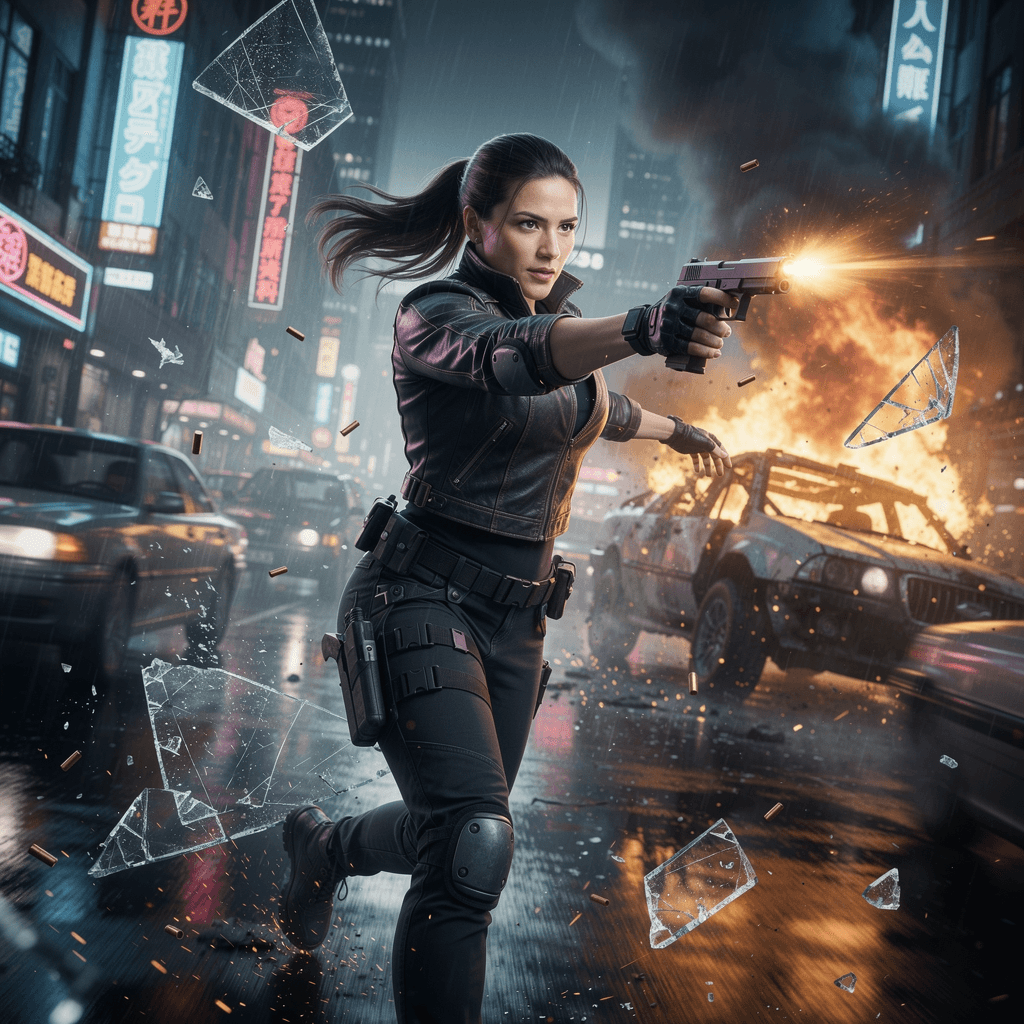
Image Input
She is running through a neon-lit cyberpunk market. First, she is seen sprinting towards the camera under blue neon lights, expression fierce. Then, the camera pans to follow her as she leaps over a stall into a dark, steamy alleyway lit by red lanterns. Throughout the dynamic movement and lighting shift from blue to red, her facial features, hairstyle, and tactical outfit remain perfectly consistent and recognizable.
Video Output
Precise Narration Control
Kling 3.0 lets users produce nuanced cinematic scenes with multi-character dialogue, enabling specific control over delivery, speaking order, and pacing. Because of this, anyone can simply choose which subject speaks what, how, and when, which opens up new creative avenues for more complex and compelling scriptwriting.
Prompt
A tense boardroom meeting with two distinct characters sitting opposite each other. Character A (Older man in grey suit): Leans forward and sternly says, 'The deal is off, Mr. Vance.' Character B (Younger man in blue shirt): Smirks, leans back in his chair, and replies calmly, 'I think you should reconsider looking at the data.' The camera focuses on Character A speaking first, then rack focuses to Character B for his reply. Accurate lip-syncing and distinct speaking turns required.
Output Video
Upgraded Native Audio
Kling 3.0 is capable of generating native audio in multiple languages that include English, Chinese, Spanish, Japanese, and Korean. Moreover, the AI model supports regional accents and dialects, enabling users to produce naturally lip-synced dialogue scenes with character narrations that sound authentic to global audiences.
Prompt
A close-up documentary-style interview with an elderly sushi chef in Tokyo. He looks directly at the camera with a warm smile. He speaks in fluent Japanese: 'The secret to sushi is not just the fish, but the heart you put into the rice.' (Audio generation required: Native Japanese male voice, calm and wise tone). The lip movements must perfectly match the Japanese syllables, capturing the subtle pauses and breath.
Output Video
Enhanced Text Preservation
Kling 3.0 ensures any generated text content or visual elements like signs or logos from reference images remain preserved across visual scenes with excellent accuracy. This particularly helps businesses or users in e-commerce looking to produce promotional footage embedded with branded elements.
Prompt
A commercial product shot for a fictitious energy drink brand called 'BOLT'. A sleek aluminum can with the word 'BOLT' written in large, bold, yellow letters is spinning slowly in mid-air against a splashing water background. Water droplets hit the can in slow motion. As the can rotates 360 degrees, the 'BOLT' text remains perfectly legible, sharp, and does not morph or distort, maintaining the exact font style from the reference image.
Output Video
Extended Video Generation
The Kling 3.0 model can generate longer videos with users able to set a flexible duration between 3 seconds to 15 seconds per generation. With this extension, it becomes possible for creators and filmmakers to explore more complex storytelling and intricate sequences in one-go rather than settle for fragmented visuals.
Prompt
A continuous 15-second tracking shot following a golden retriever running through a changing landscape. The dog starts running on a grassy park lawn, transitions seamlessly into running along a sandy beach at sunset, and finally runs through a snowy forest path. The transition between environments is smooth and dreamlike. The dog's anatomy and running gait remain realistic and stable throughout the entire 15-second duration without morphing into other animals.
Output Video
Flexible Storyboard Control
With Kling 3.0, creators can isolate up to 6 distinct shots in a visual sequence and customize the storyboard in any way they see fit. This means tailoring specific aspects per shot like duration, shot size, camera movements, perspective, narration, etc, ensuring a surgical approach that delivers more sophisticated storytelling.
Output Video
Kling 3.0 vs Sora 2 vs Veo 3.1: Feature Comparison Table
Discover how Kling 3.0, Sora 2, and Veo 3.1 AI video models compare with each other here:
I’ve been using Pollo AI mainly for short videos and quick image-to-video tests. The interface is straightforward and it works well even with simple prompts, which is a big plus compared to tools that need long, complicated instructions. The results can be really impressive, and it’s honestly been fun to experiment with. I’d love a bit more consistency on faces when there’s movement, but overall it’s been a solid experience for what I needed.
Awesome website. loads of options and a great way to learn how to work with 'AI' my reasoning for 5 stars is based upon price, versatility and ease of use. Also I would like to add, Pollo AI runs a lot of promos on different AI products as well. I rate their customer service at 5 stars, when I purchased my first subscription my computer crashed the following weekend and I lost all my data and info passwords you name it I lost it, contacted pollo by email they responded quickly and found my info/username and account, and I was able to restore my account.
I have been using Pollo AI for short videos. It is easy to use and works well with simple prompts. Other generators seem to need long drawn out complicated explanations to get even close to what I want.
i tried 220 online img to vid in 2 months, and this is the best online video.I will subscribe for a year; there are many reasons. But freedom is the most important.
Developed by Kuaishou, Kling 3.0 is their latest AI video generation model tailored for advanced cinematic production. Featuring several improvements in character consistency, visual realism, native audio, duration, and the introduction of multi-shot storytelling, users have full creative authority across scenes with remarkable precision.
How is Kling 3.0 better than Kling 2.6?
Compared to Kling 2.6, Kling 3.0 brings true director-level control in your hands. For every 15-second generation, you can produce multi-shot narratives and customize each specific shot to craft a precise visual story at once with native audio included. In doing so, you can eliminate the need for traditional post-production almost entirely.
Can I generate videos with Kling 3.0 for free?
Yes. You can head to Pollo AI and sign up for an account to access the free trial plan. This will provide you with limited credits to generate videos using Kling 3.0 at no cost. Once they run out, you can subscribe to a paid plan for additional credits.
Which reference inputs can I use on Kling 3.0?
Kling 3.0 uses a unified multimodal framework that supports text, image, audio and video. This, paired with its advanced storyboard control, provides you with greater precision and flexibility to produce full cinematic sequences that closely match your intended creative vision.
What native video resolutions does Kling 3.0 support?
Kling 3.0 offers 2K and 4K resolution native generation that far supercedes post-processing upscaling. This ensures any footage you generate presents sharper, pixel-level detail and even more authentic-looking textures like hair, skin, and fabrics than seen in earlier AI video models.
What visual aspects does Kling 3.0 shine most in?
The latest Kling 3.0 model is remarkably adept at character realism, highlighting natural facial cues and subtle gestures on subjects with impeccable detail. It also delivers near-perfect lip-syncing, enabling you to craft smooth dialogue in native languages and dialects for a truly believable performance.








 Liz Cassidy


