MagicShot AI is an AI video generator purpose-built for rapid content creation and viral trends. It stands out by offering facial expression transfer, automated e-commerce video generation, and constantly updated viral effect templates. If MagicShot AI helps you start faster, Pollo AI helps you finish with better creative control. Pollo AI offers 70+ video models, 100+ workflow apps, AI avatar and more tools and effects. You can create post-ready clips without editing. Try Pollo AI for free!
Create your own influencer. Then jump into any trend with Recast.
Kling 4.0
Up to 10 keyframes. Unlimited for 10 days with Ultra.
Pollo Recast
Recreate viral videos. Remix new versions.
Pollo Recast Challenge
One upload in. Your viral video out. Unlimited rewards await.
Pollo Agent x DeepSeek V4.1 FLASH
Faster completion at a much lower cost.
Pollo Agent x Gemini 4 Argon
Smarter reasoning. All through Pollo Agent.
WIN iPHONE DUO
Capture a city in one minute. Join the challenge now.
Pollo MCP
End-to-end content creation. Up to 4 Videos/ 20 Images for FREE.
Key Features of MagicShot AI
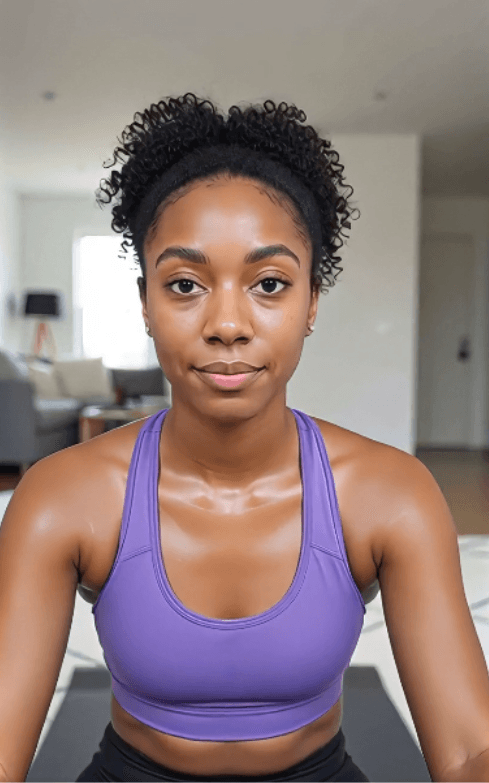
Facial Expression Transfer: Animate static facial images with natural expressions and lip-sync by referencing a separate video
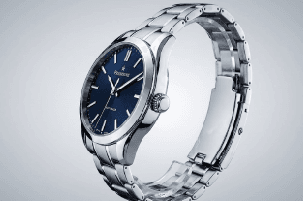
E-Commerce Video Automation: Convert product photography into polished promotional videos instantly
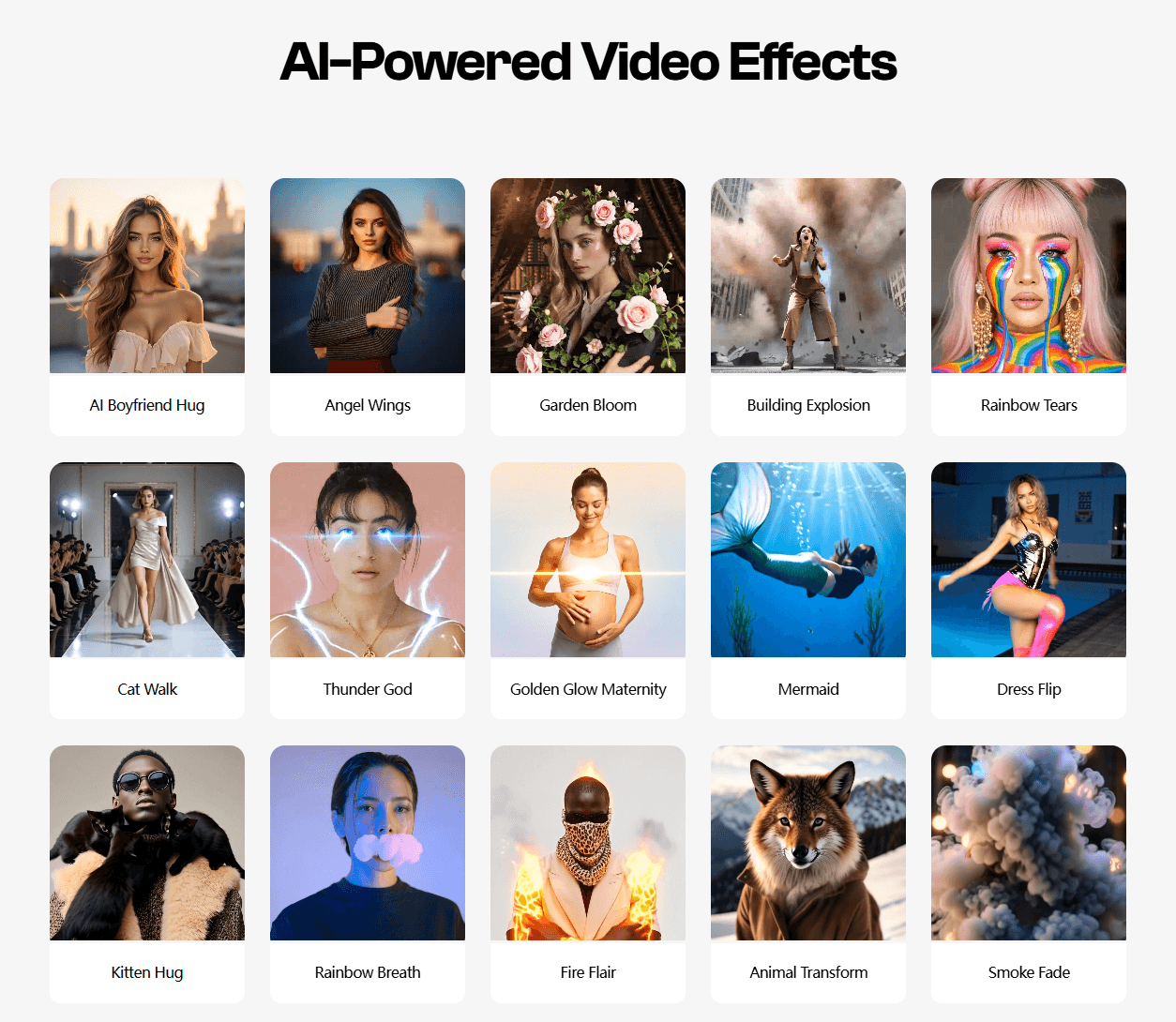
Viral Effect Templates: Access a constantly updated collection of trending visual effects and themes for social media dominance
Facial Expression Transfer
The Face Mimic feature allows you to take any static character image—whether it’s a portrait of yourself or a historical figure—and animate it to speak or mimic specific facial expressions. The AI ensures that the mouth movements and eye expressions are naturally synced for a lifelike performance.
Reference Image
Output Video
E-Commerce Video Automation
MagicShot automates the conversion of e-commerce product photography into compelling promotional videos. The system intelligently generates camera movements, product rotations, and visual highlights that showcase your items' best features.
Reference Image
Output Video
Viral Effect Templates
MagicShot stays ahead of the curve with trending AI templates. These are one-click solutions for current social media fads. You can easily create the emotional "AI Boyfriend Hug," add ethereal "Angel Wings," or use the "Cat Walk" effect. These templates remove the technical barrier to creating content that the algorithms love.
MagicShot AI’s Use Cases
Social Media Managers: Create short branded videos to post faster, increase engagement, and keep content calendars active.
Small Business Owners: Generate promo videos that explain offers clearly, attract shoppers, and reduce production costs.
Content Creators: Turn ideas into eye-catching videos that grow audience interest and support faster publishing.
E-Commerce Sellers: Create product videos that show details better, build buyer confidence, and improve ad testing.
Personal Branding Users: Generate profile and intro videos that look polished, credible, and easier to share online.
MagicShot AI’s Business Mode
MagicShot AI uses a familiar revenue model. It mixes free entry, paid subscriptions, credit packs, and premium upgrades. That structure helps new users start quickly. It also gives heavy users clear paid paths.
MagicShot AI is designed around usage-based creative demand. AI video and image generation carry different compute costs. It also frames each model around different strengths, including realism, motion, speed, and value. That means advanced outputs cost more.
MagicShot AI’s business model, therefore, depends on two things. First, it must keep the generation quality high enough to justify credits. Second, it must make pricing feel predictable.
In AI creation, users often experiment before reaching a final result. If each experiment consumes credits, trust becomes part of the product.
What Users Say About MagicShot AI
MagicShot AI’s feedback is strongest around ease and speed. On Trustpilot, reviewers describe the tool as simple, quick, and useful for prompt-based visual creation.
Users also value the platform’s range. MagicShot AI is not treated as a single-purpose image tool. Reviewers mention using it for AI photos, avatars, product visuals, and lightweight design tasks.
That breadth gives the product a clear appeal for creators and small teams. They can test ideas quickly, without moving between several different apps.
The weaker feedback is more practical. Some App users report crashes, lag, or failed features after subscribing. Others raise concerns about credits, subscription value, and changing access expectations.
I’ve been using Pollo AI mainly for short videos and quick image-to-video tests. The interface is straightforward and it works well even with simple prompts, which is a big plus compared to tools that need long, complicated instructions. The results can be really impressive, and it’s honestly been fun to experiment with. I’d love a bit more consistency on faces when there’s movement, but overall it’s been a solid experience for what I needed.
Awesome website. loads of options and a great way to learn how to work with 'AI' my reasoning for 5 stars is based upon price, versatility and ease of use. Also I would like to add, Pollo AI runs a lot of promos on different AI products as well. I rate their customer service at 5 stars, when I purchased my first subscription my computer crashed the following weekend and I lost all my data and info passwords you name it I lost it, contacted pollo by email they responded quickly and found my info/username and account, and I was able to restore my account.
I have been using Pollo AI for short videos. It is easy to use and works well with simple prompts. Other generators seem to need long drawn out complicated explanations to get even close to what I want.
i tried 220 online img to vid in 2 months, and this is the best online video.I will subscribe for a year; there are many reasons. But freedom is the most important.
Discover Other Powerful AI Video Generators on Pollo AI
MagicShot AI is a specialized AI video generator focused on rapid image-to-video transformation. It's known for facial animation capabilities, e-commerce automation, and trending effect templates.
How does facial animation work in MagicShot?
Upload a portrait or facial image and reference a video containing the desired facial expressions and movements. MagicShot transfers those expressions and lip-sync data to your still image, creating a convincing animated performance.
Is MagicShot good for selling products online?
Absolutely. The e-commerce video automation feature is specifically designed for online retailers. You can quickly convert product photos into professional promotional videos, ideal for product listings and marketing campaigns.
Is MagicShot good for TikTok creators?
Absolutely. Its library of trending templates like ‘Smoke Fade’ and ‘Cat Walk’ is designed specifically to help creators produce content that performs well on social media.
What's the learning curve for a first-time user?
MagicShot prioritizes ease of use. Most creators can produce their first video within minutes of uploading content. The interface guides you through each step intuitively.
Build Publish-Ready Videos With Pollo AI for Free!
Create videos with stronger structure, cleaner visuals, and less manual editing work.








 Liz Cassidy


