



Vibe Video AI Video Generator
Vibe Video is an AI video generator which can turn prompts and images into short AI videos for social creators, product sellers, and marketing teams. It stands out with its fast generation with three-tier flexible quality settings. But if you want more than short clips, Pollo AI is a better alternative. It helps turn your inputs into longer, fuller videos with 70+ leading AI models, talking avatar, 100+ specialized workflow video generators, and more effects. Try Pollo AI for free now!
Key Features of Vibe Video
Text & Image to Video : Generate videos from prompts, photos, drawings, or product visuals.Model Quality Options : Choose different models for speed, resolution, and output quality.Short Social Videos : Create brief MP4 clips for posts, ads, and quick content tests.Customizable Animation : Adjust motion, camera, lighting, style, and visual atmosphere.Subject Consistency : Keep people, pets, and objects stable across animated frames.Video Gallery Inspiration : Explore sample videos to understand styles, motions, and creative possibilities.Private Web Creation : Create AI videos online with private generation and browser-based access.
Text & Image to Video
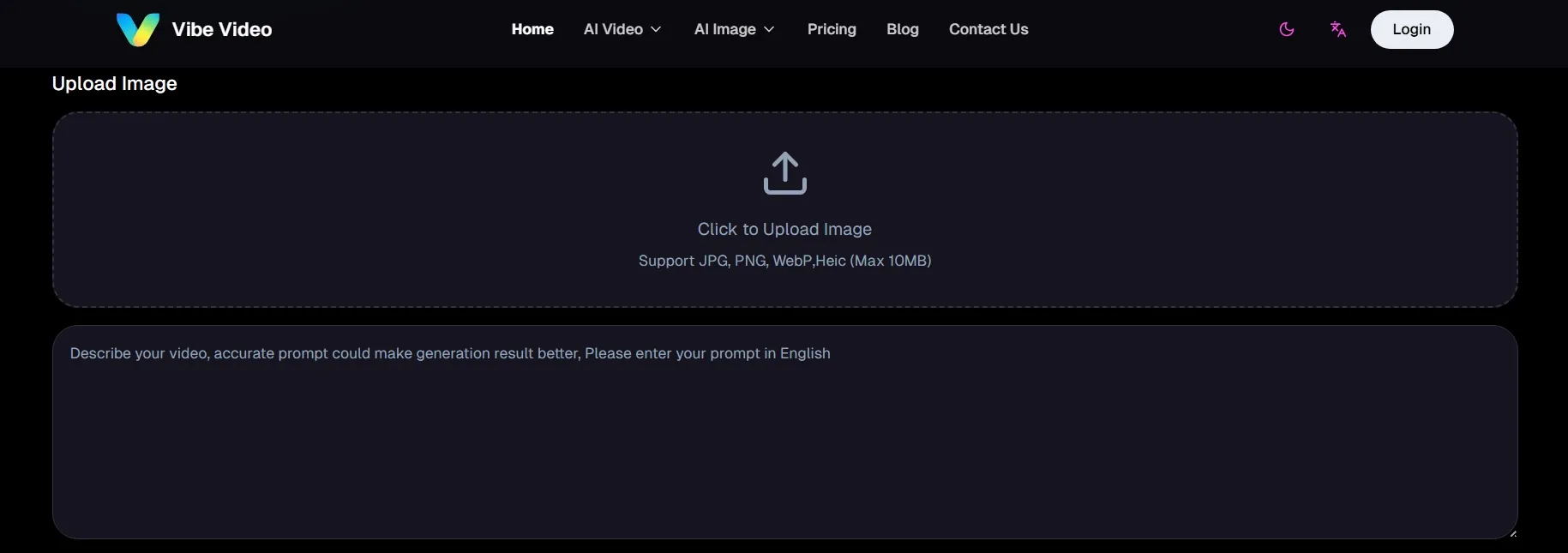
Vibe Video can turn text prompts and uploaded images into short moving clips. This reduces the gap between an idea and a visual draft, especially when there is no footage ready. .
It is useful for early concept testing, rough story exploration, and turning static materials into motion without requiring filming, actors, or traditional production setup.
Model Quality Options
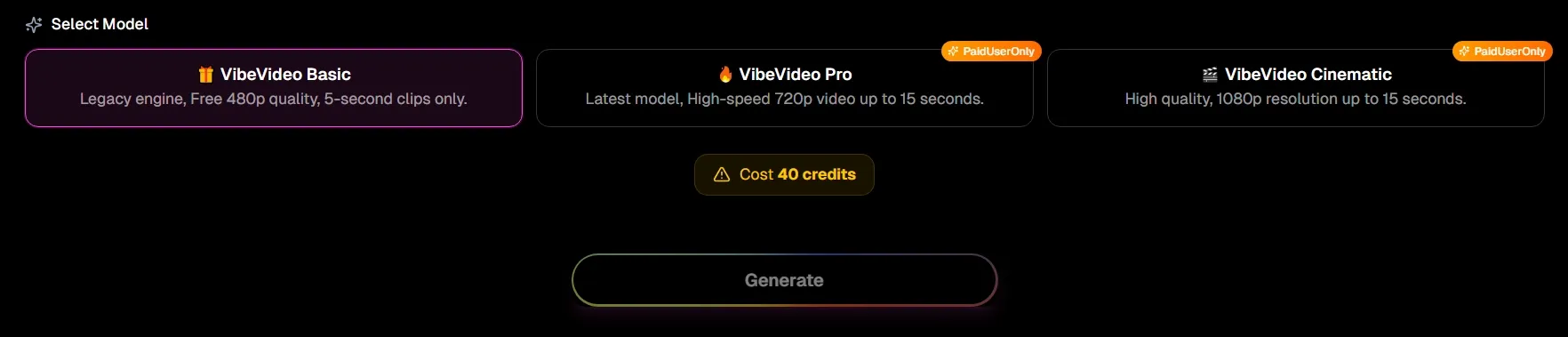
Vibe Video’s Basic, Pro, and Cinematic models support different output expectations across speed, resolution, duration, and credit use.
Basic suits faster draft generation, Pro offers stronger everyday visual quality, and Cinematic focuses on sharper resolution and more polished presentation.
This tiered setup makes it easier to test ideas quickly, then reserve higher-quality generation for clips that need better detail and stronger visual impact.
Short Social Videos
Vibe Video supports short MP4 video generation from 5 to 15 seconds, which fits social feed pacing and quick creative testing.
This format works well for comparing hooks, motion styles, product angles, or visual concepts before longer production. The short duration also keeps each output focused, easier to review, and simpler to compare across multiple variations.
Customizable Animation
Vibe Video supports video customization through text prompts. Users can describe the movement, camera angle, lighting, scene style, and atmosphere, and overall visual direction they want.
This gives the output clearer creative guidance before generation starts. It also reduces overly random motion when a specific mood, pace, camera move, or visual effect is needed for a short clip.
Subject Consistency
Vibe Video’s subject consistency helps reduce unwanted changes to the main visual element. People, pets, products, and artwork can stay closer to their original look across frames.
The result is more practical for branded visuals, product previews, and character-led clips where identity cannot shift too much.
Video Gallery Inspiration
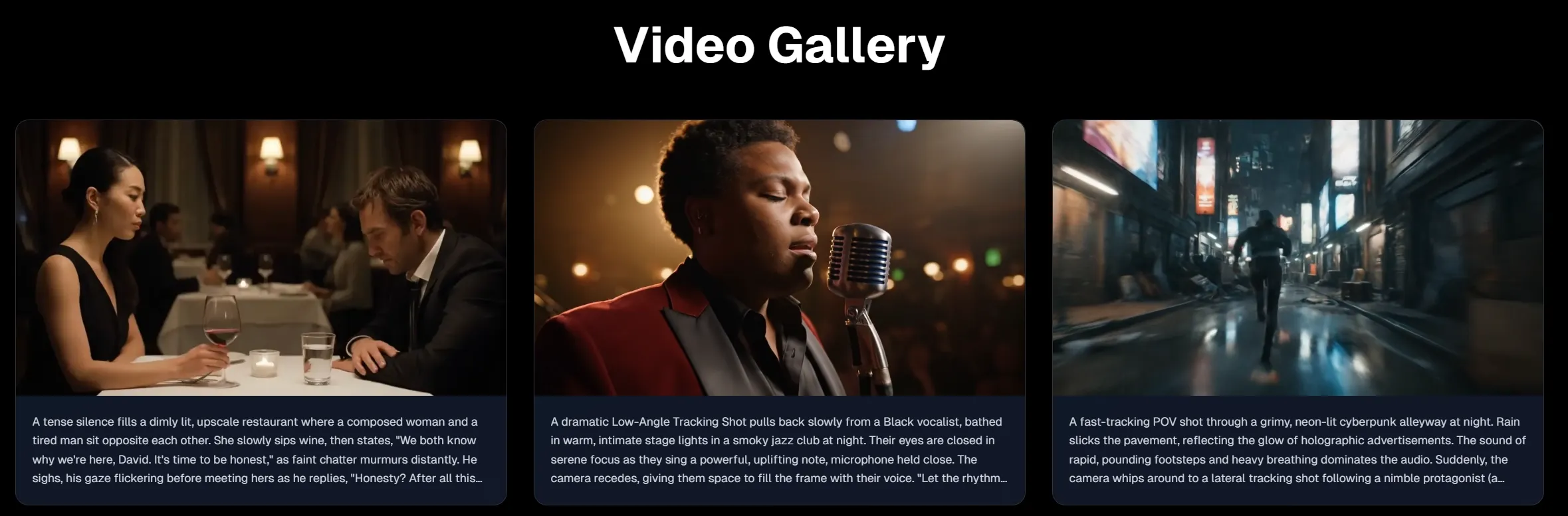
Vibe Video includes a video gallery where users can explore sample outputs. Sample clips show available styles, motion patterns, and prompt directions.
This helps clarify what the generator is likely to produce and makes the creative process easier to plan before credits are spent.
Private Web Creation
Private web creation makes the workflow feel more controlled. With Vibe Video, images, prompts, settings, and generated videos are managed within a dedicated browser-based process, reducing extra file transfers between separate editing tools.
Who Is Vibe Video Best for
- Social Creators: Generate short motion posts from ideas or images, increasing posting speed and content variety.
- E-Commerce Sellers: Animate product photos into short promo videos, making listings and ads more visually persuasive.
- Ad Testers: Create quick creative variations, helping teams compare hooks, styles, and product angles faster.
- Brand Marketers: Turn branded visuals into clips like product explainer videos, and feature highlight videos, improving campaign consistency, building trust and boosting audience recall.
- Content Planners: Produce rough video concepts, making pitches, storyboards, and campaign ideas easier to evaluate.
- Pet Owners: Animate pet photos into shareable and adorable animal shorts, making personal memories more lively and engaging.
- Digital Artists: Turn drawings or paintings into moving scenes, adding motion value to static artwork.
- Small Businesses: Create simple promotional videos, reducing the need for filming, editing, or large production budgets.
Vibe Video’s Business Model
Vibe Video uses a freemium, credit-based subscription model. The free plan gives users a limited entry point, while paid plans unlock all video models and private generation. This structure turns casual experimentation into a usage-led SaaS funnel.
| Plan | Price | Credits | Likely Fit |
| Pro | $9.9/m | 2,000 credits/m | Beginners and light creators |
| Premium | $29.9/m | 7,000 credits/m | Professionals and frequent creators |
| Ultimate | $59.9/m | 17,000 credits/m | Teams and higher-volume users |
| One-time | $19.9 | 3,000 credits | Users avoiding auto-renewal subscriptions |
The pricing ladder is built around credit volume, not just feature access. And the one-time credit package gives Vibe Video a lower-friction purchase path, which is useful for users who want project-based generation without entering a recurring subscription.
Its subscription credits reset monthly and do not roll over. One-time purchase credits do not expire. Credits also cannot be transferred, resold, or exchanged for cash.
Its refund policy is more flexible for one-time credit packages. Full refunds apply when no credits are used. Partial refunds depend on credit consumption. Purchases made more than 30 days earlier are not eligible for refunds.
The business model is commercially sensible for short AI video generation. Credits protect compute costs, while subscriptions create predictable revenue.
Vibe Video’s Pros and Cons
Pros
- Simple video creation workflow: Vibe Video keeps the process direct: upload an image, write a prompt, choose a model, and generate. This makes it useful for quick drafts, motion tests, and early creative concepts.
- Different model choices: Basic, Pro, and Cinematic models give users different balances of speed, duration, resolution, and credit cost, making rough testing and polished output easier to separate.
- Useful prompt guidance: Its video gallery offers good examples to show the description of subject, motion, scene, camera, lighting, and atmosphere. Users can learn from those examples, making their creative direction clearer.
Cons
- Unclear model providers: Vibe Video does not clearly disclose the underlying video models. This limits transparency for users comparing model quality.
- Short-form output limits: It focuses on brief MP4 clips, usually from 5 to 15 seconds. Users cannot make complete campaign videos without extra planning or editing.
- Less workflow depth: Vibe Video lacks the broader production tools like video editor, sound effects, etc.
Feature Comparison: Vibe Video vs Pollo AI vs Amuse AI
| Dimension | Vibe Video | Pollo AI | Amuse AI |
| Product Philosophy | Convert prompts or images into short motion quickly. | Move from idea to finished video with fewer production steps. | Bring generative AI closer to local hardware and offline workflows. |
| Output Maturity | Stronger for short drafts than finished campaigns. | Built for publish-ready and campaign-ready video production. | Better for local experimentation than polished commercial video pipelines. |
| Model Accessibility | Uses branded tiers: Basic, Pro, and Cinematic. | Aggregates 70+ leading AI models for different creative goals. | Uses AMD-optimized models and local model execution. |
| Production Burden | Users may still need editing after generation. | Reduces stitching, pacing, and post-editing work. | Users manage hardware limits, model behavior, and output refinement. |
| Best-Fit Users | Social creators, small sellers, and quick concept testers. | Marketers, creators, e-commerce teams, and brands. | AMD PC users, AI hobbyists, and local-generation experimenters. |
How Pollo AI Goes Beyond Vibe Video
AI Avatar with Natural Expressions
Pollo AI’s talking avatar supports realistic facial detail, natural lip movement, and more expressive body language. No camera, recording or pre-training is needed.
Ready-to-Use Ads in Minutes
Marketing Studio helps you create finished ads fast, from UGC video ads to clone video ads, with less filming, editing, and post-production.










 5000+ reviewsTrustscore 4.4
Trusted by 10M+ Creators and Marketers Worldwide
Thousands of satisfied users have shared their Pollo AI experiences on Trustpilot, rating us as "Excellent." See what they love about our platform.
Liz Cassidy Dec 15, 2025Richard QuickOct 15, 2025armourdudeNov 19, 2025
 DuduJan 14, 2026
 Ray WarnesDec 30, 2025
 lawless clanNov 22, 2025
Discover More AI Video Generators on Pollo AI
FAQs
What is Vibe Video?
Vibe Video is a web-based AI video generator for short-form video creation. It can turn uploaded images or written prompts into MP4 clips. It is mainly designed for quick motion tests, social posts, product visuals, and creative concept drafts.
What can I create with Vibe Video?
Vibe Video can create short AI videos from text prompts or uploaded images. It works for social posts, product teasers, visual drafts, animated artwork, pet clips, and simple concept videos.
Can Vibe Video create 1080p videos?
Yes. Vibe Video lists 1080p output under its Cinematic model. This makes it more suitable for clips that need a sharper, more polished look than basic draft generations.
Is Vibe Video good for beginners?
Yes. Vibe Video is beginner-friendly because its workflow centers on uploads, prompts, model choices, and generation settings.
Does Vibe Video include editing tools?
Vibe Video focuses more on generation than detailed editing. Users may still need other tools for subtitles, sound design, transitions, brand layouts, or final campaign assembly.

Build Publish-Ready Videos with Pollo AI for Free
Generate ready-to-share videos with Pollo AI, using stronger models, richer tools, and smoother production control.