
10 Best AI Kiss Video Generators in 2026 (Tested & Compared)
I spent over 72 hours testing 10 AI kiss video generators to see if they could handle human intimacy. Creating a believable kiss is a huge challenge—lips frequently misalign, and faces easily melt if the model lacks precision. After running dozens of tests with single couple shots and separate portraits, here are the top tools in 2026 ranked by motion stability.
Best AI Kiss Video Generators: At a Glance
| Tool | Best For | Photo Input |
|---|---|---|
| Pollo AI | Best overall | One couple photo or two portraits |
| EaseMate AI | Prompt and model choices | Images or text |
| Media.io | Multiple kiss effects | One couple photo or separate selfies |
| Vidnoz | Trying a daily free generation | Images or text |
| Mango AI | Choosing a kiss style | One couple photo |
| MagicShot | Preset styles for two photos | Two portraits |
| PhotoGrid | Social-ready kiss templates | Two portraits |
| AI Kiss | A straightforward kiss effect | One or two photos |
| Cuty AI | Animating a single image | One image |
| DeeVid AI | A simple photo-to-video flow | One or two images |
1.Pollo AI—Best Overall AI Kiss Video Generator
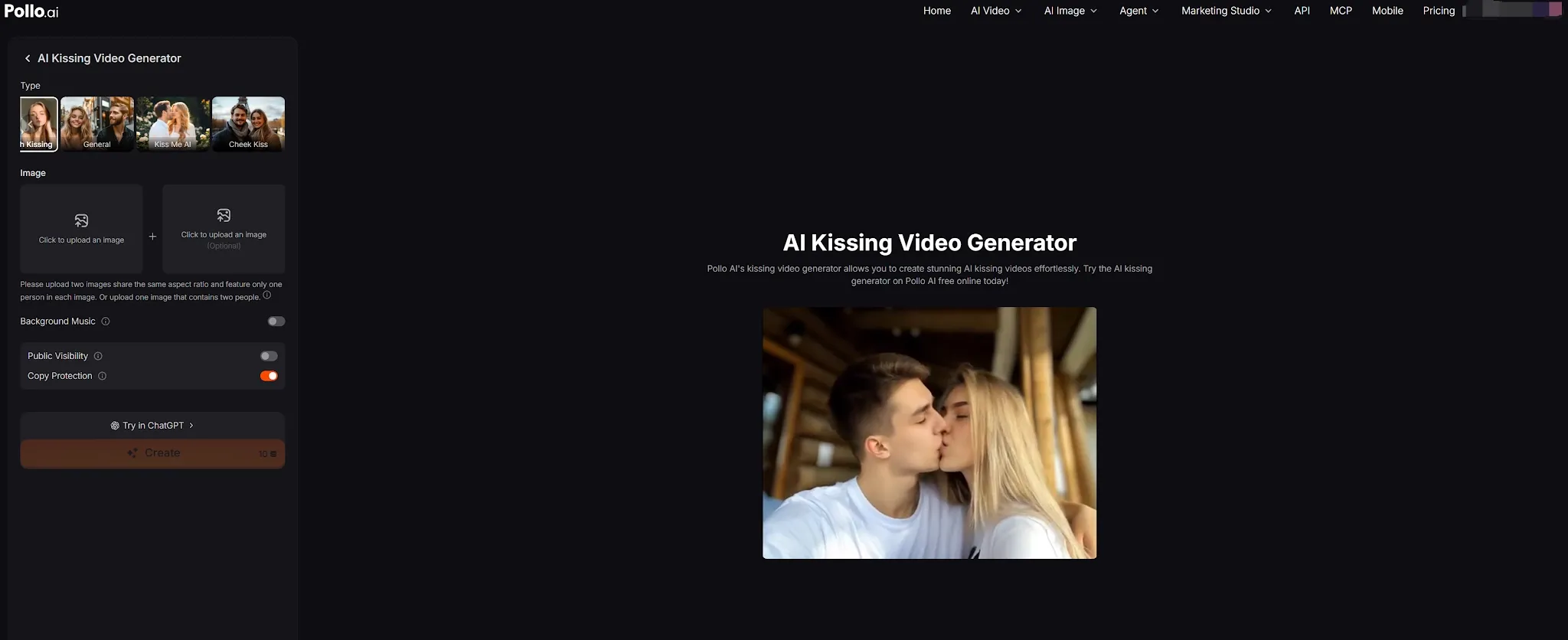
Pollo AI's AI kissing video generator is my top pick because it solves the biggest hurdle in AI video: making two completely separate photos look like a natural embrace. Powered by industry-leading video diffusion models, its dedicated kissing generator delivers authentic lip-contact physics and coherent facial preservation where other tools produce distorted morphs.
The upload flexibility is its best asset. You can feed it one existing couple shot or two separate solo portraits using photo face swap. You then pick from motion presets like gentle cheek kisses, passionate French kisses, or a playful "Kiss Me AI" style with auto-synced background music.
Beyond quick viral clips, Pollo AI connects directly to a broader commercial production pipeline:
- Pollo Agent: An autonomous creative copilot. Input an idea, script, or image assets, and Pollo Agent orchestrates the entire workflow to deliver publish-ready, production-grade video with no video editing required.
- Marketing Studio: A centralized suite for marketers and DTC brands to build complete campaigns—producing lifestyle UGC videos, high-converting video ads, and commercial product staging in one place.
Pros:
- Accepts a couple photo or two individual portraits
- Offers several kiss styles, including French and cheek kiss
- Includes background music options
Cons:
- Close facial contact can still produce visual inconsistencies
- The output is a generated interpretation, not a recording of a real event
Best For
Creators and couples looking for a straightforward AI kissing video generator with several style options.
Bottom Line
Pollo AI is the best starting point if you want a dedicated kiss effect that supports both common photo setups.
2.EaseMate AI—Best for Prompt and Model Choices
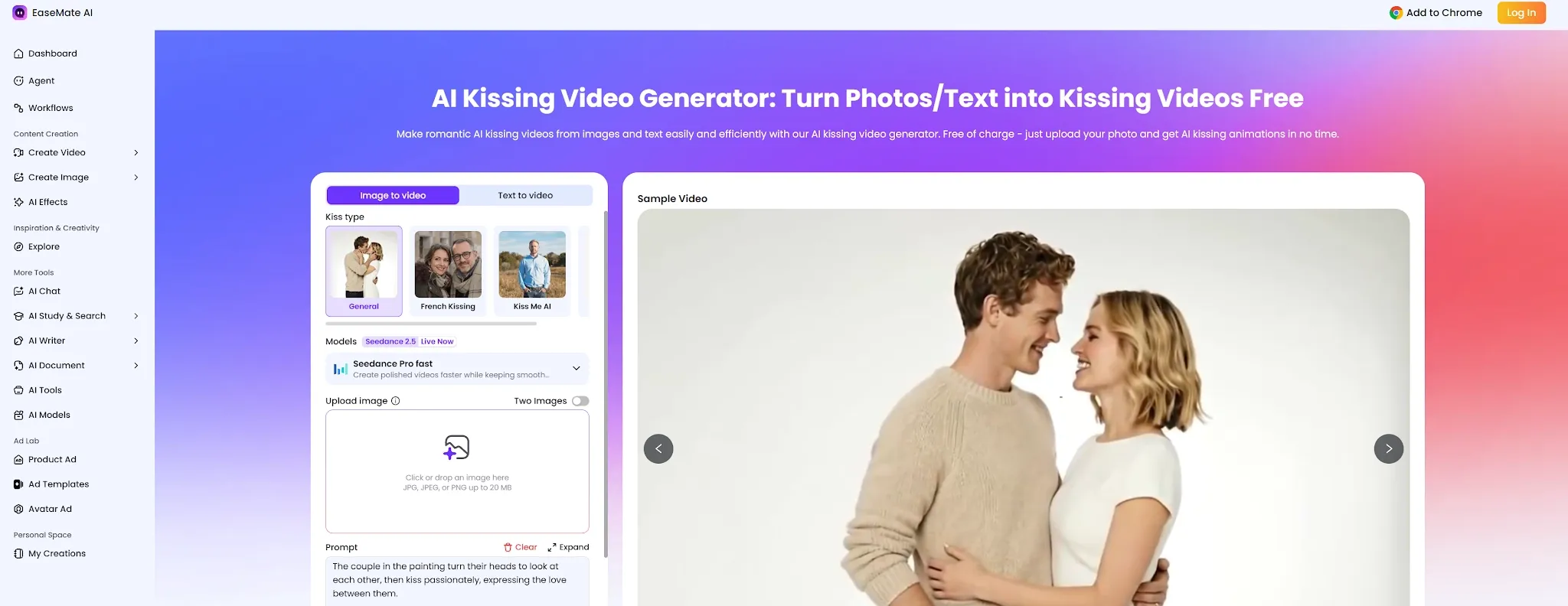
EaseMate AI is a good fit if you want to describe the scene rather than rely only on a preset. Its kissing workflow supports image-to-video and text-to-video, with options such as general kissing, French kissing, and cheek kissing. The page also presents different video models and generation controls, though the available choices may change.
This flexibility can help when you want to shape the setting or mood—such as a sunset scene or a gentle cheek kiss. It does add more decisions than a one-click kissing tool, so it may take longer to set up. EaseMate advertises daily free credits after sign-in; check the current account and generation screen for the amount available.
Pros:
- Supports both image and text input
- Offers several kiss types
- Provides prompt and model options
Cons:
- More settings can make the workflow feel less immediate
- Free-credit amounts and model availability may change
Best For
Users who want more say over the scene, style, or generation model.
Bottom Line
EaseMate is a flexible choice when a preset alone doesn’t match the kiss video you have in mind.
3.Media.io—Best for Multiple Kiss Effects
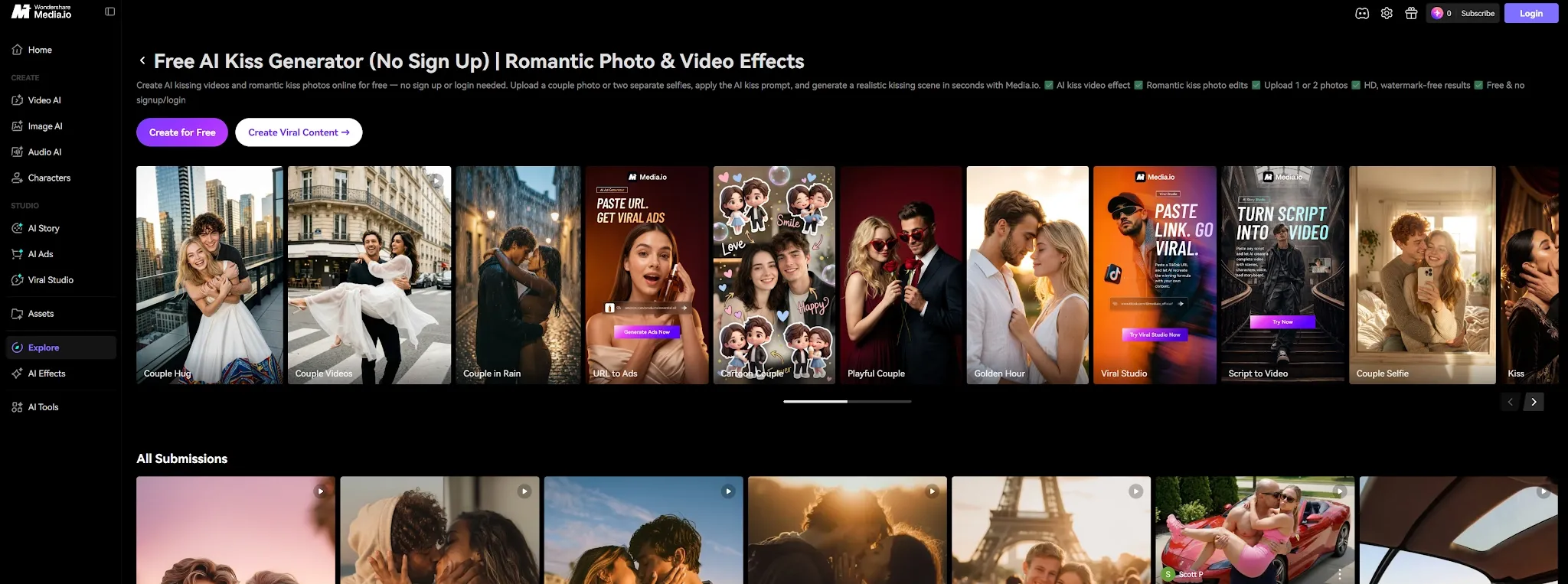
Media.io supports a couple photo or two separate selfies, with effects such as AI Kiss, French Kiss, and Kiss Me. Its workflow also includes editing options, which can help if you want to adjust the clip after generation with an AI video editor. The tool advertises a free trial for new users, but check the current credit and export limits before making several versions.
The variety makes Media.io useful for testing different romantic styles from similar source photos. Its many options may be more than you need for a single quick clip, and the result still needs a careful preview—especially around facial likeness and movement. You can also explore AI video filters to adjust a clip’s visual treatment.
Pros:
- Accepts a couple photo or two separate selfies
- Offers several kiss effects
- Includes additional editing options
Cons:
- Free access is limited to trial credits
- More effects do not guarantee more natural motion
Best For
Users who want to try different kiss effects and make basic adjustments in one workflow.
Bottom Line
Media.io is a flexible option when you want more than one preset to choose from.
4.Vidnoz—Best for Trying a Daily Free Generation
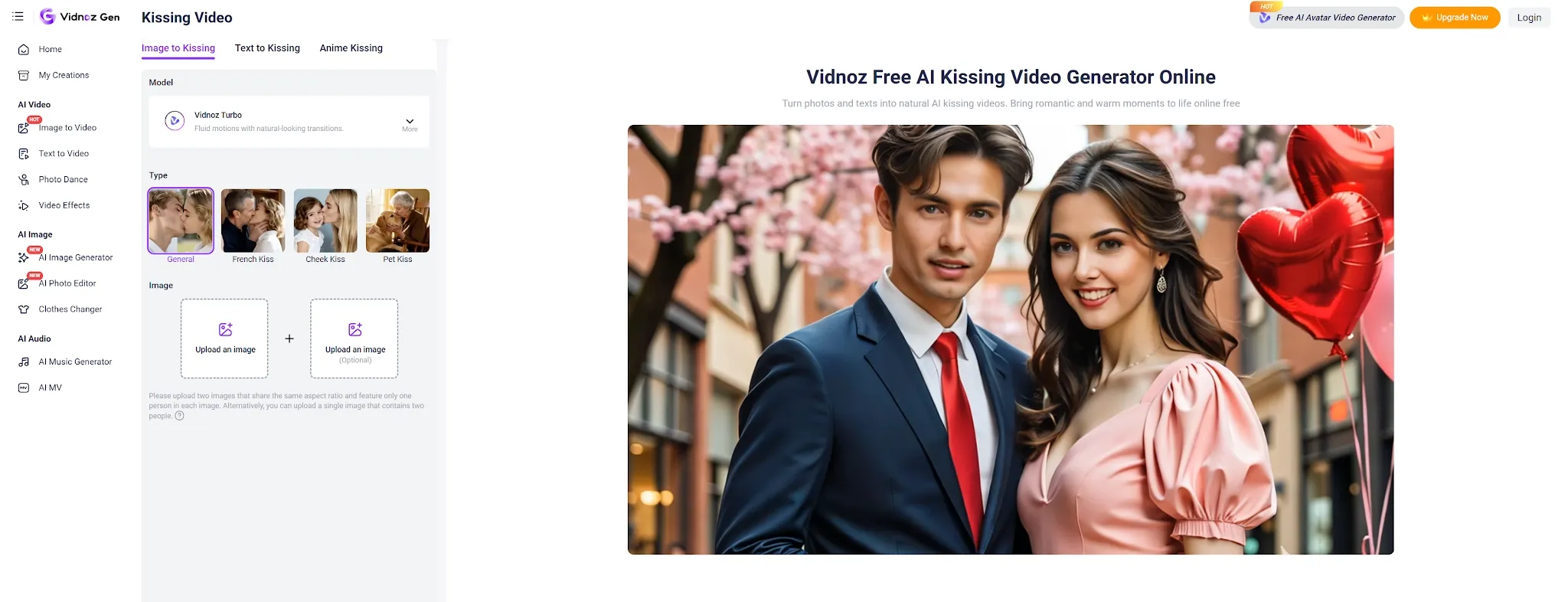
Vidnoz offers image-to-kissing and text-to-kissing workflows, making it a convenient option if you want to test a simple idea before choosing a more involved tool. Its product page advertises one free AI kissing video generation per day. Since free access can change, confirm the current limits and export conditions on the site before planning a project around it.
For photo input, Vidnoz says the image should show two people; it also notes that merged images can be processed. Text input offers another path if you don’t have a suitable couple photo. The tradeoff is that the result depends on how well the source image or prompt describes the scene, and the generated clip may need another attempt.
Pros:
- Supports image-to-kissing and text-to-kissing
- Advertises one free generation per day
- Offers a simple online workflow
Cons:
- Image input is centered on a photo containing two people
- Free access and export details should be checked before use
Best For
Casual users who want to try a kissing video generator without committing to a longer workflow.
Bottom Line
Vidnoz is worth checking for a quick trial, especially if you already have a clear photo of two people.
5.Mango AI—Best for Choosing a Kiss Style
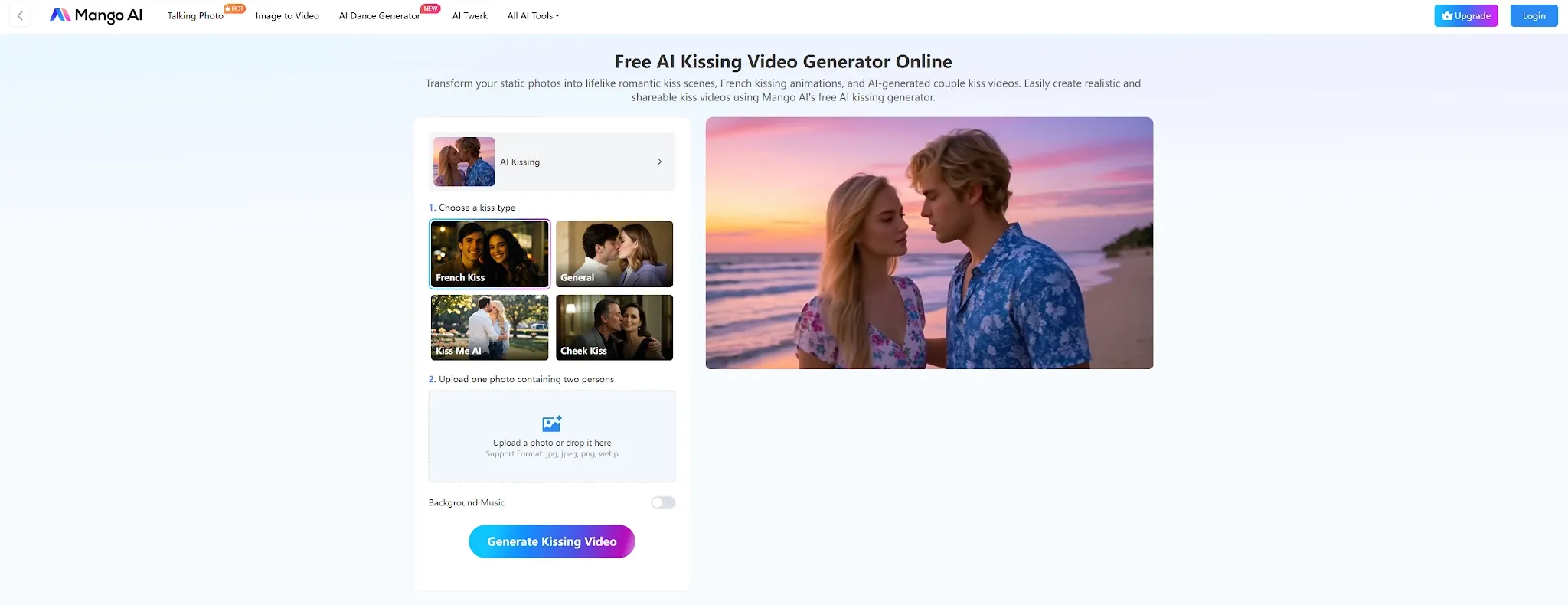
Mango AI lets users choose between styles such as a gentle kiss, French kiss, and Kiss Me AI, then animates a photo into a short clip. Its main workflow asks for one image containing two people, making it a straightforward choice if you already have a suitable couple photo.
Mango AI advertises a free version with watermarked clips and paid options for higher-quality output. That makes it possible to preview the workflow before paying, though the watermark and current plan limits matter if you intend to share the result publicly. For related romantic effects, Pollo AI also offers an air-kiss video effect.
Pros:
- Includes several kiss styles
- Simple workflow based on a couple photo
- Offers a watermarked free version
Cons:
- Its main workflow asks for both people in one image
- Free exports include a watermark
Best For
Users who have a couple photo and want to choose between different kiss styles.
Bottom Line
Mango AI is a good fit for a simple photo-based clip with a few style choices.
6.MagicShot—Best for Two Photos and Styled Scenes
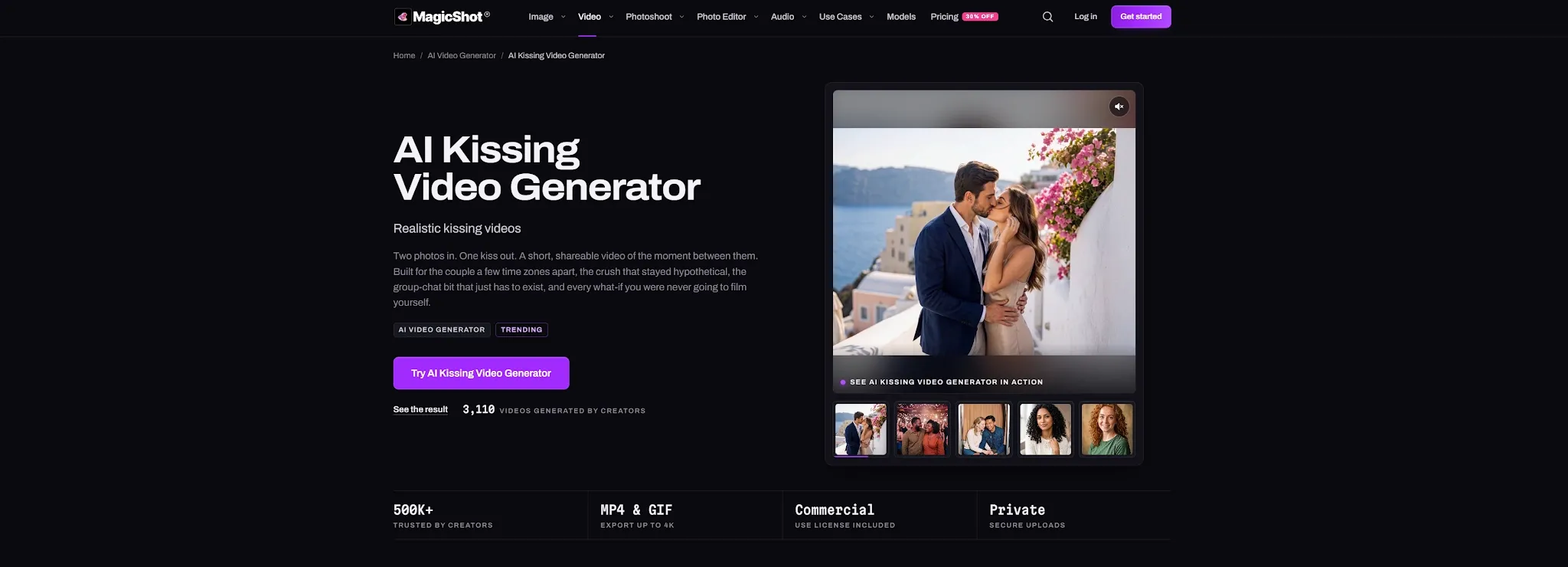
MagicShot’s Kissing Booth is built around two separate portraits. You upload one clear face per image, pick a style, and generate a short clip showing the moment between them. Its style library includes settings such as neon lights, fireworks, a Paris balcony, and a rainy scene.
This setup suits long-distance couples or creators who don’t have a photo of both people together. The preset-first workflow keeps the process simple, though it gives you less freedom than a prompt-led generator. MagicShot includes the tool in its paid plans, so check the current plan and credit terms before generating multiple versions.
Pros:
- Designed for two separate photos
- Offers a range of scene styles
- Simple upload-and-generate workflow
Cons:
- Requires two usable portraits
- Access is tied to the platform’s plans and shared credit balance
Best For
Users who have individual portraits and want to place them into a themed kiss scene.
Bottom Line
MagicShot is a convenient pick for styled clips made from two separate photos.
7. PhotoGrid—Best for Social-Ready Kiss Templates
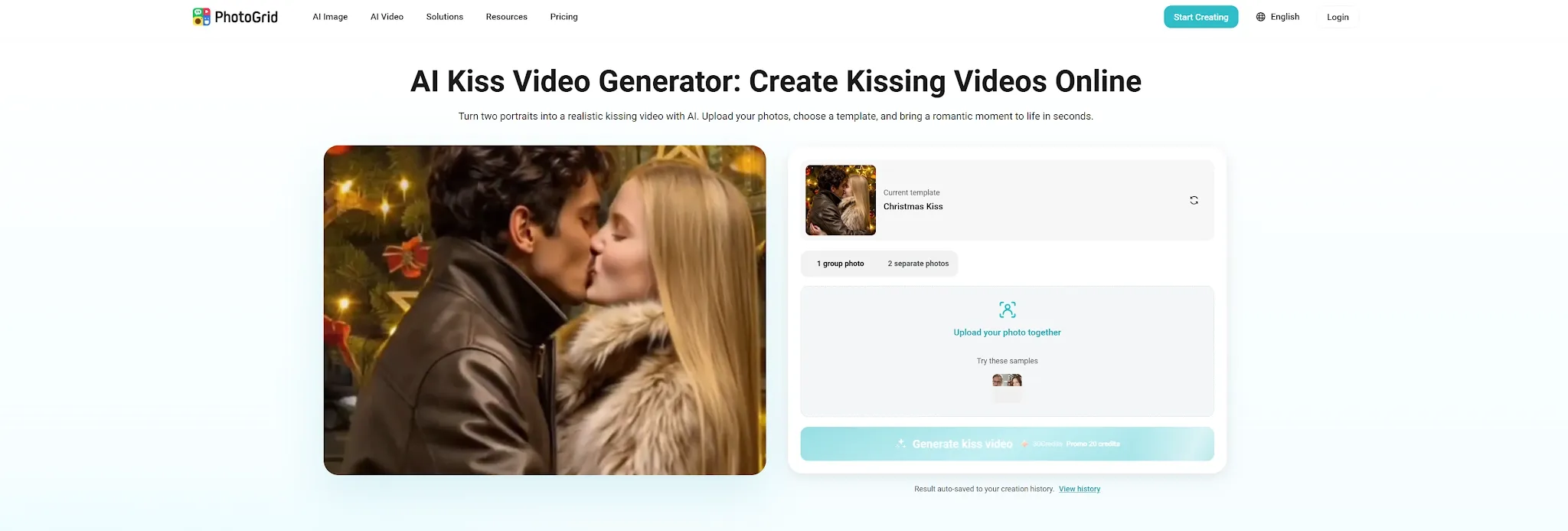
PhotoGrid offers a collection of short kiss templates, including French kiss, kiss in the rain, fireworks, and Valentine-themed scenes. Its workflow asks for two portraits, then generates a clip from the selected template. Several templates show their duration on the page, which helps when you’re choosing a short format for a social post.
This is a practical option if you want the scene and pacing largely decided for you. The tradeoff is that the template shapes the result more than your own detailed instructions. PhotoGrid recommends clear, front-facing photos because visible faces give the system more to work with.
Pros:
- Multiple short templates for different moods
- Clear two-portrait workflow
- Useful for quick social clips
Cons:
- Templates provide less prompt-level control
- Requires two clear portraits for its core workflow
Best For
Social creators looking for a quick kiss video with a specific theme or format.
Bottom Line
PhotoGrid works well when you want to pick a look and get to generation quickly.
8. AI Kiss—Best for a Straightforward Kiss Effect
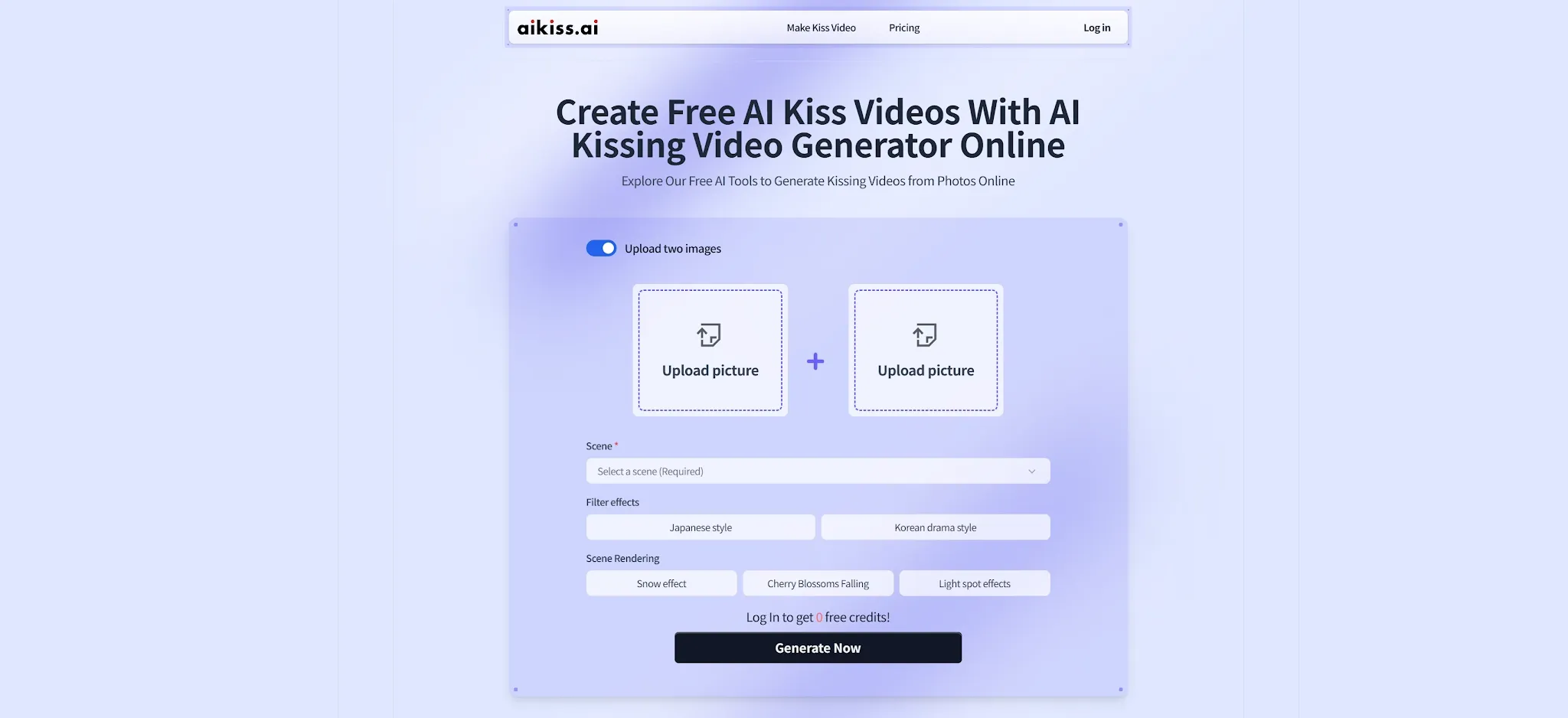
AI Kiss focuses on a simple flow for turning one or two photos into a kissing animation. Its page includes a French kiss effect and basic output controls such as resolution and duration. That makes it easy to understand what the tool is intended to do before you upload an image.
The appeal is simplicity: select an effect, add photos, and generate. The site also advertises daily credits, but its public page does not provide a stable comparison of every limit, so check the live interface before relying on free use. If you need detailed scene direction or a broader video workflow, a more flexible platform may be a better fit.
Pros:
- Simple, focused workflow
- Includes a French kiss effect
- Provides basic resolution and duration choices
Cons:
- Limited scene and editing controls
- Free-use details should be confirmed in the live tool
Best For
People who want a dedicated kissing tool with minimal setup.
Bottom Line
AI Kiss is a straightforward option for trying a basic kiss effect from photos.
9. Cuty AI—Best for Animating a Single Image
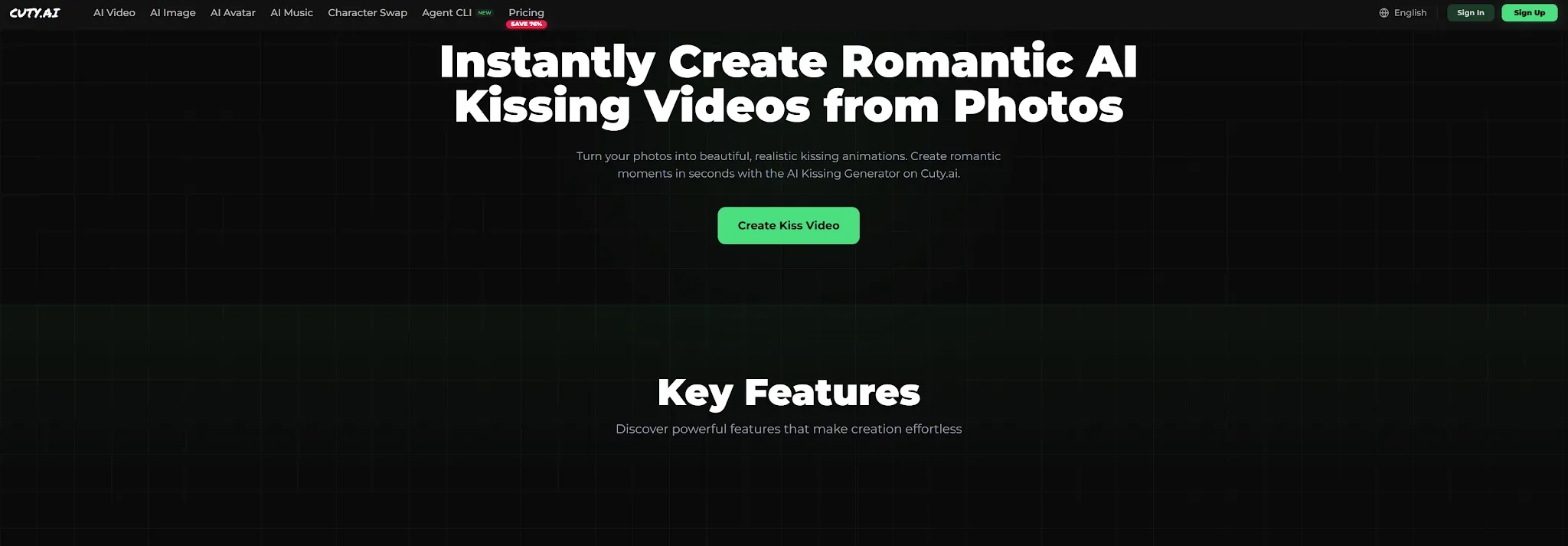
Cuty AI’s dedicated kissing generator is centered on uploading an image and animating it. That can be convenient if you already have a couple photo and don’t want to prepare separate portraits.
The single-image approach keeps preparation simple, but it gives you less flexibility when the people are only available in separate photos. Cuty’s page describes a 720p option, though available resolution and credits may depend on the account or plan. As with other image-to-video tools, review the generated faces and lip movement before sharing. You can use video enhancement to refine other clips in your workflow.
Pros:
- Simple single-image input
- Dedicated kissing workflow
- Publishes details about starter credits and paid-plan licensing
Cons:
- Less suited to combining two separate portraits
- Output and access details may depend on the current plan
Best For
Users who already have one clear image of both people together.
Bottom Line
Cuty AI is worth considering when you want to animate a single couple photo with little setup.
10.DeeVid AI—Best for a Simple Photo-to-Video Flow
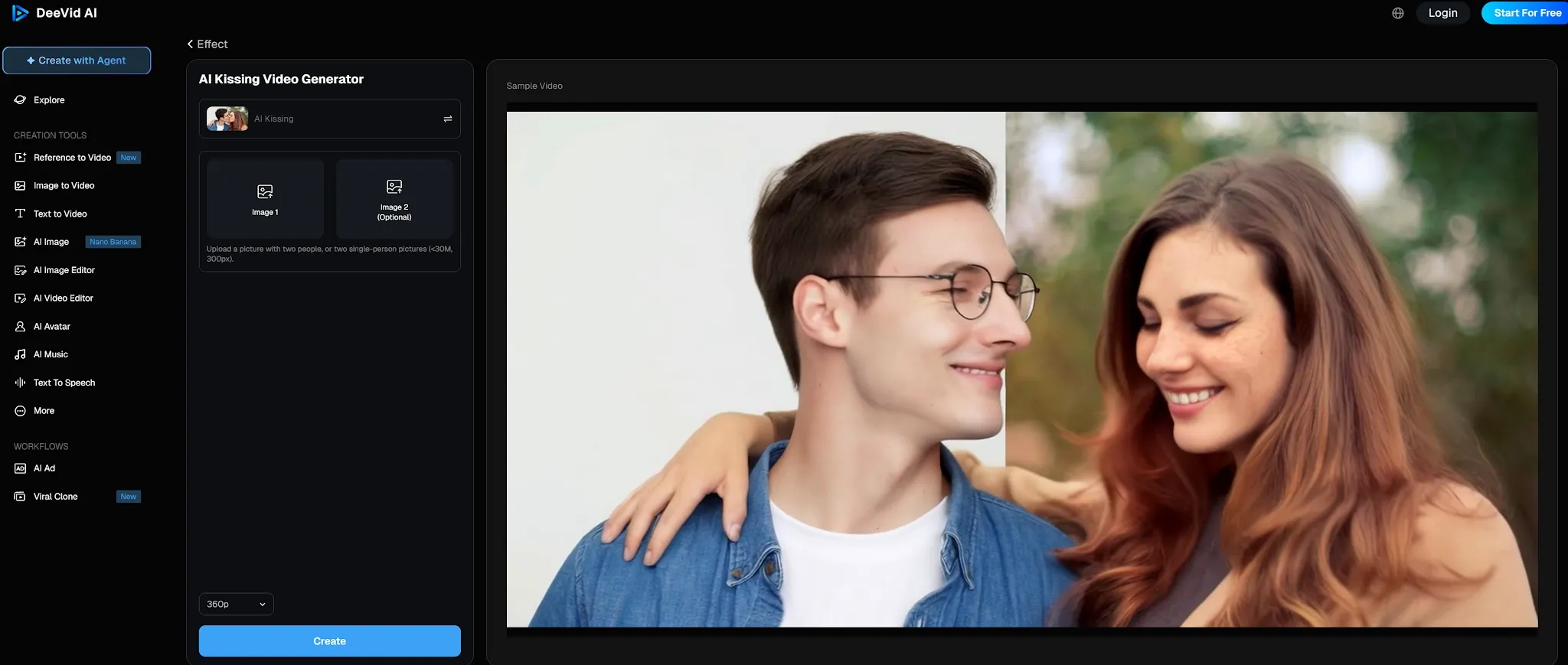
DeeVid AI’s kissing template accepts a photo with two people or two single-person images. Its interface keeps the task close to a standard image-to-video workflow: add the source images, choose the available options, and generate. The template is part of a broader video platform, so it may suit creators who already use DeeVid for other short clips.
Compared with dedicated kissing tools, DeeVid’s appeal is the familiarity of its template flow rather than a large scene library. Its template page shows a 360p option in the live interface, so check the output settings available to your account before choosing it for a larger display. Treat the first result as a draft and inspect the facial motion before exporting.
Pros:
- Accepts one couple photo or two individual images
- Part of a broader AI video platform
- Straightforward template-based flow
Cons:
- The template page shows a limited resolution option
- Fewer kiss-specific scene choices than tools built around presets
Best For
Users who want a basic kissing template inside a broader video-generation service.
Bottom Line
DeeVid is a reasonable option for a simple test, but check resolution and generation limits first.
Which AI Kiss Video Generator Should You Choose?
The best choice depends on your starting assets:
- If you have one couple photo: Use Pollo AI or Mango AI for the fastest animation.
- If you have two separate portraits: Pollo AI or MagicShot are best at merging them naturally.
- If you want deep creative control: Choose EaseMate to describe the scene manually.
- If you want a themed "vibe" (Rain, Paris): Try PhotoGrid's social-ready templates.
How Does Pollo AI’s Kissing Video Generator Actually Perform?
In hands-on testing, Pollo AI’s kissing generator ranks highest for facial consistency and realistic anatomical contact. While many general text-to-video tools treat human faces like liquid when they move close together, Pollo AI utilizes specialized motion-path prediction that delivers distinct advantages:
- True Two-Person Alignment: When you upload two independent portraits, the underlying diffusion engine automatically normalizes lighting, skin tones, and head proportions before initiating the kiss motion.
- Realistic Lip Physics: Instead of simple 2D warping, it models depth to simulate genuine facial contact, jawline movement, and subtle neck tilting.
- Atmospheric Immersion: Integrated background music eliminates the sterile silence of typical raw AI outputs, making clips immediately shareable on social platforms.
Bring a Couple Photo to Life with Pollo AI
Create a short AI kissing video from an adult couple photo or two authorized adult portraits, then review it before sharing.
Try Pollo AI for Free
Final Verdict
Pollo AI is the best overall choice in this comparison because its dedicated AI kissing video generator accepts either a couple photo or two separate portraits and offers several styles, including French and cheek kisses. EaseMate is a better fit for prompt and model choices, while Media.io and PhotoGrid offer varied effects and templates. Mango AI is a straightforward option when you already have a couple photo. Use authorized photos and review the finished clip before sharing.
FAQ about AI Kissing Video Generator
How do you get AI to make two people kiss?
Choose a generator that matches your photo setup—Pollo AI works best for both single and dual photos. Upload sharp images, select a kiss style (like French or cheek), and preview. For the best result, use front-facing portraits with similar lighting so the AI can merge them without "drifting."
What photos help create a more realistic AI kiss?
I noticed that sharp, well-lit portraits where faces are unobstructed yield the best results. Avoid heavy filters, sunglasses, or extreme side profiles, as these make it harder for the AI to preserve likeness during motion.
Are there free AI kiss video generators available?
I recommend starting with Pollo AI, which provides free credits for new users upon sign-up. This lets you test the facial physics and generate a publish-ready video without any upfront cost, ensuring you’re happy with the realism before committing.
Why do AI kiss videos often look distorted or "melt"?
They distort because standard 2D video models struggle to calculate overlapping facial depth, causing lips and skin tones to blur together. When two faces collide, generic models lose track of facial boundaries. Using a dedicated kissing tool like Pollo AI prevents this by applying specialized motion paths tailored to intimate contact physics.